ibis Paint

ibis Paint

ダウンロード: App Storeダウンロード: Google Play
Spark by MWM logo
ロゴ: ibis Paint

ibis Paint:次世代アーティストのためのプロフェッショナルイラスト・マンガツール

47,000以上のブラシ、特化したマンガ機能、そして簡単なタイムラプス記録で、あなたの芸術の旅を世界と共有し、創造的な可能性を解き放ちましょう。

開発元

ibis inc.

カテゴリ

Graphics & Design

ダウンロード

577K+

ユーザー評価

4.8/5

評価数

16K+

対応言語

19

すべてのストロークに宿るマスターピース

このインターフェースを利用する 577K+ 人のユーザー.

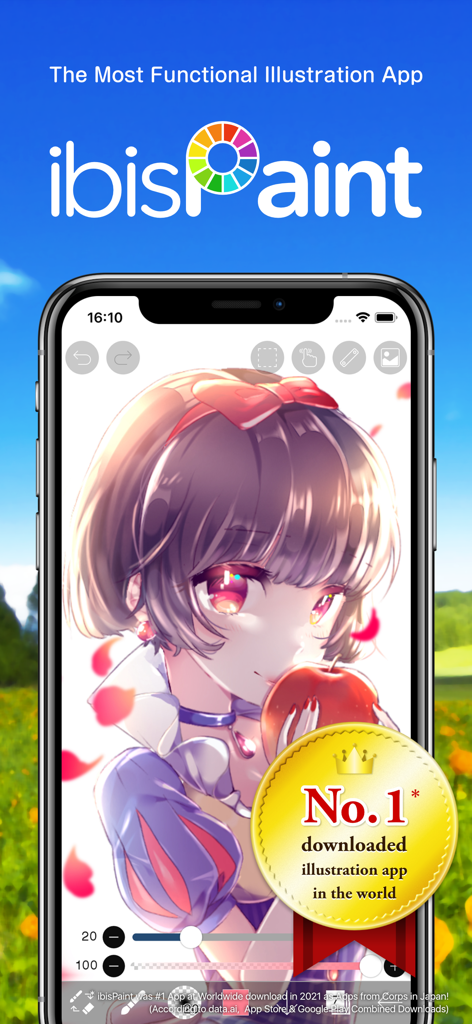
ibis Paint モバイルアプリがスマートフォン画面に高画質のアニメ風美少女イラストを表示している様子

ibis Paint モバイルアプリがスマートフォン画面に高画質のアニメ風美少女イラストを表示している様子

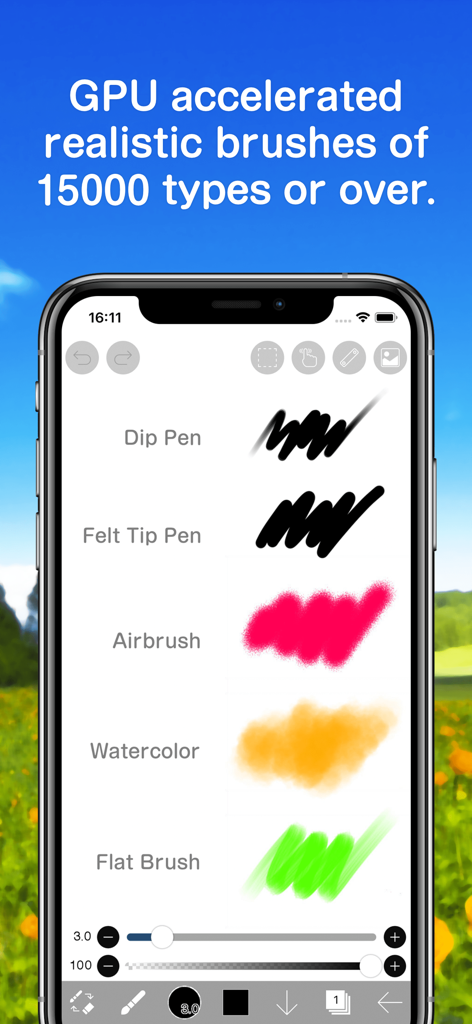
ibis Paint モバイルインターフェースに、エアブラシや水彩などのリアルな描画ブラシが表示されている様子

ibis Paint モバイルインターフェースに、エアブラシや水彩などのリアルな描画ブラシが表示されている様子

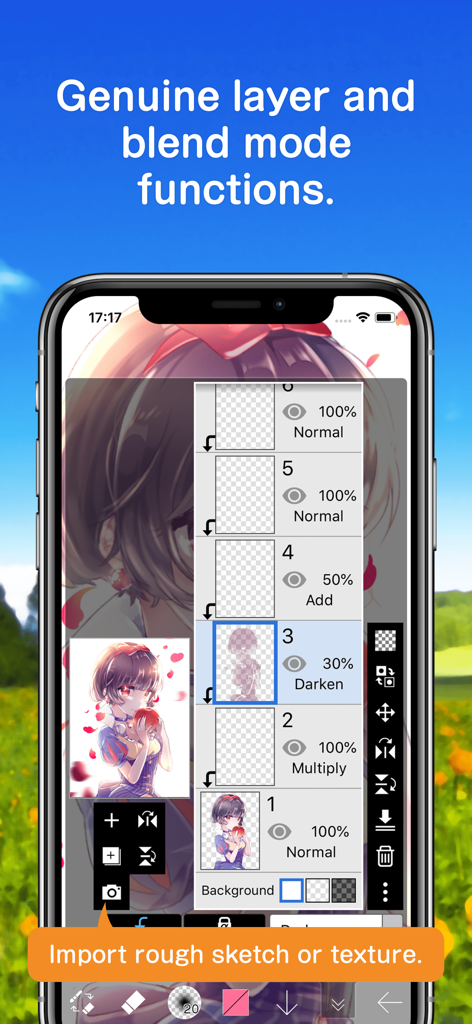
ibis Paint アプリのインターフェース画面、デジタルアート用の高度なレイヤー管理とブレンドモードオプションを表示

ibis Paint アプリのインターフェース画面、デジタルアート用の高度なレイヤー管理とブレンドモードオプションを表示

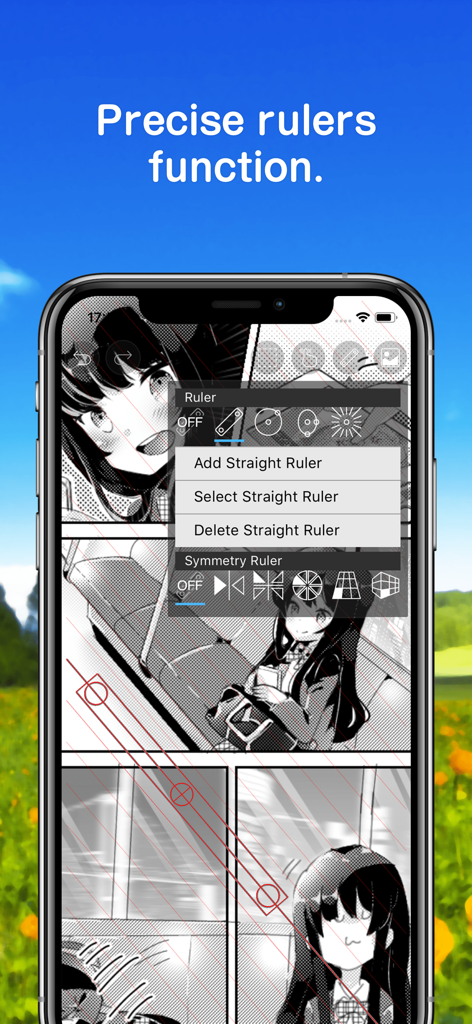
マンガイラストのためのibis Paint の正確な定規機能を示すスマートフォン

マンガイラストのためのibis Paint の正確な定規機能を示すスマートフォン

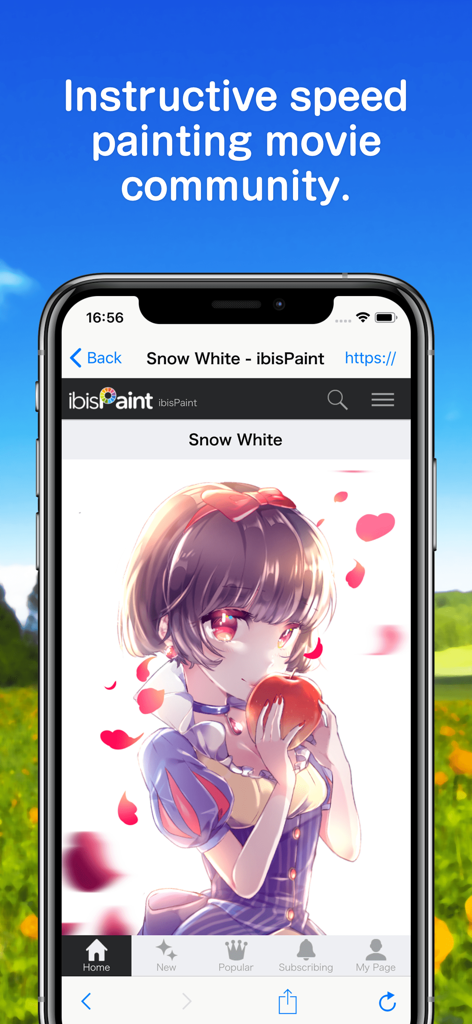
スノーホワイトのアニメ風イラストが表示されたibis Paint スピードペインティングコミュニティインターフェースを示すスマートフォン

スノーホワイトのアニメ風イラストが表示されたibis Paint スピードペインティングコミュニティインターフェースを示すスマートフォン

デジタルアートの旅をマスターする

このアプリを際立たせるツール、 577K+ 人のユーザーが選択.

🖌️

無限のブラシコレクション

つけペン、エアブラシ、チャコールなど47,000以上のブラシから選択し、120fpsの精度でどんなビジョンも形にしましょう。

🎥

ワンタップソーシャル共有

描画プロセスを自動的に記録し、TikTokやInstagramでバイラルになる準備ができた洗練されたタイムラプス動画をエクスポートしましょう。

📒

プロフェッショナルコミックツール

Webtoonクリエイター向けに、スクリーントーン、コマ割り、高度なテキストツールなどの専用マンガ機能でプロのように作成しましょう。

世界中のユーザーに愛されています

Trusted by 577K+ 人がこのアプリを愛用しています.

"

"インディーコミックアーティストとして、スクリーントーンやコマ割りツールといった特化したマンガ機能は本当に助かります。スケッチから最終的なレタリングまで、すべてiPad上で処理できます。試したほとんどのデスクトップソフトウェアよりも強力だと感じます。"

Maya S., インディーコミックアーティスト
"

"タイムラプス記録機能は、私のソーシャルメディアにとってまさにゲームチェンジャーです。プロセス動画をすぐにTikTok用にエクスポートでき、フォロワーはいつもどうやって線をそんなに滑らかにするのか尋ねてきます。ストローク安定化は魔法です!47,000以上のブラシがあれば、新しいスタイルを試すのに飽きることはありません。"

Jordan R., デジタルイラストレーター&コンテンツクリエイター

アプリについて

について知っておくべきこと ibis Paint.

説明

This app is an ad-removed version of ibisPaint X. An additional in-app purchase for Prime Membership is required to unlock all features, in which case it is cheaper to download ibisPaint X and purchase the Prime Membership there instead. ibis Paint is a popular and versatile drawing app downloaded more than 460 million times in total as a series, which provides over 47000 brushes, over 27000 materials, over 2100 fonts, 84 filters, 46 screentones, 27 blending modes, recording drawing processes, stroke stabilization feature, various ruler features such as radial line rulers or symmetry rulers, clipping mask features. *YouTube channel Many tutorial videos on ibis Paint are uploaded to our YouTube channel. Subscribe it! https://youtube.com/ibisPaint *Concept/Features - A Highly functional and professional features surpassing that of desktop drawing apps. - Smooth and comfortable drawing experience realized by OpenGL technology. - Recording your drawing process as a video. - SNS feature where you can learn drawing techniques from other users' drawing process videos. *Features ibis Paint has high functionality as a drawing app along with features of sharing drawing processes with other users. [Brush Features] - Smooth drawing at up to 120 fps. - Over 47000 kinds of brushes including dip pens, felt tip pens, digital pens, air brushes, fan brushes, flat brushes, pencils, oil brushes, charcoal brushes, crayons and stamps. [Layer Features] - You can add layers as many as you need with no limit. - Layer parameters that can be set to each layers individually such as layer opacity, alpha blending, adding, subtracting, and multiplying. - A handy clipping feature for clipping images, etc. - Various layer commands such as layer duplication, import from the photo library, horizontal inversion, vertical inversion, layer rotation, layer moving, and zooming in/out. - A feature for setting layer names to distinguish different layers. [Manga Features] - Advanced text tool function featuring Vertical, Horizontal, Stroke, Font select, and Multiple text functions. *About ibis Paint purchase plan The following purchase plans are available for ibis Paint: - ibis Paint X (free version) - ibis Paint (paid version) - Remove Ads Add-on - Prime Membership (Monthly plan / Yearly plan) There is no difference in features other than the presence or absence of advertisements for the paid version and the free version. If you purchase the Remove Ads Add-on, the ads will not be displayed and there will be no difference from the paid version of ibis Paint. In order to use more advanced functions, the following Prime Membership (Monthly plan / Yearly plan) contracts are required. [Prime Membership] A prime member can use the prime features. Only for the first time, a 7-day or 1-month free trial is available. Prime membership entitles you to the following features. - 20GB of cloud storage capacity - Vector tool(*1) - Prime Materials - Prime Canvas Papers - Prime Fonts - Tone Curve filter - Gradation Map filter - Levels Adjustment filter - Prime Adjustment Layers - Surrounding Fill・Surrounding Eraser - AI Disturbance - Artwork folder feature - Import original brush patterns - Remove watermark from videos - Plus many other features exclusive to Prime Membership! (*1) You can try it for free for up to 1 hour per day. * After you become a Prime Membership with a free trial, renewal fee will be charged automatically unless you cancel your Prime Membership at least 24 hours before the end of the free trial period. * We will add premium features in future, please look out for them. *Questions and support Questions and bug reports in reviews will not be responded to, so please contact ibis Paint support. https://ssl.ibis.ne.jp/en/support/Entry?svid=25 *ibisPaint's terms of service https://ibispaint.com/agreement.jsp

最新バージョン

13.1.13

サイズ

74.7 MB

リリース日

2011年6月21日

無限の創造を始める準備はできましたか?

4億6000万人以上のアーティストに加わり、47,000以上のブラシ、プロフェッショナルなマンガツール、そして簡単なタイムラプス共有にアクセスしましょう。今日から広告なしのクリエイティブな旅を始めましょう。

ダウンロード: App Storeダウンロード: Google Play
FAQ

よくある質問

について知っておくべきこと ibis Paint

ibis Paintとは何ですか?

ibis Paintは、4億6000万回以上ダウンロードされた多機能お絵かきアプリです。リアルなイラストから可愛いイラストまで、様々な種類のイラストをスムーズな描き心地で作成できるプロ仕様の機能を提供します。

ibis Paintは広告なしですか?

はい、ibis Paintは広告非表示バージョンです。無料版のibis Paint Xには広告が表示されますが、ibis Paint Xで「広告非表示アドオン」を購入することで広告を非表示にでき、ibis Paintと同等の機能を利用できます。

ibis Paint Primeメンバーシップにはどのような機能が含まれていますか?

ibis PaintのPrimeメンバーシップには、20GBのクラウドストレージ、ベクターツール、プライム素材、プライムキャンバス用紙、プライムフォント、トーンカーブ、階調マップ、レベル補正などの高度なフィルター、その他多くの限定機能が含まれています。

ibis PaintはPrimeメンバーシップの無料トライアルを提供していますか?

はい、ibis Paintは初めてPrimeメンバーシップを利用するユーザー向けに、7日間または1ヶ月の無料トライアルを提供しています。トライアル終了後、24時間前までにキャンセルしない限り、自動的に更新料金が請求されます。

ibis Paintではブラシはいくつ利用できますか?

ibis Paintでは、47,000種類以上のブラシが用意されています。これには、つけペン、フェルトペン、デジタルペン、エアブラシ、ファンブラシ、油絵ブラシ、木炭、クレヨン、スタンプなど、さまざまな種類のブラシが含まれます。

ibis Paintはどのようなレイヤー機能を提供していますか?

ibis Paintは、個別の不透明度、アルファブレンディング、加算、減算、乗算パラメータを備えた無制限のレイヤーを提供します。また、クリッピング機能や、レイヤーの複製、反転、回転、移動、ズームを行うコマンドも含まれています。

ibis Paintにはマンガ作成機能が含まれていますか?

はい、ibis Paintにはマンガ作成のための包括的な機能が含まれています。これには、縦書き、横書き、縁取り、フォント選択機能を備えた高度なテキストツールと、46種類のスクリーントーンが含まれます。

ibis Paintにはベクターツールがありますか?

はい、ibis PaintにはPrimeメンバーシップ機能の一部としてベクターツールが含まれています。このツールは、Primeメンバーシップがなくても、1日あたり最大1時間まで無料で試すことができます。

ibis Paintはプロジェクトのクラウドストレージをサポートしていますか?

はい、ibis Paintはクラウドストレージをサポートしています。Primeメンバーシップは20GBのクラウドストレージ容量を提供し、互換性のあるデバイス間で作品を自動同期および転送できます。

ibis Paintのチュートリアルはどこで見られますか?

ibis Paintは、公式YouTubeチャンネルでチュートリアル動画を提供しています。チャンネルを購読することで、描画テクニックを学んだり、アプリの機能の使い方に関するガイダンスを得たりすることができます。