Infocar - OBD2 ELM Scanner

Infocar - OBD2 ELM Scanner

ダウンロード: App Storeダウンロード: Google Play
Spark by MWM logo
ロゴ: Infocar - OBD2 ELM Scanner

Infocar - OBD2 ELMスキャナー: あなたのプロの整備士がアプリに

「エンジンチェック」ランプの点灯について推測するのはやめましょう。ディーラーレベルの診断を取得し、800以上のセンサーをリアルタイムで監視し、究極の車両管理ツールで修理費用を数百ドル節約できます。

開発元

Infocar Co., Ltd.

カテゴリ

Utilities

ダウンロード

820K+

ユーザー評価

4.6/5

評価数

1K+

対応言語

21

車両の状態を覗いてみましょう

このインターフェースを利用する 820K+ 人のユーザー.

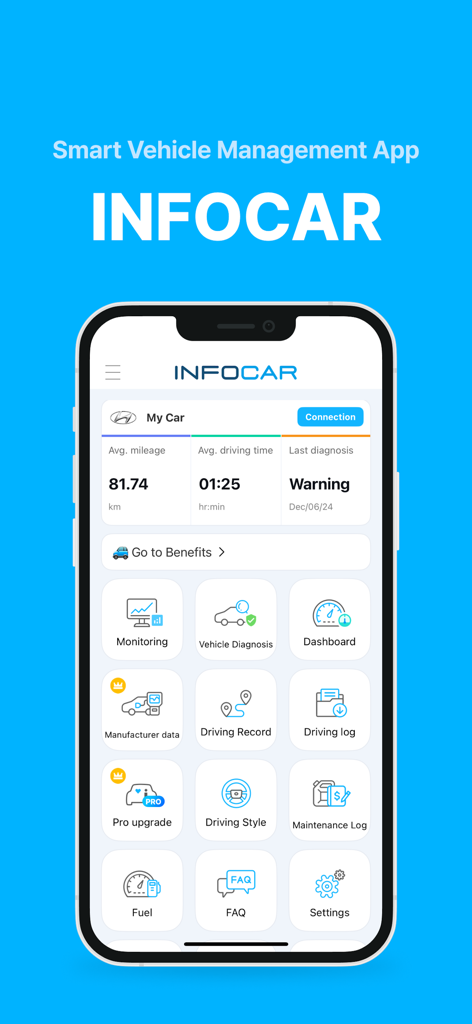
Infocar OBD2スキャナーアプリのダッシュボード。車両の状態と診断アイコンが表示されています

Infocar OBD2スキャナーアプリのダッシュボード。車両の状態と診断アイコンが表示されています

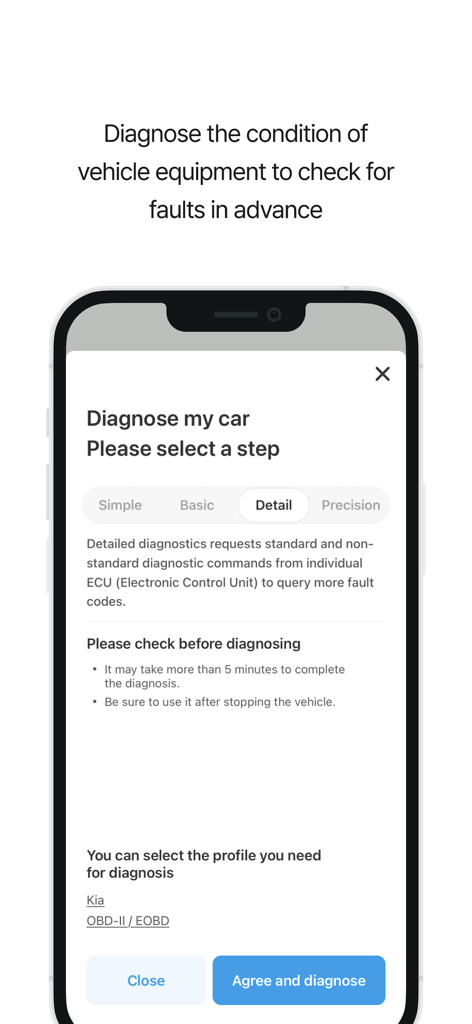
Infocarアプリ画面。キア車両の詳細なECU故障コードスキャンオプションを備えた車の診断セットアップが表示されています

Infocarアプリ画面。キア車両の詳細なECU故障コードスキャンオプションを備えた車の診断セットアップが表示されています

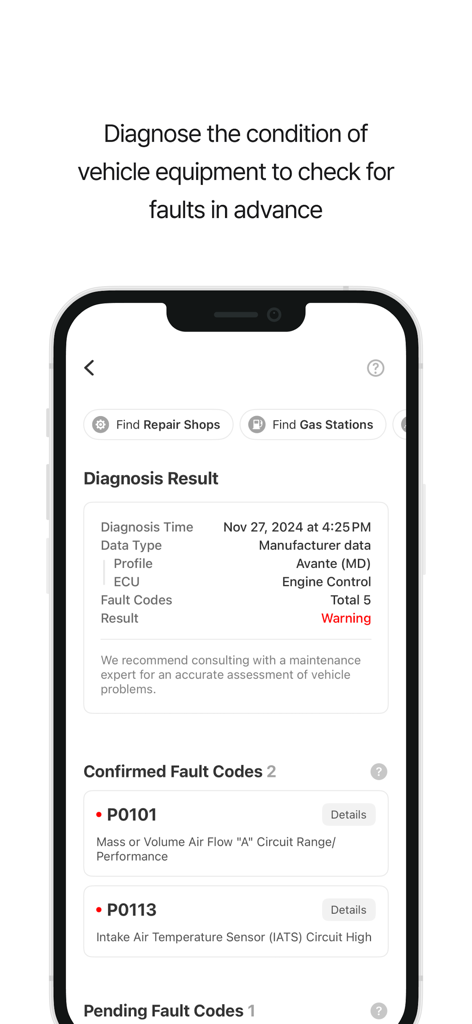
Infocarアプリで車両診断結果とエンジン故障コードを表示するスマートフォンの画面

Infocarアプリで車両診断結果とエンジン故障コードを表示するスマートフォンの画面

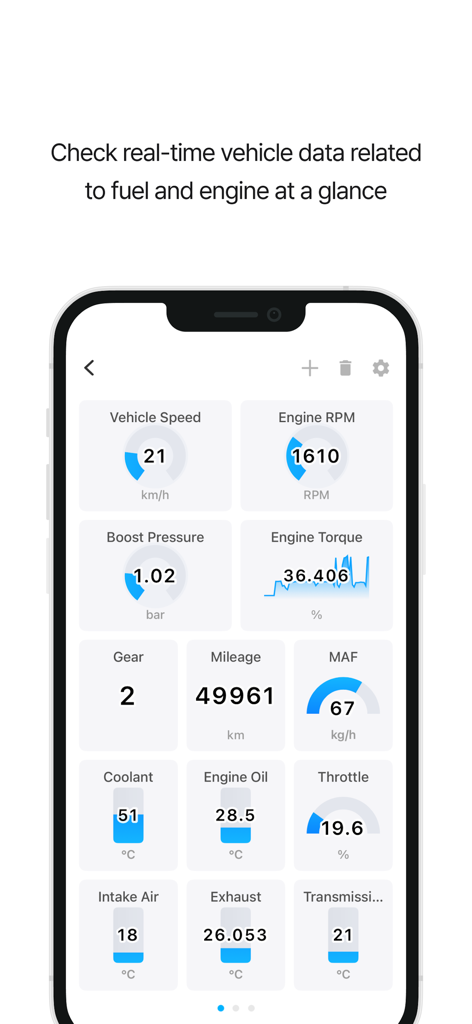
Infocarアプリのダッシュボード。エンジンRPMや速度などのリアルタイム車両センサーが表示されています

Infocarアプリのダッシュボード。エンジンRPMや速度などのリアルタイム車両センサーが表示されています

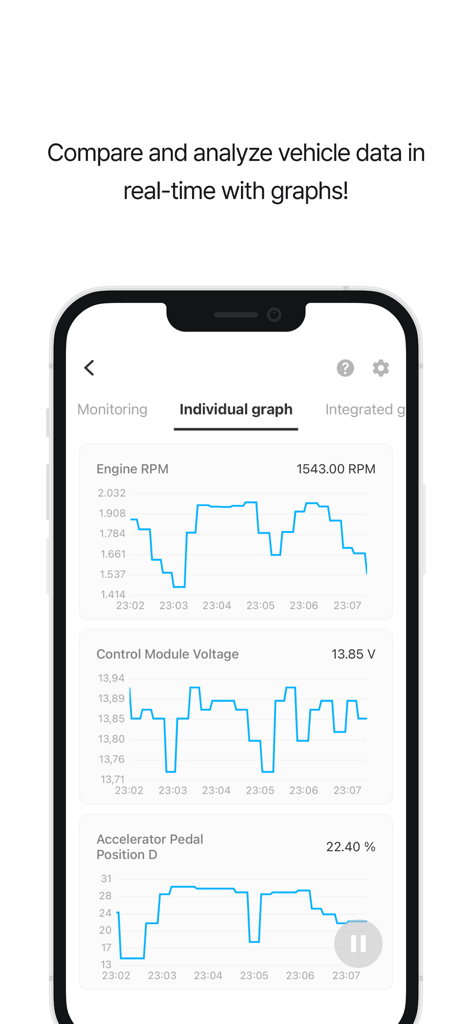
Infocarアプリ。エンジンRPMと制御モジュール電圧のリアルタイム車両診断グラフが表示されています

Infocarアプリ。エンジンRPMと制御モジュール電圧のリアルタイム車両診断グラフが表示されています

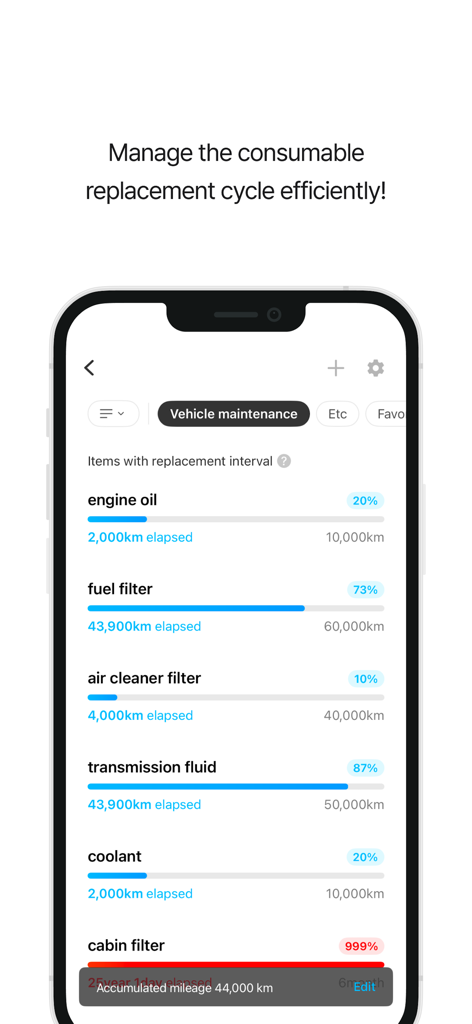
Infocarアプリのダッシュボード。オイルとフィルターの車のメンテナンス間隔が表示されています

Infocarアプリのダッシュボード。オイルとフィルターの車のメンテナンス間隔が表示されています

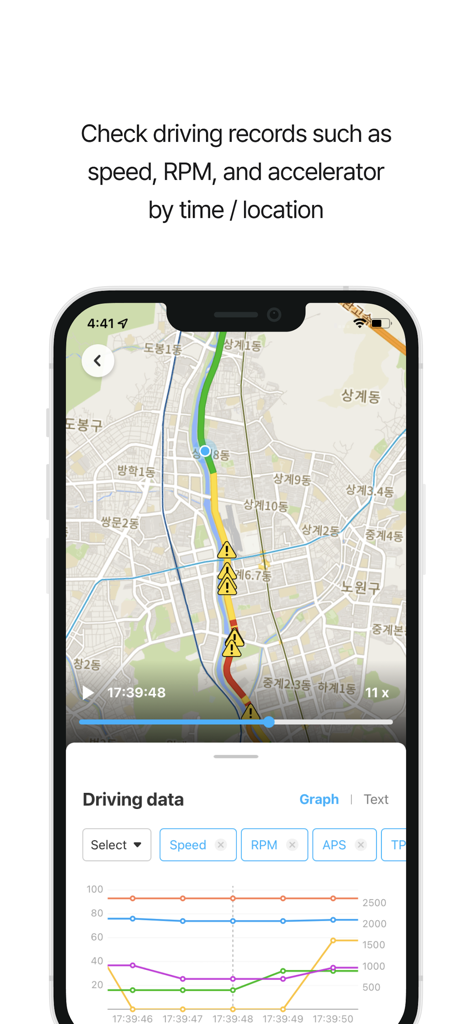
Infocarアプリのインターフェース。地図上に走行記録とパフォーマンス指標グラフが表示されています

Infocarアプリのインターフェース。地図上に走行記録とパフォーマンス指標グラフが表示されています

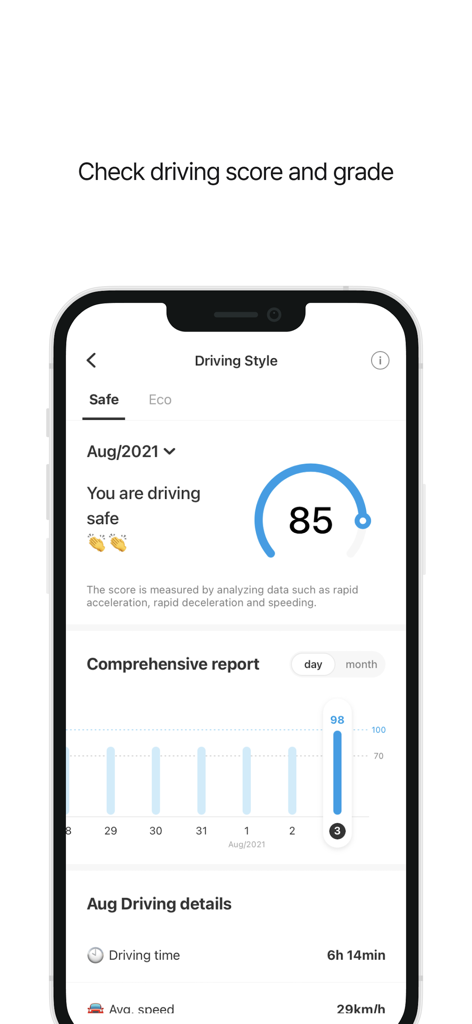
Infocarアプリ画面。安全スコアと包括的な運転レポートを備えた運転スタイル分析が表示されています

Infocarアプリ画面。安全スコアと包括的な運転レポートを備えた運転スタイル分析が表示されています

あなたの車両の状態を完全に管理しましょう

このアプリを際立たせるツール、 820K+ 人のユーザーが選択.

🛠️

プロフェッショナルグレードの診断

「エンジンチェック」ランプの問題を即座に特定し、自分で故障コードをクリアして、高額で不必要な整備工場への往復を回避しましょう。

🏎️

スマートリアルタイムHUD

スピードとRPMをフロントガラスに投影する未来的なヘッドアップディスプレイでダッシュボードを変革し、より安全で注意散漫にならない運転を実現します。

📈

自動走行距離と燃料ログ

エクスポート可能なデータで、すべての走行と燃料費を簡単に追跡しましょう。税控除、ギグワークの記録、予算管理に最適です。

世界中のユーザーに愛されています

Trusted by 820K+ 人がこのアプリを愛用しています.

"

"Infocarは、ディーラーでの120ドルの診断料金を節約してくれました。簡単なセンサーの問題を自分で特定し、数秒で故障コードをクリアできました。詳細なメーカーデータにより、店で法外な料金を請求されることなく、自分でメンテナンスを行う自信が持てます。"

David Miller
"

"ライドシェアをしている人には必須です!走行記録とExcelエクスポート機能を使用して、税務シーズンの走行距離を完璧に追跡しています。さらに、リアルタイムの燃費監視は、実際に運転スタイルを変え、毎月ガソリン代を大幅に節約するのに役立ちました。"

Jessica Chen

アプリについて

について知っておくべきこと Infocar - OBD2 ELM Scanner.

説明

Smart Vehicle Management App, Infocar Manage your vehicle smarter with Infocar, from vehicle diagnostics to driving style analysis! ■ Vehicle Diagnostics * Check your vehicle's condition yourself! Inspect ignition systems, exhaust systems, electronic circuits, and more to detect any faults. * Fault Code Descriptions Understand problems easily with fault codes categorized into three levels. Use the deletion feature to clear fault codes stored in the ECU effortlessly. ■ Manufacturer Data * Experience diagnostic results 99% identical to those from repair shops. * Manage your vehicle more accurately with over 2,000 manufacturer-specific sensor data points tailored to each vehicle model. * View detailed diagnostic results by control unit (ECU). ■ Real-Time Monitoring * Access real-time data from over 800 OBD2 sensors! * Visualize data with graphs to understand your vehicle’s status at a glance. ■ Dashboard * View all the essential data you need while driving in one place! * Optimized for convenience Customize the display to your preferences and easily monitor real-time fuel efficiency and remaining fuel levels. * HUD (Head-Up Display) Stay informed about speed, RPM, mileage, and more while driving, with data reflected onto your windshield for safer driving. ■ Driving Style Analysis * Check your safety and eco-driving scores Analyze your driving habits with Infocar’s algorithm and discover your unique driving style. * Continuously improve with statistical graphs and driving records. ■ Driving Records * Track every drive! Record your driving distance, time, average speed, fuel efficiency, and more. View warnings for overspeeding, rapid acceleration, sudden braking, and sharp turns on a map. * Driving Replay Review speed, RPM, and acceleration data by time and location. * Download your driving logs as an Excel file for detailed analysis. ■ Vehicle Management * Manage maintenance schedules effortlessly Keep track of recommended replacement intervals and maintenance schedules based on your vehicle's mileage. * Expense Tracker Organize your expenses and review them by category or date to plan your budget effectively. ■ Compatible OBD2 Devices * Infocar supports various devices based on the international OBD2 protocol. However, it is optimized for Infocar devices, and some features may be limited when using third-party products. ■ Required and Optional Permissions * Location: For driving records and parking location tracking. * Bluetooth: For connecting to the scanner. * Microphone: For voice recording with the dashcam feature. * Camera: For capturing videos with the dashcam feature. *Note: You can use the app’s main features without granting optional permissions.* ■ Support and Inquiries * Having trouble with Bluetooth or vehicle registration? Go to Settings > FAQ > 1:1 Inquiry in the Infocar app to send us an email, and we’ll assist you promptly. * [Terms and Conditions](https://infocarmobility.com/sub/service_lang/en) ■ Subscription and In-App Purchases Infocar is free to use, but some features require a subscription or in-app purchase. * Subscriptions are billed to your Apple account and automatically renew unless auto-renewal is disabled at least 24 hours before the end of the current period. * You can manage or cancel your subscription anytime through your account settings. * Deleting the app does not automatically cancel your subscription, so please cancel it manually if needed. Start your journey to smarter vehicle management with Infocar!

最新バージョン

2.9.17

サイズ

217.1 MB

リリース日

2019年1月24日

修理費用の払いすぎをやめて、賢く運転を始めましょう

ショップレベルの診断とリアルタイムのパフォーマンス追跡を指先で実現。Infocarを信頼して費用を節約し、車両の状態をマスターしている80万人以上のドライバーの仲間入りをしましょう。

ダウンロード: App Storeダウンロード: Google Play