Kino - Pro Video Camera

Kino - Pro Video Camera

ダウンロード: App Store
Spark by MWM logo
ロゴ: Kino - Pro Video Camera

Kino — シネマティックビデオを、すぐに。

プロのカラープリセットとスムーズなAutoMotionで、iPhoneにフィルムルックをもたらしましょう。編集不要のカメラアプリで、見事な映像を撮影、グレーディング、共有しましょう。

開発元

Lux Optics Incorporated

カテゴリ

Photo & Video

ダウンロード

194K+

ユーザー評価

4.8/5

評価数

4K+

対応言語

12

ポケットの中のシネマ

このインターフェースを利用する 194K+ 人のユーザー.

iPhone画面にKinoアプリのインターフェイスが表示され、シネマティックなカラープリセットとインスタントビデオグレーディング用の黄色い適用ボタンが表示されています。

iPhone画面にKinoアプリのインターフェイスが表示され、シネマティックなカラープリセットとインスタントビデオグレーディング用の黄色い適用ボタンが表示されています。

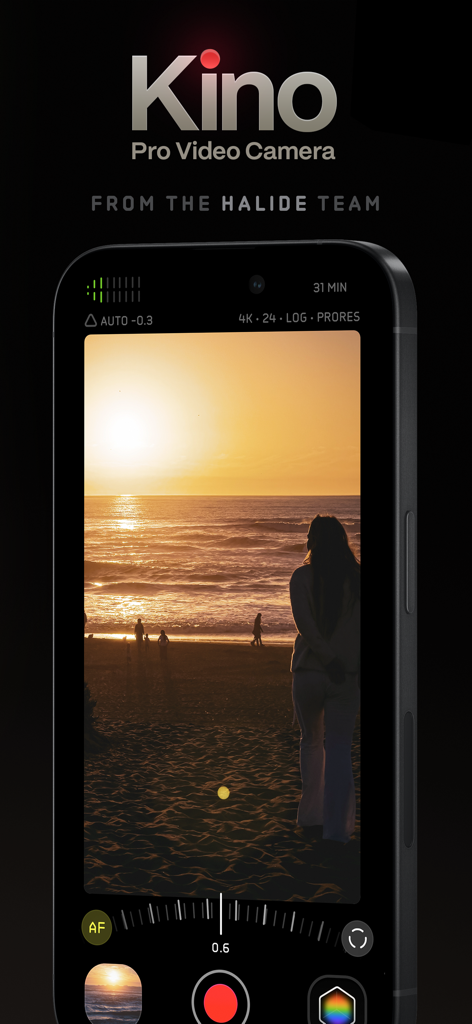
iPhoneに表示されたKino Pro Video Cameraアプリのインターフェイス。シネマティックな夕焼けを録画中。

iPhoneに表示されたKino Pro Video Cameraアプリのインターフェイス。シネマティックな夕焼けを録画中。

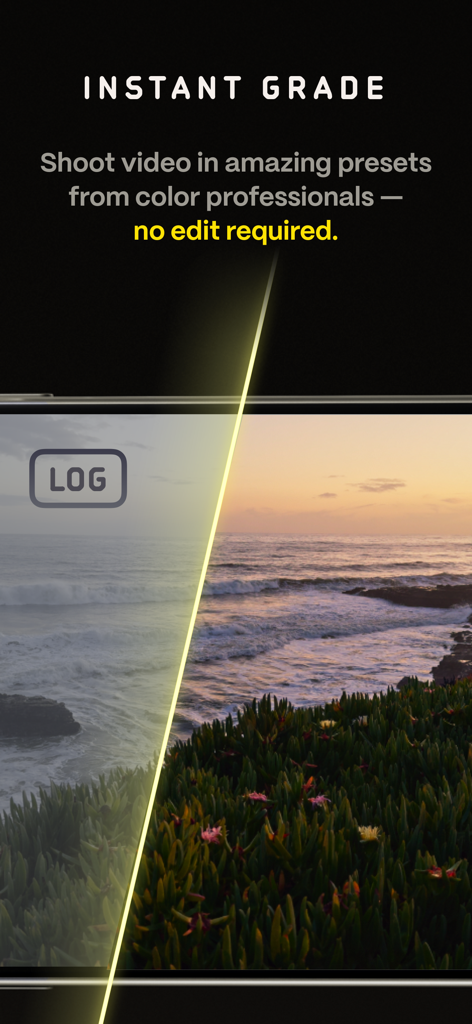
生のログ映像とKinoビデオアプリでのプロフェッショナルなカラーグレーディングの分割画面比較。

生のログ映像とKinoビデオアプリでのプロフェッショナルなカラーグレーディングの分割画面比較。

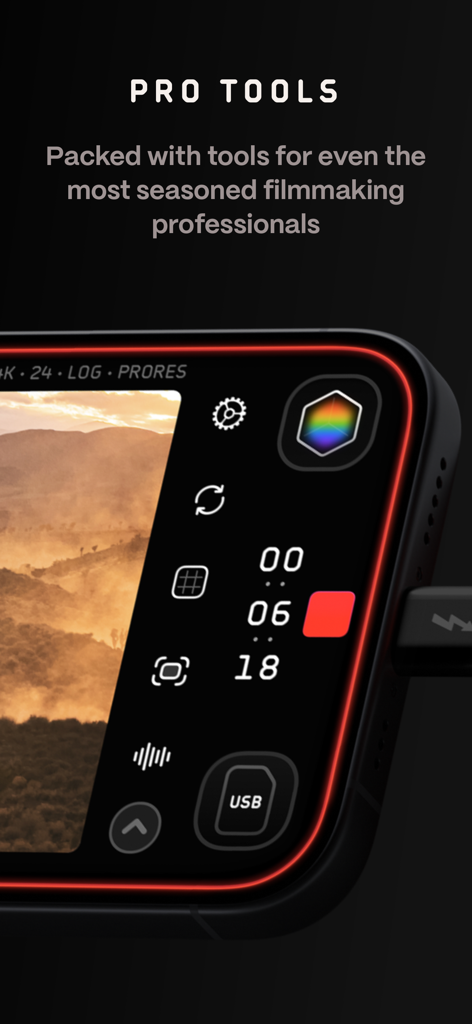
Kino pro video cameraアプリのインターフェイスのクローズアップ。マニュアルコントロールと録画設定が表示されています。

Kino pro video cameraアプリのインターフェイスのクローズアップ。マニュアルコントロールと録画設定が表示されています。

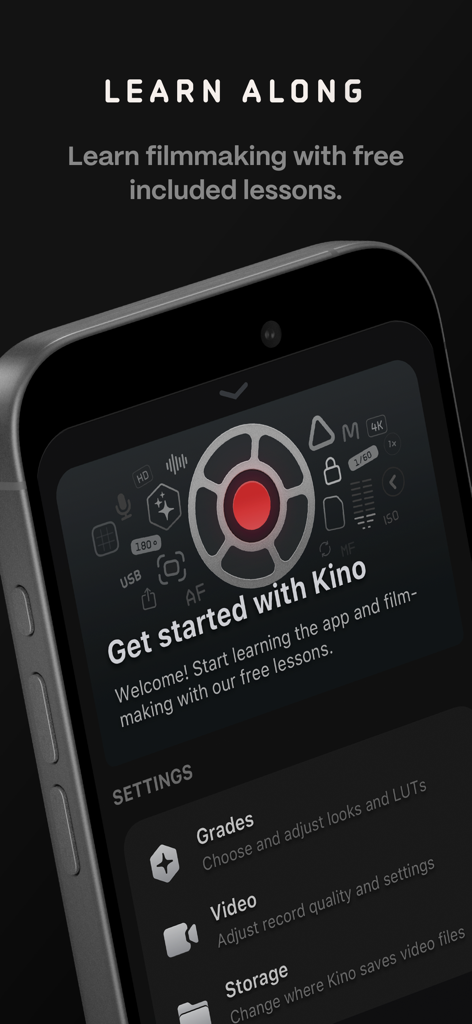
Kinoアプリのオンボーディング画面。無料の映画制作レッスンとカメラ設定が表示されています。

Kinoアプリのオンボーディング画面。無料の映画制作レッスンとカメラ設定が表示されています。

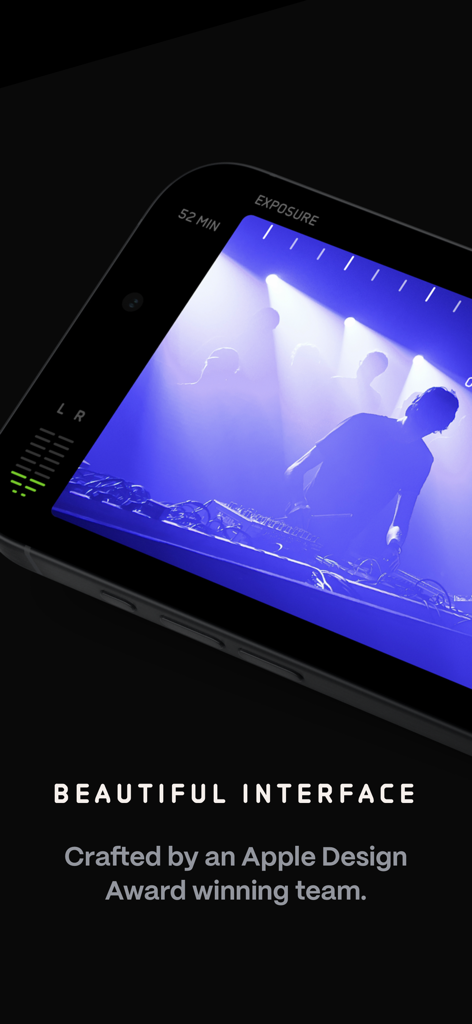
Kino pro video cameraアプリのインターフェイスのクローズアップ。プロフェッショナルな露出計とオーディオメーターを備えたシネマティックな録画セッションが表示されています。

Kino pro video cameraアプリのインターフェイスのクローズアップ。プロフェッショナルな露出計とオーディオメーターを備えたシネマティックな録画セッションが表示されています。

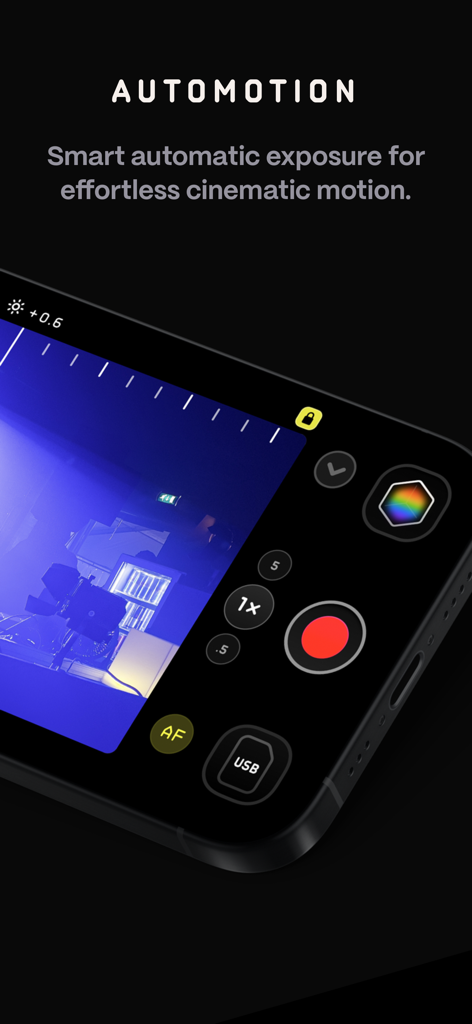
Kino Pro Video CameraアプリのAutoMotion機能。シネマティックなモーションを実現します。

Kino Pro Video CameraアプリのAutoMotion機能。シネマティックなモーションを実現します。

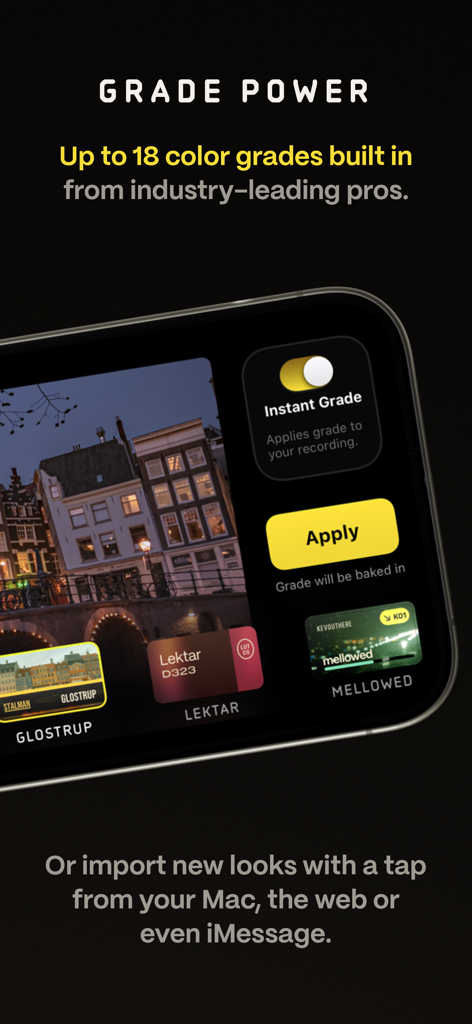
Kinoビデオカメラアプリに、プロフェッショナルなカラーグレードプリセットとインスタントグレーディングオプションが表示されています。

Kinoビデオカメラアプリに、プロフェッショナルなカラーグレードプリセットとインスタントグレーディングオプションが表示されています。

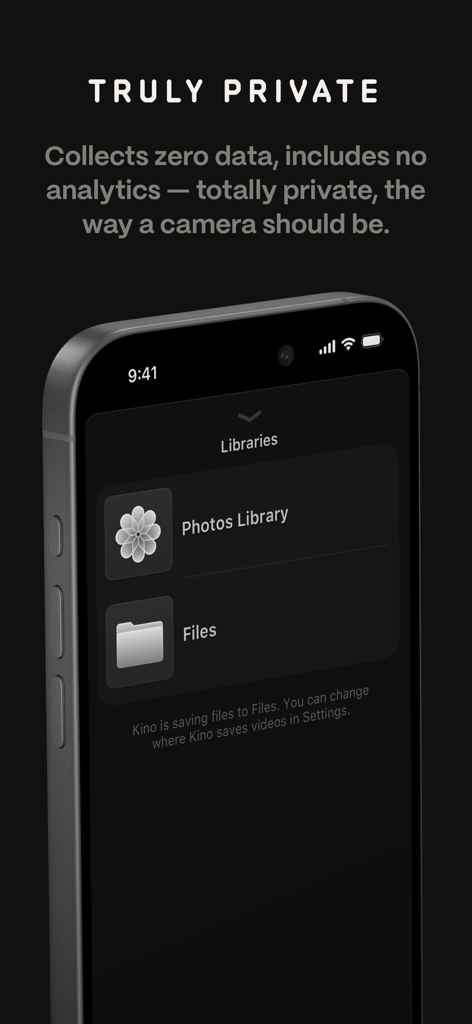
Kinoアプリの画面に、プライバシーポリシーとファイルライブラリのストレージオプションが表示されています。

Kinoアプリの画面に、プライバシーポリシーとファイルライブラリのストレージオプションが表示されています。

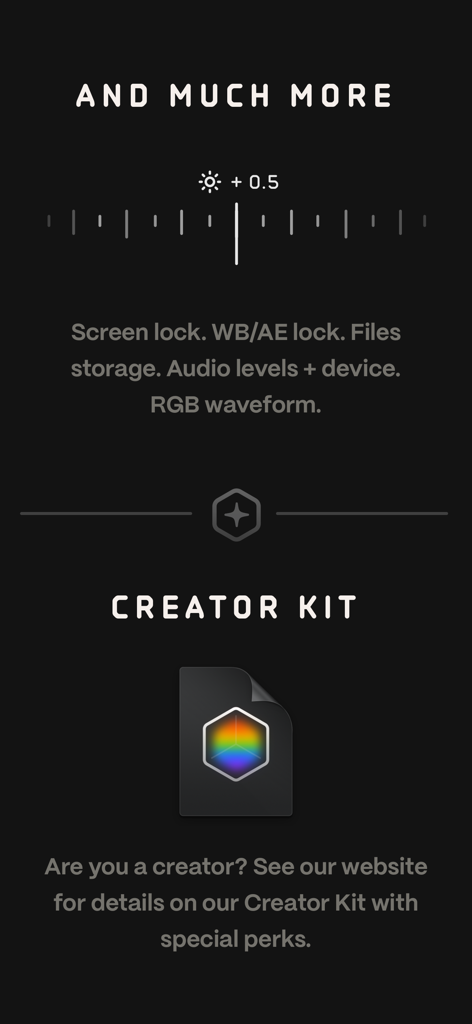
Kinoアプリのインターフェイスのスクリーンショット。RGB波形やオーディオレベルなどのプロツールと、映画制作者向けのクリエイターキットに関する情報がハイライトされています。

Kinoアプリのインターフェイスのスクリーンショット。RGB波形やオーディオレベルなどのプロツールと、映画制作者向けのクリエイターキットに関する情報がハイライトされています。

シネマティックな輝きを、すぐにキャプチャ

このアプリを際立たせるツール、 194K+ 人のユーザーが選択.

🎨

インスタントプロフェッショナルカラー

編集作業はスキップしましょう。録画中に専門家が作成したLUTを適用し、停止ボタンを押した瞬間に完璧なフィルムルックを手に入れ、ソーシャルメディアで共有する準備をしましょう。

🎬

楽々シネマティックモーション

有機的な180度シャッターのルックを自動で実現。AutoMotionテクノロジーが技術的な計算を処理するため、映像はスムーズでシネマティックなままです。

⚙️

プロのコントロール、シンプルなデザイン

美しいミニマリストインターフェイスを通じて、マニュアル露出、フォーカスピーキング、RGB波形にアクセスできます。プロの精度を指先で操作できます。

世界中のユーザーに愛されています

Trusted by 194K+ 人がこのアプリを愛用しています.

"

"Kinoは私のブランドのコンテンツ撮影方法を完全に変えました。インスタントグレード機能のおかげで、編集なしでシネマティックな映像を撮影し、すぐにReelsに投稿できます。ポケットの中にプロのカラーリストがいるようなものです。"

Sarah Jenkins
"

"趣味で映画を撮る者にとって、AutoMotionはゲームチェンジャーです。手動で計算することなく、iPhoneでスムーズな180度シャッターのルックを手に入れることができました。インターフェイスは美しく、プライバシー重視であることも大きな利点です。"

David Chen

アプリについて

について知っておくべきこと Kino - Pro Video Camera.

説明

Make great video easy! Kino lets you just press record and create cinematic video with color presets created by expert filmmakers—no edit required. Plus, with “AutoMotion,” the app automatically creates that smooth "film look" you see at the movies. Shoot great video with no film school required. Are you an experienced filmmaker? Kino includes all the features you need to shoot like a Pro, such as a full manual mode, focus peaking, color waveform, audio meters, and more. If you’re experienced in color, you can import LUTs quickly and use the same powerful Instant Grade feature to output video with baked in LUTs. Regardless of your skill level, Kino adapts to your needs. Pick your experience level when setting up the app to dial things in your way or go with recommended, simple settings. The beautiful, simple interface shows only essential things, while keeping powerful features under thumb’s reach. INSTANT GRADE Kino comes packed with pro color presets by experts like Stu Maschwitz, Sandwich Video, Evan Schneider, Tyler Stalman and Kevin Ong. With one tap, you can shoot video with cinematic, film-like color by selecting a Grade preset. With Instant Grade, you don’t have to apply it later or do any editing steps: Kino just saves the processed video for you, ready to share. LEARN ALONG Getting started with video? The Kino team has a free series of lessons prepared you can dive into right away to learn filmmaking with the app. Start out with our simple recommended settings and enroll in a lesson plan to get lessons emailed to you that are easy to follow and let you unlock every feature of the app to use for making better videos. PRO TOOLS Kino’s simple interface does not mean it lacks in powerful pro tools. Start out with automatic exposure with EV adjustment and AE and WB lock, or drop into full manual mode with shutter speed, angle and ISO adjustment. Compose a shot with the grid with built in level, check exposure with the RGB waveform, and pull focus with focus peaking. Kino can store your recordings in Files instead of Photos for better and easy shot management, and even features a screen lock to prevent inadvertent taps messing up your shot. Set custom recording settings (like 4K 60FPS Apple Log ProRes422HQ on iPhone 15 Pro) or get started with presets for flexibiltiy. BEAUTIFUL INTERFACE Thoughtful touches are abound in Kino: from a screen-wide telltale ring to show you are recording, to beautiful custom typography throughout with our own bespoke fonts, Kino balances beauty and simplicity with flexibility and control for users of any skill level. AUTOMOTION Get cinematic motion like in feature films. Introducing: AutoMotion. Kino biases exposure towards a 180° shutter speed by default. If you land in this sweet spot, and available light supports it, the ‘Auto’ label turns green — showing you are in the sweet spot for great cinematic motion. Bright day out? Pop an ND filter on your iPhone and don’t worry about adjusting manual settings: Kino will take care of prioritizing shutter angle so you can just shoot and get great results. LUT FRIENDLY One of the powerful aspects of Kino is being able to download new looks from your favorite creators or your own making. Author .cube LUT files in Pixelmator Pro, Davinci Resolve, or other apps (up to 33x33) and open them in Kino with a tap. TRULY PRIVATE None of our apps gather or collect data, or analyze your videos and photos. We believe the most important thing a camera can be is private. CREATOR SPECIAL Are you a creator or filmmaker and want to get started with or love using Kino? Get in touch with us to get our ‘Creator Kit’: see the Kino website for more details. When sharing your work, tag it #shotwithkino so we can feature it online. Thanks for making it this far! Kino is made by friends — Ben Sandofsky and Sebastiaan de With, with the help of Katie-Rose Summerfield and Doug Broussard. We made this app with love and care and we hope you love it.

最新バージョン

1.3.2

サイズ

51.0 MB

リリース日

2024年5月29日

あなたのiPhoneが、プロのシネマカメラに

標準的なモバイルビデオで妥協するのはやめましょう。クオリティ、シンプルさ、プライバシーを重視するクリエイターのためにデザインされたアプリで、インスタントカラーグレードとシネマティックモーションをアンロックしましょう。

ダウンロード: App Store
FAQ

よくある質問

について知っておくべきこと Kino - Pro Video Camera

What is Kino - Pro Video Camera?

Kino - Pro Video Cameraは、編集なしでカラープリセットとスムーズな動きで映画のようなビデオを録画できるアプリです。すべてのスキルレベルに対応するシンプルかつプロフェッショナルなツールを提供します。

Does Kino - Pro Video Camera include advanced manual controls for experienced filmmakers?

はい、Kinoにはシャッタースピード、シャッターアングル、ISO調整、フォーカスピーキング、カラー波形、オーディオメーターを備えたフルマニュアルモードが含まれています。ユーザーはLUTをインポートしてInstant Grade機能を使用することもできます。

How does Kino - Pro Video Camera's AutoMotion feature create a cinematic look?

KinoのAutoMotionは、露出を180°シャッターアングルに偏らせることで、映画のような最適なルックを実現します。スムーズでフィルムのような動きを実現するために、シャッターアングルを自動的に優先します。

Can users import custom LUTs into Kino - Pro Video Camera?

はい、KinoはPixelmator ProやDavinci Resolveなどのアプリからカスタム.cube LUTファイルをインポートできます。ユーザーはタップでKinoでこれらのファイルを開くことができます。

Does Kino - Pro Video Camera collect user data or analytics?

いいえ、Kino - Pro Video Cameraは、データを一切収集せず、情報を取得せず、分析機能も含まれていないと述べています。このアプリはユーザーのプライバシーを重視しています。

What is the Instant Grade feature in Kino - Pro Video Camera?

Instant Gradeを使用すると、ユーザーは専門家が作成したプリセットを使用して、映画のようなカラーでビデオを撮影できます。Kinoは処理されたビデオを直接保存するため、キャプチャ後の編集は不要です。

Can Kino - Pro Video Camera save recordings to Apple's Files app?

はい、Kinoは写真ではなくFilesアプリに録画を保存できます。これにより、ユーザーはショット管理をより簡単かつ効率的に行うことができます。

Does Kino - Pro Video Camera offer any learning resources for new users?

はい、Kinoチームは、ユーザーがアプリで映画制作を学ぶのに役立つ無料のレッスンシリーズを提供しています。ユーザーはレッスン計画に登録して、わかりやすいレッスンを受け取ることができます。

Who developed the Kino - Pro Video Camera app?

Kino - Pro Video Cameraは、Ben SandofskyとSebastiaan de Withによって開発され、Katie-Rose SummerfieldとDoug Broussardの協力を得ています。Halideチームによるものです。