Microsoft Excel

Microsoft Excel

ダウンロード: App Storeダウンロード: Google Play
Spark by MWM logo
ロゴ: Microsoft Excel

Microsoft Excel: 世界で最も信頼されるスプレッドシートがあなたのポケットに

どこからでもデータを洞察に変えましょう。AIのパワーとシームレスなマルチデバイス同期で作成、編集、分析できます。ビジネス予算の管理でも、グローバルプロジェクトの管理でも。

ダウンロード: App Store

開発元

Microsoft Corporation

カテゴリ

Productivity

ダウンロード

160M+

ユーザー評価

4.7/5

評価数

6M+

対応言語

33

指先で正確な操作を

このインターフェースを利用する 160M+ 人のユーザー.

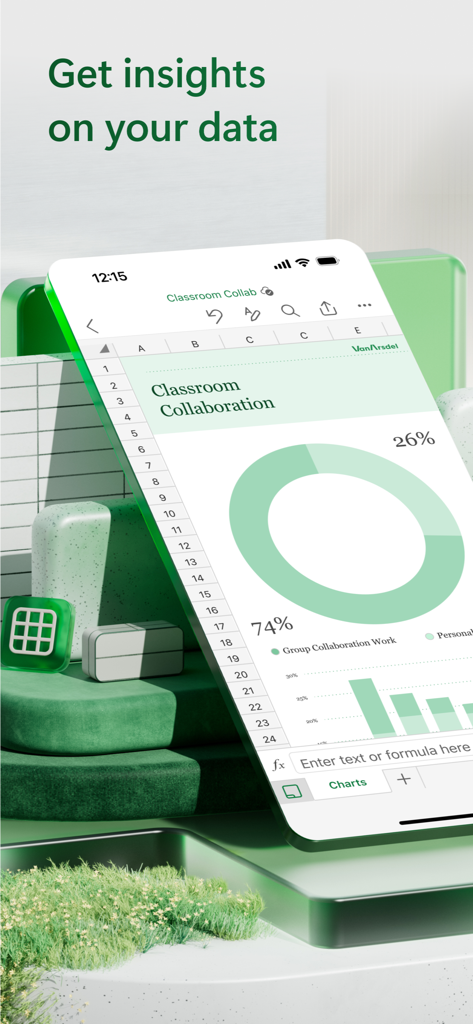
Microsoft Excelモバイルアプリに、ドーナツチャートと棒グラフが表示されたスプレッドシートがiPhoneに表示されています。

Microsoft Excelモバイルアプリに、ドーナツチャートと棒グラフが表示されたスプレッドシートがiPhoneに表示されています。

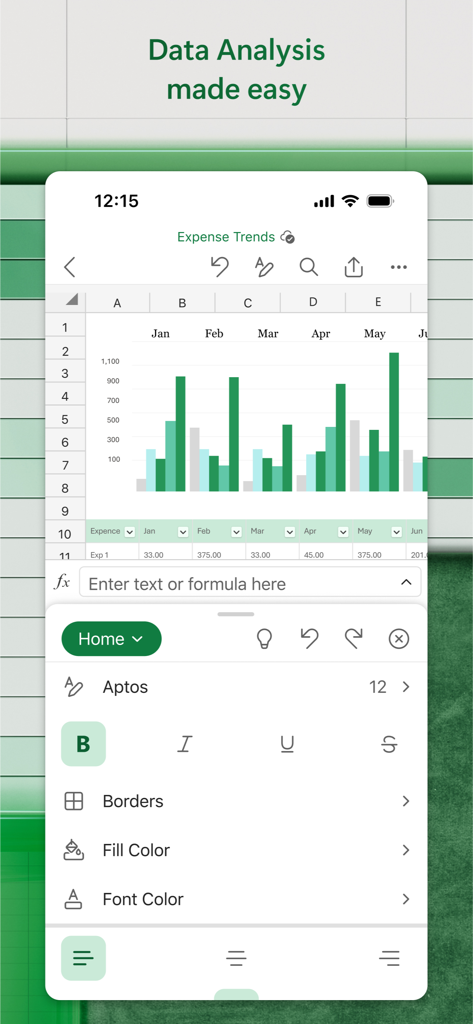
Microsoft Excelモバイルインターフェイスに、支出トレンドの棒グラフとデータ編集ツールが表示されています。

Microsoft Excelモバイルインターフェイスに、支出トレンドの棒グラフとデータ編集ツールが表示されています。

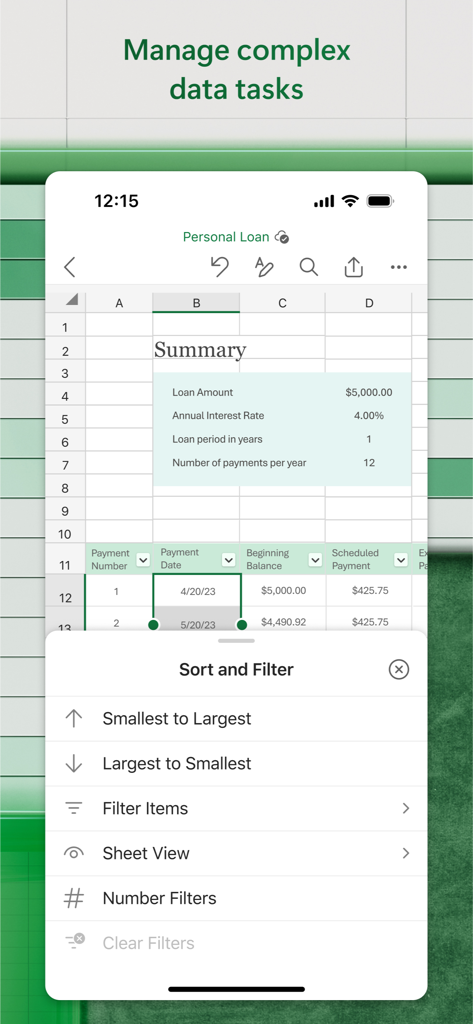
Microsoft Excelモバイルアプリのインターフェイスに、並べ替えとフィルターオプションが開いた個人ローン スプレッドシートが表示されています。

Microsoft Excelモバイルアプリのインターフェイスに、並べ替えとフィルターオプションが開いた個人ローン スプレッドシートが表示されています。

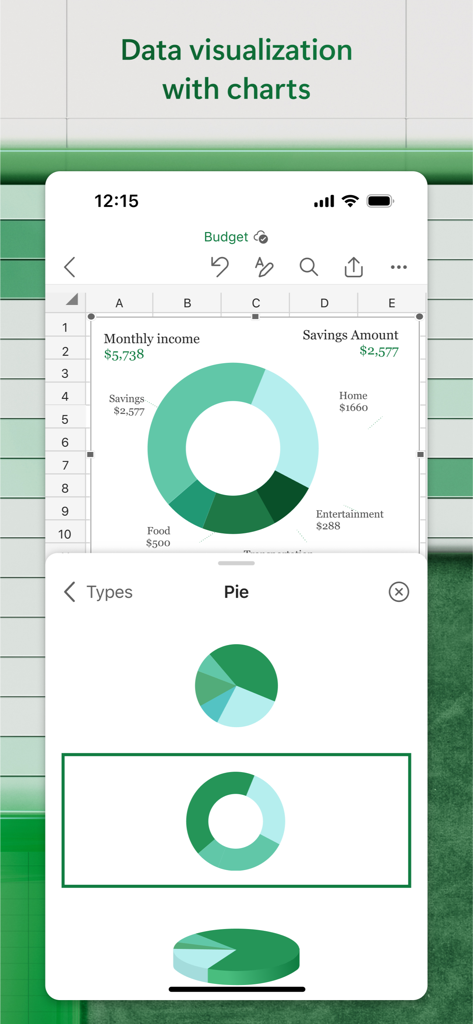
Microsoft Excelアプリのインターフェイスに、モバイル画面での個人予算の可視化のためのドーナツ円グラフが表示されています。

Microsoft Excelアプリのインターフェイスに、モバイル画面での個人予算の可視化のためのドーナツ円グラフが表示されています。

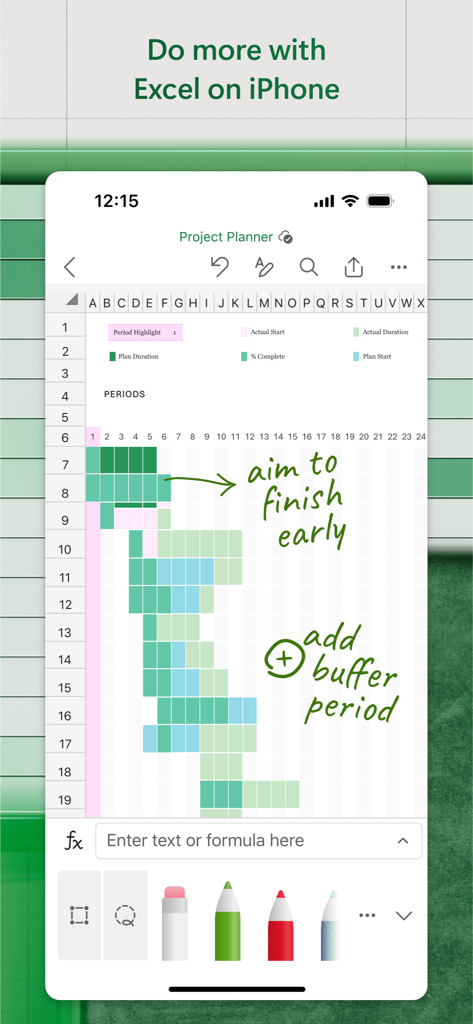
iPhoneのMicrosoft Excelに、緑の手書きインク注釈付きのプロジェクトプランナー スプレッドシートが表示されています。

iPhoneのMicrosoft Excelに、緑の手書きインク注釈付きのプロジェクトプランナー スプレッドシートが表示されています。

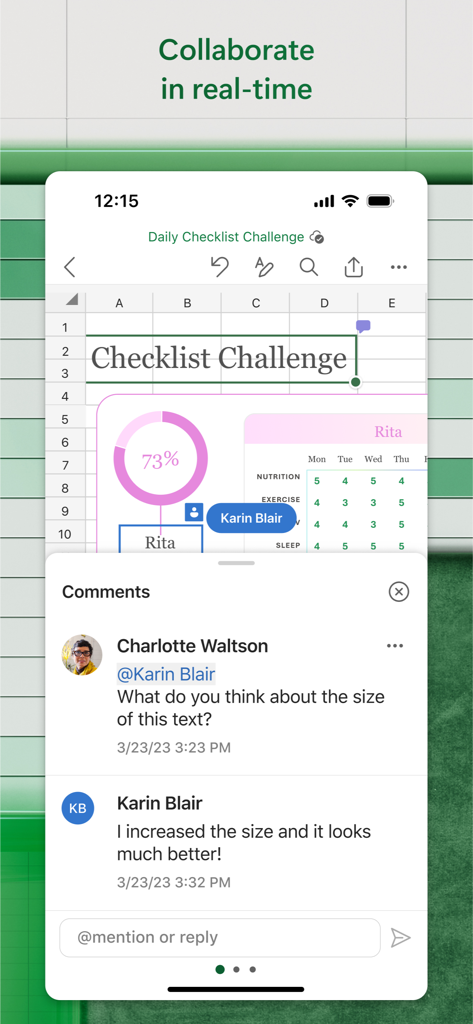
Microsoft Excelモバイルアプリでのリアルタイムコラボレーションとコメント機能

Microsoft Excelモバイルアプリでのリアルタイムコラボレーションとコメント機能

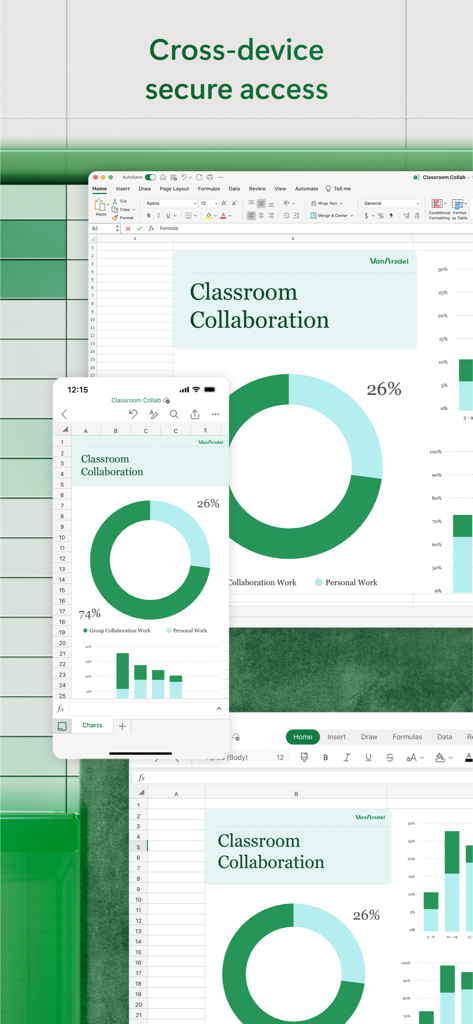
Microsoft Excelに、デスクトップとモバイルデバイス間で同期された教室コラボレーションチャートが表示されています。

Microsoft Excelに、デスクトップとモバイルデバイス間で同期された教室コラボレーションチャートが表示されています。

どこでもデータをマスター

このアプリを際立たせるツール、 160M+ 人のユーザーが選択.

🔄

シームレスなクロスデバイスワークフロー

デスクトップでプロジェクトを開始し、スマートフォンで完了しましょう。すべてのAppleデバイスで完璧なファイル忠実度とリアルタイム同期をお楽しみください。

📊

高度なモバイル分析

使い慣れた数式とAI搭載ツールで深い洞察を解き放ちましょう。プロフェッショナルなグラフを作成し、複雑なテーブルをワンタップで管理します。

💰

スマートな財務管理

予算、税金の見積もり、投資追跡のための専用テンプレートで、個人の資産や企業の会計を管理しましょう。

世界中のユーザーに愛されています

Trusted by 160M+ 人がこのアプリを愛用しています.

"

"アナリストとして、会議の合間を縫って常に移動しているため、Excelモバイルアプリはまさに救世主です。通勤中にiPhoneから直接、複雑な財務モデルを確認したり、グラフを更新したりできます。忠実度は完璧で、デスクトップと同じようにすべてが表示されるため、クライアントのプレゼンテーションには絶対に不可欠です。"

Marcus T.
"

"中小企業の在庫管理はかつて大変な作業でしたが、このアプリのおかげでずっと楽になりました。外出先で在庫レベルを確認するのにCards Viewが気に入っています。また、組み込みの予算テンプレートのおかげで、数分で整理できました。自分の財務状況を把握しておきたい起業家にとって、究極の生産性ツールです。"

Sarah J.

アプリについて

について知っておくべきこと Microsoft Excel.

説明

Microsoft Excel, the spreadsheet app, lets you create, view, edit, and share your files quickly and easily. Manage spreadsheets, tables and workbooks attached to email messages from your phone with this powerful productivity app. Work in data analysis, accounting, auditing, or other fields confidently with anyone, anywhere. Quickly graph the most complex formulas, charts and tables with amazing features. Review spreadsheets and run data analysis on the go. Customize tables and spreadsheets the way you want with robust formatting tools and great features. The productivity app lets you build your spreadsheet to meet your specific needs. Get the power of AI with Copilot1 in your favorite apps when you sign in with your Microsoft 365 subscription. Create templates, edit spreadsheets, organize charts and share with ease when you download Microsoft Excel. Tables & Spreadsheets: Create, Calculate and Analyze • Jump-start your budget, task list, accounting, or financial analysis with Excel’s modern templates. • Quickly graph with familiar formulas to run calculations and analyze your data. • Rich productivity features and formatting options make your workbook easier to read and use. • Use Cards View to easily see and manage spreadsheets. Productivity App: Review, Edit, and Work Anywhere • Review your Excel files from any device. • Edit sheets and data or update your task list from anywhere. • Spreadsheet features like sort and filter columns help focus your reviews. • Create, duplicate, hide, and unhide sheets easily. Data Analysis • Analyze data using common charts and graphs. • Use spreadsheet features like add and edit chart labels to highlight key insights in your data. • Pie chart maker: create charts and graphs from your data. Finance: Budgeting & Accounting • Use agile spreadsheets and charts to help manage budgets. • Familiar tools to help you drill down to your exact finance needs. • Calculate tax estimates, personal finances and more. Draw and Annotate with Ink • Make notes, highlight your worksheet, create shapes, or write equations using the draw tab feature in Excel on devices with touch capabilities. Sharing made easy • Share your files with a few taps to quickly invite others to edit, view, or leave comments directly in your workbooks. • Copy the content of your worksheet in the body of an email message with its format intact or attach or copy a link to your workbook for other sharing options. Download Microsoft Excel and get the best way to create, organize and manage data and spreadsheets from your iPhone or iPad. To create or edit documents, sign in with a free Microsoft account on devices with a screen size smaller than 10.1 inches. Unlock the premium Microsoft 365 experience with a qualifying subscription for your phone, tablet, PC, and Mac. Monthly Microsoft 365 subscriptions purchased from the app will be charged to your App Store account and will automatically renew within 24 hours prior to the end of the current subscription period unless auto-renewal is disabled beforehand. You can manage your subscriptions in your App Store account settings. This app is provided by either Microsoft or a third-party app publisher and is subject to a separate privacy statement and terms and conditions. Data provided through the use of this store and this app may be accessible to Microsoft or the third-party app publisher, as applicable, and transferred to, stored, and processed in the United States or any other country where Microsoft or the app publisher and their affiliates or service providers maintain facilities. Please refer to the Microsoft Software License Terms for Microsoft 365. See “License Agreement” link under Information. By installing the app, you agree to these terms and conditions.

最新バージョン

2.105

サイズ

398.2 MB

リリース日

2014年3月27日

Excelのパワーをどこへでも

外出先で予算、データ、複雑な数式を管理する1億6000万人以上のユーザーに加わりましょう。iPhoneまたはiPadで、世界で最も信頼される生産性アプリを入手しましょう。

ダウンロード: App Storeダウンロード: Google Play
FAQ

よくある質問

について知っておくべきこと Microsoft Excel

Microsoft Excelとは何ですか?

Microsoft Excelは、ユーザーがファイルを迅速かつ簡単に作成、表示、編集、共有できるスプレッドシートアプリです。スプレッドシート、テーブル、ワークブックを管理するための強力な生産性ツールを提供します。

Microsoft Excelでドキュメントを無料で作成・編集できますか?

はい、ユーザーは画面サイズが10.1インチ未満のデバイスで、無料のMicrosoftアカウントにサインインすることで、Microsoft Excelでドキュメントを無料で作成または編集できます。

Microsoft Excelはデータ分析をサポートしていますか?

はい、Microsoft Excelはデータ分析をサポートしています。ユーザーは外出先でデータ分析を実行し、一般的なグラフや図を使用して分析を行い、主要なインサイトを強調するためにグラフラベルを追加/編集できます。

Microsoft Excelでスプレッドシートの共同作業を行うにはどうすればよいですか?

はい、Microsoft Excelでは共同作業が可能です。ユーザーはファイルを共有して、他のユーザーをワークブックに直接招待して編集、表示、またはコメントを残すことができます。コンテンツを電子メールにコピーしたり、リンクを共有したりすることもできます。

Microsoft Excelは予算作成や会計機能を提供していますか?

はい、Microsoft Excelは予算作成や会計機能を提供しています。ユーザーは最新のテンプレートで予算をすぐに開始でき、アジャイルなスプレッドシートやグラフを活用して財務ニーズを管理できます。

デバイスでMicrosoft Excelで描画または注釈を付けることはできますか?

はい、ユーザーはMicrosoft Excelで描画および注釈を付けることができます。このアプリには、タッチ対応デバイスでメモを作成したり、ワークシートをハイライトしたり、図形を作成したり、数式を記述したりするための描画タブが搭載されています。

Microsoft Excelのプレミアム機能にはMicrosoft 365サブスクリプションが必要ですか?

はい、適格なMicrosoft 365サブスクリプションにより、Microsoft Excelの電話、タブレット、PC、Mac全体でCopilotなどの機能を含むプレミアムエクスペリエンスがアンロックされます。

Microsoft Excelサブスクリプションを管理するにはどうすればよいですか?

アプリから購入した月額Microsoft 365サブスクリプションは、App Storeのアカウント設定で管理します。自動更新が無効にされない限り、サブスクリプションは自動的に更新されます。

Microsoft Excelはスプレッドシート内のデータを並べ替えたりフィルターしたりできますか?

はい、Microsoft Excelには、列の並べ替えやフィルターなどのスプレッドシート機能が含まれています。これらのツールは、ユーザーがレビューに集中し、複雑なデータタスクを管理するのに役立ちます。

Microsoft Excelはファイルへのクロスデバイスアクセスを許可していますか?

はい、Microsoft Excelはクロスデバイスアクセスを提供します。ユーザーはどのデバイスからでもExcelファイルを確認でき、iPhoneやMacなどのプラットフォーム全体で安全にアクセスできます。