Norton Family Companion App

Norton Family Companion App

ダウンロード: App Store
Spark by MWM logo
ロゴ: Norton Family Companion App

ノートン ファミリー:より安全なオンライン習慣を育むための保護者向けツール

スクリーンタイムの管理、不適切なコンテンツのブロック、学習への集中サポートなど、プロ仕様のツールで最大限の安心を提供します。

ダウンロード: App Store

開発元

Gen Digital Inc.

カテゴリ

Utilities

ダウンロード

46K+

ユーザー評価

1.4/5

評価数

600

対応言語

23

安心を、目に見える形に

このインターフェースを利用する 46K+ 人のユーザー.

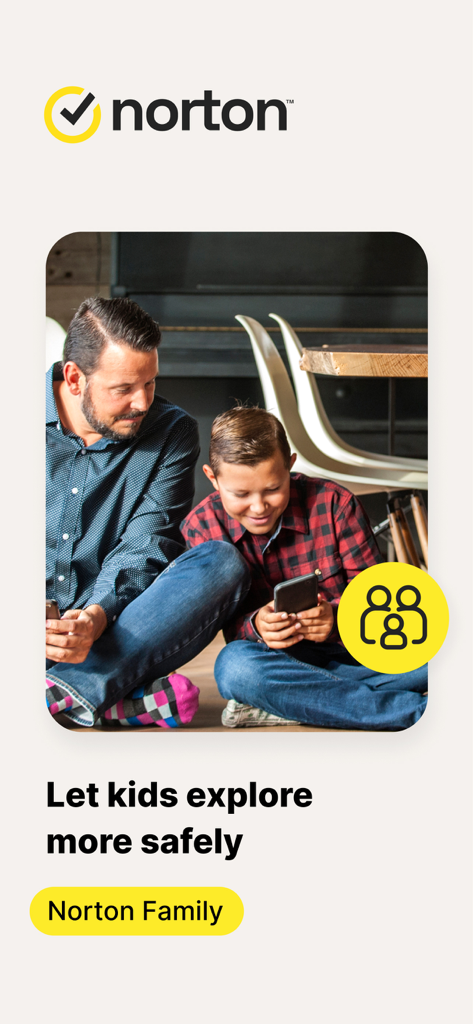
ノートン ファミリーのアプリロゴと安全メッセージが表示されたスマートフォンを一緒に使っている父親と息子

ノートン ファミリーのアプリロゴと安全メッセージが表示されたスマートフォンを一緒に使っている父親と息子

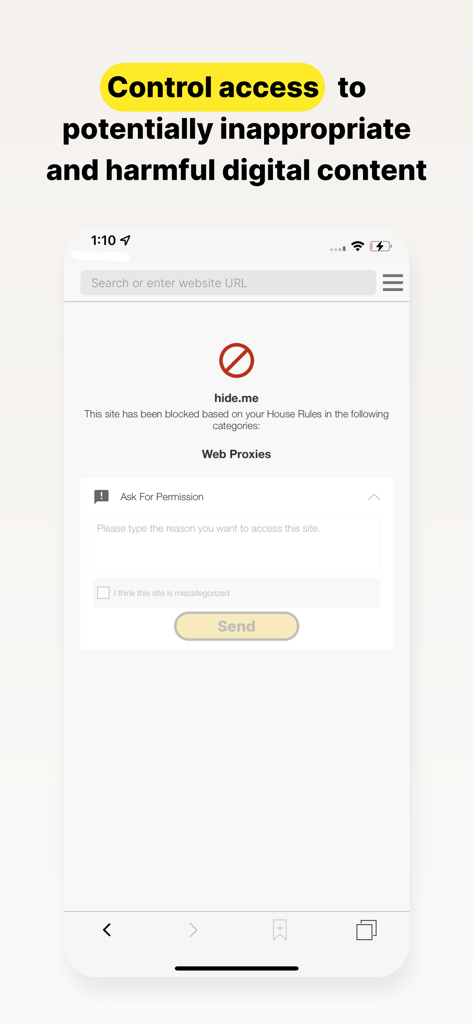
ブロックされたウェブサイトの画面と、お子様がアクセス許可をリクエストできるオプションを表示したノートン ファミリーのアプリ画面

ブロックされたウェブサイトの画面と、お子様がアクセス許可をリクエストできるオプションを表示したノートン ファミリーのアプリ画面

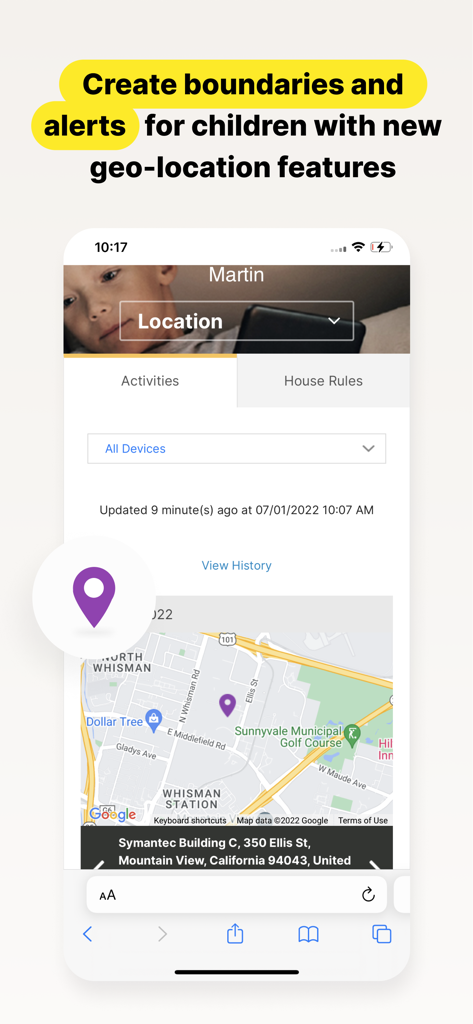
お子様の現在地を示すマップと、保護者向けの通知機能を表示したノートン ファミリーのアプリインターフェース

お子様の現在地を示すマップと、保護者向けの通知機能を表示したノートン ファミリーのアプリインターフェース

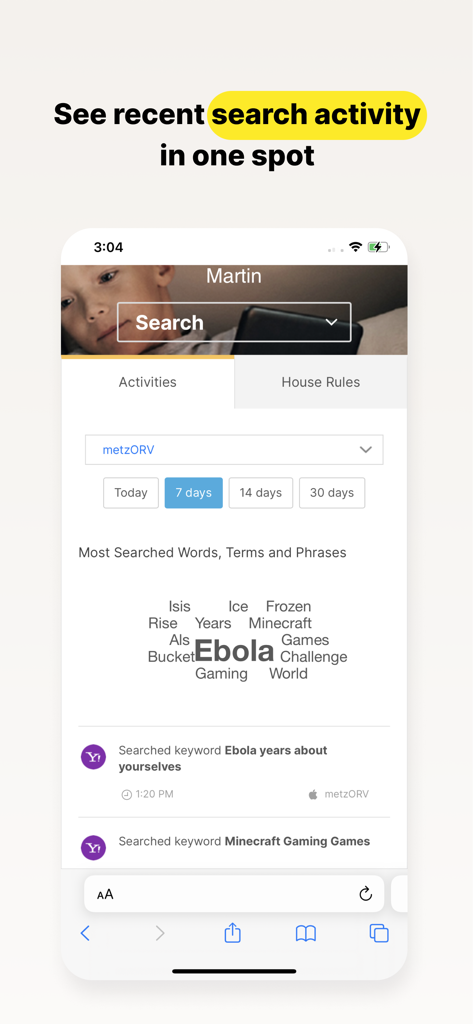
お子様の最近の検索アクティビティをワードクラウドとリストで表示したノートン ファミリーのダッシュボード

お子様の最近の検索アクティビティをワードクラウドとリストで表示したノートン ファミリーのダッシュボード

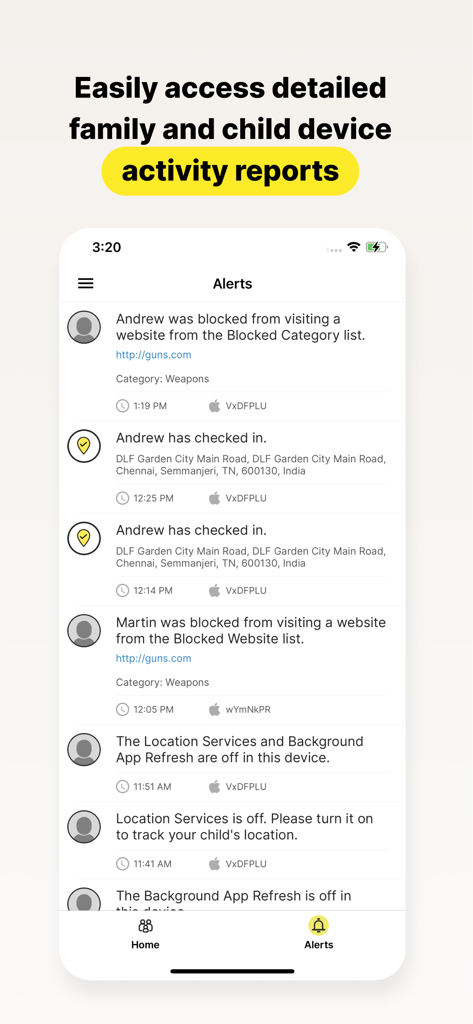
お子様のデバイスに関する詳細なアクティビティレポートとアラートを表示したノートン ファミリーのアプリ画面

お子様のデバイスに関する詳細なアクティビティレポートとアラートを表示したノートン ファミリーのアプリ画面

デジタル時代の子育てを強力にサポート

このアプリを際立たせるツール、 46K+ 人のユーザーが選択.

🎓

学習への集中を最大化

『スクールタイム』を有効にすると、SNSやゲームなどの誘惑をブロックしつつ、リモート学習に必要な教育リソースへのアクセスを維持できます。

🛡️

高度なウェブ監視

業界最先端のフィルタリング機能が不適切なコンテンツをブロックし、検索履歴を詳細に把握できるため、お子様が安心してウェブを探索できます。

ストレスのないルール作り

適切なスクリーンタイム制限を設定したり、『即時ロック』で食事中のデバイス利用を停止したりすることで、日常の衝突を減らし、お子様がスマートな習慣を身につけるのを助けます。

世界中のユーザーに愛されています

Trusted by 46K+ 人がこのアプリを愛用しています.

"

"ノートン ファミリーのおかげで、息子の学習習慣が劇的に変わりました。スクールタイム機能により、授業中にゲームやYouTubeに気を取られることなく、課題に集中できています。ネットの世界を探索している間も安全だと分かっているので、本当に安心です。"

Sarah M.
"

"長年ノートンブランドを信頼しているので、娘のiPadにこのアプリを入れるのは当然の選択でした。即時ロック機能は夕食の時間に最適ですし、毎週のレポートで利用状況を把握できるので、娘がスマートなオンライン習慣を身につけるのに役立っています。"

David L.

レビュー分析

ユーザーレビューの分析.

感情スコア

17%
ネガティブ

概要

Users express significant dissatisfaction with this parental control app, citing numerous issues. A major complaint revolves around the app's tendency to delete or disorganize other applications on the device after screen time limits expire, making phones unusable and causing data loss for some. Many reviews highlight the app's over-restrictiveness, blocking legitimate apps like school-related tools and Gmail, and note specific compatibility problems with iOS 26, such as the "instant lock" feature failing. Despite these widespread criticisms, a small number of parents praise the app for its effectiveness in setting limits and ensuring child safety.

主なテーマ

App Blocking & Disappearance(16)
Over-Restrictiveness(14)
Bugs & Glitches(8)
Difficulty of Use/Management(8)
Annoying Notifications(4)
Parental Control Effectiveness(4)
iOS Compatibility Issues(2)

アプリについて

について知っておくべきこと Norton Family Companion App.

説明

This app should be installed on the child’s iOS device(s). Keeping your kids safer online requires more than managing screen time. Norton Family helps you supervise and manage your kids’ online activities. • Helps you manage your child’s remote learning environment, so you can keep your child focused on schoolwork during the school day. • It helps block unsuitable sites while your kids are surfing the Internet • Let’s you see what websites they’re visiting • Let’s you see what they’re searching for, and so much more… And while Norton Family lets you set online time limits, it also helps you start open and ongoing conversations about how to build safe and smart online habits. As a parent, it’s important to have insight into what your kids are doing. Our helpful tools allow you to monitor kids’ online activities at a glance or be notified by email alerts, so you know when it’s time to talk. IMPORTANT NOTICE: To use the features of Norton Family on your family’s iOS devices, this Norton Family app should first be installed on your child’s iOS device. Parents can configure household policies, manage alerts and reports from family.norton.com. To do this on iOS devices, please download the Norton Family for Parents app. Help your kids explore, learn, and enjoy their connected world more safely with the following features: School Time: Remote learning requires the internet, so pausing the internet on your child’s device is not an option. Norton Family School Time is a feature to help parents manage their child’s remote learning environment, so you can keep your child focused on schoolwork and avoid other internet distractions during the school day. Web Supervision: Let your kids explore the Web freely, with tools that help you block unsuitable websites while keeping you in the know about which sites they’re visiting. Time Supervision: Stay on top of how much time your kids spend on their devices. Search Supervision: See words, terms, and phrases your kids are searching for to gain insights into their interests and help protect them from inappropriate content. Video Supervision*: See a list of the YouTube videos your kids watch on their PCs or iOS devices and even view a snippet of each video, so you know when you need to talk. Instant Lock: Parents can help kids take a break by locking the device so they can re-focus, or join the family at dinner. Individual devices can be unlocked with a PIN. Parents and children can still contact each other while the device is in lock mode. Email Alerts: Receive an email when your kids attempt to visit a blocked site so that you can start a conversation about appropriate content. Access Request: Open the lines of communication by enabling your kids to send you a note from within Norton Family if they disagree with a blocked site or a house rule. Monthly/Weekly Reports: Opt to receive detailed reports of what your kids are doing online, right in your email in-box. Any questions? Send us an email nortonfamily.support@gendigital.com *Video Supervision monitors videos that your kids view on YouTube.com. It does not monitor or track YouTube videos that have been embedded in other websites or blogs. Mobile app must be downloaded separately. An account is required to use the Norton Family app. To set up, review, manage and customize your House Rules and Settings for each child you’ve added, sign in to your account at my.norton.com using the credentials you created.

最新バージョン

1.16.0

サイズ

31.9 MB

リリース日

2015年11月23日

より安全でスマートなデジタル子育てのパートナー

家族のテクノロジーとの付き合い方を変えましょう。今すぐお子様のデバイスにノートン ファミリーをインストールして、集中力を高め、誘惑を遮断し、保護者に必要な安心を手に入れてください。

ダウンロード: App Store