Norton Family Parental Control

Norton Family Parental Control

ダウンロード: App Store
Spark by MWM logo
ロゴ: Norton Family Parental Control

ノートンファミリー ペアレンタルコントロール:健全な習慣と安全な探求を育む

スクリーンタイムの管理、授業中の注意散漫のブロック、位置情報追跡によるつながりの維持。これらすべてを、現代の家族のために設計された信頼できる単一のアプリで実現します。

ダウンロード: App Store

開発元

Gen Digital Inc.

カテゴリ

Utilities

ダウンロード

10K+

ユーザー評価

3.9/5

評価数

3K+

対応言語

23

目に見える保護

このインターフェースを利用する 10K+ 人のユーザー.

ノートンファミリーアプリのブランド表示で、母親と子供が一緒にラップトップを見ている様子

ノートンファミリーアプリのブランド表示で、母親と子供が一緒にラップトップを見ている様子

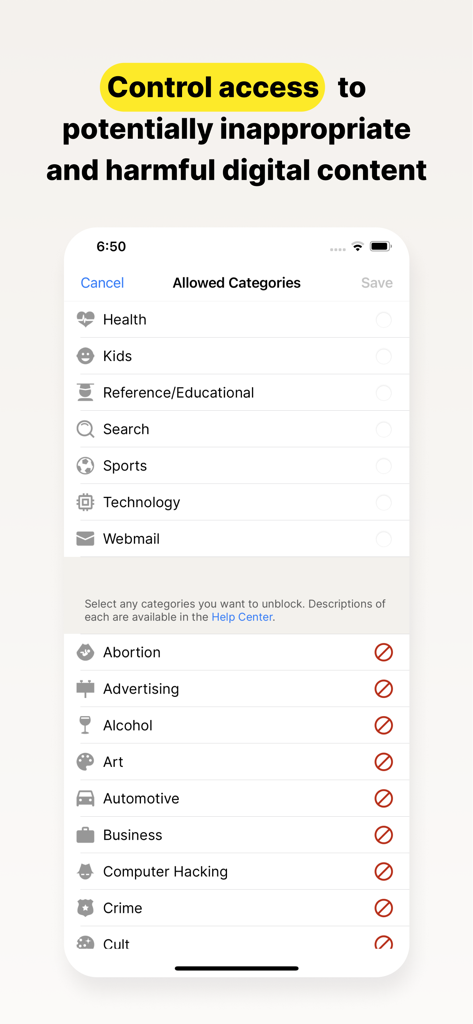
ノートンファミリーアプリの、デジタルコンテンツカテゴリへのアクセスを制御するための画面

ノートンファミリーアプリの、デジタルコンテンツカテゴリへのアクセスを制御するための画面

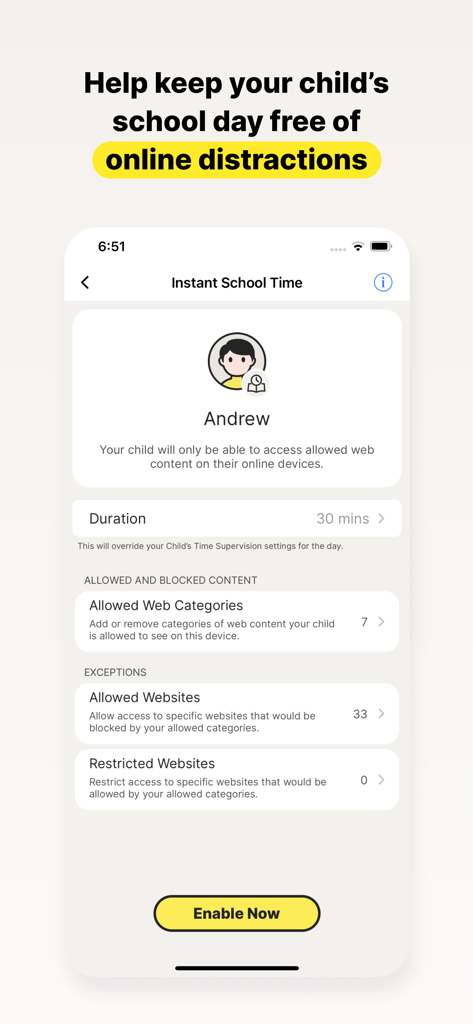
ノートンファミリーアプリのスクリーンショットで、学校時間中に子供のオンラインでの注意散漫をブロックするためのインスタント学校の時間設定を表示

ノートンファミリーアプリのスクリーンショットで、学校時間中に子供のオンラインでの注意散漫をブロックするためのインスタント学校の時間設定を表示

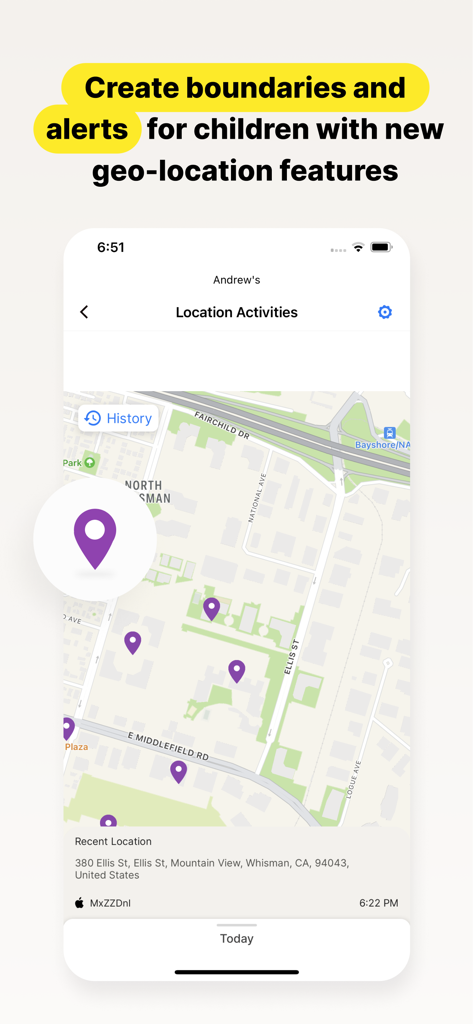
ノートンファミリーアプリのインターフェースで、地図上に子供の現在位置履歴と最近のアクティビティを表示

ノートンファミリーアプリのインターフェースで、地図上に子供の現在位置履歴と最近のアクティビティを表示

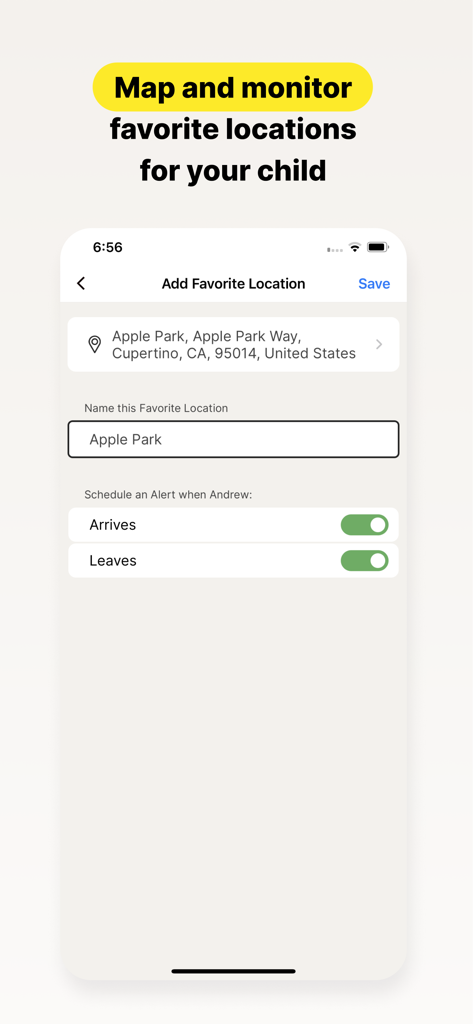
ノートンファミリーアプリのインターフェースで、子供のお気に入り登録場所の設定と、到着・出発アラートを表示

ノートンファミリーアプリのインターフェースで、子供のお気に入り登録場所の設定と、到着・出発アラートを表示

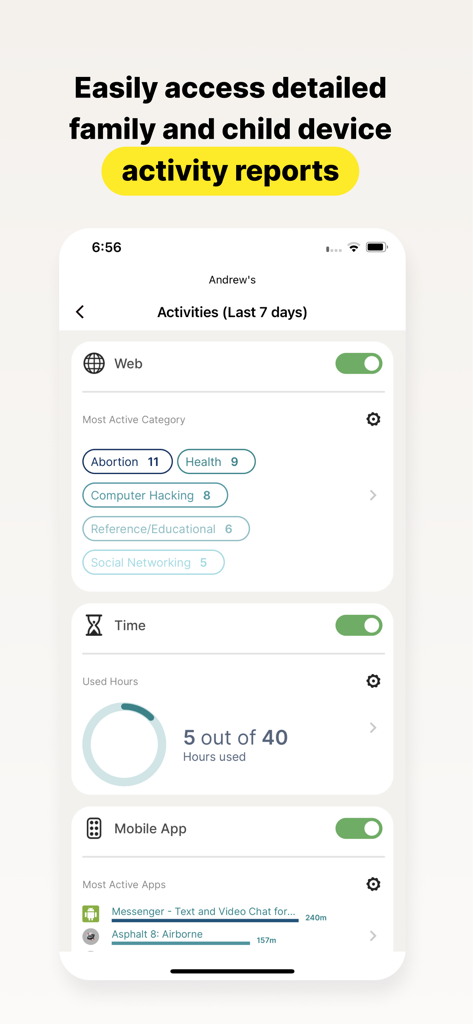
ノートンファミリーアプリの詳細な子供アクティビティレポートで、ウェブカテゴリ、スクリーンタイム、アプリ使用状況を表示

ノートンファミリーアプリの詳細な子供アクティビティレポートで、ウェブカテゴリ、スクリーンタイム、アプリ使用状況を表示

現代の育児のためのスマートツール

このアプリを際立たせるツール、 10K+ 人のユーザーが選択.

🎓

学校の時間で集中力を最大化

教育用ウェブサイトへのアクセスを管理し、ソーシャルメディアやゲームによる注意散漫をブロックすることで、遠隔学習中にお子様が課題に集中できるようにします。

📍

現実世界での安心感

お子様が学校や課外活動に安全に到着した際に通知するジオフェンシングアラートで、お子様の物理的な位置情報を把握できます。

🛡️

安全でガイドされた探求

検索語を監視し、ウェブトラフィックをフィルタリングすることで、不適切なコンテンツからお子様を守り、デジタルリスクを教育の機会に変えます。

世界中のユーザーに愛されています

Trusted by 10K+ 人がこのアプリを愛用しています.

"

"ノートンファミリーは、私たちの家庭にとって救世主でした。「学校の時間」機能により、子供たちは一日中私のそばにいなくても、遠隔学習に集中できます。これは、私が仕事中に必要な安心感を与えながら、自分でデジタル習慣を管理する方法を子供たちに教えるのに最適です。"

サラ・M、在宅勤務の保護者
"

"ジオロケーションと「お気に入り」の場所のアラートは、信じられないほど正確で役立ちます。娘が音楽レッスンに到着した瞬間に通知が届き、本当に安心しました。不適切なコンテンツをブロックするウェブ監視と組み合わせることで、オンラインとオフラインの両方で子供の安全を管理できていると感じています。"

デビッド・L、郊外の父親

レビュー分析

ユーザーレビューの分析.

感情スコア

7%
ネガティブ

概要

This app receives overwhelmingly negative feedback from users, who frequently describe it as unreliable, buggy, and difficult to use. A major point of frustration is its poor compatibility with iOS devices, where many expected features like screen time control or comprehensive tracking are either missing or non-functional compared to Android. Users also report significant challenges with the app's configuration, an unintuitive interface, and the ease with which children can bypass its controls, often rendering it ineffective. Additionally, there are notable complaints regarding billing practices, including unexpected subscription charges and difficulties managing accounts post-cancellation.

主なテーマ

Functionality & Reliability(28)
Screen Time & App Management(10)
iOS Compatibility(8)
Configuration & User Interface(8)
Child Bypassing Controls(8)
Subscription & Billing Issues(4)

アプリについて

について知っておくべきこと Norton Family Parental Control.

説明

Norton Family provides tools that teach safe, smart, and healthy online habits. It also provides insights that help you foster a healthy online/offline balance for your children and their devices. At home, attending school, or on the go, Norton Family helps keep children focused on what’s most important. Norton Family empowers parents to keep track of their child’s online behavior. • Monitor the sites and content your child views Make the Web safer for your kids to explore — by keeping you informed of which sites your kids are visiting, and letting you block potentially harmful and inappropriate sites.‡ Norton Family also provides insights into the search terms and videos (3) that interest your kids and flags unsafe behavior so you can discuss online safety, as a family.‡ • Set limits on your child’s internet access Help your kids balance time spent online by scheduling screen time limits for their device usage.‡ This can helps you focus your child on schoolwork and avoid online distractions while remote learning or at bedtime.‡ • Stay informed about your child’s physical location Use geo-location features in the app to track your child’s location (4). Plus, receive alerts if you’re your child arrives in or goes beyond areas of interest established by you, using geo-location tools. • Access weekly/monthly reports Get detailed reports on what your kids are doing online, right in your Inbox or on the Parent Portal.‡ You can use these reports to foster dialog with your child about online safety. Here are some of the Norton Family features parents can use to help protect their child’s online activities. • School Time Remote learning requires the internet, so pausing the internet on your child’s device is not an option. Manage content access to relevant categories and websites to help your child maintain focus while school’s in session. • Favorite Locations This helps you establish approved boundaries for your child’s physical locations. When turned on, this feature will alert you when your child arrives in or goes beyond the permissible area or location established by you.1,2. • Web Supervision Let your kids explore the Web freely, with tools that help you block unsuitable websites while keeping you in the know about which sites they’re visiting. • Search Supervision See the words, terms, and phrases your kids are searching for to gain insights into their interests and help protect them from inappropriate content. ‡‡ Requires your device to have an Internet/data plan and be turned on. 1 Mobile app must be downloaded separately. However, parents can sign in to my.Norton.com or family.Norton.com and select Parental Control to view their child’s activity and manage settings from any supported browser on any device. 2 Location Supervision features are NOT available in all countries. Visit the feature support page here for details. To work, the child’s device must have Norton Family installed and be turned on. 3 Video Supervision monitors videos that your kids view on YouTube.com. It does not monitor or track YouTube videos that have been embedded in other websites or blogs. 4 Location Supervision requires parent activation before use. 5 Mobile app must be downloaded separately. Some features not available with in all countries. Privacy Statement Gen Digital respects your privacy and is dedicated to safeguarding your personal data. See https://www.gendigital.com/privacy​ for more information. No one can prevent all cybercrime or identity theft

最新バージョン

1.18.0

サイズ

74.5 MB

リリース日

2019年1月8日

今日から健全なデジタル習慣を

お子様を安全に、集中させ、バランスの取れた状態に保つためにノートンを信頼する保護者の皆様に加わりましょう。アプリをダウンロードして、どこからでもご家族のデジタルウェルネスを管理できます。

ダウンロード: App Store