Notebooks – Write and Organize

Notebooks – Write and Organize

ダウンロード: App Store
Spark by MWM logo
ロゴ: Notebooks – Write and Organize
Notebooks – あなたの文章、プロジェクト、デジタルライフのためのプロフェッショナルワークスペース

強力なMarkdownエディタ、タスクマネージャー、ファイルオーガナイザーを1つに統合し、第二の脳を構築しましょう。標準ファイル形式とプロプライエタリなロックインなしで、データの完全な制御を手に入れましょう。

開発元

Alfons Schmid

カテゴリ

Productivity

ダウンロード

124K+

ユーザー評価

4.7/5

評価数

2K+

対応言語

4

あなたの知識を可視化

このインターフェースを利用する 124K+ 人のユーザー.

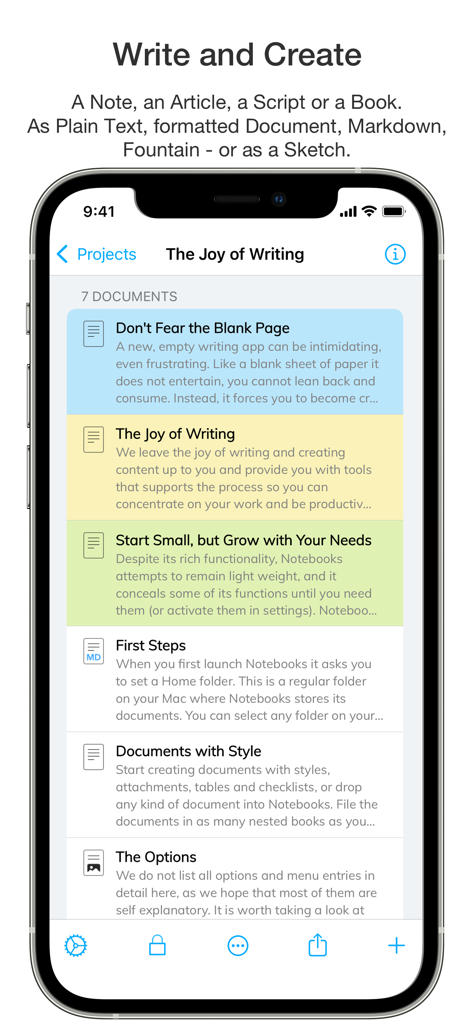
Notebooksアプリで整理されたドキュメントとノートのリストが、色分けされたカテゴリで表示されているiPhone画面。

Notebooksアプリで整理されたドキュメントとノートのリストが、色分けされたカテゴリで表示されているiPhone画面。

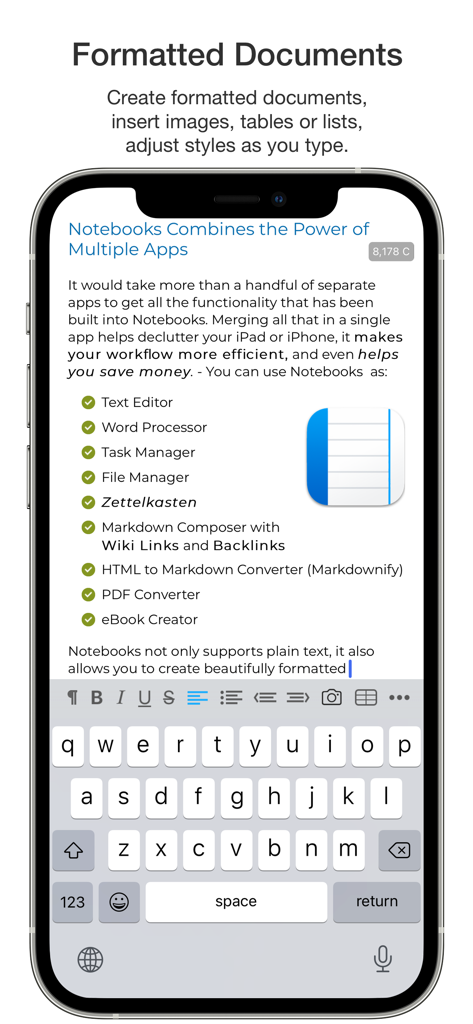
Notebooksアプリのインターフェースに、フォーマットされたドキュメントと、タスクマネージャーやMarkdownコンポーザーなどの機能チェックリストが表示されているモバイル画面。

Notebooksアプリのインターフェースに、フォーマットされたドキュメントと、タスクマネージャーやMarkdownコンポーザーなどの機能チェックリストが表示されているモバイル画面。

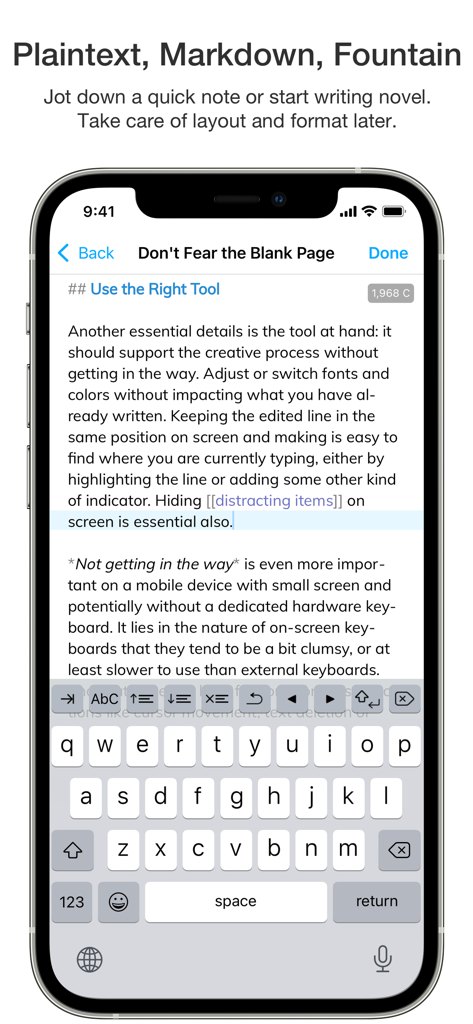
Notebooksアプリのインターフェースに、Markdownテキストエディタと画面上のキーボードが表示されているiPhone画面

Notebooksアプリのインターフェースに、Markdownテキストエディタと画面上のキーボードが表示されているiPhone画面

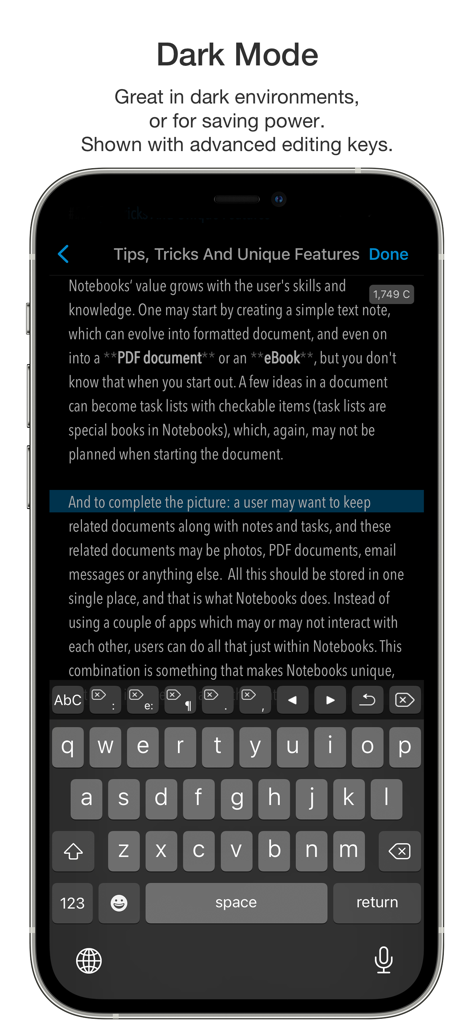
テキストエディタと高度な編集キーボードが表示されたNotebooksアプリのダークモードのiPhone画面

テキストエディタと高度な編集キーボードが表示されたNotebooksアプリのダークモードのiPhone画面

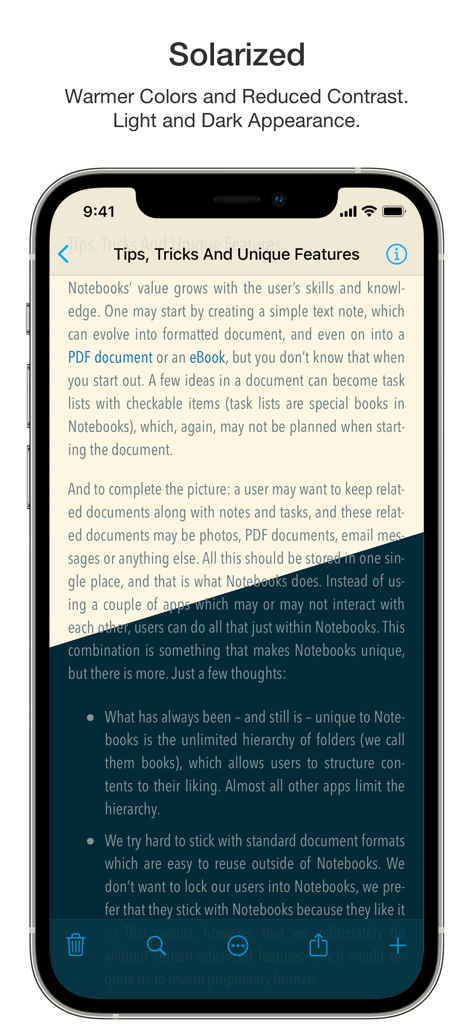
Notebooksアプリに、読みやすさを向上させるためにSolarizedカラーテーマを使用したTips, Tricks And Unique Featuresというタイトルのドキュメントが表示されています。

Notebooksアプリに、読みやすさを向上させるためにSolarizedカラーテーマを使用したTips, Tricks And Unique Featuresというタイトルのドキュメントが表示されています。

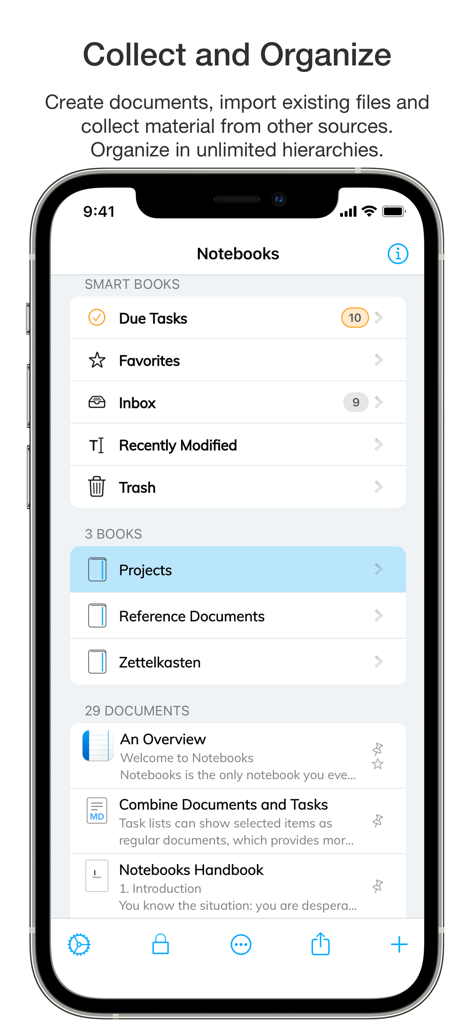
iPhoneでスマートブックとドキュメントの整理が表示されているNotebooksアプリのメイン画面

iPhoneでスマートブックとドキュメントの整理が表示されているNotebooksアプリのメイン画面

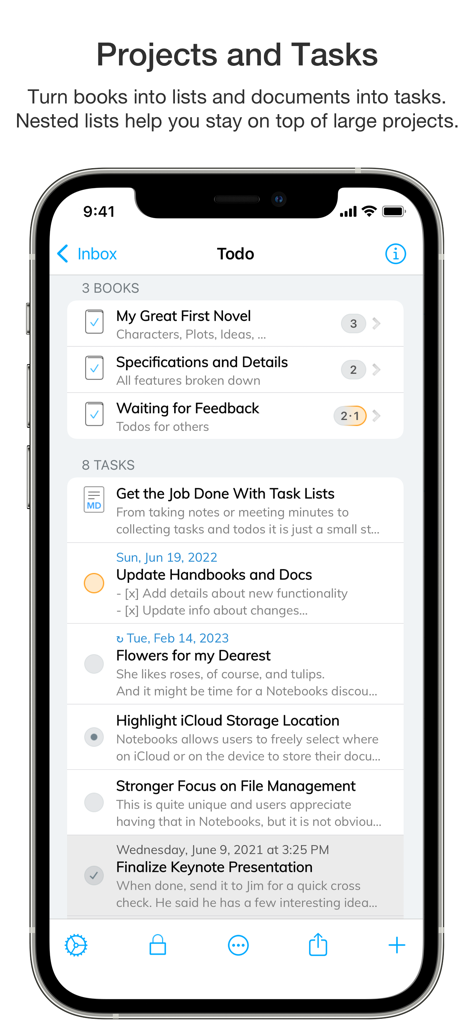
Notebooksアプリでのプロジェクト整理とタスクリストが表示されているスマートフォン画面

Notebooksアプリでのプロジェクト整理とタスクリストが表示されているスマートフォン画面

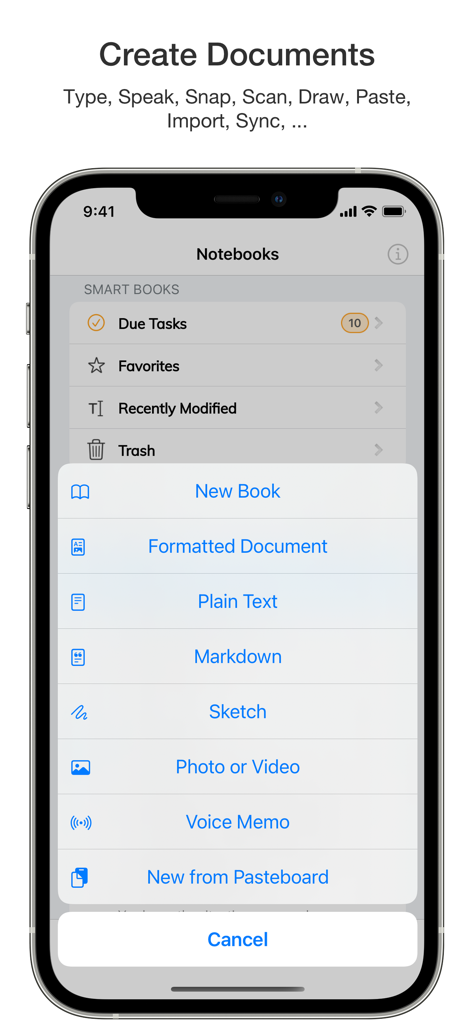
新しいブック、フォーマットされたドキュメント、Markdownファイルなどのオプションが表示されたNotebooksアプリの作成メニューが表示されているiPhone画面

新しいブック、フォーマットされたドキュメント、Markdownファイルなどのオプションが表示されたNotebooksアプリの作成メニューが表示されているiPhone画面

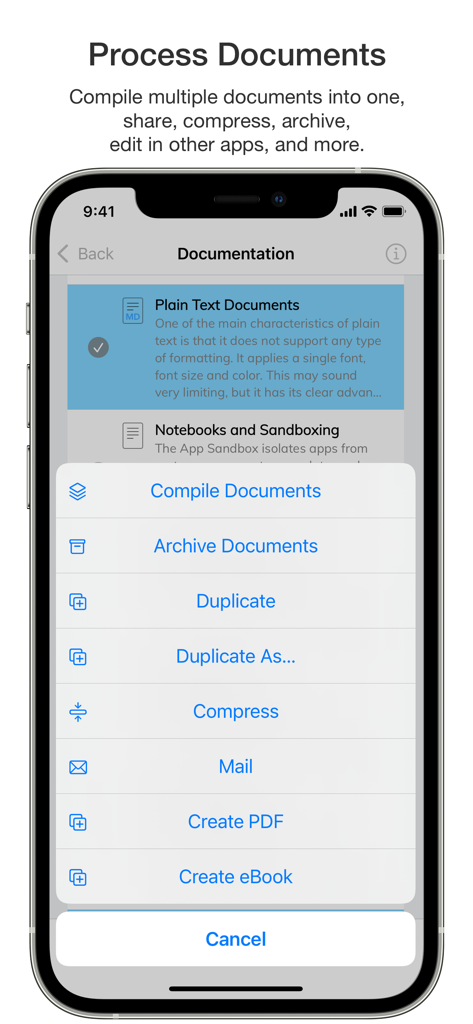
コンパイル、アーカイブ、PDF作成などのオプションが表示されたNotebooksアプリのドキュメント処理メニューが表示されているモバイル画面。

コンパイル、アーカイブ、PDF作成などのオプションが表示されたNotebooksアプリのドキュメント処理メニューが表示されているモバイル画面。

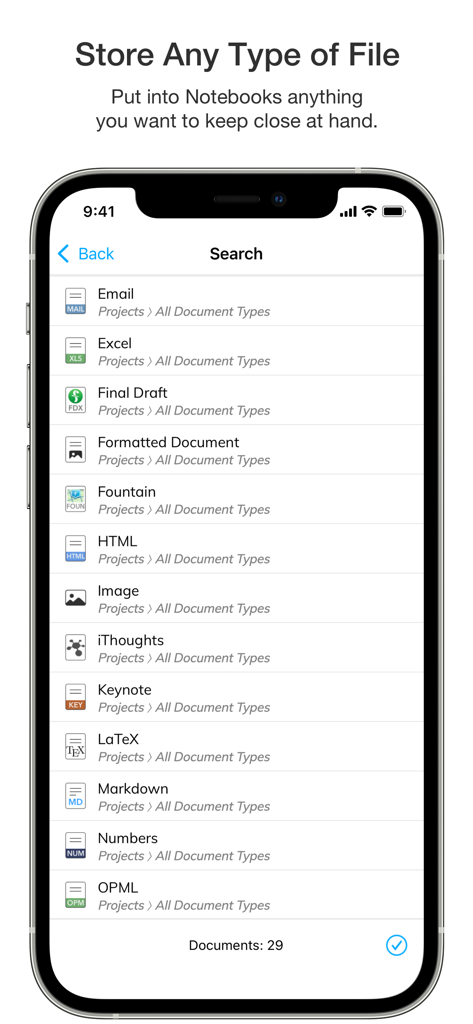
Email、Excel、HTML、Markdownなどのさまざまなサポートされているファイル形式が表示されているNotebooksアプリの検索リスト。

Email、Excel、HTML、Markdownなどのさまざまなサポートされているファイル形式が表示されているNotebooksアプリの検索リスト。

ナレッジプロフェッショナルのための究極のワークスペース

このアプリを際立たせるツール、 124K+ 人のユーザーが選択.

📂

将来性のあるデータ主権

あなたのデータを永遠に所有しましょう。すべてのドキュメントは、プレーンテキストやMarkdownなどの標準形式で保存されるため、ベンダーロックインなしで、あらゆるデバイスやプラットフォームでファイルにアクセスし、読み取ることができます。

🧠

高度なナレッジマネジメント

Wikiスタイルのリンク、深いネストされたフォルダ、全文検索を使用して、個人のWikiやZettelkastenを構築しましょう。散在するアイデアを接続し、複雑なリサーチをプロフェッショナルグレードの精度で整理します。

統合されたタスクエコシステム

アイデアと行動のギャップを橋渡ししましょう。あらゆるドキュメントをタスクに変換し、期日を割り当て、GTDスタイルのプロジェクトをワークスペース内で直接管理し、シームレスで集中力を妨げないワークフローを実現します。

世界中のユーザーに愛されています

Trusted by 124K+ 人がこのアプリを愛用しています.

"

"長年のリサーチを管理するアカデミックとして、利用可能なあらゆるZettelkastenツールを試してきました。Notebooksは、Markdownのパワーと、ファイルがプロプライエタリなクラウドに閉じ込められていないという安心感を与えてくれる唯一のツールです。ドキュメントを個人のWikiにリンクする機能は、私の文献レビューとプロフェッショナルな整理方法を完全に変革しました。"

Dr. Elena Richardson
"

"Notebooksは、深い執筆と実行可能なタスク管理のギャップを真に橋渡しする最初のアプリです。プロジェクトの提案書を作成し、すぐにノートをスケジュールされたタスクに変換できます。アプリを切り替える必要はありません。これは私の「すべてを完了する」システム全体を1か所にまとめたもので、控えめでありながら強力で、日々のワークフローに信じられないほど効率的です。"

Marcus Thorne

アプリについて

について知っておくべきこと Notebooks – Write and Organize.

説明

Notebooks is a comprehensive writing app with a powerful text and Markdown editor, which you can use as personal Wiki, Zettelkasten, file and document organizer, task manager, PDF/eBook creator and much more—all in one place. You can seamlessly transform quick notes into actionable tasks, combine text fragments into chapters of a book, organize research material, and keep business documents separate from personal diaries without ever switching apps. Stay focused and unleash your creativity with Notebooks’ versatile and intuitive features. - You'll quickly come to appreciate this unique combination of features. • Notebooks stores all your documents as regular files in standard formats. You are always in control of your documents, never need to worry about how to export them, and they remain compatible across devices and over time. • Create formatted documents with styles, attachments, tables or checklists, and add a table of contents if you like. Choose between a variation of ready made document styles, or create your own, if you want. • Write your documents in plain text and allow Notebooks to automatically handle lists, highlight and center the current line on screen, automatically insert closing characters for (, {, [, " and more. - Plain text is a universal format which can be used on any device without any specific software. • Use Markdown to create formatted documents from plain text. Notebooks supports *MultiMarkdown* and its own flavor of *Discount*. – Click any word in a formatted Markdown text and start writing at that position. You can even create checklists (- [ ]) and tick them off in formatted view. Syntax highlighting and a set of dedicated extra keyboard keys make Markdown editing easy. • Use your Apple Pencil to sketch ideas or annotate images and PDF documents. • Use Notebooks' advanced editing capabilities to work on documents which are stored in other apps. • Compile selected documents or the contents of whole books into a single document, an eBook or a PDF document. • Link between documents in Notebooks. In Markdown you can even use Wiki style links ([[ ]]). When clicking a link to a document which does not yet exist, Notebooks suggests to create it. And when you move or rename documents, Notebooks makes sure the links remain intact. • Create as many books as you need to structure your projects and details. Nest books as deep as you like, there is no limit in Notebooks. If you ever loose track, Notebooks' full text search helps you quickly turn up even the most hidden document. • Turn books into task lists to display document as tasks which can be ticked off. Assign due dates and alerts, and divide projects into nested sub projects, which makes them easier to handle. • For simple lists you can use checklists in formatted documents and Markdown. • Assign Context tags to books and documents to create shortcuts that are accessible for a smart book at Notebooks' top level. – Notebooks can even extract context tags from the contents of documents as you create them. • Import all documents and files you want to keep close at hand, no matter whether PDF, email, web pages, MS Office or iWorks, photos, videos, music and more. • Scan documents and extract text using OCR (iOS 13) • Sync files between iPads, iPhones, Mac or PC. With all these features, Notebooks may quickly become your go-to repository for everything you want to keep close at hand. User Comments: “Notebooks is a wonderful App, which is so much better than the dozen other note apps I tried. It is sophisticated, in an unassuming way, so that you find yourself greatly rewarded and being productive without sacrificing time/effort to the App. I cannot tell you how much productivity I have gained. I am having a huge amount of fun, I use it constantly, more than the phone on my iPhone in fact." “You are GTD in every way that makes it efficient and makes me efficient.”

最新バージョン

12.8.4

サイズ

45.1 MB

リリース日

2020年1月20日

ワークフローをマスターし、データを所有する

124,000人以上のプロフェッショナルが、ノート、タスク、リサーチのための究極の将来性のあるハブを使用しています。今すぐNotebooksで第二の脳の構築を始めましょう。

ダウンロード: App Store