OpenDocument Reader - view ODT

OpenDocument Reader - view ODT

ダウンロード: App Store
Spark by MWM logo
ロゴ: OpenDocument Reader - view ODT
OpenDocument Reader: LibreOfficeおよびOpenOfficeのモバイルブリッジ

ODFファイルに最適なコンパニオン。サブスクリプションなしで、外出先でもODT、ODS、ODPドキュメントを簡単に表示、編集、検索できます。

ダウンロード: App Store

開発元

Stefl und Taschauer OG

カテゴリ

Productivity

ダウンロード

1M+

ユーザー評価

4.5/5

評価数

5K+

対応言語

16

生産性を解き放つ

このインターフェースを利用する 1M+ 人のユーザー.

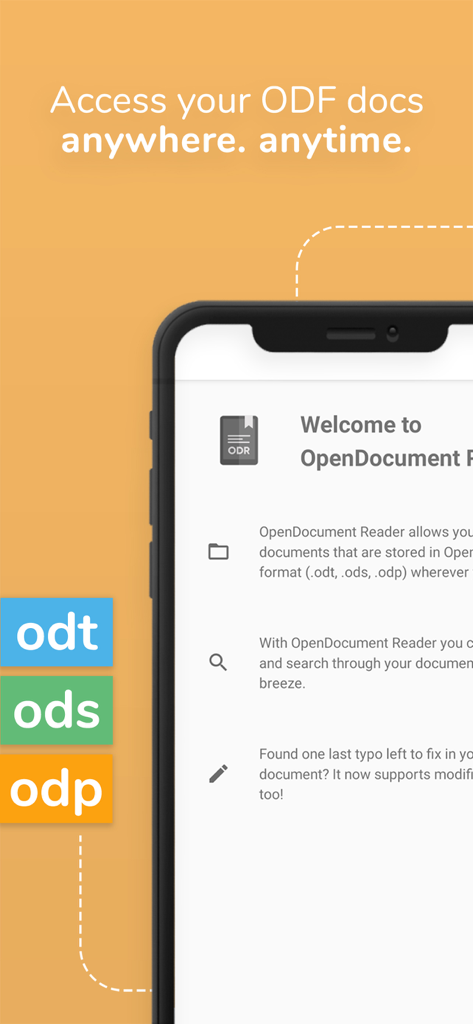
OpenDocument Readerモバイルアプリインターフェース。iPhoneでODT ODSおよびODPファイル形式のサポートを表示。

OpenDocument Readerモバイルアプリインターフェース。iPhoneでODT ODSおよびODPファイル形式のサポートを表示。

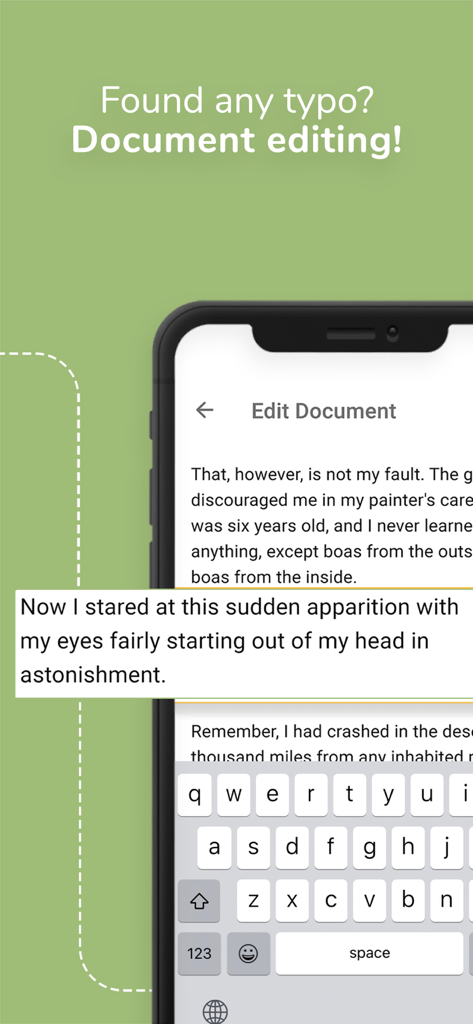
OpenDocument Readerアプリのドキュメント編集インターフェースを示すスマートフォンの画面。

OpenDocument Readerアプリのドキュメント編集インターフェースを示すスマートフォンの画面。

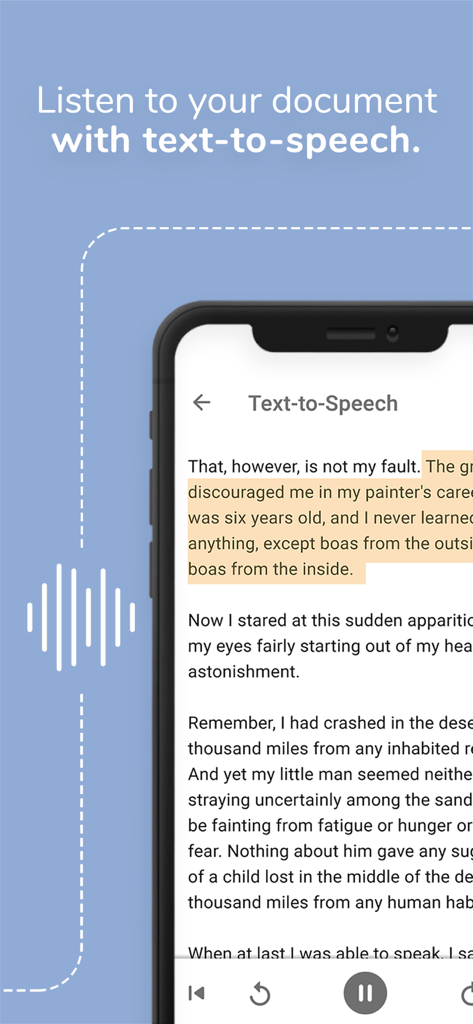
OpenDocument Readerアプリのテキスト読み上げ機能を示すスマートフォン。ドキュメントを聞くために使用されます。

OpenDocument Readerアプリのテキスト読み上げ機能を示すスマートフォン。ドキュメントを聞くために使用されます。

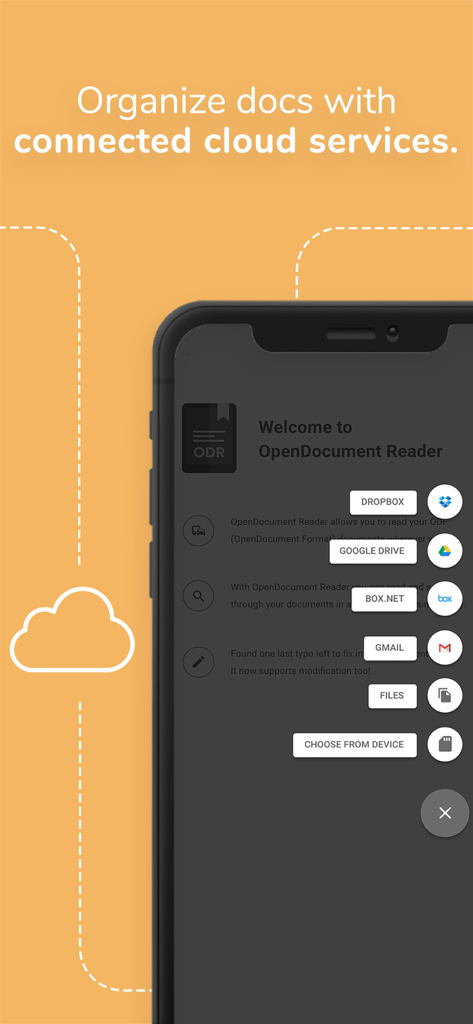
ドキュメント整理のためにDropboxやGoogle Driveなどの統合クラウドサービスを示すOpenDocument Readerアプリのスクリーンショット

ドキュメント整理のためにDropboxやGoogle Driveなどの統合クラウドサービスを示すOpenDocument Readerアプリのスクリーンショット

ODT ODSおよびODPファイル形式のサポートを示すOpenDocument Readerアプリインターフェース

ODT ODSおよびODPファイル形式のサポートを示すOpenDocument Readerアプリインターフェース

オープンソースワークフローの強化

このアプリを際立たせるツール、 1M+ 人のユーザーが選択.

✏️

精密なクイック編集

プレゼンテーションの前にタイポを見つけましたか?外出先でもODTおよびODSファイルを即座に更新し、作業が常に洗練されプロフェッショナルであることを保証します。

📂

ユニバーサルクラウド統合

Google Drive、iCloud、またはDropboxから簡単にファイルを開けます。ODF、Microsoft Office、PDF形式に対応した、単一の強力なハブです。

✈️

完全なオフライン信頼性

地下鉄から空まで、どこでも作業できます。インターネット接続なしでドキュメントにアクセスして読み取ることができ、データはプライベートでアクセス可能に保たれます。

世界中のユーザーに愛されています

Trusted by 1M+ 人がこのアプリを愛用しています.

"

"高額なサブスクリプションを避けるためにLibreOfficeを使用している大学生として、このアプリは絶対的な救世主です。バスの中でODTの講義ノートを確認したり、プレゼンテーションの直前に軽微なタイポを修正したりできます。他のアプリが失敗した複雑なフォーマットも完璧に処理します。"

Alex Rivera
"

"フリーランスプロジェクトでオープンソース形式を頻繁に使用しており、このリーダーはこのキットの中で最も信頼できるツールです。Nextcloudとの統合と、PSDおよびODTファイルを1か所で表示できる機能により、モバイルワークフローが信じられないほど効率的になりました。"

Sarah Jenkins

アプリについて

について知っておくべきこと OpenDocument Reader - view ODT.

説明

View and modify documents created using LibreOffice or OpenOffice on the go using the Document Reader & Document Editor! The file reader & document editor allows you to open files like ODF (Open Document Format) documents created using LibreOffice or OpenOffice wherever you are. In the bus on your way to school wanting to look at your notes before the big exam? No problem! With the Document Reader you can open files wherever you like and read & search through your documents to go in a clean and simple way. Is there just one last typo left to fix in your document before sending it out to colleagues? The File Editor supports modification of documents now! Fast, simple and well integrated. You can open files from ODF (ODT, ODS & many more) that you have created with Libre Office or OpenOffice also from within other apps. Supported apps include GMail, Google Drive, iCloud, OneDrive, Nextcloud, Box.net, Dropbox and lots of others! Or use our integrated file explorer instead to open files on your device. - open files with ODF: ODT (writer), ODS (calc), ODP and ODG without a hassle - basic editing of documents with the file editor to fix typos, add sentences, etc - securely open password-protected documents - search for keywords in your ODT (writer), ODS (calc) or ODG and highlight them - print documents if your device is connected to a printer - read your documents in fullscreen to avoid distractions - select and copy text out of your documents - enjoy your documents even without internet connectivity - fully offline capable In addition to that, OpenDocument Reader aims to support various other file formats as well as possible: - Portable Document Format (PDF) - Archives: ZIP - Images: JPG, JPEG, GIF, PNG, WEBP, TIFF, BMP, SVG, etc - Videos: MP4, WEBM, etc - Audio: MP3, OGG, etc - Text files: CSV, TXT, HTML, RTF - Microsoft Office (OOXML): Word (DOC, DOCX), Excel (XLS, XLSX), PowerPoint (PPT, PPTX) - Apple iWork: Pages, Numbers, Keynote - Libre Office and Open Office OpenDocument Format: ODF* (ODT, ODS, ODP, ODG) - PostScript (EPS) - AutoCAD (DXF) - Photoshop (PSD) This app is open source. We are not affiliated with OpenOffice, LibreOffice or similar. Made in Austria. Ads are shown in order to support the development of this app. They are free to remove temporarily via the in-app menu. We highly appreciate all kinds of feedback via email. * ODF (Open Document Format) is the format used by office suites like Open Office and Libre Office. Text documents (Writer, ODT), as well as spreadsheets (Calc, ODS) and also presentations (Impress, ODP) are supported, including support for complex formatting and embedded images. Graphs are no problem either. If you want to secure your data you can even open password-protected documents. Other applications that are using this format are LibreOffice, OpenOffice, NeoOffice, StarOffice, Go-oo, IBM Workplace, IBM Lotus Symphony, ChinaOffice, AndrOpen Office, Co-Create Office, EuroOffice, KaiOffice, Jambo OpenOffice, MagyarOffice, MultiMedia Office, MYOffice, NextOffice, OfficeOne, OfficeTLE, OOo4Kids, OpenOfficePL, OpenOfficeT7, OxOffice, OxygenOffice, Pladao Office, PlusOffice, RedOffice, RomanianOffice, SunShine Office, ThizOffice, UP Office, White Label Office, WPS Office Storm, Libre Office, Collabora Office and 602Office.

最新バージョン

1.35

サイズ

14.6 MB

リリース日

2020年5月9日

オープンソースワークフローをモバイル化

100万人以上のユーザーが、OpenDocument Readerをシームレスな表示と迅速な編集のために信頼しています。サブスクリプションなしで、iPhoneまたはiPadで完全なファイル自由を体験してください。

ダウンロード: App Store
FAQ

よくある質問

について知っておくべきこと OpenDocument Reader - view ODT

OpenDocument Reader - view ODTとは何ですか?

OpenDocument Reader - view ODTは、LibreOfficeまたはOpenOfficeで作成されたドキュメントを表示および編集するためのモバイルアプリケーションです。ODT、ODS、ODPなどのODF形式をサポートし、基本的な編集、キーワード検索、印刷が可能です。

OpenDocument Readerでドキュメントを編集できますか?

はい、OpenDocument Readerアプリはドキュメントの基本的な編集をサポートしています。ユーザーはタイプミスを修正したり、文を追加したりでき、アプリ内で高速かつシンプルに編集できます。

OpenDocument Readerはどのようなファイル形式をサポートしていますか?

OpenDocument Readerは、ODF(ODT、ODS、ODP、ODG)、PDF、Microsoft Office(DOCX、XLSX、PPTX)、Apple iWork、画像、動画、音声、テキストファイルなど、幅広いファイル形式をサポートしています。

OpenDocument Readerはパスワードで保護されたドキュメントを開くことができますか?

はい、OpenDocument Readerはパスワードで保護されたドキュメントを安全に開くことができます。この機能はODFファイルで利用でき、ユーザーは保護されたデータにアクセスできます。

OpenDocument Readerはクラウドサービスをサポートしていますか?

はい、OpenDocument Readerは、Gmail、Google Drive、iCloud、OneDrive、Nextcloud、Box.net、Dropboxなどのさまざまなクラウドサービスからファイルを開くことをサポートしています。統合されたファイルエクスプローラーも利用できます。

OpenDocument Readerはドキュメントを読み上げることができますか?

はい、OpenDocument Readerにはテキスト読み上げ機能があります。ユーザーはドキュメントを聞くことができ、アクセシビリティが向上し、コンテンツを音声形式で消費できます。

OpenDocument Readerはオフラインで利用できますか?

はい、OpenDocument Readerは完全にオフラインで利用できます。ユーザーはインターネット接続がなくてもドキュメントを楽しむことができ、いつでもどこでもアクセスできます。

OpenDocument Readerには広告が表示されますか?

はい、OpenDocument Readerには開発をサポートするための広告が表示されます。これらの広告は、アプリ内メニューから一時的に削除できます。

OpenDocument Readerでドキュメント内のキーワードを検索できますか?

はい、OpenDocument Readerでは、ODT(Writer)、ODS(Calc)、ODGドキュメント内のキーワードを検索できます。アプリは検索結果をハイライト表示して見やすくします。