Photo Scanner Plus

Photo Scanner Plus

ダウンロード: App Storeダウンロード: Google Play
Spark by MWM logo
ロゴ: Photo Scanner Plus

Photo Scanner Plus:家族の歴史をデジタル時代へ

古い写真、スライド、ネガがたくさん詰まった箱を、鮮やかなデジタル遺産に変える最速のAI活用法。アルバム全体を数分でスキャンし、過去に色を付け、大切な思い出を次世代と共有しましょう。

ダウンロード: App Store

開発元

Photomyne LTD

カテゴリ

Photo & Video

ダウンロード

822K+

ユーザー評価

4.8/5

評価数

26K+

対応言語

16

蘇った思い出

このインターフェースを利用する 822K+ 人のユーザー.

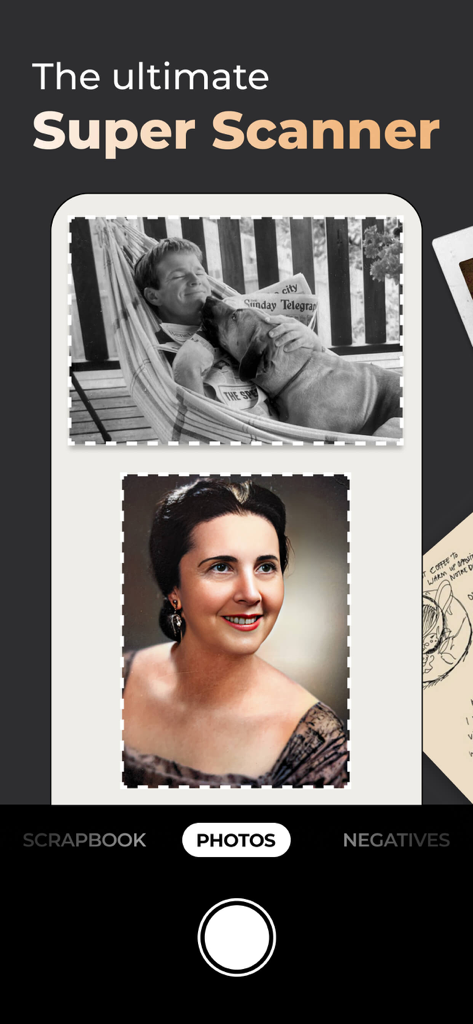
Photo Scanner Plusアプリのインターフェース。ヴィンテージ写真のAI自動トリミングとカラー修復を表示しています。

Photo Scanner Plusアプリのインターフェース。ヴィンテージ写真のAI自動トリミングとカラー修復を表示しています。

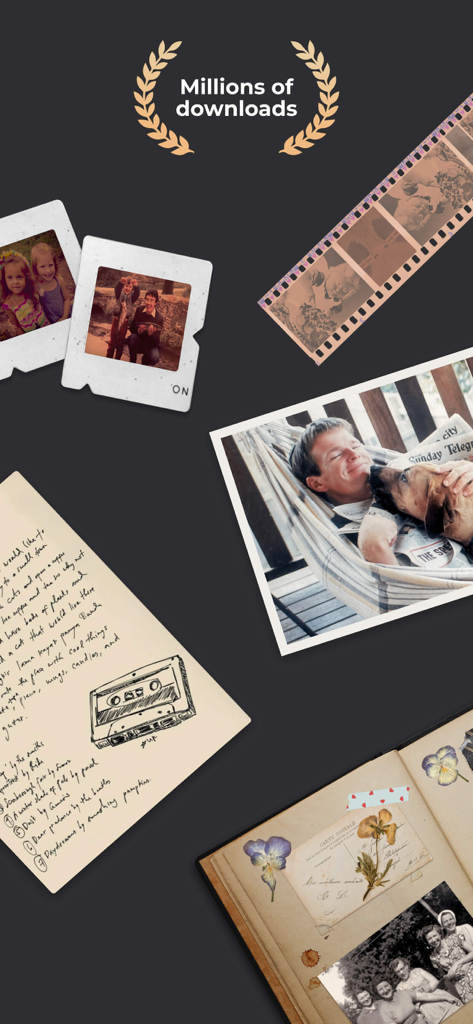
古い写真、フィルムネガ、スライド、スクラップブックなどのアナログ家族の記念品のコレクション。数百万回のダウンロードを示す月桂樹の冠が付いています。

古い写真、フィルムネガ、スライド、スクラップブックなどのアナログ家族の記念品のコレクション。数百万回のダウンロードを示す月桂樹の冠が付いています。

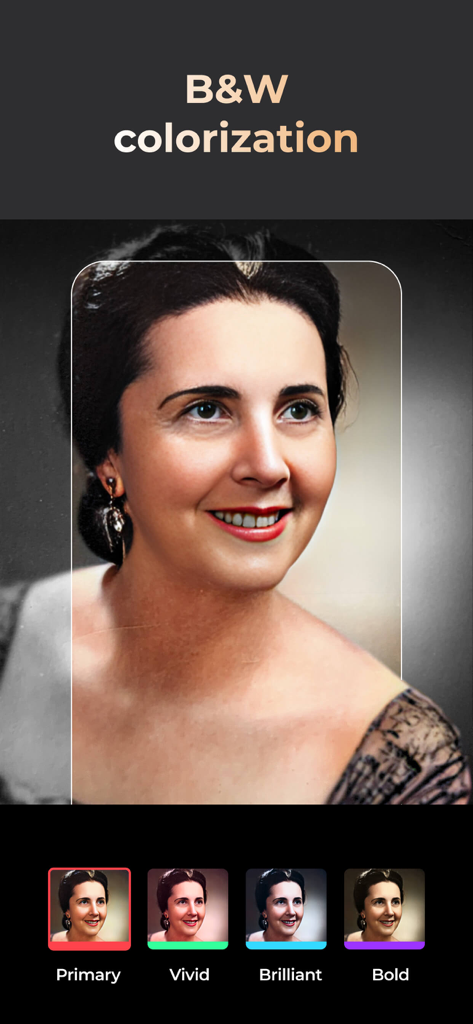
Photo Scanner Plusアプリを使用してカラー化されている白黒ポートレートの例。

Photo Scanner Plusアプリを使用してカラー化されている白黒ポートレートの例。

Photo Scanner Plusアプリを使用して鮮明化されている2人の女性のヴィンテージ白黒写真。

Photo Scanner Plusアプリを使用して鮮明化されている2人の女性のヴィンテージ白黒写真。

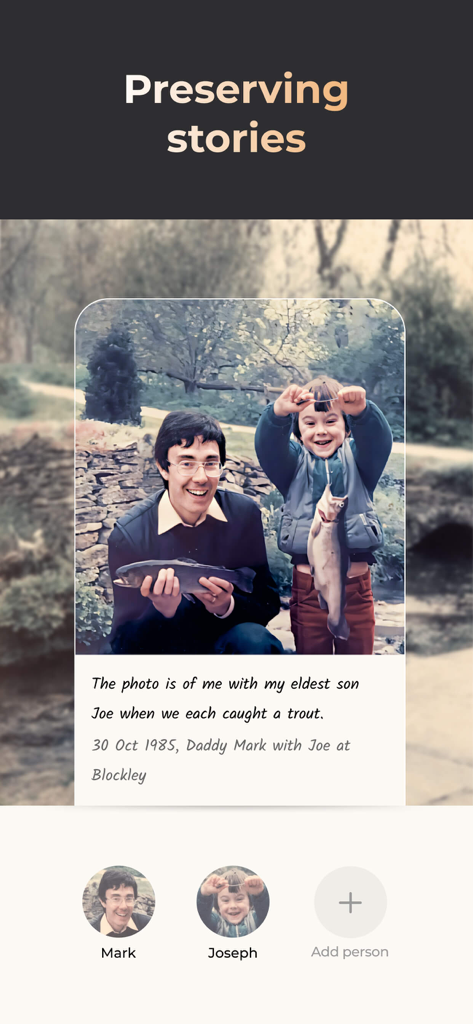
Photo Scanner Plusアプリで、手書きの思い出とタグ付けされた家族メンバーが表示されているデジタル化された家族写真。

Photo Scanner Plusアプリで、手書きの思い出とタグ付けされた家族メンバーが表示されているデジタル化された家族写真。

家族の歴史を数分で保存

このアプリを際立たせるツール、 822K+ 人のユーザーが選択.

魔法のようなマルチフォトスキャン

一枚ずつスキャンして数週間も無駄にしないでください。アルバムのページ全体を一度にキャプチャします。AIが自動的に検出し、トリミングして、各写真を個別に保存します。

🎨

過去に命を吹き込む

白黒写真を瞬時にカラー化し、AI顔補正で祖先の顔立ちを驚くほど鮮明に修復し、古い思い出に新たな命を吹き込みます。

👨‍👩‍👧‍👦

次世代と共有

家族のメンバーにタグを付け、音声ストーリーを追加し、日付ごとにアルバムを整理します。再発見した歴史を、プライベートリンクまたはソーシャルメディア経由で愛する人々に送信します。

世界中のユーザーに愛されています

Trusted by 822K+ 人がこのアプリを愛用しています.

"

"何年も屋根裏部屋で埃をかぶっていた、何十冊もの重いアルバムを持っていました。Photo Scanner Plusのおかげで、それらの思い出を簡単に蘇らせることができました。ページ全体を数秒でスキャンでき、AIによるカラー化は両親の古い結婚写真に感動しました。今では、タップするだけで子供や孫と家族の歴史を共有できます。"

Linda Sterling
"

"家族の歴史担当として、これまでにあらゆるスキャンツールを試しましたが、これに勝るものはありません。父の80歳の誕生日のスライドショーのために、200枚近くの べてのネガを、ある午後にデジタル化することができました。品質はプロフェッショナル級で、自動トリミング機能により、退屈な編集作業が数時間も節約されました。"

Robert Miller

アプリについて

について知っておくべきこと Photo Scanner Plus.

説明

Meet the ultimate solution for preserving your old photos. Photomyne is the fastest and easiest way to turn photos, slides, negatives, and other family keepsakes into a digital library spanning generations and share them with others. Download it today to see the magic of this powerful scanning app, built with cutting-edge AI technology. This paid app version offers the full utility power of Photomyne on one iOS device. You will need to purchase a Photomyne Membership (in-app purchase) to access your photos on other devices and online and to back up your photos. SIMPLY HOLD & CAPTURE - SCANNER WILL DO THE REST * Scan multiple analog photographs in a single shot - finish an entire album in minutes. * Scan more than just photos too - film negatives, slides, documents, notes, kids' art, recipes, scrapbooks, and more. * Capture scans by tapping a button or by simply saying 'Go' (if voice control is enabled). * The photo scanner auto-detects picture boundaries, auto-rotates sideways pics, crops, restores colors, and saves them into a digital album. EDIT AND CURATE YOUR COLLECTION OF MEMORIES * Add details to albums and photos (locations, dates and names) * Name the people in the photos. * Scan the back of a photo, add audio recording * Apply color filters & colorize B&W photos * Sharpen blurry faces in photos SAVE & SHARE YOUR REDISCOVERED MEMORIES * Save photos to your mobile device or computer in the best quality (print quality) * Share as many photos as you want via a web link * Enjoy unlimited colorization of Black-and-White (monochromatic) photos * Create gifts with your scanned photos such as photo collages USE SCANNED PHOTOS TO MAKE SPECIAL EVENTS TRULY UNFORGETTABLE: * Add a dose of nostalgia to reunions * Honor memorials with photo memories * Celebrate anniversaries with old photos * Add an element of surprise to birthdays OPTIONAL IN-APP UPGRADE: To access your photos on other devices and online and to backup, consider purchasing an optional paid plan (in-app purchase). Here are the features you get with a paid plan (Photomyne Membership): 1. Access your photos on other devices and online 2. Unlimited photo backup The app offers an optional paid plan via monthly/yearly auto-renewing subscriptions**, as well as a One-Time plan which is paid for by a single upfront payment. These offer unlimited access to the premium mentioned above. **Payment will be charged to your App Store account at confirmation of purchase. Your subscription will automatically renew itself unless auto-renewal is turned off at least 24 hours before the end of the current period. Your account will be charged for renewal within 24 hours prior to the end of the current period. You can manage your subscriptions and turn off auto-renewal by going to your Account Settings in the App Store. If offered, if you choose to use our free trial, any unused portion of the free trial period will be forfeited when you purchase a subscription to that publication, where applicable. Got any questions? We’d love to connect: support@photomyne.com Privacy Policy: https://photomyne.com/privacy-policy Terms of Use: https://photomyne.com/terms-of-use

最新バージョン

31.3

サイズ

160.7 MB

リリース日

2015年3月10日

家族の物語を永遠に保存

埃をかぶったアルバムをデジタル遺産に変えた、80万人以上の家族歴史家の仲間入りをしましょう。今すぐPhoto Scanner Plusをダウンロードして、過去の魔法を愛する人々と分かち合いましょう。

ダウンロード: App Storeダウンロード: Google Play
FAQ

よくある質問

について知っておくべきこと Photo Scanner Plus

Photo Scanner Plusとは何ですか?

Photo Scanner Plusは、古い写真、スライド、ネガ、その他の家族の記念品をデジタルライブラリに変換するiOSアプリです。効率的なスキャンと編集のためにAI技術を活用しています。

Photo Scanner Plusはどのように古い写真をスキャンしますか?

Photo Scanner Plusは、一度に複数のアナログ写真をスキャンします。写真の境界線を自動検出し、横向きの写真を自動回転させ、トリミングし、色を復元して、デジタルアルバムに保存します。

Photo Scanner Plusは写真以外のものもスキャンできますか?

はい、Photo Scanner Plusは、物理的な写真に加えて、フィルムネガ、スライド、ドキュメント、メモ、子供のアート、レシピ、スクラップブックなど、さまざまなメディアをスキャンします。

Photo Scanner Plusにはどのような編集機能がありますか?

このアプリには、詳細(場所、日付、名前)の追加、人物の名前付け、写真の裏面のスキャン、音声の追加、カラーフィルターの適用、白黒写真のカラー化、ぼやけた顔の鮮明化などの機能が用意されています。

Photo Scanner Plusからスキャンした写真を共有するにはどうすればよいですか?

Photo Scanner Plusを使用すると、ユーザーは写真を印刷品質でモバイルデバイスまたはコンピュータに保存できます。また、無制限の写真をウェブリンク経由で共有することもできます。

Photo Scanner Plusは白黒写真のカラー化を提供しますか?

はい、Photo Scanner Plusは白黒(モノクロ)写真の無制限のカラー化を提供します。ユーザーはスキャンした画像にさまざまなカラーフィルターを適用することもできます。

Photo Scanner Plusは無料アプリですか?

いいえ、Photo Scanner Plusは、1つのiOSデバイスで使用するための有料アプリバージョンです。他のデバイスまたはオンラインで写真にアクセスするには、別途Photomyneメンバーシップ(アプリ内購入)が必要です。

Photomyneメンバーシップとは何ですか?Photo Scanner Plusでは何が含まれますか?

Photomyneメンバーシップは、オプションのアプリ内購入です。これにより、他のデバイスやオンラインで写真にアクセスできるようになり、Photo Scanner Plusユーザーに無制限の写真バックアップが提供されます。

Photo Scanner PlusのPhotomyneメンバーシップはどのように購入しますか?

Photomyneメンバーシップは、Photo Scanner Plus内のオプションのアプリ内アップグレードとして購入されます。購入が確認されると、App Storeアカウントに支払いが発生します。

Photomyneメンバーシップにはどのような支払いオプションがありますか?

Photomyneメンバーシップは、月次/年次の自動更新サブスクリプションまたは、プレミアム機能へのアクセスに単回前払いが必要なワンタイムプランを提供します。

Photo Scanner PlusのPhotomyneメンバーシップサブスクリプションをキャンセルするにはどうすればよいですか?

ユーザーは、App Storeのアカウント設定を通じてサブスクリプションを管理し、自動更新を無効にすることができます。自動更新は、現在の期間が終了する少なくとも24時間前までにオフにする必要があります。

Photo Scanner Plusでスキャンした写真をコンピュータに保存できますか?

はい、Photo Scanner Plusを使用すると、ユーザーはスキャンした写真をモバイルデバイスに直接保存したり、コンピュータに転送したりできます。写真は印刷に適した高品質で保存されます。

Photo Scanner Plusはどのような種類の思い出を保存するのに役立ちますか?

Photo Scanner Plusは、家族の写真、スライド、フィルムネガ、ドキュメント、メモ、子供のアート、レシピ、スクラップブックなど、さまざまな思い出を保存し、デジタルライブラリに変換するのに役立ちます。