Pocket Note Pro

Pocket Note Pro

ダウンロード: App Store
Spark by MWM logo
ロゴ: Pocket Note Pro

Pocket Note Pro:プロフェッショナルのための高機能デジタルノート

モバイルデバイスを強力なビジネス・ワークステーションへ。手書き、写真、ライブマップをシームレスに統合し、アイデアの記録からプロジェクトのドキュメント作成まで、現場からオフィスまでを正確にサポートします。

開発元

NAOAKI SEKIGUCHI

カテゴリ

Productivity

ダウンロード

29K+

ユーザー評価

3.9/5

評価数

100

対応言語

11

細部に宿る効率性

このインターフェースを利用する 29K+ 人のユーザー.

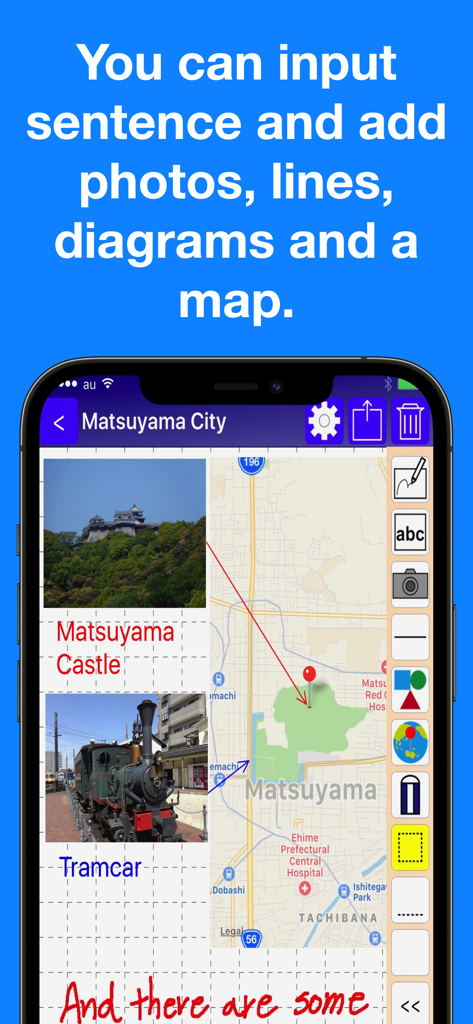
地図、写真、手書きテキストが統合されたビジネスノートを表示するPocket Note Proのアプリインターフェース

地図、写真、手書きテキストが統合されたビジネスノートを表示するPocket Note Proのアプリインターフェース

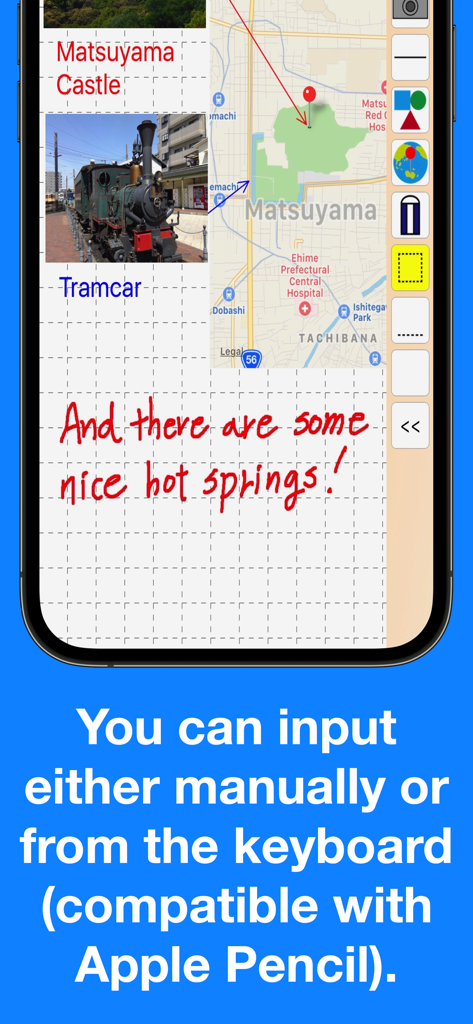
グリッド背景に手書きノート、統合された地図、写真の添付が表示されたPocket Note Proのアプリスクリーンショット

グリッド背景に手書きノート、統合された地図、写真の添付が表示されたPocket Note Proのアプリスクリーンショット

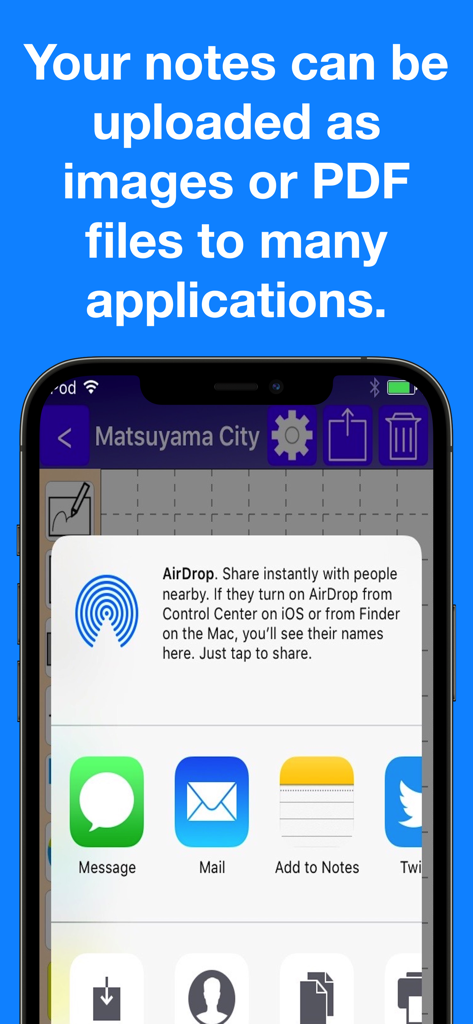
AirDrop、メール、その他のアプリを介してノートをPDFや画像として書き出すための、Pocket Note Proの共有メニューを表示するiPhone画面

AirDrop、メール、その他のアプリを介してノートをPDFや画像として書き出すための、Pocket Note Proの共有メニューを表示するiPhone画面

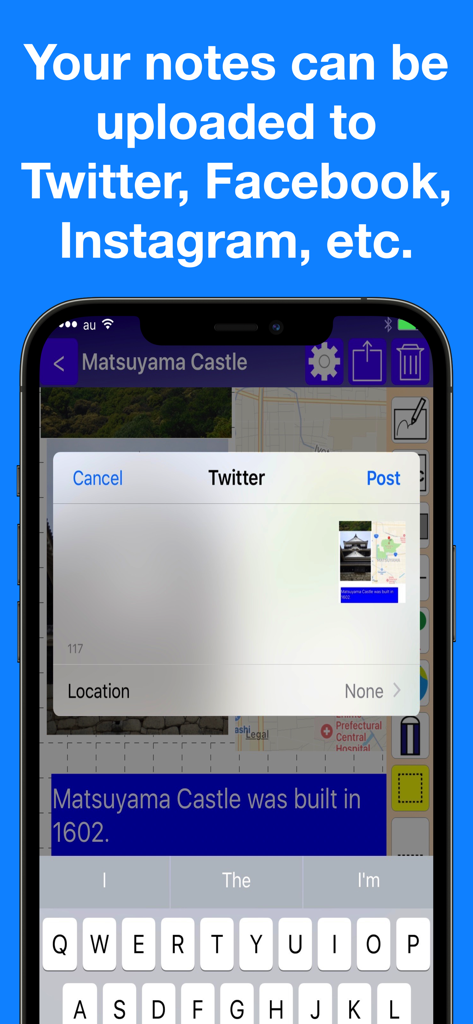
Pocket Note Proアプリ内のソーシャルメディア共有オプション

Pocket Note Proアプリ内のソーシャルメディア共有オプション

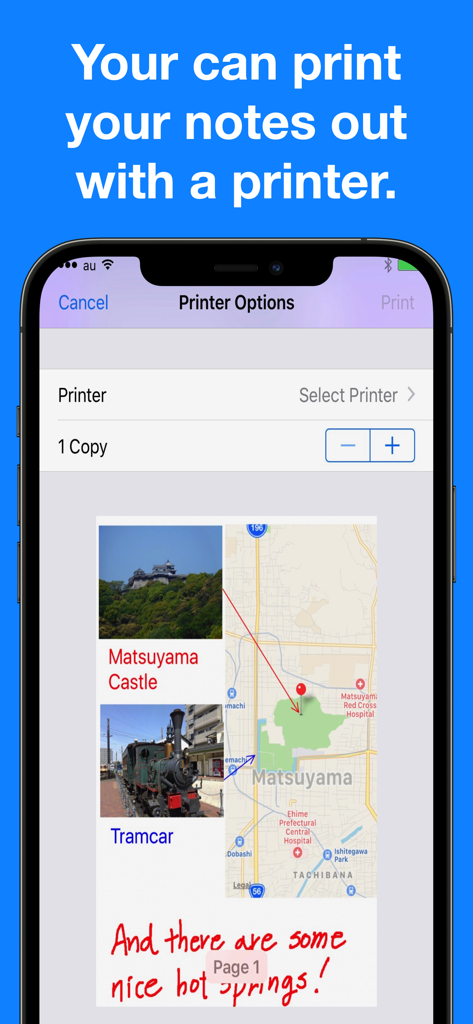
写真や地図を含むノートのプレビューとプリンターオプションを表示するPocket Note Proのアプリインターフェース

写真や地図を含むノートのプレビューとプリンターオプションを表示するPocket Note Proのアプリインターフェース

現代のビジネスシーンに最適化

このアプリを際立たせるツール、 29K+ 人のユーザーが選択.

📍

マップ & メディア連携

正確なGPS位置情報をピン留めし、1ページあたり最大20枚の写真を貼り付け可能。現場レポートや調査資料を1か所で完結させられます。

✏️

精密なスケッチ & アノテーション

Apple Pencilに完全対応。20種類のペンサイズとスマートな図形描画機能により、ラフなアイデアを洗練されたプロフェッショナルな図面へと変換します。

📄

プロ仕様のシームレスな書き出し

作成したノートを即座に高品質なPDFに変換。クライアントへのメール送信、iCloudでの共有、デバイスからの直接印刷もスムーズです。

世界中のユーザーに愛されています

Trusted by 29K+ 人がこのアプリを愛用しています.

"

"不動産鑑定士としての業務において、Pocket Note Proは欠かせない存在になりました。GPSピンを配置し、物件写真を最大20枚までノートに直接貼り付けられる機能は画期的です。現場を離れる前に、Apple Pencilで図面に注釈を入れ、プロ仕様のPDFとしてクライアントに書き出すことができます。"

サラ・ジェンキンス、公認不動産鑑定士
"

"ようやく、ビジネス環境を真に理解したノートアプリに出会えました。グリッド線や図形機能を使って、現場での調整案をその場ですぐにスケッチしています。iPhoneとiPad間のiCloud同期もスムーズで、Siriショートカットを使えばプロジェクトグループに瞬時にアクセスできます。私のデジタルツールの中で最も信頼できるツールです。"

マーカス・ソーン、シニアプロジェクトマネージャー

アプリについて

について知っておくべきこと Pocket Note Pro.

説明

Would you like to make your smartphone or tablet PC into a useful business tool?  Pocket Note is a notepad application specially designed for the business scene. With Pocket Note, you can quickly put your ideas together by a straightforward, simple operation. [Major functions] - We provided grid lines and horizontal ruled lines on the notepad to make it easier to organize what you write down.And when you don't need a grid or horizontal lines, you can choose "blank". - You can input either manually or from the keyboard (compatible with Apple Pencil).  For manual input, choose from 2 pens, "regular" or "thick", and an eraser.  For pen size and color, choose from 20 sizes and 25 colors. - You can paste up to 20 photos on each page. - You can paste maps.  With a map, you can do the following:   You can display your current position on the map using GPS.   By continuously pressing down at a given location on the map, you can place a pin at the location.   By inputting a name or address, you can place a pin at that location.   You can also specify the zoom factor as you wish. - By pasting figures and lines, you can display your notes graphically.  For figures, choose from rectangles, triangles or circles.  You can specify their size and shape freely.  Lines may be with or without arrows.  For figures and lines, choose from 25 different colors. - You can save your notes as an image or a PDF file. You can do the following:  Print them out with a printer.  Save them as images in iOS "Photos".  Attach them to emails as images or PDF files.  Share them as images with iCloud Photo Sharing.  Paste them as images in iOS standard "Notes".  Save them as PDF files in iOS standard "iBooks".  They can be uploaded as images to Twitter, Facebook, Google+, Instagram, Evernote, Flickr, Line, etc.  (If these applications are installed. Also, if the application is compatible with iOS App Extensions, they can be uploaded as images.) - Notes can be organized into groups.  Several groups can be set for each note.  Notes can be displayed by group, or by modified date. - It's compatible with iCloud, so you can share your notes on your iPhone or iPad. - Compatible with Siri Shortcuts. [Contact us] https://www.studioks.net/en/contact-us/ [Studio K's - Business Applications Maker] https://www.studioks.net/en/

最新バージョン

15.0

サイズ

11.6 MB

リリース日

2016年9月10日

ビジネスプロジェクトを意のままに

お使いのデバイスを高精度なデジタルクリップボードに。スケッチ、マッピング、ドキュメント作成において、多くのプロフェッショナルから信頼されているPocket Note Proを今すぐ体験しましょう。

ダウンロード: App Store