Pw Drawing Pad

Pw Drawing Pad

ダウンロード: App Store
Spark by MWM logo
ロゴ: Pw Drawing Pad

Pw Drawing Pad:デジタルアーティストのためのオールインワン・クリエイティブスタジオ

iPadをプロ仕様のキャンバスに変身させましょう。ロゴデザインからデジタルペインティングまで、プロ級のレイヤー、カスタムブラシ、PSD書き出し機能を使用して、あなたのクリエイティブな活動を加速させます。

開発元

伟典 苏

カテゴリ

Lifestyle

ダウンロード

1M+

ユーザー評価

4.6/5

評価数

57K+

対応言語

20

スタジオを活用する

このインターフェースを利用する 1M+ 人のユーザー.

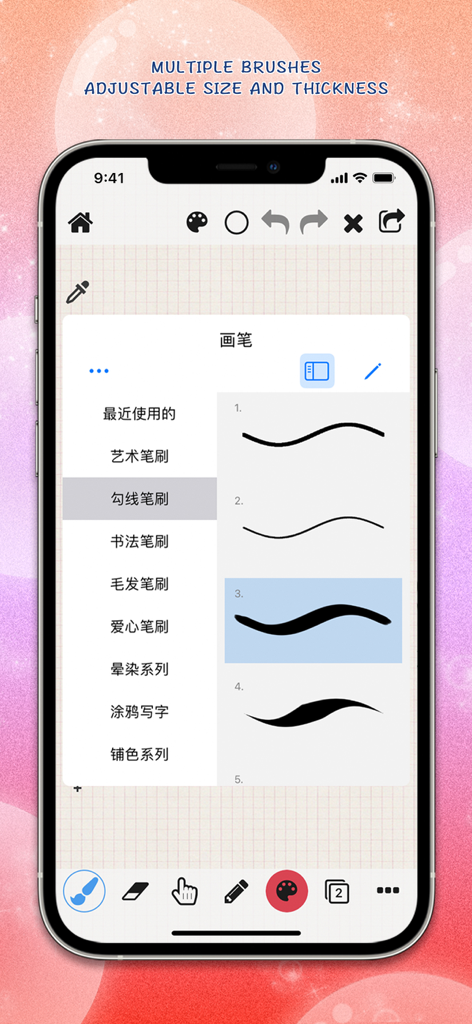
iPhoneの画面に複数のブラシストロークのスタイルと太さの設定が表示されたPw Drawing Padアプリのインターフェース

iPhoneの画面に複数のブラシストロークのスタイルと太さの設定が表示されたPw Drawing Padアプリのインターフェース

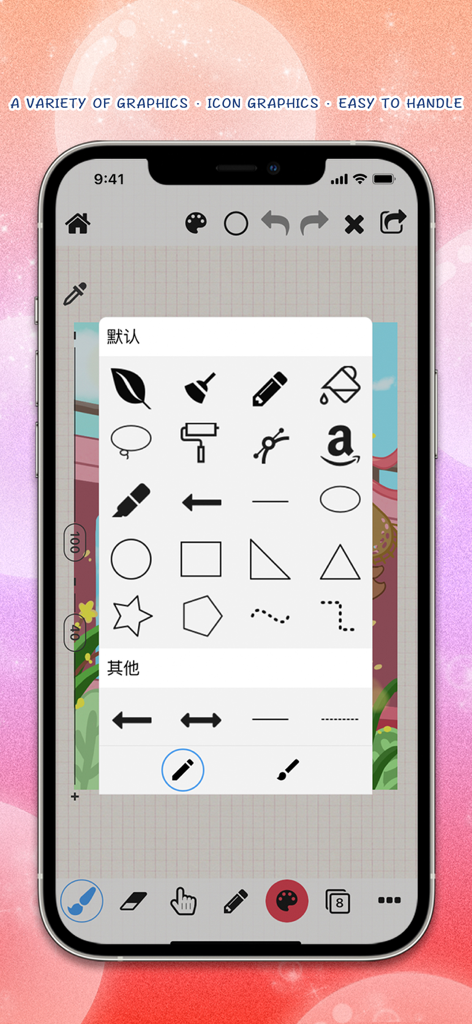
デジタルデザイン用のグラフィックアイコンと図形のメニューを表示しているPw Drawing Padアプリ

デジタルデザイン用のグラフィックアイコンと図形のメニューを表示しているPw Drawing Padアプリ

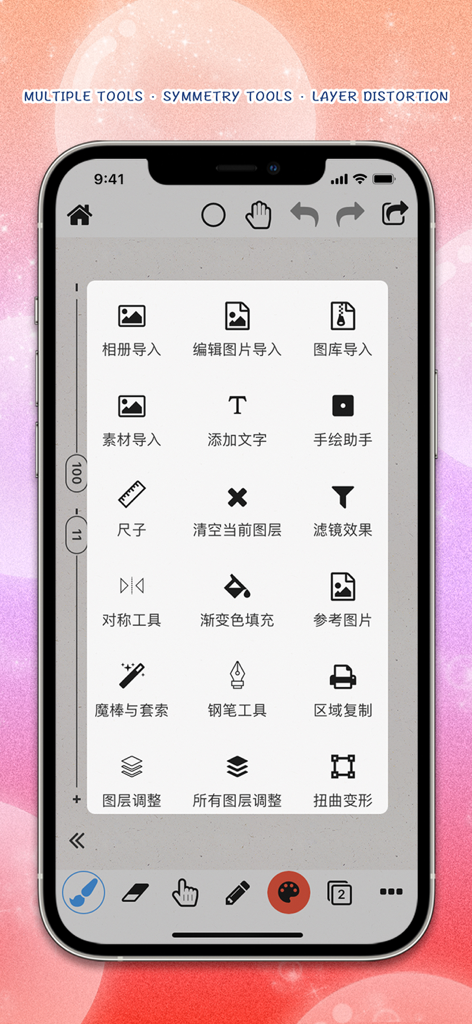
クリエイティブなデザインツールと対称ツールのメニューが表示されたPw Drawing Padのモバイルインターフェース

クリエイティブなデザインツールと対称ツールのメニューが表示されたPw Drawing Padのモバイルインターフェース

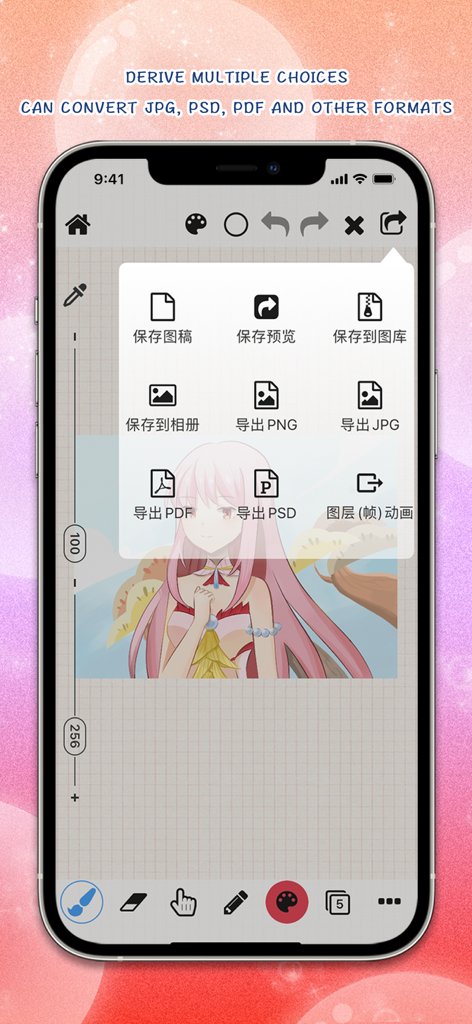
JPG、PSD、PDFファイル形式のオプションが表示されたPw Drawing Padの書き出しメニュー

JPG、PSD、PDFファイル形式のオプションが表示されたPw Drawing Padの書き出しメニュー

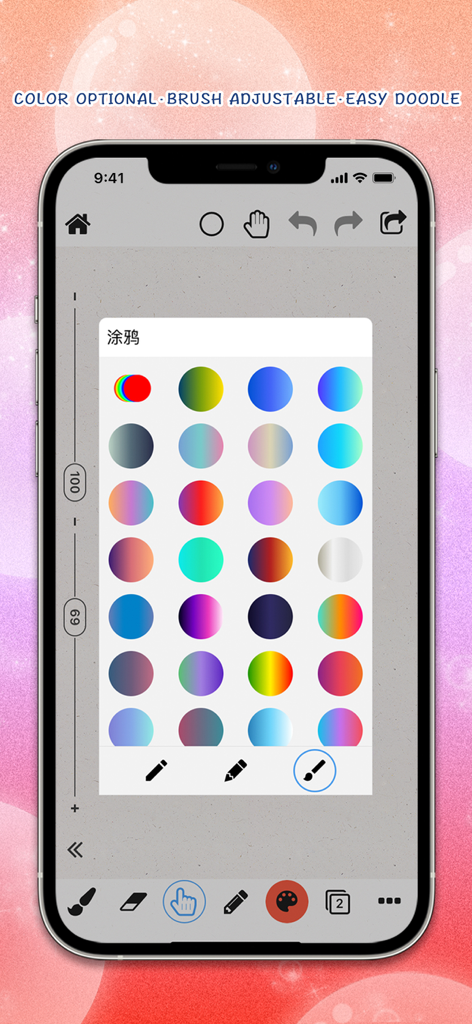
デジタルイラスト用の鮮やかな円形カラーグラデーションのグリッドが表示されたPw Drawing Padのインターフェース

デジタルイラスト用の鮮やかな円形カラーグラデーションのグリッドが表示されたPw Drawing Padのインターフェース

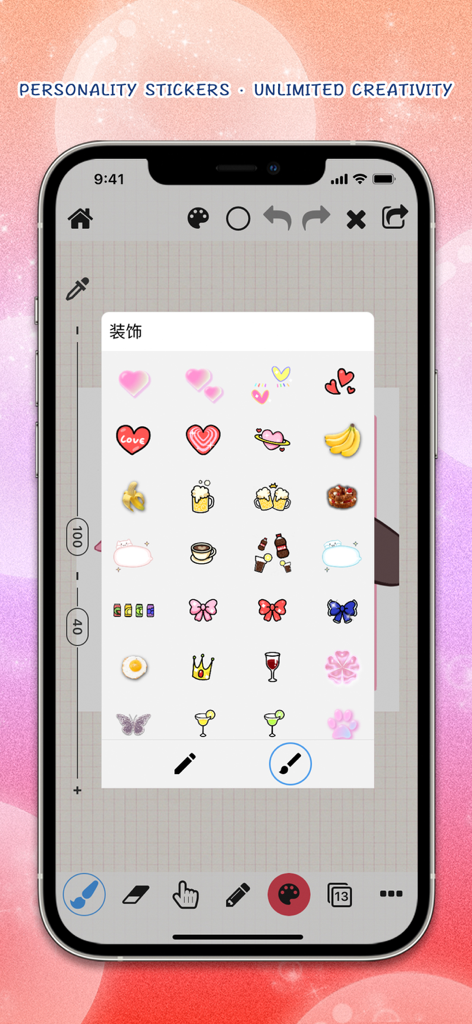
デジタルアート制作のための様々な個性的なステッカーが表示されたPw Drawing Padのモバイルインターフェース

デジタルアート制作のための様々な個性的なステッカーが表示されたPw Drawing Padのモバイルインターフェース

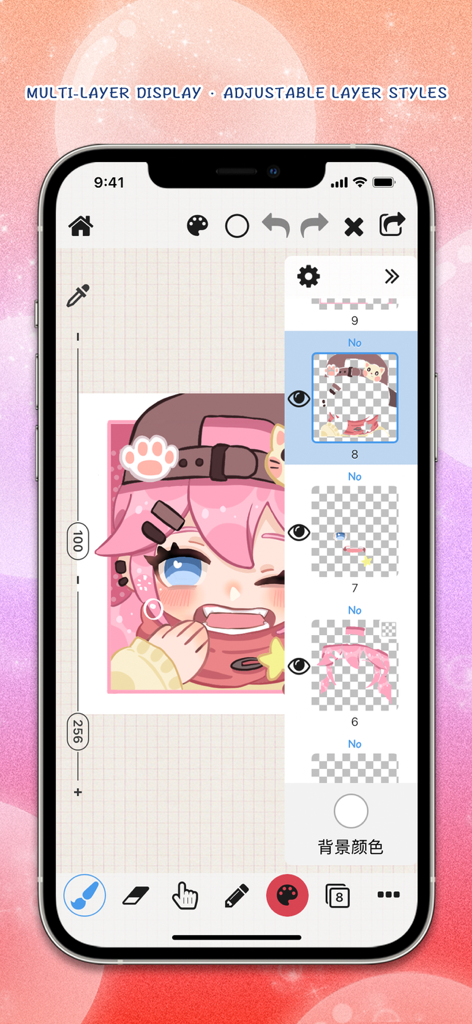
マルチレイヤー表示とデジタルキャラクターアートが表示されたPw Drawing Padアプリ

マルチレイヤー表示とデジタルキャラクターアートが表示されたPw Drawing Padアプリ

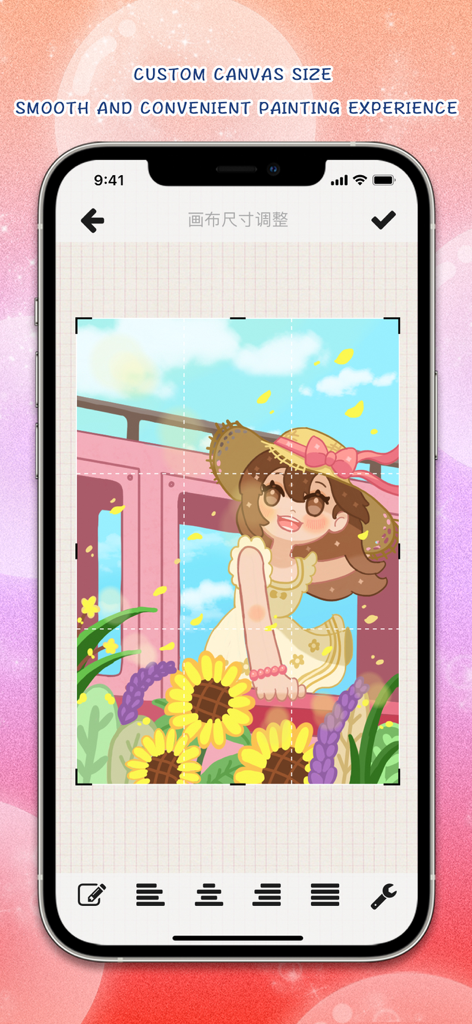
カスタムキャンバスサイズの調整とカラフルなデジタルイラストが表示されたPw Drawing Padアプリのインターフェース

カスタムキャンバスサイズの調整とカラフルなデジタルイラストが表示されたPw Drawing Padアプリのインターフェース

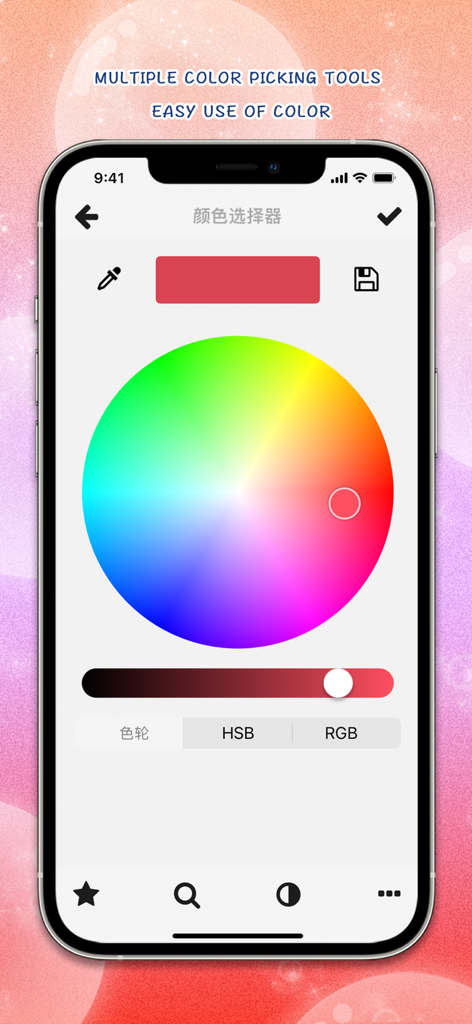
プロ仕様のカラーホイールとピッキングツールを備えたPw Drawing Padアプリのモバイルインターフェース

プロ仕様のカラーホイールとピッキングツールを備えたPw Drawing Padアプリのモバイルインターフェース

ポケットの中のプロフェッショナル・アートスタジオ

このアプリを際立たせるツール、 1M+ 人のユーザーが選択.

🎨

高度なレイヤー管理

本格的なデジタルアーティスト向けに設計された、35種類のブレンドモード、クリッピングマスク、レイヤー変形機能で複雑なイラストを構築できます。

🖋️

比類なき精度

筆圧や傾きに反応する、カスタマイズ可能な数百種類のブラシで、完璧なApple Pencilとの連携を体験してください。

🚀

プロ級のワークフロー

PSDやPDF形式での高解像度書き出しにより、スケッチからデザインの納品まで対応。プロの印刷やデータ受け渡しに最適です。

世界中のユーザーに愛されています

Trusted by 1M+ 人がこのアプリを愛用しています.

"

"Pw Drawing Padのコントロールのしやすさは驚くべきものです。フリーランスのグラフィックデザインの仕事で、PSD書き出しと35種類のブレンドモードを毎日使っています。ポケットの中にプロのスタジオがあるような感覚で、外出先でも高品質なロゴやポスターを作成するのに最適です。"

クロエ・マルティネス
"

"デジタルアートにおいて、間違いなく最も直感的なアプリです。Apple Pencilのサポートは完璧で、対称ツールやゆがみツールはイラストへの取り組み方を完全に変えてくれました。SNS向けの作品や個人のポートフォリオ作成に必要なツールはこれだけです。"

ジョーダン・リー

アプリについて

について知っておくべきこと Pw Drawing Pad.

説明

【Introduction】 Pw Drawing Pad: It can be used to create images, drawing, painting, sketching, and simple image modifications. It can also be used for logo design, clothing design, hairstyle design, posters, graphic notes, hand drawn art characters, and more. Pw Drawing Pad, which includes functions such as a brush list (hundreds of brush effects, customizable brush thickness, color, transparency, dynamic intensity weight, and other attributes), an eraser list (each brush effect can be used as an eraser), an eraser, a willow leaf brush, a blur pen, a highlighter, Fill (can set tolerance values, whether it works on all layers, etc.) Custom shape graphics (drag by hand to visually design your favorite shape graphics and logo) Custom curve function (can freely design your favorite curves and graphics), text pen (draw text lines in any direction on the page) Polyline pen, dashed line pen, dashed line pen in any direction, and can draw geometric shapes, rectangles, ellipses, etc Circles, lines, arrows, rectangles, triangles, pentagons, polygons, and more, with a rich selection of colors and customized color palettes, Layer list (rich layer related functions, including adding layers, layer merging, deleting, copying, locking transparent pixels, filling layers, creating clip masks, fading, color inversion, effect adjustment, custom textures, custom gradients, changing background layers, vertical and horizontal flipping, layer adjustment transformation, distortion deformation, liquefaction, and 35 different mixing modes that can be set), Add text (write text in the image, allowing custom font styles, sizes, colors, shadows, and other text effects with different styles), import image materials, crop and cut images, create puzzles (insert images into the canvas for texture and puzzle making), and use colorful brushes for graffiti. More features include: ruler, color balance, tone saturation, color blending curve, effect adjustment (including simple blur, Gaussian blur, dynamic blur, radial blur, as well as obtaining image contour lines, line strokes, particle noise, sharpening, mosaic, deformation, luminescence, sketching line draft, brightness ratio, brightness, RGB adjustment, contrast, exposure, saturation, gamma, and so on). Symmetry tool (allowing left and right symmetry, top and bottom symmetry, etc.), gradient fill, reference image, magic wand lasso selection tool, pen tool, twist deformation, liquefaction deformation, grid reference lines, fill settings, image layer cropping, canvas page size adjustment, color picker, etc. Supports Apple pencil. Support exporting different file formats. jpg,. png,. pdf, and. psd. If you like our application, we support do better, give me praise it. thank you very much! 【Friendly reminder】 If you use have any problems, please contact us and tell us your application questions and feedback opinions and suggestions. 【contact us】 Contact E-mail: pw_team@163.com 【Special thanks to】 All the love and support of the application of the person. Subscriptions will be applied to your iTunes account.Your subscription will automatically renew unless canceled at least 24 hours before the end of the current period.You will not be able to cancel the subscription once activated.Manage your subscriptions in Account Settings after purchase. For more information, see our [link to ToS] and [link to Privacy Policy]. Terms of Use : http://draw.s132.com/drawing/termsofuse.html Privacy Policy : http://draw.s132.com/drawing/privacypolicy.html

最新バージョン

13.3.2

サイズ

309.5 MB

リリース日

2016年4月7日

あなたのビジョンを形にする準備はできていますか?

外出先でもプロ仕様のツールを使用して、ロゴ、ポスター、デジタルアートを制作している100万人以上のクリエイターの仲間に加わりましょう。

ダウンロード: App Store
FAQ

よくある質問

について知っておくべきこと Pw Drawing Pad

Pw Drawing Padには、アーティスト向けのどのような機能がありますか?

Pw Drawing Padには、描画、ペイント、スケッチ、画像編集のためのツールが用意されています。数百種類のカスタマイズ可能なブラシ、レイヤー管理、図形、テキストツール、およびさまざまな芸術的効果が含まれています。

Pw Drawing Padでは、ブラシ効果のカスタマイズは可能ですか?

はい、Pw Drawing Padでは、ブラシの太さ、色、透明度、およびダイナミックな強度のカスタマイズが可能です。各ブラシ効果は消しゴムとしても機能します。

ユーザーはPw Drawing Padで複数のレイヤーを管理できますか?

はい、Pw Drawing Padには豊富なレイヤーリストがあります。ユーザーはレイヤーの追加、結合、削除、コピー、ロック、塗りつぶし、クリッピングマスクの作成、および35種類の異なるブレンドモードを適用できます。

Pw Drawing Padは、どのようなファイル形式でのエクスポートをサポートしていますか?

Pw Drawing Padは、.jpg、.png、.pdf、.psdファイル形式でのデザインのエクスポートをサポートしています。これにより、多様な共有やさらなる編集が可能になります。

Pw Drawing PadはApple Pencilをサポートしていますか?

はい、Pw Drawing PadはApple Pencilをサポートしており、正確で自然な描画体験を提供します。これにより、詳細なアートワークのユーザーインタラクションが向上します。

Pw Drawing Padのサブスクリプションはどのように管理されますか?

Pw Drawing PadのサブスクリプションはiTunesアカウントに適用され、自動的に更新されます。ユーザーはアカウント設定でサブスクリプションを管理またはキャンセルできます。

Pw Drawing Padでは、カスタムの図形や曲線を作成できますか?

はい、Pw Drawing Padでは、ユーザーはドラッグして視覚的にカスタムシェイプグラフィックス、ロゴ、曲線を作成できます。また、長方形や楕円などのさまざまな図形を描画することもサポートしています。

Pw Drawing Padには、描画のための対称ツールが含まれていますか?

はい、Pw Drawing Padには対称ツールが含まれています。このツールは、左右対称と上下対称の両方をサポートし、クリエイティブなデザインに役立ちます。

Pw Drawing Padは、一般的な描画以外に何に使用できますか?

Pw Drawing Padは、画像やスケッチの作成に加えて、ロゴデザイン、衣類デザイン、ヘアスタイルデザイン、ポスター、グラフィックノート、手描きのキャラクターアートに使用できます。

Pw Drawing Padは、装飾用のステッカーを提供していますか?

はい、Pw Drawing Padは、デザインを強化するためのさまざまな装飾要素やステッカーを提供しており、無制限のクリエイティブな追加が可能です。