QuickBend: Conduit Bending

QuickBend: Conduit Bending

ダウンロード: App Store
Spark by MWM logo
ロゴ: QuickBend: Conduit Bending

QuickBend: 電線管曲げ – プロの電気工事士のための最も精密な計算機

現場のために電気工事士が開発。iPhoneやApple Watchでの高度な中心線半径計算、直感的な操作、リアルタイムのエラーチェックにより、廃材をなくし時間を節約します。

ダウンロード: App Store

開発元

Bret Hardman

カテゴリ

Productivity

ダウンロード

131K+

ユーザー評価

4.8/5

評価数

3K+

対応言語

1

一目でわかる精密さ

このインターフェースを利用する 131K+ 人のユーザー.

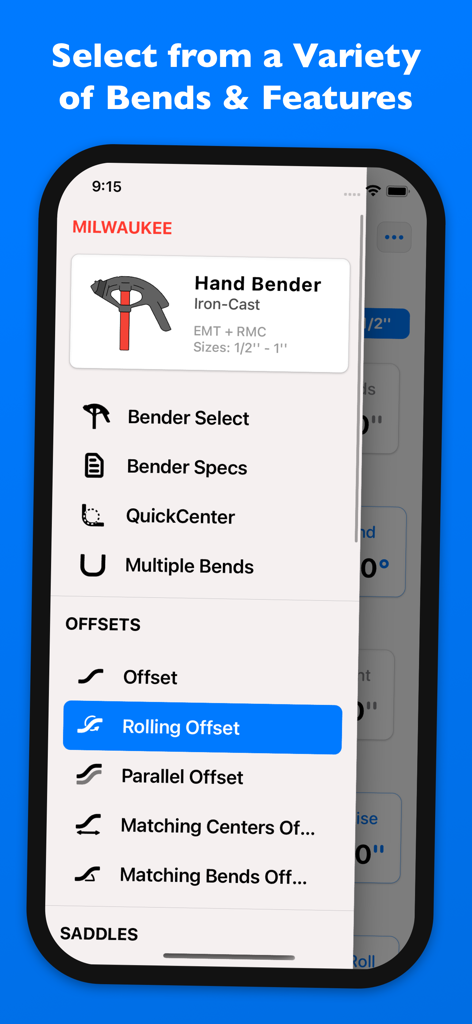
ローリングオフセットやMilwaukee製ハンドベンダーの選択など、さまざまな電線管曲げオプションを表示するQuickBendアプリのメニュー

ローリングオフセットやMilwaukee製ハンドベンダーの選択など、さまざまな電線管曲げオプションを表示するQuickBendアプリのメニュー

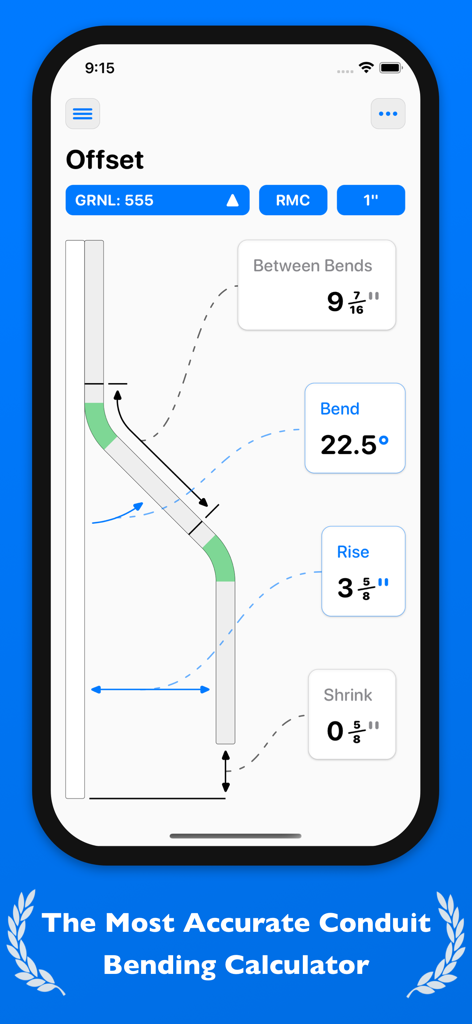
iPhone画面にオフセット電線管曲げの計算と測定値を表示するQuickBendアプリのインターフェース

iPhone画面にオフセット電線管曲げの計算と測定値を表示するQuickBendアプリのインターフェース

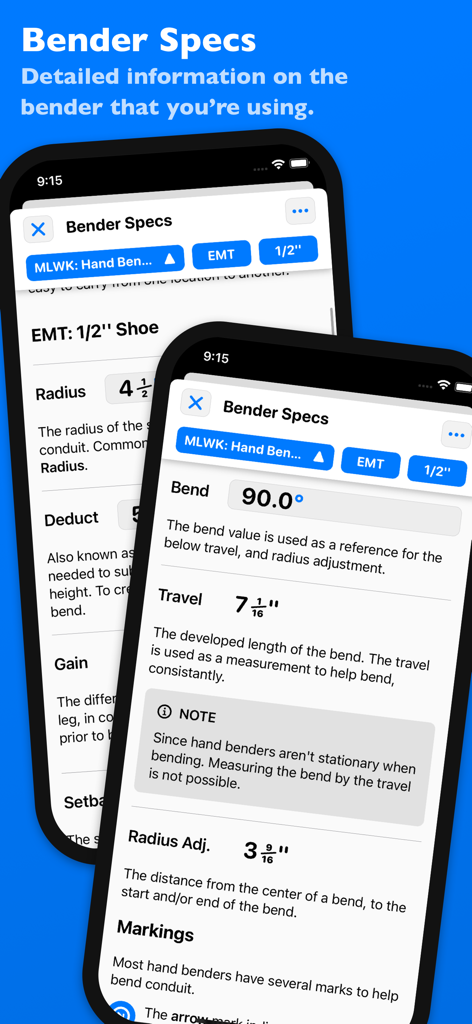
電線管ベンダーの詳細な仕様と測定値を表示するQuickBendアプリの画面

電線管ベンダーの詳細な仕様と測定値を表示するQuickBendアプリの画面

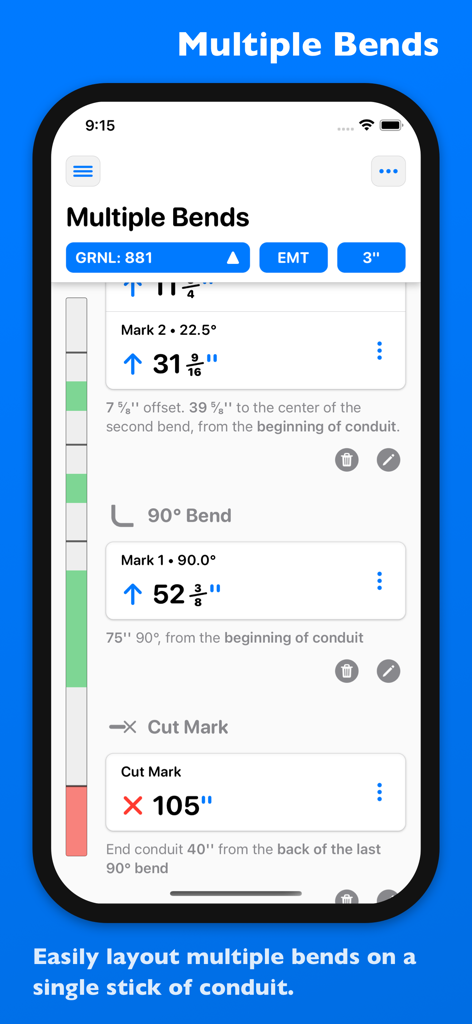
1本の電線管に対する複数の曲げのレイアウトと測定値を表示するQuickBendアプリのインターフェース

1本の電線管に対する複数の曲げのレイアウトと測定値を表示するQuickBendアプリのインターフェース

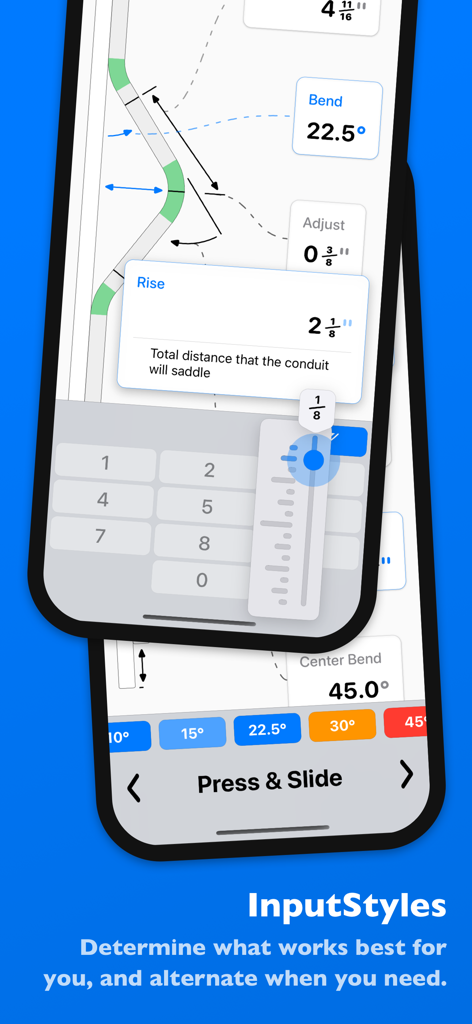
電線管測定のためのテンキーやプレス&スライドスライダーを含む複数の入力方法を表示するQuickBendアプリのインターフェース

電線管測定のためのテンキーやプレス&スライドスライダーを含む複数の入力方法を表示するQuickBendアプリのインターフェース

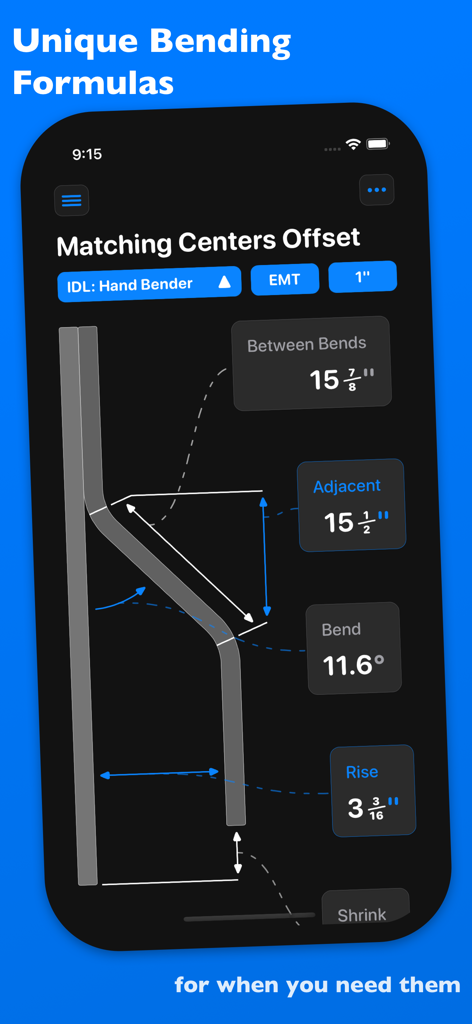
正確な測定値と図を用いて、中心合わせオフセット電線管曲げ計算を表示するQuickBendアプリ

正確な測定値と図を用いて、中心合わせオフセット電線管曲げ計算を表示するQuickBendアプリ

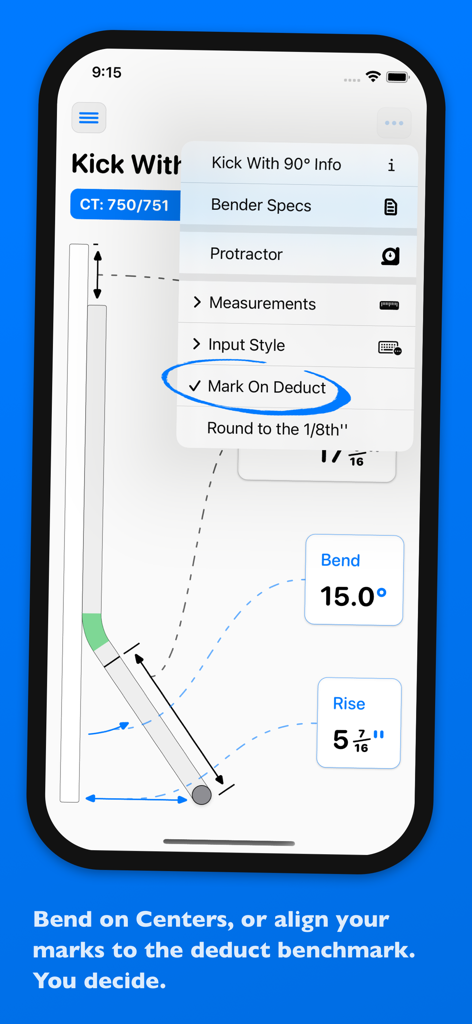
電線管のキック曲げ計算と差し引き設定のマークを表示するQuickBendアプリのスクリーンショット

電線管のキック曲げ計算と差し引き設定のマークを表示するQuickBendアプリのスクリーンショット

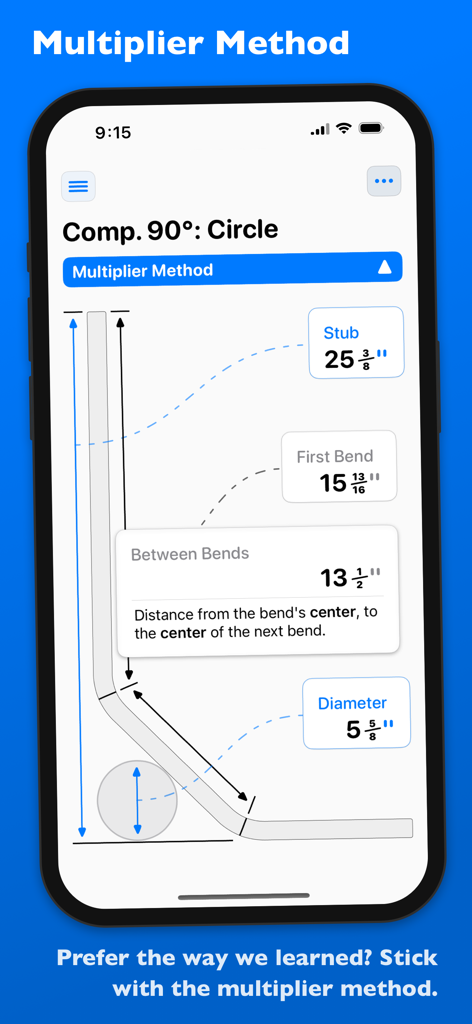
係数法を用いた複合90度円曲げの図を表示するQuickBendアプリのインターフェース

係数法を用いた複合90度円曲げの図を表示するQuickBendアプリのインターフェース

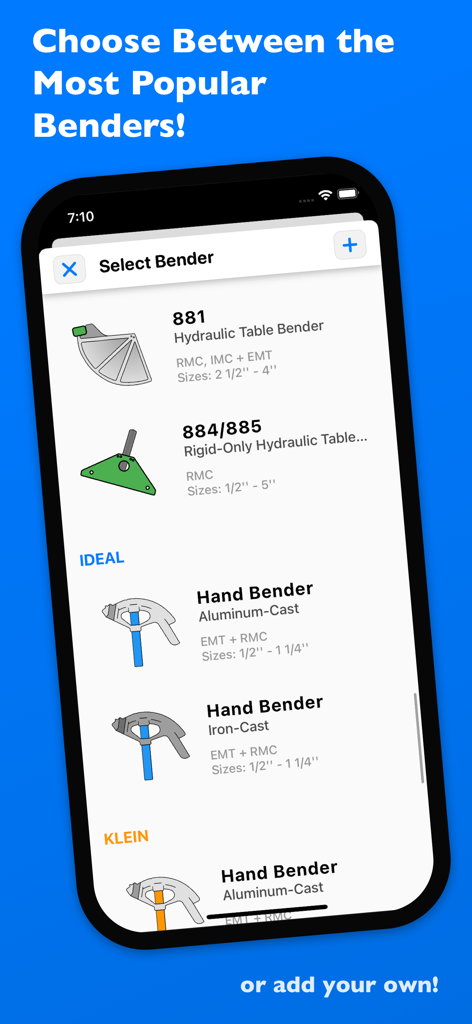
油圧ベンダーやハンドベンダーモデルを含む、選択可能な電線管ベンダーのリストを表示するQuickBendアプリの画面

油圧ベンダーやハンドベンダーモデルを含む、選択可能な電線管ベンダーのリストを表示するQuickBendアプリの画面

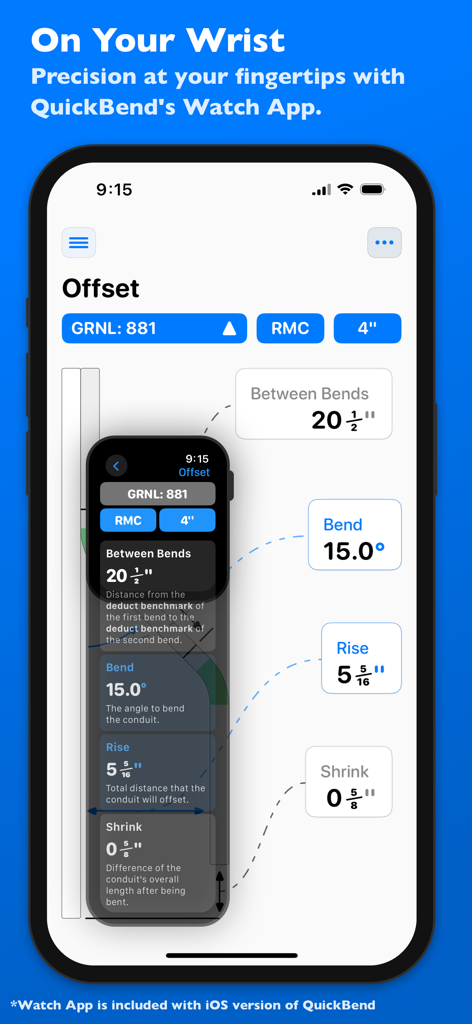
iPhoneとApple Watchの両方で電線管オフセット計算を表示するQuickBendアプリ

iPhoneとApple Watchの両方で電線管オフセット計算を表示するQuickBendアプリ

現場で実証された精密ツール

このアプリを際立たせるツール、 131K+ 人のユーザーが選択.

📏

現場での即座の精度

中心線半径アルゴリズムを使用して、正確な測定値を取得。手動の三角関数を排除し、常に正しいマークを取得することで、複雑な配管作業の時間を大幅に短縮します。

⚠️

QuickCheck™ 検証

コストのかかるミスを回避。曲げが不可能、またはうまくいかない可能性がある場合に色分けされたアラートで警告し、廃材を防いで現場での信頼を守ります。

⚙️

カスタムベンダープロファイル

業界標準のブランドから選択するか、独自のカスタムベンダーを作成。差し引き、伸び、半径の設定を微調整して、現在手元にあるツールに正確に合わせることができます。

世界中のユーザーに愛されています

Trusted by 131K+ 人がこのアプリを愛用しています.

"

"業界に入って15年になりますが、QuickBendはすべての現場で実際にポケットに入れて持ち歩く初めてのツールです。特に複雑な平行オフセットにおいて、その精度は比類ありません。廃材となる電線管や「ドッグレッグ(ねじれ)」を減らし、チームのコストを大幅に節約できました。ベンダーに手を置いたままApple Watchで測定値を確認できるのは、私の生産性にとって大きな変革です。"

Mike R., 熟練電気工事士
"

"見習いとして始めた頃、パイプを曲げることは仕事の中で最もストレスのかかる部分でした。QuickBendがそれを変えてくれました。QuickCheck機能は、作業を始める前に曲げが不可能かどうかを警告してくれるので、現場で恥をかくことがなくなりました。直感的で速く、視覚的なガイドのおかげで、初心者でも複雑なサドル曲げを簡単に理解できます。"

Tyler S., 2年目見習い

アプリについて

について知っておくべきこと QuickBend: Conduit Bending.

説明

QuickBend is the fastest and most precise conduit bending calculator app. Designed to be innovative and intuitive while remaining visually appealing. This advanced conduit bending calculator offers the most accurate measurements by taking into account the radius of the shoe and bender, plus the conduit type and size diameter. All measurements are generated using the centerline radius algorithm, and have all been rigorously processed and field tested. Even the bends displayed within QuickBend are generated using the same engine. Built for electricians by an electrician. QuickBend can be used by anyone working with conduit or tubing whether you are a seasoned professional, a novice cub, or even a DIY enthusiast. Made to avoid simple mistakes, and to save time and money. In addition to providing fast and precise calculations, there is plenty of information and documentation provided for individual bends. Explanations on how to use specific features, and step by step process to bending conduit. Offering the most intuitive method to input data. Whether you want to get straight to the point, or comb through the possibilities of a bend. You can switch back and forth between different input styles such as a number pad, or a slider bar (Press & Slide). Both having their unique advantages. QuickBend allows you, the user to toggle between three different types of measurements; inches, foot + inches, and centimeters. With QuickCheck built into QuickBend, there's a subtle change in text colors when a bend is impossible (red), or whether the bend may be unlikely to work (orange). This app for convenience, and we want it to benefit you. So much so that we added it into the input styles for bends, so you can see if a bend is possible before even tapping on the bend amount. Supporting the following bends! • Offset • Rolling Offset • Matching Bends Offset • Matching Centers Offset • Parallel Offset • Three-Point Saddle • Four-Point Saddle • 90° Bend • Kick with 90° • Matching Bend Kick • Matching Center Kick • Parallel Kick • Parallel Kick: Forward • Compound 90° - Circle Obstruction • Compound 90° - Rectangle Obstruction • Compound 90° - Square Obstruction • Segmented 90° Plus you have the ability to layout multiple bends on a single conduit, and get each measurement for a mark on the conduit. With the option to easily flip an individual or set of marks per bend. There's no limit to QuickBend. Easily, select between different types of benders and choose the size of the shoe and conduit type all within the same screen that you are working on. No need for complex navigations. In addition, you can pin benders you use the most, so you can select and switch between them quickly without consistently scrolling. All benders are spec'd out using the information provided by the manufacturers, and worst case scenario if one of the many benders available don't match the one you are using you can now add in your own bender. There's also an option to not select a bender and to use the multiplier method. Edit and view all of your benders' specifications. Detailed information on the centerline radius, deduct, gain, setback. Plus the ability to view the travel, and radius adjustment for any degree bend between up-to 90°. All of this is visualized and edited within the 'Bender Specs'.

最新バージョン

4.1.3

サイズ

15.5 MB

リリース日

2015年7月28日

電線管の無駄遣いをやめ、精密な曲げ作業を始めましょう

この専門職のために作られた現場実証済みのツールを使用している131,000人以上の電気工事士に加わりましょう。今すぐQuickBendをダウンロードして、iPhoneやApple Watchであらゆる曲げをマスターしましょう。

ダウンロード: App Store