Remote Control for Samsung TV・

Remote Control for Samsung TV・

ダウンロード: App Store
Spark by MWM logo
ロゴ: Remote Control for Samsung TV・
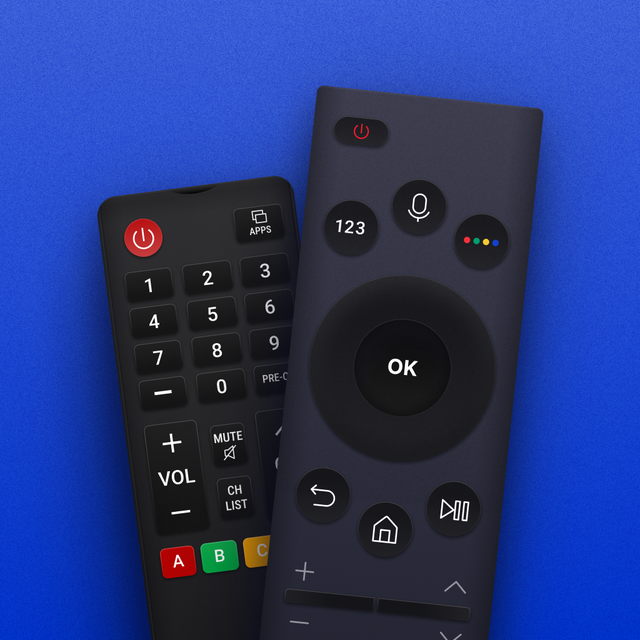
Samsung TV用リモコン – ご自宅のための究極のスマートハブ

失くしたリモコンを探すのはもうやめ、簡単入力から始めましょう。精密タッチパッド、瞬時の画面ミラーリング、iPhone用に設計された家族向けインターフェースで、ご自宅のあらゆるSamsung TVを完全にコントロールしましょう。

開発元

Red Paket sp. z o.o.

カテゴリ

Utilities

ダウンロード

54K+

ユーザー評価

4.8/5

評価数

2K+

対応言語

8

よりスマートな視聴方法

このインターフェースを利用する 54K+ 人のユーザー.

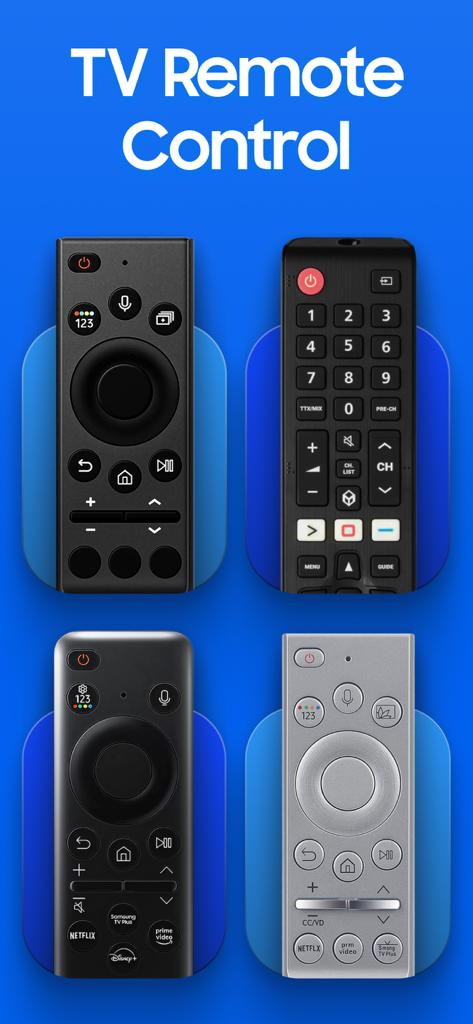
4つの異なるSamsung TV物理リモコンモデルの視覚的表現

4つの異なるSamsung TV物理リモコンモデルの視覚的表現

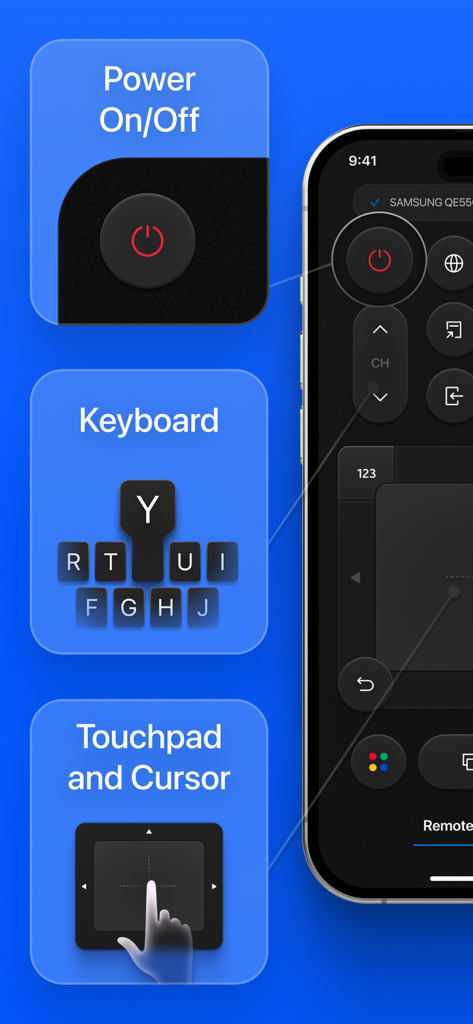
iPhone上のRemote Control for Samsung TVアプリの電源ボタン、キーボード、タッチパッド機能を​​示すインフォグラフィック。

iPhone上のRemote Control for Samsung TVアプリの電源ボタン、キーボード、タッチパッド機能を​​示すインフォグラフィック。

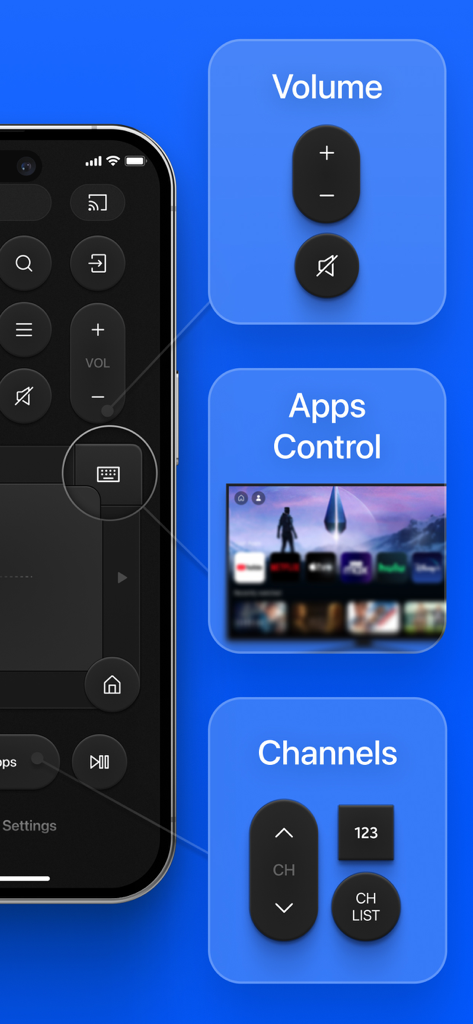
音量コントロール、アプリナビゲーション、チャンネル切り替えセクションを備えたSamsung TVリモコンアプリのモバイルインターフェイス。

音量コントロール、アプリナビゲーション、チャンネル切り替えセクションを備えたSamsung TVリモコンアプリのモバイルインターフェイス。

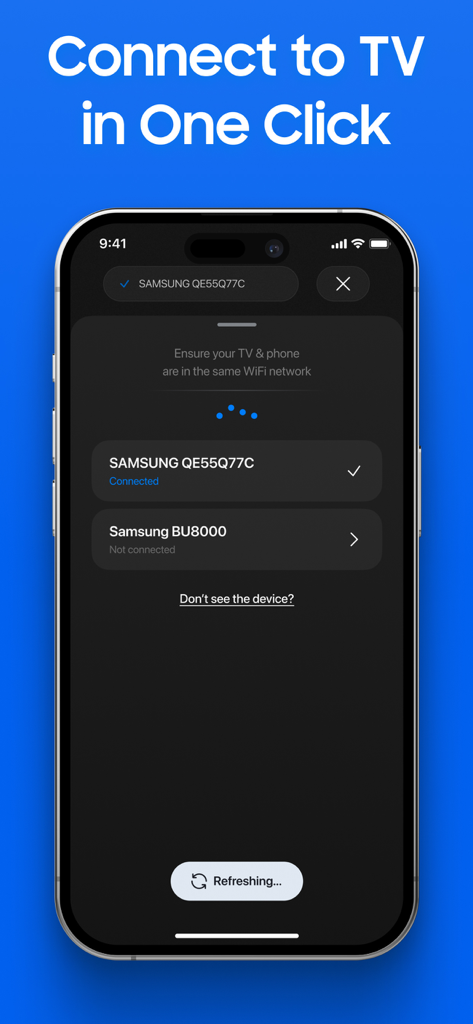
iPhone画面にSamsung Smart TVリモコンアプリの接続メニューが表示されています。

iPhone画面にSamsung Smart TVリモコンアプリの接続メニューが表示されています。

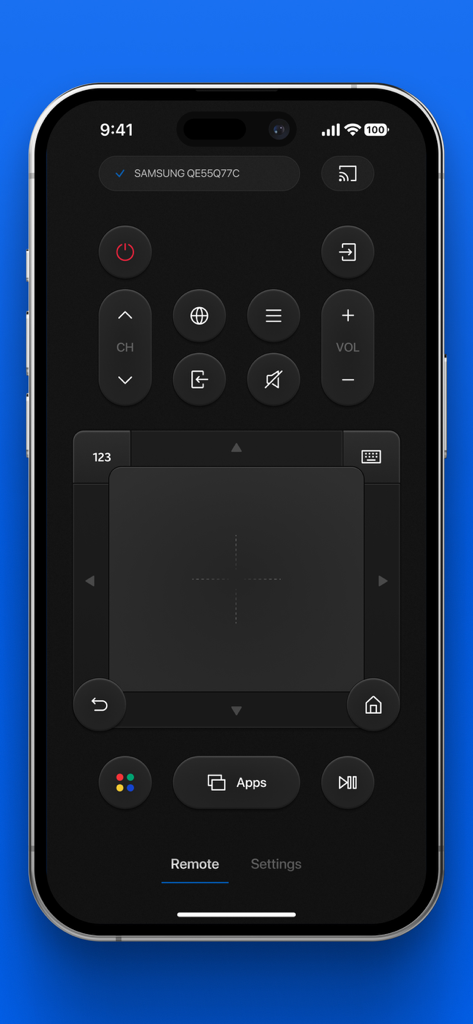
タッチパッドとナビゲーションボタンを備えたiPhone上のSamsung TVリモコンアプリのメインコントロール画面

タッチパッドとナビゲーションボタンを備えたiPhone上のSamsung TVリモコンアプリのメインコントロール画面

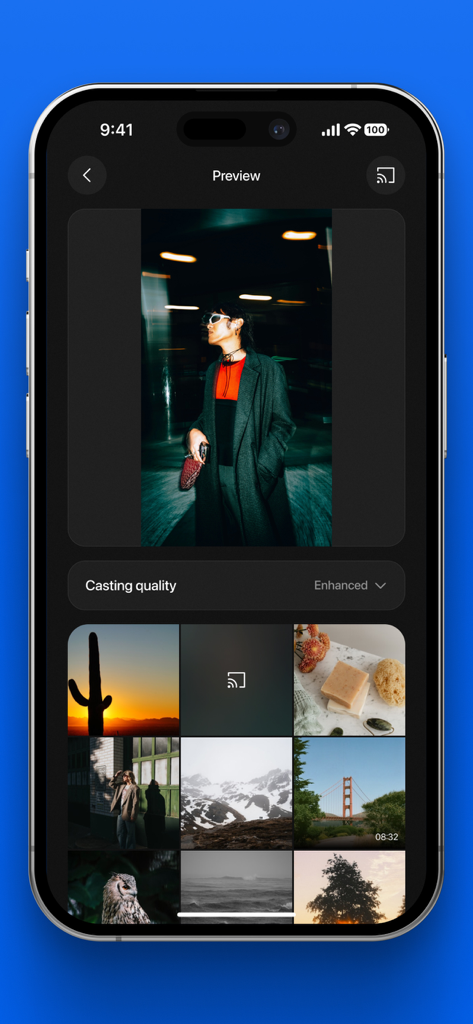
画面ミラーリングの準備ができた写真のギャラリーを表示するSamsung TVリモコンアプリのインターフェイス

画面ミラーリングの準備ができた写真のギャラリーを表示するSamsung TVリモコンアプリのインターフェイス

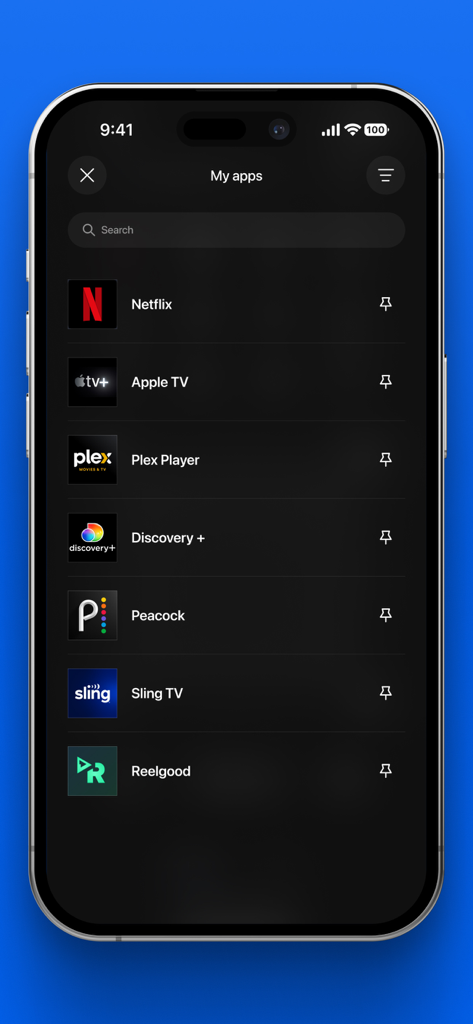
NetflixやApple TVなどのインストール済みストリーミングアプリケーションのリストを表示するSamsung TVリモコンアプリのインターフェイス

NetflixやApple TVなどのインストール済みストリーミングアプリケーションのリストを表示するSamsung TVリモコンアプリのインターフェイス

テレビをコントロールするよりスマートな方法

このアプリを際立たせるツール、 54K+ 人のユーザーが選択.

⌨️

超高速タイピング

画面上キーボードのイライラをスキップしましょう。iPhoneを使って、映画のタイトル、アプリ、パスワードを瞬時に入力できます。

📺

ワイヤレス画面ミラーリング

写真や動画を簡単に大画面にキャストしましょう。ケーブルの煩わしさなしに、家族の瞬間を共有するのに最適です。

👨‍👩‍👧

家族向け管理

1つのアプリから複数のテレビをコントロールできます。家族共有により、家族全員が自分のデバイスでプレミアム機能を楽しむことができます。

世界中のユーザーに愛されています

Trusted by 54K+ 人がこのアプリを愛用しています.

"

"子供が3人いる家庭では、物理的なリモコンはいつも行方不明です。このアプリは私たちの映画鑑賞の救世主となりました。家族サブスクリプションは、今や誰もが自分の携帯電話でリモコンを持っており、内蔵キーボードでDisney+の番組検索が古い方向パッドよりもはるかに速くなるため、ゲームチェンジャーです。"

Michael R.、郊外の親
"

"ついに、プレミアムiOS体験のようなリモコンアプリが登場しました。タッチパッドは信じられないほど応答性が高く、画面ミラーリング機能は私の旅行写真を披露するのにシームレスです。診断ツールも気に入っています。Samsung TVをより洗練されたモダンな方法でコントロールしたい人にとって、完璧なユーティリティです。"

Sarah L.、テクノロジー愛好家

アプリについて

について知っておくべきこと Remote Control for Samsung TV・.

説明

Enhance your Samsung TV experience with an ultimate Remote App, equipped with advanced features that go beyond physical remotes — including a built-in keyboard, smart app navigation, and more! Features: • Comprehensive Remote Control: Turn your smartphone into a complete Samsung TV remote. Power ON/OFF, change channels, control volume, switch sources, and more — all in one place. • Touchpad & Keyboard: Browse menus and apps with precision using an intuitive touchpad, and type effortlessly with the integrated keyboard — no more struggling with on-screen typing. • Effortless App Management: Quickly access, launch, and organize your Samsung TV apps for a smoother, faster experience. • Screen Mirroring: Share photos and videos from your phone to your TV instantly — perfect for family moments and presentations. • TV Check-Up & Diagnostics: Keep your TV performing at its best with built-in tools that help identify and resolve common issues quickly. • Multi-TV Control: Manage multiple Samsung TVs around your home seamlessly within a single app. • Streamlined and Intuitive UI: Enjoy a beautiful, user-friendly design that makes TV control simple and enjoyable for everyone in the family. By using your Wi-Fi network, the app connects to any Samsung Smart TV in just one click. Forget about searching for lost remotes — control everything from your smartphone or tablet with ease. Dedicated Support: We are committed to providing excellent support to ensure your experience is as seamless as possible. Our dedicated support team is available to help with any questions or issues you may encounter, offering quick and effective solutions. Whether you need assistance setting up the app, troubleshooting connectivity issues, or learning more about the features, we’re here to help every step of the way. Connect with us through the app or via email support@redpaket.net. Supported Devices: Compatible with all Samsung Smart TVs that support Wi-Fi connectivity. Disclaimer: This application is not affiliated with or endorsed by Samsung Electronics Co., Ltd. It is an independent third-party application designed to enhance the Samsung TV experience. Available in-app purchases: • 1 week subscription • 12 month subscription • Lifetime access Payment will be charged to your Apple ID account at the time of purchase confirmation. Subscription renews automatically unless it is canceled at least 24 hours before the end of the current period. Your account will be charged for renewal within 24 hours prior to the end of the current period. You can manage and cancel your subscriptions by going to your account settings on the App Store after purchase. Family Subscription: Samsung Remote makes it easier for the whole family to enjoy seamless control of your Samsung TVs. Our subscription allows you to install the Smart Remote app on all devices you and your family have, ensuring everyone can have premium access from their smartphones or tablets. Terms of Use & Privacy Policy: Users must agree to our Terms of Use and acknowledge our Privacy Policy before using the app. Please visit our website to read these documents in full. Privacy Policy: https://samsung.redpaket.net/privacy-policy.html Terms of Use: https://samsung.redpaket.net/terms-of-use.html

最新バージョン

1.2

サイズ

136.8 MB

リリース日

2025年5月12日

あなたの家族が最後に必要とするリモコン

失くしたリモコンを探すのをやめ、画面上でのイライラする入力にさよならを告げましょう。54,000人以上のユーザーに加わり、Samsung Smart TVのための究極のキーボード、タッチパッド、画面ミラーリングツールでホームエンターテイメントをアップグレードしましょう。

ダウンロード: App Store
FAQ

よくある質問

について知っておくべきこと Remote Control for Samsung TV・

「Samsung TV用リモコン」アプリとは何ですか?

「Samsung TV用リモコン」アプリは、スマートフォンをSamsung TV用の包括的なリモコンに変え、キーボード、タッチパッド、アプリナビゲーション、画面ミラーリングなどの高度な機能を提供します。

「Samsung TV用リモコン」アプリはどのようにテレビに接続しますか?

「Samsung TV用リモコン」アプリは、Wi-Fiネットワーク経由でSamsung Smart TVに接続します。両方のデバイスが同じネットワーク上にあることを確認して、ワンクリックで接続を確立します。

「Samsung TV用リモコン」アプリにはキーボードが含まれていますか?

はい、「Samsung TV用リモコン」アプリには統合キーボードが含まれています。この機能により、ユーザーは画面上のタイピングに苦労することなく、Samsung TVで簡単に文字を入力できます。

「Samsung TV用リモコン」アプリを使用して、携帯電話からテレビに写真や動画を共有できますか?

はい、「Samsung TV用リモコン」は画面ミラーリングをサポートしています。スマートフォンの写真や動画をSamsung TVに即座に共有でき、家族の瞬間やプレゼンテーションに最適です。

「Samsung TV用リモコン」は複数のテレビを制御できますか?

はい、「Samsung TV用リモコン」アプリはマルチTVコントロール機能を備えています。ユーザーは、単一のアプリケーション内で、家中の複数のSamsung TVをシームレスに管理できます。

「Samsung TV用リモコン」アプリと互換性のあるSamsung TVはどれですか?

「Samsung TV用リモコン」アプリは、Wi-Fi接続をサポートするすべてのSamsung Smart TVと互換性があります。これにより、さまざまなSamsungモデルで幅広く利用できます。

「Samsung TV用リモコン」のサブスクリプションオプションは何ですか?

「Samsung TV用リモコン」では、アプリ内購入オプションをいくつか提供しています。1週間サブスクリプション、12ヶ月サブスクリプション、および生涯アクセスです。支払いはApple IDに請求されます。

「Samsung TV用リモコン」のサブスクリプションを管理またはキャンセルするにはどうすればよいですか?

購入後、App StoreのApple IDアカウント設定から、「Samsung TV用リモコン」のサブスクリプションを管理およびキャンセルできます。キャンセルしない限り、自動的に更新されます。

「Samsung TV用リモコン」アプリにはファミリー共有オプションがありますか?

はい、「Samsung TV用リモコン」はファミリーサブスクリプションを提供しています。これにより、プレミアムアクセスを目的として、あなたとあなたの家族が所有するすべてのデバイスにSmart Remoteアプリをインストールできます。

「Samsung TV用リモコン」は公式のSamsungアプリケーションですか?

いいえ、「Samsung TV用リモコン」は独立したサードパーティ製アプリケーションです。Samsung Electronics Co., Ltd.とは提携または承認されていません。

「Samsung TV用リモコン」アプリでSamsung TVのアプリを管理できますか?

はい、「Samsung TV用リモコン」アプリは、簡単なアプリ管理を提供します。ユーザーは、Samsung TVのアプリケーションにすばやくアクセス、起動、整理して、よりスムーズな体験を得ることができます。

「Samsung TV用リモコン」アプリのサポートはどこで見つけられますか?

「Samsung TV用リモコン」の専用サポートは、アプリ内またはsupport@redpaket.netへのメールで利用できます。担当チームがセットアップ、トラブルシューティング、機能に関する問い合わせを支援します。