RSA Authenticator (SecurID)

RSA Authenticator (SecurID)

ダウンロード: App Storeダウンロード: Google Play
Spark by MWM logo
ロゴ: RSA Authenticator (SecurID)

RSA Authenticator (SecurID): 現代のエンタープライズ向け、安全でパスワードレスなアクセス

フィッシング耐性のある認証と生体認証ログインで、ワークデーを合理化しましょう。世界で最も規制の厳しい業界から信頼され、摩擦なくプロフェッショナルなIDを保護します。

開発元

RSA Security

カテゴリ

Business

ダウンロード

9M+

ユーザー評価

3.0/5

評価数

4K+

対応言語

11

一目でわかる安全なアクセス

このインターフェースを利用する 9M+ 人のユーザー.

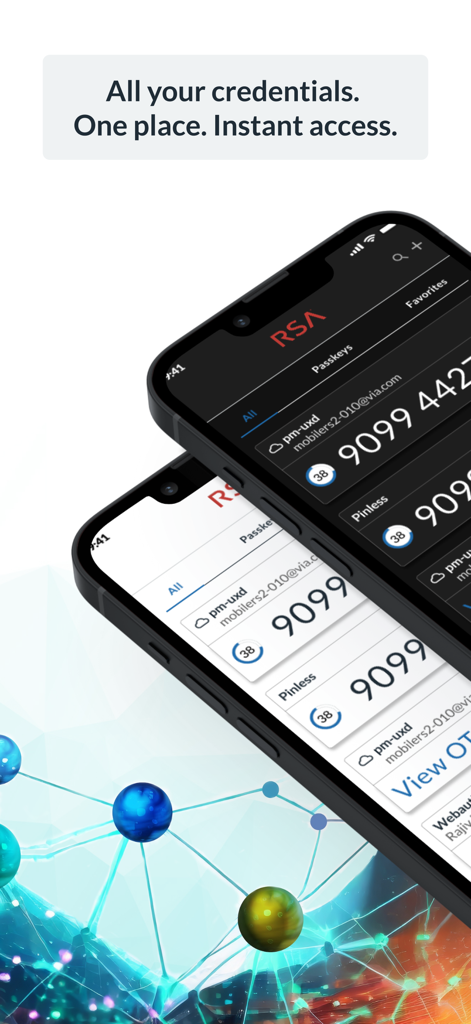
RSA Authenticatorアプリのインターフェイスに、2つのiPhoneにセキュリティ認証情報とOTPコードが表示されています

RSA Authenticatorアプリのインターフェイスに、2つのiPhoneにセキュリティ認証情報とOTPコードが表示されています

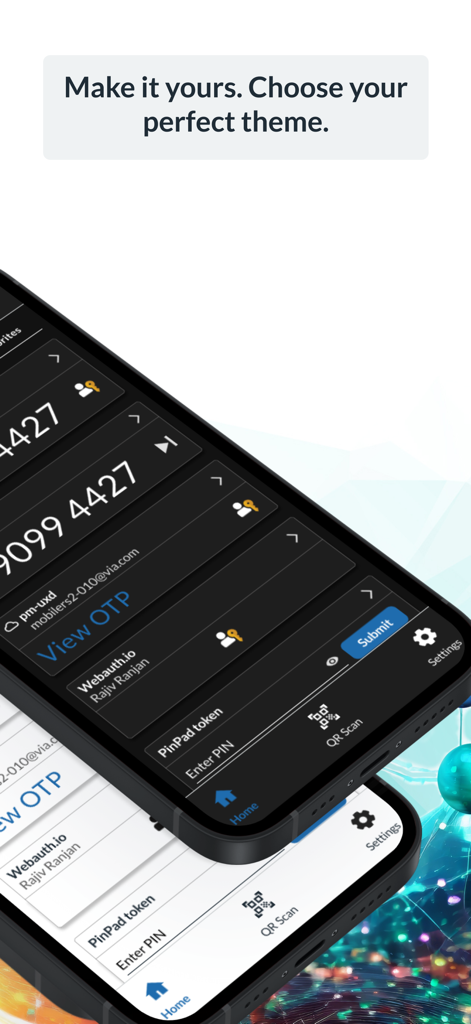
RSA Authenticatorアプリに、2つのスマートフォンでダークモードとライトモードのオプションが表示されています

RSA Authenticatorアプリに、2つのスマートフォンでダークモードとライトモードのオプションが表示されています

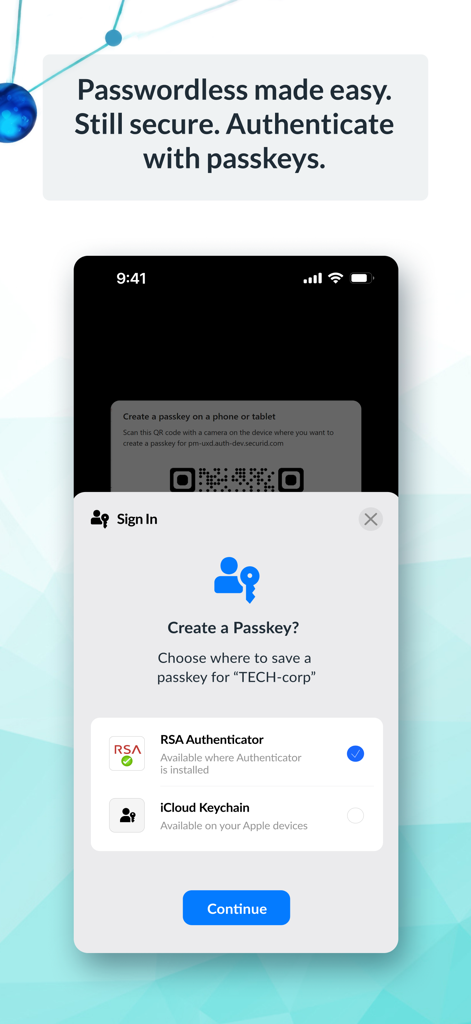
エンタープライズセキュリティのためにRSA Authenticatorアプリを使用してパスキーを作成するプロンプトが表示されたスマートフォンのインターフェイス

エンタープライズセキュリティのためにRSA Authenticatorアプリを使用してパスキーを作成するプロンプトが表示されたスマートフォンのインターフェイス

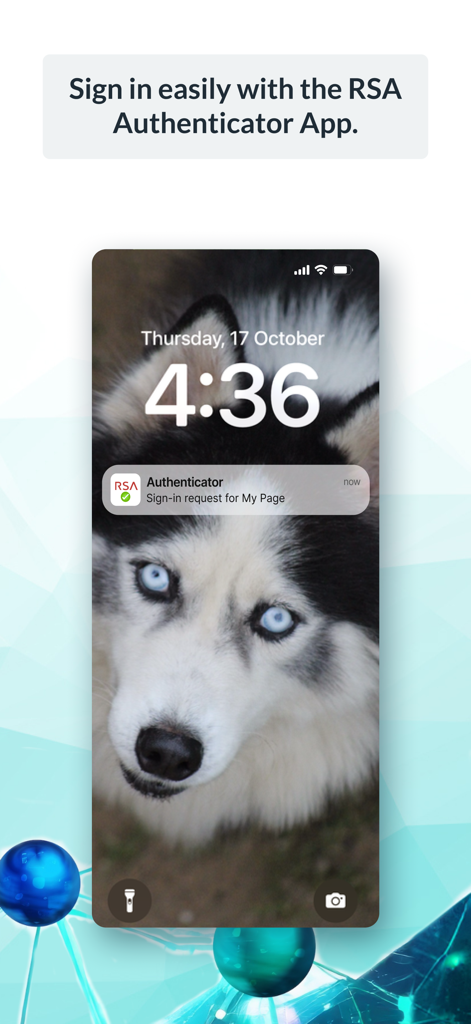
iPhoneのロック画面に表示されるRSA Authenticatorのプッシュ通知によるサインインリクエスト

iPhoneのロック画面に表示されるRSA Authenticatorのプッシュ通知によるサインインリクエスト

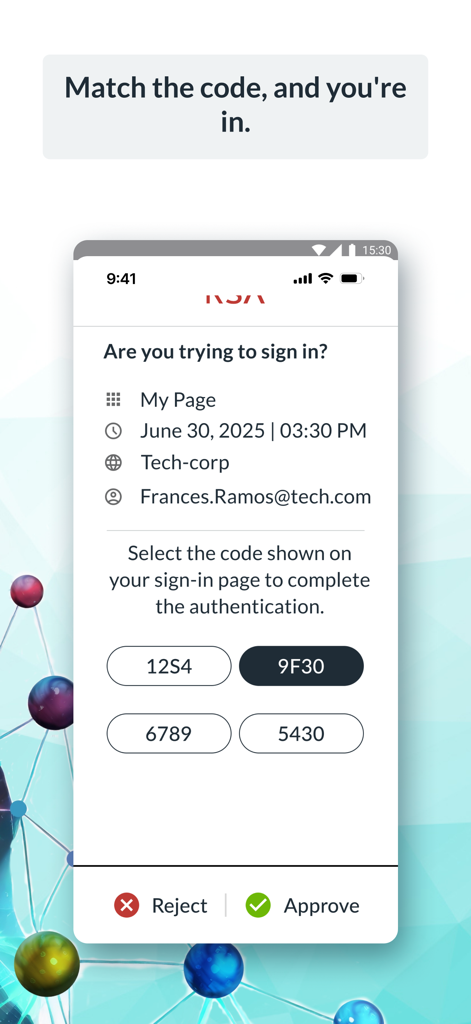
安全なエンタープライズ認証のためのコード照合によるサインインリクエストが表示されたRSA Authenticatorアプリの画面

安全なエンタープライズ認証のためのコード照合によるサインインリクエストが表示されたRSA Authenticatorアプリの画面

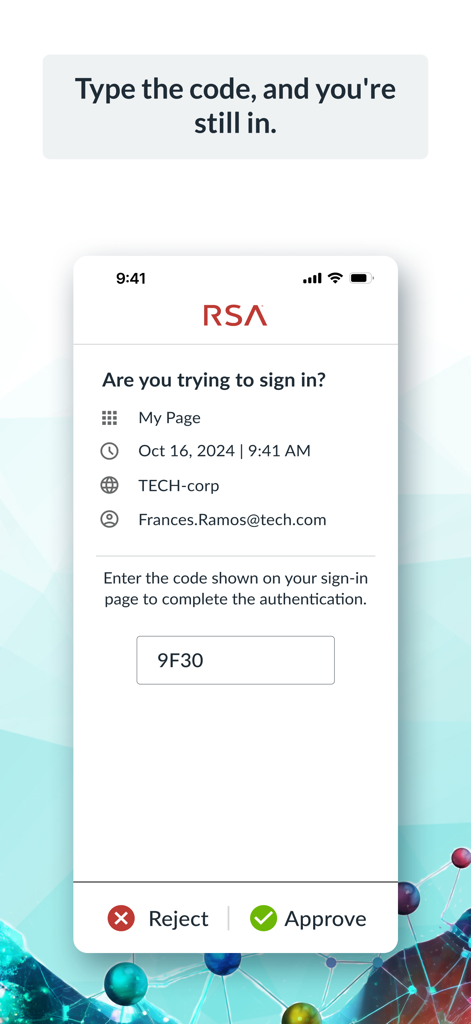
コードと承認または拒否のオプションが表示されたサインイン検証リクエストが表示されたRSA Authenticatorアプリのインターフェイス

コードと承認または拒否のオプションが表示されたサインイン検証リクエストが表示されたRSA Authenticatorアプリのインターフェイス

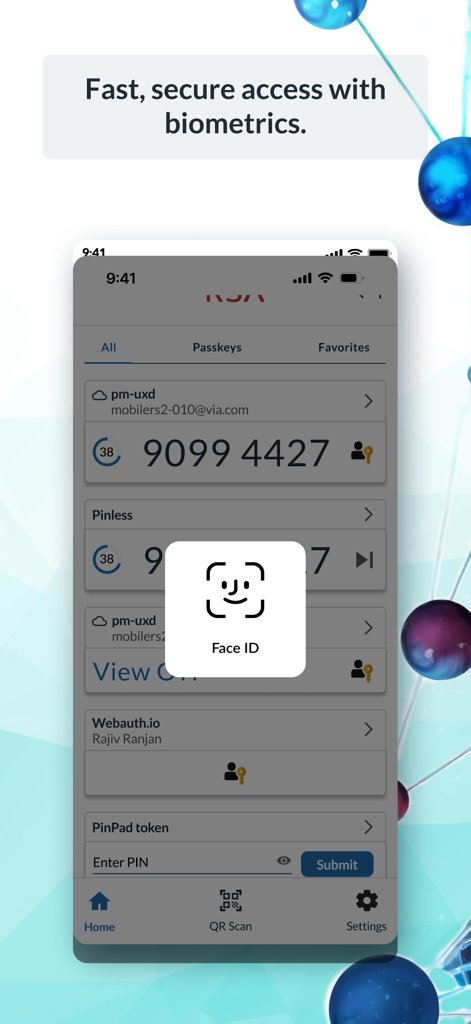
安全なエンタープライズアクセスを目的としたFace ID生体認証ログインプロンプトが表示されたRSA Authenticatorアプリのインターフェイス

安全なエンタープライズアクセスを目的としたFace ID生体認証ログインプロンプトが表示されたRSA Authenticatorアプリのインターフェイス

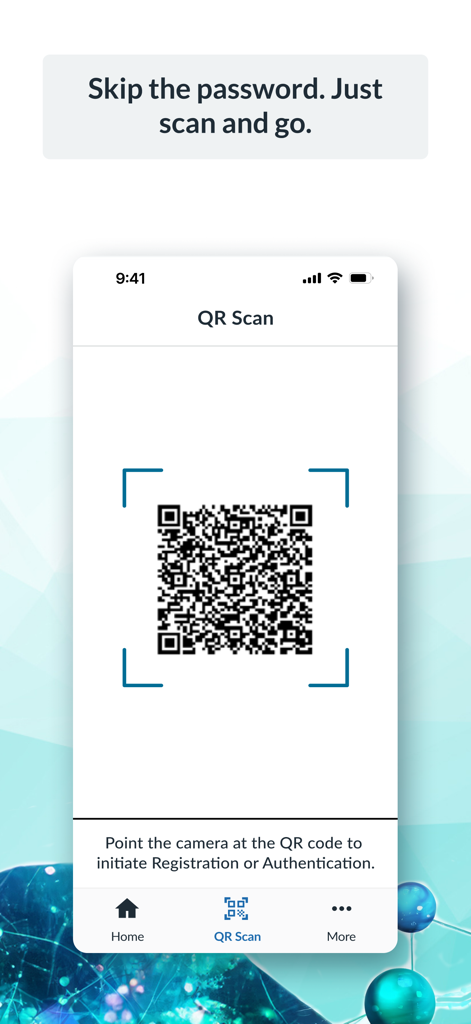
パスワードレス認証と登録のためのQRコードスキャナーが表示されたRSA Authenticatorアプリのインターフェイス

パスワードレス認証と登録のためのQRコードスキャナーが表示されたRSA Authenticatorアプリのインターフェイス

指先で安全なアクセス

このアプリを際立たせるツール、 9M+ 人のユーザーが選択.

📱

ワンタップ認証

忙しいワークデーの時間を節約しましょう。プッシュ通知とFaceIDまたはTouchIDのような生体認証で、ログインリクエストを即座に承認します。

🔑

スムーズなパスキー

パスワードレスで、セキュリティの疲労を解消しましょう。デバイスに紐付けられたパスキーを使用して、企業アプリケーションにアクセスするための、より高速で安全な方法を利用しましょう。

🛡️

エンタープライズグレードの信頼性

ハイブリッドワークフォース向けに構築されており、自宅でもオフィスでも、VPNや機密性の高い会社データへの堅牢で安全なブリッジを提供します。

世界中のユーザーに愛されています

Trusted by 9M+ 人がこのアプリを愛用しています.

"

"物理トークンからRSA Authenticatorへの移行は、私のハイブリッドワークフローにとって画期的な出来事でした。プッシュ通知とFaceIDの統合により、外出先でも企業アカウントへのログインがシームレスになりました。エンタープライズグレードのセキュリティと最新の利便性の完璧なバランスです。"

Sarah Jenkins, Senior Financial Analyst
"

"機密性の高い政府契約を扱う者として、フィッシング耐性があり、かつ高速な認証ツールが必要です。このアップデートでのデバイスに紐付けられたパスキーへの移行により、ログインの摩擦が大幅に軽減されました。信頼性が高く、直感的で、遅延なく安全を維持するために必要なものです。"

Michael Torres, IT Systems Administrator

レビュー分析

ユーザーレビューの分析.

感情スコア

24%
ネガティブ

概要

The RSA mobile app receives largely negative feedback from users, primarily due to persistent technical issues. Many users report critical Face ID bugs where tokens disappear or require multiple attempts, alongside widespread display problems where passcodes are often obscured or don't fit the screen, especially with iOS display zoom settings. Additionally, users express frustration over general app instability, including blank screens, frequent crashes, and difficulties transferring tokens to new devices, which significantly impacts its reliability as an authenticator. While a few users praise its general security and ease of use for day-to-day operations, recent bug fixes for display issues are acknowledged by some, suggesting a limited improvement for certain problems.

主なテーマ

App Instability/Unreliability(13)
Display and UI Bugs(11)
Face ID Issues(9)
Overall Satisfaction(5)
Missing Features(4)
Recent Bug Fixes(3)
Device Transfer(2)

アプリについて

について知っておくべきこと RSA Authenticator (SecurID).

説明

RSA Authenticator App Secure your digital life and streamline access with the RSA Authenticator App. Designed for enterprises and highly regulated industries, RSA offers a trusted way to secure authentication regardless of your environment. Multi-Factor Authentication (MFA) Made Easy Protect your accounts with RSA's diverse multi-factor authentication (MFA) options, including one-time passcodes (OTP), QR codes, code matching, push notifications, biometrics, and hardware authenticators for an extra layer of security. RSA provides device-bound passkeys that are seamless and phishing-resistant, ensuring a smooth experience across your apps and services. Passwordless Security, Simplified Forget passwords; use passkeys. Use your device-bound passkey for fast, secure, and frictionless authentication—perfect for organizations looking to reduce risks and boost workforce productivity. Note: Your company must be an RSA customer to use this app. Contact your help desk administrator if you did not receive the information required to register your device. The RSA Authenticator app is an update to the existing SecurID 4.X app and a replacement for SecurID Authenticate 3.9.x app. Please refer to the “What’s New” section on macOS and iOS App Store for further details.

最新バージョン

4.6.1

サイズ

47.6 MB

リリース日

2009年6月8日

数秒でワークスペースを保護

RSA Authenticatorを使用して、迅速、スムーズ、フィッシング耐性のあるエンタープライズアクセスを実現している何百万ものプロフェッショナルに加わりましょう。デジタルIDを簡素化するために今すぐ始めましょう。

ダウンロード: App Storeダウンロード: Google Play
FAQ

よくある質問

について知っておくべきこと RSA Authenticator (SecurID)
RSA Authenticator Appとは何ですか?

RSA Authenticator Appは、デジタルライフを保護し、企業や高度に規制された業界向けのアクセスを合理化します。堅牢な多要素オプションを提供し、環境に関係なく信頼できる認証を実現します。

RSA Authenticator Appはどのような多要素認証(MFA)オプションを提供していますか?

RSA Authenticator Appは、多様なMFAオプションを提供します。これには、ワンタイムパスコード(OTP)、QRコード、コードマッチング、プッシュ通知、生体認証、およびセキュリティと保護を強化するためのハードウェア認証が含まれます。

RSA Authenticator Appはパスワードレス認証をサポートしていますか?

はい、RSA Authenticator Appはパスキーによるパスワードレスセキュリティをサポートしています。ユーザーはデバイスに紐付けられたパスキーで認証を行い、高速、安全、かつスムーズなアクセスを実現し、リスクを軽減して生産性を向上させます。

RSA Authenticator Appは個人ユーザーも利用できますか?

いいえ、RSA Authenticator Appは誰でも利用できるわけではありません。お使いの会社がRSAの顧客である必要があります。ユーザーは登録情報についてヘルプデスク管理者に問い合わせる必要があります。

RSA Authenticator Appはどのアプリケーションを置き換えまたは更新しますか?

RSA Authenticatorアプリは、既存のSecurID 4.Xアプリの更新版です。また、SecurID Authenticate 3.9.xアプリの置き換えとしても機能し、認証サービスを統合します。

RSA Authenticator Appで生体認証を使用できますか?

はい、RSA Authenticator Appは生体認証を提供しています。ユーザーはFace IDなどの方法を使用して、高速かつ安全にアクセスでき、保存された認証情報のセキュリティを強化できます。

RSA Authenticator Appはサインインリクエストをどのように処理しますか?

RSA Authenticator Appは、プッシュ通知を通じてサインインリクエストを処理します。ユーザーは、コードのマッチング、コードの入力、またはアプリインターフェースに表示されるその他の検証方法を使用してサインインを承認できます。

RSA Authenticator AppでQRコードを認証に使用できますか?

はい、RSA Authenticator AppはQRコード認証をサポートしています。ユーザーはデバイスのカメラでQRコードをスキャンすることで、登録を開始したり、認証プロセスを迅速かつ安全に完了したりできます。