Scribble Together Whiteboard

Scribble Together Whiteboard

ダウンロード: App Store
Spark by MWM logo
ロゴ: Scribble Together Whiteboard
Scribble Together Whiteboard: リアルタイムでスケッチ、注釈、共同作業

誰とでも、どこからでもブレインストーミングする最速の方法。リンクを共有すれば、ゲストはアカウント不要で即座に一緒に描画を開始できます。リモートチーム、デザイナー、家庭教師に最適です。

開発元

Scribble LLC U.S.

カテゴリ

Productivity

ダウンロード

412K+

ユーザー評価

4.6/5

評価数

4K+

対応言語

7

創造性を発揮する様子をご覧ください

このインターフェースを利用する 412K+ 人のユーザー.

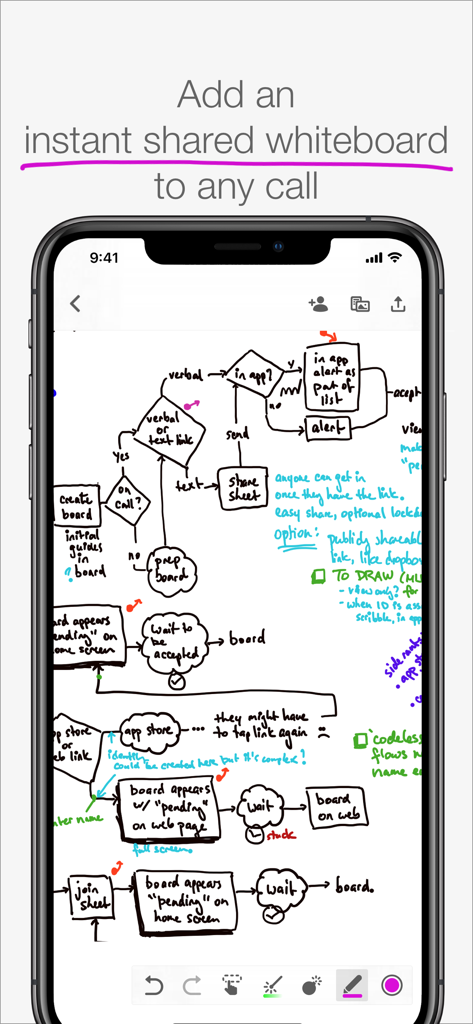
Scribble Together Whiteboardアプリで手描きされた複雑なフローチャートを表示するスマートフォンの画面

Scribble Together Whiteboardアプリで手描きされた複雑なフローチャートを表示するスマートフォンの画面

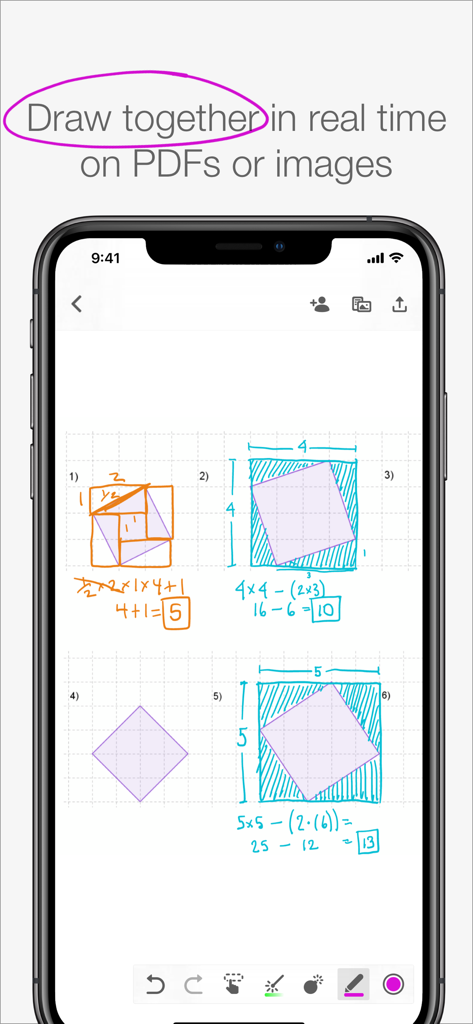
共同ホワイトボードアプリがスマートフォンの画面に手描きの数式と幾何学図形を表示している様子

共同ホワイトボードアプリがスマートフォンの画面に手描きの数式と幾何学図形を表示している様子

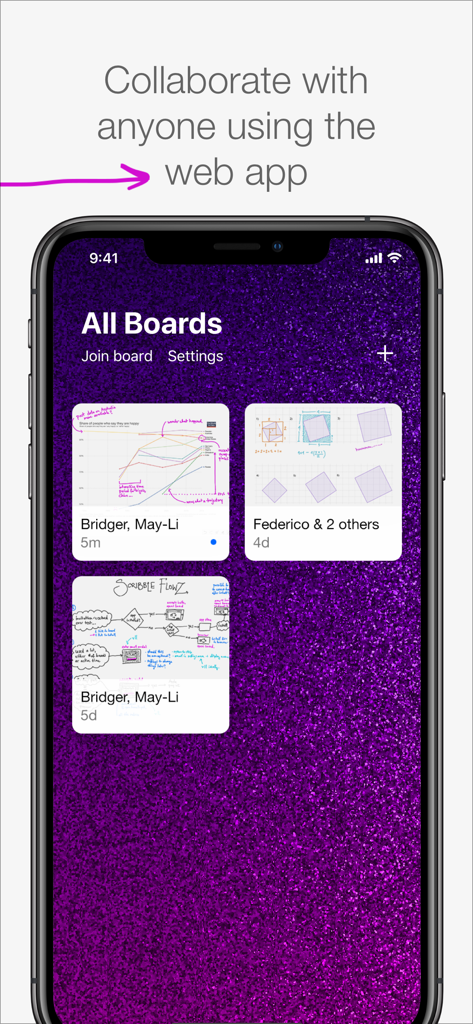
携帯電話に表示されたScribble Together Whiteboardアプリのインターフェースで、異なる共同ボードが示されています。

携帯電話に表示されたScribble Together Whiteboardアプリのインターフェースで、異なる共同ボードが示されています。

最も摩擦のない視覚的共同作業の方法

このアプリを際立たせるツール、 412K+ 人のユーザーが選択.

即座のゲストアクセス

数秒で同じページに。リンクやコードを共有すれば、ゲストはアカウントや面倒なサインアップフォームなしで無料で参加できます。

🪄

ポイント&パーフェクト

消えるレーザーポインターで注意を引き、あなたのラフなスケッチが魔法のように完璧な幾何学的図形や線に自動整形されるのを見てください。

📄

リアルタイムPDFマークアップ

ドキュメント、宿題、写真をインポートし、ライブで一緒に注釈を付けましょう。共同セッションが完了したら、高品質なPDFとしてエクスポートできます。

世界中のユーザーに愛されています

Trusted by 412K+ 人がこのアプリを愛用しています.

"

"Scribbleは、私のオンライン数学指導方法を完全に変えました。ワークシートの写真を撮り、生徒にリンクを送るだけで、数秒で一緒に問題を解き始められます。最高の点は、生徒がアカウントを作成したり、ボードに参加するために料金を支払ったりする必要がないことです。リモート指導で私が見つけた中で最も摩擦のないツールです。"

サラ・M、個人数学家庭教師
"

"リモートで働くUXデザイナーとして、ビデオ通話で複雑なフローを説明するのは悪夢でした。今では、Scribbleを開き、仮想レーザーポインターでチームを導き、無限のキャンバスでブレインストーミングを行っています。Apple Pencilの反応性は信じられないほどで、まるで会議室で本物のホワイトボードを使っているかのようです。"

デイビッド・L、シニアプロダクトデザイナー

アプリについて

について知っておくべきこと Scribble Together Whiteboard.

説明

Draw to­geth­er in real time, from any­where! In seconds, any­one can follow along with your drawing or draw with you from the app or on the web. Use Scrib­ble along­side a call; talk with Face­Time or any other app you like. DRAW ON ANY­THING Draw over pdfs and im­ages. Snap a pic­ture of home­work and draw on it, or re­view a pdf to­geth­er. Once you are fin­ished, you can save out a new pdf with your an­no­ta­tions. WEB OR APP Work with any­one, even your guests who don’t have an iPad or iPhone. The web app can be used to draw us­ing a tablet, touch screen com­put­er, or sty­lus. Display your live drawing on a big screen in a classroom or conference room using any browser and a convenient link. SET UP IN A SNAP Get­ on the same white­board to­geth­er in seconds. No reg­is­ter­ing for an ac­count or adding con­tacts in yet an­oth­er app. Once you’ve con­nect­ed in Face­Time or by phone you can tell your guests to join you using a link or a code, for free, with no messy sign ups. IN­FI­NITE SPACE, UN­LIM­IT­ED BOARDS Control scrolling of the infinite drawing space so that everyone sees the same area at the same time. Whiteboards are unlimited, so you can start fresh for each topic. Unlike a real whiteboard, many people can draw in the same space at the same time! POINT AND GES­TURE Point­ things out as you’re speaking with Scribble’s vir­tu­al laser point­er. No more clumsy describing of which part of a pic­ture you're re­fer­ring to – just use the mag­i­cal dis­ap­pear­ing laser ink. Designate different colors if you and your guests both need to point. PEN­CIL SUP­PORT If you’ve got an iPad Pro and Apple Pen­cil, drawing feels especially great in Scrib­ble. It’s like us­ing pa­per, but you can draw with any­one, any­where in the world. You can also use Settings to decide what you’d like your finger to do while you have the Pencil in hand. NEAT SHAPES, STRAIGHT LINES Can’t draw in a straight line? Neither can we! Scribble helps you draw perfect lines and shapes. Draw and pause without lifting your marker: you’ll see your shape pop magically into a rectangle, circle, ellipse, parallelogram, trapezoid, triangle or straight line. FREE FOR GUESTS Invit­ing peo­ple re­quires Scribble membership, but your guests join you for free. The membership subscription comes free for 2 weeks per monthly subscription, or 1 month per annual subscription. Drawing on your own is also free, and you can keep your whiteboards if you decide you don’t want to invite others anymore. Pay­ment will be charged to your iTunes ac­count at con­fir­ma­tion of pur­chase. The sub­scrip­tion auto-re­news at the same price un­less dis­abled in iTunes Ac­count Set­tings 24 hours be­fore the end of the pe­ri­od each month. You can go to scribble.cool/cancel for instructions to cancel your subscription and turn auto-renew off. Terms of Ser­vice: https://scrib­ble­to­geth­er.­com/terms

最新バージョン

3.6

サイズ

14.1 MB

リリース日

2017年8月3日

アイデアを一緒に形にする準備はできましたか?

リアルタイムでスケッチ、指導、ブレインストーミングを行う何千人ものプロフェッショナルや教育者に加わりましょう。数秒でホワイトボードを開始し、無料でゲストを招待して一緒に描画できます—サインアップは不要です。

ダウンロード: App Store