Scriptigo Pro

Scriptigo Pro

ダウンロード: App Store
Spark by MWM logo
ロゴ: Scriptigo Pro

Scriptigo Pro: 脚本を書き、稽古し、制作をペーパーレス化

脚本家、俳優、監督のための究極のモバイルツールキット。SwipeStudy™でセリフをマスターし、Script Doctor™で完璧なフォーマットを保証し、チーム全体で脚本をリアルタイムに同期します。

ダウンロード: App Store

開発元

PlayShakespeare.com

カテゴリ

Productivity

ダウンロード

600

ユーザー評価

3.9/5

評価数

0

対応言語

1

制作を一目で把握

このインターフェースを利用する 600 人のユーザー.

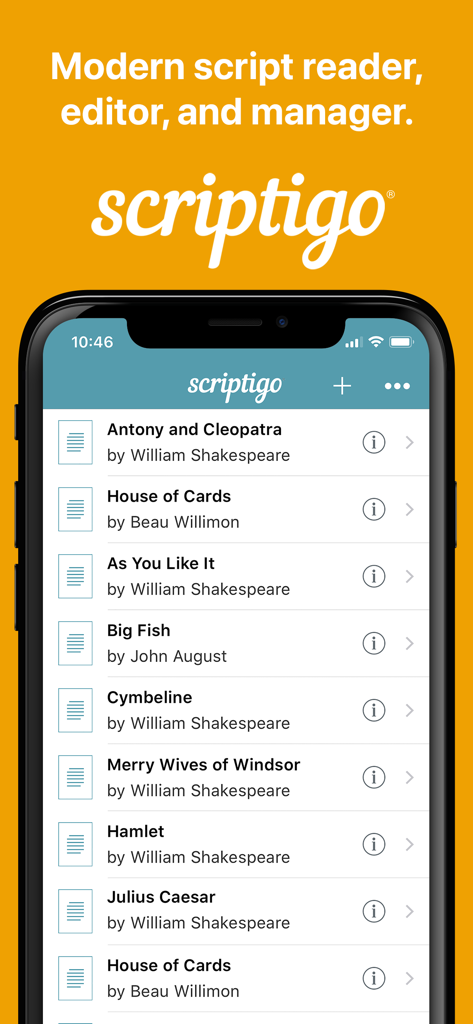
Scriptigo Proモバイルアプリのインターフェース。iPhone上のデジタルライブラリにある演劇や脚本のリストを表示しています。

Scriptigo Proモバイルアプリのインターフェース。iPhone上のデジタルライブラリにある演劇や脚本のリストを表示しています。

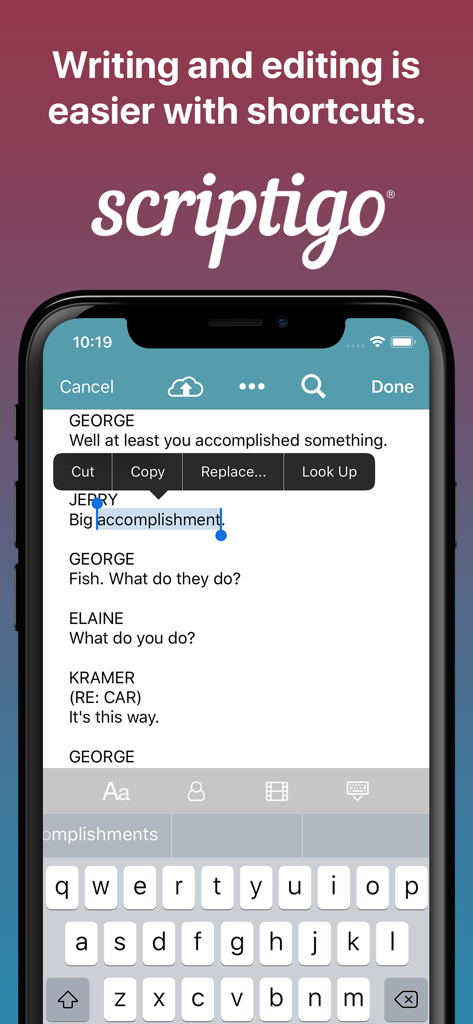
Scriptigo Proアプリのスマートフォン画面。スクリプト編集とテキスト選択のショートカットを表示しています。

Scriptigo Proアプリのスマートフォン画面。スクリプト編集とテキスト選択のショートカットを表示しています。

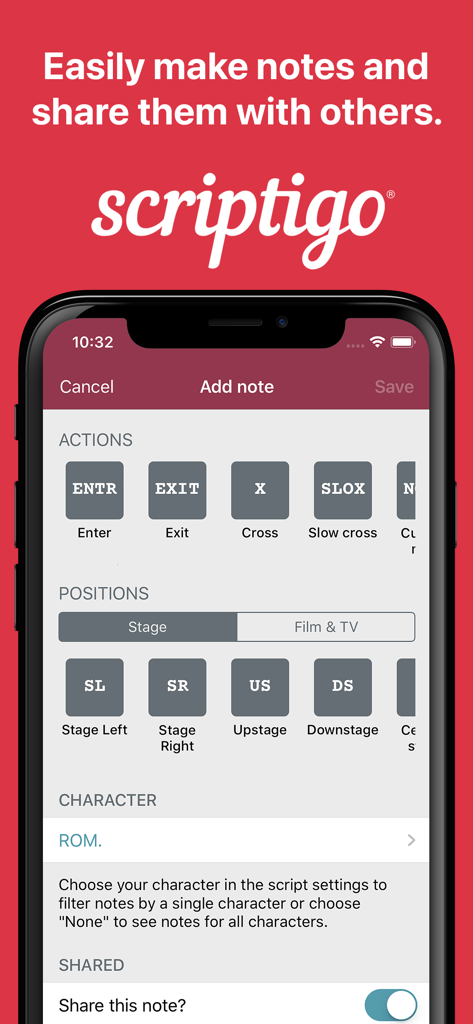
Scriptigo Proアプリの画面。スクリプトのメモや、EnterやStage Leftのような舞台指示を追加するオプションを表示しています。

Scriptigo Proアプリの画面。スクリプトのメモや、EnterやStage Leftのような舞台指示を追加するオプションを表示しています。

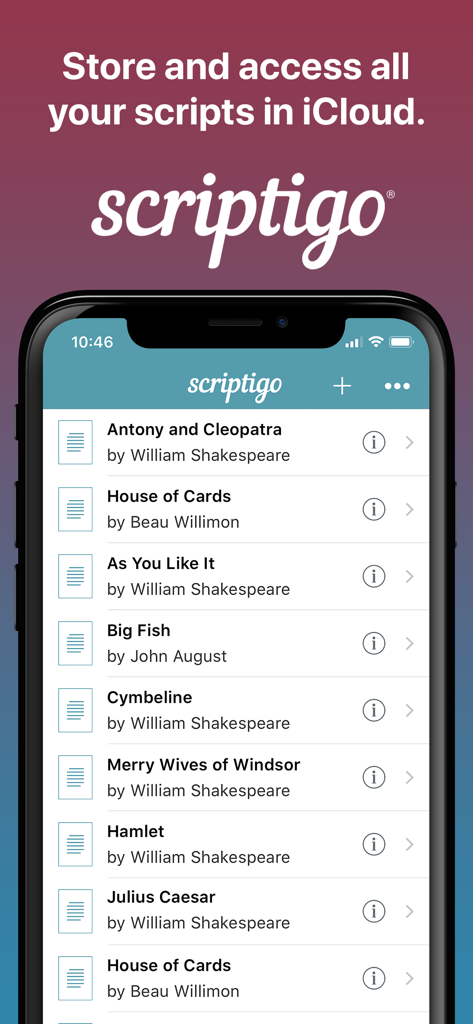
Scriptigo Proモバイルアプリのインターフェース。iCloudに保存されているライブラリ内のスクリプトのリストを表示しています。

Scriptigo Proモバイルアプリのインターフェース。iCloudに保存されているライブラリ内のスクリプトのリストを表示しています。

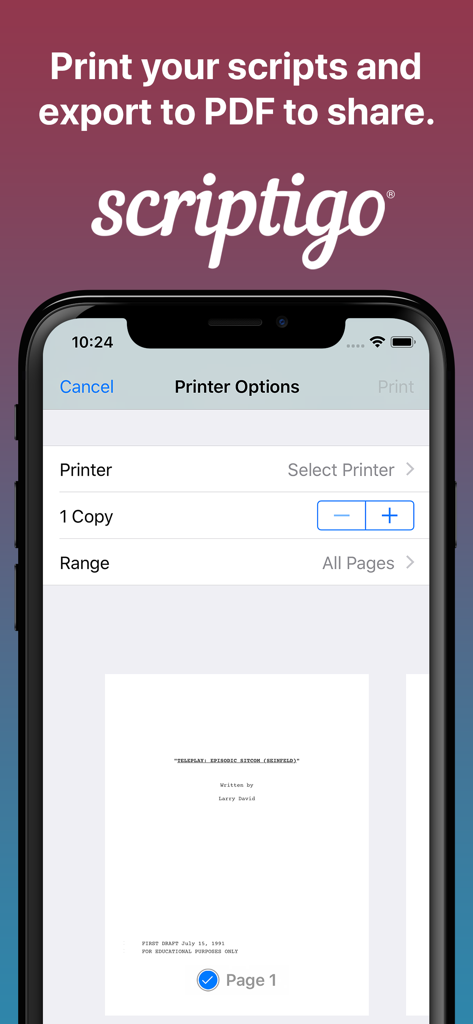
Scriptigo Proアプリのインターフェース。印刷オプションと、印刷またはPDFエクスポート用のスクリプトプレビューを表示しています。

Scriptigo Proアプリのインターフェース。印刷オプションと、印刷またはPDFエクスポート用のスクリプトプレビューを表示しています。

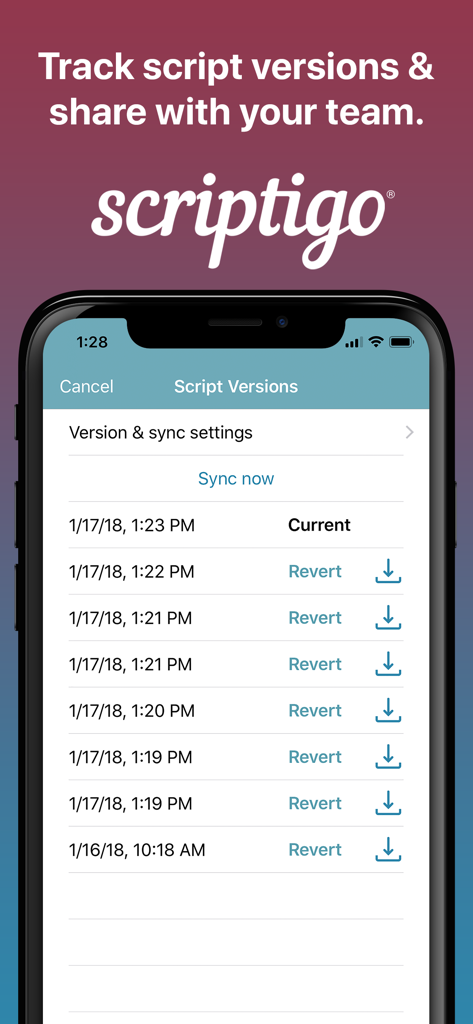
Scriptigo Proアプリのインターフェース。保存されたスクリプトバージョンのリストを表示し、同期や以前の編集への復元オプションがあります。

Scriptigo Proアプリのインターフェース。保存されたスクリプトバージョンのリストを表示し、同期や以前の編集への復元オプションがあります。

初稿から初日までのすべて

このアプリを際立たせるツール、 600 人のユーザーが選択.

🎭

セリフをより速くマスター

SwipeStudy™を使用して、キャラクターのセリフを隠し、簡単なスワイプで表示します。昔ながらの紙の方法を、よりスマートなデジタルワークフローに置き換えます。

👥

リアルタイムのチームコラボレーション

制作チーム全体を同期させます。脚本を共有し、改訂を追跡し、キャラクターに特定のメモを割り当てることで、全員が同じページにいることを確認します。

業界標準の精度

Script Doctor™でフォーマットの問題を自動的に修正し、デジタル脚本から直接照明と音響の技術キューを管理します。

世界中のユーザーに愛されています

Trusted by 600 人がこのアプリを愛用しています.

"

"マルチタスククリエイターとして、私は自分のワークフローに対応できるツールが必要です。SwipeStudy™は通勤中にセリフを覚えるのに絶対的な魔法であり、Script Doctor™は送信前にフォーマットが業界標準であることを保証します。今年、私のキャリアのために行った最高の投資です。"

Marcus T., 脚本家・俳優志望
"

"Scriptigo Proにより、ペーパーレス制作への移行はシームレスでした。照明キューを追跡し、全キャストとリアルタイムの脚本改訂を共有できることで、テクニカルウィーク中の時間を数え切れないほど節約できました。サブスクリプションは、提供される整理レベルに対して破格です。"

Elena R., インディペンデント演劇監督

アプリについて

について知っておくべきこと Scriptigo Pro.

説明

Scriptigo is the perfect choice for writing, managing, sharing, and rehearsing your playscripts and screenplays. The free version of Scriptigo enables you to: • Manage your script library: have all your scripts in one place, easily accessible, and synced across your mobile devices • Customize your reading experience: Use standard script formatting or customize it • Batch import your scripts from email, iCloud, Dropbox, Google Drive and Google Docs. • Import scripts created with Final Draft, Microsoft Word, PDF, plain text and other file formats like Fountain (used by Highland & Slugline) • Write and edit your scripts: automatic formatting allows you to just type • Power find & replace: make bulk changes to your scripts • Notetaking: Make notes in your scripts to record your ideas and assign notes to a character/user, notes can also be shared or private, also scribble on your PDFs • Track your cues: Add cues for light and sound to your script and call your show from the script • Print your scripts and share them as PDFs via email or any way you prefer • Create shot list reports to prepare for your shooting schedule • Create scene outline reports to manage your script structure and flow • Turn on SwipeStudy™ to hide your character's lines while memorizing and then jog your memory by swiping a hidden line to temporarily see it * Script Doctor™: Automatically check your scripts for common problems and inconsistencies and fix them for you Upgrade to Scriptigo Sharing for these features for a monthly subscription (optional): • Try out the free 30-day trial to Scriptigo Sharing! • Share scripts with your team: Scripts are in sync up to the minute with your entire production team • Revision tracking: Indicators show where the last edits were made in the script • Track script versions: Changes are tracked so you can roll back to previous versions if you make a mistake • Track line numbers: Lock your line numbers so they stay the same after editing them * Share notes: Share notes with other users and assign notes to a specific character/user Sign up for a subscription to Scriptigo Sharing for $3/user per month (or the equivalent in your currency). The subscription is automatically renewed and charged on a monthly (30 day) basis. You can cancel it at any time up until the day before renewal and you can at any time turn off the auto renewal from your iTunes account. For more information and to review our Privacy Policy, visit: scriptigo.com/privacy-policy To view Apple's EULA, visit: https://www.apple.com/legal/internet-services/itunes/dev/stdeula/

最新バージョン

2.5.4

サイズ

57.2 MB

リリース日

2019年3月11日

脚本をページからステージへ、準備はできていますか?

Scriptigo Proを使用して、脚本の作成、稽古、制作管理を行う何千人もの映画製作者や劇作家に参加しましょう。あなたのビジョンを実現するために必要な業界標準ツールを今すぐ入手してください。

ダウンロード: App Store
FAQ

よくある質問

について知っておくべきこと Scriptigo Pro

Scriptigo Proとは何ですか?

Scriptigo Proは、演劇脚本や映画脚本の作成、管理、共有、リハーサルを行うためのアプリケーションです。スクリプトライブラリ管理、編集、メモ作成、制作レポートなどの機能を提供します。

Scriptigo Proでスクリプトを編集できますか?

はい、Scriptigo Proを使用すると、アプリ内でスクリプトを作成および編集できます。自動フォーマット機能と強力な検索・置換機能により、効率的な修正が可能です。

Scriptigo Proはスクリプトのバージョン管理をサポートしていますか?

はい、Scriptigo Pro Sharingはスクリプトのバージョンを追跡し、ユーザーは変更履歴を表示したり、必要に応じて以前のバージョンに戻したりすることができます。この機能により、チームのスクリプトは同期された状態に保たれます。

Scriptigo Pro Sharingの料金はいくらですか?

Scriptigo Pro Sharingは、ユーザーあたり月額3ドルです。これは自動的に更新されるオプションの月額サブスクリプションです。価格は現地通貨の相当額によって異なる場合があります。

Scriptigo Proはどのファイル形式をインポートできますか?

Scriptigo Proは、Final Draft、Microsoft Word、PDF、プレーンテキストからスクリプトをインポートします。また、Highland & Sluglineで使用されるFountainファイル形式もサポートしています。

Scriptigo Proはセリフの暗記に役立ちますか?

はい、Scriptigo Proには、ユーザーがセリフを暗記するのに役立つSwipeStudy™機能が含まれています。キャラクターのセリフを非表示にし、スワイプすることで一時的に表示させて記憶を呼び起こすことができます。

Scriptigo Pro Sharingの無料トライアルはありますか?

はい、Scriptigo Proは、Scriptigo Sharing機能の30日間の無料トライアルを提供しています。このトライアルにより、ユーザーは高度な共同編集機能を試すことができます。

Scriptigo Proでノートを共有するにはどうすればよいですか?

Scriptigo Pro Sharingを使用すると、チームメンバーとノートを共有できます。ノートは特定のキャラクターまたはユーザーに割り当てることができ、共同でのフィードバックや整理を容易にします。

Scriptigo Proはスクリプト分析機能を提供していますか?

はい、Scriptigo ProにはScript Doctor™機能があり、一般的な問題や矛盾がないかスクリプトを自動的にチェックします。また、特定された問題に対する自動修正も提供します。

Scriptigo Proからスクリプトを印刷できますか?

はい、Scriptigo Proでは、アプリケーションから直接スクリプトを印刷できます。また、PDFとしてスクリプトを電子メールやその他の希望する方法で共有することもできます。