Sibelius

Sibelius

ダウンロード: App Storeダウンロード: Google Play
Spark by MWM logo
ロゴ: Sibelius

Sibelius: ひらめきの瞬間をどこでもプロの楽譜作成に

業界標準の記譜ツールセットをiPadやiPhoneに。Apple Pencilの精度と、スタジオからステージまで手間いらずのクラウド同期で、シームレスに作曲、編集、レビューしましょう。

ダウンロード: App Store

開発元

Avid Technology Inc

カテゴリ

Music

ダウンロード

631K+

ユーザー評価

4.3/5

評価数

9K+

対応言語

9

マエストロの視点

このインターフェースを利用する 631K+ 人のユーザー.

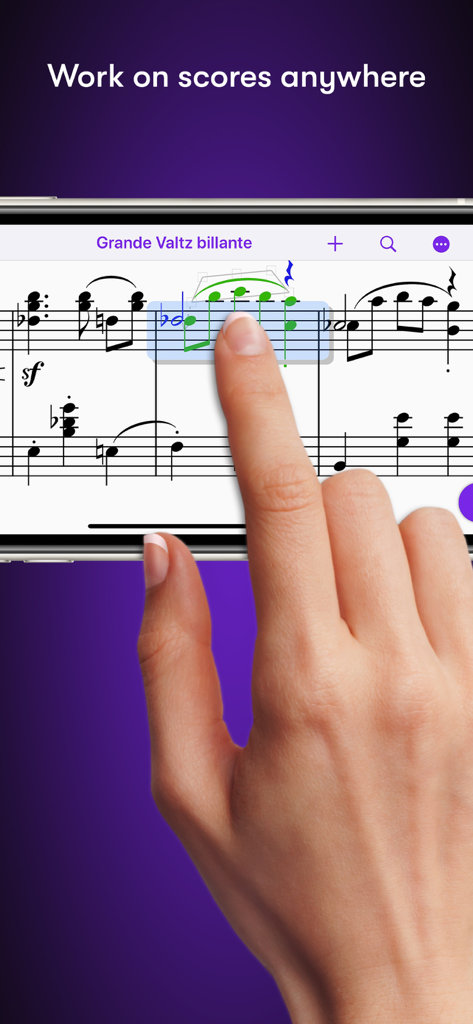
スマートフォンでSibeliusアプリを使用して、楽譜を編集している様子

スマートフォンでSibeliusアプリを使用して、楽譜を編集している様子

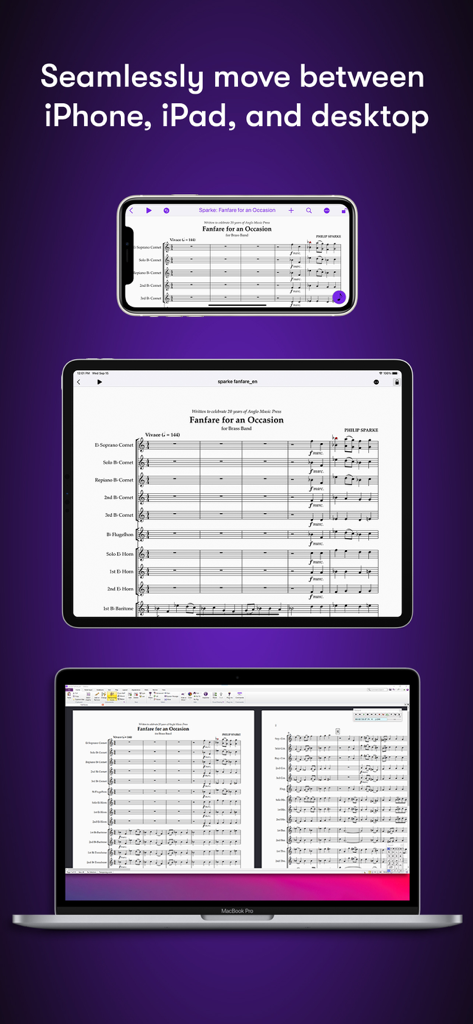
iPhone、iPad、MacBookデスクトップに表示されたSibelius楽譜

iPhone、iPad、MacBookデスクトップに表示されたSibelius楽譜

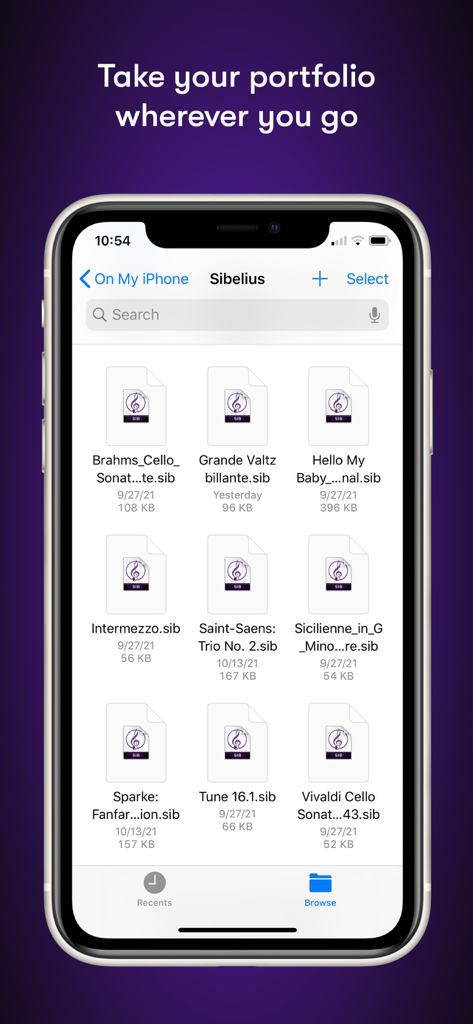
iPhoneのSibeliusモバイルアプリのファイルマネージャーに、楽譜プロジェクトのリストが表示されている様子

iPhoneのSibeliusモバイルアプリのファイルマネージャーに、楽譜プロジェクトのリストが表示されている様子

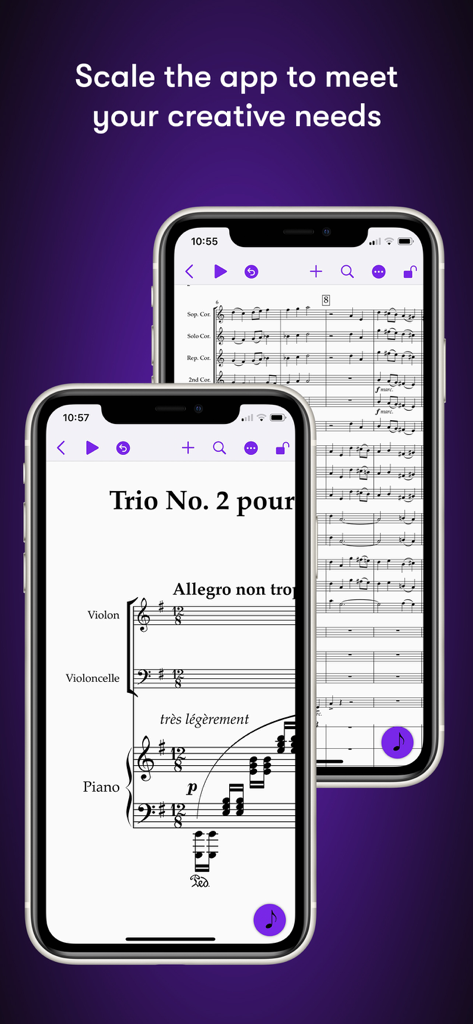
iPhone画面に楽譜が表示されたSibeliusモバイルアプリ

iPhone画面に楽譜が表示されたSibeliusモバイルアプリ

制約のないプロフェッショナルな楽譜作成

このアプリを際立たせるツール、 631K+ 人のユーザーが選択.

🌍

いつでも、どこでも作曲

シームレスなモバイルとデスクトップのワークフローで、世界をリードする楽譜作成ソフトウェアをスタジオからカフェまで持ち出そう。

✏️

直感的なタッチ&ペンシル入力

ペンと紙の体験を再考。Apple Pencilのジェスチャーを使って、メモを傾けたり、タップしたり、ドラッグしたりして、比類のない精度で配置しよう。

🎧

あなたのビジョンを詳細に聞こう

高品質なサンプルライブラリと、アレンジのニュアンスをすべて捉える人間味あふれる再生機能で、楽譜を確認し、洗練させよう。

世界中のユーザーに愛されています

Trusted by 631K+ 人がこのアプリを愛用しています.

"

"映画のオーケストレーターとして、私はちょっとした修正でもスタジオのデスクに縛られていました。今では、iPadとApple Pencilを使って、スコアリングステージで直接、直前の変更に対応できます。ワークフローはシームレスで、Macからタブレットへのプロジェクトの移動は魔法のようです。そして、音符入力の精度は、プロレベルの楽譜に求められるものです。"

Marcus Thorne
"

"モバイル版Sibeliusは、私の学習方法を完全に変えました。通勤中にメロディーをキャプチャし、その後、図書館で完全なアレンジを磨き上げることができます。タブレットでの楽譜作成が妥協だと感じなかったのは初めてです。Apple Pencilの連携により、書くことは自然で、まるでペンと紙のようですが、業界最高のソフトウェアのすべてのパワーを備えています。"

Elena Rodriguez

アプリについて

について知っておくべきこと Sibelius.

説明

Sibelius brings professional music notation to iPad and iPhone, putting the workflows used by countless composers, orchestrators, and arrangers at your fingertips. Seamlessly move between iPad, iPhone and desktop, and from studio to coffeeshop to scoring stage, and write anywhere inspiration strikes. # Work on scores anywhere Sibelius for mobile puts the #1 selling music notation program at your fingertips—literally. Work with the same tools and features used by countless composers and production houses every day on your iPad and iPhone. Whether writing down ideas, creating full-blown compositions, or reviewing scores, you have the freedom to create wherever you’re comfortable. #Take your portfolio to go Forget having to bring and break out your laptop when meeting with clients and collaborators. Instead, you can conveniently take the world’s most powerful notation toolset and your entire music portfolio with you wherever you go—ideal for those unexpected opportunities. And for tandemly working through last-minute revisions. # Hear your music in stunning detail Sibelius includes a high-quality sample library filled with a variety of musical instrumentation, so you can hear what your music will sound like when performed by real musicians. The Espressivo advanced notation interpretation even lets you adjust rhythm and swing to create a more humanistic feel. # Speed your workflow Sibelius for mobile is designed to take full advantage of Apple Pencil and iPad touch capabilities. Its elegant, streamlined interface provides the most intuitive and efficient workflows possible while supporting the same keyboard shortcuts you know and love from working on the desktop version, so you’ll feel right at home. # Get innovative note entry Experience the pen and paper workflow reimagined. Enter notes with the onscreen Keypad or a keyboard, and Sibelius takes care of all note layout. Touch a note and drag up or down to change its value, or drag left or right to add a flat or sharp. With an Apple Pencil, tap a note and tilt up or down to add a flat or sharp, or tilt left or right to choose the note value. # Have everything you need In addition to the Keypad, Sibelius for mobile features a Create menu that’s optimized for iOS, making it easy to add clefs, key signatures, time signatures, barlines, symbols, text styles, and more to your score from searchable galleries. You can also quickly search through all Sibelius commands using the Command Search, putting the entire app at your fingertips. # Move tiers to meet needs Sibelius is designed to grow with you to support your creative aspirations and project needs. From the introductory (and free) Sibelius First to the industry-standard Sibelius Ultimate, you can add more notation capabilities and instrument parts to take on more creative opportunities by simply upgrading your subscription tier. # Have everything on one creative platform Seamlessly move from desktop to tablet and back without ever having to import or export files. That’s because whether on mobile or desktop, you’re always in Sibelius. With files saved to iCloud, Dropbox, Google Drive, or other iOS-supported cloud service, you have easy anywhere access to all your ideas and scores. # Enable a hybrid workflow While Sibelius for mobile is fully featured, providing many of the same tools as its desktop counterpart, there are some notation and layout features only available in the desktop version, making it an integral part of a complete workflow (compare versions). Plus, the mobile version comes free with the desktop version, enabling you to work where and how you want.

最新バージョン

2025.12.1

サイズ

1.4 GB

リリース日

2021年7月29日

どこでも次の傑作を書こう

世界のトップ作曲家やオーケストレーターに加わりましょう。iPadまたはiPhoneにSibeliusをダウンロードして、ひらめきの瞬間に業界標準の記譜ツールを持ち歩こう。

ダウンロード: App Storeダウンロード: Google Play
FAQ

よくある質問

について知っておくべきこと Sibelius

Sibeliusとは何ですか?

Sibeliusは、iPad、iPhone、デスクトップ向けのプロフェッショナルな楽譜作成アプリケーションです。作曲家、編曲家、アレンジャー向けのワークフローを提供し、移動中でも楽譜の作成やレビューが可能です。

iPadやiPhoneでSibeliusを使用できますか?

はい、SibeliusはiPadおよびiPhoneで利用でき、モバイルデバイスとデスクトップデバイス間でのシームレスな移動を可能にします。これにより、ユーザーはどこからでも楽譜や楽曲に取り組むことができます。

Sibelius for mobileはデスクトップ版と同じ機能を提供しますか?

Sibelius for mobileは、デスクトップ版と同様の多くのツールを提供し、充実した体験を実現します。一部の高度な記譜法やレイアウト機能は、完全なワークフローのためにデスクトップ版限定となっています。

Sibeliusはモバイルデバイスでの革新的な音符入力方法をどのようにサポートしていますか?

Sibeliusは、画面上のキーパッドまたはキーボードを介した革新的な音符入力方法を提供します。ユーザーはドラッグして音符の値を変更したり、Apple Pencilを傾けてフラット/シャープを追加したりすることができ、ペンと紙のワークフローを再考しています。

Sibeliusのサブスクリプションオプションは何ですか?

Sibeliusには、無料のSibelius Firstや業界標準のSibelius Ultimateなど、さまざまなサブスクリプションティアがあります。ユーザーはサブスクリプションをアップグレードして、ニーズの成長に合わせてより多くの記譜機能や楽器パートにアクセスできます。

異なるデバイス間でSibeliusの楽譜にアクセスできますか?

はい、Sibeliusを使用すると、デスクトップ、iPad、iPhone間で楽譜をシームレスに移動できます。iCloud、Dropbox、Google Drive、またはその他のiOS対応クラウドサービスに保存されたファイルは、どこからでも簡単にアクセスできます。

Sibeliusには音楽再生用のサンプルライブラリが含まれていますか?

はい、Sibeliusにはさまざまな楽器を含む高品質なサンプルライブラリが含まれています。これにより、ユーザーは自分の音楽が実際のミュージシャンによって演奏されたときにどのように聞こえるかを聞くことができ、創造的なプロセスを強化します。