Simple Notes - Notepad Manager

Simple Notes - Notepad Manager

ダウンロード: App Storeダウンロード: Google Play
Spark by MWM logo
ロゴ: Simple Notes - Notepad Manager

Simple Notes - メモ帳マネージャー:思考を美しく、シンプルに整理する。

あなたの美学のための究極のミニマリストノートブック。アカウント不要、月額料金ゼロで、写真、色分けされたフォルダ、iCloud同期を使ってアイデアを安全にキャプチャしましょう。

ダウンロード: App Store

開発元

Komorebi Inc.

カテゴリ

Productivity

ダウンロード

1M+

ユーザー評価

4.6/5

評価数

36K+

対応言語

35

スタイリッシュに整理

このインターフェースを利用する 1M+ 人のユーザー.

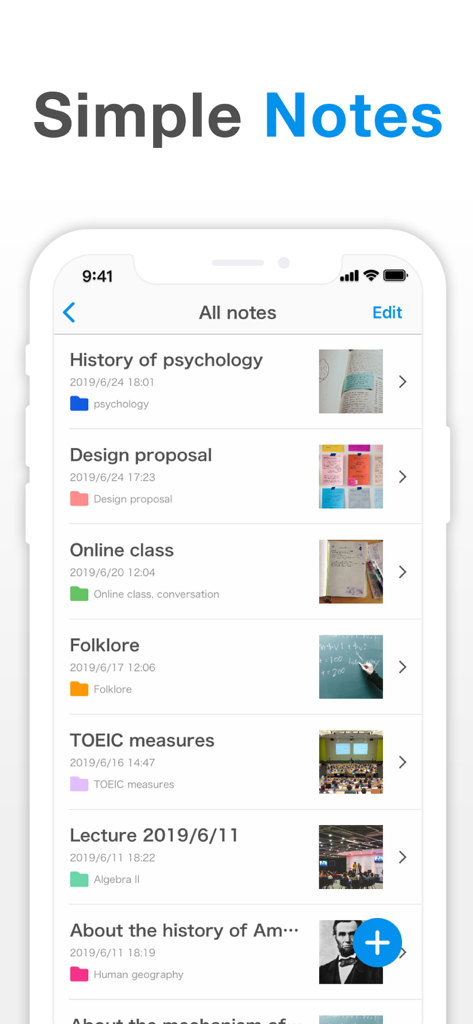
Simple Notesアプリのインターフェースが表示されたスマートフォン画面、整理されたメモのリスト、色付きフォルダ、画像添付ファイルが表示されています。

Simple Notesアプリのインターフェースが表示されたスマートフォン画面、整理されたメモのリスト、色付きフォルダ、画像添付ファイルが表示されています。

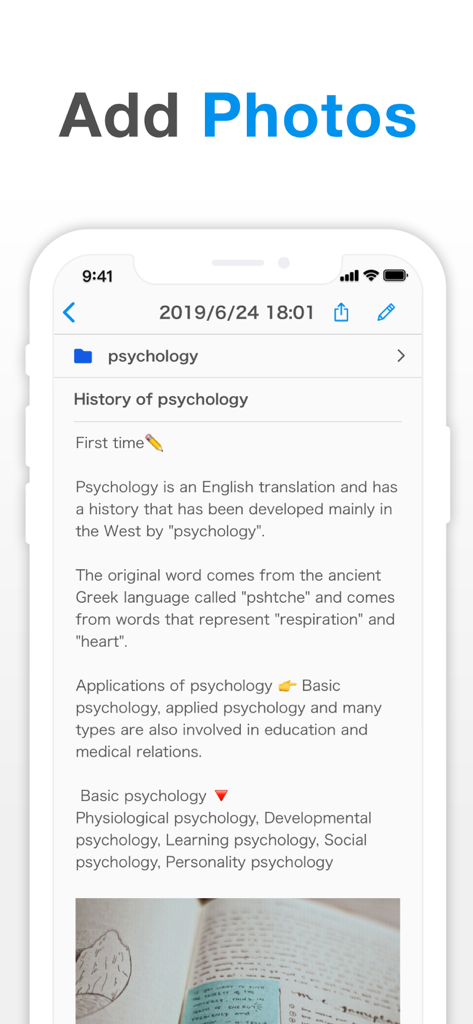
埋め込み写真付きの心理学ノートを示すSimple Notesアプリのユーザーインターフェース。

埋め込み写真付きの心理学ノートを示すSimple Notesアプリのユーザーインターフェース。

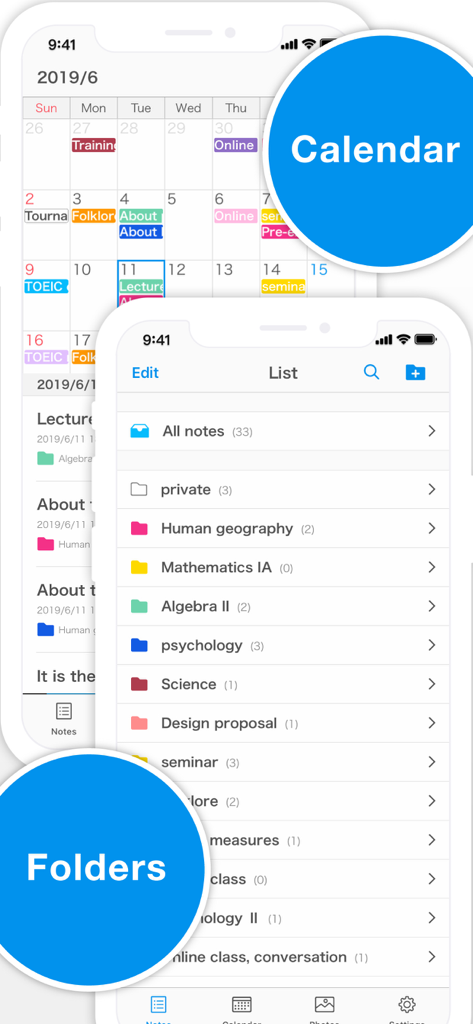
色分けされたカレンダーと整理されたフォルダのリストを示すSimple Notesアプリのインターフェース。

色分けされたカレンダーと整理されたフォルダのリストを示すSimple Notesアプリのインターフェース。

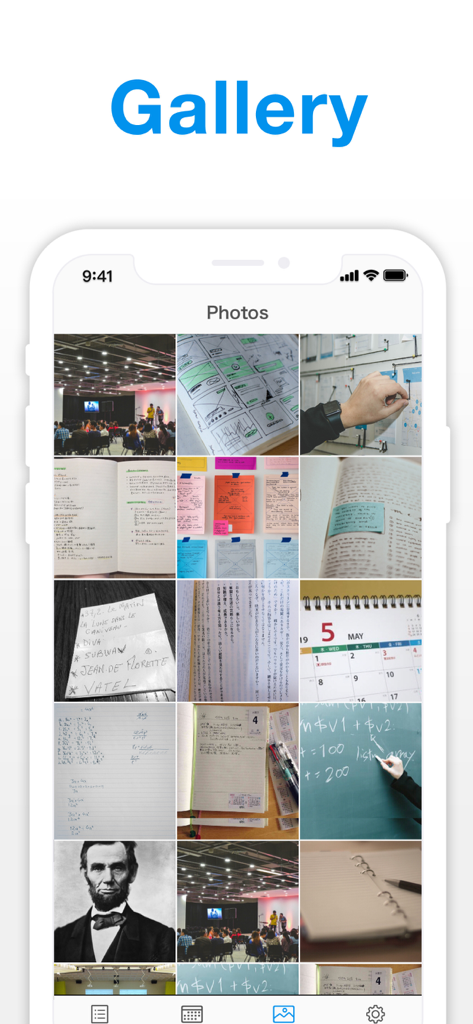
Simple Notesアプリのギャラリー機能に保存された画像と写真のグリッドビュー。

Simple Notesアプリのギャラリー機能に保存された画像と写真のグリッドビュー。

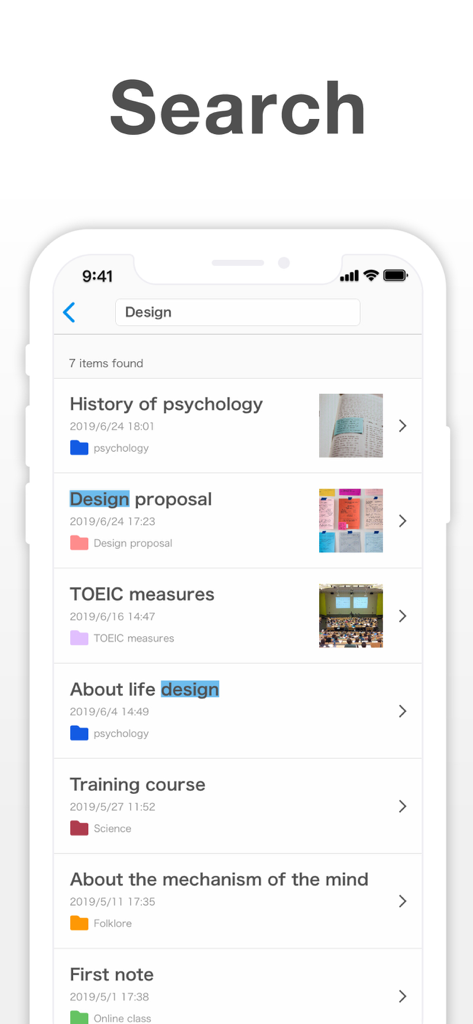
ハイライトされたキーワードと画像サムネイル付きのメモリストを表示するSimple Notesアプリの検索インターフェース。

ハイライトされたキーワードと画像サムネイル付きのメモリストを表示するSimple Notesアプリの検索インターフェース。

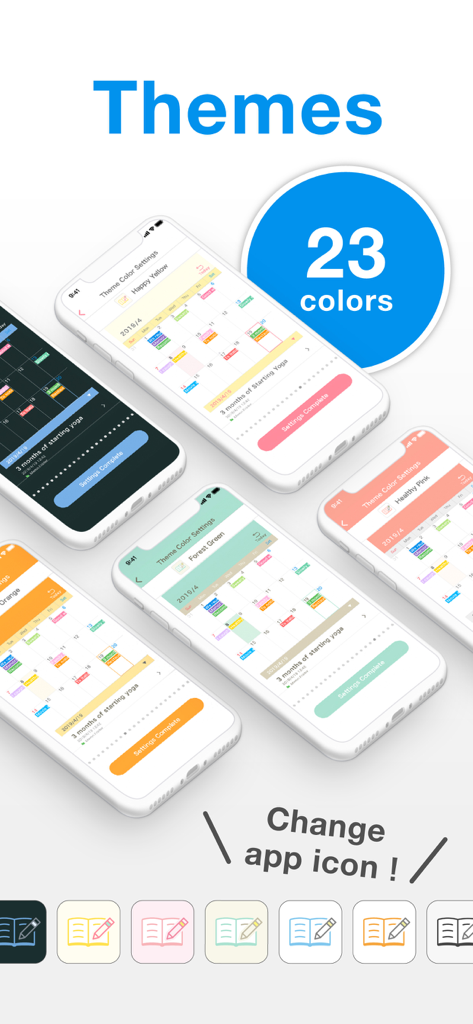
Simple Notesアプリの23種類のカラーテーマとカスタマイズ可能なアプリアイコンのショーケース。

Simple Notesアプリの23種類のカラーテーマとカスタマイズ可能なアプリアイコンのショーケース。

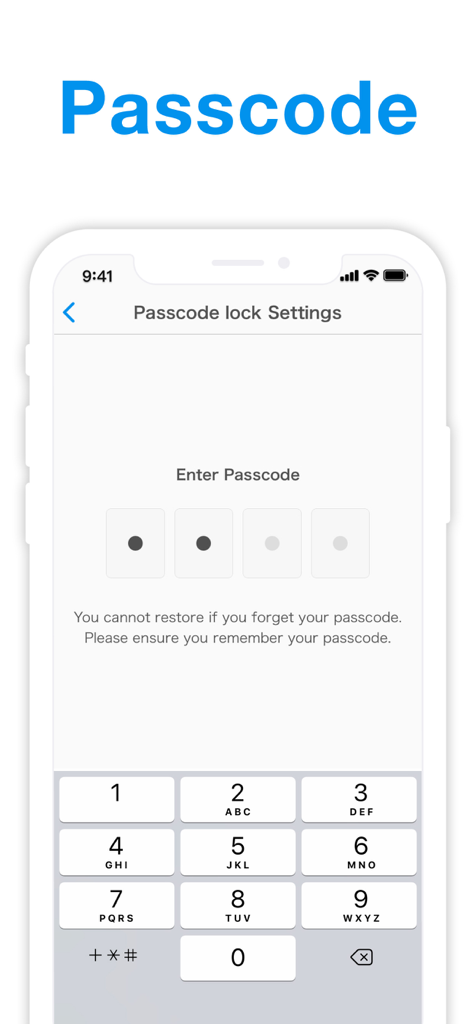
Simple Notesアプリのパスコードロック設定と数字キーパッドを表示するスマートフォンの画面。

Simple Notesアプリのパスコードロック設定と数字キーパッドを表示するスマートフォンの画面。

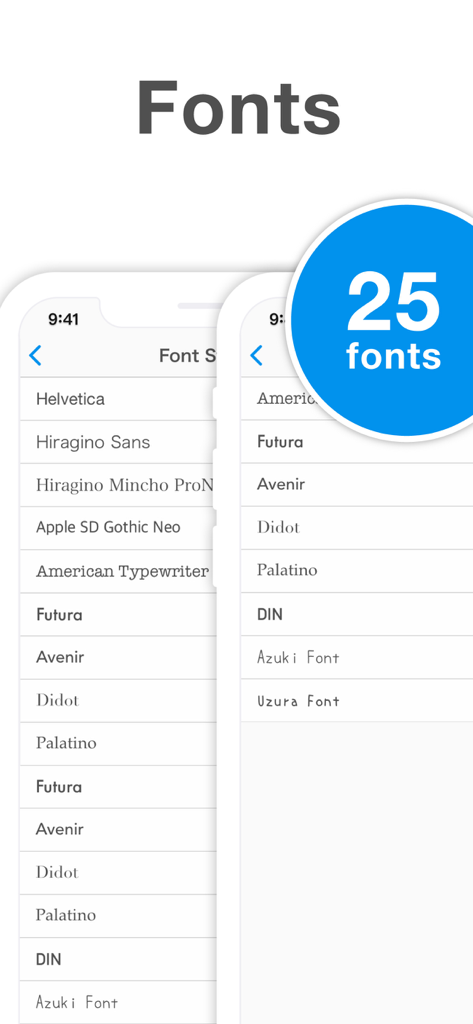
メモのカスタマイズのための25種類のフォントスタイルを表示するSimple Notesアプリのスクリーンショット。

メモのカスタマイズのための25種類のフォントスタイルを表示するSimple Notesアプリのスクリーンショット。

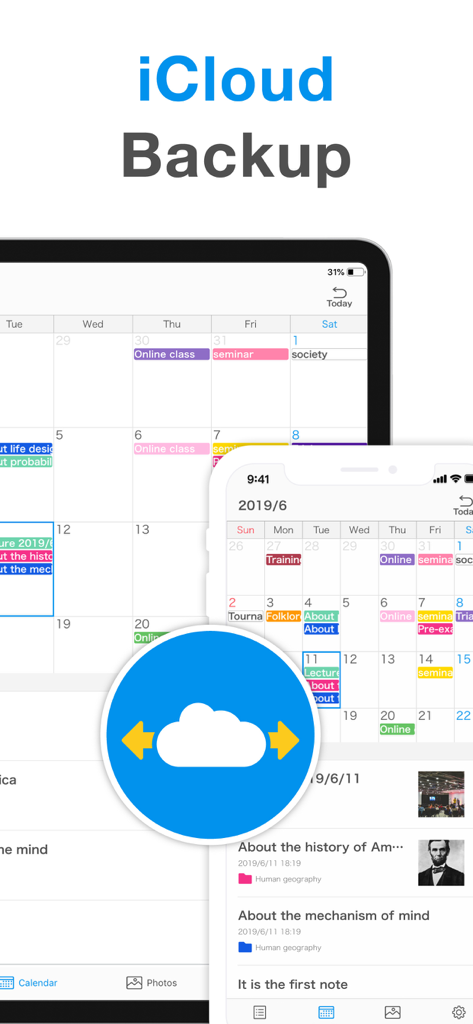
iPhoneおよびiPad用のSimple NotesのiCloudバックアップおよび同期機能。

iPhoneおよびiPad用のSimple NotesのiCloudバックアップおよび同期機能。

あなたの生活を、あなたのやり方で整理する

このアプリを際立たせるツール、 1M+ 人のユーザーが選択.

🎨

完全にカスタマイズ可能な美的デザイン

23色のテーマカラー、12の厳選されたフォント、カスタムアプリアイコンで、あなたのユニークなスタイルと雰囲気に合わせて体験をパーソナライズしましょう。

🌈

視覚的なフォルダ管理

24色の鮮やかなフォルダカラーと専用の写真ギャラリーを使用して整理し、思い出とメモを完璧に分類しましょう。

🛡️

信頼できるプライバシー

Face IDとiCloud同期で思考を保護しましょう。アカウント登録不要、月額料金ゼロで、完全な安心をお楽しみください。

世界中のユーザーに愛されています

Trusted by 1M+ 人がこのアプリを愛用しています.

"

"このアプリのカスタマイズ性の高さに夢中です!フォントや色を変更するためだけに月額料金を請求するノートを探していました。カレンダービューは毎日の感謝ジャーナリングに最適で、アプリアイコンをiPhoneの美的デザインに合わせられるのが気に入っています。シンプルでかわいく、大学で必要としていたまさにそれです。"

Sophie M.
"

"ついに、アカウント作成を強制されないメモアプリが登場しました。外出先でレシートやプロジェクトのアイデアの写真を撮るのに使っています。色分けされたフォルダ整理で、フリーランスの仕事とプライベートを分けており、Face IDロックは安心感を与えてくれます。広告を削除するための買い切り払いは当然の選択でした—完全にその価値がありました。"

David R.

アプリについて

について知っておくべきこと Simple Notes - Notepad Manager.

説明

Looking for a reliable notepad app? Try "Simple Notes" - a clean, high-performance, and easy-to-use note-taking app. We’ve created the simplest and most convenient notebook app, with no account registration or monthly fees required. You can even back up your notes securely and easily. If you’re looking to organize your notes effectively, download and try the best notes app today! [Features] ■ Add Photos to Notes - Attach images to any note - Insert pictures from your photo library or take new ones with your camera and add them on the spot ■ Folder Organization - Create folders to keep your notes organized - Choose from 24 folder colors to easily identify and remember categories ■ Calendar View - View notes by date using the built-in calendar - Tap any date to see notes saved that day — perfect for locating past entries ■ Photo Album - Browse all images added to notes in one place - Quickly search by photo to find specific content ■ Passcode Lock - Protect your notes with a passcode - Supports Face ID and Touch ID for quick and secure access ■ Font Styles - Choose from 12 font styles - Switch between playful, elegant, or professional looks for your notes ■ Themes and App Icons - Pick from 23 theme colors and app icons - Customize the look of the app and even the home screen icon - A feature unique to this app, equipped with the latest design functions ■ Data Backup & Export - Back up your notes to iCloud or export them to your computer - Transfer notes to other apps like Evernote or Dropbox - Export as RTFD files with embedded images *Note: Data export is a premium feature, but backups are available for free* ■ iCloud Sync - Use iCloud to sync notes across your iPhone and iPad - Keep your data safe even if your device breaks - Easily restore your notes on a new device ■ Smart Search - Use the built-in search to quickly find notes - Add tags like "#Important" to make key notes easier to locate ■ Text Display Settings - Adjust text size, contrast, and line spacing - Ideal for users who prefer larger fonts or need improved readability ■ Remove Ads - Pay once to permanently remove ads — no monthly subscription - Even if you delete the app or switch devices, ads remain removed without additional cost [Help & Contact] - For help, go to “Help / FAQ” in the app settings - If you still have questions, tap “Contact Us” on the help screen - Please note: Reviews take time to appear, so contact us directly through the app for faster support

最新バージョン

4.1.0

サイズ

183.9 MB

リリース日

2019年8月30日

スタイリッシュにメモする準備はできましたか?サブスクリプションもアカウントも不要。

すでに100万人以上が生活を美しく整理しています。Face IDで思考を保護し、月額料金ゼロであなたの雰囲気に合わせましょう。

ダウンロード: App Storeダウンロード: Google Play
FAQ

よくある質問

について知っておくべきこと Simple Notes - Notepad Manager
Simple Notes - Notepad Manager は無料アプリですか?

Simple Notes は無料のメモ帳アプリです。アカウント登録や月額料金は不要なので、メモの管理に便利で手軽に利用できます。

Simple Notes - Notepad Manager でメモに写真を追加できますか?

はい、Simple Notes では任意のメモに画像を添付できます。写真ライブラリから直接挿入したり、その場でデバイスのカメラで新しい写真を撮ったりすることができます。

Simple Notes - Notepad Manager でメモを整理するにはどうすればよいですか?

Simple Notes ではフォルダによる整理が可能です。フォルダを作成してメモをきれいに並べたり、24種類の色からフォルダの色を選んでカテゴリを簡単に識別したりできます。

Simple Notes - Notepad Manager はメモのカレンダー表示を提供していますか?

はい、Simple Notes にはカレンダー表示機能が搭載されています。これにより、日付ごとにメモを表示し、特定の日付をタップしてその日に保存されたすべてのエントリを確認できます。

Simple Notes - Notepad Manager でメモを保護するにはどうすればよいですか?

Simple Notes はパスコードロックでメモを保護します。Face ID や Touch ID のような安全なアクセス方法をサポートしており、素早く強化されたプライバシーを提供します。

Simple Notes - Notepad Manager でフォントスタイルを変更できますか?

はい、Simple Notes ではフォントスタイルのカスタマイズが可能です。25種類のフォントから選択して、アプリ内のメモの外観をパーソナライズできます。

Simple Notes - Notepad Manager はテーマやアプリアイコンのカスタマイズを許可していますか?

はい、Simple Notes は豊富なカスタマイズオプションを提供しています。23種類のテーマカラーやアプリアイコンから選択して、アプリの外観やホーム画面のアイコンをパーソナライズできます。

Simple Notes - Notepad Manager でメモをバックアップするにはどうすればよいですか?

Simple Notes では、メモを iCloud に無料でバックアップできます。また、Evernote や Dropbox などの外部アプリにエクスポートしたり、画像が埋め込まれた RTFD ファイルとしてエクスポートすることもできます。

Simple Notes - Notepad Manager は iCloud 同期をサポートしていますか?

はい、Simple Notes は iCloud を利用して、iPhone と iPad の間でメモを同期します。これにより、データが安全に保たれ、新しいデバイスへの簡単な復元が可能になります。

Simple Notes - Notepad Manager の広告を削除するにはどうすればよいですか?

Simple Notes の広告は、一度だけの支払いで永続的に削除されます。これは月額サブスクリプションではなく、再インストールやデバイス変更後も広告は表示されません。

Simple Notes - Notepad Manager にはメモの検索機能がありますか?

はい、Simple Notes にはスマート検索機能が搭載されています。これにより、キーワードでメモを素早く見つけたり、「#Important」のようなタグを使って簡単に検索したりできます。

Simple Notes - Notepad Manager で文字サイズや読みやすさを調整できますか?

はい、Simple Notes ではテキスト表示設定が提供されています。文字サイズ、コントラスト、行間を調整して、特に大きなフォントを好むユーザーにとって読みやすさを最適化できます。

Simple Notes - Notepad Manager のデータエクスポート機能は何ですか?

Simple Notes では、メモを画像が埋め込まれた RTFD ファイルとしてエクスポートできます。iCloud バックアップは無料ですが、Evernote や Dropbox などの他のアプリへのエクスポートオプションはプレミアム機能です。

Simple Notes - Notepad Manager に専用の写真アルバムまたはギャラリーはありますか?

はい、Simple Notes にはフォトアルバムが付属しています。メモに追加されたすべての画像を1か所にまとめて表示できるため、写真で特定のコンテンツを素早く検索できます。