The Clock by seense

The Clock by seense

ダウンロード: App Store
Spark by MWM logo
ロゴ: The Clock by seense

seenseによるThe Clock: グローバルチームのためのプロフェッショナルなタイムゾーン&会議プランナー

タイムゾーン計算をなくし、グローバルなワークフローをマスターしましょう。Appleエコシステム向けに設計された最も先進的な時計で、会議の調整、国際的な営業時間追跡、生産性の維持を楽に行えます。

開発元

Fabrice Leyne

カテゴリ

Productivity

ダウンロード

24K+

ユーザー評価

4.1/5

評価数

0

対応言語

18

一目でわかる精度

このインターフェースを利用する 24K+ 人のユーザー.

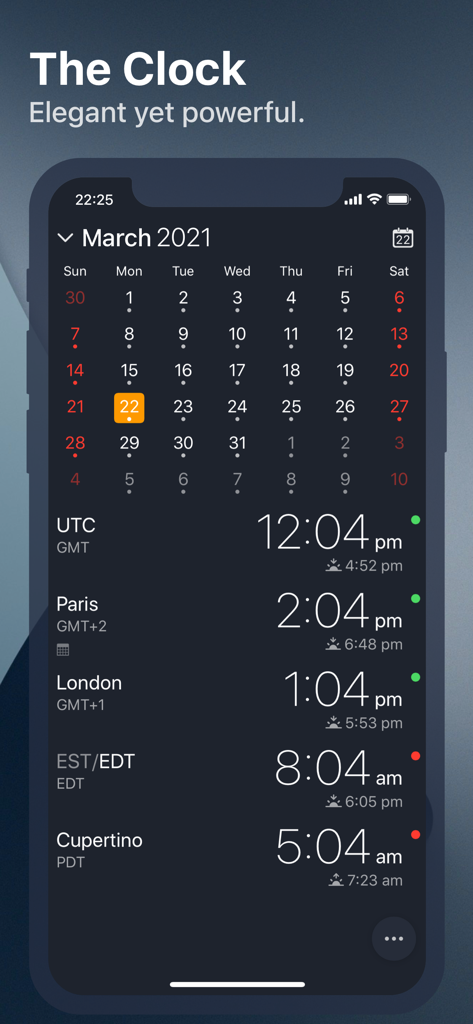
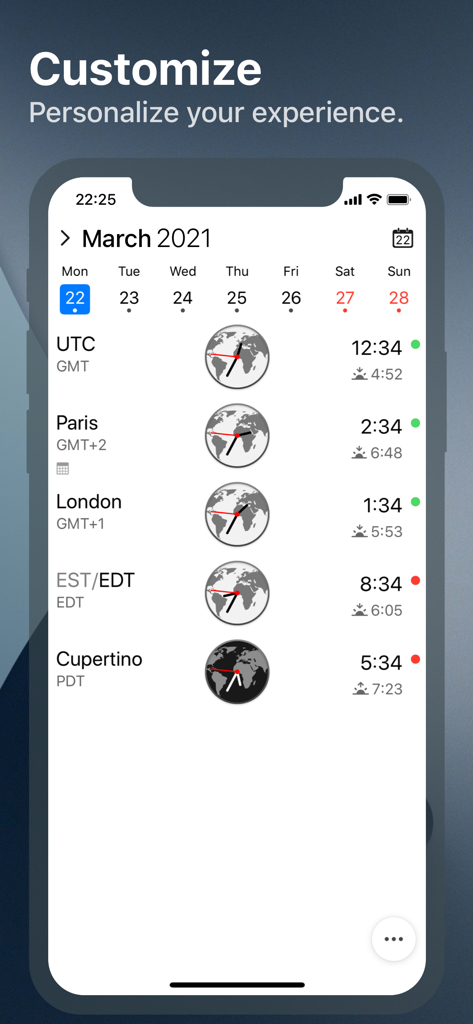
The Clockアプリのインターフェースで、月間カレンダーと、パリ、ロンドン、クパチーノの複数の世界時計が営業時間インジケーター付きで表示されている様子

The Clockアプリのインターフェースで、月間カレンダーと、パリ、ロンドン、クパチーノの複数の世界時計が営業時間インジケーター付きで表示されている様子

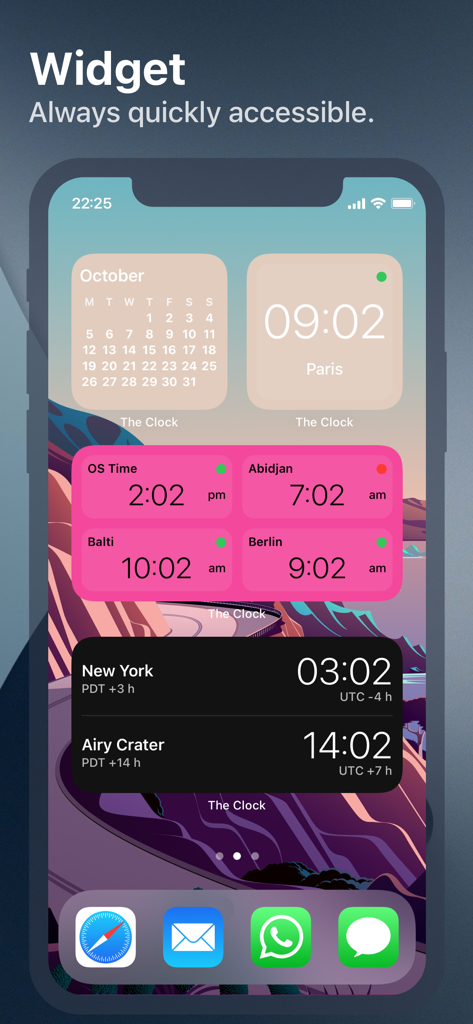
国際的なタイムゾーンを追跡するための複数の世界時計とカレンダーウィジェットを表示するiPhoneのホーム画面。

国際的なタイムゾーンを追跡するための複数の世界時計とカレンダーウィジェットを表示するiPhoneのホーム画面。

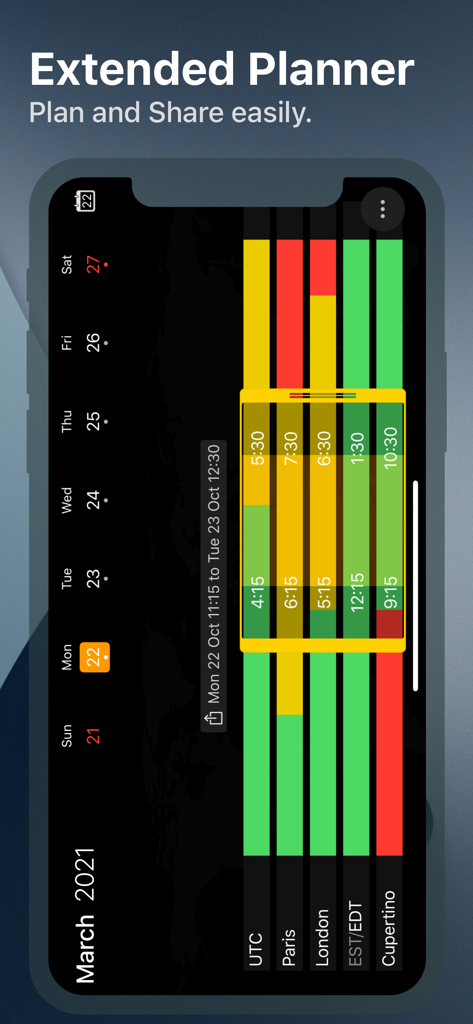
パリ、ロンドン、クパチーノなど複数のタイムゾーンの営業時間を視覚化する拡張会議プランナーインターフェース

パリ、ロンドン、クパチーノなど複数のタイムゾーンの営業時間を視覚化する拡張会議プランナーインターフェース

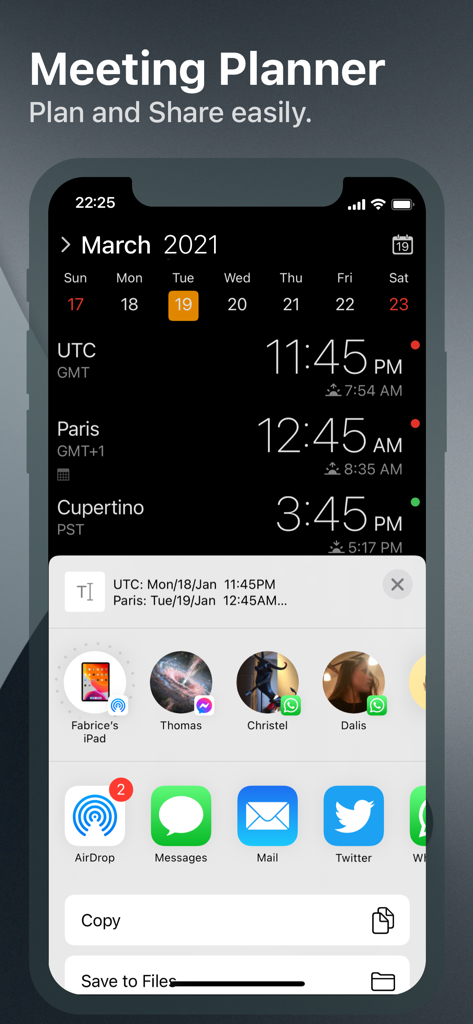
複数のタイムゾーンとiOS共有メニューが開いているThe Clockアプリの会議プランナーを示すiPhoneのスクリーンショット

複数のタイムゾーンとiOS共有メニューが開いているThe Clockアプリの会議プランナーを示すiPhoneのスクリーンショット

iPhone上のThe Clockアプリのインターフェースで、タイムゾーン、営業時間インジケーター、月間カレンダー付きの世界時計が表示されている様子

iPhone上のThe Clockアプリのインターフェースで、タイムゾーン、営業時間インジケーター、月間カレンダー付きの世界時計が表示されている様子

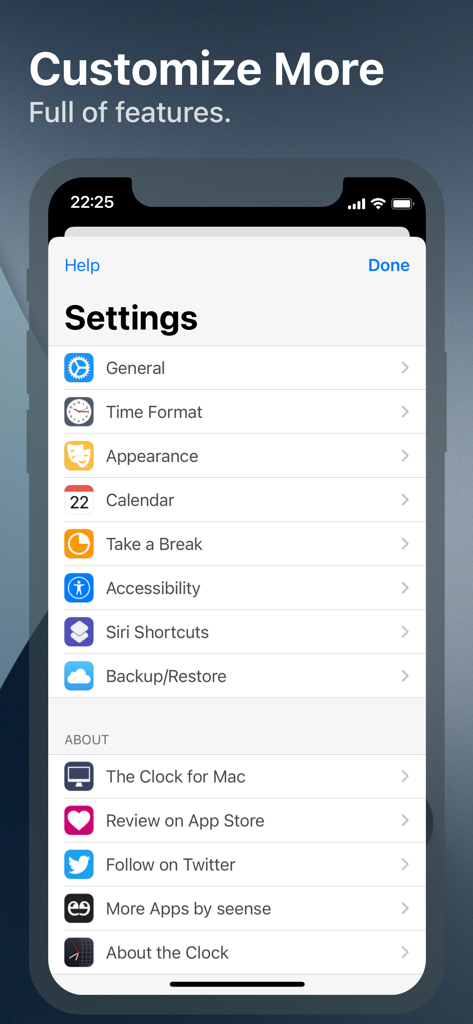
The Clockアプリの設定メニューで、カスタマイズと生産性オプションが表示されている様子

The Clockアプリの設定メニューで、カスタマイズと生産性オプションが表示されている様子

iPhone、Mac、iPadのシルエットが、すべてのAppleデバイスでの一貫したアプリ体験を表しているグラフィック

iPhone、Mac、iPadのシルエットが、すべてのAppleデバイスでの一貫したアプリ体験を表しているグラフィック

あらゆる国境を越えて時間をマスター

このアプリを際立たせるツール、 24K+ 人のユーザーが選択.

🗓️

視覚的な会議プランナー

時間をスワイプして、グローバルチームが実際に起きていて仕事の準備ができている最適な時間帯を瞬時に見つけましょう。

🏢

プロフェッショナルなエチケットを最優先

国際的な営業時間や現地の祝日に関する情報を把握し、顧客や下請け業者の休日を邪魔することがないようにしましょう。

💻

プログレードのカスタマイズ

MacとiOS間のHandoffサポートから、詳細な時間表示コンプリケーションまで、あらゆる詳細を特定のプロフェッショナルなワークフローに合わせて調整できます。

世界中のユーザーに愛されています

Trusted by 24K+ 人がこのアプリを愛用しています.

"

"サンフランシスコ、ロンドン、バンガロールに分散したエンジニアリングチームの管理は、以前はスケジューリングの悪夢でした。会議プランナーと営業時間ハイライトのおかげで、ワークフローは信じられないほどスムーズになりました。これはiOSで見つけた中で最もプロフェッショナルな時間管理ツールであり、MacとのHandoff機能もシームレスです。"

ジェームズ・ミラー、シニアプロジェクトマネージャー
"

"複数のタイムゾーンでクライアントとのバランスをとるデジタルノマドとして、私は単なる基本的な時計以上のものを必要としています。深いカスタマイズ、Siriショートカット、ウィジェットオプションは、暗算の認知的負荷なしに私を整理された状態に保ちます。「休憩を取る」機能も、長時間の勤務中の燃え尽きを防ぐのに役立つ素晴らしい追加機能です。"

エレナ・ロドリゲス、グローバルデザインコンサルタント

アプリについて

について知っておくべきこと The Clock by seense.

説明

After 10 years on the Mac and tens of thousands of happy users, The Clock now on your iPhone/iPad. The Clock • Keep track, easily and efficiently of your contacts in different time zones. • Have a quick view on a Calendar, which can be integrated with the iOS Calendar • Easily setup meetings with the Meeting Planner. • Have a highlight on the Business Hours and Holidays of your subcontractors, customers, ... • Highly customizable. • Be reminded when to Take a Break and relax. • Widget ready for your convenience. • Siri Shortcuts available. • Responsive design to adapt to portrait/landscape view. • HandOff with The Clock on your Mac. The World Clocks • AM/PM or 24Hours. • Analog or Digital Clock view. • Choose among a wide range of complications • Business Hours. • Time offset. • Sunrise/Sunset. • Country. • Time Zone offset (PDT, CDT, UTC…). • Yesterday, Today, Tomorrow. • AM/PM, 24H. • Drag&Drop the world clocks to order them. • Beautiful clock face displaying day and night. • Personalize the world clock time format per cities. • Change the city name. • PDT, CDT, MDT, GMT… and more automatically adapting during daylight saving period. Meeting Planner • Meeting Planner swipe the screen to travel through time. • Business Hours led to check if your contact is in the working hours time frame. • Select a date in the calendar for an accurate Daylight Saving adjustment. • With the iOS Calendar integration into The Clock have a quick look on your schedule • With the Calendar Complication, automatically know if you are busy while planning a meeting. • Export easily your schedule information with the share menu or Drag & Drop (iPad). • Slider automatically round the time to 15/30 min. Calendar • Navigate the months with a tap, or keyboard shortcuts (iPad Pro). • Show/Hide the Calendar. • Toggle week/month view. • Show/Hide the weeks number. • Select your referenced calendar for the week number. (Regional settings, or ISO 8601). • Select a day in Meeting Planner for an accurate Daylight Saving adjustment. • Highlight days off per city. • Follow the iOS setting for Calendar first day of the week or set your own... • Choose to integrate or not with the iOS Calendar. • Have a quick view on your calendar events. • Calendar complication to immediately see what is coming next on your schedule. Accessibility • Voice Over. • Dynamic Type for font size to adapt to your need. • Color blind friendly. • Haptic feedback (for device supporting it). Other • Choose between 4 beautiful themes (White/Dark/Daisy Blue/Deep Dark). • Select clock faces. • Keyboard Shortcuts for most common actions (on iPad Pro with keyboard). • Backup/Restore your settings easily (Local, Dropbox, iCloud). • Enjoy the Take a Break feature, and relax. • And more … • And with a real user manual to go deeper in the discovery of all the features.

最新バージョン

4.9.9

サイズ

14.6 MB

リリース日

2018年11月1日

グローバルなスケジュールをマスターする準備はできましたか?

タイムゾーン計算をやめた何万人ものプロフェッショナルに加わりましょう。10年間のMacの遺産を、iPhoneとiPad向けに完璧に最適化された形で体験してください。

ダウンロード: App Store