TV Remote & Smart TV Control

TV Remote & Smart TV Control

ダウンロード: App Store
Spark by MWM logo
ロゴ: TV Remote & Smart TV Control
TVリモート&スマートTVコントロール:リビングルームのための究極のユニバーサルパワー

リモコンの散らかりや面倒なタイピングをなくしましょう。常に手元にある1台のデバイスで、簡単に検索、コンテンツのミラーリング、家庭内のすべてのスマートTVを管理できます。

開発元

To Ngoc Mai

カテゴリ

Utilities

ダウンロード

6M+

ユーザー評価

4.8/5

評価数

135K+

対応言語

39

一目でわかるコントロール

このインターフェースを利用する 6M+ 人のユーザー.

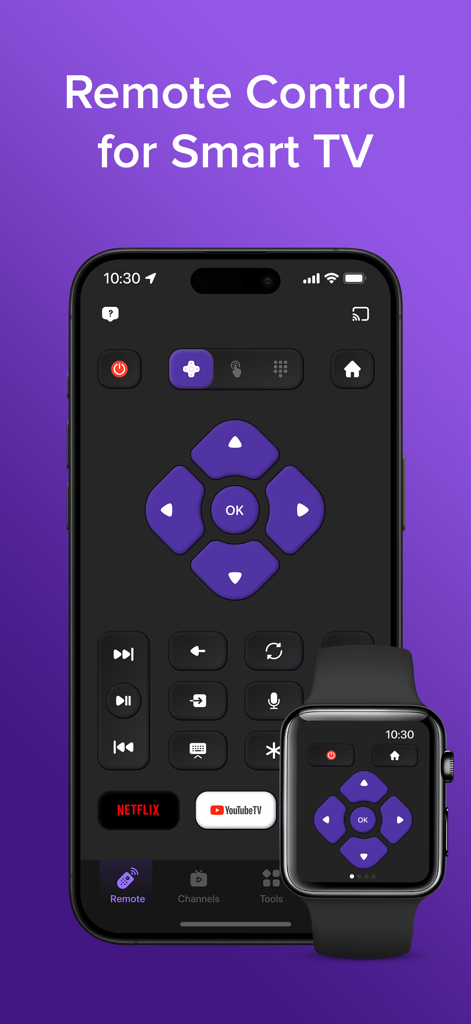
iPhoneとApple Watchに表示されたスマートTVリモコンアプリのインターフェース。ナビゲーションボタンとストリーミングショートカットが表示されています。

iPhoneとApple Watchに表示されたスマートTVリモコンアプリのインターフェース。ナビゲーションボタンとストリーミングショートカットが表示されています。

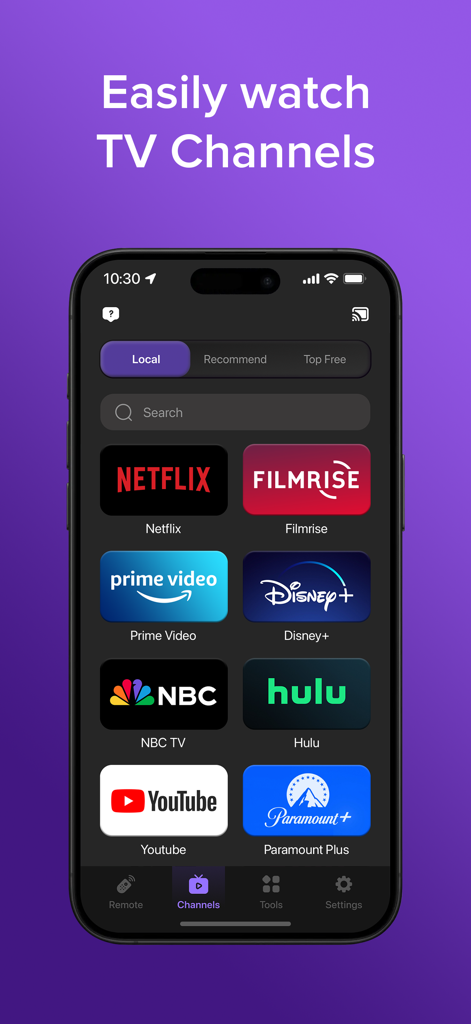
Netflix、Disney Plus、YouTubeなどのストリーミングチャンネルアイコンのグリッドが表示されたTVリモートアプリのスマートフォン画面。

Netflix、Disney Plus、YouTubeなどのストリーミングチャンネルアイコンのグリッドが表示されたTVリモートアプリのスマートフォン画面。

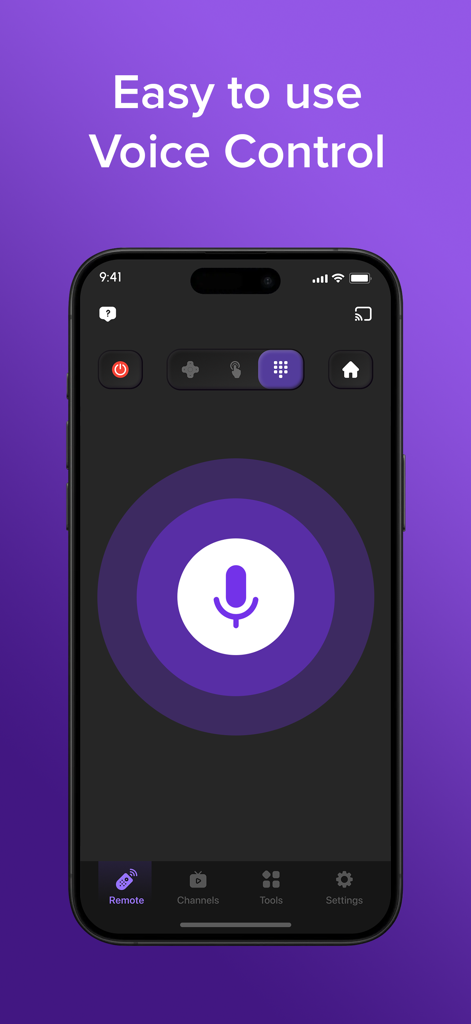
大きなマイクボタンを備えた、使いやすい音声コントロール機能を示すTVリモートアプリのインターフェース。

大きなマイクボタンを備えた、使いやすい音声コントロール機能を示すTVリモートアプリのインターフェース。

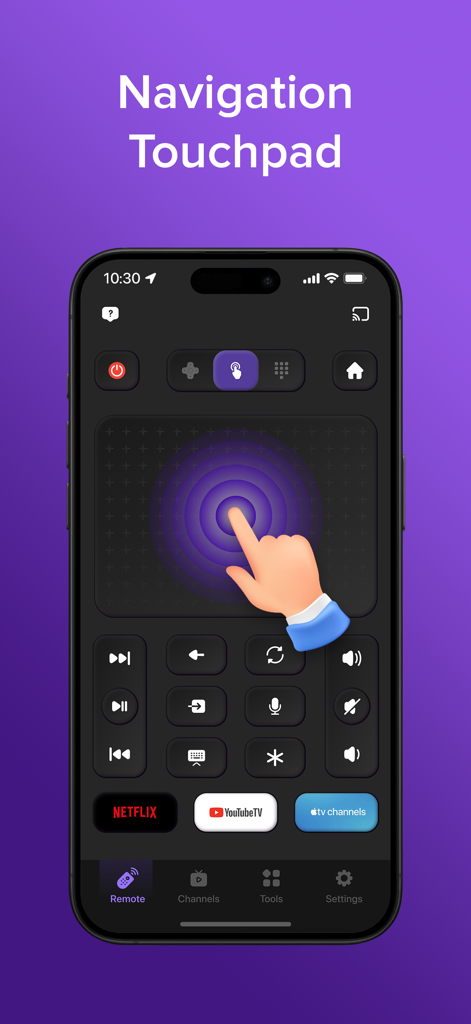
ユニバーサルスマートTVリモートアプリのナビゲーションタッチパッドインターフェース。

ユニバーサルスマートTVリモートアプリのナビゲーションタッチパッドインターフェース。

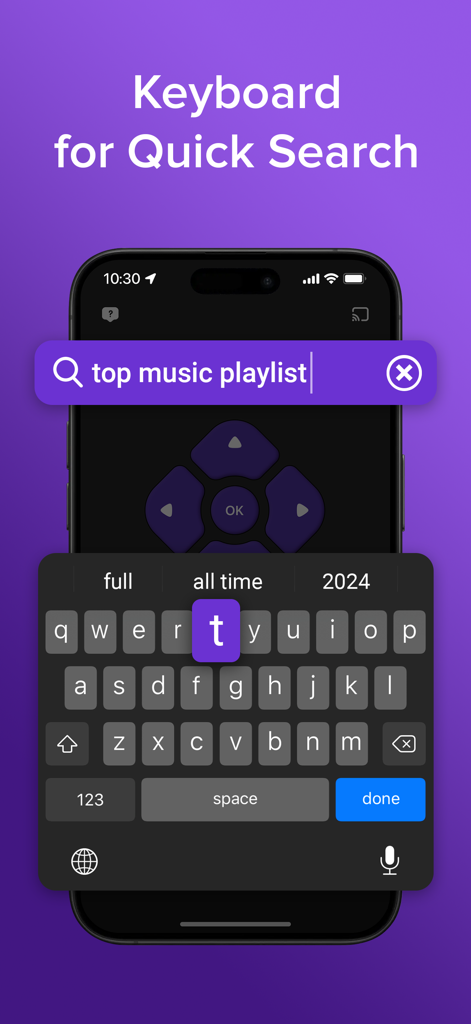
TVリモートアプリで、素早く検索するための仮想キーボードを表示するスマートフォン。

TVリモートアプリで、素早く検索するための仮想キーボードを表示するスマートフォン。

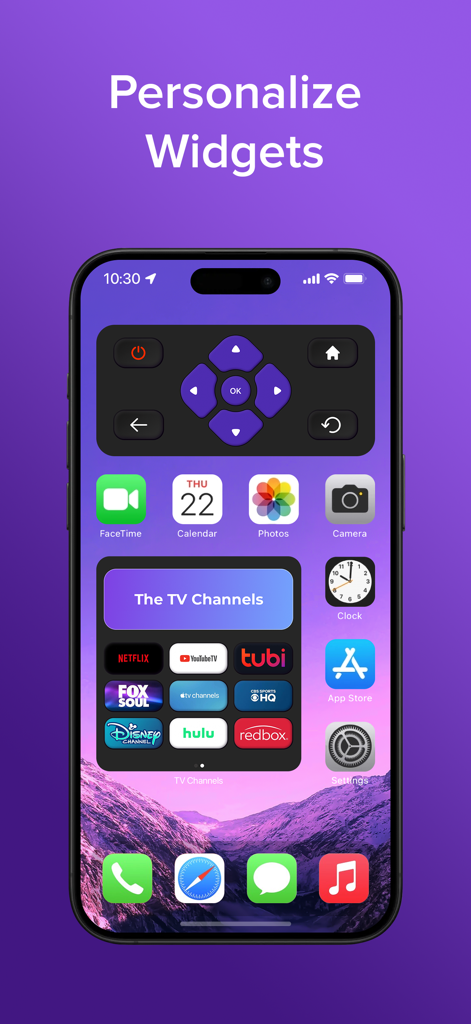
パーソナライズされたTVリモートとストリーミングチャンネルウィジェットが表示されたiPhoneホーム画面。

パーソナライズされたTVリモートとストリーミングチャンネルウィジェットが表示されたiPhoneホーム画面。

エンターテイメントを自在に操る

このアプリを際立たせるツール、 6M+ 人のユーザーが選択.

📱

どの部屋にも対応する1つのリモコン

家庭内のあらゆるスマートTVブランドに即座に接続し、複数の物理リモコンを使い分ける必要をなくします。

⌨️

驚異的な速さの検索

Dパッドでのタイピングのイライラを解消します。iPhoneのネイティブキーボードを使って、数秒で映画を見つけたり、パスワードを入力したりできます。

📺

シームレスな画面ミラーリング

お気に入りの写真、4Kビデオ、モバイルアプリを即座に大画面にキャストし、共有ビューイング体験をお楽しみください。

世界中のユーザーに愛されています

Trusted by 6M+ 人がこのアプリを愛用しています.

"

"オリジナルリモコンを数週間前に紛失し、このアプリはまさにゲームチェンジャーでした。仮想キーボードのおかげで、Netflixで番組を探すのが、不格好なDパッドを使うよりもずっと速くなりました。セットアップは即座で、iPhoneでも完璧に動作します。"

Michael R.
"

"複数のテレビがある家庭に最適です。リビングルームのテレビから寝室のテレビへの操作を、ワンタップで切り替えられます。画面ミラーリング機能も、ディナー中に携帯電話から家族の写真を、遅延なく共有するのに便利です。"

Sarah Jenkins

アプリについて

について知っておくべきこと TV Remote & Smart TV Control.

説明

The Ultimate TV Remote & Smart TV Control Tired of juggling multiple remotes? Lost your Smart TV remote again? Upgrade your streaming experience with Smart TV, the most intuitive and feature-rich Smart TV remote app for your iPhone or iPad. Smart TV is the all-in-one solution for controlling your entire smart TV ecosystem — whether it's a standard Smart TV, Your TV, or any other connected device. Its sleek, user-friendly interface puts all your favorite features at your fingertips, making navigation a breeze whether you're streaming on Your TV, adjusting settings, or browsing apps. Whether you're using it as a Smart TV remote control, a TV channel manager, or a smart remote for screen mirroring — this app has you covered. Key Features - Universal Smart TV Remote: Control virtually any Smart TV from your iPhone or iPad. This remote app works with a wide range of Smart TV models. - Quick Search: Find your favorite shows and movies faster with integrated voice search and virtual keyboard. Simply speak or type your query to search across your TV channels. - Smart TV Screen Mirroring: Stream photos, videos, and music from your phone or tablet directly to Your TV. Enjoy your content on the big screen with seamless screen mirroring. - Smart TV Channel Manager: Easily manage channels. Add new ones, switch between them, and launch favorites like Netflix, Hulu, or HBO Max with a single tap. - Automatic Device Detection: Smart TV remote app auto-detects compatible devices on your WiFi network, making setup simple and fast. Advanced Remote Control Features - Intuitive Touchpad and Keyboard: Navigate your Smart TV effortlessly with a responsive touchpad and easy-to-use keyboard. - Favorite Channels: Save your most-watched TV channels for quick access. - Voice Search: Use voice commands to search across all available content and channels. - Convenient Widget: Access essential controls directly from your home screen with the included widget. Works with All TVs: This remote app is compatible with most Smart TV brands, making it a truly universal solution. This Smart TV remote app is designed to work seamlessly with a wide range of television models and streaming devices, offering a universal solution for all your remote control needs — all without the clutter of multiple remotes. Subscription Information Our app offers a premium subscription plan for advanced features. The subscription is priced at $6.99 per week. Payment will be charged to your iTunes account upon confirmation of purchase. Auto-renewal: Your subscription will automatically renew unless auto-renew is turned off at least 24 hours before the end of the current period. Manage subscriptions: Subscriptions can be managed, and auto-renewal can be disabled in your account settings. Free trial: If a free trial is offered, any unused portion will be forfeited when you purchase a subscription. Enjoy uninterrupted access to all premium features by subscribing today! Disclaimer: This app is not affiliated with or endorsed by any specific TV brands. Privacy Policy: https://sites.google.com/view/ngocmai-policy Terms of Use: https://sites.google.com/view/ngocmai-termofuse

最新バージョン

2.4.3

サイズ

173.1 MB

リリース日

2023年8月19日

数秒でエンターテイメントを完全にコントロール

紛失したリモコンを探すのをやめ、散らかりを捨てましょう。600万人以上のユーザーが、究極のユニバーサルリモコンでリビングルームをアップグレードしました。今すぐダウンロードして、iPhoneをあらゆるスマートTVと同期し、よりスマートなストリーミングを始めましょう。

ダウンロード: App Store
FAQ

よくある質問

について知っておくべきこと TV Remote & Smart TV Control

Is the TV Remote & Smart TV Control app compatible with all TV brands?

はい、TVリモート&スマートTVコントロールアプリは、ほとんどのスマートTVブランドおよび幅広いテレビモデルと互換性があります。リモートコントロールのニーズに対応するユニバーサルソリューションを提供します。

Does the TV Remote & Smart TV Control app support screen mirroring?

はい、TVリモート&スマートTVコントロールアプリはスマートTVスクリーンミラーリングをサポートしています。ユーザーは、スマートフォンまたはタブレットからテレビに写真、ビデオ、音楽を直接ストリーミングできます。

What is the subscription cost for the TV Remote & Smart TV Control app?

TVリモート&スマートTVコントロールアプリのプレミアムサブスクリプションの料金は、週6.99ドルです。購入確認後、お支払いはiTunesアカウントに請求されます。

Can users use voice commands with the TV Remote & Smart TV Control app?

はい、TVリモート&スマートTVコントロールアプリには音声検索機能が含まれています。ユーザーは音声コマンドを使用して、スマートTVのすべての利用可能なコンテンツやチャンネルを検索できます。

How does the TV Remote & Smart TV Control app connect to Smart TVs?

TVリモート&スマートTVコントロールアプリは、WiFiネットワーク上の互換性のあるデバイスを自動的に検出します。これにより、スマートTVへの接続が簡単かつ迅速に行えます。

Can the TV Remote & Smart TV Control app manage streaming channels like Netflix and Hulu?

はい、TVリモート&スマートTVコントロールアプリにはスマートTVチャンネルマネージャーが搭載されています。ユーザーは、Netflix、Hulu、HBO Maxなどの好きなアプリを簡単に追加、切り替え、起動できます。

Does the TV Remote & Smart TV Control app offer advanced navigation features?

はい、TVリモート&スマートTVコントロールアプリは、直感的なタッチパッドによる簡単なナビゲーションと、検索やテキスト入力を素早く行える使いやすい仮想キーボードを提供します。

Is the premium subscription for the TV Remote & Smart TV Control app auto-renewing?

はい、TVリモート&スマートTVコントロールアプリのプレミアムサブスクリプションは自動更新されます。更新を防ぐには、現在の期間が終了する少なくとも24時間前に自動更新をオフにする必要があります。

Does the TV Remote & Smart TV Control app offer a home screen widget?

はい、TVリモート&スマートTVコントロールアプリには便利なウィジェットが含まれています。このウィジェットを使用すると、ユーザーはホーム画面から直接重要なコントロールにアクセスできます。

Is the TV Remote & Smart TV Control app officially affiliated with any TV brands?

いいえ、TVリモート&スマートTVコントロールアプリは、特定のTVブランドとは提携または承認されていません。ユニバーサルリモートソリューションとして機能します。