Yoink - Improved Drag and Drop

Yoink - Improved Drag and Drop

ダウンロード: App Store
Spark by MWM logo
ロゴ: Yoink - Improved Drag and Drop

Yoink - iOSプロフェッショナル向けドラッグ&ドロップシェルフ

マルチタスクの摩擦を解消。iPadとiPhoneでデスクトップクラスのワークフローを要求するパワーユーザーのために設計された、中央の保管エリアでファイル、画像、スニペットを収集します。

開発元

Matthias Gansrigler

カテゴリ

Productivity

ダウンロード

363K+

ユーザー評価

4.7/5

評価数

4K+

対応言語

5

効率を一目で

このインターフェースを利用する 363K+ 人のユーザー.

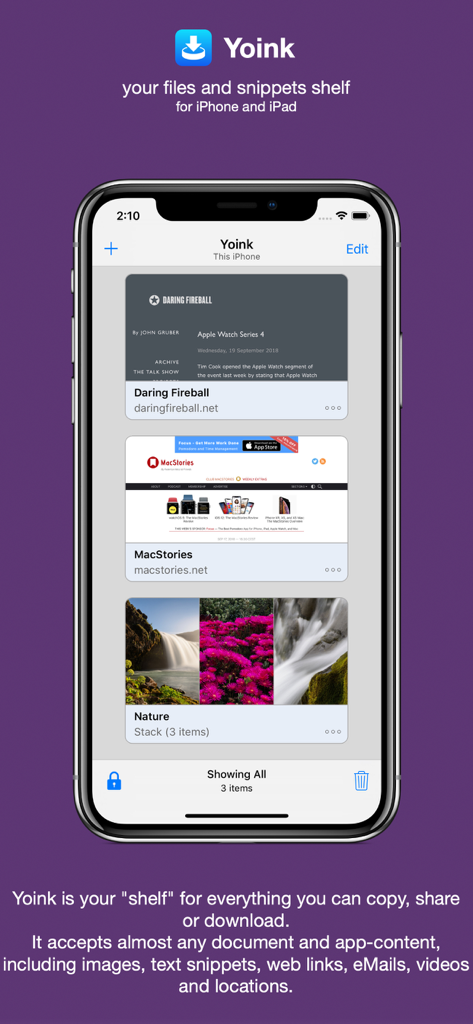
iPhone上のYoinkアプリインターフェース。生産性シェルフに保存されたウェブリンクと自然の画像スタックが表示されています。

iPhone上のYoinkアプリインターフェース。生産性シェルフに保存されたウェブリンクと自然の画像スタックが表示されています。

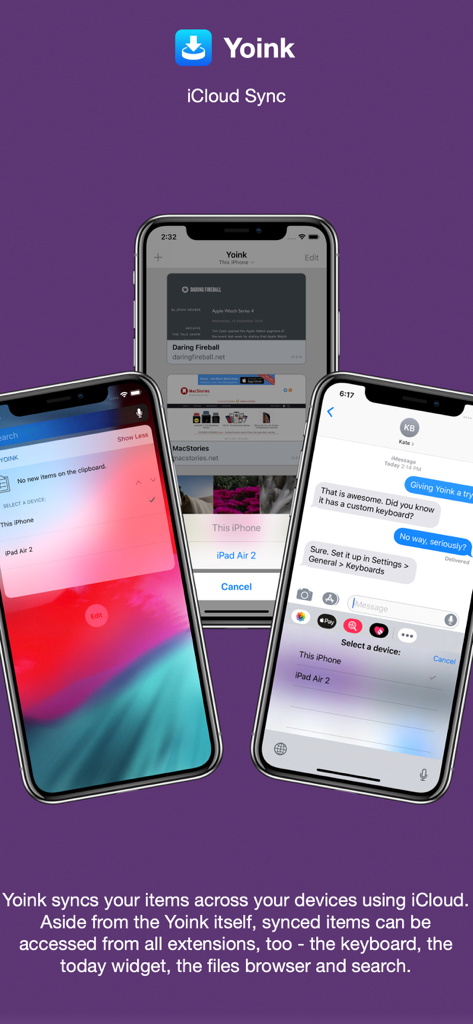
Yoinkアプリは、ウィジェットとカスタムキーボード統合を含むiPhone画面全体でのiCloud同期を示しています。

Yoinkアプリは、ウィジェットとカスタムキーボード統合を含むiPhone画面全体でのiCloud同期を示しています。

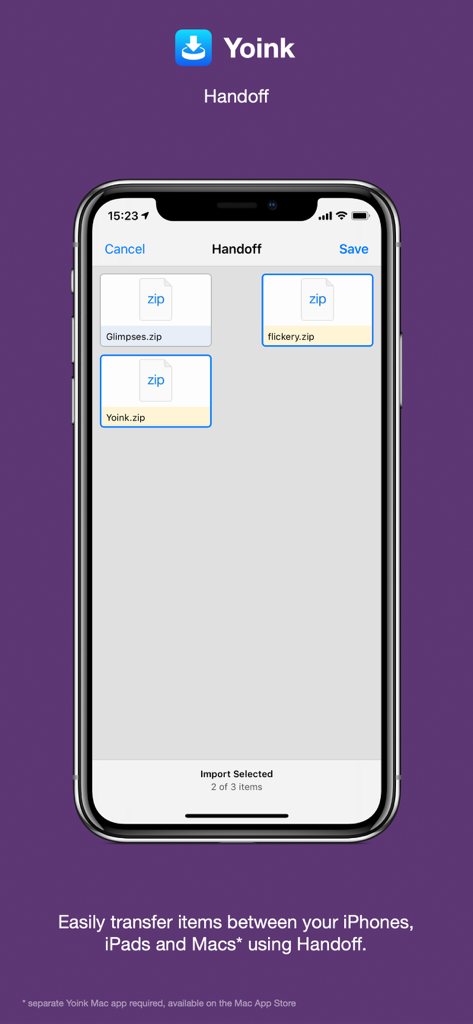
Yoinkアプリインターフェースは、Appleデバイス間でzipファイルを転送するためのHandoffを示しています。

Yoinkアプリインターフェースは、Appleデバイス間でzipファイルを転送するためのHandoffを示しています。

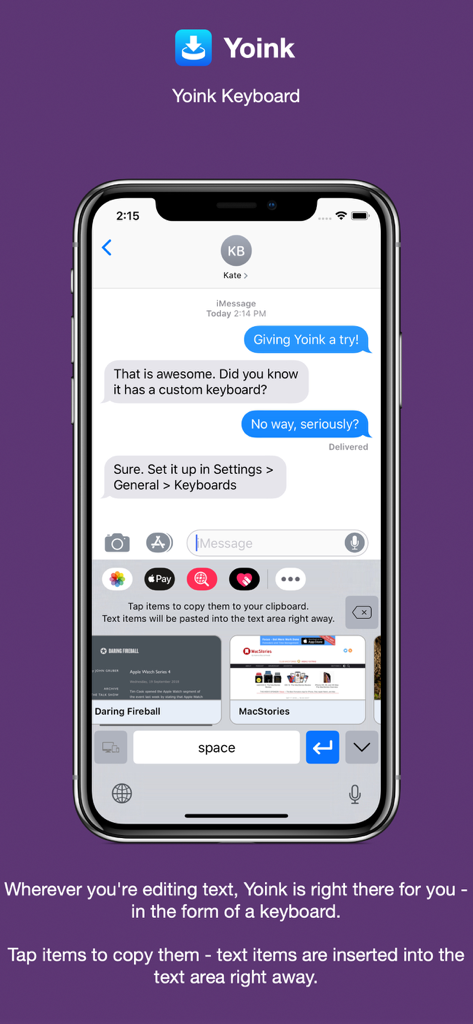
Yoinkカスタムキーボードは、メッセージにすばやく挿入するための保存されたテキストとウェブスニペットをiPhoneに表示しています。

Yoinkカスタムキーボードは、メッセージにすばやく挿入するための保存されたテキストとウェブスニペットをiPhoneに表示しています。

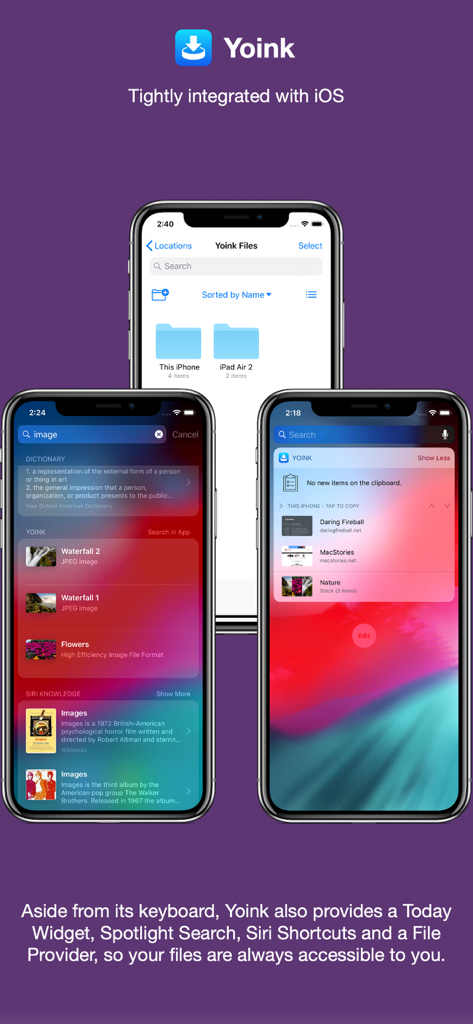
3台のiPhoneが、YoinkがiOS Spotlight検索、Today Widget、Filesアプリと統合されている様子を示しています。

3台のiPhoneが、YoinkがiOS Spotlight検索、Today Widget、Filesアプリと統合されている様子を示しています。

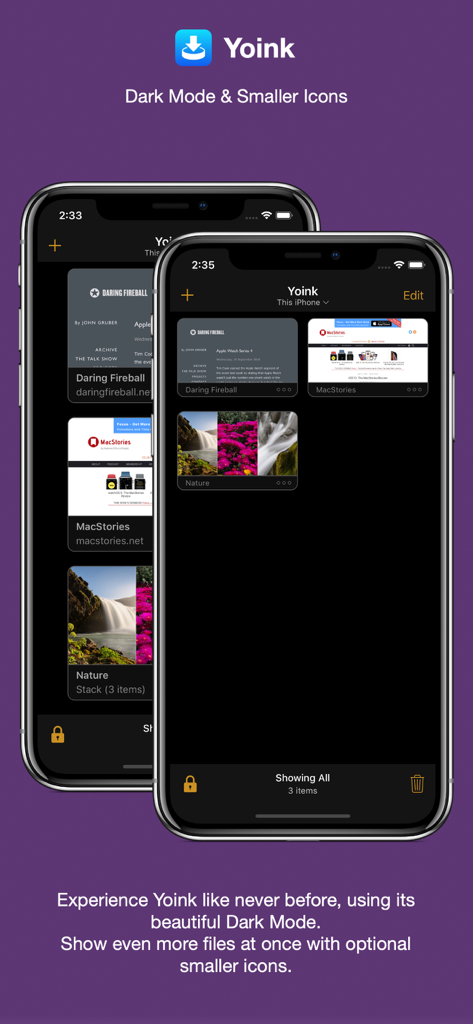
Yoinkアプリインターフェースは、ダークモードでiPhone上に保存されたリンクと画像のコンパクトなグリッドを示しています。

Yoinkアプリインターフェースは、ダークモードでiPhone上に保存されたリンクと画像のコンパクトなグリッドを示しています。

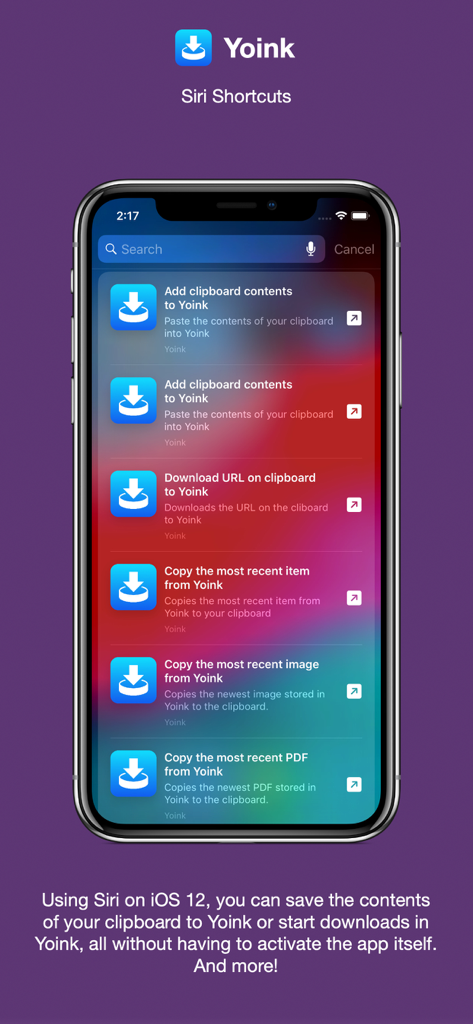
YoinkアプリがSiriショートカットと統合され、自動化された生産性ワークフローを実現している様子をiPhone画面で示しています。

YoinkアプリがSiriショートカットと統合され、自動化された生産性ワークフローを実現している様子をiPhone画面で示しています。

YoinkのmacOS用生産性アプリインターフェース。デスクトップシェルフ上のファイルが表示されています。

YoinkのmacOS用生産性アプリインターフェース。デスクトップシェルフ上のファイルが表示されています。

モバイルワークフローを向上させる

このアプリを際立たせるツール、 363K+ 人のユーザーが選択.

📥

iPadのための究極の「シェルフ」

作業中にファイル、リンク、またはテキストを一時的な保管エリアにドラッグし、準備ができたら正確な場所にドロップします。

📋

スマートクリップボード監視

Yoinkは、コピーまたはカットしたすべてのものをバックグラウンドで自動的に保存し、パワーユーザーにとって面倒な「コピー-切り替え-貼り付け」ループを排除します。

🔄

シームレスなエコシステム同期

iCloudとHandoffを使用して、iPhone、iPad、Mac間でコンテンツを瞬時に移動し、真に統合された流動的なワークスペースを実現します。

世界中のユーザーに愛されています

Trusted by 363K+ 人がこのアプリを愛用しています.

"

"iPad Proをメインワークステーションとして使用するグラフィックデザイナーとして、Yoinkは私のワークフローにおける失われたリンクです。Safari、Pinterest、メールからアセットを1つのセントラル「シェルフ」に収集し、それからデザインアプリに一度にドラッグできます。アプリ間の切り替えの摩擦を完全に排除します。"

Sarah Miller, Digital Designer
"

"クリップボードモニターだけでもYoinkの価値はあります。外出先でiPhoneを使って頻繁にリサーチを行いますが、コピーしたスニペットとリンクがすべて自動的に同期され、書き始めるときにiPadで利用できるのは、大幅な時間節約になります。iOSで実際のデスクトップを持つことに最も近いものです。"

Marcus Thompson, Content Strategist

アプリについて

について知っておくべきこと Yoink - Improved Drag and Drop.

説明

Yoink for iPad and iPhone lets you easily and quickly store items you drag, copy, share or download for later use. This way, you can collect items in a central place without having to constantly move back and forth between your source- and destination applications. The app accepts virtually any file type, for example app-content like images from websites, text snippets, web urls, eMails and documents - no matter if you drag, copy, share or download them. Here's what users say about Yoink: "The best shelf app on iOS" - Igloouk, UK App Store "Most useful app in the iOS store. What a gem." - noway170, Austrian App Store "A godsend. Get this. Now." - mr chairboy, US App Store As a Slide-Over or Side-by-Side app on iPad, Yoink is always ready for you to drag something to it, no matter what app you're in. Just slide Yoink into view and conclude your drag operation. On iPhone, use Yoink's Share extension, or copy-paste items into Yoink. Items are stored in Yoink for later use, featuring rich previews for easy identification and full previews for most file types. Drags containing multiple items are combined into a Stack. Yoink comes with deep system integration: - Clipboard Monitor: Yoink's clipboard monitor saves everything you copy or cut, even when Yoink itself is in the background. Use the Picture-in-Picture overlay to select what type of data Yoink should save, as well as to pause or stop it at any time. - Picture-in-Picture for more than just videos: Among others, Yoink can show pictures, PDFs, eMails and even websites in the Picture-in-Picture overlay, and lets you scroll through pages of documents right there. - iCloud Sync Synchronize Yoink's items across your devices using iCloud - Handoff Transfer files between iPhones, iPads and Macs (separate Mac Yoink app required) using Handoff - Action/Share Extension Almost any item you can share via the system-wide Share sheet, you can send directly to Yoink from there - Keyboard Yoink has its own keyboard so that inserting items you've stored in Yoink is easy and quick, without having to launch Yoink. - Spotlight Integration Any item in Yoink can be found via Spotlight - and the search-results are draggable. - Today Widget Access Yoink's items and save the contents from your clipboard in Yoink from Notification Center - Shortcuts / Siri Suggestions Yoink offers you Siri Shortcuts and Suggestions so you can automate processes, like adding items from the clipboard to Yoink, or copying items from Yoink, as well as starting downloads in Yoink. - Files Integration Access Yoink's files from any app that supports iOS 11's document browser Here's what the press says about Yoink: "Yoink is the shelf app Apple should have made." - Federico Viticci, MacStories.net "Yoink is a must-have app" - Jeff Benjamin; 9to5mac.com "Indispensable for power users." - Craig Grannell; techradar.com

最新バージョン

2.5.2

サイズ

14.2 MB

リリース日

2017年10月12日

ワークフローをマスターする準備はできましたか?

アプリ間の切り替え疲れをやめましょう。36万人のパワーユーザーに加わり、iPadとiPhoneにふさわしいプロフェッショナルなドラッグ&ドロップシェルフを手に入れましょう。

ダウンロード: App Store