Zoho WorkDrive

Zoho WorkDrive

ダウンロード: App Storeダウンロード: Google Play
Spark by MWM logo
ロゴ: Zoho WorkDrive

Zoho WorkDrive:生産的なチームのためのセントラルワークスペース

安全なクラウドストレージ、スマートなチームフォルダ、シームレスなコラボレーションでビジネスを強化しましょう。ワークフローを効率化し、どこからでもあらゆるチームメンバーと同期を保ちましょう。

ダウンロード: App Store

開発元

Zoho Corporation

カテゴリ

Business

ダウンロード

106K+

ユーザー評価

4.2/5

評価数

200

対応言語

64

あなたのワークスペースの動き

このインターフェースを利用する 106K+ 人のユーザー.

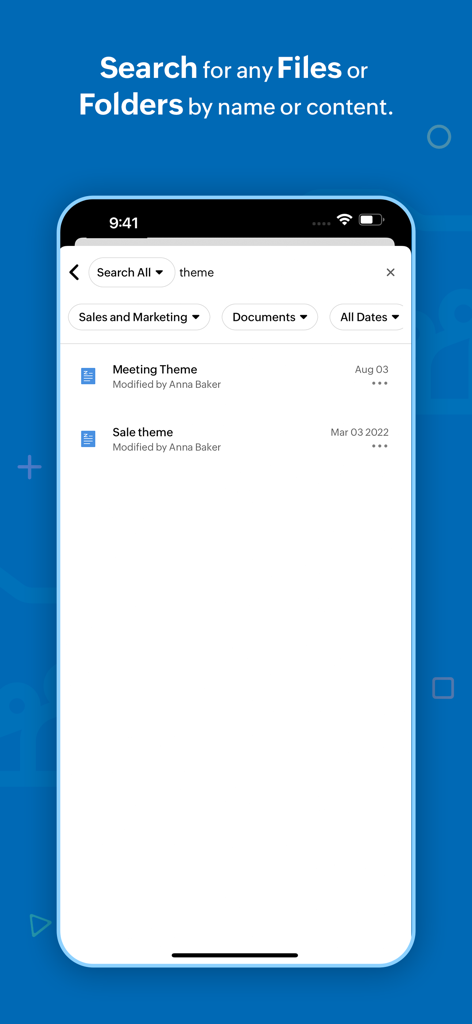
Zoho WorkDriveのモバイルアプリ画面。プロフェッショナルなフィルターが付いたファイル検索結果を表示しています。

Zoho WorkDriveのモバイルアプリ画面。プロフェッショナルなフィルターが付いたファイル検索結果を表示しています。

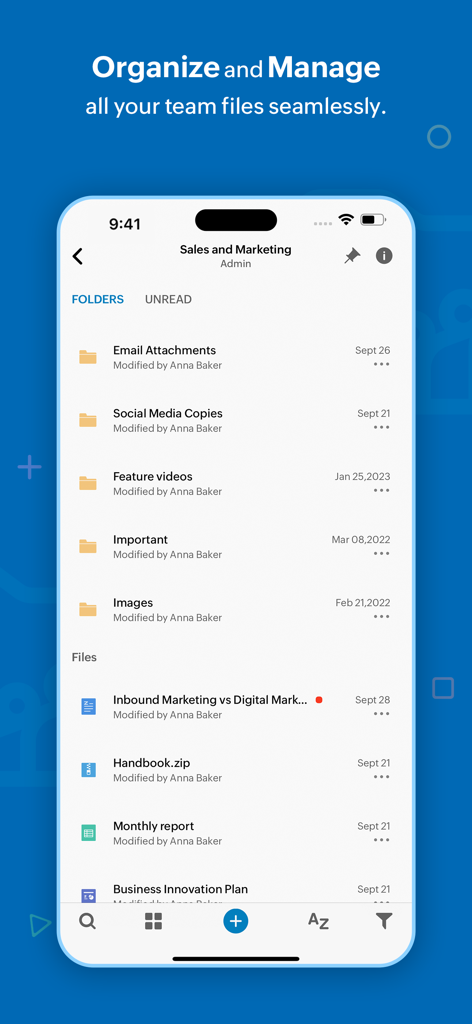
Zoho WorkDriveモバイルアプリ画面。営業およびマーケティング用のチームフォルダとファイル管理を表示しています。

Zoho WorkDriveモバイルアプリ画面。営業およびマーケティング用のチームフォルダとファイル管理を表示しています。

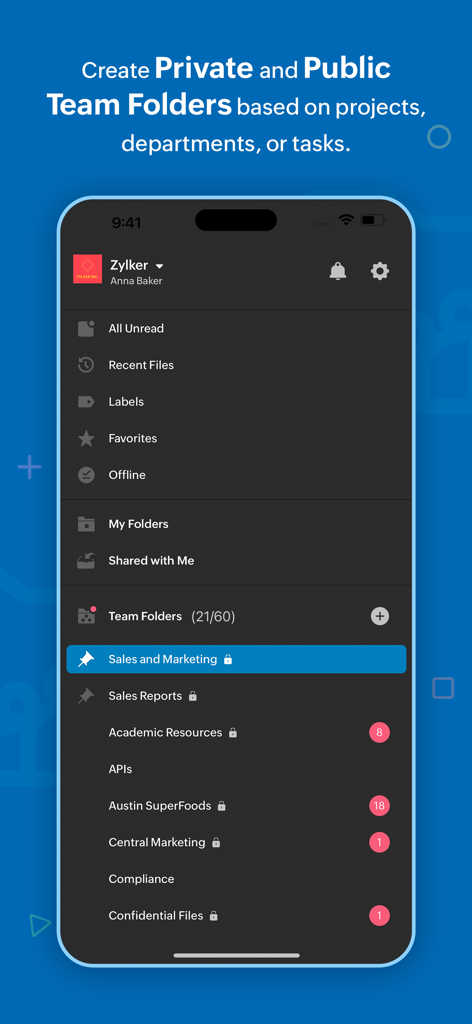
Zoho WorkDriveアプリインターフェイス。ビジネスコラボレーションのために整理されたチームフォルダを表示しています。

Zoho WorkDriveアプリインターフェイス。ビジネスコラボレーションのために整理されたチームフォルダを表示しています。

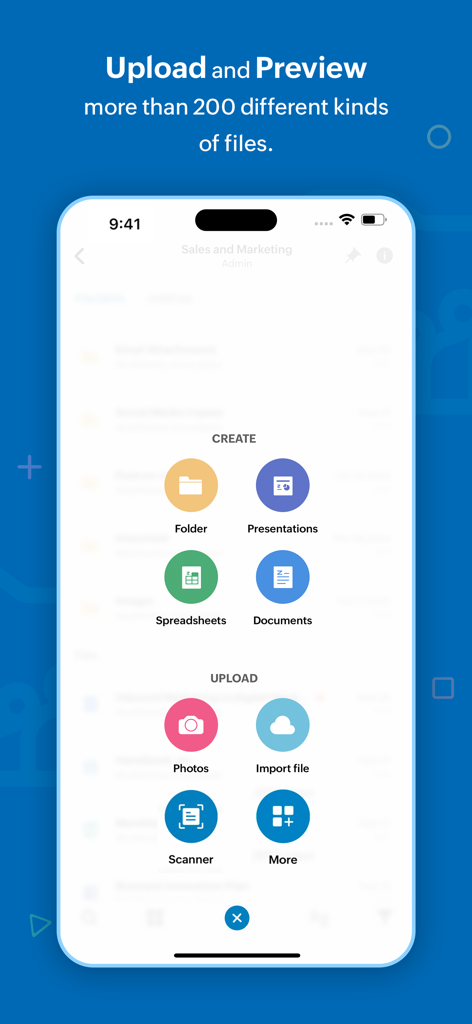
Zoho WorkDriveアプリインターフェイス。フォルダの作成やドキュメントやスプレッドシートのアップロードオプションを表示しています。

Zoho WorkDriveアプリインターフェイス。フォルダの作成やドキュメントやスプレッドシートのアップロードオプションを表示しています。

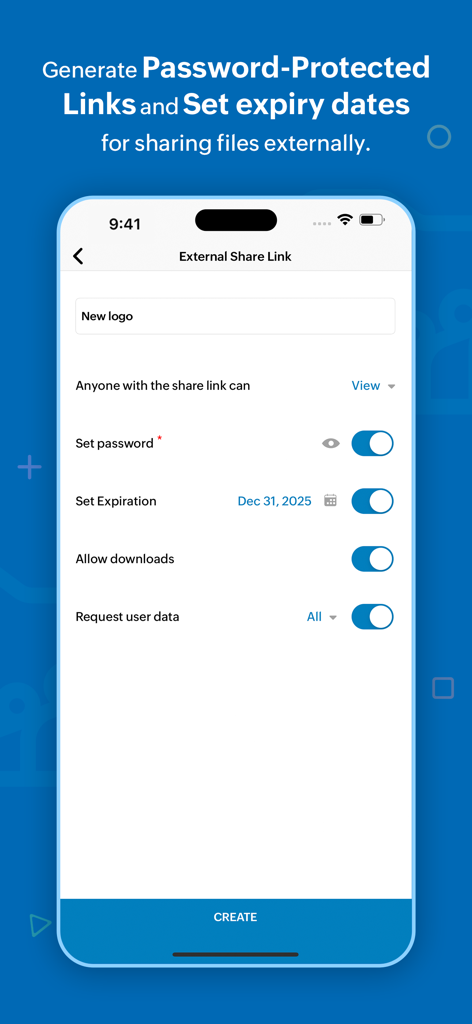
Zoho WorkDriveモバイルアプリインターフェイス。安全な外部ファイル共有のためのパスワードと有効期限の設定オプションを表示しています。

Zoho WorkDriveモバイルアプリインターフェイス。安全な外部ファイル共有のためのパスワードと有効期限の設定オプションを表示しています。

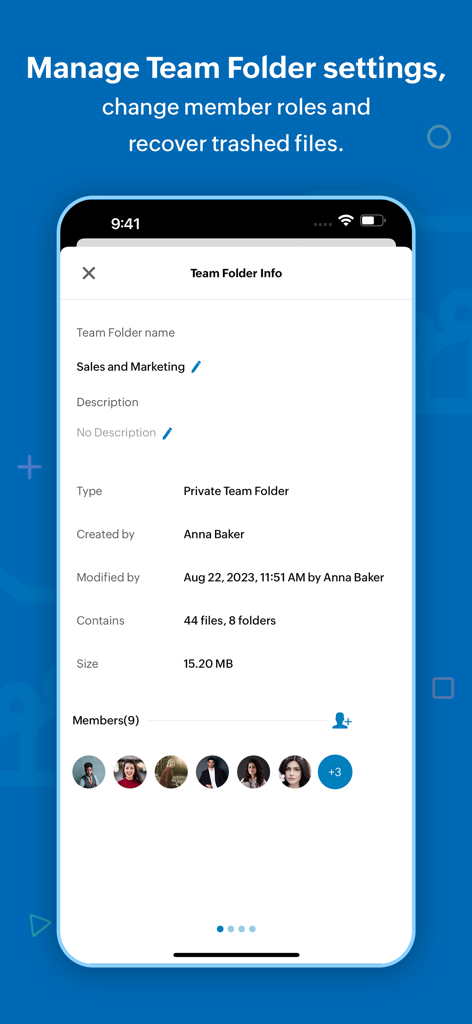
Zoho WorkDriveモバイルアプリインターフェイス。チームフォルダ情報とメンバーの役割を表示しています。

Zoho WorkDriveモバイルアプリインターフェイス。チームフォルダ情報とメンバーの役割を表示しています。

チームのコンテンツライフサイクルを強化

このアプリを際立たせるツール、 106K+ 人のユーザーが選択.

👥

統合されたチームフォルダ

共有ワークスペースでサイロを解消しましょう。追加されたファイルは、ロールベースのアクセス制御により、適切なチームメンバーに即座に利用可能になります。

📱

モバイルオフィススキャナー

スマートフォンを生産性のパワーハウスに変えましょう。領収書、契約書、ホワイトボードセッションを数秒で直接クラウドにスキャンできます。

🔒

安全なB2Bコラボレーション

パスワード保護とリンク有効期限切れの日付を使用して、外部のステークホルダーと自信を持ってファイルを共有し、機密データを安全に保ちましょう。

世界中のユーザーに愛されています

Trusted by 106K+ 人がこのアプリを愛用しています.

"

"マーケティングエージェンシーをZoho WorkDriveに移行したことは、私たちのワークフローにとってまさにゲームチェンジャーでした。チームフォルダは、部門ごとにすべてのプロジェクトを整理し、詳細な権限設定により、外部ベンダーと協力する際に必要な制御が得られます。単なるストレージ以上のものです。検索時間を大幅に削減した完全なプロフェッショナルワークスペースです。"

Sarah Miller, Creative Agency Director
"

"常に旅行しているコンサルタントとして、モバイルアプリは私の最もよく使うツールです。物理的なドキュメントを直接クラウドにスキャンし、フライト中にオフラインアクセス用に重要なファイルを設定できる能力は非常に貴重です。高速で安全であり、ビジネスに必要な深い整理機能犠牲にすることなく、私のモバイルファーストなライフスタイルに完璧にフィットします。"

Marcus Chen, Independent Strategic Consultant

アプリについて

について知っておくべきこと Zoho WorkDrive.

説明

Zoho WorkDrive is an online file storage and content collaboration platform built for both individuals and teams. You can store, organize, and manage all your files in a single place and access them from any device. Here's what you can do with the WorkDrive mobile app, Upload files faster: Upload photos from your mobile camera or audio recordings and save files from other apps to WorkDrive to manage everything in a single place. You can also scan documents to the cloud using your camera, and to digitalize your bills, whiteboard discussions, and notes. Seamless file sharing: Sharing large files is quick and simple with WorkDrive. Share files via email and assign required permission based on what you want them to do. Locate files quickly: Search and filter files based on location, file types, and time, to locate them faster. Rename, trash, and organize files right from your smartphones. You can also set files as favourite to access them quickly. Preview files and add comments to them to discuss around documents. Categorize your files: Create labels to organize your files right from your mobile. You can tag files and folders to labels and manage existing labels from a single place. Access files anytime: Set files offline to access them even without an internet connection. The following features are exclusively available for WorkDrive's Starter, Team, and Business plans. WorkDrive offers Team Folders—a shared and secure space for teams to work together. You can create Team Folders for a particular project or a department, and add all the relevant members to it. Any file added to the Team Folder will then be automatically available to each team member. Work as a team: Create Team Folders, add members, and assign role-based access to them. You can modify settings, monitor trash, and restore deleted files with a tap. Roles with responsibility: Share files and folders with anyone within your organization. Assign role-based access based on what you want members to do. You can also share WorkDrive files as email attachments. Collaborate with external stakeholders: Create external share links to work with people outside your organization. And you can set a password and an expiry date to the link to ensure secure file access. Always stay updated: Keep track of changes at the Team Folder level using the Unread section, and at the team level using global notifications. Monitor document changes closely: Enable notifications to see when changes are made to a specific file or a folder stored within WorkDrive. You can either choose to see the bell notification within the product, receive an update through email, or enable both. WorkDrive supports 40 plus languages including Hindi, Tamil, Arabic, Japanese, Italian, German, Vietnamese, French, and Portuguese. Join our WorkDrive community (https://help.zoho.com/portal/en/community/zoho-workdrive) and get complete access to product updates and the latest features. If you have any questions, please write to us at support@zohoworkdrive.com.

最新バージョン

2.42

サイズ

156.6 MB

リリース日

2018年8月6日

チームのワークフローを変革する準備はできましたか?

10万以上のプロフェッショナルが、どこからでもビジネスに不可欠なファイルを管理、保護、共同作業しています。Zoho WorkDriveをダウンロードして、オフィスをどこへでも持ち運びましょう。

ダウンロード: App Storeダウンロード: Google Play