Zscaler Client Connector

Zscaler Client Connector

ダウンロード: App Storeダウンロード: Google Play
Spark by MWM logo
ロゴ: Zscaler Client Connector

Zscaler Client Connector:ハイブリッドワークフローを簡単に保護

どこで働いていても、常に保護され、邪魔にならないゼロトラストセキュリティにより、企業アプリケーションやウェブへのシームレスなアクセスを体験してください。

開発元

Zscaler inc

カテゴリ

Productivity

ダウンロード

632K+

ユーザー評価

3.0/5

評価数

100

対応言語

1

一目でわかるセキュリティ

このインターフェースを利用する 632K+ 人のユーザー.

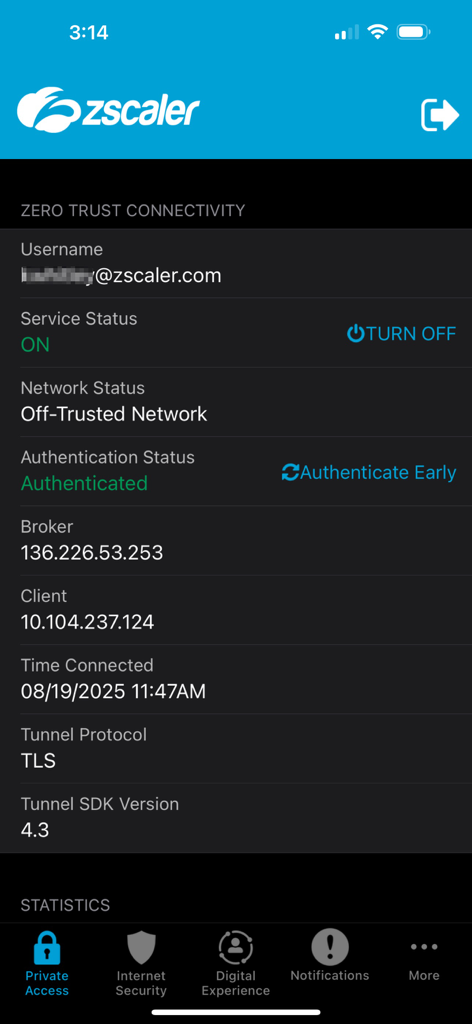
Zscaler Client Connectorアプリのスクリーンショット。アクティブなゼロトラスト接続ステータスとサービス詳細を表示。

Zscaler Client Connectorアプリのスクリーンショット。アクティブなゼロトラスト接続ステータスとサービス詳細を表示。

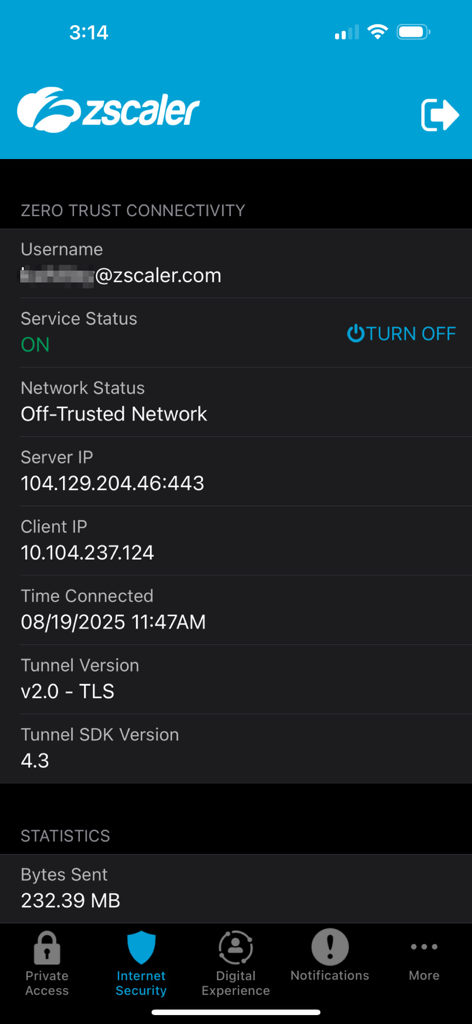
Zscaler Client Connectorアプリのインターフェース。アクティブなゼロトラスト接続ステータスとネットワーク詳細を表示。

Zscaler Client Connectorアプリのインターフェース。アクティブなゼロトラスト接続ステータスとネットワーク詳細を表示。

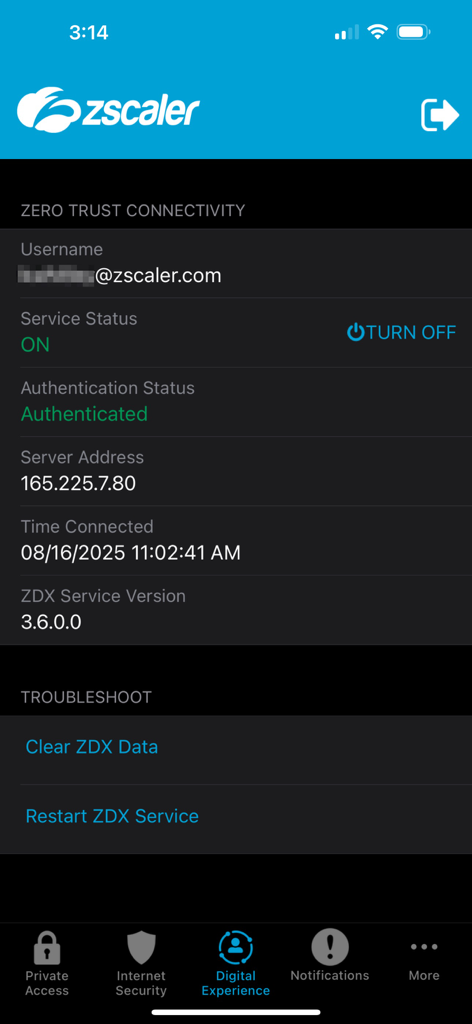
Zscaler Client Connectorアプリのインターフェース。サービスステータスとゼロトラスト接続の詳細を表示。

Zscaler Client Connectorアプリのインターフェース。サービスステータスとゼロトラスト接続の詳細を表示。

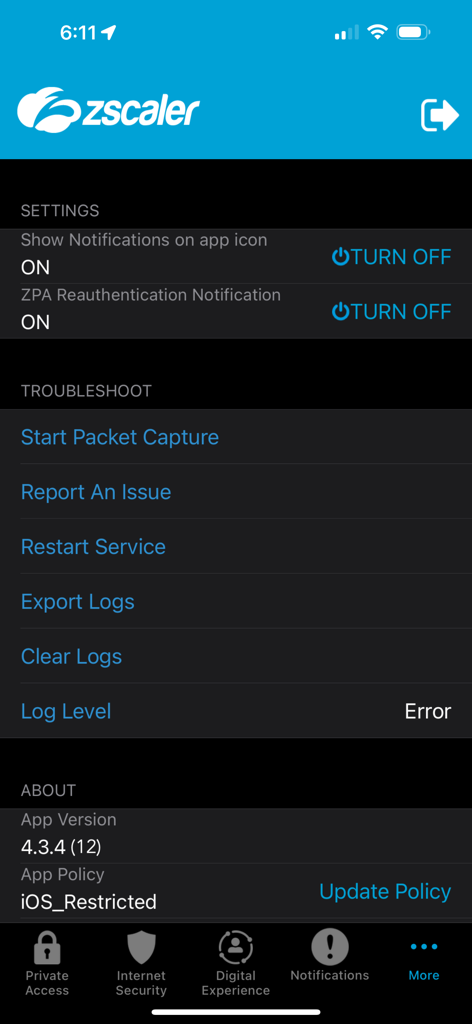
Zscaler Client Connectorの設定とトラブルシューティングメニュー

Zscaler Client Connectorの設定とトラブルシューティングメニュー

どこでも、安全に働く

このアプリを際立たせるツール、 632K+ 人のユーザーが選択.

摩擦のないアクセス

煩雑なVPNを置き換える軽量トンネルで自動的に接続し、中断することなく作業できます。

🛡️

エンタープライズグレードのセキュリティ

接続ごとに業界をリードするクラウドセキュリティスクラブにより、データとデバイスをウェブベースの脅威から保護します。

🔑

ワンステップ登録

会社の既存のSSOと多要素認証を使用して迅速にログインし、安全で「設定したら忘れる」エクスペリエンスを実現します。

世界中のユーザーに愛されています

Trusted by 632K+ 人がこのアプリを愛用しています.

"

"カフェや空港で常に仕事をしている私にとって、Zscalerは救世主です。バッテリーを消費したり、Wi-Fiから5Gに切り替えるたびに再ログインを強制したりすることなく、バックグラウンドで接続を維持します。リモートワークをシームレスに感じさせてくれる、私が使用した最初のエンタープライズセキュリティアプリです。"

Sarah Jenkins, Senior Project Manager
"

"iPadで社内ツールにアクセスするのは大変でしたが、このアプリがすべてを変えました。シングルサインオンとの統合は完璧で、オフィスにいるかのようにすべてのプライベートアプリにアクセスできます。ワークフローに摩擦を加えることなく、接続が安全であることを知っていると安心できます。"

David Rivera, Financial Analyst

アプリについて

について知っておくべきこと Zscaler Client Connector.

説明

The Zscaler App for iOS includes both Zscaler Internet Access and Zscaler Private Access modules. Mobility has raised business productivity, but it’s brought its share of issues, as well. One of the biggest challenges is the need to provide complete, consistent security across devices that you may not own. The majority of web traffic from mobile devices comes from apps, not from standard browsers, so threats may not even be visible to traditional security appliances. Note: Zscaler App is used with an active enterprise subscription to Zscaler's Mobile Security service. Please follow instructions from your IT organization to use this app. Zscaler App automatically creates a lightweight HTTP tunnel that connects the user’s endpoint to Zscaler’s cloud security platform with no need for PAC files or authentication cookies. The Zscaler Cloud Service delivers one-step enrollment, with multifactor authentication support via SAML. If you are an end-user and have issues or concerns, please reach out to your organizations support. Client Connector does not collect any personal information about you, or your device, however traffic your device sends to websites and SaaS applications is visible by your company administrators.

最新バージョン

4.4.3

サイズ

53.6 MB

リリース日

2017年8月1日

安全なハイブリッドワークスペースを有効にする

Zscaler Client Connectorをダウンロードして、企業アプリやデータへのシームレスなゼロトラストアクセスを取得し、どこで働いていても最高の生産性を確保しましょう。

ダウンロード: App Storeダウンロード: Google Play
FAQ

よくある質問

について知っておくべきこと Zscaler Client Connector

What modules does the Zscaler Client Connector for iOS include?

Zscaler Client Connector for iOSには、Zscaler Internet AccessとZscaler Private Accessの両方のモジュールが含まれており、包括的なセキュリティとアクセス機能を提供します。

Do I need a subscription to use the Zscaler Client Connector app?

はい、Zscaler Client Connectorアプリには、Zscalerのモバイルセキュリティサービスのアクティブなエンタープライズサブスクリプションが必要です。ユーザーは、アプリを使用するためにIT組織からの指示に従う必要があります。

How does the Zscaler Client Connector connect to the cloud security platform?

Zscaler Client Connectorは、軽量HTTPトンネルを自動的に作成します。このトンネルは、PACファイルや認証Cookieを必要とせずに、ユーザーのエンドポイントをZscalerのクラウドセキュリティプラットフォームに接続します。

Does Zscaler Client Connector support multifactor authentication?

はい、Zscaler Client Connectorが利用するZscaler Cloud Serviceは、SAML経由での多要素認証をサポートしています。これにより、ユーザーは簡素化された1段階の登録プロセスを利用できます。

Does Zscaler Client Connector collect personal information?

いいえ、Zscaler Client Connectorはユーザーまたはそのデバイスに関する個人情報を収集しません。ただし、会社の管理者は、WebサイトやSaaSアプリケーションに送信されるデバイスのトラフィックを表示できます。

What is the current service status of Zscaler Client Connector?

Zscaler Client Connectorは、サービスステータスを「ON」、オフ-トラステッドネットワークのステータスを「Off-Trusted Network」と表示します。認証ステータスは「Authenticated」と表示されます。

What tunnel protocol does Zscaler Client Connector use?

Zscaler Client Connectorは、セキュアな接続のためにTLSトンネルプロトコルを使用します。アプリは、接続詳細の下に「Tunnel SDK Version 4.3」を表示します。

What network statistics does Zscaler Client Connector display?

Zscaler Client Connectorは、「Bytes Sent」(例:232.39 MB)などのネットワーク統計を表示します。また、サーバーIPおよびクライアントIPアドレスも表示します。

How can users troubleshoot issues within Zscaler Client Connector's Digital Experience?

ユーザーは、アプリインターフェースから直接「Clear ZDX Data」または「Restart ZDX Service」を選択することで、Zscaler Client ConnectorのDigital Experience内の問題をトラブルシューティングできます。

What troubleshooting tools are available in the Zscaler Client Connector app?

Zscaler Client Connectorアプリは、設定内に「Start Packet Capture」、「Report An Issue」、「Restart Service」、「Export Logs」、「Clear Logs」などのトラブルシューティングツールを提供しています。

Can Zscaler Client Connector users control notifications?

はい、Zscaler Client Connectorのユーザーは通知を制御できます。「Show Notifications on app icon」および「ZPA Reauthentication Notification」のトグル設定があります。

Where can I find the Zscaler Client Connector app version?

Zscaler Client Connectorアプリのバージョン(例:「4.3.4 (12)」)は、アプリの設定メニューの「About」セクションにあります。