AO Office

AO Office

다운로드: App Store
Spark by MWM logo
로고: AO Office

AO Office: iPad에서 즐기는 OpenOffice의 강력한 기능

단순화된 모바일 편집기와 타협하지 마세요. 구독 없이 Writer, Calc, Impress의 풀 버전을 제공하는 iOS용 세계 최초의 데스크톱 수준 오피스 제품군을 경험해 보세요.

다운로드: App Store

개발사

Akikazu Yoshikawa

카테고리

Productivity

다운로드

597K+

사용자 평점

4.2/5

총 평가 수

5K+

지원 언어

41

iOS에서 즐기는 데스크톱의 정밀함

이 인터페이스를 사용하는 597K+ 명의 사용자.

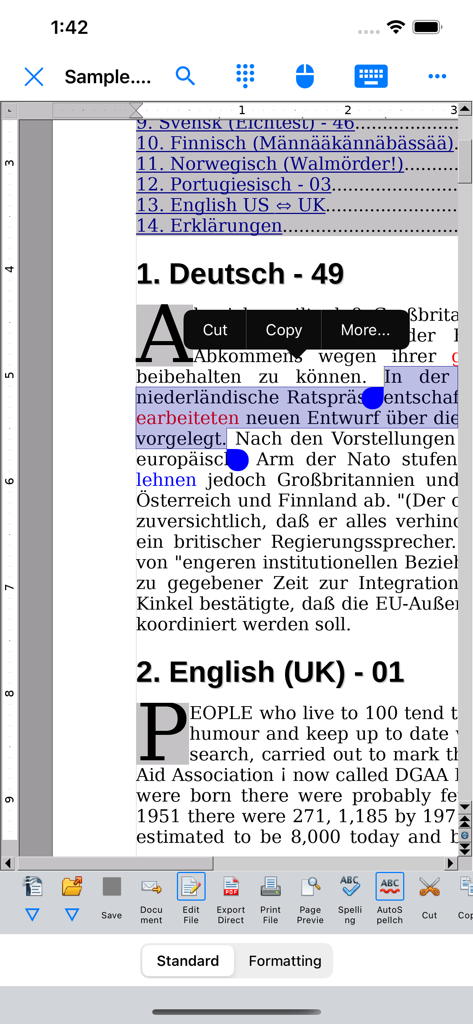
모바일에서 텍스트 선택 및 데스크톱 스타일 편집 도구 모음과 함께 다국어 문서를 표시하는 AO Office Writer 구성 요소

모바일에서 텍스트 선택 및 데스크톱 스타일 편집 도구 모음과 함께 다국어 문서를 표시하는 AO Office Writer 구성 요소

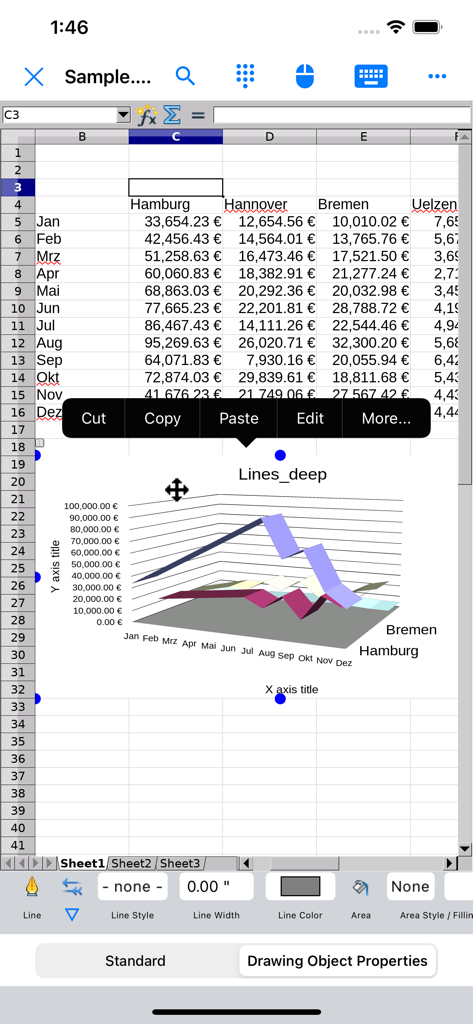
3D 선 차트와 데스크톱 스타일 컨텍스트 메뉴를 보여주는 AO Office 모바일 스프레드시트.

3D 선 차트와 데스크톱 스타일 컨텍스트 메뉴를 보여주는 AO Office 모바일 스프레드시트.

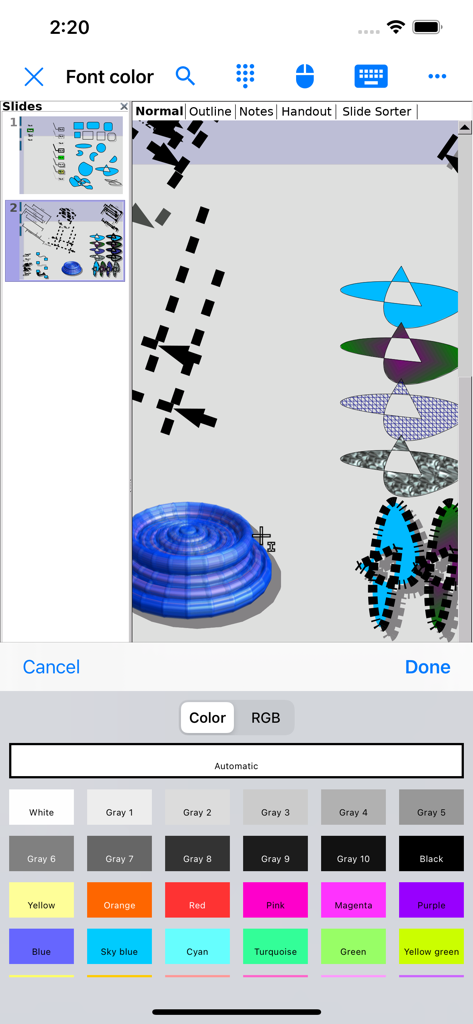
슬라이드 및 드로잉 편집을 위한 상세한 글꼴 색상 선택 팔레트를 보여주는 AO Office 모바일 앱 인터페이스.

슬라이드 및 드로잉 편집을 위한 상세한 글꼴 색상 선택 팔레트를 보여주는 AO Office 모바일 앱 인터페이스.

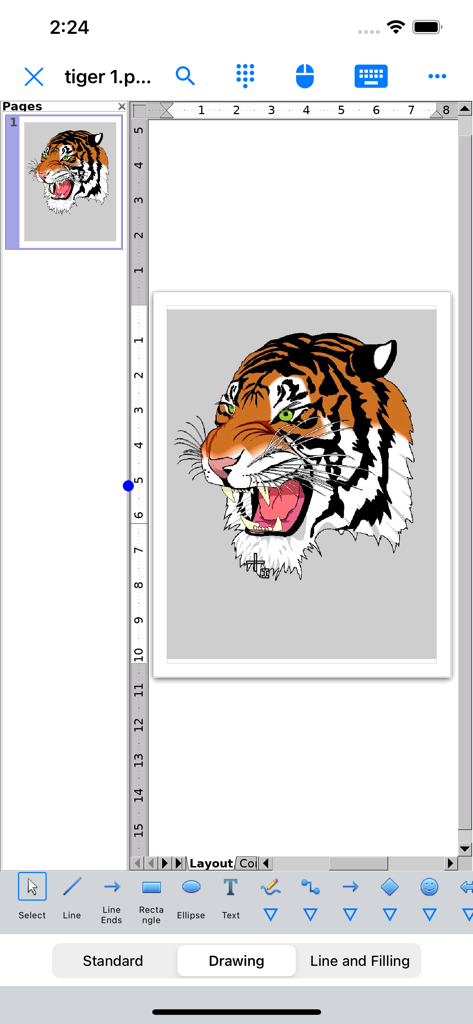
모바일에서 데스크톱 수준의 편집 도구로 상세한 호랑이 일러스트를 표시하는 AO Office Draw 인터페이스

모바일에서 데스크톱 수준의 편집 도구로 상세한 호랑이 일러스트를 표시하는 AO Office Draw 인터페이스

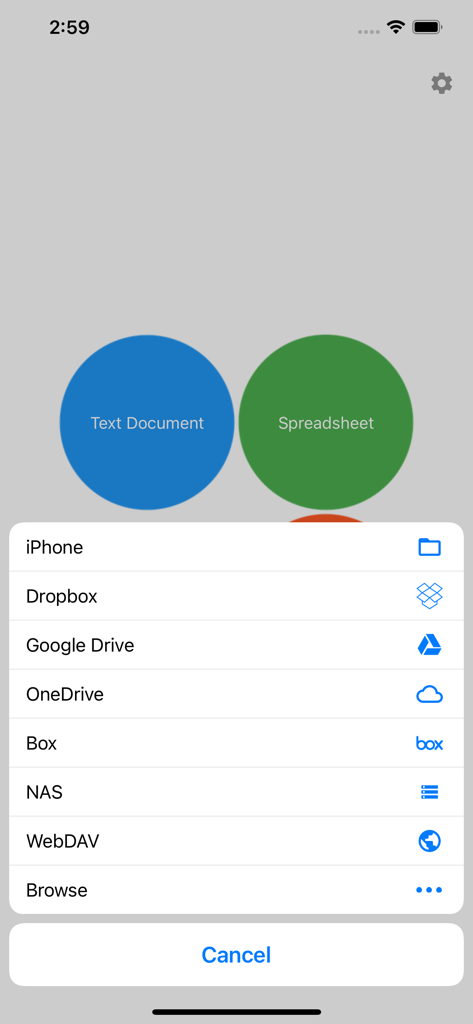
클라우드 및 로컬 파일의 저장 옵션을 보여주는 AO Office 모바일 앱

클라우드 및 로컬 파일의 저장 옵션을 보여주는 AO Office 모바일 앱

iPad를 위한 데스크톱 수준의 성능

이 앱을 돋보이게 하는 도구, 597K+ 명의 사용자가 선택.

💻

데스크톱과 동일한 기능

PC에서 사용하는 것과 동일한 메뉴, 서식 도구 및 복잡한 기능을 활용하세요. 100% 재현성으로 문서를 편집하여 여백이 어긋나거나 스타일이 깨지는 현상이 발생하지 않습니다.

📂

범용 파일 마스터

파일 관리를 위한 최고의 도구입니다. 앱을 벗어나지 않고 현대적인 DOCX 및 XLSX부터 레거시 WordPerfect, AutoCAD, Photoshop 형식까지 모든 파일을 열고 편집할 수 있습니다.

🛠️

전문가급 구성 요소

기본적인 타이핑 그 이상을 경험하세요. Calc에서 복잡한 스프레드시트를 작성하고, Draw에서 3D 일러스트를 디자인하며, 전용 Math 편집기로 고급 수식을 해결하세요. 이 모든 것이 모바일 기기에서 가능합니다.

전 세계 사용자들에게 사랑받는 앱

Trusted by 597K+ 명이 이 앱을 사랑합니다.

"

"드디어 장난감 같지 않은 모바일 오피스 제품군이 나왔네요. 연구원으로서 논문을 작성할 때 Writer의 전체 서식 기능과 Math의 수식 편집기가 꼭 필요한데, AO Office는 약속한 그대로를 제공합니다. 월간 구독료 없이 iPad에서 데스크톱 수준의 기능을 사용할 수 있죠. 이동 중에도 업무를 진지하게 처리해야 하는 모든 분께 완벽한 도구입니다."

엘레나 밴스 박사
"

"IT 업계에 종사하면서 레거시 Word 문서부터 복잡한 AutoCAD 도면까지 상상할 수 있는 거의 모든 파일 형식을 다룹니다. AO Office는 제가 시도한 모든 파일을 완벽하게 재현해내는 유일한 앱이었습니다. NAS와의 클라우드 통합과 Calc의 전체 스프레드시트 기능 덕분에 제 모바일 업무 흐름에서 필수적인 부분이 되었습니다."

마커스 스털링

앱 소개

에 대해 알아야 할 모든 것 AO Office.

설명

AO Office is the world's first porting of OpenOffice for iOS and it's a powerful and complete office suite for OpenOffice / LibreOffice documents. You can view, edit, import, and export PDF, Word, Excel & PowerPoint documents using full features of the OpenOffice in the PC version. AO Office has 5 components: Writer: a word processor you can use for anything from writing a quick letter to producing an entire book. Calc: a powerful spreadsheet with all the tools you need to calculate, analyze, and present your data in numerical reports or graphics. Impress: the fastest, most powerful way to create effective multimedia presentations. Draw: lets you produce everything from simple diagrams to dynamic 3D illustrations. Math: lets you create mathematical equations with a graphic user interface or by directly typing your formulas into the equation editor. * AO Office is a forked project from the Apache OpenOffice project. AO Office is not affiliated with the Apache OpenOffice and LibreOffice projects. ■ Features ■ - View / edit / import / export documents - High reproducibility for Open Document Format - Export and import documents as PDF - Formatting paragraphs - Create stylized text with special effects - Support for extensive file formats - Support for embedded object - Support for Dropbox / iCloud Drive / Google Drive / OneDrive / Box - Support for NAS / WebDAV (Paid version only) - Support for Audio and Video - Support for recovering the unsaved work - Support for modern encryption ■ Supported File Formats ■ AO Office can open and save to: - Microsoft Word (DOC / DOT / RTF) - Microsoft Word 2007 (DOCX / DOTX / DOCM) - Microsoft Excel (XLS / XLT) - Microsoft Excel 2007 (XLSX / XLTX / XLSM) - Microsoft PowerPoint (PPT / POT) - Microsoft PowerPoint 2007 (PPTX / POTX / PPTM) - OpenDocument (ODT / ODS / ODP / ODG / ODF) - Portable Document Format (PDF) - OpenOffice.org1.0 / StarOffice6.0 (SXW / SXC / SXD / SXI / SXG / SXM) - Text (TXT / CSV / XML) - HyperText Markup Language (HTML) - Adobe Photoshop (PSD) - Scalable Vector Graphics (SVG) - Windows Metafile (EMF / WMF) - Tagged Image File Format (TIFF) - Data Interchange Format (DIF) - SYLK (SLK) - Portable Anymap Format (PBM / PGM / PPM) - OS/2 Metafile (MET) - Sun Raster Image (RAS) - Mac Pict (PCT) - X PixMap (XPM) - StarView Metafile (SVM) AO Office can open: - WordPerfect Document (WPD) - AutoCAD (DXF) - T602 Document (602) - Computer Graphics Metafile (CGM) - Truevision Targa (TGA) - X Bitmap (XBM) - Zsoft Paintbrush (PCX) - Kodak Photo CD (PCD) AO Office can save to: - PlaceWare (PWP) - Macromedia Flash (SWF) - JPG / GIF / PNG / BMP ■ Gesture Assignments ■ - Hard Press or 2 Finger Tap = Context Menu - Pinch In & Out = Zoom In & Out - Drag = Scrolling - Drag with Hard Press or 2 Finger Tap = Drag & Drop ■ Limitations ■ - Not supported for macro ■ Contact Us ■ Email: support-ios@aooffice.app Twitter: @office700 The paid version includes the following functions. · Remove ads · Access to cloud storages · Other useful functions

최신 버전

5.5.9

크기

279.4 MB

출시일

2016년 11월 21일

iOS 기기에서 데스크톱 수준의 생산성을 경험하세요

구독 없이 Writer, Calc, Impress의 모든 기능을 경험해 보세요. 50만 명 이상의 파워 유저와 함께 오늘부터 문서를 완벽하게 관리하세요.

다운로드: App Store