OpenDocument Reader - view ODT

OpenDocument Reader - view ODT

다운로드: App Store
Spark by MWM logo
로고: OpenDocument Reader - view ODT
OpenDocument Reader: LibreOffice 및 OpenOffice를 위한 모바일 연결

ODF 파일의 궁극적인 동반자. 완전한 오프라인 지원과 월간 구독 없이 이동 중에도 ODT, ODS, ODP 문서를 손쉽게 보고, 편집하고, 검색하세요.

개발사

Stefl und Taschauer OG

카테고리

Productivity

다운로드

1M+

사용자 평점

4.5/5

총 평가 수

5K+

지원 언어

16

생산성 잠금 해제

이 인터페이스를 사용하는 1M+ 명의 사용자.

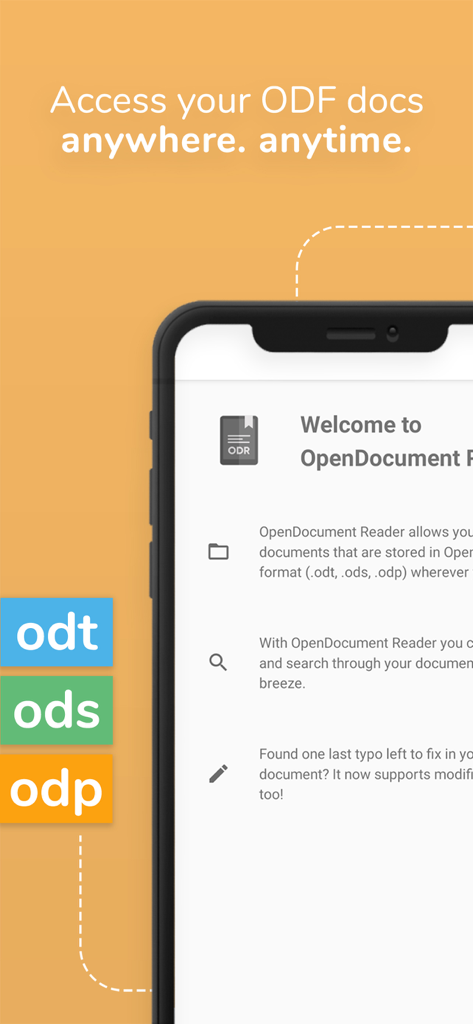
iPhone에서 ODT ODS 및 ODP 파일 형식 지원을 보여주는 OpenDocument Reader 모바일 앱 인터페이스

iPhone에서 ODT ODS 및 ODP 파일 형식 지원을 보여주는 OpenDocument Reader 모바일 앱 인터페이스

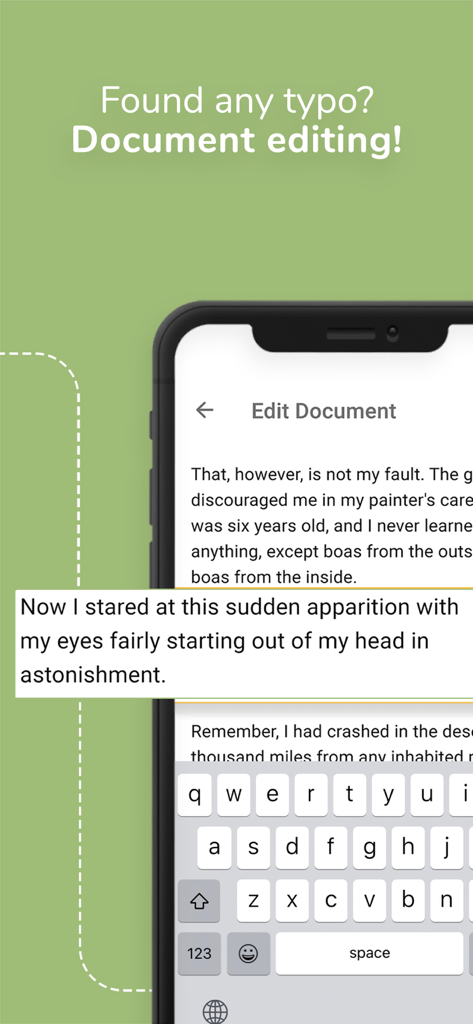
OpenDocument Reader 앱의 문서 편집 인터페이스를 보여주는 스마트폰 화면

OpenDocument Reader 앱의 문서 편집 인터페이스를 보여주는 스마트폰 화면

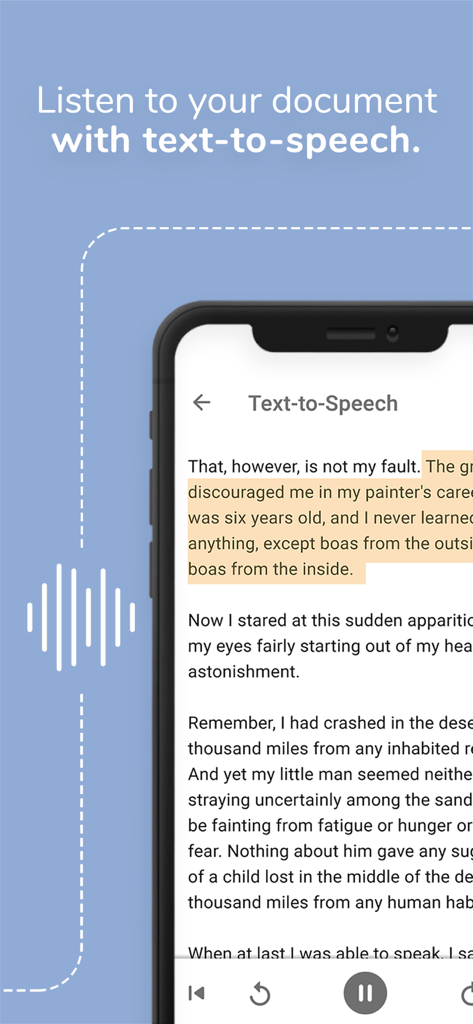
문서를 들을 때 사용하는 OpenDocument Reader 앱의 텍스트 음성 변환 기능 표시 스마트폰

문서를 들을 때 사용하는 OpenDocument Reader 앱의 텍스트 음성 변환 기능 표시 스마트폰

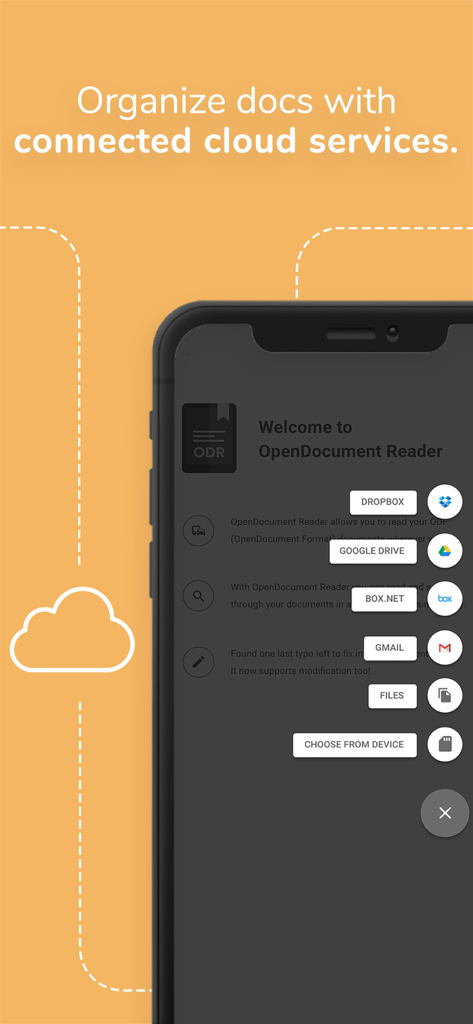
문서 구성을 위한 Dropbox 및 Google Drive와 같은 통합 클라우드 서비스를 보여주는 OpenDocument Reader 앱 스크린샷

문서 구성을 위한 Dropbox 및 Google Drive와 같은 통합 클라우드 서비스를 보여주는 OpenDocument Reader 앱 스크린샷

ODT ODS 및 ODP 파일 형식 지원을 보여주는 OpenDocument Reader 앱 인터페이스

ODT ODS 및 ODP 파일 형식 지원을 보여주는 OpenDocument Reader 앱 인터페이스

오픈소스 워크플로우 강화

이 앱을 돋보이게 하는 도구, 1M+ 명의 사용자가 선택.

✏️

정확하고 빠른 편집

발표 전에 오타를 발견했나요? 이동 중에 ODT 및 ODS 파일을 즉시 업데이트하여 작업이 항상 세련되고 전문적으로 유지되도록 하세요.

📂

보편적인 클라우드 통합

Google Drive, iCloud 또는 Dropbox에서 파일을 손쉽게 열 수 있습니다. ODF, Microsoft Office 및 PDF 형식을 위한 단일의 강력한 허브입니다.

✈️

완전한 오프라인 안정성

지하철에서 하늘까지 어디서든 작업하세요. 인터넷 연결 없이 문서에 액세스하고 읽어 데이터의 개인 정보 보호 및 액세스를 유지합니다.

전 세계 사용자들에게 사랑받는 앱

Trusted by 1M+ 명이 이 앱을 사랑합니다.

"

"고가의 구독을 피하기 위해 LibreOffice를 사용하는 대학생으로서 이 앱은 정말 생명의 은인입니다. 버스에서 ODT 강의 노트를 검토하고 발표 직전에 사소한 오타를 수정할 수 있습니다. 다른 앱이 실패하는 곳에서 복잡한 서식을 완벽하게 처리합니다."

Alex Rivera
"

"저는 프리랜서 프로젝트에서 오픈소스 형식을 자주 사용하며 이 리더는 제 키트에서 가장 신뢰할 수 있는 도구입니다. Nextcloud와의 통합 및 PSD 및 ODT 파일을 한 곳에서 볼 수 있는 기능은 제 모바일 워크플로우를 매우 효율적으로 만듭니다."

Sarah Jenkins

앱 소개

에 대해 알아야 할 모든 것 OpenDocument Reader - view ODT.

설명

View and modify documents created using LibreOffice or OpenOffice on the go using the Document Reader & Document Editor! The file reader & document editor allows you to open files like ODF (Open Document Format) documents created using LibreOffice or OpenOffice wherever you are. In the bus on your way to school wanting to look at your notes before the big exam? No problem! With the Document Reader you can open files wherever you like and read & search through your documents to go in a clean and simple way. Is there just one last typo left to fix in your document before sending it out to colleagues? The File Editor supports modification of documents now! Fast, simple and well integrated. You can open files from ODF (ODT, ODS & many more) that you have created with Libre Office or OpenOffice also from within other apps. Supported apps include GMail, Google Drive, iCloud, OneDrive, Nextcloud, Box.net, Dropbox and lots of others! Or use our integrated file explorer instead to open files on your device. - open files with ODF: ODT (writer), ODS (calc), ODP and ODG without a hassle - basic editing of documents with the file editor to fix typos, add sentences, etc - securely open password-protected documents - search for keywords in your ODT (writer), ODS (calc) or ODG and highlight them - print documents if your device is connected to a printer - read your documents in fullscreen to avoid distractions - select and copy text out of your documents - enjoy your documents even without internet connectivity - fully offline capable In addition to that, OpenDocument Reader aims to support various other file formats as well as possible: - Portable Document Format (PDF) - Archives: ZIP - Images: JPG, JPEG, GIF, PNG, WEBP, TIFF, BMP, SVG, etc - Videos: MP4, WEBM, etc - Audio: MP3, OGG, etc - Text files: CSV, TXT, HTML, RTF - Microsoft Office (OOXML): Word (DOC, DOCX), Excel (XLS, XLSX), PowerPoint (PPT, PPTX) - Apple iWork: Pages, Numbers, Keynote - Libre Office and Open Office OpenDocument Format: ODF* (ODT, ODS, ODP, ODG) - PostScript (EPS) - AutoCAD (DXF) - Photoshop (PSD) This app is open source. We are not affiliated with OpenOffice, LibreOffice or similar. Made in Austria. Ads are shown in order to support the development of this app. They are free to remove temporarily via the in-app menu. We highly appreciate all kinds of feedback via email. * ODF (Open Document Format) is the format used by office suites like Open Office and Libre Office. Text documents (Writer, ODT), as well as spreadsheets (Calc, ODS) and also presentations (Impress, ODP) are supported, including support for complex formatting and embedded images. Graphs are no problem either. If you want to secure your data you can even open password-protected documents. Other applications that are using this format are LibreOffice, OpenOffice, NeoOffice, StarOffice, Go-oo, IBM Workplace, IBM Lotus Symphony, ChinaOffice, AndrOpen Office, Co-Create Office, EuroOffice, KaiOffice, Jambo OpenOffice, MagyarOffice, MultiMedia Office, MYOffice, NextOffice, OfficeOne, OfficeTLE, OOo4Kids, OpenOfficePL, OpenOfficeT7, OxOffice, OxygenOffice, Pladao Office, PlusOffice, RedOffice, RomanianOffice, SunShine Office, ThizOffice, UP Office, White Label Office, WPS Office Storm, Libre Office, Collabora Office and 602Office.

최신 버전

1.35

크기

14.6 MB

출시일

2020년 5월 9일

오픈소스 워크플로우를 모바일로 가져가세요

원활한 보기와 빠른 편집을 위해 OpenDocument Reader를 신뢰하는 100만 명 이상의 사용자와 함께하세요. 구독 없이 iPhone 또는 iPad에서 완전한 파일 자유를 경험하세요.

다운로드: App Store
FAQ

자주 묻는 질문

에 대해 알아야 할 모든 것 OpenDocument Reader - view ODT

OpenDocument Reader - view ODT는 무엇인가요?

OpenDocument Reader - view ODT는 LibreOffice 또는 OpenOffice로 생성된 문서를 보고 수정하기 위한 모바일 애플리케이션입니다. ODT, ODS, ODP와 같은 ODF 형식을 지원하며 기본적인 편집, 키워드 검색, 인쇄가 가능합니다.

OpenDocument Reader로 문서를 편집할 수 있나요?

네, OpenDocument Reader 앱은 문서의 기본적인 편집을 지원합니다. 사용자는 오타를 수정하고 문장을 추가할 수 있어 앱 내에서 빠르고 간단하며 잘 통합된 수정이 가능합니다.

OpenDocument Reader는 어떤 파일 형식을 지원하나요?

OpenDocument Reader는 ODF(ODT, ODS, ODP, ODG), PDF, Microsoft Office(DOCX, XLSX, PPTX), Apple iWork, 이미지, 비디오, 오디오 및 텍스트 파일을 포함한 광범위한 파일 형식을 지원합니다.

OpenDocument Reader는 암호로 보호된 문서를 열 수 있나요?

네, OpenDocument Reader는 암호로 보호된 문서를 안전하게 열 수 있습니다. 이 기능은 ODF 파일에 사용할 수 있어 사용자가 보안 데이터를 액세스할 수 있도록 보장합니다.

OpenDocument Reader는 클라우드 서비스를 지원하나요?

네, OpenDocument Reader는 다양한 클라우드 서비스에서 파일을 여는 것을 지원합니다. 여기에는 GMail, Google Drive, iCloud, OneDrive, Nextcloud, Box.net, Dropbox와 통합 파일 탐색기가 포함됩니다.

OpenDocument Reader는 문서를 소리 내어 읽어줄 수 있나요?

네, OpenDocument Reader는 텍스트 음성 변환 기능을 제공합니다. 사용자는 문서를 들을 수 있어 접근성이 향상되고 오디오 형식으로 콘텐츠를 소비할 수 있습니다.

OpenDocument Reader는 오프라인에서도 사용할 수 있나요?

네, OpenDocument Reader는 완전히 오프라인에서도 사용할 수 있습니다. 사용자는 인터넷 연결 없이도 문서를 즐길 수 있어 언제 어디서나 액세스가 가능합니다.

OpenDocument Reader는 광고를 표시하나요?

네, OpenDocument Reader는 개발 지원을 위해 광고를 표시합니다. 이 광고는 인앱 메뉴를 통해 임시로 제거할 수 있습니다.

OpenDocument Reader에서 문서 내 키워드를 검색할 수 있나요?

네, OpenDocument Reader를 사용하면 ODT(writer), ODS(calc) 또는 ODG 문서 내에서 키워드를 검색할 수 있습니다. 이 앱은 검색 결과를 강조 표시하여 쉽게 볼 수 있도록 합니다.