剪影 - 视频剪辑 & 卡点影集制作

剪影 - 视频剪辑 & 卡点影集制作

다운로드: App Store
Spark by MWM logo
로고: 剪影 - 视频剪辑 & 卡点影集制作

Silhouette: 프로급 효과로 바이럴 영상 편집을 마스터하세요

TikTok 및 Reels에서 당신의 감각을 한 단계 끌어올리세요. 손쉬운 비트 동기화부터 영화 같은 필터, 독특한 미러링 도구까지, 팔로워들이 좋아할 만한 고급 콘텐츠를 제작하세요.

개발사

Shanghai Jian Ji Software Technology Co., Ltd

카테고리

Photo & Video

다운로드

3M+

사용자 평점

4.8/5

총 평가 수

52K+

지원 언어

5

창의성의 렌즈

이 인터페이스를 사용하는 3M+ 명의 사용자.

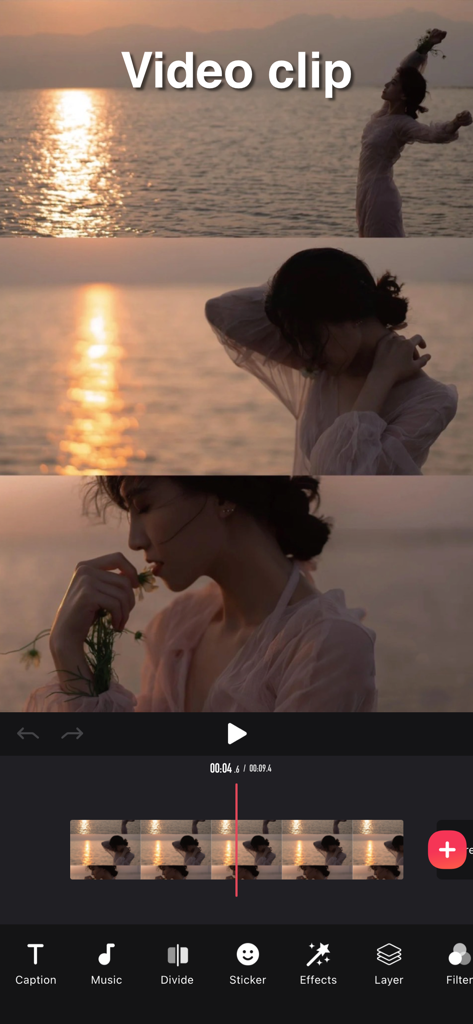
타임라인과 음악, 필터와 같은 도구를 사용하여 비디오 클립을 편집하는 Silhouette 비디오 편집 앱의 인터페이스.

타임라인과 음악, 필터와 같은 도구를 사용하여 비디오 클립을 편집하는 Silhouette 비디오 편집 앱의 인터페이스.

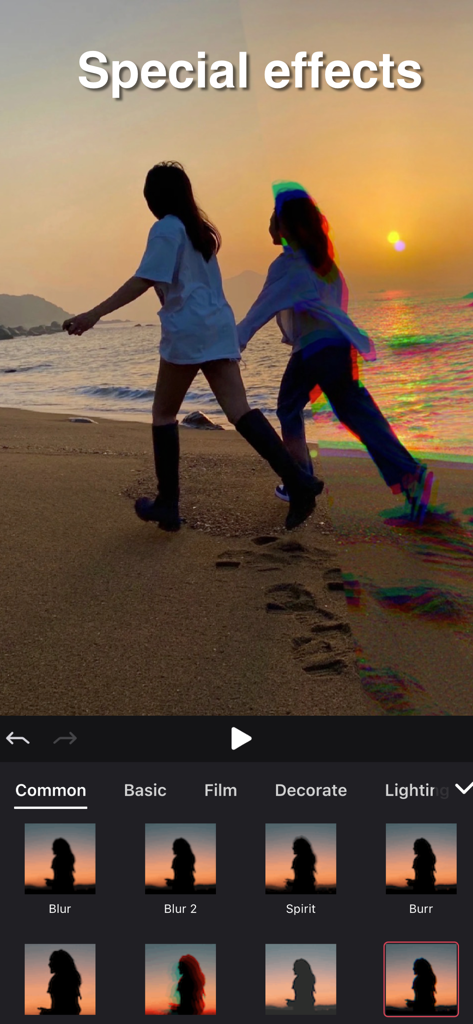
해변의 일몰 비디오에 Spirit 및 Burr와 같은 특수 효과를 적용한 Silhouette 비디오 편집 앱의 인터페이스.

해변의 일몰 비디오에 Spirit 및 Burr와 같은 특수 효과를 적용한 Silhouette 비디오 편집 앱의 인터페이스.

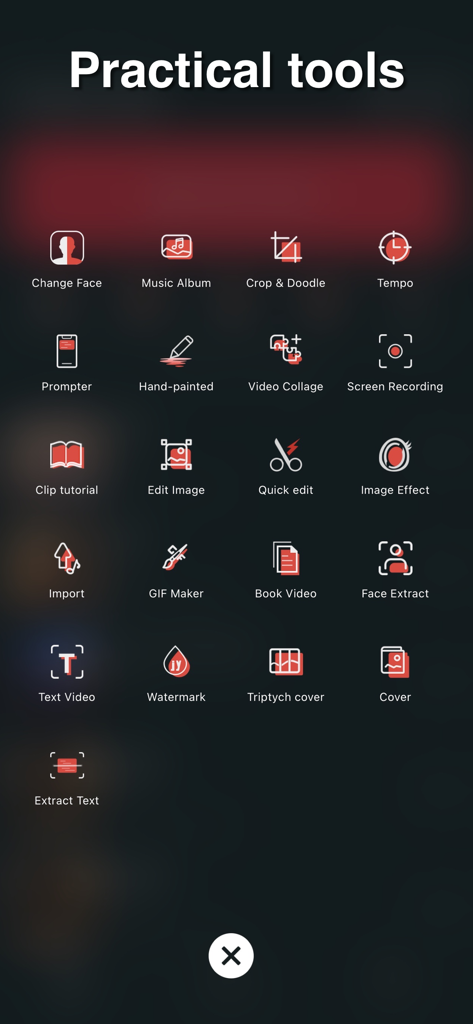
Silhouette 비디오 편집기 앱 내의 실용 도구 메뉴로 GIF 메이커, 비디오 콜라주 등에 대한 아이콘이 표시됩니다.

Silhouette 비디오 편집기 앱 내의 실용 도구 메뉴로 GIF 메이커, 비디오 콜라주 등에 대한 아이콘이 표시됩니다.

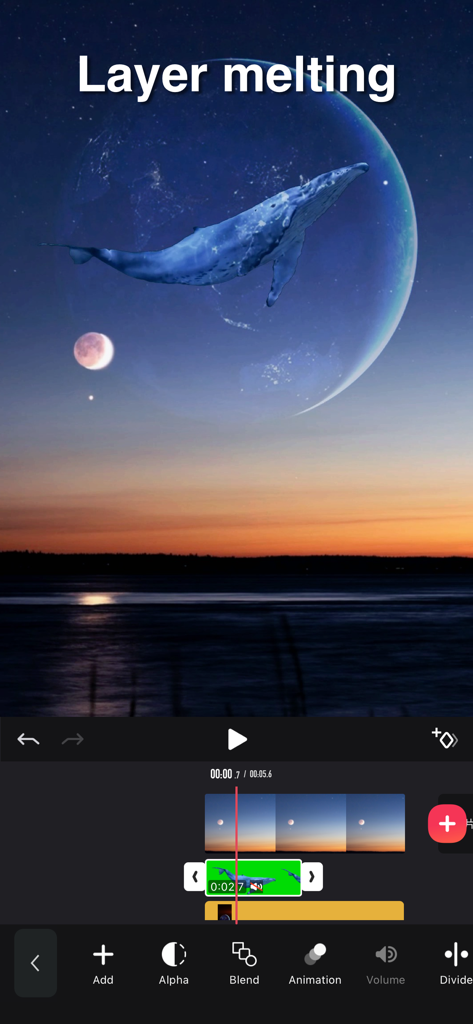
달과 일몰 풍경 위에 고래가 겹쳐진 레이어 녹는 효과를 보여주는 모바일 비디오 편집 인터페이스.

달과 일몰 풍경 위에 고래가 겹쳐진 레이어 녹는 효과를 보여주는 모바일 비디오 편집 인터페이스.

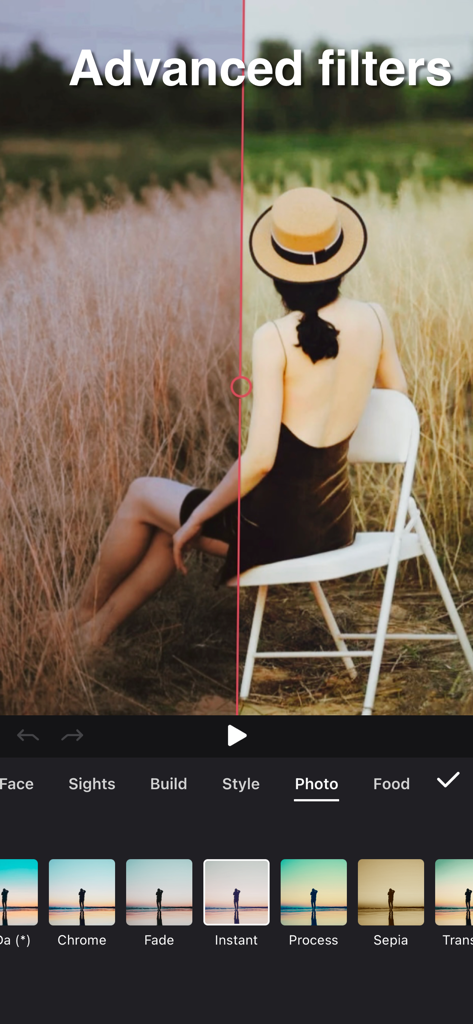
Silhouette 비디오 편집 앱의 고급 필터 분할 화면 비교.

Silhouette 비디오 편집 앱의 고급 필터 분할 화면 비교.

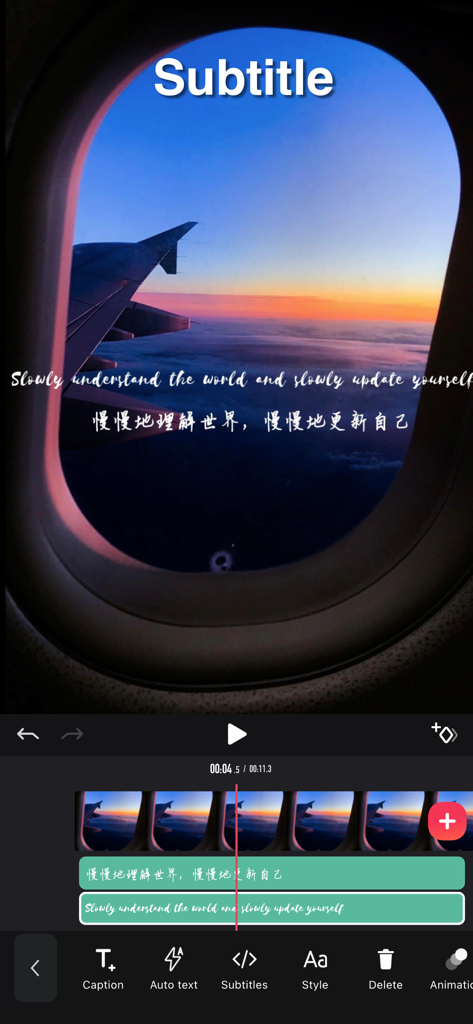
영화 같은 비행기 일몰 비디오 위에 다중 레이어 영어 및 중국어 자막을 추가하는 것을 보여주는 모바일 비디오 편집 화면.

영화 같은 비행기 일몰 비디오 위에 다중 레이어 영어 및 중국어 자막을 추가하는 것을 보여주는 모바일 비디오 편집 화면.

소셜 게임 레벨 업

이 앱을 돋보이게 하는 도구, 3M+ 명의 사용자가 선택.

🎵

손쉬운 비트 동기화

완벽한 바이럴 흐름을 위한 전환 효과를 음악에 자동으로 맞춰주는 도구로 리듬을 마스터하세요.

영화 같은 필터 및 효과

인플루언서적인 감각과 고급스러운 느낌을 위해 방대한 감각적인 필터 및 프로 스티커 라이브러리에 액세스하세요.

🚀

바이럴 준비 유틸리티

오디오 추출, 미러링, 9분할 그리드와 같은 독점 도구를 잠금 해제하여 경쟁적인 알고리즘에서 돋보이세요.

전 세계 사용자들에게 사랑받는 앱

Trusted by 3M+ 명이 이 앱을 사랑합니다.

"

"정말 많은 편집 앱을 사용해봤지만, Silhouette은 제 Reels를 위한 게임 체인저입니다. 비트 동기화 도구는 말 그대로 생명의 은인이에요. 기술 없이도 몇 초 만에 전문가처럼 보이는 전환 효과를 만들 수 있습니다. 필터는 팔로워들이 좋아하는 영화 같은 감각을 제 영상에 완벽하게 더해줍니다!"

Chloe V.
"

"이것은 제 TikTok 성장의 비밀 무기입니다. 9분할 미러 및 오디오 추출기와 같은 기능 덕분에 유행이 사라지기 전에 빠르게 바이럴 트렌드에 편승할 수 있습니다. 내장 편집기보다 훨씬 강력하며, 다중 레이어 자막도 멋지게 보입니다."

Marcus J.

리뷰 분석

사용자 리뷰 인사이트.

감정 점수

30%
부정적

요약

Many users praise the app for its intuitive interface, ease of use, and simple operations, with some highlighting its efficiency compared to other editing software and its basic free functionalities. However, a significant portion of feedback is highly negative, primarily criticizing the aggressive VIP paywall which restricts essential features such as video export, extended editing duration, and access to various effects or audio, often leading to unexpected charges and frustration. Common complaints also include critical bugs and stability issues like app crashes, auto-save failures resulting in lost work, subtitle synchronization problems, and video loading difficulties. Specifically, some users reported a degraded experience and new bugs, including issues with subtitle display and video quality, after a recent update.

주요 테마

VIP & Pricing(20)
App Stability & Bugs(9)
Overall Satisfaction(9)
Feature Limitations(6)
Ease of Use(5)

앱 소개

에 대해 알아야 할 모든 것 剪影 - 视频剪辑 & 卡点影集制作.

설명

Video Tools - Powerful video editing tool, Instagram, Youtube video. Features: Video clip: - Video clip, beginning/end/middle etc. fixed duration - Merge, copy, split multiple videos and add transitional animation Video filter: - Diverse filters options, support photo retouch - Video subtitles: - Multi-layer subtitles available, subtitle display time adjustable, plenty of fonts Video collage: - multiple video can be pasted together like stickers, and the masterpiece is born easily. Video dubbing: - you can extract dubbing from the album video and apply it to your created video - provide rich music to create colourful video Video watermark: - very handy for adding personalized video watermarks to video Video stickers: - A wide selection of interesting video stickers for use. - Video mirroring: - Still having headache for 9-square in TikTok APP? Simply steps here can achieve this effect Video in the same frame - Easy making same-frame effect - Proportion, direction adjustable Video speed adjustment - Slow motion, 0.2 time slowest - Fast motion, up to 4 times faster Video playback - Easy step for playback Video border and background - Add border or photos - Borders can be synchronized as blurry as video - Adapted to all social media APP ratios Video screen snipping - Image video snipping available, doodle the video and image - Advanced editing such as brightness, blur etc. available [Automatic renewal of Pro membership] --Pro membership benefits: Unlock all VIP functions --Subscription period: 1 month (Pro members have continuous monthly subscription products), 12 months (Pro members have continuous annual subscription products). If required, we also offer one-time paid services in addition to existing subscription plans. --Subscription price: subject to iAP application information, for example, continuous monthly subscription product is $6.99 per month, continuous annual subscription product is $36.99 per year. --Payment: After the user confirms the purchase and makes the payment, it will be credited to the iTunes account. --Cancel renewal: If you need to cancel the renewal, please manually turn off the automatic renewal function in iTunes/Apple ID settings management 24 hours before the expiration of the current subscription period. --Renewal: The Apple iTunes account will be deducted within 24 hours before expiration. After the deduction is successful, the subscription period will be extended by one subscription period. -- Free trial for annual membership: If you renew or cancel the renewal during the free trial period, the free trial rights will not be recovered from the user. The user can continue the trial until the end of the trial period. --Privacy Policy: https://jianyingeditor.cn/privacy/privacy-new.html --User Agreement: https://jianyingeditor.cn/privacy/agreement-new.html Feel free to contact us: jianyinghelper@163.com Your problems or suggestions are important to us!

최신 버전

5.11.19

크기

185.4 MB

출시일

2019년 4월 1일

피드를 장악할 준비가 되셨나요?

3백만 명 이상의 크리에이터가 Silhouette을 사용하여 완벽한 비트 동기화, 트렌디한 전환 효과, 감각적인 효과를 마스터하고 있습니다. 당신의 다음 바이럴 영상이 여기서 시작됩니다.

다운로드: App Store
FAQ

자주 묻는 질문

에 대해 알아야 할 모든 것 剪影 - 视频剪辑 & 卡点影集制作

剪影 앱에서 사용할 수 있는 주요 동영상 편집 기능은 무엇인가요?

剪影 앱은 클리핑, 병합, 분할, 필터 추가, 자막, 음악, 워터마크, 스티커, 속도 조절 등 광범위한 동영상 편집 기능을 제공합니다. 또한 다중 레이어 편집도 지원합니다.

剪影 - Video Tools 앱으로 동영상 콜라주를 만들 수 있나요?

네, 剪影 - Video Tools 앱을 사용하면 동영상 콜라주를 만들 수 있습니다. 여러 동영상을 스티커처럼 붙여 앱 내에서 바로 하나의 걸작으로 만들 수 있습니다.

剪影 앱의 Pro 멤버십은 얼마인가요?

剪影 앱의 Pro 멤버십은 연속 월간 구독의 경우 월 6.99달러, 연속 연간 구독의 경우 연 36.99달러이며, iAP 정보에 따라 달라질 수 있습니다.

剪影 Pro 멤버십의 자동 갱신을 취소하려면 어떻게 해야 하나요?

剪影 앱의 Pro 멤버십 갱신을 취소하려면, 현재 구독 기간이 만료되기 최소 24시간 전에 iTunes/Apple ID 설정 관리에서 자동 갱신 기능을 수동으로 해제하십시오.

剪影 동영상 편집 앱에서 동영상 재생 속도를 조절할 수 있나요?

네, 剪影 동영상 편집 앱은 동영상 속도 조절을 지원합니다. 사용자는 가장 느린 속도 0.2배속부터 가장 빠른 속도 4배속까지 설정할 수 있습니다.

剪影 - 视频剪辑 & 卡点影集制作에서 편집을 위한 고급 동영상 필터를 제공하나요?

네, 剪影 - 视频剪辑 & 卡点影集制作은 앱 인터페이스에서 볼 수 있듯이 사진 보정을 지원하는 사진 및 음식과 같은 카테고리를 포함한 다양하고 고급 동영상 필터를 제공합니다.

사용자는 剪影 앱에서 다중 레이어 동영상 편집을 수행할 수 있나요?

네, 剪影 앱은 다중 레이어 동영상 편집을 지원합니다. 개별 레이어에 대한 레이어 블렌딩, 애니메이션, 볼륨 조절과 같은 기능이 포함되어 복잡한 동영상 프로젝트를 향상시킬 수 있습니다.

剪影 - 视频剪辑 & 卡点影集制作 앱의 개인정보처리방침은 어디에서 찾을 수 있나요?

剪影 - 视频剪辑 & 卡点影集制作 앱의 개인정보처리방침은 https://jianyingeditor.cn/privacy/privacy-new.html에서 확인할 수 있습니다. 이 링크는 데이터 처리 관련 세부 정보를 제공합니다.