Videoshop - Video Editor

Videoshop - Video Editor

다운로드: App Store다운로드: Google Play
Spark by MWM logo
로고: Videoshop - Video Editor

Videoshop - 동영상 편집기: 소셜 속도에 맞춰 전문가 수준의 콘텐츠 제작

1200만 명 이상의 크리에이터가 궁극의 모바일 스튜디오를 사용하여 동영상을 자르고, 음악을 추가하고, 바이럴 효과를 적용합니다. TikTok 트렌드부터 전문적인 브이로그까지, 몇 초 만에 스토리를 편집하고 즉시 공유하세요.

다운로드: App Store

개발사

Jajijujejo Inc.

카테고리

Photo & Video

다운로드

12M+

사용자 평점

4.9/5

총 평가 수

420K+

지원 언어

8

스튜디오 내부

이 인터페이스를 사용하는 12M+ 명의 사용자.

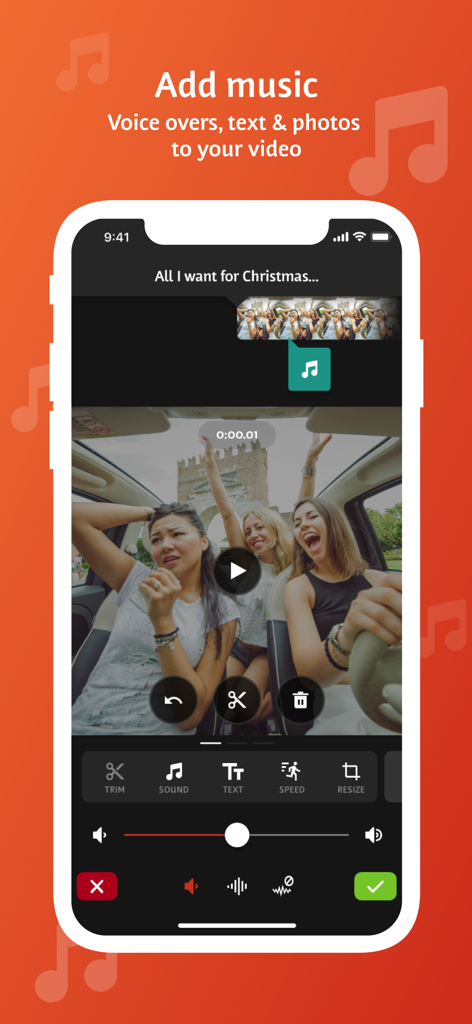
Videoshop 앱 인터페이스가 동영상 클립에 음악, 음성 해설 및 텍스트를 추가하는 도구를 보여줍니다.

Videoshop 앱 인터페이스가 동영상 클립에 음악, 음성 해설 및 텍스트를 추가하는 도구를 보여줍니다.

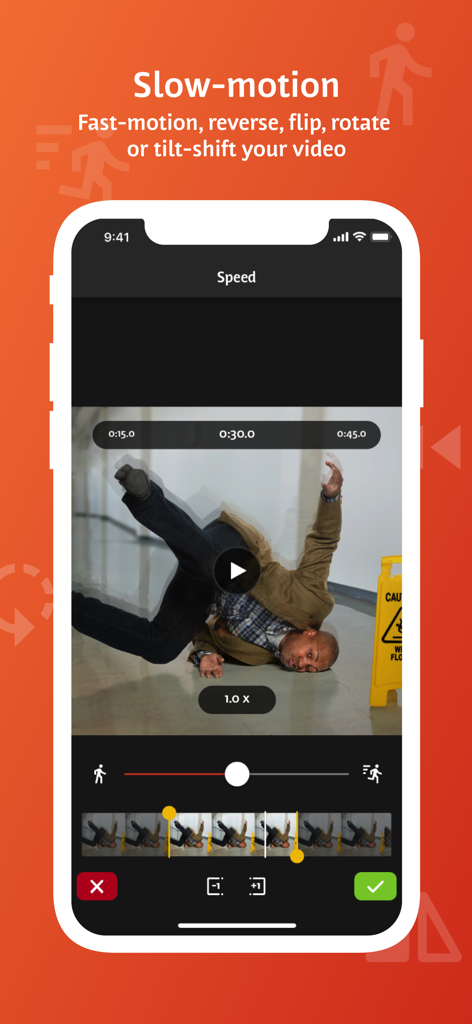
Videoshop 모바일 앱 인터페이스가 슬로우 모션 및 비디오 속도 조절 기능을 보여줍니다.

Videoshop 모바일 앱 인터페이스가 슬로우 모션 및 비디오 속도 조절 기능을 보여줍니다.

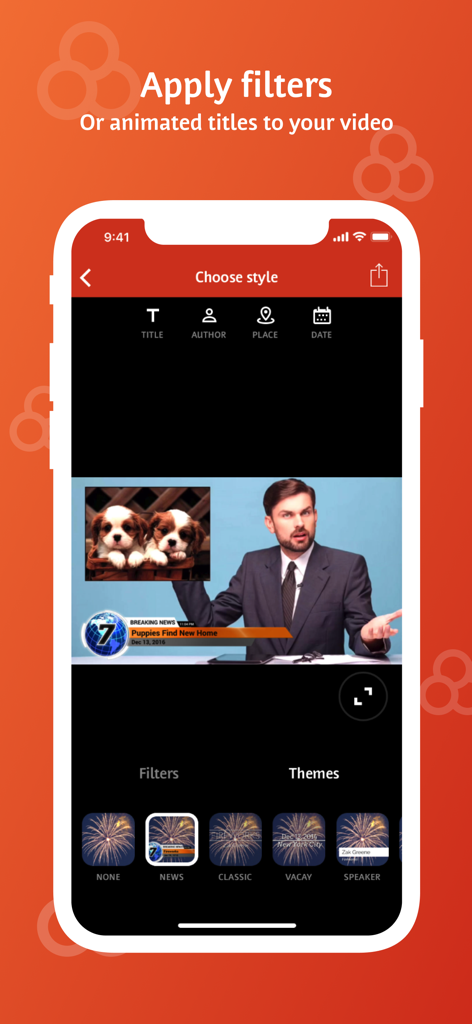
Videoshop 앱 인터페이스가 모바일 비디오 편집을 위한 애니메이션 제목 및 뉴스 테마 옵션을 보여줍니다.

Videoshop 앱 인터페이스가 모바일 비디오 편집을 위한 애니메이션 제목 및 뉴스 테마 옵션을 보여줍니다.

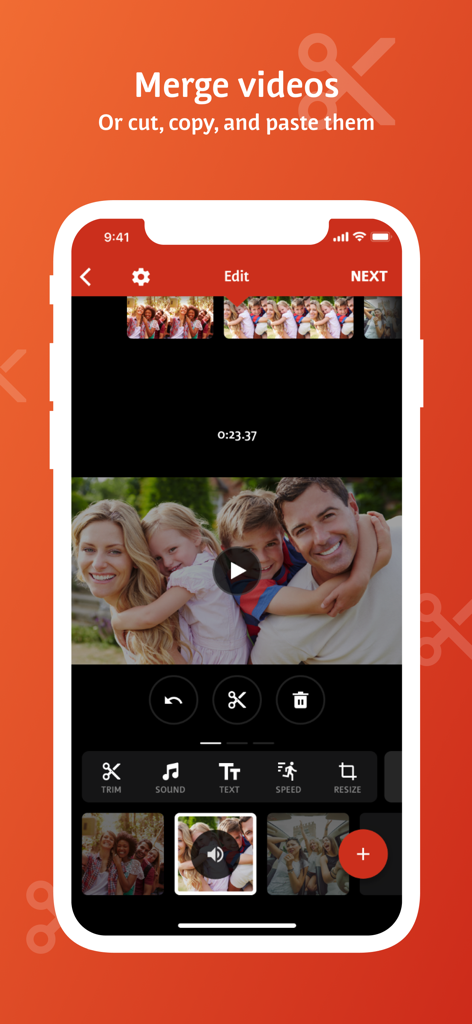
모바일 비디오 편집기 인터페이스가 비디오 클립을 병합, 자르기 및 붙여넣기 옵션을 보여줍니다.

모바일 비디오 편집기 인터페이스가 비디오 클립을 병합, 자르기 및 붙여넣기 옵션을 보여줍니다.

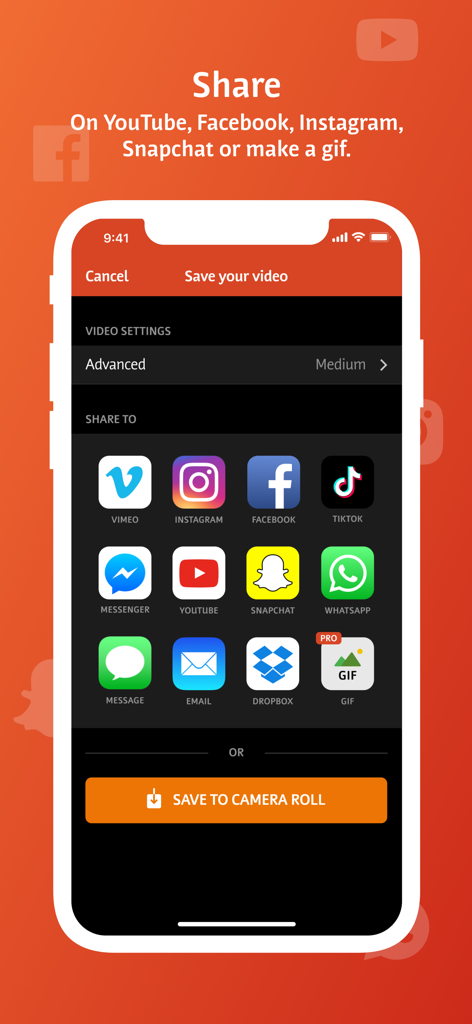
Videoshop 앱 공유 화면이 TikTok, Instagram, YouTube와 같은 소셜 미디어 플랫폼 아이콘을 보여줍니다.

Videoshop 앱 공유 화면이 TikTok, Instagram, YouTube와 같은 소셜 미디어 플랫폼 아이콘을 보여줍니다.

바이럴을 위한 모든 것

이 앱을 돋보이게 하는 도구, 12M+ 명의 사용자가 선택.

빠르고 부드러운 편집

이동 중에 편집하고 게시해야 하는 크리에이터를 위해 직관적인 제스처로 자르고, 병합하고, 속도를 조절하세요.

🎬

바이럴 준비 효과

크로마 키(그린 스크린), 립 싱크, 슬로우 모션 기능을 사용하여 모든 트렌드를 마스터하고 콘텐츠를 돋보이게 만드세요.

📐

멀티 플랫폼 마스터리

원탭으로 TikTok, Reels, YouTube에 맞게 동영상을 즉시 크기 조정하고 비율을 조정하여 좋아하는 소셜 앱으로 내보내세요.

전 세계 사용자들에게 사랑받는 앱

Trusted by 12M+ 명이 이 앱을 사랑합니다.

"

"솔직히 Videoshop은 제 TikTok 동영상의 생명줄입니다. 이전에 그린 스크린과 립 싱크를 제대로 하려면 세 가지 다른 앱을 사용해야 했는데, 이제는 여기서 모든 것을 해결합니다. 크기 조정 도구는 같은 동영상을 이상해 보이지 않게 Reels와 Shorts에 게시하는 데 필수적입니다. 매우 빠르고 실제로 사용하기 재미있습니다."

Chloe R.
"

"소규모 사업주로서 복잡한 데스크톱 소프트웨어를 사용할 시간이 없습니다. Videoshop은 켄 번스 효과와 부드러운 전환으로 제 제품 동영상에 고급스러운 느낌을 줍니다. 몇 분 안에 음성 해설과 제 개인 음악 라이브러리를 추가할 수 있다는 것이 좋습니다. 저는 수년간 계속 사용해 온 유일한 편집기입니다."

Marcus J.

앱 소개

에 대해 알아야 할 모든 것 Videoshop - Video Editor.

설명

Videoshop is a FREE and easy video editor with fast editing tools, filters and many other effects for personalizing your videos. FEATURES 1. Trim: Cut out any unwanted moments. You can also split your videos into multiple clips. 2. Music: Add from your iPod library or Buy Clips from the Videomall. 3. Sound effects: Choose from audience noises, ambience, laughter, etc. 4. Slow motion (or fast motion): Adjust video or audio speed to slow or fast. 5. Adjust Display: Change Brightness, Contrast, Saturation, etc. 6. Merger: Combine multiple clips into one. 7. Text: Type your own text with color and various fonts. 8. Voice overs: Record your own voice over the video. 9. Animated titles: Introduce your videos with animated titles. 10. Filters: Select from several filters to enhance your videos. 11. Transitions: Choose from many transitions to animate between video clips. 12. Photos: Create slideshows easily. 13. Stop Motion: Create claymation videos with stop motion recording. 14. Resize: Rescale your video within the video frame. 15. Reverse: Playback videos in reverse. 16. Copy: Create duplicate video clips. 17. Tilt Shift: Add depth to your videos. 18. Rotate: Rotate your videos in 90 degree angles. 19. Undo: Undo any slippery editing mistakes. 20. Stickers: Pin stickers to your videos for added fun! 21. Impose: Add video over video for layered effect! Picture in picture! Pip! 22. Ken Burns: Add movement and focus to your photos and videos 23. Freeze: Screen capture any moment in the video 24. Distort: Apply illusionary effects to your video 25. Lip Sync: Sing and dub to your favorite songs. Lip sync for your life! 26. Flip: Flip and rotate your videos for legibility. 27. Share directly to Snapchat, Instagram, Facebook, YouTube, Vimeo, Dropbox, Whatsapp or by E-mail. 28. Snippets: Bite-sized video clips to expression emotions 29. Chroma: Green screen features and fun backgrounds for your selfies! Note: Videoshop is compatible with iPhone and iPad videos only. Using videos from other platforms may cause instability or crashes. Also, adding an enormous amount of content and effects may overwork your phone's processing power so be modest! Publishers and Business Development can reach us at joe@videoshop.net Marketing and Advertising can reach us at marketing@videoshop.net Unlimited Access Subscription -You can subscribe for unlimited access to all features and content offered for purchase within Videoshop. -Subscriptions are billed monthly or annually at the rate selected depending on the subscription plan. Alternatively, a one time payment plan is available (this is not a subscription). -Payment will be charged to iTunes Account at confirmation of purchase. -Subscription automatically renews unless auto-renew is turned off at least 24-hours before the end of the current period -Account will be charged for renewal within 24-hours prior to the end of the current period, and cost depends on your chosen package. -Subscriptions may be managed by the user and auto-renewal may be turned off by going to the user's Account Settings after purchase. -Any unused portion of a free trial period, if offered, will be forfeited when the user purchases a subscription to that publication, where applicable -Terms of use: https://videoshop.net/terms-of-use -Privacy policy: https://videoshop.net/privacy-policy -Apple Terms: https://www.apple.com/legal/internet-services/itunes/dev/stdeula/

최신 버전

84.5.6

크기

190.2 MB

출시일

2013년 6월 6일

마법을 만드는 1200만 크리에이터에 동참하세요

지금 Videoshop을 다운로드하고 몇 초 만에 TikTok, Reels, YouTube를 위한 임팩트 있는 콘텐츠로 클립을 바꿔보세요.

다운로드: App Store다운로드: Google Play
FAQ

자주 묻는 질문

에 대해 알아야 할 모든 것 Videoshop - Video Editor

Videoshop - Video Editor는 무엇인가요?

Videoshop - Video Editor는 무료이며 사용하기 쉬운 동영상 편집 애플리케이션입니다. 동영상을 개인화하기 위한 빠른 편집 도구, 필터 및 다양한 효과를 제공합니다.

Videoshop - Video Editor에서 동영상에 음악을 추가할 수 있나요?

네, Videoshop - Video Editor를 사용하면 iPod 라이브러리에서 음악을 추가하거나 Videomall에서 클립을 구매하여 동영상에 음악을 추가할 수 있습니다.

Videoshop - Video Editor는 슬로우 모션 효과를 지원하나요?

네, Videoshop - Video Editor는 슬로우 모션을 지원합니다. 사용자는 동영상 또는 오디오 속도를 조절하여 슬로우 모션 및 패스트 모션 효과를 모두 만들 수 있습니다.

Videoshop - Video Editor에서 어떤 공유 옵션을 사용할 수 있나요?

Videoshop - Video Editor를 사용하면 Snapchat, Instagram, Facebook, YouTube, Vimeo, Dropbox, WhatsApp 또는 이메일을 통해 직접 공유할 수 있습니다. 사용자는 GIF를 만들 수도 있습니다.

Videoshop - Video Editor는 무료로 사용할 수 있나요?

네, Videoshop - Video Editor는 무료 애플리케이션입니다. 또한 추가 기능과 콘텐츠를 위한 선택적 무제한 액세스 구독도 제공합니다.

Videoshop - Video Editor로 여러 동영상 클립을 병합할 수 있나요?

네, Videoshop - Video Editor를 사용하면 여러 동영상 클립을 하나의 결합된 동영상으로 병합할 수 있습니다. 또한 클립을 자르고 복사하는 것도 지원합니다.

Videoshop - Video Editor는 애니메이션 제목과 필터를 제공하나요?

네, Videoshop - Video Editor는 동영상을 소개하는 애니메이션 제목과 동영상 모양을 향상시키는 다양한 필터를 제공합니다.

Videoshop - Video Editor의 무제한 액세스 구독은 어떻게 작동하나요?

무제한 액세스 구독은 모든 기능과 콘텐츠에 대한 액세스를 제공합니다. 월별 또는 연별로 청구되며, 일회성 결제도 가능합니다. 결제는 iTunes 계정으로 청구됩니다.

Videoshop - Video Editor 구독은 어떻게 관리할 수 있나요?

구매 후 계정 설정을 통해 Videoshop - Video Editor 구독을 관리하고 자동 갱신을 해제할 수 있습니다.

Videoshop - Video Editor는 모든 동영상 유형과 호환되나요?

아니요, Videoshop - Video Editor는 iPhone 및 iPad 동영상과만 호환됩니다. 다른 플랫폼의 동영상을 사용하면 불안정하거나 충돌이 발생할 수 있습니다.

Videoshop - Video Editor를 사용하여 동영상에 텍스트를 추가할 수 있나요?

네, Videoshop - Video Editor를 사용하면 사용자가 직접 텍스트를 입력하고 색상을 선택하며 다양한 글꼴 중에서 선택하여 동영상에 추가할 수 있습니다.

Videoshop - Video Editor는 그린 스크린 기능을 지원하나요?

네, Videoshop - Video Editor에는 크로마 기능이 포함되어 있어 그린 스크린 기능과 셀카를 위한 재미있는 배경을 제공합니다.