Arduino Manager

Arduino Manager

다운로드: App Store
Spark by MWM logo
로고: Arduino Manager

Arduino Manager: IoT 프로젝트를 위한 궁극의 전문가용 대시보드

실시간 데이터 시각화, 사용자 정의 위젯 컨트롤, 지능형 코드 생성기로 DIY 발명에 힘을 실어주세요. 좋아하는 iOS 기기에서 Arduino, ESP32, Raspberry Pi Pico를 원활하게 제어하세요.

개발사

Fabrizio Boco

카테고리

Productivity

다운로드

121K+

사용자 평점

3.0/5

총 평가 수

100

지원 언어

2

당신의 프로젝트 제어 센터

이 인터페이스를 사용하는 121K+ 명의 사용자.

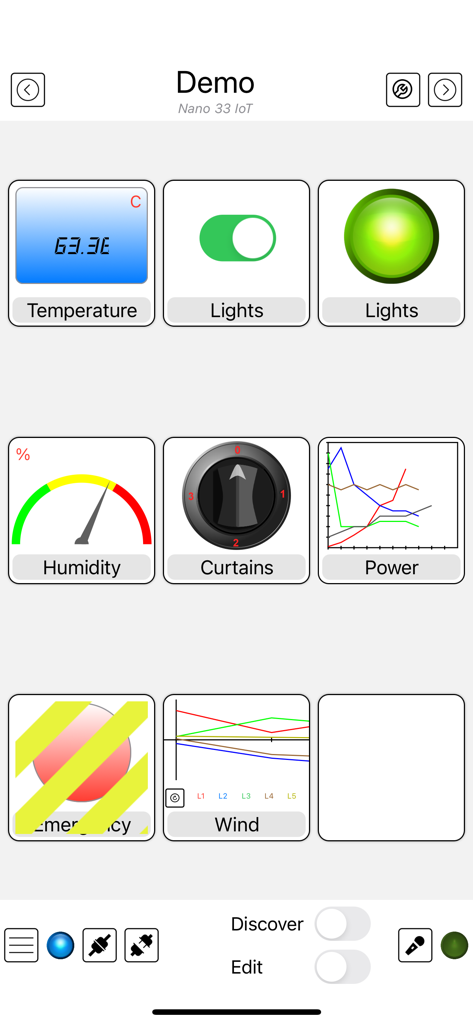
그래프, 스위치, 게이지와 같은 다양한 제어 위젯을 표시하는 Arduino Manager 앱의 인터페이스 (마이크로컨트롤러 프로젝트용)

그래프, 스위치, 게이지와 같은 다양한 제어 위젯을 표시하는 Arduino Manager 앱의 인터페이스 (마이크로컨트롤러 프로젝트용)

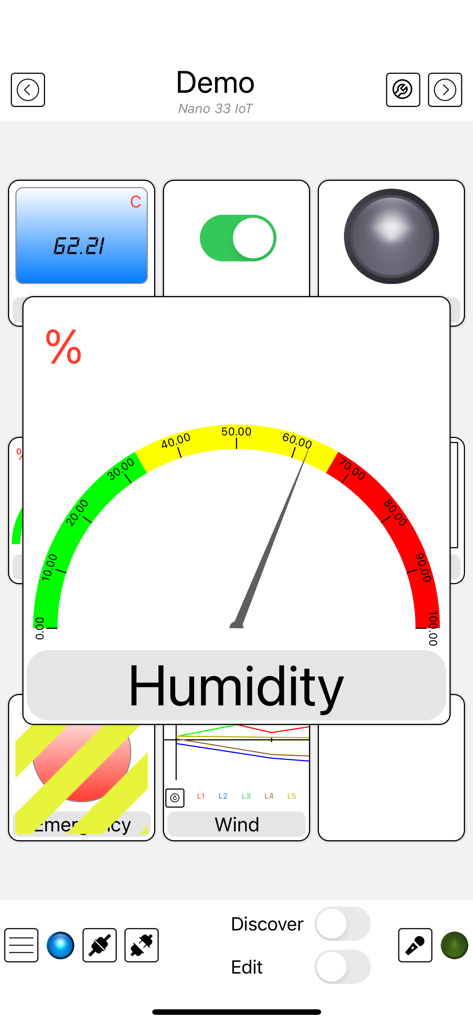
습도 게이지와 다양한 IoT 센서 위젯을 표시하는 Arduino Manager 앱 인터페이스

습도 게이지와 다양한 IoT 센서 위젯을 표시하는 Arduino Manager 앱 인터페이스

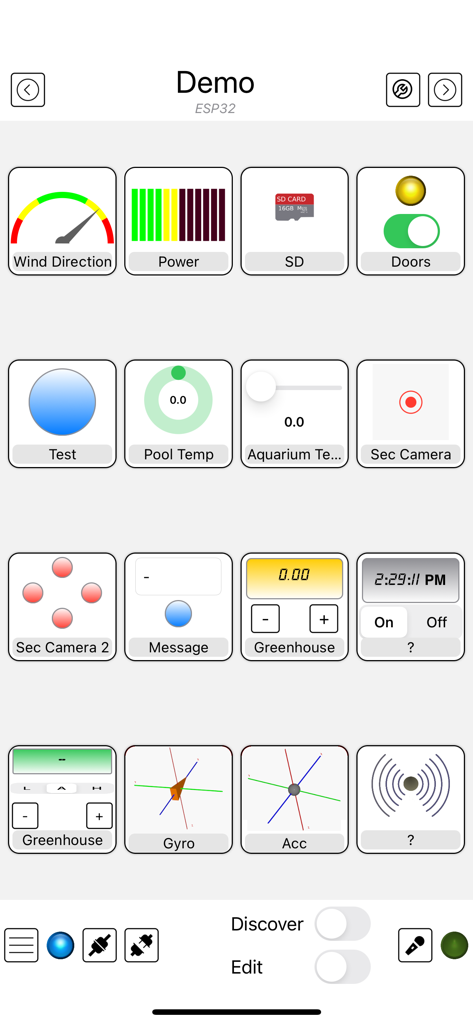
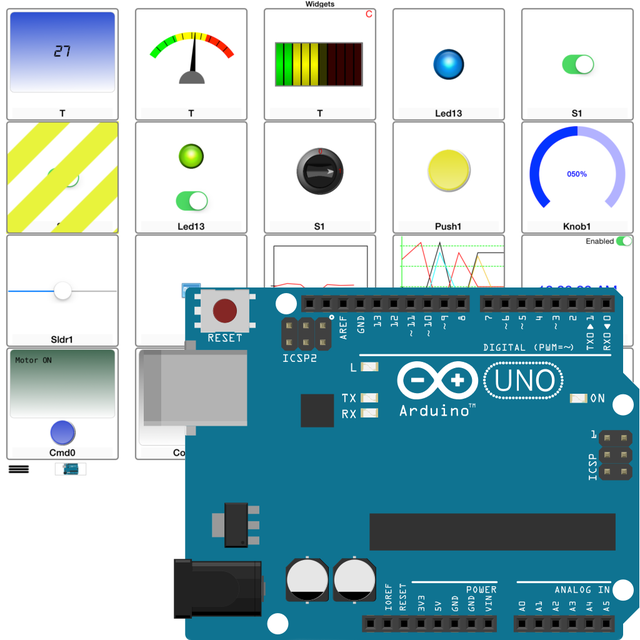
DIY 전자 프로젝트를 제어하고 모니터링하기 위한 사용자 정의 위젯 그리드를 표시하는 Arduino Manager 앱 인터페이스

DIY 전자 프로젝트를 제어하고 모니터링하기 위한 사용자 정의 위젯 그리드를 표시하는 Arduino Manager 앱 인터페이스

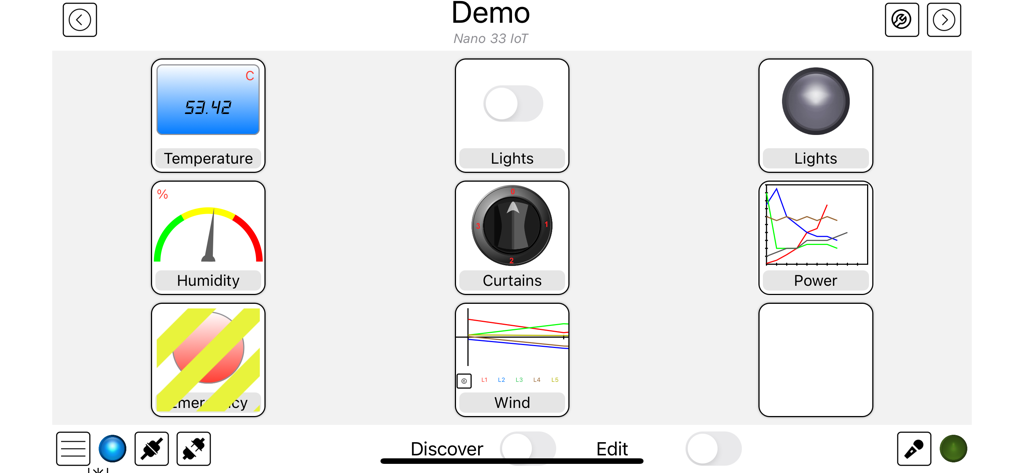
온도, 습도, 조명 제어를 위한 위젯이 있는 Arduino Manager 대시보드 인터페이스

온도, 습도, 조명 제어를 위한 위젯이 있는 Arduino Manager 대시보드 인터페이스

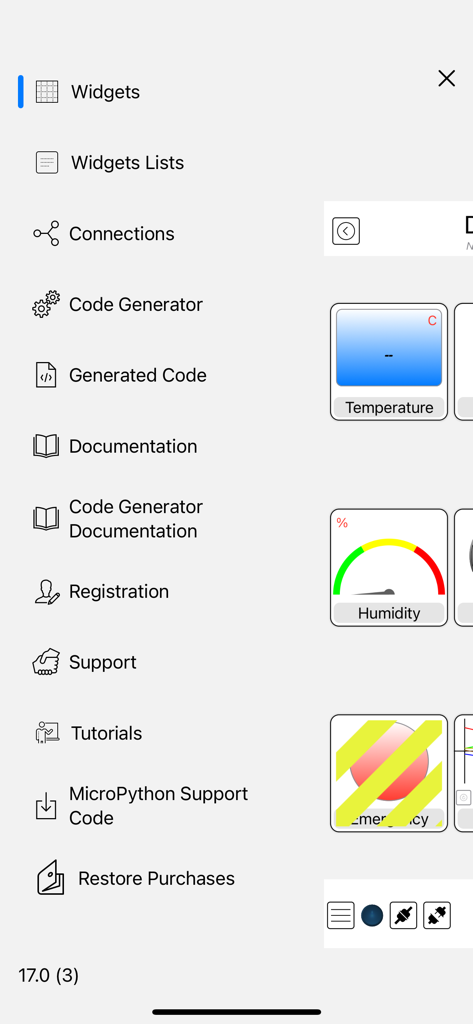
코드 생성 및 위젯 구성을 특징으로 하는 Arduino Manager 앱의 측면 메뉴.

코드 생성 및 위젯 구성을 특징으로 하는 Arduino Manager 앱의 측면 메뉴.

더 스마트하게 구축하고, 더 빠르게 코딩하세요

이 앱을 돋보이게 하는 도구, 121K+ 명의 사용자가 선택.

즉각적인 코드 생성

지루한 보일러플레이트 코드는 건너뛰세요. 하드웨어와 iOS 기기 간의 통신 브릿지를 자동으로 생성하여 몇 시간 아닌 몇 분 안에 프로젝트를 실행하세요.

📊

전문적인 데이터 대시보드

실시간 그래프, 콘솔 로그, 인터랙티브 위젯으로 데이터를 시각화하세요. DIY 프로젝트를 세련되고 고성능의 제어 센터로 바꾸세요.

🔌

보편적인 연결성

모든 보드를 위한 하나의 앱. ESP32, Arduino UNO 또는 Raspberry Pico를 사용하든 WiFi, Bluetooth 또는 이더넷을 통해 iCloud 동기화로 손쉽게 연결하세요.

전 세계 사용자들에게 사랑받는 앱

Trusted by 121K+ 명이 이 앱을 사랑합니다.

"

"Arduino Manager는 제 홈 자동화 프로젝트에 있어 완전한 게임 체인저입니다. 코드 생성기는 수 시간의 수동 프로그래밍을 절약해 주었고, 그래프 위젯은 보통 처음부터 구축하는 데 몇 주가 걸리는 수준의 데이터 시각화를 제공합니다. 제 DIY 센서를 iPad에서 전문가 수준의 모니터링 시스템으로 바꿔줍니다."

Kevin R.
"

"수십 개의 IoT 앱을 사용해 봤지만, 이 앱만큼 다양한 보드를 처리하는 앱은 없었습니다. 조명용 ESP32를 사용하든 로봇 공학용 Pico W를 사용하든 인터페이스는 완벽합니다. Rover Controller는 사용하기 즐겁고, Apple Watch에서 명령을 트리거할 수 있다는 사실은 제 프로젝트를 미래처럼 느끼게 합니다."

Marcus T.

앱 소개

에 대해 알아야 할 모든 것 Arduino Manager.

설명

Supported Boards: UNO R4 WiFi, UNO R3, Nano, MEGA2560, ESP32, ESP8622, Zero, MKR1000, Nano 33 IoT, Teensy e nRF52 BLE, Raspberry Pico Pi W (also using SDK). ESP32, Raspberry Pico and Pico W with MicroPython. Arduino Manager is an app to control the Arduino board and receive information from it through: - Ethernet Shield (arduino.cc) - HM-10 / HM19 - Adafruit * WINC1500 WiFi * CC3000 WiFi * nRF52 BLE * nRF8001 Bluefruit LE * LE SPI Friend The app shows a grid and tapping on it you can insert specialized widgets to send and receive information from Arduino. For a better visualization or control, each widget can be zoomed by the means of a double tap on it; tap on Configure for configuring the widget itself. Some widgets are: - Display Widget: shows values coming from your Arduino (i.e. Temperature). It can show numbers with 0,1,2,3 decimal digits or rolling text - LED Widget: shows a LED that can be turned on and off through digital values from Arduino - Switch Widget: sets a digital value to Arduino - Switch & LED Widget: a combination of the two previous widgets to save space when they are used together with the same variable - Push Button Widget: temporarily sets a digital value to Arduino - Knob Widget: sets a non-digital value to Arduino - SD Widget: shows the list of files in the root of SD Card and selecting a file it shows the content - Graph Widget: graphs values in (almost) real time coming from your Arduino (e.g. instantaneous temperature) - Logged Data Graph Widget: graphs up to 5 values logged onto the SD Card attached to Arduino. Libraries have helping functions to log data onto the SD Card - Alarm Widget: configures an alarm on the Arduino board which is then fired at the desired time. The alarm is fired even if the iOS device is not connected and retained across power off - power on cycles - Command Widget: allows to send a command (text message) to Arduino once the yellow button is tapped. You can add more Command Widgets to send different commands - Rover Controller Widget: allows driving a rover robot just rotating the device - Sound Alarm Widget: sounds an alarm each time the associated condition is verified - Threshold Widget: allows setting a threshold to the Arduino board (e.g. the room temperature under which the board has to start an heater) - Console Widget: helps the user to debug the Arduino code, receiving and displaying debugging messages Other widgets are available, please see support site. Each widget is associated with a name and a variable (i.e. name: Temperature, variable: T). The variable is either written or read by the sketch running on the board allowing the iOS app receiving information from Arduino or controlling it. The app can be easily connected to more boards, each page of widgets can connects to a different board at the same time. User can easily manage different lists of widgets and switch among them in order to control different projects. Any widget list can be shared between own devices via iCloud and/or other users via an email message. Many Arduino libraries are available to easily integrate your own projects with Arduino Manager. Libraries, related documentation, demo sketches and a video tutorial are available for free from my site. Available In-App purchases: - Code Generator: allows to generate the communication infrastructure between the Arduino board and iOS device and the code for each chosen widget in order to simplify the programming effort on Arduino board. - PIN Code Generator: allows the user to associate a pin to each Widget and generate the code to manage that pin. In most cases this avoid writing any code - Voice Commands: You can now control most of the AM features by mean of voice commands (in English only). It also unlocks Voice Commands Widget Continuous use of background location can decrease battery life.

최신 버전

23.2.0

크기

29.8 MB

출시일

2012년 1월 31일

당신의 창작물을 제어하세요

통신 보일러플레이트 코드를 작성하느라 시간을 낭비하지 마세요. Arduino Manager를 다운로드하고 오늘 당신의 iPhone 또는 iPad를 프로젝트를 위한 전문가 수준의 제어 센터로 바꾸세요.

다운로드: App Store