Calculator Plus v2

Calculator Plus v2

다운로드: App Store
Spark by MWM logo
로고: Calculator Plus v2

계산기 플러스 v2: 심플하고 강력한 광고 없는 공학용 계산기

Apple 생태계를 위한 궁극의 계산 도구입니다. iPhone, iPad, Mac 전반에서 실시간 정답 미리보기, 세로 모드 공학용 모드, 그리고 완벽한 개인정보 보호를 경험하세요.

다운로드: App Store

개발사

Wern Jie Lim

카테고리

Utilities

다운로드

82K+

사용자 평점

4.9/5

총 평가 수

0

지원 언어

1

실제 작동하는 정밀함

이 인터페이스를 사용하는 82K+ 명의 사용자.

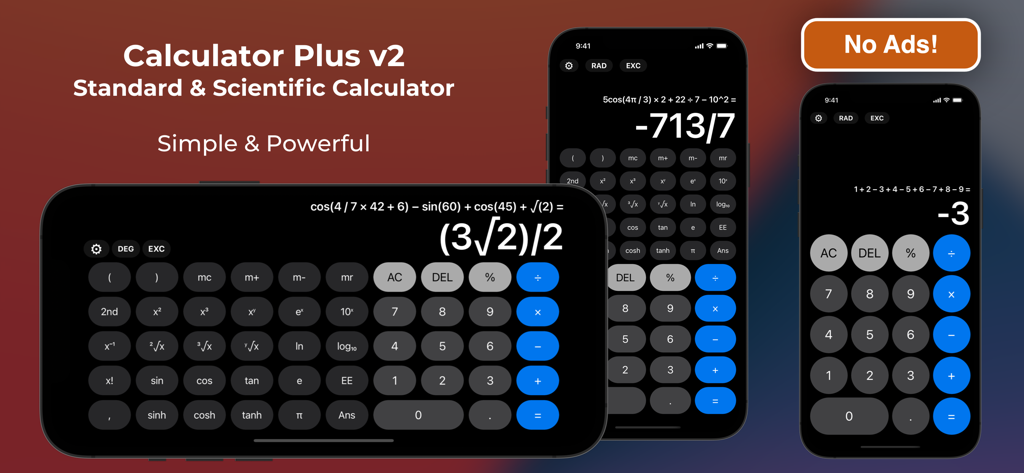
가로 및 세로 모드에서 iPhone의 공학용 계산기 기능을 보여주는 계산기 플러스 v2 인터페이스

가로 및 세로 모드에서 iPhone의 공학용 계산기 기능을 보여주는 계산기 플러스 v2 인터페이스

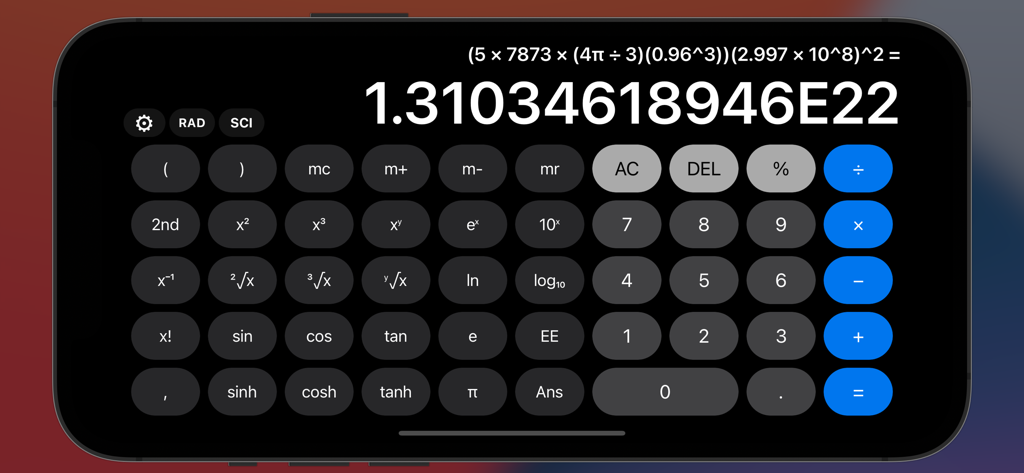
공학용 기능과 과학적 표기법으로 결과가 표시된 복잡한 방정식을 보여주는 가로 모드의 계산기 플러스 v2 인터페이스

공학용 기능과 과학적 표기법으로 결과가 표시된 복잡한 방정식을 보여주는 가로 모드의 계산기 플러스 v2 인터페이스

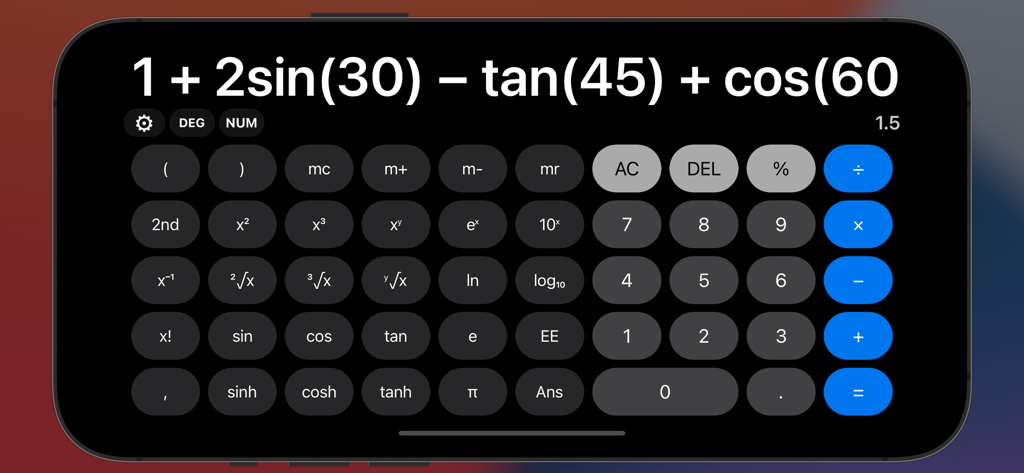
iPhone에서 복잡한 삼각 방정식과 공학용 계산기 레이아웃을 보여주는 가로 모드의 계산기 플러스 v2 앱

iPhone에서 복잡한 삼각 방정식과 공학용 계산기 레이아웃을 보여주는 가로 모드의 계산기 플러스 v2 앱

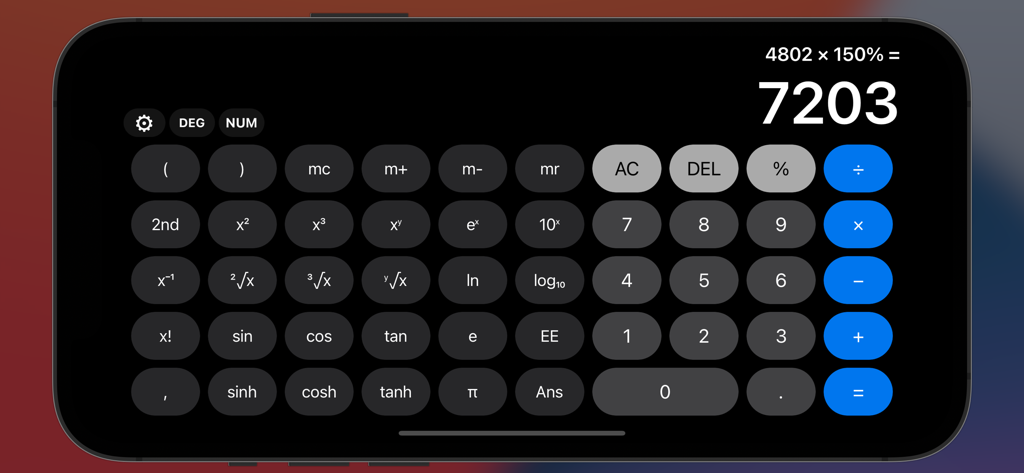
계산이 완료된 전체 공학용 계산기 인터페이스를 보여주는 가로 모드의 계산기 플러스 v2 앱

계산이 완료된 전체 공학용 계산기 인터페이스를 보여주는 가로 모드의 계산기 플러스 v2 앱

모든 방정식을 위한 정밀 도구

이 앱을 돋보이게 하는 도구, 82K+ 명의 사용자가 선택.

📱

한 손으로 조작하는 강력한 공학용 기능

더 이상 휴대폰을 회전시킬 필요가 없습니다. 입력하는 동안 업데이트되는 실시간 정답 미리보기와 함께 세로 모드에서 모든 공학용 기능을 사용하세요.

🎓

매번 정확한 정답

기본적인 소수점을 넘어보세요. 분수, 과학적 표기법 또는 정확한 형식으로 결과를 확인하세요. 복잡한 과제와 전문적인 정확성에 완벽합니다.

🛡️

광고 없음 및 생태계 준비 완료

iPhone, iPad 및 Mac에서 작동하는 비공개적이고 방해 없는 경험을 즐기세요. 하드웨어 키보드, Apple Pencil 및 Split View 멀티태스킹을 완벽하게 지원합니다.

전 세계 사용자들에게 사랑받는 앱

Trusted by 82K+ 명이 이 앱을 사랑합니다.

"

"마침내 OS의 기본 앱처럼 느껴지면서도 제가 실제로 필요로 하는 강력한 기능을 갖춘 계산기를 찾았습니다. 세로 모드에서의 실시간 미리보기와 공학용 연산 덕분에 작업 흐름이 훨씬 빨라졌습니다. 무엇보다 광고와 추적 기능이 없다는 점이 좋습니다. App Store에서 보기 드문 보석 같은 앱입니다."

Sarah T., 기계 엔지니어
"

"이것은 학생들에게 최고의 iPad 동반자입니다. Apple Pencil로 Scribble을 사용하고 Split View로 멀티태스킹을 할 수 있어 미적분 숙제가 아주 쉬워졌습니다. 가볍고 정밀하며 복잡한 표현식도 쉽게 처리합니다."

David L., 대학생

앱 소개

에 대해 알아야 할 모든 것 Calculator Plus v2.

설명

Calculator Plus is a standard and scientific calculator that has simplicity at its core, while not compromising on functionality. Even with its simple user interface inspired by the built-in Calculator app on iOS, it offers much, much more - and with no ads! With full expression and live answer preview, be faster than ever at calculating, and see exactly what you typed. Understand your answers by displaying them in exact form, scientific notation, fractions and more. Catch the exact errors with helpful syntax errors, with beautiful animations to complement your calculations. The full scientific calculator is also present in the portrait layout, so you can calculate scientific operations away one-handed on your phones, or via a space-efficient vertical window on larger screens. That's not all! If you're on a Mac, or have a hardware keyboard connected to your iPad or iPhone, simply type your math expressions normally and it will be registered - including every scientific operation listed. Clipboard support not only allows you to copy your calculations for others to see, it also gives you the ability to instantly take any expression from anywhere and paste into the app. Plus, enjoy bonus functionality like math expression autocorrection, voice dictation, Apple Pencil Scribble, and more! Download Calculator Plus to experience it for yourself! Feature List: - Standard & Scientific Calculator. - Simple UI design puts focus on your calculations. - Live expression and answer display while typing. - Full scientific calculator in the portrait layout with minimal rearrangement. - View long operations comfortably with scrollable calculation panels. - Multiple display formats: Exact Form, Scientific Notation, Fractions and more! - Bi-directional clipboard: Copy & Paste any expression into and out of the app. - Math Evaluation Overrides: For those who want to configure autocorrect or prefer non-standard notations/conventions. - Custom Scientific Typing Mode: Append, Substitute or a hybrid of both when using on-screen buttons. - Full Hardware Keyboard input support (including scientific operations!) - Apple Pencil Scribble support on iPadOS 14+ in English. - Basic Voice Dictation input support in English. - iPadOS SlideOver, Split View and Stage Manager multitasking support. - Satisfying clicks with haptic feedback on modern iPhones. - Complete support for all math operations and input methods on the Apple Watch app. - Useful Syntax Error hints to let you know exactly what's wrong. - Lightweight: only a few MB in size. - No ads, no tracking :) If you have or find any problems, feel free to contact me under App Support within Calculator Plus. Developer: Wern

최신 버전

2.3.1

크기

14.3 MB

출시일

2016년 12월 5일

정밀함, 개인정보 보호, 그리고 강력한 성능으로 계산하세요.

iPhone, iPad, Mac 및 Apple Watch용으로 제작된 광고 없는 프로 수준의 계산기로 업그레이드한 82,000명 이상의 사용자와 함께하세요.

다운로드: App Store