CloudLibrary

CloudLibrary

다운로드: App Store다운로드: Google Play
Spark by MWM logo
로고: CloudLibrary

CloudLibrary: 나만의 올인원 디지털 및 실물 도서관 동반자

무료 전자책 및 오디오북을 대출하고, 여러 가족 카드를 관리하고, 모바일 체크아웃으로 줄을 서지 마세요. 당신의 삶에 맞춰 새롭게워진 동네 도서관입니다.

개발사

OCLC

카테고리

Books

다운로드

2M+

사용자 평점

4.7/5

총 평가 수

307K+

지원 언어

20

한눈에 보는 나의 도서관

이 인터페이스를 사용하는 2M+ 명의 사용자.

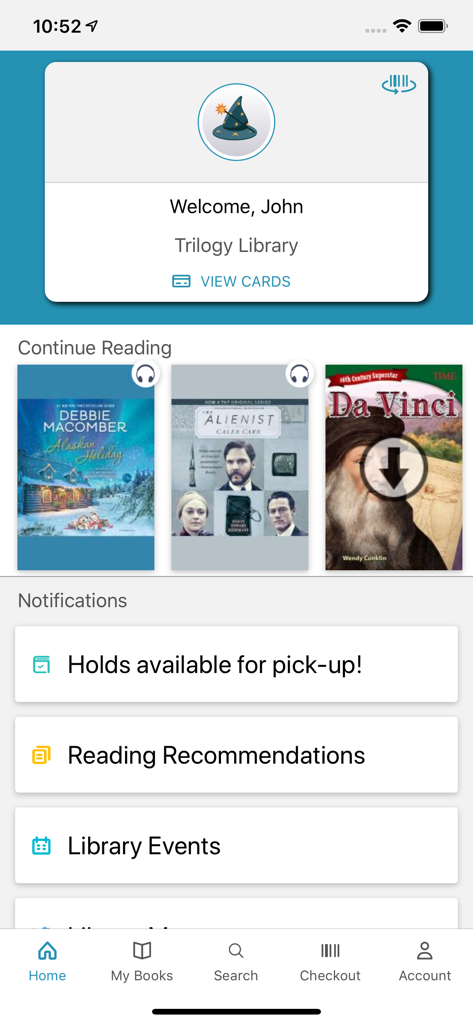
CloudLibrary 모바일 앱 홈 화면. 사용자 환영 카드, 현재 읽는 목록, 도서관 알림이 표시됩니다.

CloudLibrary 모바일 앱 홈 화면. 사용자 환영 카드, 현재 읽는 목록, 도서관 알림이 표시됩니다.

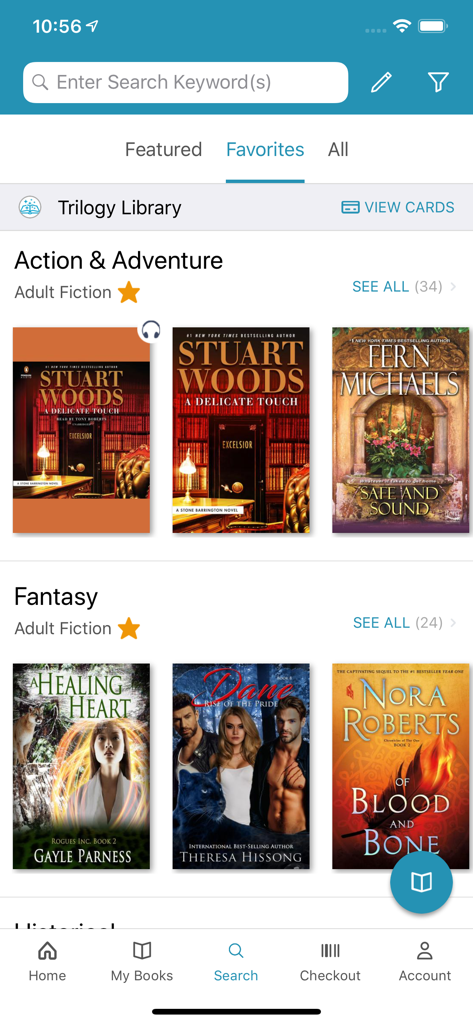
CloudLibrary 앱의 검색 화면. 판타지 및 액션 어드벤처와 같은 장르와 책 추천이 표시됩니다.

CloudLibrary 앱의 검색 화면. 판타지 및 액션 어드벤처와 같은 장르와 책 추천이 표시됩니다.

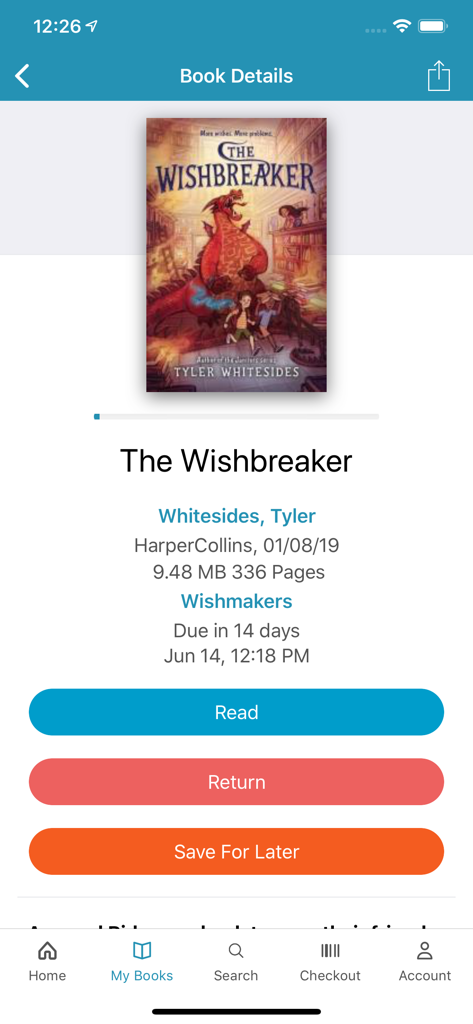
CloudLibrary 앱 화면. The Wishbreaker의 도서 세부 정보와 함께 읽기, 반납 또는 나중에 저장 옵션이 표시됩니다.

CloudLibrary 앱 화면. The Wishbreaker의 도서 세부 정보와 함께 읽기, 반납 또는 나중에 저장 옵션이 표시됩니다.

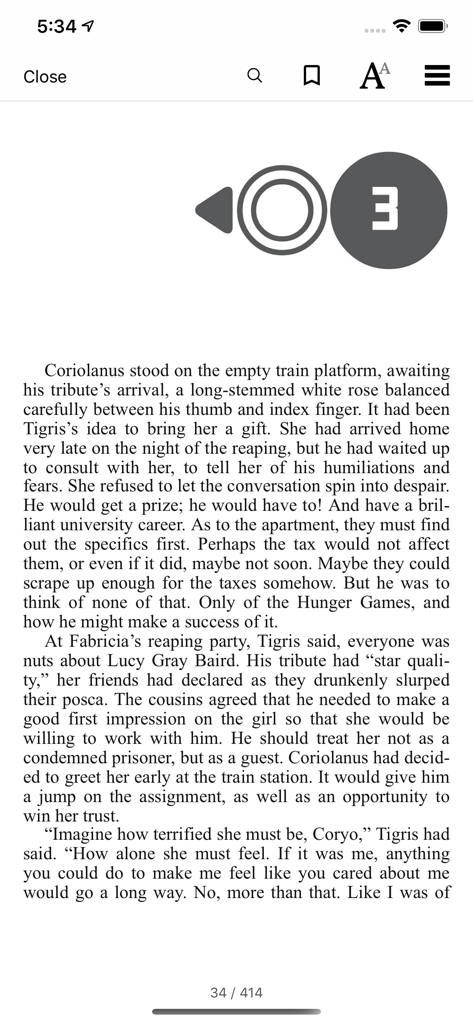
CloudLibrary 앱의 모바일 전자책 리더 인터페이스. 책 텍스트와 읽기 컨트롤이 표시됩니다.

CloudLibrary 앱의 모바일 전자책 리더 인터페이스. 책 텍스트와 읽기 컨트롤이 표시됩니다.

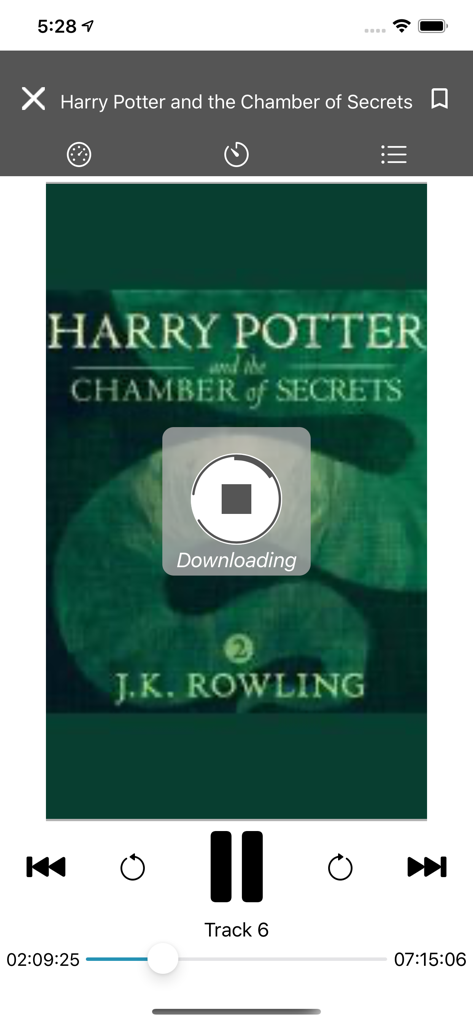
CloudLibrary 앱 오디오북 플레이어. Harry Potter and the Chamber of Secrets의 다운로드가 표시됩니다.

CloudLibrary 앱 오디오북 플레이어. Harry Potter and the Chamber of Secrets의 다운로드가 표시됩니다.

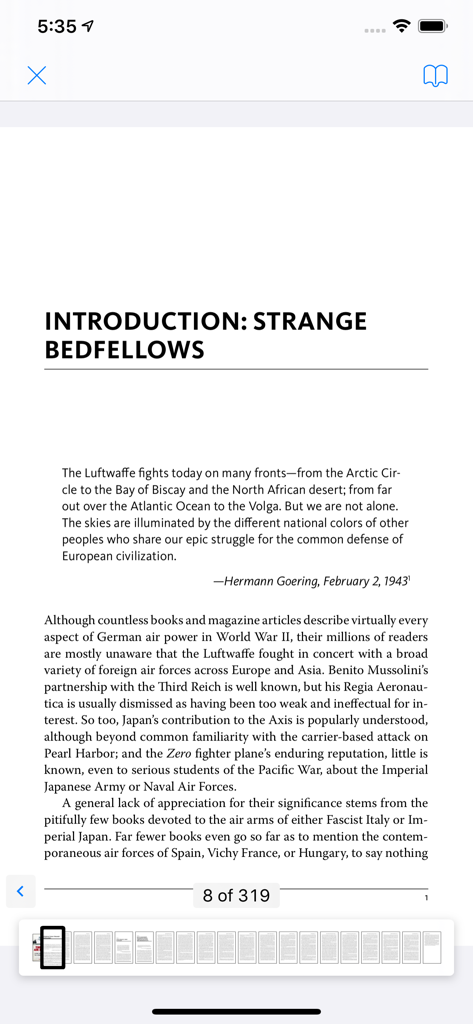
CloudLibrary 앱 전자책 리더 보기. 내비게이션 썸네일과 함께 역사 서적의 페이지가 표시됩니다.

CloudLibrary 앱 전자책 리더 보기. 내비게이션 썸네일과 함께 역사 서적의 페이지가 표시됩니다.

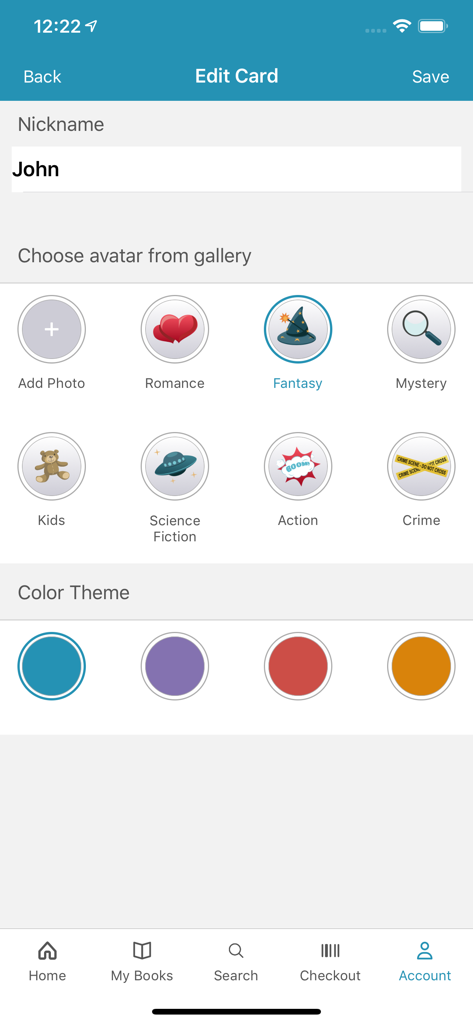
CloudLibrary 앱에서 사용자 지정 별명과 아바타로 도서관 카드 프로필을 개인 설정합니다.

CloudLibrary 앱에서 사용자 지정 별명과 아바타로 도서관 카드 프로필을 개인 설정합니다.

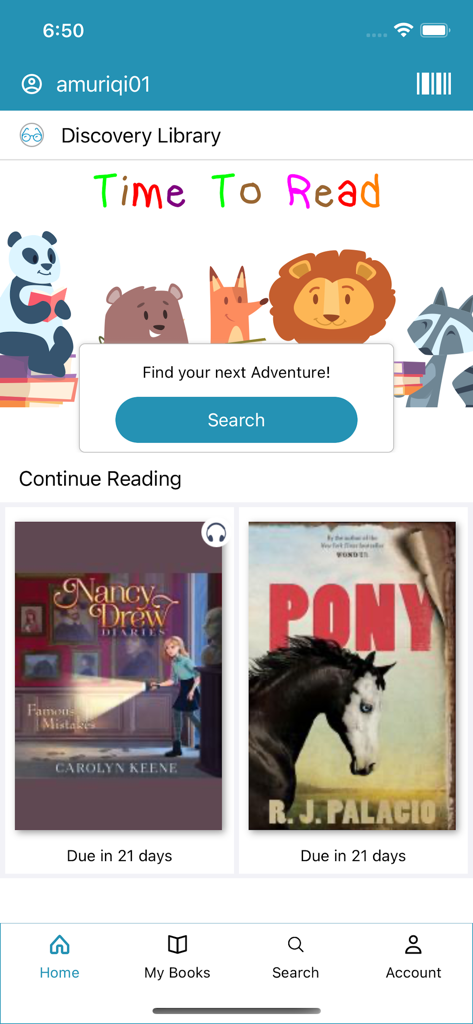
CloudLibrary 모바일 앱 홈 화면. 어린이 도서 및 현재 읽는 책 반납일이 포함된 Discovery Library 섹션이 표시됩니다.

CloudLibrary 모바일 앱 홈 화면. 어린이 도서 및 현재 읽는 책 반납일이 포함된 Discovery Library 섹션이 표시됩니다.

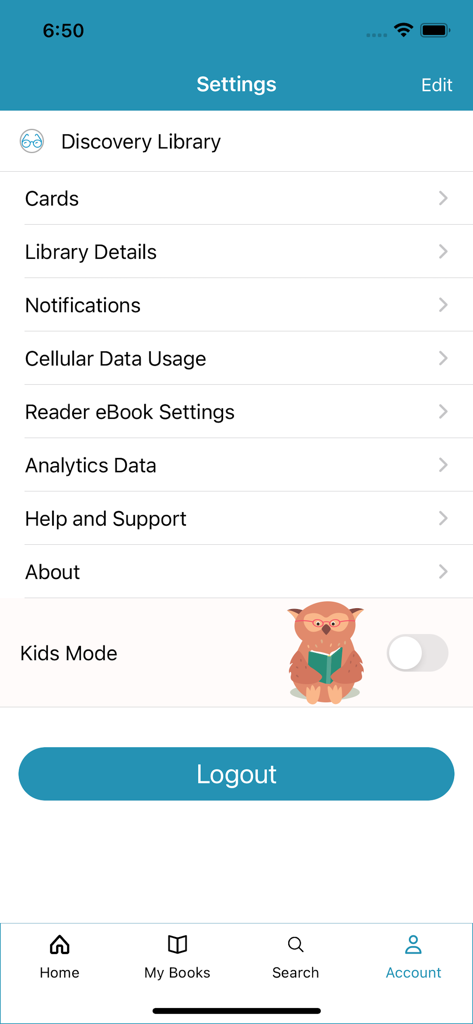
CloudLibrary 앱의 설정 화면. 계정 관리 옵션과 어린이 모드 토글이 포함되어 있습니다.

CloudLibrary 앱의 설정 화면. 계정 관리 옵션과 어린이 모드 토글이 포함되어 있습니다.

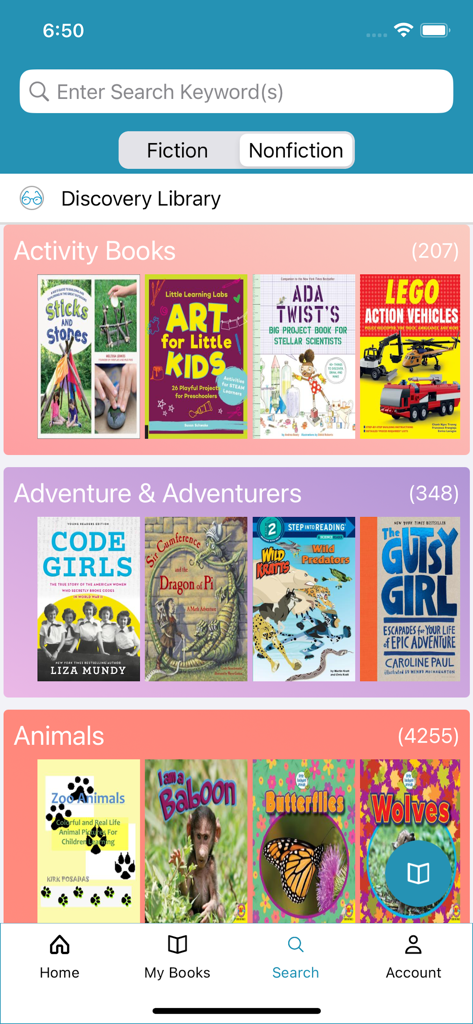
CloudLibrary 앱의 검색 화면. 활동 및 어드벤처 책 카테고리가 표시됩니다.

CloudLibrary 앱의 검색 화면. 활동 및 어드벤처 책 카테고리가 표시됩니다.

바쁜 당신의 삶을 위한 재해석된 도서관

이 앱을 돋보이게 하는 도구, 2M+ 명의 사용자가 선택.

💳

디지털 카드 및 가족 관리

플라스틱 카드를 들고 다닐 필요가 없습니다. 자신과 자녀를 위한 여러 도서관 계정을 저장하고 탭 한 번으로 전환하세요.

📲

즉각적인 모바일 체크아웃

키오스크 줄을 건너뛰세요. 도서관에서 휴대폰을 사용하여 실물 도서를 스캔하고 바로 나가세요. 궁극의 즉시 구매 경험입니다.

🎧

무료 전자책 및 오디오북

비싼 구독료는 그만. 모든 기기에서 완벽하게 동기화되는 수천 개의 프리미엄 디지털 타이틀 및 오디오북에 액세스하세요.

전 세계 사용자들에게 사랑받는 앱

Trusted by 2M+ 명이 이 앱을 사랑합니다.

"

"세 개의 다른 도서관 카드를 관리하는 부모로서 이 앱은 정말 구세주입니다. 계정을 즉시 전환할 수 있고, 반납일 알림 덕분에 연체료를 절약했습니다. 휴대폰으로 실물 도서를 체크아웃하는 것은 제가 필요하다고 몰랐던 편리함입니다!"

Sarah Miller
"

"저는 비싼 오디오북 구독을 CloudLibrary로 대체했습니다. 인터페이스가 매우 직관적이며 휴대폰과 태블릿 간에 진행 상황을 원활하게 동기화할 수 있다는 점이 마음에 듭니다. 프리미엄 디지털 경험을 즐기면서 지역 도서관을 지원하는 완벽한 방법입니다."

David Chen

앱 소개

에 대해 알아야 할 모든 것 CloudLibrary.

설명

A must-have app for library users! Easily borrow physical items using your mobile device, receive reminders, manage receipts and discover new digital content all within the CloudLibrary app! Extremely intuitive, all it takes is a library card to login and get started! Designed for an enjoyable experience, users can benefit from many new features, depending on their library’s subscription. - Easily accessible library card, which conveniently displays when you’re near the library - Switch accounts with ease and manage multiple library cards from one mobile device - Download and enjoy free eBooks and Audiobooks - Keep track of your physical and digital library activity in one place - Receive helpful receipts, due-date reminders and packable checklists - Visible push notifications alert when hold items are available - View upcoming library events and programs - Checkout print items at your library using your mobile device - Fun and loveable customizations include Themes, Avatars and Nicknames For libraries that have a subscription to offer eBooks and Audiobooks: - Customize your homepage bookshelves to display your preferred genres - Simple interface makes browsing and saving titles a breeze - Filter content by format, availability and language to display exactly what you are looking for - Mark titles as favorites or read to help with literary conversations with friends - Sync digital content across multiple devices to easily pick up where you left off - View current books, full reading history, items on hold and saved titles in one place - Sort titles by name or author to easily find what you’re looking for - Receive reading recommendations or view additional titles by author or series - Select font size, margins and background colors to create your preferred reading experience - Search eBooks for a particular phrase to get back to that one spot you wanted to reference - Bookmark pages and add notes if needed - Return titles early when you’re finished and make available for other readers Elevate your library experience today with the CloudLibrary app!

최신 버전

5.13.1

크기

158.9 MB

출시일

2011년 10월 3일

내 손안의 완벽하게 정리된 도서관

2백만 명 이상의 독자들과 함께 구독료를 절약하세요. 무료 전자책 및 오디오북을 대출하고, 가족 카드를 관리하고, 휴대폰으로 즉시 실물 도서를 체크아웃하세요.

다운로드: App Store다운로드: Google Play
FAQ

자주 묻는 질문

에 대해 알아야 할 모든 것 CloudLibrary

CloudLibrary 앱은 어떻게 아이템 대출을 지원하나요?

CloudLibrary 앱을 사용하면 모바일 기기를 이용하여 도서관의 실물 도서를 대출할 수 있습니다. 또한 도서관에서 직접 인쇄물을 대출하는 것도 지원합니다.

CloudLibrary 앱에서 전자책과 오디오북에 접근할 수 있나요?

네, CloudLibrary 앱에서는 무료 전자책과 오디오북을 다운로드하여 이용할 수 있습니다. 사용자는 이 디지털 콘텐츠를 검색하고 저장하며 기기 간에 동기화할 수 있습니다.

CloudLibrary 앱에서 여러 도서관 카드를 관리할 수 있나요?

네, CloudLibrary 앱을 사용하면 단일 모바일 기기에서 여러 도서관 카드를 관리할 수 있습니다. 이를 통해 다른 계정 간에 쉽게 전환할 수 있습니다.

CloudLibrary 앱은 사용자에게 어떤 종류의 알림을 보내나요?

CloudLibrary 앱은 반납일 알림, 유용한 영수증, 그리고 눈에 띄는 푸시 알림을 제공합니다. 이러한 알림은 예약한 아이템이 수령 가능할 때 사용자에게 알려줍니다.

CloudLibrary 앱에서 사용자 경험을 맞춤 설정할 수 있나요?

네, CloudLibrary 앱에서는 테마, 아바타, 별명 등 맞춤 설정을 제공합니다. 사용자는 선호하는 독서 경험을 위해 글꼴 크기, 여백, 배경색도 조절할 수 있습니다.

CloudLibrary 앱은 독서 추천을 제공하나요?

네, CloudLibrary 앱은 사용자에게 독서 추천을 제공합니다. 또한 콘텐츠 발견을 위해 저자별 또는 시리즈별 추가 도서를 볼 수 있도록 합니다.

CloudLibrary 앱에서 대출한 도서를 어떻게 반납할 수 있나요?

사용자는 CloudLibrary 앱을 통해 읽기를 마친 도서를 조기에 반납할 수 있습니다. 이 작업을 통해 해당 도서는 다른 독자가 즉시 이용할 수 있습니다.

CloudLibrary 앱에서 도서관 활동을 추적할 수 있나요?

네, CloudLibrary 앱을 사용하면 실제 및 디지털 도서관 활동을 하나의 중앙 집중식 위치에서 추적할 수 있습니다. 여기에는 현재 대출 도서, 독서 기록, 예약 도서가 포함됩니다.

CloudLibrary 앱에서 콘텐츠를 필터링할 수 있나요?

네, 사용자는 CloudLibrary 앱 내에서 형식, 이용 가능 여부, 언어별로 디지털 콘텐츠를 필터링할 수 있습니다. 이 기능을 통해 선호도에 따라 특정 도서를 표시할 수 있습니다.

CloudLibrary 앱에 어린이 모드 기능이 있나요?

네, CloudLibrary 앱에는 "어린이 모드" 기능이 포함되어 있습니다. 이 옵션은 앱 설정 메뉴에서 관리하고 켜거나 끌 수 있습니다.