Desmos Graphing Calculator

Desmos Graphing Calculator

다운로드: App Store
Spark by MWM logo
로고: Desmos Graphing Calculator

Desmos 그래핑 계산기: 수학을 시각화하고 마스터하는 가장 빠른 방법

비싼 하드웨어는 잊고 직관적으로 수학을 탐색하세요. 학생 및 교육자를 위한 업계 표준으로 방정식을 그리고, 슬라이더로 함수를 애니메이션하고, 복잡한 문제를 무료로 해결하세요.

다운로드: App Store

개발사

Desmos, Inc.

카테고리

Education

다운로드

9M+

사용자 평점

4.6/5

총 평가 수

5K+

지원 언어

18

움직이는 수학

이 인터페이스를 사용하는 9M+ 명의 사용자.

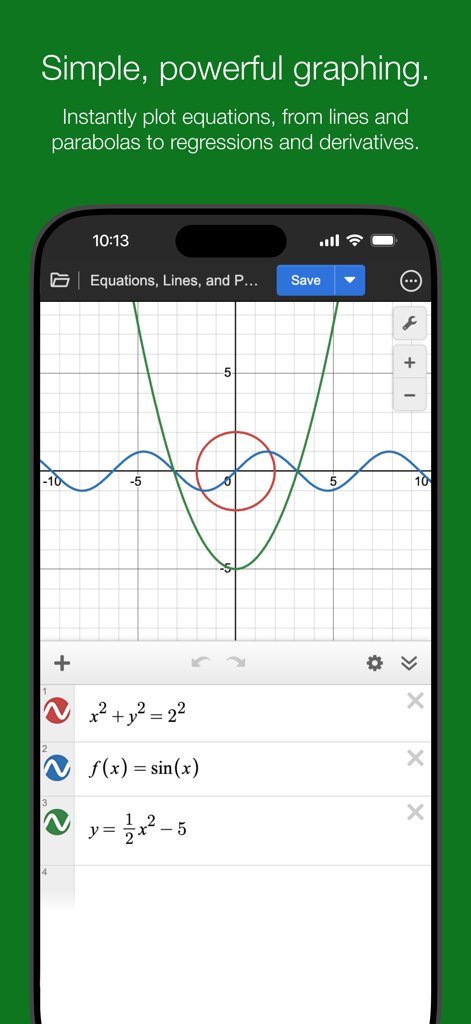
수학 방정식과 좌표 평면에 그려진 그래프를 보여주는 Desmos 그래핑 계산기 앱 인터페이스

수학 방정식과 좌표 평면에 그려진 그래프를 보여주는 Desmos 그래핑 계산기 앱 인터페이스

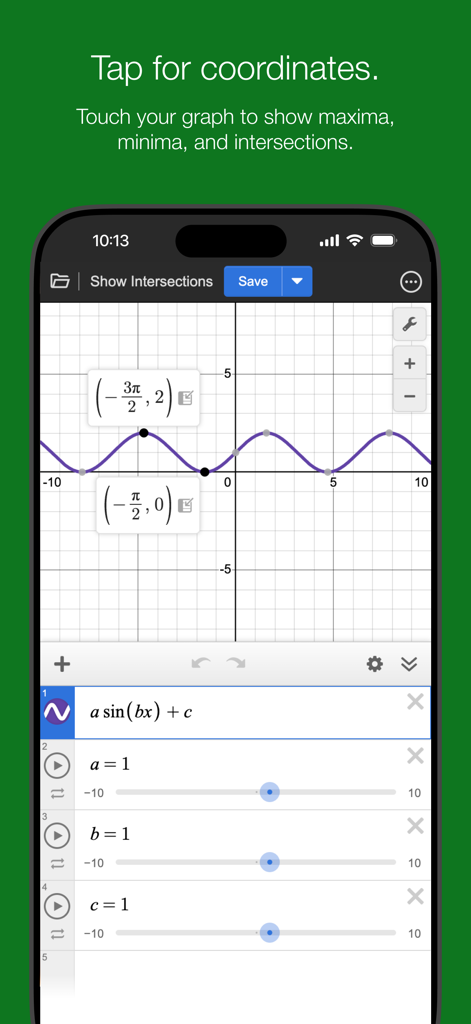
최대값 및 교차점에 대한 레이블이 지정된 좌표를 보여주는 Desmos 앱의 사인파 그래프.

최대값 및 교차점에 대한 레이블이 지정된 좌표를 보여주는 Desmos 앱의 사인파 그래프.

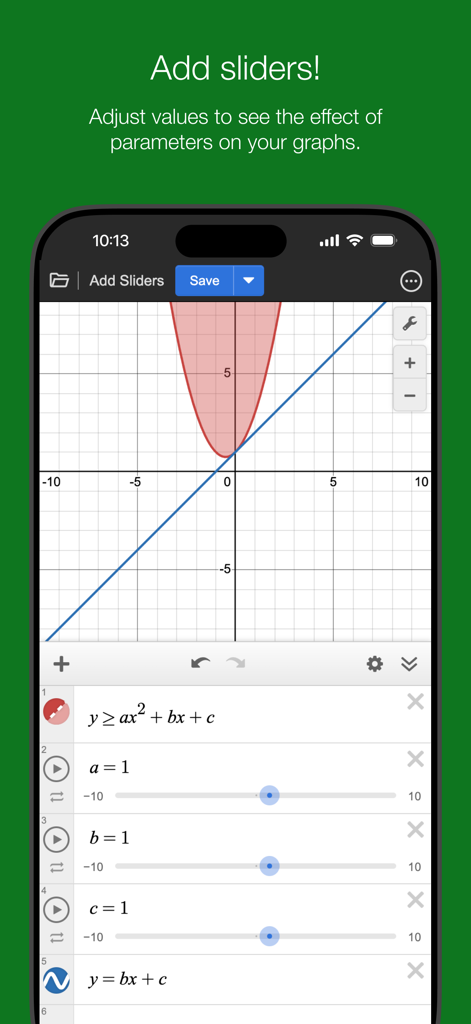
수학 그래프의 매개변수를 조정하는 데 사용되는 대화형 슬라이더를 보여주는 Desmos 앱 스크린샷.

수학 그래프의 매개변수를 조정하는 데 사용되는 대화형 슬라이더를 보여주는 Desmos 앱 스크린샷.

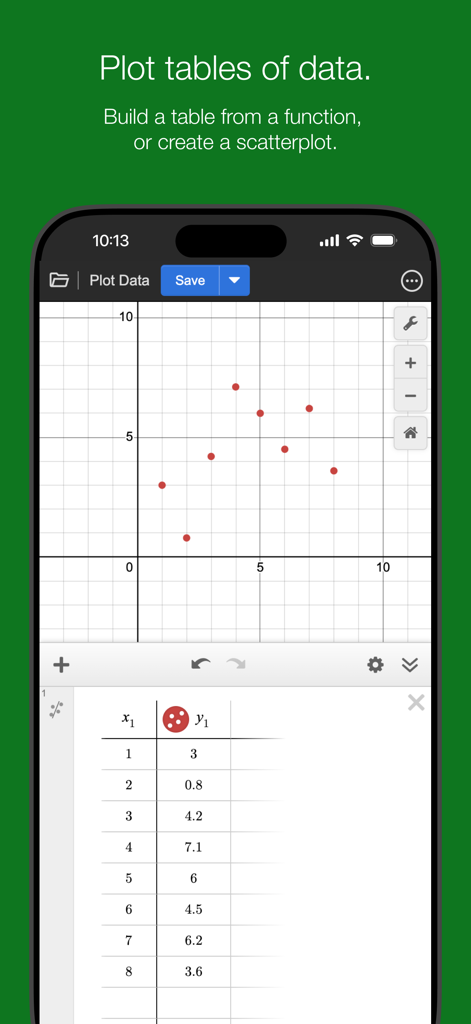
데이터 테이블과 해당 산점도 그래프를 보여주는 Desmos 그래핑 계산기 앱 인터페이스

데이터 테이블과 해당 산점도 그래프를 보여주는 Desmos 그래핑 계산기 앱 인터페이스

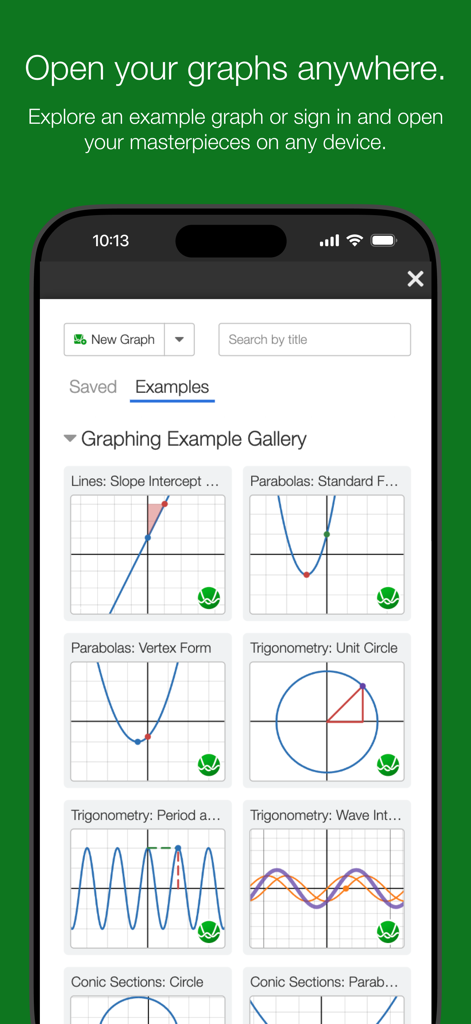
Desmos 앱에서 선, 포물선, 삼각법과 같은 수학 그래프 예제 갤러리를 보여주는 모바일 화면

Desmos 앱에서 선, 포물선, 삼각법과 같은 수학 그래프 예제 갤러리를 보여주는 모바일 화면

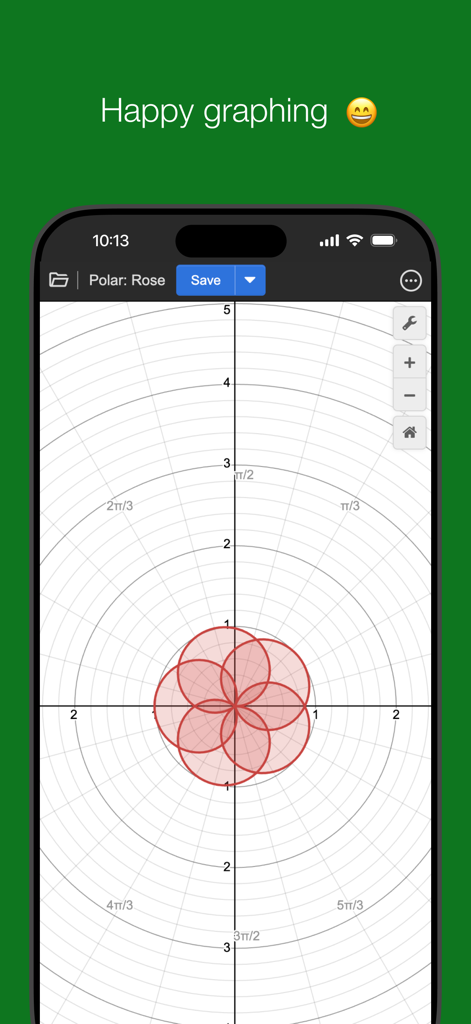
Desmos 앱에서 그래프 화면에 극 장미 곡선을 보여줌

Desmos 앱에서 그래프 화면에 극 장미 곡선을 보여줌

모든 방정식을 쉽게 마스터하세요

이 앱을 돋보이게 하는 도구, 9M+ 명의 사용자가 선택.

📈

실시간 시각적 직관

대화형 슬라이더를 사용하여 매개변수를 애니메이션하고 함수가 즉시 변형되는 것을 보면서 수학 뒤의 '이유'를 이해하도록 돕습니다.

🎓

디지털 SAT, ACT, AP 시험에서 사용되는 정확한 도구로 연습하여 시험 당일에 필요한 자신감을 키우세요.

📱

어디서든, 오프라인으로 공부하기

Wi-Fi가 필요하지 않습니다. 수업 중이든 버스 안에서든 기기에서 직접 강력한 그래핑, 통계 및 과학 도구에 액세스하세요.

전 세계 사용자들에게 사랑받는 앱

Trusted by 9M+ 명이 이 앱을 사랑합니다.

"

"Desmos는 제 공학 과정에 정말 큰 도움이 됩니다. 과거에는 90년대 물건처럼 느껴지는 부피가 크고 비싼 그래핑 계산기를 가지고 다녔습니다. 이제 아이패드에서 놀라운 속도로 복잡한 미분과 푸리에 급수를 바로 그릴 수 있습니다. 슬라이더는 실시간으로 변환을 시각화하는 데 도움이 되었고, 마침내 미적분학에서 '아하!' 순간을 경험하게 해주었습니다!"

Maya R., 대학 STEM 학생
"

"교사로서 이것은 제 교실에서 가장 강력한 도구입니다. 추상적인 함수를 학생들이 실제로 즐겁게 탐색하는 대화형 경험으로 바꿔줍니다. 특히 오디오 추적 및 화면 판독기 지원과 같은 접근성 기능은 모든 학습자를 위한 포용적인 환경을 조성할 수 있게 해줍니다. 단순한 계산기 그 이상입니다. 이해로 가는 다리입니다."

David Chen, 고등학교 수학 교사

앱 소개

에 대해 알아야 할 모든 것 Desmos Graphing Calculator.

설명

Explore math with the fast and powerful Desmos Graphing Calculator. Plot any equation, from lines and parabolas to derivatives and Fourier series. Add sliders to demonstrate function transformations, create tables to input and plot data, animate your graphs, and more—all for free. Features: Graphing: Plot polar, cartesian, or parametric graphs. There’s no limit to how many expressions you can graph at one time—and you don’t even need to enter expressions in y= form! Sliders: Adjust values interactively to build intuition, or animate any parameter to visualize its effect on the graph. Tables: Input and plot data, or create an input-output table for any function. Statistics: Find best-fit lines, parabolas, and more. Zooming: Scale the axes independently or at the same time with the pinch of two fingers, or edit the window size manually to get the perfect window. Points of Interest: Touch a curve to show maximums, minimums, and points of intersection. Tap the gray points of interest to see their coordinates. Hold and drag along a curve to see the coordinates change under your finger. Scientific Calculator: Just type in any equation you want to solve and Desmos will show you the answer. It can handle square roots, logs, absolute value, and more. Inequalities: Plot Cartesian and polar inequalities. Accessibility: Read and edit math using a screen reader or a refreshable Braille display, and use audio trace to explore graphs and data through sound. Offline: No internet access required. Visit www.desmos.com to learn more and to see the free browser version of our calculator.

최신 버전

7.44.0

크기

19.9 MB

출시일

2013년 6월 18일

세계에서 가장 강력한 그래핑 계산기로 수학 마스터하기

9백만 명 이상의 학생 및 교육자와 함께하세요. SAT, ACT, AP 시험에서 사용되는 빠르고 대화형이며 무료인 도구를 다운로드하세요. 오프라인 및 주머니에서 사용할 수 있습니다.

다운로드: App Store
FAQ

자주 묻는 질문

에 대해 알아야 할 모든 것 Desmos Graphing Calculator

Is the Desmos Graphing Calculator app free to use?

네, Desmos Graphing Calculator 앱은 완전히 무료로 사용할 수 있습니다. 사용자는 비용 없이 방정식 플로팅, 슬라이더 추가, 표 생성 등 모든 강력한 그래프 기능을 이용할 수 있습니다.

What types of graphs can the Desmos Graphing Calculator plot?

Desmos Graphing Calculator는 극좌표, 직교좌표, 매개변수 그래프를 플로팅합니다. y= 형태의 표현식이 필요 없이 선, 포물선, 도함수, 푸리에 급수와 같은 모든 방정식을 플로팅할 수 있습니다.

Can I use sliders in the Desmos Graphing Calculator app?

네, Desmos Graphing Calculator 앱에서는 슬라이더를 추가할 수 있습니다. 이러한 슬라이더를 사용하면 값을 대화형으로 조정하여 직관을 키우거나 매개변수를 애니메이션화하여 그래프에 미치는 영향을 시각화할 수 있습니다.

Does Desmos Graphing Calculator work offline?

네, Desmos Graphing Calculator 앱은 완전히 오프라인으로 작동합니다. 사용자는 방정식을 플로팅하거나, 슬라이더를 추가하거나, 표를 생성하거나, 기타 그래프 기능을 사용하기 위해 인터넷에 접속할 필요가 없습니다.

How does Desmos Graphing Calculator handle data input and plotting?

Desmos Graphing Calculator에서는 표를 생성하여 데이터를 입력하고 플로팅할 수 있습니다. 사용자는 모든 함수에 대한 입력-출력 표를 생성하거나 데이터에서 직접 산점도를 만들 수도 있습니다.

Can Desmos Graphing Calculator help find points of interest on a graph?

네, Desmos Graphing Calculator는 관심 지점을 식별합니다. 사용자는 곡선을 터치하여 최대값, 최소값, 교점을 표시할 수 있으며, 회색 점을 탭하여 좌표를 볼 수 있습니다.

Is the Desmos Graphing Calculator accessible for users with disabilities?

네, Desmos Graphing Calculator에는 접근성 기능이 포함되어 있습니다. 화면 판독기 또는 새로 고침 가능한 점자 표시를 사용하여 수학을 읽고 편집할 수 있으며, 소리를 통해 그래프를 탐색하기 위한 오디오 추적 기능을 제공합니다.

Can I save and open Desmos Graphing Calculator graphs on multiple devices?

네, 사용자는 Desmos Graphing Calculator 그래프를 어디서든 열 수 있습니다. 로그인하면 사용자는 예제 그래프를 탐색하거나 호환되는 모든 장치에서 저장된 걸작에 액세스할 수 있습니다.

Does the Desmos Graphing Calculator app include a scientific calculator?

네, Desmos Graphing Calculator에는 과학 계산기가 통합되어 있습니다. 사용자는 방정식을 입력하여 풀 수 있으며, 제곱근, 로그, 절댓값과 같은 함수를 지원합니다.