NCalc Scientific Calculator +

NCalc Scientific Calculator +

다운로드: App Store
Spark by MWM logo
로고: NCalc Scientific Calculator +

NCalc 과학 계산기 +: 고급 수학 및 그래프 파워하우스

투박한 TI-84는 이제 그만. 자연스러운 교과서 디스플레이, 기호 대수 해결사, 전문가용 그래프 도구를 모두 갖춘 이 올인원 앱은 이미 600만 명 이상의 학생과 엔지니어에게 신뢰받고 있습니다.

개발사

Tran Duy

카테고리

Education

다운로드

6M+

사용자 평점

4.7/5

총 평가 수

152K+

지원 언어

51

시각적으로 배우는 수학

이 인터페이스를 사용하는 6M+ 명의 사용자.

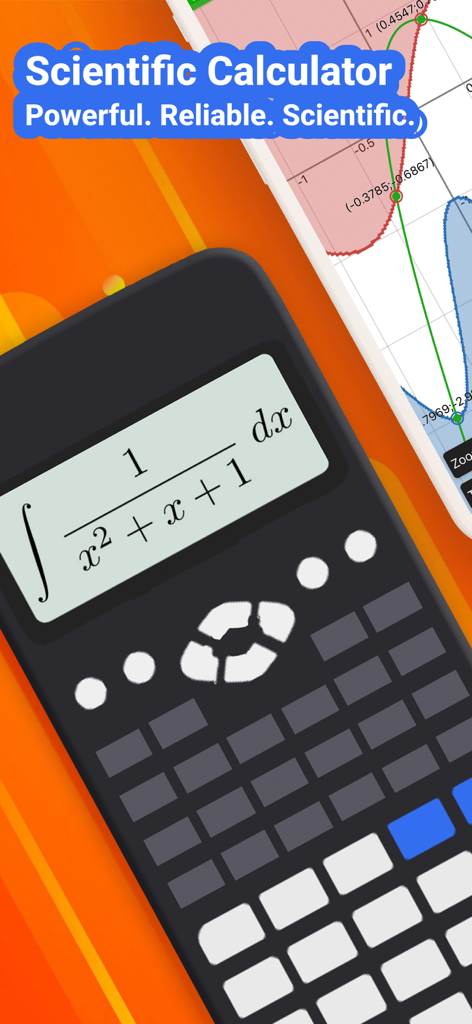
NCalc 과학 계산기 앱에 적분 공식과 함수 그래프가 표시됨

NCalc 과학 계산기 앱에 적분 공식과 함수 그래프가 표시됨

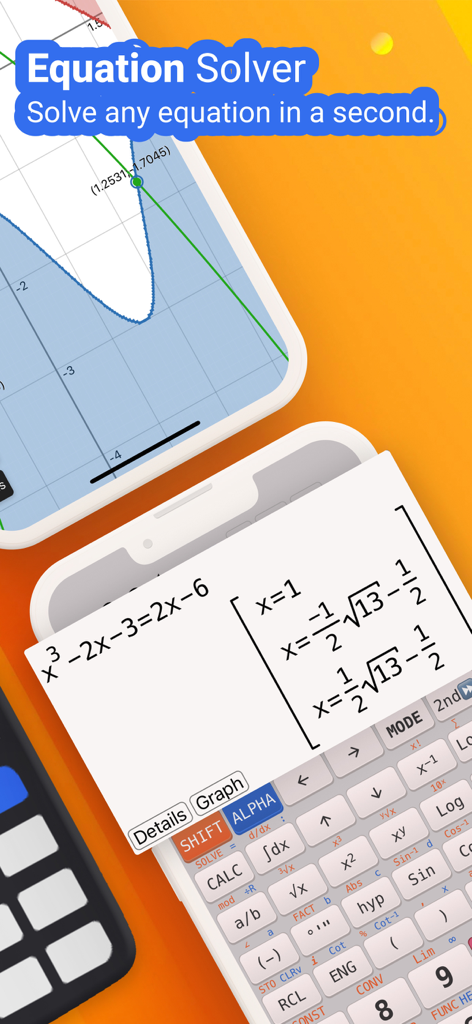
NCalc 앱 인터페이스에 자연스러운 디스플레이 결과와 수학 그래프가 있는 방정식 해결 프로그램이 표시됨

NCalc 앱 인터페이스에 자연스러운 디스플레이 결과와 수학 그래프가 있는 방정식 해결 프로그램이 표시됨

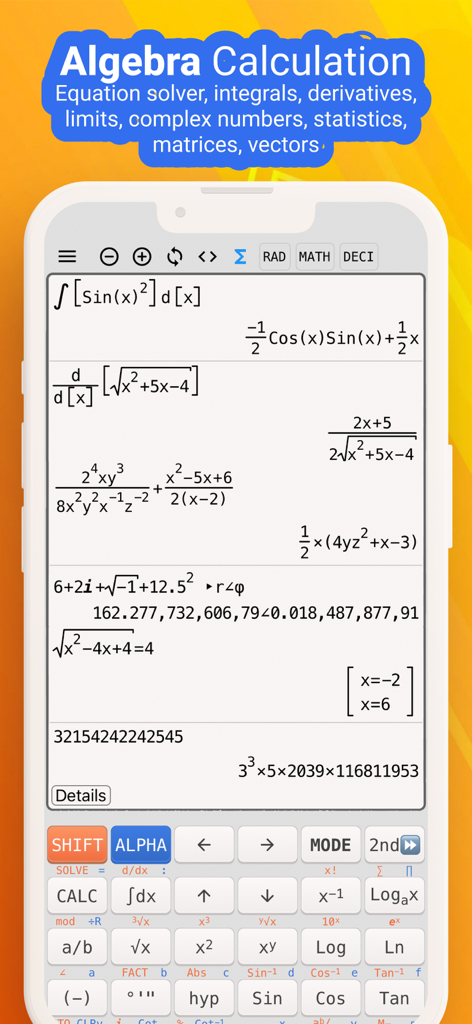
NCalc 앱 인터페이스에 자연스러운 디스플레이로 복잡한 대수 및 미적분 계산이 표시됨

NCalc 앱 인터페이스에 자연스러운 디스플레이로 복잡한 대수 및 미적분 계산이 표시됨

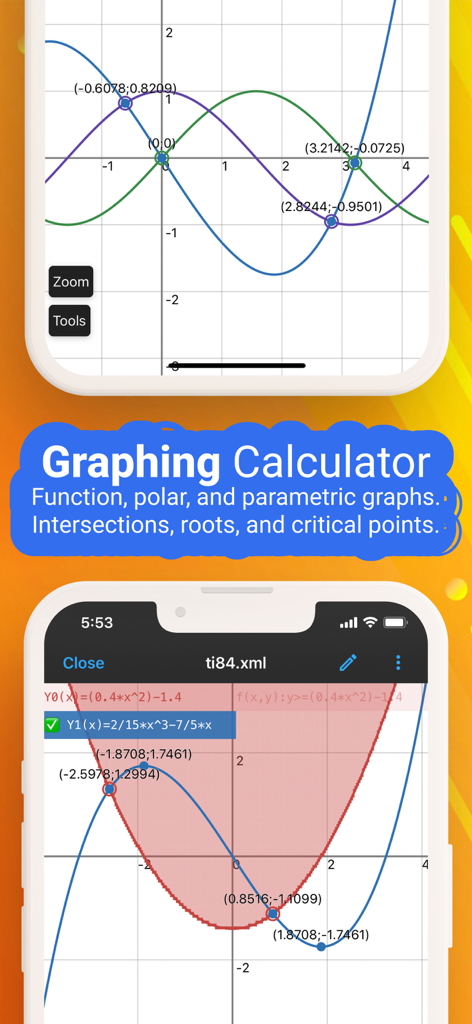
NCalc 앱 인터페이스에 함수 그래프와 좌표 그리드 상의 교차점이 표시됨

NCalc 앱 인터페이스에 함수 그래프와 좌표 그리드 상의 교차점이 표시됨

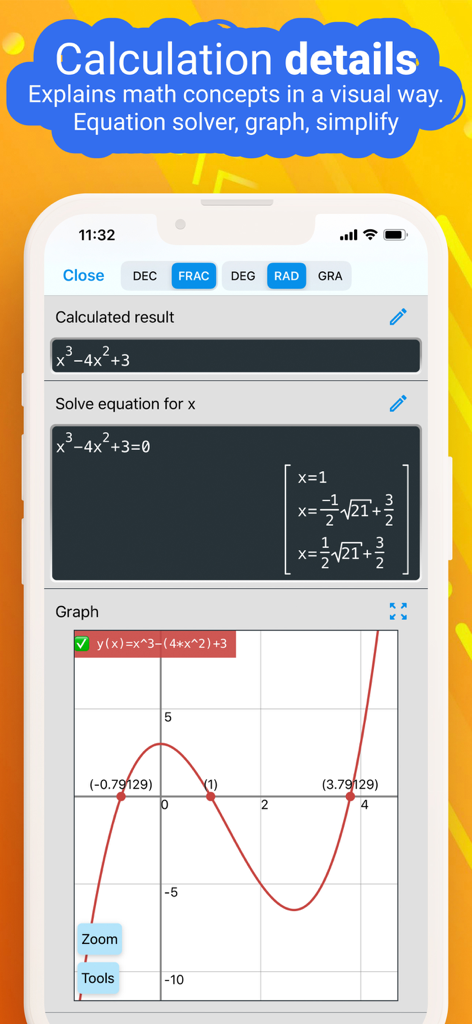
NCalc 앱 화면에 3차 방정식의 해와 그 함수 그래프가 표시됨

NCalc 앱 화면에 3차 방정식의 해와 그 함수 그래프가 표시됨

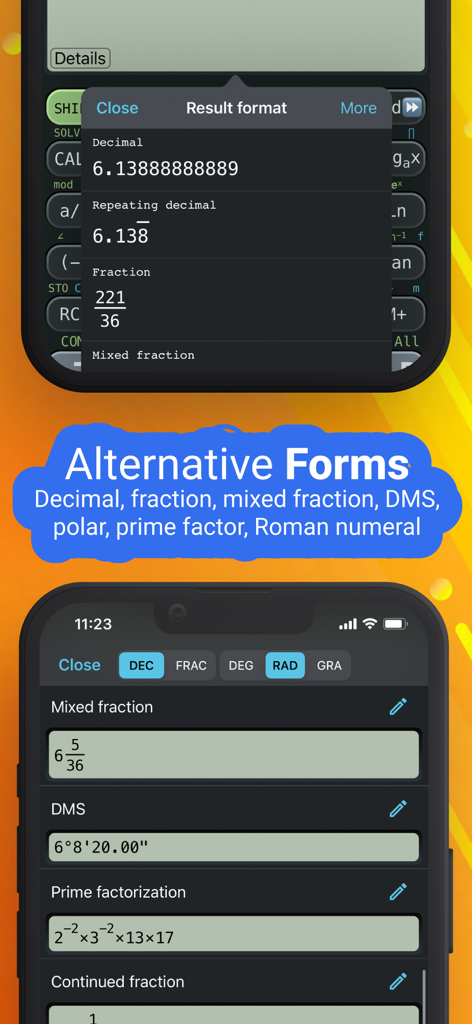
NCalc 앱 인터페이스에 십진수, 분수, 소인수 분해 등 다양한 수학 결과 형식이 표시됨

NCalc 앱 인터페이스에 십진수, 분수, 소인수 분해 등 다양한 수학 결과 형식이 표시됨

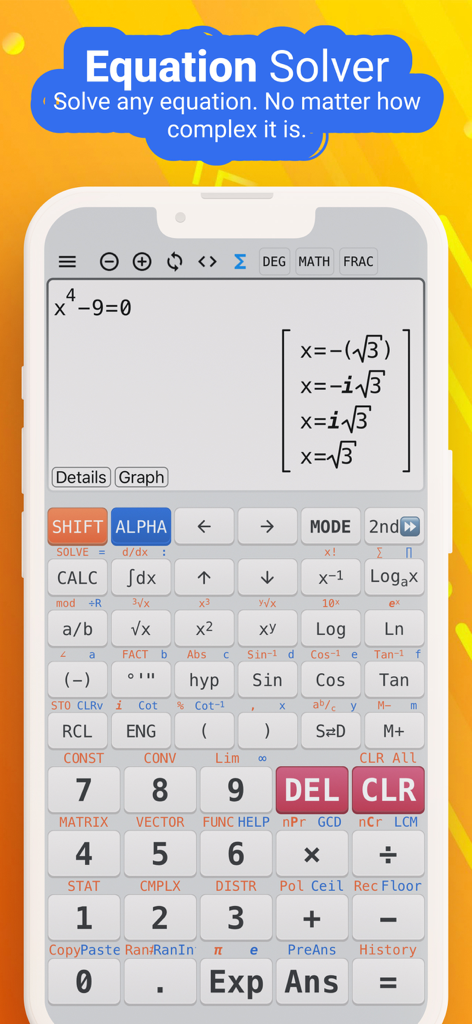
NCalc 과학 계산기 앱 인터페이스가 스마트폰 화면에서 복잡한 대수 방정식을 풀고 있음

NCalc 과학 계산기 앱 인터페이스가 스마트폰 화면에서 복잡한 대수 방정식을 풀고 있음

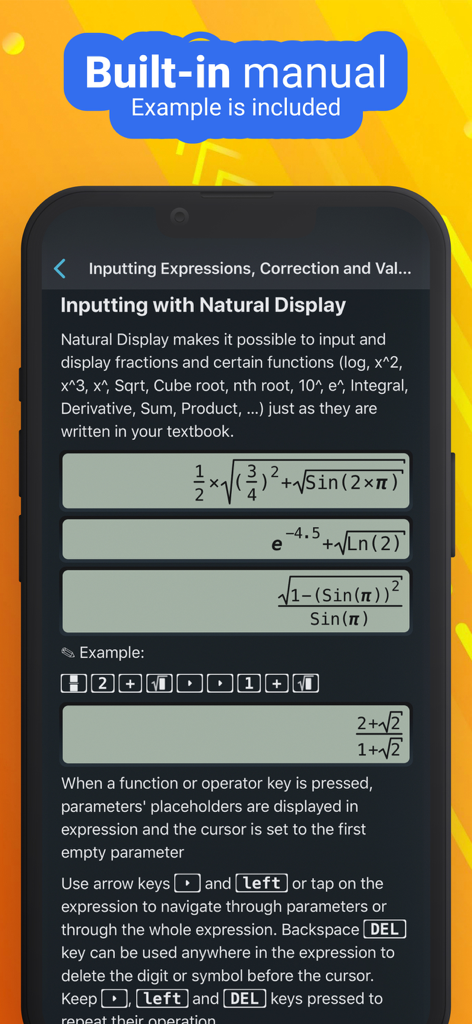
NCalc 앱에서 수학 공식의 자연스러운 디스플레이 입력을 보여주는 내장 설명서

NCalc 앱에서 수학 공식의 자연스러운 디스플레이 입력을 보여주는 내장 설명서

프로처럼 수학과 과학을 마스터하세요

이 앱을 돋보이게 하는 도구, 6M+ 명의 사용자가 선택.

📖

실제 교과서 디스플레이

교과서에 표시되는 그대로 수식을 입력하고 보세요. 더 이상 혼란스러운 선형 구문은 없습니다. 순수한 수학적 명확성만 존재합니다.

📈

전문가용 그래프 및 분석

비싼 TI-84는 잊으세요. 복잡한 함수를 시각화하고, 교차점을 찾고, 도함수를 화면에서 직접 평가하세요.

고급 대수 및 미적분

연립 방정식, 적분, 행렬을 즉시 해결하세요. 가장 어려운 숙제를 위한 기호 결과 또는 숫자 정밀도를 얻으세요.

전 세계 사용자들에게 사랑받는 앱

Trusted by 6M+ 명이 이 앱을 사랑합니다.

"

"공대생으로서 투박한 TI-84를 들고 다니는 것이 지겨웠습니다. NCalc은 완전히 판도를 바꿨습니다. 자연스러운 디스플레이 덕분에 물리적인 계산기보다 복잡한 미적분 방정식을 입력하는 것이 훨씬 직관적입니다. 행렬부터 삼중 적분까지 모든 것을 쉽게 처리하며, iPad에서 바로 수식 라이브러리를 사용할 수 있어 밤샘 공부 시간에 큰 도움이 되었습니다."

Marcus T., 대학생
"

"이 앱은 앱 스토어에서 가장 포괄적인 계산기 앱입니다. 전문적인 업무에서 단위 변환 및 통계 분포에 매일 사용합니다. 기호 모드는 정확한 분수가 필요할 때 십진수 근사값보다 완벽합니다. 강력하고 빠르며 고가의 하드웨어를 구매하는 것보다 훨씬 저렴합니다. 동료들에게 모두 추천합니다."

Elena G., 연구 분석가

앱 소개

에 대해 알아야 할 모든 것 NCalc Scientific Calculator +.

설명

NCalc — Powerful Scientific Calculator, Graphing, and Converter NCalc combines a natural-display scientific calculator, advanced math tools, a full graphing module (as 83/84 calculator), a large formula library, and a comprehensive unit and currency converter—designed for students, engineers, and anyone who loves math. ◉ Main Calculator Features - Natural display: Enter expressions exactly as in textbooks—fractions, roots, exponents, and more—see results as written on paper. - Keyboard layout: Matches popular models for familiarity and speed: 115 ES Plus, 991 ES Plus, 300 ES Plus, and 991 EX. - Symbolic and numeric modes: Perform exact fraction calculation or evaluate numerically when needed. - Arbitrary precision integers: Work with very large integers without losing accuracy. - Output types: Choose from fraction, mixed fraction, decimal, repeating decimal, degrees/minutes/seconds, and polar coordinates. - Angle units: Degree, radian, and gradian (grade). - Decimal formatter: Display numbers in normal, engineering, engineering SI, scientific, or fixed formats. - Calculation history: Review and reuse past calculations with ease. - Copy and paste support for fast data entry and sharing. ◉ Algebra, Calculus, and Core Math - Algebra calculation: Expansion, factorization, simplification, and more. - Calculus calculator: Derivatives, integrals, and limits of expressions. - Complex number calculation: Arithmetic, polar/rectangular conversion, exponential, logarithm, powers, roots, and full trigonometric functions. ◉ Equations and Inequalities - Equation solver: Solve general equations, plus dedicated solvers for quadratic, cubic, and quartic equations. - System of equations solver: Solve systems with 2, 3, or 4 variables. - Inequality solvers: Quadratic, cubic, and quartic inequalities with interval-based solutions. ◉ Matrices and Vectors - Operations: Addition, subtraction, multiplication for matrices and vectors. - Advanced tools: Determinant, inverse, transpose, rank, eigenvalues, and eigenvectors. ◉ Statistics and Distributions - Statistical calculation: Descriptive stats and regression calculation (including a regression plotter). - Distribution calculation: Normal distribution, binomial distribution, Poisson distribution, t-distribution, chi-square distribution, and F-distribution. ◉ Number Bases and Formats - Base N calculation: Effortlessly switch between binary, octal, decimal, and hexadecimal, with arithmetic in each base. ◉ Tables, Variables, and Custom Functions - Table Generator: Generate value tables based on any expression and range. - Calculator variables: Store values and reuse them across calculations. - User-defined functions: Create your own functions to streamline repetitive work. - Built-in constants: A rich set of mathematical and physical constants. ◉ Formulas - Extensive formula collection: Math and Physics formulas, clearly categorized—ideal for secondary school, high school, and university students. ◉ Unit Converter - Currency Converter - 1000+ unit conversions ◉ Graphing as 83, 84 calculator - Cartesian functions, implicit plots, polar, and parametric. - Tracing, roots, intersections, extrema, derivative, and integral evaluations on graphs. ◉ Auto-renewing subscription You may purchase an auto-renewing subscription through an In-App Purchase. • Auto-renewable subscription • Your subscription will be charged to your AppStore account at confirmation of purchase and will automatically renew (at the duration selected) unless auto-renew is turned off at least 24 hours before the end of the current period. • Current subscription may not be cancelled during the active subscription period; however, you can manage your subscription and/or turn off auto-renewal by visiting your AppStore Account Settings after purchase • Privacy policy and terms of use: https://ncalc-app.web.app/terms-of-services.html

최신 버전

3.5.1

크기

151.8 MB

출시일

2019년 4월 3일

다음 수학 문제 마스터할 준비가 되셨나요?

600만 명 이상의 학생 및 엔지니어와 함께하세요. 비싼 하드웨어는 버리고 지금 바로 iPhone 또는 iPad를 최고의 과학 그래프 계산기로 바꿔보세요.

다운로드: App Store
FAQ

자주 묻는 질문

에 대해 알아야 할 모든 것 NCalc Scientific Calculator +

NCalc Scientific Calculator +는 무엇인가요?

NCalc Scientific Calculator +는 자연 표시 과학 계산기, 고급 수학 도구, 그래프, 대규모 공식 라이브러리, 단위/통화 변환기를 결합한 포괄적인 앱으로 학생 및 엔지니어에게 유용합니다.

NCalc Scientific Calculator +는 그래프 기능을 제공하나요?

네, NCalc Scientific Calculator +에는 83/84 계산기와 유사한 전체 그래프 모듈이 포함되어 있습니다. 데카르트, 암시적, 극좌표, 매개변수 함수를 지원하며 추적 및 근 찾기와 같은 기능을 제공합니다.

NCalc Scientific Calculator +는 방정식을 풀 수 있나요?

네, NCalc Scientific Calculator +는 방정식 솔버 기능을 제공합니다. 이차, 삼차, 사차 형태를 포함한 일반 방정식과 최대 4개의 변수를 가진 연립 방정식을 풉니다.

NCalc Scientific Calculator +의 자연 표시 기능은 어떻게 작동하나요?

NCalc Scientific Calculator +의 자연 표시 기능은 사용자가 분수, 루트, 지수를 포함하여 교과서에 표시되는 것과 정확히 동일한 표현식을 입력하고 결과를 명확하게 표시할 수 있도록 합니다.

NCalc Scientific Calculator +에는 단위 변환기가 포함되어 있나요?

네, NCalc Scientific Calculator +는 1000개 이상의 단위 변환과 통화 변환기를 포함하는 포괄적인 단위 변환기를 제공하며, 다양한 수학 및 공학 작업에 유용합니다.

NCalc Scientific Calculator +는 어떤 종류의 대수 계산을 수행할 수 있나요?

NCalc Scientific Calculator +는 전개, 인수분해, 단순화와 같은 대수 계산을 수행합니다. 또한 미적분학을 위한 도함수, 적분, 극한 및 복소수 계산을 처리합니다.

NCalc Scientific Calculator +는 무료 앱인가요?

아니요, NCalc Scientific Calculator +는 자동 갱신 구독을 통해 액세스를 제공합니다. 사용자는 인앱 구매를 통해 이 구독을 구매합니다.

NCalc Scientific Calculator + 구독을 관리할 수 있나요?

네, 사용자는 구매 후 AppStore 계정 설정을 통해 NCalc Scientific Calculator + 구독을 관리하고 자동 갱신을 해제할 수 있습니다. 자동 갱신은 현재 기간 종료 24시간 전에 해제해야 합니다.

NCalc Scientific Calculator +는 복소수 계산을 지원하나요?

네, NCalc Scientific Calculator +는 복소수 계산을 지원합니다. 복소수에 대한 산술, 극/직교 변환, 지수, 로그, 거듭제곱, 루트 및 전체 삼각 함수를 처리합니다.

NCalc Scientific Calculator +의 개인 정보 보호 정책은 어디에서 찾을 수 있나요?

NCalc Scientific Calculator +의 개인 정보 보호 정책 및 이용 약관은 https://ncalc-app.web.app/terms-of-services.html에서 확인할 수 있습니다.