DWG FastView-CAD Viewer&Editor

DWG FastView-CAD Viewer&Editor

다운로드: App Store다운로드: Google Play
Spark by MWM logo
로고: DWG FastView-CAD Viewer&Editor

DWG FastView: 2D 및 3D 설계를 위한 올인원 모바일 CAD 솔루션

등록 없이 AutoCAD와 완벽하게 호환되며 언제 어디서든 청사진을 보고, 편집하고, 측정할 수 있는 1억 명의 전문가와 함께하세요.

개발사

Gstarsoft Co., Ltd

카테고리

Productivity

다운로드

29M+

사용자 평점

4.6/5

총 평가 수

61K+

지원 언어

23

주머니 속의 정밀도

이 인터페이스를 사용하는 29M+ 명의 사용자.

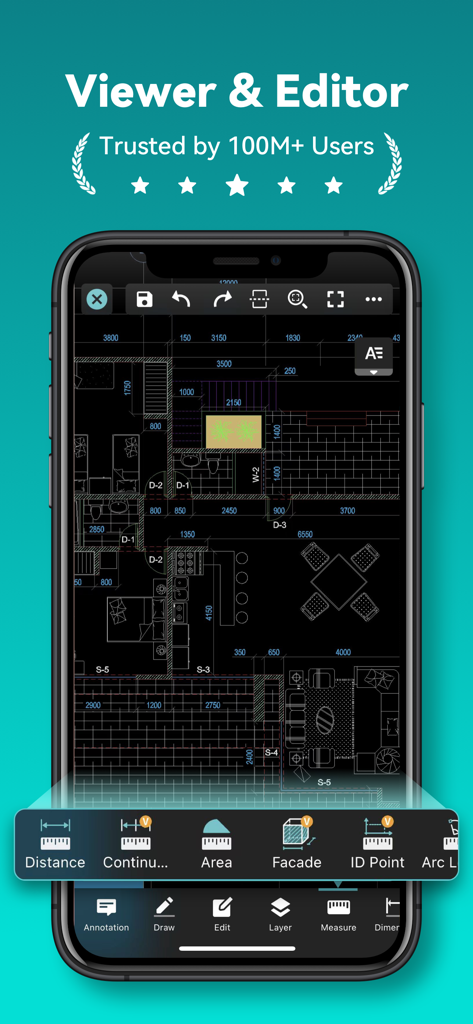
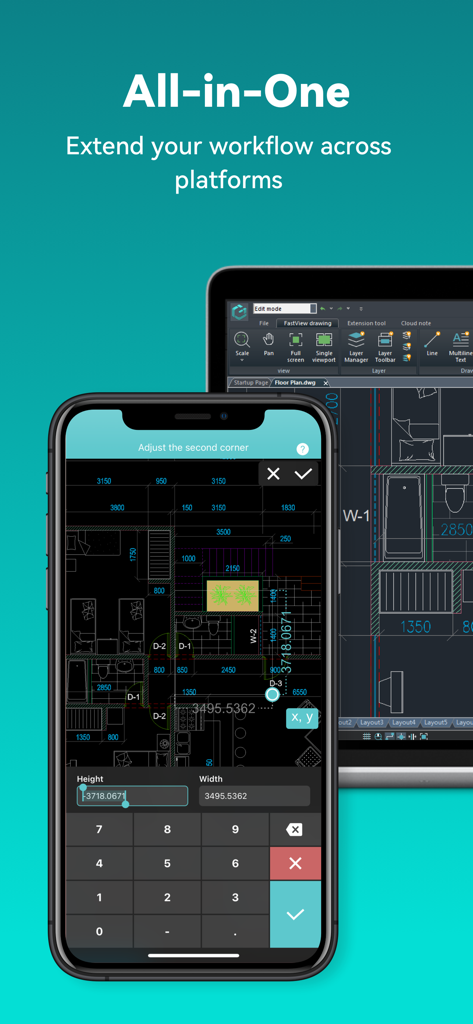
측정 및 편집 도구가 있는 건축 평면도를 보여주는 DWG FastView의 모바일 앱 인터페이스

측정 및 편집 도구가 있는 건축 평면도를 보여주는 DWG FastView의 모바일 앱 인터페이스

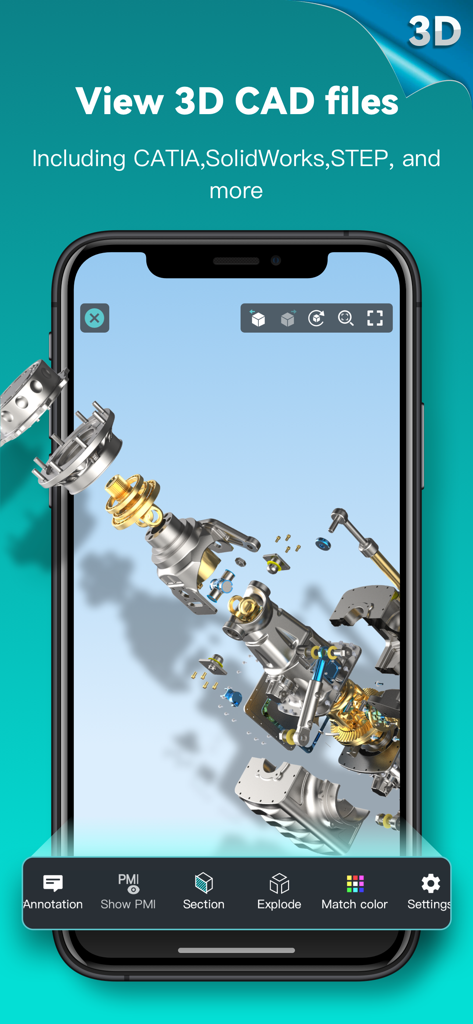
DWG FastView에서 기계 CAD 모델의 3D 분해도를 보여주는 스마트폰 화면

DWG FastView에서 기계 CAD 모델의 3D 분해도를 보여주는 스마트폰 화면

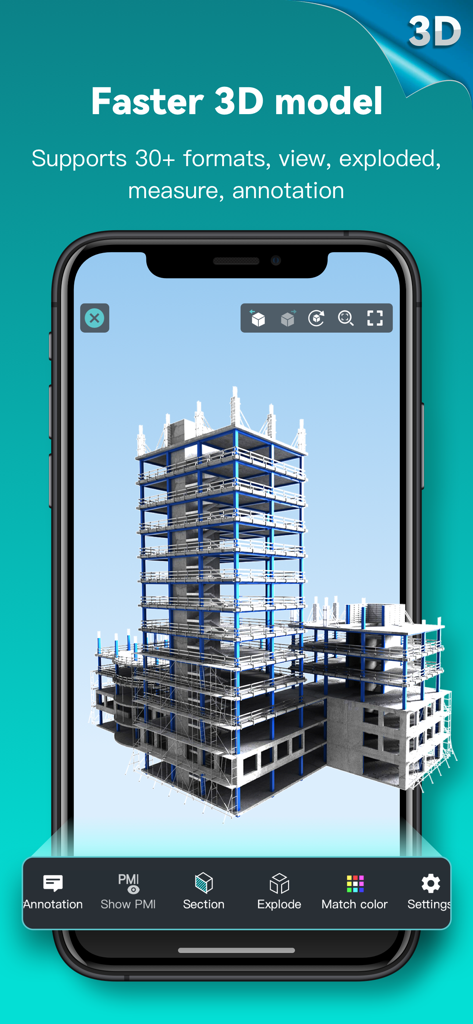
DWG FastView CAD 모바일 앱에서 본 3D 구조 건물 모델

DWG FastView CAD 모바일 앱에서 본 3D 구조 건물 모델

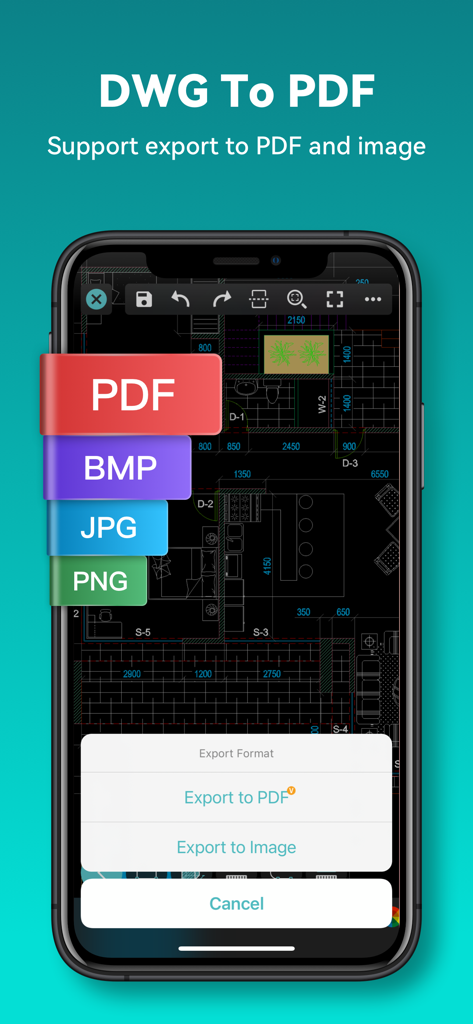
CAD 평면도를 PDF 및 다양한 이미지 형식으로 내보내는 옵션과 함께 DWG FastView 앱 인터페이스를 보여주는 스마트폰 화면

CAD 평면도를 PDF 및 다양한 이미지 형식으로 내보내는 옵션과 함께 DWG FastView 앱 인터페이스를 보여주는 스마트폰 화면

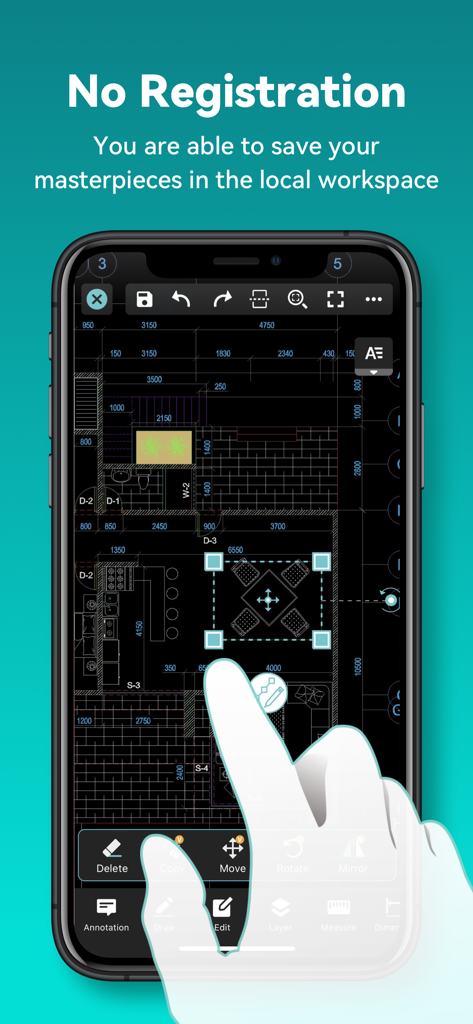
등록 없이 모바일 폰에서 CAD 평면도를 편집하는 DWG FastView 앱

등록 없이 모바일 폰에서 CAD 평면도를 편집하는 DWG FastView 앱

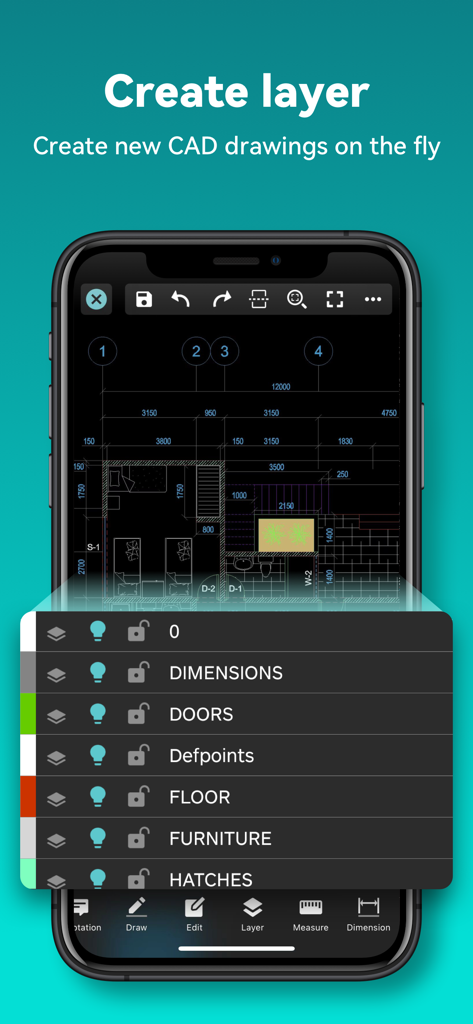
평면도 도면의 CAD 레이어 관리를 보여주는 DWG FastView 모바일 인터페이스

평면도 도면의 CAD 레이어 관리를 보여주는 DWG FastView 모바일 인터페이스

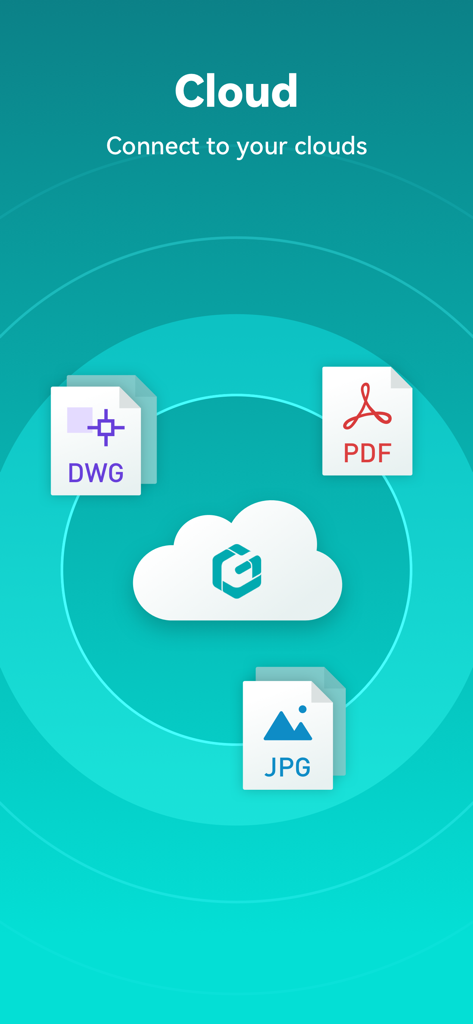
DWG PDF 및 JPG 파일 형식 지원을 보여주는 클라우드 연결 화면

DWG PDF 및 JPG 파일 형식 지원을 보여주는 클라우드 연결 화면

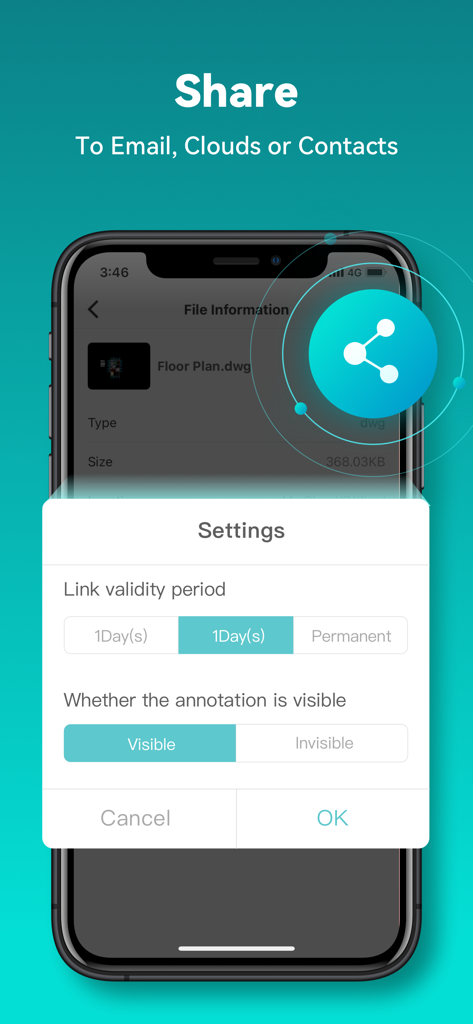
링크 유효성 및 주석 가시성 옵션을 포함한 CAD 파일 공유 설정 인터페이스

링크 유효성 및 주석 가시성 옵션을 포함한 CAD 파일 공유 설정 인터페이스

DWG FastView CAD 뷰어 및 편집기 앱을 사용하여 건축 평면도를 표시하는 스마트폰 및 태블릿

DWG FastView CAD 뷰어 및 편집기 앱을 사용하여 건축 평면도를 표시하는 스마트폰 및 태블릿

모바일 CAD로 현장 작업을 강화하세요

이 앱을 돋보이게 하는 도구, 29M+ 명의 사용자가 선택.

🏗️

탁월한 형식 지원

DWG, Revit, Solidworks를 포함한 40개 이상의 형식을 엽니다. 업무가 어디로 가든 AutoCAD와 호환되는 파일로 원활하게 작업하세요.

📵

오프라인 및 계정 불필요

등록 없이 바로 작업에 뛰어드세요. 연결이 전혀 없는 원격 지역에서도 현장에서 도면을 보고 편집할 수 있습니다.

📏

데스크톱 수준의 정밀도

고급 측정 도구, 좌표계 및 배율을 사용하여 현장에서 발생하는 비용이 많이 드는 오류를 제거하는 고정밀 주석을 활용하세요.

전 세계 사용자들에게 사랑받는 앱

Trusted by 29M+ 명이 이 앱을 사랑합니다.

"

"DWG FastView는 프로젝트 현장 관리 방식을 완전히 바꾸어 놓았습니다. 인터넷 연결 없이도 대규모 CAD 파일을 즉시 열 수 있어 원격 검사에 혁신적입니다. 현장에서 직접 주석을 달고 PDF로 내보내는 기능 덕분에 프로젝트가 그 어느 때보다 빠르게 진행됩니다."

Mark Stevens, 현장 엔지니어
"

"이 앱의 3D 모델링 및 Revit 지원은 놀랍습니다. 고객 회의 중에 복잡한 디자인을 회전하고 분할할 수 있다는 점은 전문적인 인상을 주어 계약 성사에 도움이 됩니다. iPad에서 정밀 작업에 가장 신뢰할 수 있는 모바일 CAD 도구입니다."

Elena Rodriguez, 수석 건축가

앱 소개

에 대해 알아야 할 모든 것 DWG FastView-CAD Viewer&Editor.

설명

Enjoy design anytime anywhere together with more than 100 million users around the world. [3D Modeling]: Supports BIM, Revit, Solidworks, NX, CATIA, Inventor, SolidEdge, ACIS, Pro/E, and other mainstream 3D design software models. Supports browsing over 40 formats of 3D drawings, including .rvt/.sldprt/.sldasm/.asm/.prt/.prt.*/.asm.*/.stp/.step. 3D Features include 3D model assembly part preview, scaling, rotation, sectioning, and explosion; 3D measurement (distance measurement between points, lines, and surfaces, arc length, etc.), 3D annotation; PMI display and hiding; free color matching; viewing and multiple views; DWG FastView is a cross-platform CAD software that meets designers’ demands in all kinds of situation, and fully compatible with AutoCAD (DWG, DXF). Various of CAD features such as: Edit, View, Measure, Dimension, Find text, etc. enables you do real CAD work on the go. 【DWG FastView Highlights】 (1) Accurate and fast access your drawings •Creating, viewing and editing with with easy-to-use advance tools. • There is no limit to how large the file is. • Fully compatibility with AutoCAD. (2) Support export to PDF, BMP, JPG and PNG, and share it to anyone freely • Transfer CAD drawings into PDF format and customize its paper size, orientation, color and so on. • Convert PDF to DWG. (3) No registration & Offline drawings • Simply download DWG FastView and use it immediately with NO REGISTRATION needed. • Without internet, you are able to save your masterpieces in the local workspace. • Drawings from E-mail, Cloud Service or Network Disk like Dropbox, OneDrive, Google Drive, Box or WebDAV can be opened, viewed, edited and shared as well with Internet. (4) Do real CAD work on mobile. • Move, Copy, Rotate, Scale, Color, Measure object, record management results, manage layers and use Layout. • Advanced drawing and editing tools such as trim, offset, dimension and find text. •Set precision and display formats of coordinates, distance and angle. • Zoom in or zoom out a CAD drawing by adjusting the space between two fingers. • Import or download the CAD drawing with its fonts and symbols to the font’s folder in order to display all uncommon fonts. (5) Easily switch between 2D and 3D mode, 3D mode include: 3D Wireframe, Realistic and 3D Hidden with the powerful tools of Layer, Layout, and ten different perspectives viewing. • View 3D models, View different CAD file formats including: RVT, Solidworks, Creo, NX, CATIA, Inventor, SolidEdge and more than 40 formats; • Rotate 3D CAD drawing by touching the drawing area and moving to view the 3D mode comprehensively in 360 degrees. Click the screen to stop rotating and locate the 3D mode at the best perspective. • Open a magnifier by touching the drawing area to display the enlarged graph of touched area which is a convenient way for users to view details and snap objects. (6)Precise Drawing available, e.g., user can change the number of the coordinates to move the points precisely. • Support 2D absolute coordinates, relative coordinates and polar coordinates and 3D Spherical coordinates and Cylindrical coordinates. • Draw Line, Polyline, Circle, Arc, Text, Revcloud, Rectangle, and Sketch and create Notation. (7) Stay connected. Helpful and responsive technical support. Click the “Feedback” button to send your tech problem to us via email. 【Auto-renew Subscription Notification】 Auto-renew Subscription Cycle: Subscriptions are billed monthly and annually at the rate based on the subscription plan. Please choose the subscription cycle you need and confirm before payment. Payment: Payment will be charged to your iTunes、App Store account at purchase confirmation. Cancellation of Subscription: You can turn off auto-renew at any time from your iTunes/App Store account settings; you must do so at least 24 hours before the end of the current subscription period to avoid being billed for the next cycle. Feedback Email: support@dwgfastview.com

최신 버전

5.18.0

크기

369.6 MB

출시일

2011년 8월 18일

손안의 정밀 엔지니어링

무거운 청사진은 버리고 전체 프로젝트를 현장으로 가져가세요. 이동 중 실제 작업에 가장 신뢰할 수 있는 CAD 뷰어 및 편집기를 사용하는 1억 명 이상의 전문가와 함께하세요.

다운로드: App Store다운로드: Google Play
FAQ

자주 묻는 질문

에 대해 알아야 할 모든 것 DWG FastView-CAD Viewer&Editor

DWG FastView란 무엇인가요?

DWG FastView는 AutoCAD(DWG, DXF)와 완벽하게 호환되는 크로스 플랫폼 CAD 소프트웨어입니다. 사용자는 CAD 도면을 보고, 편집하고, 측정하고, 치수를 기입할 수 있으며, 40개 이상의 3D 디자인 형식도 지원합니다.

DWG FastView를 사용하려면 등록이 필요한가요?

아니요, DWG FastView를 사용하기 위해 등록할 필요는 없습니다. 사용자는 계정을 만들 필요 없이 앱을 다운로드하여 즉시 사용할 수 있습니다.

DWG FastView는 어떤 3D 모델링 파일 형식을 지원하나요?

DWG FastView는 .rvt, .sldprt, .stp, .step과 같은 파일 유형을 가진 BIM, Revit, Solidworks, NX, CATIA, Inventor, SolidEdge, ACIS, Pro/E를 포함한 40개 이상의 3D 디자인 소프트웨어 모델을 지원합니다.

DWG FastView에서 CAD 도면을 다른 형식으로 내보낼 수 있나요?

네, DWG FastView는 CAD 도면을 PDF, BMP, JPG, PNG 형식으로 내보내는 것을 지원합니다. 또한 앱 내에서 PDF 파일을 DWG 형식으로 다시 변환할 수도 있습니다.

DWG FastView는 오프라인에서도 작동하나요?

네, DWG FastView는 사용자가 로컬 작업 공간에 작업을 저장하여 오프라인으로 액세스할 수 있도록 합니다. 인터넷 연결이 가능한 경우 클라우드 서비스에서 도면을 열고, 보고, 편집할 수도 있습니다.

DWG FastView의 구독 모델은 무엇인가요?

DWG FastView는 월별 또는 연간으로 청구되는 자동 갱신 구독을 제공합니다. 구매 확인 시 결제는 사용자의 iTunes/App Store 계정으로 청구됩니다.

DWG FastView 자동 갱신 구독을 취소하려면 어떻게 해야 하나요?

사용자는 iTunes/App Store 계정 설정에서 기능을 끄면 자동 갱신 구독을 취소할 수 있습니다. 청구되지 않도록 하려면 현재 구독 기간이 끝나기 최소 24시간 전에 이 작업을 수행해야 합니다.

DWG FastView에는 어떤 3D 기능이 있나요?

DWG FastView는 3D 모델 어셈블리 파트 미리보기, 스케일링, 회전, 섹션, 분해 기능을 제공합니다. 또한 3D 측정, 주석, PMI 표시/숨김, 색상 일치, 여러 뷰도 포함합니다.

DWG FastView에서 클라우드 스토리지의 파일에 액세스할 수 있나요?

네, DWG FastView는 인터넷 연결이 가능한 경우 Dropbox, OneDrive, Google Drive, Box, WebDAV를 포함한 다양한 클라우드 서비스에서 도면을 열고, 보고, 편집하고, 공유할 수 있습니다.

DWG FastView에서 사용자가 CAD 도면에 새 레이어를 만들 수 있나요?

네, DWG FastView에서는 사용자가 CAD 도면 내에 새 레이어를 만들 수 있습니다. 이 기능은 모바일 장치에서 실제 CAD 작업을 위한 포괄적인 도구의 일부입니다.