Elgato Stream Deck Mobile

Elgato Stream Deck Mobile

다운로드: App Store다운로드: Google Play
Spark by MWM logo
로고: Elgato Stream Deck Mobile

Elgato Stream Deck Mobile: 전문가급 스튜디오 컨트롤러 및 생산성 허브

한 번의 탭으로 워크플로우를 완벽하게 제어하세요. OBS, Zoom, Spotify와 같은 앱을 자동화하고, 무한한 아이콘으로 레이아웃을 사용자 지정하고, 이미 가지고 있는 기기에서 전문가급 설정의 강력함을 경험하세요.

개발사

Corsair Memory, Inc.

카테고리

Productivity

다운로드

884K+

사용자 평점

4.6/5

총 평가 수

9K+

지원 언어

19

궁극의 파워업

이 인터페이스를 사용하는 884K+ 명의 사용자.

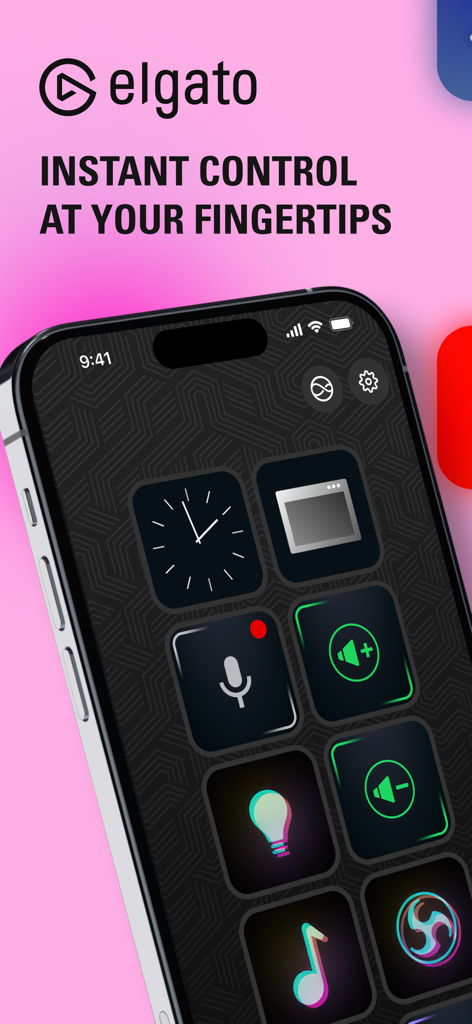
Elgato Stream Deck Mobile 앱 인터페이스, iPhone 화면에 사용자 지정 가능한 키 표시

Elgato Stream Deck Mobile 앱 인터페이스, iPhone 화면에 사용자 지정 가능한 키 표시

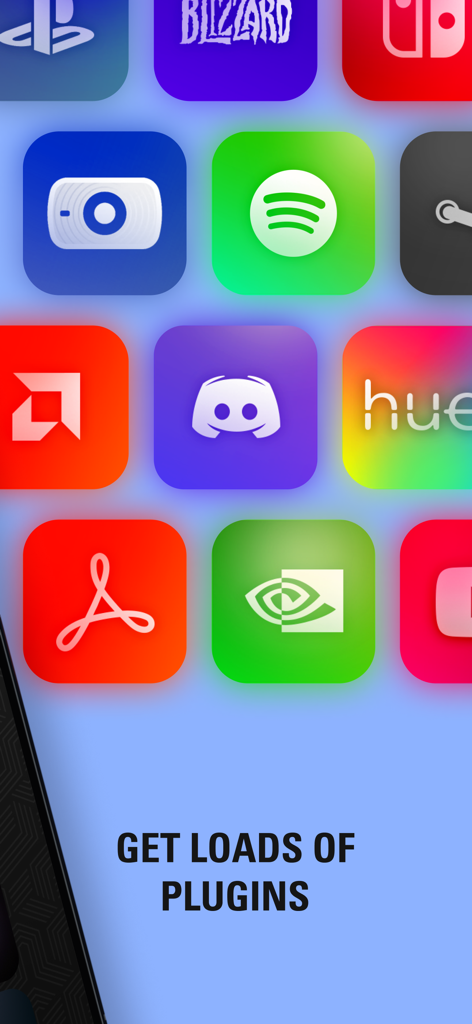
Stream Deck Mobile 애플리케이션용 인기 앱 및 소프트웨어 플러그인 아이콘 그리드

Stream Deck Mobile 애플리케이션용 인기 앱 및 소프트웨어 플러그인 아이콘 그리드

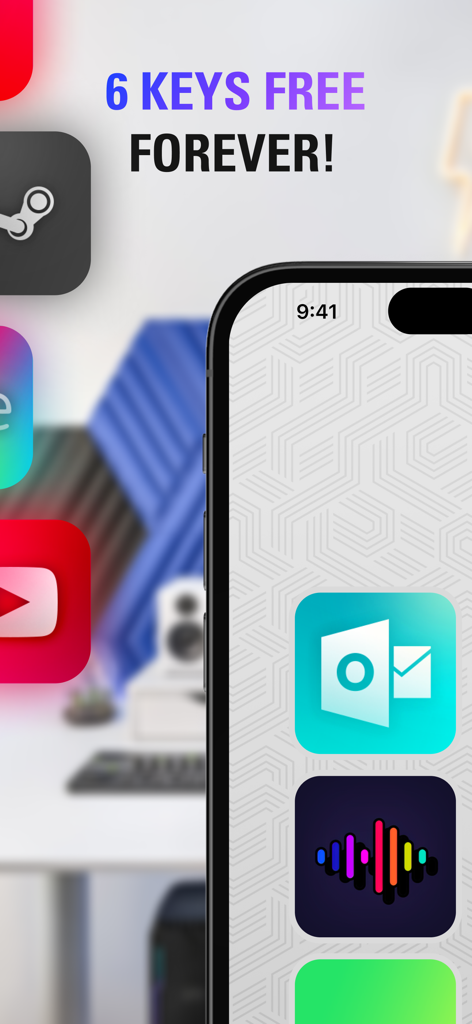
iPhone에 Elgato Stream Deck Mobile 앱 인터페이스, 6개의 무료 키와 생산성 아이콘 표시

iPhone에 Elgato Stream Deck Mobile 앱 인터페이스, 6개의 무료 키와 생산성 아이콘 표시

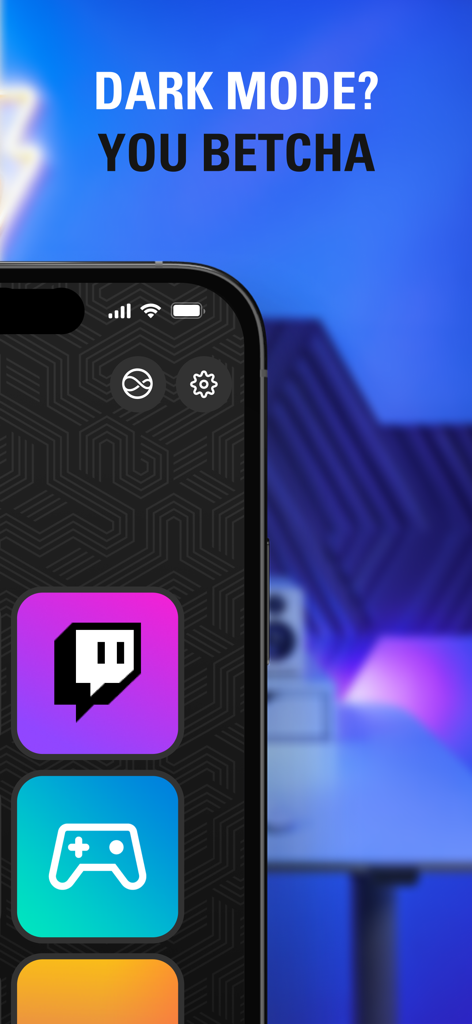
iPhone에 Elgato Stream Deck Mobile 앱 인터페이스, 어두운 모드, Twitch 및 게임 아이콘 표시

iPhone에 Elgato Stream Deck Mobile 앱 인터페이스, 어두운 모드, Twitch 및 게임 아이콘 표시

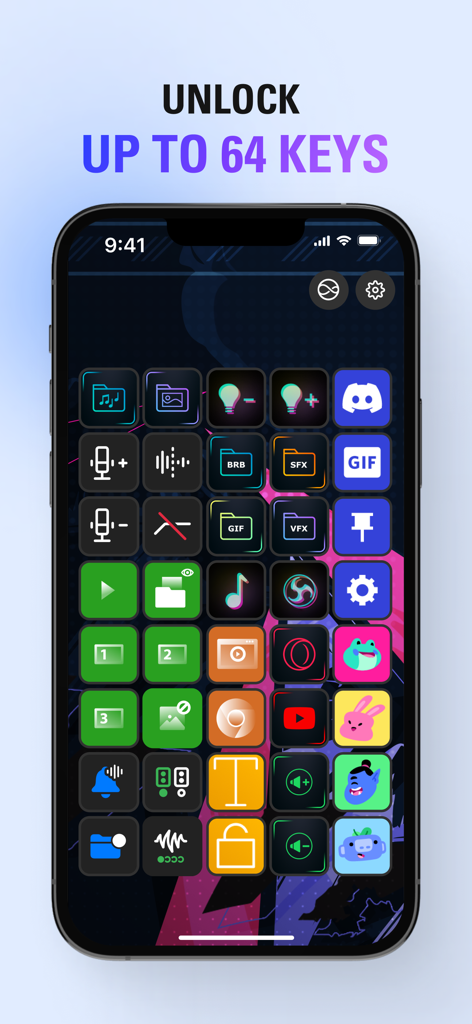
iPhone에 Elgato Stream Deck Mobile 앱 내 64개의 다채로운 액션 키 그리드가 표시됨

iPhone에 Elgato Stream Deck Mobile 앱 내 64개의 다채로운 액션 키 그리드가 표시됨

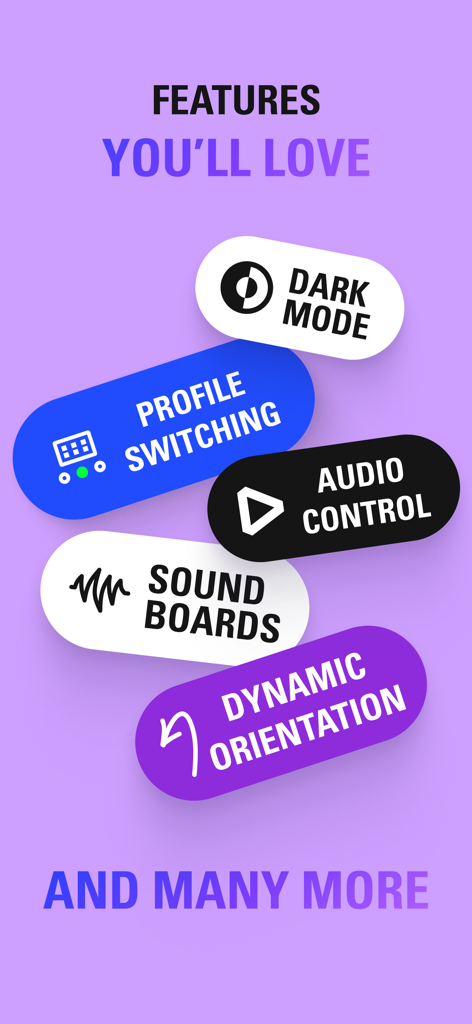
Elgato Stream Deck Mobile 앱의 기능 목록, 다크 모드, 프로필 전환, 오디오 제어 포함

Elgato Stream Deck Mobile 앱의 기능 목록, 다크 모드, 프로필 전환, 오디오 제어 포함

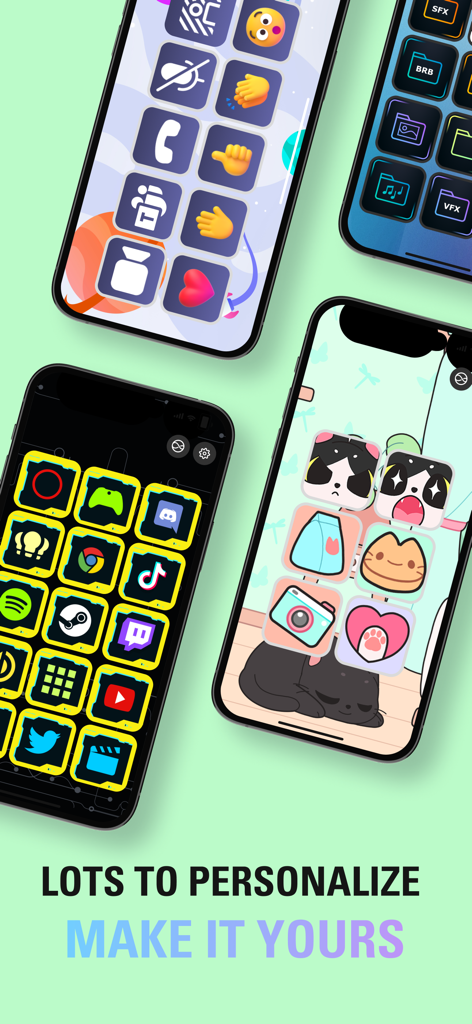
Elgato Stream Deck Mobile 앱의 다양한 사용자 지정 아이콘 세트 및 개인화된 테마를 표시하는 여러 스마트폰

Elgato Stream Deck Mobile 앱의 다양한 사용자 지정 아이콘 세트 및 개인화된 테마를 표시하는 여러 스마트폰

디지털 정밀도로 워크플로우를 마스터하세요

이 앱을 돋보이게 하는 도구, 884K+ 명의 사용자가 선택.

멀티 액션으로 자동화

복잡한 시퀀스를 단일 탭으로 전환하세요. 창의적인 흐름을 유지하기 위해 앱을 실행하고, 조명을 조정하고, 소셜 미디어에 동시에 게시하세요.

🎨

무한한 사용자 지정

사용자 지정 아이콘과 페이스플레이트로 스타일을 표현하세요. 특정 책상 미학과 전문적인 요구 사항에 맞게 최대 64개의 키로 이상적인 레이아웃을 디자인하세요.

🔌

전문가급 통합

OBS, Twitch, Zoom, Microsoft Teams를 포함하여 가장 많이 사용하는 도구를 원활하게 제어하세요. 커뮤니티 플러그인 라이브러리에 액세스하여 설정을 즉시 확장하세요.

전 세계 사용자들에게 사랑받는 앱

Trusted by 884K+ 명이 이 앱을 사랑합니다.

"

"프리랜서 디자이너이자 파트타임 스트리머로서 이 앱은 정말 게임 체인저입니다. 모든 Photoshop 단축키와 Zoom 컨트롤을 iPad에 매핑했습니다. 책상에 더 이상 하드웨어를 추가하지 않고도 제 워크플로우를 위한 전문가용 조종석처럼 느껴집니다."

Alex Thorne
"

"Twitch 스트림을 위해 Elgato 경험을 항상 원했지만 예산이 빠듯했습니다. 이 앱은 완벽한 솔루션입니다. iPhone에서 알림을 트리거하고 조명을 제어할 수 있다는 것은 놀랍습니다. 멀티 액션 기능은 정말 편리합니다!"

Sarah Jenkins

앱 소개

에 대해 알아야 할 모든 것 Elgato Stream Deck Mobile.

설명

CONTROL APPS AND TOOLS WITH A VIRTUAL KEY PRESS Stream Deck Mobile is a full-fledged recreation of our iconic Stream Deck keypad. Now with an all-new design, more freedom to customize, and powerful features exclusive to iPhone and iPad. WORKS WITH WHAT YOU LOVE Stream Deck Mobile puts your setup at your fingertips, so you can control apps and tools without touching your mouse or keyboard. Perfect for content creation, productivity, video calls, conversations, lighting, audio, music, social media, and much more. ALL THE BEST OF STREAM DECK Profiles: Create specialized keypads, each with their own role Plugins: Get more actions to control your favorite apps and tools Icons: Personalize your keys with colorful images and animations Multi actions: String together a series of actions — all triggered by a single key Folders: Organize and group your actions for easy access Pages: Store even more actions on up to 10 additional pages -------------------------- STAY FREE Get 6 keys and unlimited actions — forever. OR GO PRO Get up to 64 keys — that’s double the number of our largest device, Stream Deck XL. Personalize your background — choose from our faceplate library or upload your own. Customize your layout — 5X3 or 8X8 keys? One big button? Your keypad, your choice. GETTING STARTED IS EASY Open Stream Deck on your computer, then connect wirelessly from your mobile device. Don't have the desktop app yet? Get it free for macOS or Windows. -------------------------- STREAM DECK ON IPHONE AND IPAD "Hey Siri" Hands tied? Across the room? Create custom voice commands and control your setup with a quick shoutout. Go dark or light Swap modes on the fly — or automatically. Some faceplates even change their look based on your appearance! Multitasking magic With iPad multitasking, use Stream Deck Mobile alongside your favorite apps or websites. You can even run two Stream Deck Mobile keypads at the same time! Power in numbers Pair Stream Deck Mobile with multiple computers or run Stream Deck Mobile on multiple devices — simultaneously. -------------------------- SO MUCH TO PERSONALIZE Discover community plugins, profiles, and icons you’ll love — then install them instantly. PLUGINS GALORE OBS Studio, Streamlabs, Twitch, YouTube, Twitter, Discord, Spotify, VoiceMod, Philips Hue, Zoom, Teams, PowerPoint, and lots more. Thanks to Stream Deck SDK, new plugins keep coming. Stream Deck Mobile keeps getting better. And with everyone in on the action, anything is possible. -------------------------- INSTANTLY YOURS Accessing the legendary power of Stream Deck has never been easier. Go on, get started now with the device you already have!

최신 버전

2.4.0

크기

185.2 MB

출시일

2019년 5월 17일

디지털 작업 공간을 제어하세요

워크플로우를 최적화하는 수천 명의 크리에이터 및 전문가와 함께하세요. 이미 소유하고 있는 기기에서 상징적인 Stream Deck의 강력함을 경험하세요. 지금 무료로 시작하세요.

다운로드: App Store다운로드: Google Play
FAQ

자주 묻는 질문

에 대해 알아야 할 모든 것 Elgato Stream Deck Mobile

Elgato Stream Deck Mobile이란 무엇인가요?

Elgato Stream Deck Mobile은 사용자가 마우스나 키보드를 터치하지 않고도 컴퓨터의 애플리케이션과 도구를 제어할 수 있는 가상 키패드 앱입니다. 사용자 정의 가능한 액션과 프로필을 제공합니다.

Elgato Stream Deck Mobile은 어떻게 작동하나요?

Elgato Stream Deck Mobile은 macOS 또는 Windows 컴퓨터의 Stream Deck 데스크톱 애플리케이션에 무선으로 연결됩니다. 그런 다음 다양한 앱과 도구를 위한 사용자 정의 가능한 제어 인터페이스 역할을 합니다.

Elgato Stream Deck Mobile은 무료로 사용할 수 있나요?

예, Elgato Stream Deck Mobile은 6개의 키와 무제한 액션을 영원히 사용할 수 있는 무료 버전을 제공합니다. 사용자는 더 많은 키와 고급 사용자 정의 옵션을 위해 Pro 버전으로 업그레이드할 수 있습니다.

Elgato Stream Deck Mobile Pro의 장점은 무엇인가요?

Stream Deck Mobile Pro는 최대 64개의 키를 제공하며, 이는 가장 큰 물리적 Stream Deck의 두 배입니다. 또한 개인화된 배경, 사용자 정의 레이아웃(예: 5x3 또는 8x8 키) 및 추가 사용자 정의 옵션이 포함됩니다.

Elgato Stream Deck Mobile은 어떤 앱을 제어할 수 있나요?

Elgato Stream Deck Mobile은 OBS Studio, Twitch, YouTube, Discord, Spotify, Zoom, Teams를 포함한 많은 앱을 제어합니다. 콘텐츠 제작 및 생산성을 위한 다양한 인기 도구와 통합됩니다.

Siri를 Elgato Stream Deck Mobile과 함께 사용할 수 있나요?

예, Elgato Stream Deck Mobile은 "Hey Siri" 음성 명령을 지원합니다. 사용자는 사용자 정의 음성 명령을 생성하여 설정을 제어하고 앱의 기능을 음성으로 작동시킬 수 있습니다.

Elgato Stream Deck Mobile은 다크 모드를 지원하나요?

예, Elgato Stream Deck Mobile은 다크 모드와 라이트 모드를 모두 지원합니다. 사용자는 모드를 수동으로 전환하거나 자동으로 변경되도록 설정할 수 있으며, 일부 페이스플레이트는 모양이 조정됩니다.

Elgato Stream Deck Mobile을 iPad에서 멀티태스킹과 함께 사용할 수 있나요?

예, Elgato Stream Deck Mobile은 iPad 멀티태스킹을 지원합니다. 사용자는 다른 애플리케이션이나 웹사이트와 함께 앱을 실행할 수 있으며, iPad에서 두 개의 Stream Deck Mobile 키패드를 동시에 작동시킬 수도 있습니다.

Elgato Stream Deck Mobile은 키에 대한 사용자 정의를 제공하나요?

예, Stream Deck Mobile은 광범위한 사용자 정의를 허용합니다. 사용자는 다채로운 아이콘과 애니메이션으로 키를 개인화하고, 액션을 폴더로 구성하고, 프로필을 사용하여 특수 키패드를 만들 수 있습니다.

Elgato Stream Deck Mobile은 여러 컴퓨터에 연결할 수 있나요?

예, Elgato Stream Deck Mobile은 여러 컴퓨터와 페어링할 수 있습니다. 사용자는 여러 장치에서 Stream Deck Mobile을 동시에 실행하여 다양한 설정에서 제어를 향상시킬 수도 있습니다.