Touch Portal

Touch Portal

다운로드: App Store
Spark by MWM logo
로고: Touch Portal

Touch Portal: 콘텐츠 크리에이터 및 전문가를 위한 궁극의 매크로 리모컨

휴대폰이나 태블릿을 강력한 명령 센터로 변환하세요. 한 번의 터치로 OBS, Twitch, Adobe Creative Cloud 및 전체 데스크톱 워크플로를 완벽하게 제어할 수 있습니다.

개발사

Rils

카테고리

Productivity

다운로드

236K+

사용자 평점

4.5/5

총 평가 수

700

지원 언어

2

디지털 명령 센터

이 인터페이스를 사용하는 236K+ 명의 사용자.

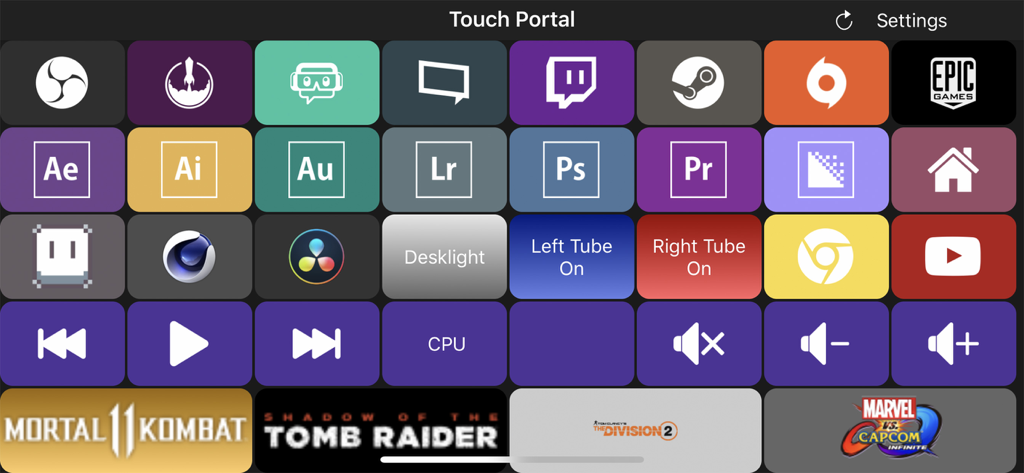
OBS Adobe Creative Cloud 및 게임 실행기 바로 가기 버튼이 있는 Touch Portal의 사용자 정의 가능한 매크로 덱 인터페이스.

OBS Adobe Creative Cloud 및 게임 실행기 바로 가기 버튼이 있는 Touch Portal의 사용자 정의 가능한 매크로 덱 인터페이스.

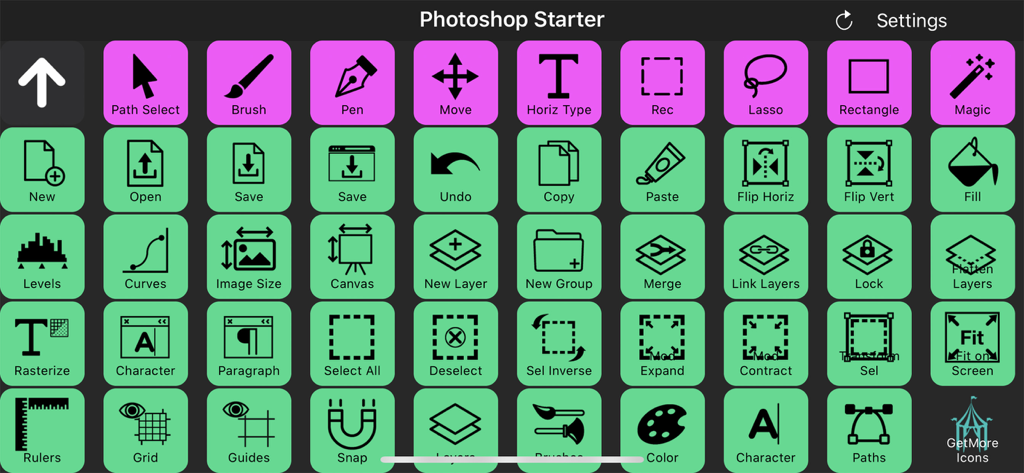
Touch Portal 앱 내 Adobe Photoshop용 사용자 정의 가능한 매크로 버튼 그리드

Touch Portal 앱 내 Adobe Photoshop용 사용자 정의 가능한 매크로 버튼 그리드

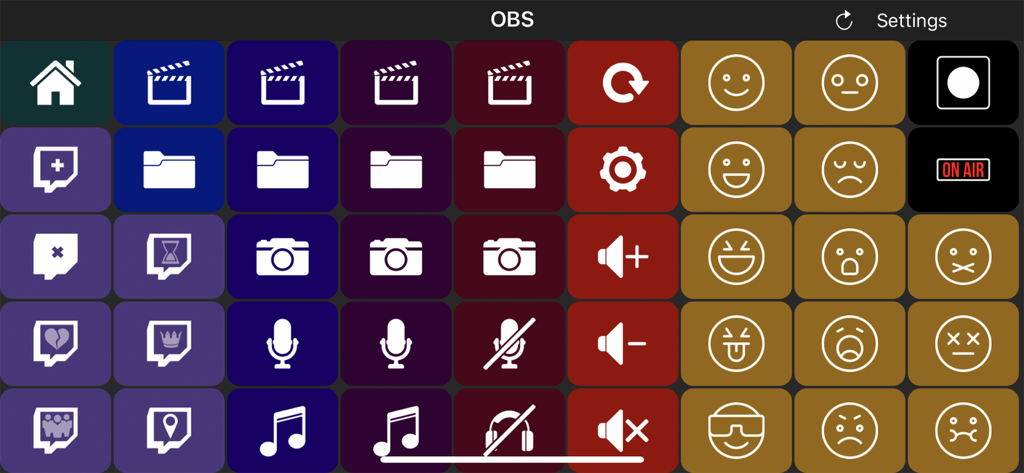
OBS 스트림 제어를 위한 사용자 정의 가능한 매크로 버튼 그리드를 보여주는 Touch Portal 앱 인터페이스

OBS 스트림 제어를 위한 사용자 정의 가능한 매크로 버튼 그리드를 보여주는 Touch Portal 앱 인터페이스

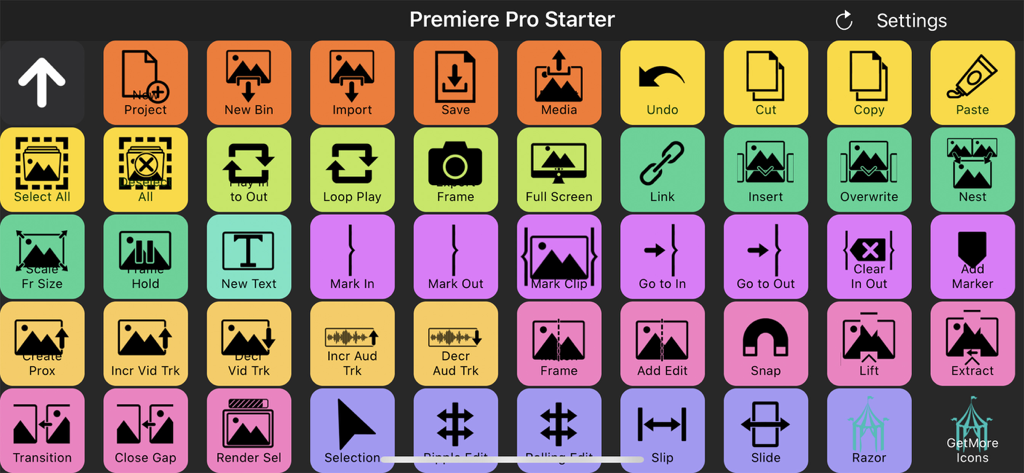
Adobe Premiere Pro 비디오 편집 바로 가기용 다채로운 버튼이 있는 Touch Portal 디지털 매크로 덱 인터페이스

Adobe Premiere Pro 비디오 편집 바로 가기용 다채로운 버튼이 있는 Touch Portal 디지털 매크로 덱 인터페이스

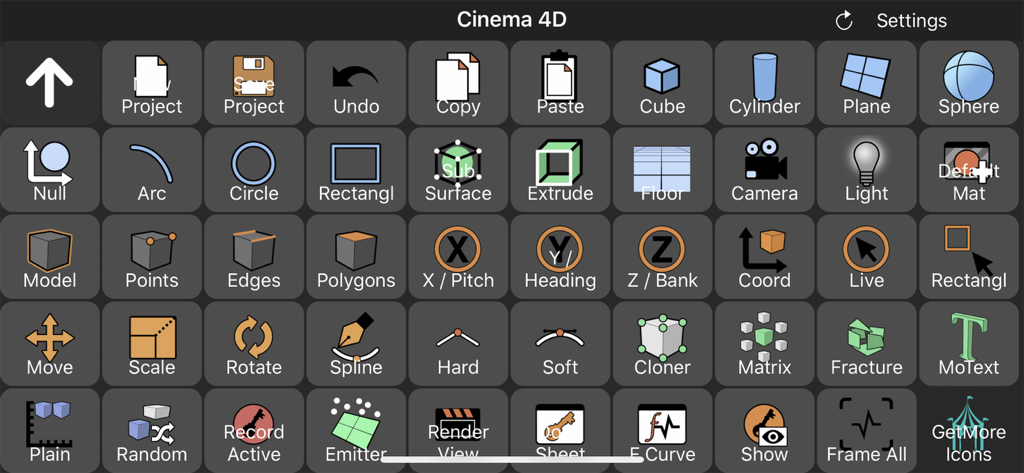
Cinema 4D용 바로 가기 버튼이 있는 사용자 정의 매크로 덱을 보여주는 Touch Portal 인터페이스.

Cinema 4D용 바로 가기 버튼이 있는 사용자 정의 매크로 덱을 보여주는 Touch Portal 인터페이스.

작업 공간을 완벽하게 제어하세요

이 앱을 돋보이게 하는 도구, 236K+ 명의 사용자가 선택.

🎮

원활한 스트림 제어

OBS, Twitch 및 Streamlabs를 위한 전용 버튼으로 방송을 마스터하세요. 게임을 벗어나지 않고도 즉시 장면을 변경하고, 오버레이를 트리거하고, 채팅 알림을 관리하세요.

🎞️

전문가 수준의 편집 워크플로

복잡한 키보드 단축키는 잊으세요. 시각적이고 촉각적인 아이콘을 사용하여 번개처럼 빠르고 정확하게 Adobe Photoshop, Lightroom 및 Premiere Pro를 탐색하세요.

무제한 매크로 성능

페이지당 최대 110개의 사용자 정의 가능한 버튼으로 반복적인 작업을 자동화하세요. 스마트 조명 제어부터 복잡한 소프트웨어 체인 실행까지, 모든 것이 한 번의 터치로 가능합니다.

전 세계 사용자들에게 사랑받는 앱

Trusted by 236K+ 명이 이 앱을 사랑합니다.

"

"Touch Portal은 완전한 게임 체인저입니다. 저는 오래된 태블릿을 몇 분 만에 Twitch 스트림을 위한 전문가 수준의 제어 덱으로 바꾸었습니다. OBS 및 Philips Hue와 완벽하게 통합되어 집중력을 잃지 않고도 방송 및 조명을 관리할 수 있습니다. 솔직히 제가 알아봤던 값비싼 하드웨어 대안보다 훨씬 유연하고 강력합니다."

Marcus 'Glitch' Thompson, 풀타임 스트리머
"

"프리랜서 편집자에게 효율성은 모든 것입니다. 저는 모든 복잡한 Adobe Premiere 및 Photoshop 매크로를 Touch Portal에 매핑했으며, 이는 제 워크플로를 완전히 변화시켰습니다. 모든 버튼을 사용자 정의하고 페이지당 100개 이상의 바로 가기를 가질 수 있다는 것은 놀랍습니다. 집에서 일하는 모든 크리에이티브 전문가를 위한 궁극의 생산성 해킹입니다."

Sarah Chen, 비주얼 콘텐츠 크리에이터

앱 소개

에 대해 알아야 할 모든 것 Touch Portal.

설명

Touch Portal is the #1 All-in-One Remote Control Macro and Stream app for Phones and Tablets with a deck of buttons as a board on your desk and workspace. You will get the following features: - OBS STUDIO INTEGRATION (OBS web-socket required) - STREAMLABS OBS INTEGRATION - STREAMELEMENTS OBS.LIVE INTEGRATION (OBS web-socket required) - ADOBE PHOTOSHOP INTEGRATION - ADOBE LIGHTROOM CLASSIC INTEGRATION - REMOTE CONTROL PC AND/OR MAC - XSPLIT INTEGRATION - TWITCH INTEGRATION - HOME AUTOMATION - PHILIPS HUE INTEGRATION - MACRO BUTTONS - SMART TOUCH BUTTONS - CUSTOMIZABLE LOOK AND FEEL - COMMUNITY-DRIVEN DEVELOPMENT Touch Portal is a companion app to control a PC or a Mac by using a deck of buttons to improve the workflow & productivity of game streamers, content creators and professionals. Touch Portal gives you all the essential controls you’d need, we keep adding more features every update! With Touch Portal you are allowed up to 110 unique buttons per page for the Pro version, not to mention you could use the pages to even increase this! Use it as a Macro Deckboard or Shortcut Board for your video and photo editing software and edit faster and more efficient. Use cases: - Game streamers: Stream your games while having total control of your broadcast overlays with a deck of buttons. - Video editors: Edit your videos faster, easier and smarter with a fully customizable page with the buttons you use most often on your Touch Portal deck. Create macros and shortcut buttons to optimize your workflow. - Photo editors: Edit your photos faster, you don't have to learn all the shortcuts the photo editing software gives you, just add the action you want to the "Touch Portal Desktop" app and start editing. - Professionals: Create your own customizable page to improve your productivity and workflow. The app is an extension of your keyboard, with much more features. IMPORTANT!: * You need to download the "Touch Desktop" app on your PC or your Mac to use this app. Please go to our website to download it from our website. https://www.touch-portal.com/ Please join us at our Discord server for the fastest help. We are daily available on discord, our community is also willing to help you further with your Touch Portal experience. Discord server: https://discord.gg/MgxQb8r

최신 버전

4.4.2

크기

20.1 MB

출시일

2018년 8월 3일

크리에이티브 작업 공간을 제어하세요

Alt-Tab 전환은 이제 그만, 창작을 시작하세요. 236,000명 이상의 스트리머 및 전문가와 함께 궁극의 매크로 덱으로 설정을 최적화하세요.

다운로드: App Store