EZAudioCut - Audio Editor Lite

EZAudioCut - Audio Editor Lite

다운로드: App Store
Spark by MWM logo
로고: EZAudioCut - Audio Editor Lite
EZAudioCut: 프로 수준의 오디오 편집 및 녹음을 모바일로 구현

iPhone 또는 Apple Watch를 고정밀 스튜디오로 바꾸세요. AI로 배경 소음을 제거하고, 전문적인 효과를 적용하고, 몇 초 안에 다음 바이럴 사운드를 내보내세요.

다운로드: App Store

개발사

龙刚 李

카테고리

Music

다운로드

1M+

사용자 평점

4.8/5

총 평가 수

37K+

지원 언어

13

주머니 속 스튜디오 성능

이 인터페이스를 사용하는 1M+ 명의 사용자.

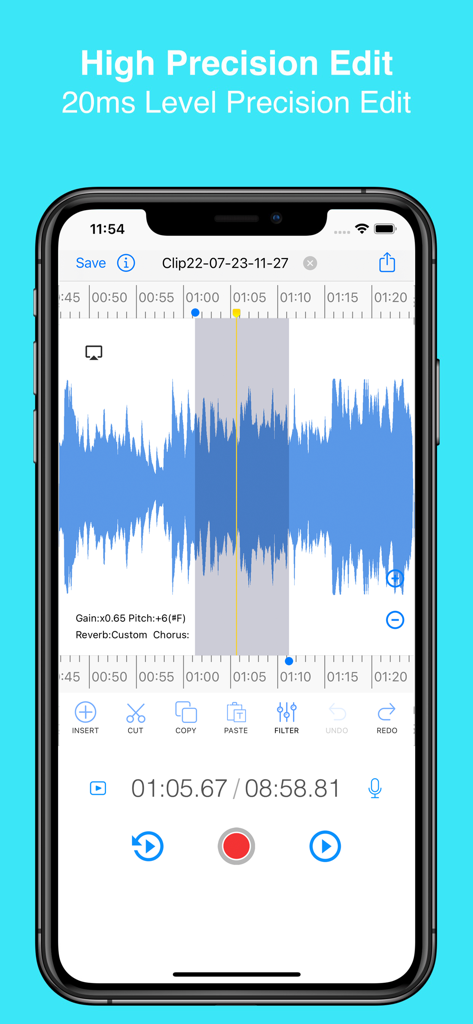
EZAudioCut 모바일 앱 인터페이스는 자르기 및 필터링 도구와 함께 고정밀 파형 편집을 보여줍니다.

EZAudioCut 모바일 앱 인터페이스는 자르기 및 필터링 도구와 함께 고정밀 파형 편집을 보여줍니다.

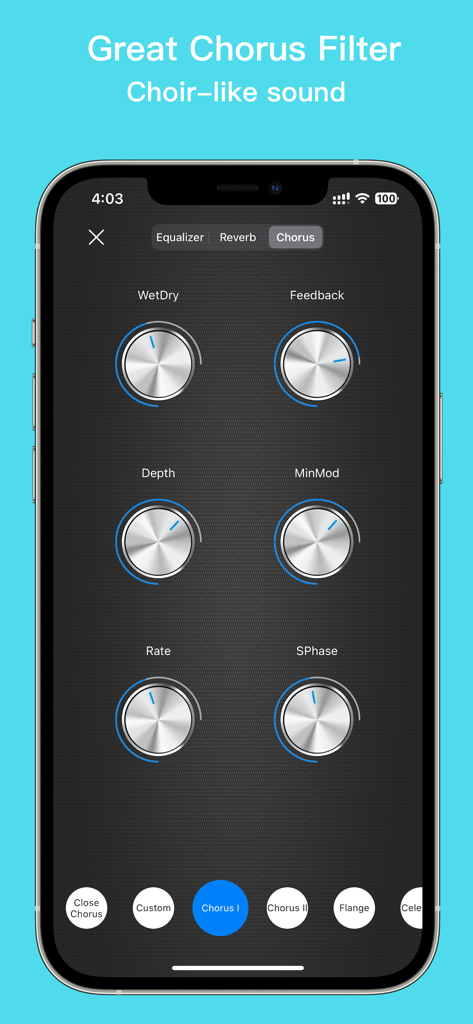
EZAudioCut 앱의 코러스 필터 인터페이스는 코러스와 유사한 오디오 효과를 위한 깊이율 및 피드백에 대한 조절 가능한 노브를 보여줍니다.

EZAudioCut 앱의 코러스 필터 인터페이스는 코러스와 유사한 오디오 효과를 위한 깊이율 및 피드백에 대한 조절 가능한 노브를 보여줍니다.

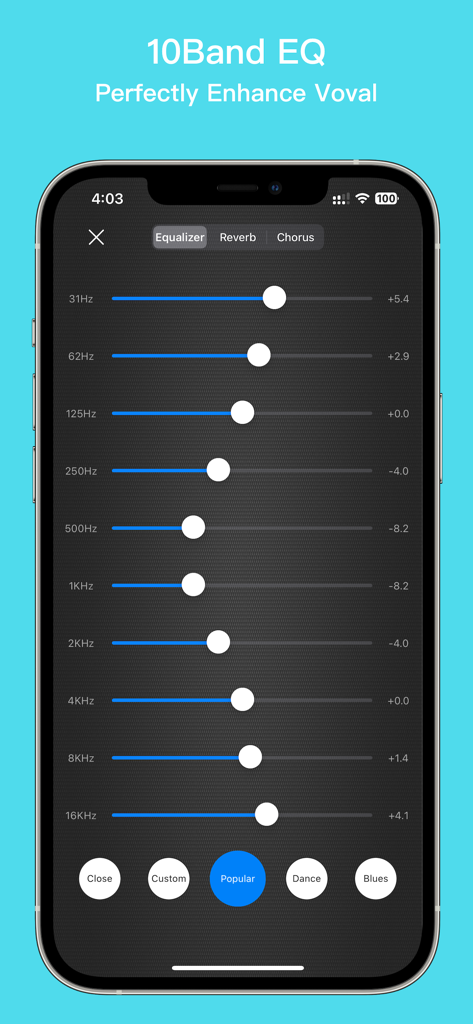
EZAudioCut Lite 앱의 10밴 이퀄라이저 인터페이스는 전문 보컬 및 오디오 향상을 위한 것입니다.

EZAudioCut Lite 앱의 10밴 이퀄라이저 인터페이스는 전문 보컬 및 오디오 향상을 위한 것입니다.

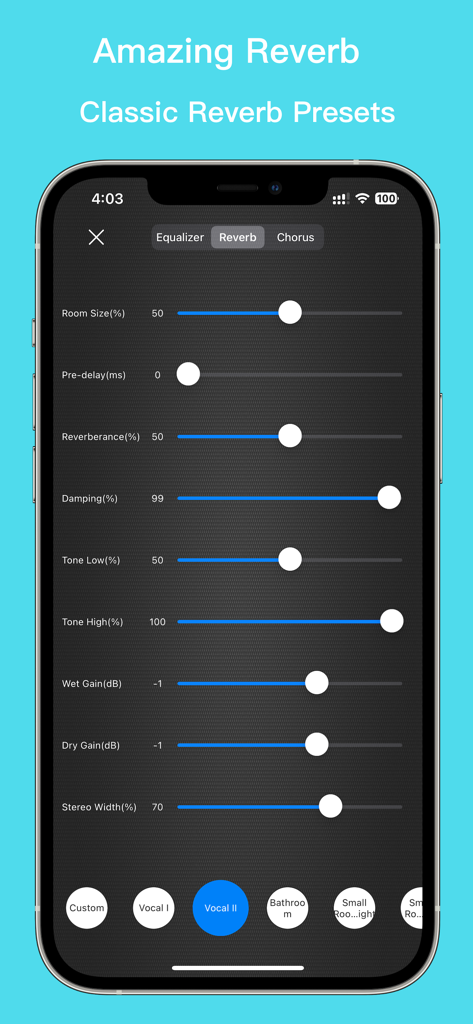
EZAudioCut 앱 인터페이스는 보컬 및 룸 효과를 위한 룸 크기, 감쇠 및 사전 설정을 포함한 조절 가능한 리버브 설정을 보여줍니다.

EZAudioCut 앱 인터페이스는 보컬 및 룸 효과를 위한 룸 크기, 감쇠 및 사전 설정을 포함한 조절 가능한 리버브 설정을 보여줍니다.

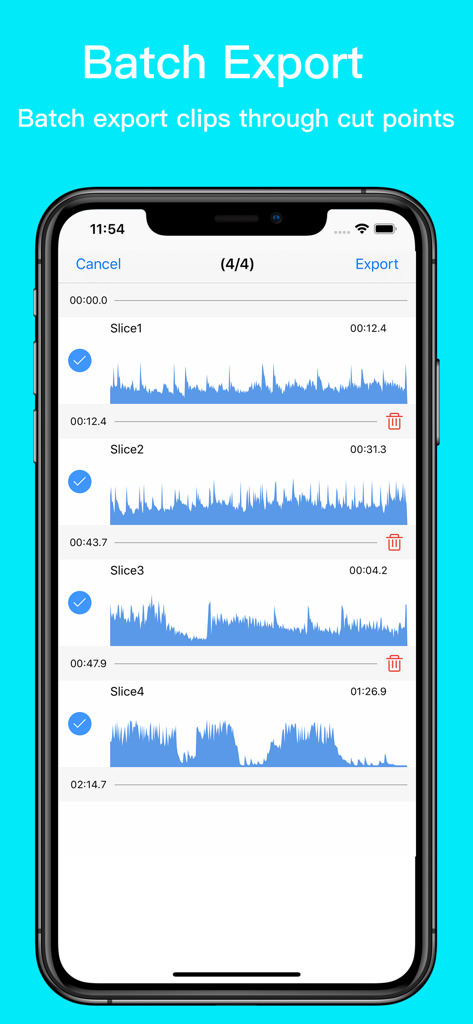
EZAudioCut 인터페이스는 일괄 내보내기에 선택된 여러 오디오 클립을 보여줍니다.

EZAudioCut 인터페이스는 일괄 내보내기에 선택된 여러 오디오 클립을 보여줍니다.

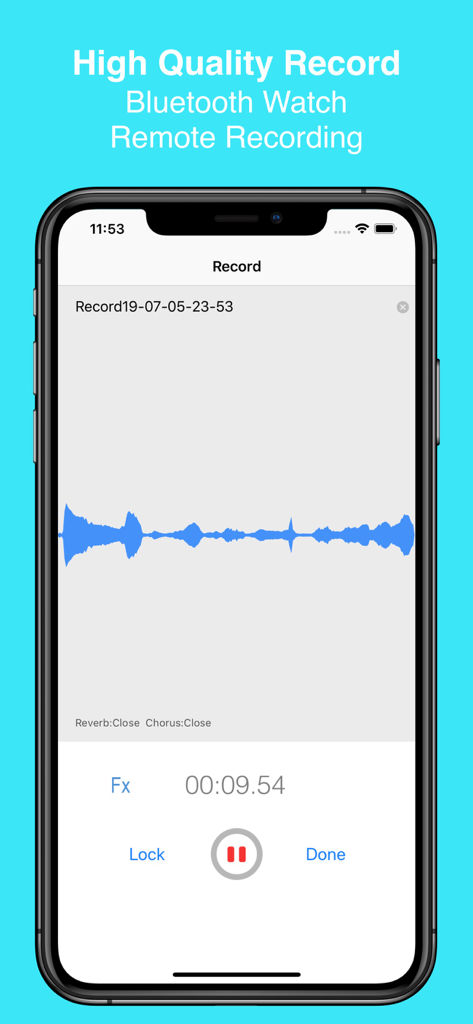
iPhone의 EZAudioCut 앱 인터페이스는 파란색 파형과 함께 고품질 오디오 녹음 세션을 보여줍니다.

iPhone의 EZAudioCut 앱 인터페이스는 파란색 파형과 함께 고품질 오디오 녹음 세션을 보여줍니다.

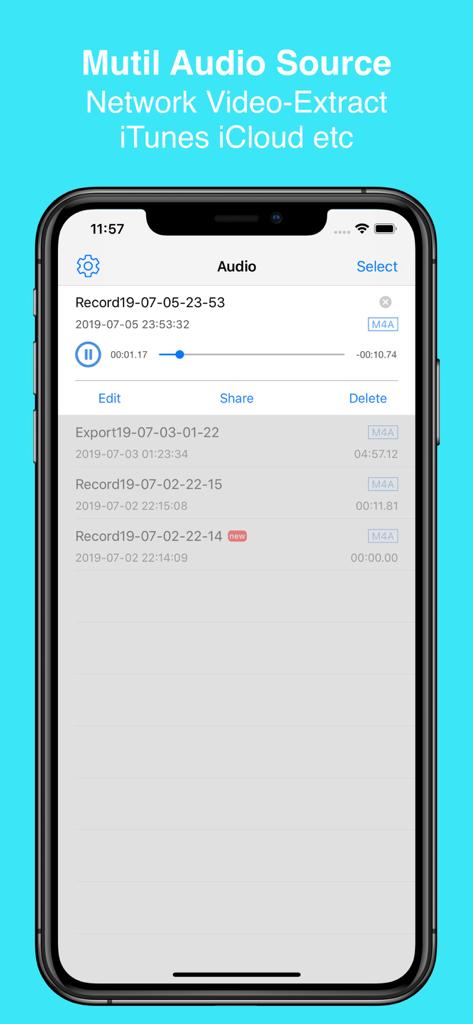
EZAudioCut 앱 인터페이스는 녹음 목록과 iTunes 및 iCloud에서 오디오를 가져오는 옵션을 보여줍니다.

EZAudioCut 앱 인터페이스는 녹음 목록과 iTunes 및 iCloud에서 오디오를 가져오는 옵션을 보여줍니다.

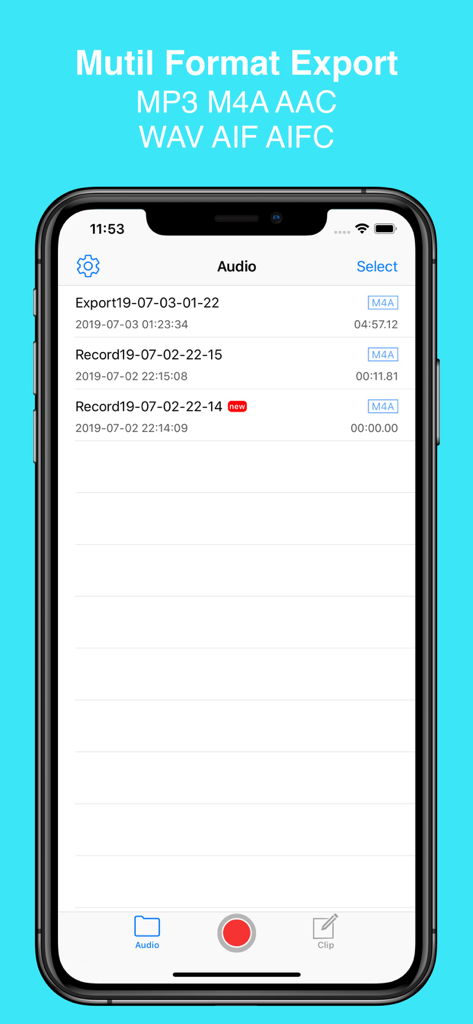
EZAudioCut 앱 인터페이스는 MP3 및 M4A와 같은 여러 내보내기 형식 옵션이 있는 오디오 파일 라이브러리를 보여줍니다.

EZAudioCut 앱 인터페이스는 MP3 및 M4A와 같은 여러 내보내기 형식 옵션이 있는 오디오 파일 라이브러리를 보여줍니다.

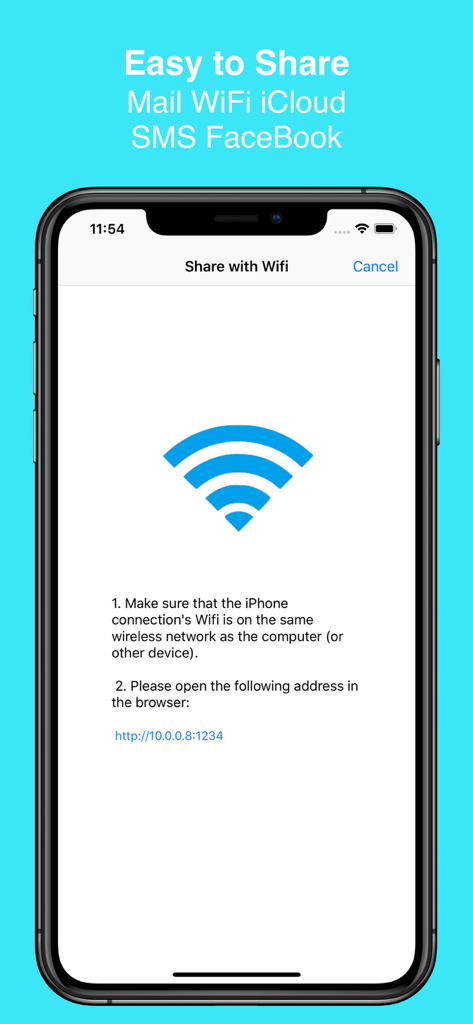
EZAudioCut 앱 인터페이스는 로컬 WiFi 네트워크를 통해 오디오 파일을 공유하는 방법을 보여줍니다.

EZAudioCut 앱 인터페이스는 로컬 WiFi 네트워크를 통해 오디오 파일을 공유하는 방법을 보여줍니다.

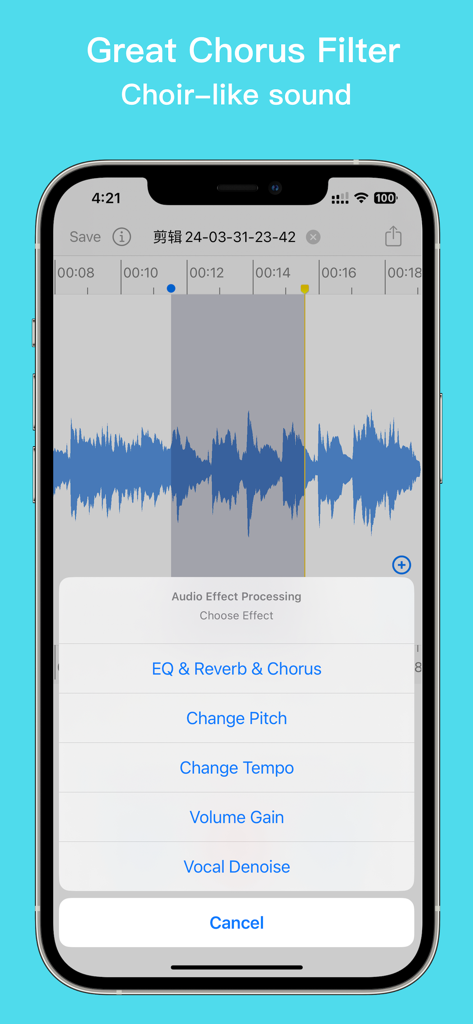
EZAudioCut 앱 인터페이스는 코러스 및 리버브 옵션이 있는 오디오 효과 처리 메뉴를 표시합니다.

EZAudioCut 앱 인터페이스는 코러스 및 리버브 옵션이 있는 오디오 효과 처리 메뉴를 표시합니다.

휴대 가능한 전문 오디오 편집

이 앱을 돋보이게 하는 도구, 1M+ 명의 사용자가 선택.

✂️

정밀한 편집

파형을 깊이 확대하여 프레임 단위의 정확도로 자르고, 트리밍하고, 병합하세요. 모든 편집은 무제한 실행 취소 및 다시 실행 기능으로 비파괴적입니다.

🤖

AI 신경망 노이즈 제거

카페에서 교실까지 어디서든 녹음하세요. 저희 순환 신경망 기술은 배경 소음을 자동으로 식별하고 제거하여 깨끗한 결과를 제공합니다.

완벽한 Apple 생태계 동기화

기기의 성능을 활용하세요. Apple Watch로 녹음하고, AirPods로 모니터링하고, iPhone, iPad 및 iCloud 전반에 걸쳐 프로젝트를 원활하게 동기화하세요.

전 세계 사용자들에게 사랑받는 앱

Trusted by 1M+ 명이 이 앱을 사랑합니다.

"

"제 팟캐스트 스니펫을 위해 수십 개의 모바일 편집기를 사용해봤지만, EZAudioCut은 차원이 다릅니다. 시끄러운 카페에서 인터뷰를 녹음할 때 RNN 노이즈 제거 기능은 정말 유용하며, 고정밀 줌 기능으로 불필요한 말을 완벽하게 잘라낼 수 있습니다. 제 주머니에 들어가는 프로 스튜디오와 같습니다."

Caleb J., 디지털 미디어 크리에이터
"

"싱어송라이터로서 보컬 아이디어에 전문적인 리버브 및 코러스 효과를 쉽게 추가할 수 있다는 점이 마음에 듭니다. Apple Watch로 녹음하고 iPad에서 피치를 다듬는 기능이 매우 매끄럽습니다. 제 연습 루틴을 완전히 바꿔놓았고, 밴드와 즉시 공유할 수 있는 세련된 데모를 만드는 데 도움이 됩니다."

Sarah L., 독립 음악가

앱 소개

에 대해 알아야 할 모든 것 EZAudioCut - Audio Editor Lite.

설명

EZAudioCut is a audio record and audio editor app for iPhone, iPad and Apple Watch. With EZAudioCut you can edit and record music, voice, and other audio recordings. You can edit audio files with . You can also add audio effects like pitch, reverb, gain. You can insert the recording indefinitely, and also it can be used as a recording pen , you can easily intercept and merge audio, add sound processing, support the removal of the clip operation, heavy Do, support ultra-high precision editing audio, editing audio, support real-time pre-listening effect. HIGH PRECISION EDIT Support high-precision zoom to clip audio, cut, undo, redo at any time. SUPPORTS MULTIPLE FORMATS Via of media file support import and export. (m4a,aac,mp2,mp3,wav,aif,mov,mp4 etc). A variety of sound quality export to meet different needs. UNLIMITED RECORDINGS Recording automatically after call. Record for as long as you want and as many times as you want. (No restrictions as long as you have enough available storage on your device). AUDIO ENHANCEMENT Reverb,Chorus,Gain,Time Stretch,Pitch to Audio. NOISE REDUCTION Recurrent Neural Network Noise Reduction. BLUETOOTH DEVICE SUPPORT Support AirPods and other Bluetooth headset to play and recording. SHARE Share audio or video by Email, Messages, WiFi, YouTube, Instagram, Snapchat. VIA AUDIO SOURCE SUPPORT ----------- Easy Audio Cut is an easy & simple recording and audio editing tools, you can insert the recording indefinitely, and also it can be used as a recording pen , you can easily intercept and merge audio, add sound processing, support the removal of the clip operation, heavy Do, support ultra-high precision editing audio, editing audio, support real-time pre-listening effect. Easy Audio Cut support the recording to add reverb effects, chorus effects, whether you record guitar playing or piano solo, or classroom lectures, poetry recitation, oral practice, give you a high quality recording. When you have some flaws in recording, it does not matter, you only need to cut off the defective part, record the the little. If you want to create your own personality ringtones, just need to import music to the phone, Easy Audio Cut help you accurately clip your unique ringtones. Easy Audio Cut support the reverb effect, make your singing is not dry, support multiple scenes preset reverb, like a concert like Live effect. Easy Audio Cut supports variable-speed playback and variable-speed (Time Stretch) export, pitch-shift playback, Pitch-derived audio, infinitely variable speed, and infinitely variable pitch. When you want the phone as a voice recorder, you only need to use the recorder mode to lock the recording. After the recording process to answer the call, Easy Audio Cut will automatically resume recording, no need to restart the recording. 1. Support import file from the other App to Easy Audio Cut audio library. 2. Support import file from the iTunes audio library and iCloud Driver. 3. Support audio Edit, the effect of real-time preview function, pre-listening process to dynamically adjust the effect of the parameters. 4. Support the recorder mode, support the lock recording, recording process automatically resume after the recording, recording pause function, the recorder to add the effect of the function. 5. Support Wifi LAN share audio, SMS sharing, E-mail sharing, and third-party software ( Twitter,WeChat, etc.) to share (AirDrop). 6. Support from iCloud import audio editing and export audio to iCloud. 7. Support a variety of formats audio into the easy to cut audio library (m4a, aac, aiff, wav mp3, mp2, ALAC, etc). 8. Support export m4a, mp3, aac, wav, aiff , etc, format to share. 9. Support volume adjustment(volume gain). 10.Supports stepless speed change from 0.5x to 3x, supports audio transposition, and supports 0.5x to 2x linear transposition. 12. Support watches disconnect the phone connection, offline recording, audio import clips. 13. Support watch record in background.

최신 버전

3.4.1

크기

58.7 MB

출시일

2017년 11월 28일

오디오 수준을 높일 준비가 되셨나요?

100만 명 이상의 크리에이터가 EZAudioCut을 사용하여 iPhone, iPad 또는 Apple Watch에서 직접 스튜디오급 정밀도로 녹음, 정리 및 편집하고 있습니다.

다운로드: App Store
FAQ

자주 묻는 질문

에 대해 알아야 할 모든 것 EZAudioCut - Audio Editor Lite

EZAudioCut에서 고정밀 오디오 편집을 제공하나요?

네, EZAudioCut은 클립 오디오로 줌하는 것을 포함하여 초고정밀 편집을 지원합니다. 세부 조정을 위해 20ms 수준의 정밀도를 제공합니다.

EZAudioCut은 가져오기 및 내보내기에서 어떤 오디오 형식을 지원하나요?

EZAudioCut은 m4a, aac, mp2, mp3, wav, aif, mov, mp4, aiff 및 ALAC를 포함한 여러 형식을 가져오기 및 내보내기에서 지원합니다.

EZAudioCut은 무제한 길이로 오디오를 녹음할 수 있나요?

네, EZAudioCut은 장치에 충분한 저장 공간이 있는 경우 길이와 수량 면에서 무제한 녹음을 허용합니다. 통화 후 자동으로 녹음하는 것도 지원합니다.

EZAudioCut에서 어떤 오디오 효과를 사용할 수 있나요?

EZAudioCut은 리버브, 코러스, 게인, 시간 늘리기 및 피치와 같은 다양한 오디오 효과를 제공합니다. 또한 순환 신경망 기술을 사용하여 노이즈 감소를 포함합니다.

EZAudioCut은 AirPods와 같은 Bluetooth 장치로 녹음하는 것을 지원하나요?

네, EZAudioCut은 오디오 재생 및 녹음 모두에 대해 AirPods를 포함한 Bluetooth 장치를 지원합니다.

사용자는 EZAudioCut에서 오디오 파일을 어떻게 공유할 수 있나요?

사용자는 이메일, 메시지, WiFi, YouTube, Instagram, Snapchat, SMS 및 Twitter 및 WeChat와 같은 타사 앱 (AirDrop 포함)을 통해 EZAudioCut에서 오디오 또는 비디오 파일을 공유할 수 있습니다.

EZAudioCut을 사용하여 사용자 지정 벨소리를 만들 수 있나요?

네, EZAudioCut은 사용자가 음악을 정확하게 잘라 독특한 개성 벨소리를 만들도록 돕습니다. 단순히 전화기에서 음악을 가져오면 됩니다.

EZAudioCut은 어떤 종류의 이퀄라이저 기능을 제공하나요?

EZAudioCut은 보컬 및 기타 오디오를 완벽하게 향상시키기 위해 10밴드 이퀄라이저를 제공합니다. 인기, 댄스 및 블루스와 같은 다양한 사전 설정을 포함합니다.

EZAudioCut은 iCloud에서 오디오를 가져올 수 있나요?

네, EZAudioCut은 iCloud Drive에서 오디오 파일을 가져오는 것을 지원합니다. 또한 편집된 오디오를 iCloud로 직접 내보낼 수 있습니다.

EZAudioCut은 오디오 효과의 실시간 미리보기를 지원하나요?

네, EZAudioCut은 오디오 효과의 실시간 미리보기를 지원합니다. 사용자는 사전 청취 중에 효과 매개변수를 동적으로 조정할 수 있습니다.

EZAudioCut은 오디오의 속도와 피치를 변경할 수 있나요?

네, EZAudioCut은 가변 속도 재생 및 내보내기(0.5배 ~ 3배) 및 피치 이동 재생을 지원합니다. 무한하게 가변적인 속도 및 피치 조정을 허용합니다.

EZAudioCut의 Apple Watch 기능은 무엇인가요?

Apple Watch용 EZAudioCut은 전화에서 분리된 경우에도 오프라인 녹음 및 오디오 가져오기 클립을 허용합니다. 또한 백그라운드 녹음을 지원합니다.

EZAudioCut은 일괄 내보내기 기능을 제공하나요?

네, EZAudioCut은 오디오 클립의 일괄 내보내기를 허용합니다. 사용자는 정의된 잘라내기 지점을 통해 여러 세그먼트를 내보낼 수 있습니다.

EZAudioCut은 녹음에서 노이즈 감소를 수행할 수 있나요?

네, EZAudioCut은 오디오 녹음을 정리하기 위한 순환 신경망 노이즈 감소 기술을 포함합니다.

사용자는 EZAudioCut에서 실행 취소 및 다시 실행 작업을 수행할 수 있나요?

네, EZAudioCut은 오디오 클리핑을 포함하여 편집 과정 중에 언제든지 실행 취소 및 다시 실행 작업을 지원합니다.