FAX from iPhone & iPad App

FAX from iPhone & iPad App

다운로드: App Store다운로드: Google Play
Spark by MWM logo
로고: FAX from iPhone & iPad App

iPhone 및 iPad용 팩스 앱: 기기를 강력한 휴대용 팩스 기기로 변신시키세요

전문적인 문서를 스캔하고 품질을 개선하여 90개 이상의 국가로 즉시 전송하세요. 하드웨어나 전화선 없이도 바쁜 전문직 업무를 위한 안전하고 고품질의 팩스 서비스를 제공합니다.

개발사

BP Mobile LLC

카테고리

Business

다운로드

365K+

사용자 평점

4.4/5

총 평가 수

18K+

지원 언어

11

나의 모바일 지휘 센터

이 인터페이스를 사용하는 365K+ 명의 사용자.

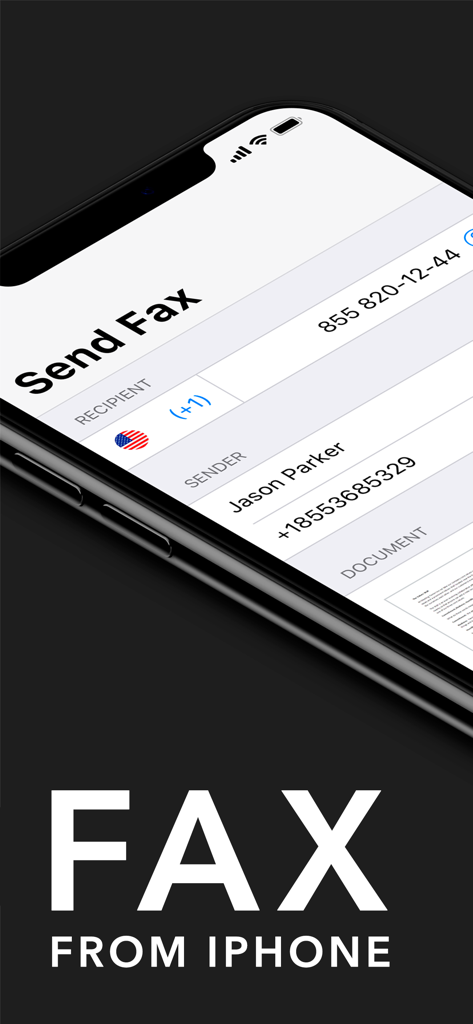
수신자 및 발신자 정보가 포함된 팩스 전송 인터페이스를 표시하는 휴대폰 화면

수신자 및 발신자 정보가 포함된 팩스 전송 인터페이스를 표시하는 휴대폰 화면

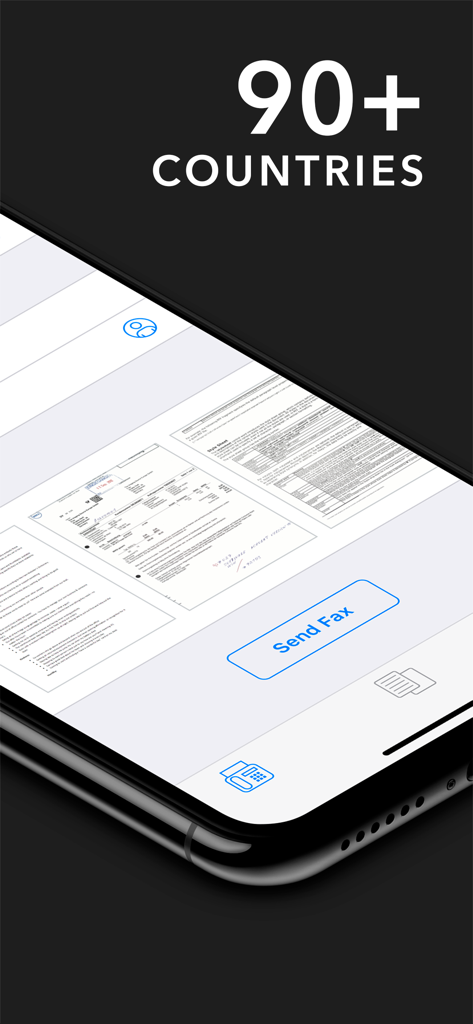
문서 미리보기와 '90개 이상의 국가' 텍스트가 있는 팩스 전송 버튼을 보여주는 iPhone 앱 화면

문서 미리보기와 '90개 이상의 국가' 텍스트가 있는 팩스 전송 버튼을 보여주는 iPhone 앱 화면

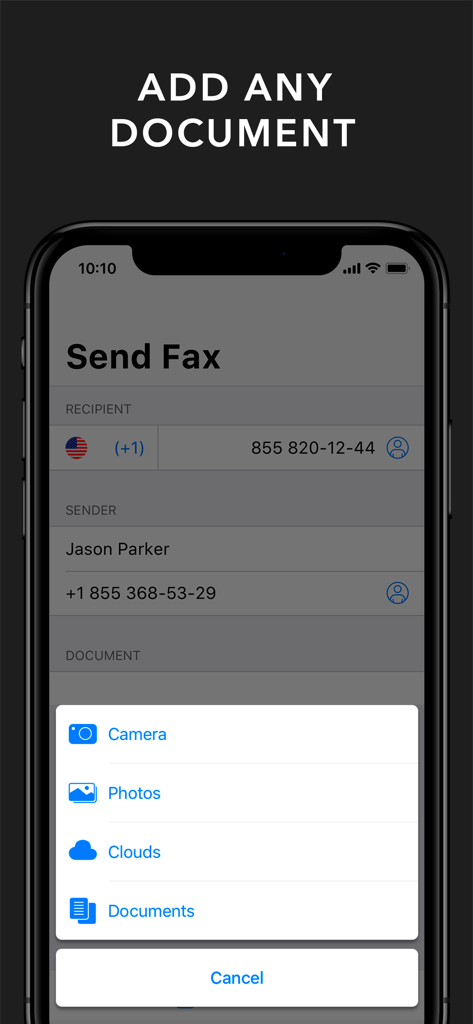
카메라 사진 및 클라우드 저장소 옵션을 보여주는 iPhone용 팩스 앱의 문서 추가 메뉴

카메라 사진 및 클라우드 저장소 옵션을 보여주는 iPhone용 팩스 앱의 문서 추가 메뉴

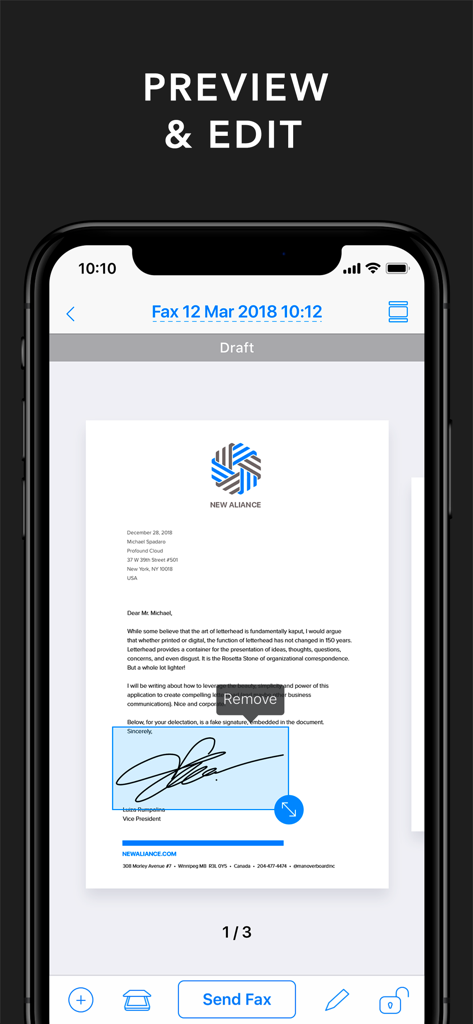
팩스 앱에서 디지털 서명이 포함된 비즈니스 문서를 미리 보고 편집하는 모습

팩스 앱에서 디지털 서명이 포함된 비즈니스 문서를 미리 보고 편집하는 모습

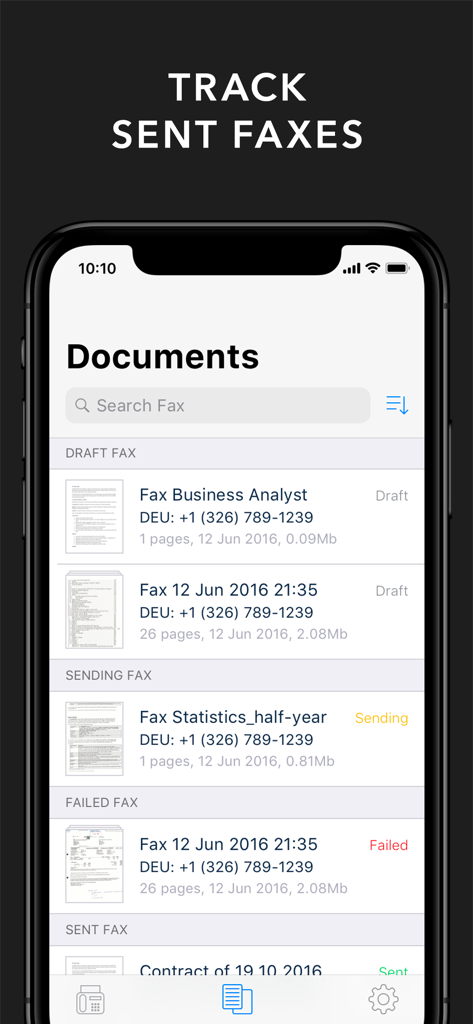
iPhone용 팩스 앱에서 전송된 팩스 및 임시 저장된 팩스 목록을 보여주는 스마트폰 화면

iPhone용 팩스 앱에서 전송된 팩스 및 임시 저장된 팩스 목록을 보여주는 스마트폰 화면

주머니 속의 전문적인 사무실

이 앱을 돋보이게 하는 도구, 365K+ 명의 사용자가 선택.

📄

전문가급 모바일 스캐너

고급 알고리즘이 그림자와 노이즈를 제거하여 계약서와 기록이 항상 선명하고 전문적으로 보이도록 보장합니다.

📠

하드웨어 없는 글로벌 팩스 전송

유선 전화 없이 90개 이상의 국가로 긴급 문서를 전송하세요. 이동 중에도 기존 방식의 요구 사항을 처리하는 가장 효율적인 방법입니다.

🔒

안전한 행정 툴킷

여러 페이지의 팩스를 정리하고, PDF로 내보내며, 가장 중요한 비즈니스 거래에 대한 디지털 기록을 유지하세요.

전 세계 사용자들에게 사랑받는 앱

Trusted by 365K+ 명이 이 앱을 사랑합니다.

"

"계속 이동해야 하는 부동산 중개인으로서 이 앱은 계약 체결에 있어 정말 큰 도움이 되었습니다. 차 안에서 바로 여러 페이지의 계약서를 스캔할 수 있고, 이미지 향상 기능 덕분에 고급 사무용 스캐너로 스캔한 것처럼 보입니다. 더 이상 팩스를 보내기 위해 FedEx나 문구점을 찾아다닐 필요가 없어요!"

Sarah Jenkins, 부동산 중개인
"

"의료 기록과 보험 서류를 처리하려면 보통 부피가 큰 팩스 기기가 필요하지만, 이 앱은 제 iPad를 모바일 사무실로 바꿔주었습니다. 원근 보정 기능은 완벽하며 민감한 문서를 보내기에 매우 안전합니다. 제 전문적인 도구 중 가장 신뢰할 수 있는 도구입니다."

Dr. Marcus Chen, 의료 컨설턴트

리뷰 분석

사용자 리뷰 인사이트.

감정 점수

34%
부정적

요약

The mobile app receives predominantly negative feedback, largely driven by a confusing payment model that often requires both an upfront purchase and an additional subscription, leading many users to feel misled. A significant portion of reviews highlight critical functionality issues, including faxes failing to send, slow transmission, and persistent "check internet connection" errors despite stable Wi-Fi. While a minority of users praise the app's ease of use, general functionality, and helpfulness, these positive aspects are overshadowed by reports of unreliable performance, lack of customer support, and concerns about data loss or credit syncing across devices.

주요 테마

Overall Satisfaction(6)
App Functionality(5)
Ease of Use(1)
Pricing Model(1)
Utility and Helpfulness(1)

앱 소개

에 대해 알아야 할 모든 것 FAX from iPhone & iPad App.

설명

Fax from iPhone lets you turn your iPhone or iPad into a powerful fax machine! Scan any document with advanced integrated document scanner app and fax them anywhere in the world in just a few taps at a very attractive price! You can scan and fax contracts, receipts, any kinds of documents, paper notes, schedules, timetables – anything you might need in your day to day life using this efax app. Your scans can be stored as multi-page files, which can be exported as PDF or JPEG later. You can create a document by selecting images from Camera Roll or creating a scan using the built-in mobile doc scanner. Built-in advanced scanning algorithms allow image enhancement, shadow and noise removing, automatic perspective correction and more. With all its features, this app is sure to become an indispensable efax tool. Junk your huge fax machine and start using Fax from iPhone! Main features: – iOS 14 full support – Advanced fax machine – Integrated document scanner app – Image processing with enhancement and color correction, noise removing and more – Create new documents with images from Camera Roll and fax them over – Scan documents using Camera – Send faxes in 90+ countries – No fax machine or dedicated phone line needed In order to send faxes, you need to buy credits using an in-app purchase. Information about the auto-renewal of subscription: – Free trial period is provided – Payment will be charged to iTunes Account at confirmation of purchase – Subscription automatically renews unless auto-renew is turned off at least 24-hours before the end of the current period – Account will be charged for renewal within 24-hours prior to the end of the current period. The cost depends on the selected plan – Subscriptions may be managed by the user and auto-renewal may be turned off by going to the user's Account Settings after purchase – Any unused portion of the free trial will be forfeited when the user purchases a subscription The following subscription plans are available (price may vary depending on location): • 12 months subscription with 3-days trial version – 50.99 US$ • 3 months subscription with 3-days trial version – 31.99 US$ • 1 week subscription with 3-days trial version – 3.99 US$ By using Fax from iPhone, you are agreeing to our Privacy Policy and Terms of Use: http://bpmob.com/fax/privacy/ http://bpmob.com/fax/terms/

최신 버전

3.12

크기

71.5 MB

출시일

2016년 9월 2일

번거로움 없이 다음 팩스를 보낼 준비가 되셨나요?

부피가 큰 하드웨어를 버리고 더 스마트하고 빠른 작업 방식을 선택한 365,000명 이상의 전문가와 함께하세요. 3일 무료 체험으로 몇 초 만에 문서를 스캔하고 전송하며 추적할 수 있습니다.

다운로드: App Store다운로드: Google Play