FileBrowser: Documents Manager

FileBrowser: Documents Manager

다운로드: App Store
Spark by MWM logo
로고: FileBrowser: Documents Manager

FileBrowser: 문서 관리자: 전문가를 위한 데스크톱급 파일 관리자

서버, NAS 및 클라우드 저장소에 원활하게 연결하세요. 제자리에서 문서를 편집하고, 미디어를 스트리밍하고, 탭 브라우징을 통해 iPad를 고성능 워크스테이션으로 변환하세요.

개발사

Stratospherix

카테고리

Utilities

다운로드

518K+

사용자 평점

4.7/5

총 평가 수

9K+

지원 언어

9

데스크톱급 제어

이 인터페이스를 사용하는 518K+ 명의 사용자.

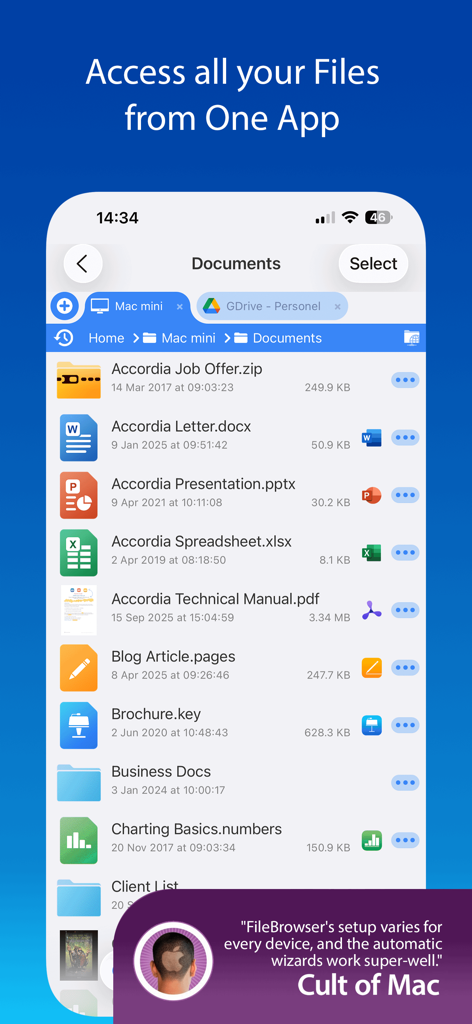
iPhone에서 원격 및 클라우드 저장소의 문서 목록을 보여주는 FileBrowser 앱 인터페이스.

iPhone에서 원격 및 클라우드 저장소의 문서 목록을 보여주는 FileBrowser 앱 인터페이스.

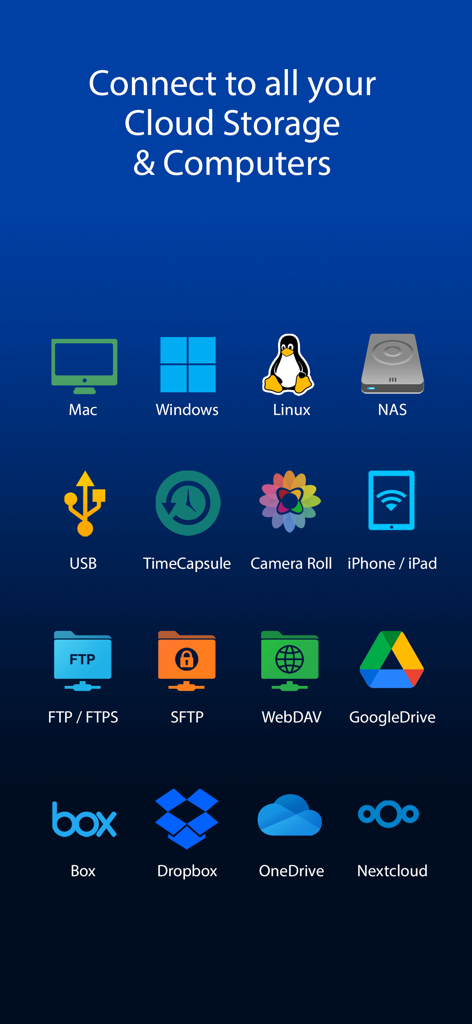
Mac Windows Linux NAS 및 Dropbox를 포함한 지원되는 클라우드 저장소 및 네트워크 드라이브 연결 아이콘

Mac Windows Linux NAS 및 Dropbox를 포함한 지원되는 클라우드 저장소 및 네트워크 드라이브 연결 아이콘

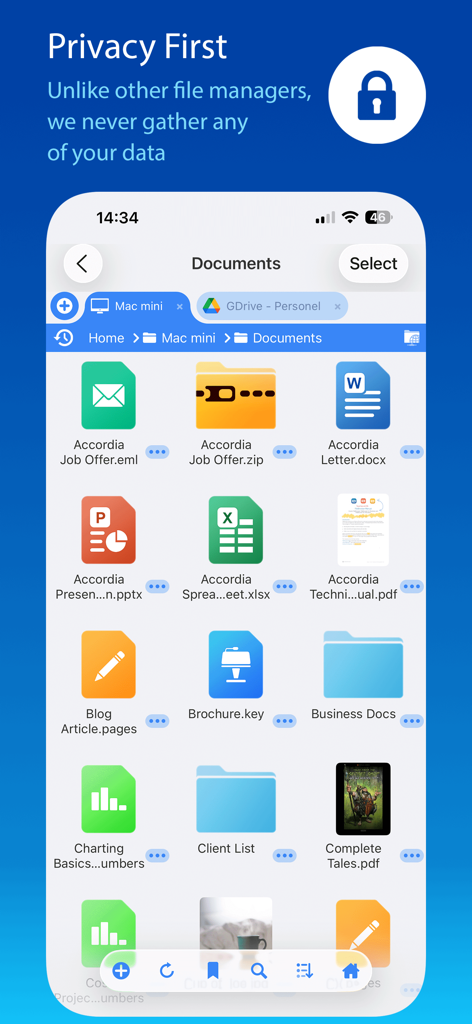
다양한 문서와 개인 정보 보호 우선 약정 배너를 보여주는 FileBrowser 앱 인터페이스

다양한 문서와 개인 정보 보호 우선 약정 배너를 보여주는 FileBrowser 앱 인터페이스

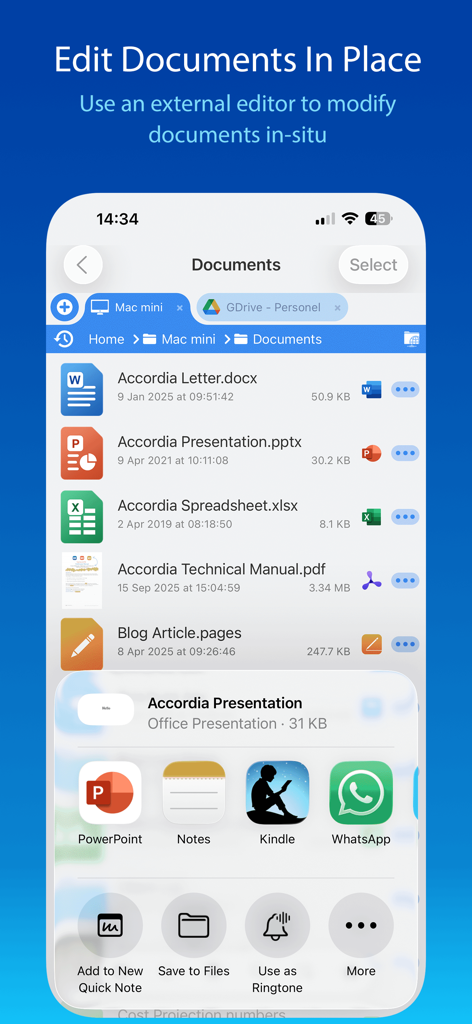
Edit Documents In Place 기능 및 외부 앱 통합과 함께 문서 목록을 보여주는 FileBrowser 앱 인터페이스 스크린샷

Edit Documents In Place 기능 및 외부 앱 통합과 함께 문서 목록을 보여주는 FileBrowser 앱 인터페이스 스크린샷

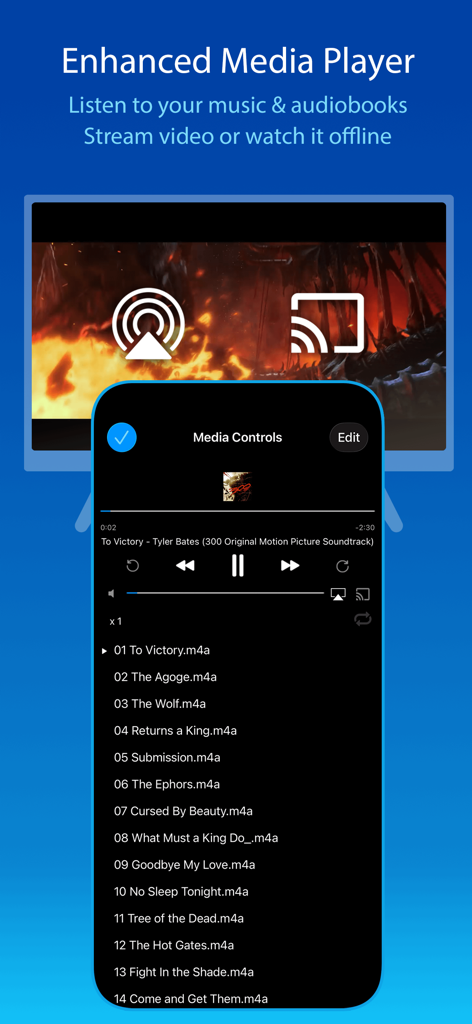
iPhone 및 iPad용 음악 재생 목록 및 스트리밍 옵션을 보여주는 FileBrowser 앱 미디어 플레이어

iPhone 및 iPad용 음악 재생 목록 및 스트리밍 옵션을 보여주는 FileBrowser 앱 미디어 플레이어

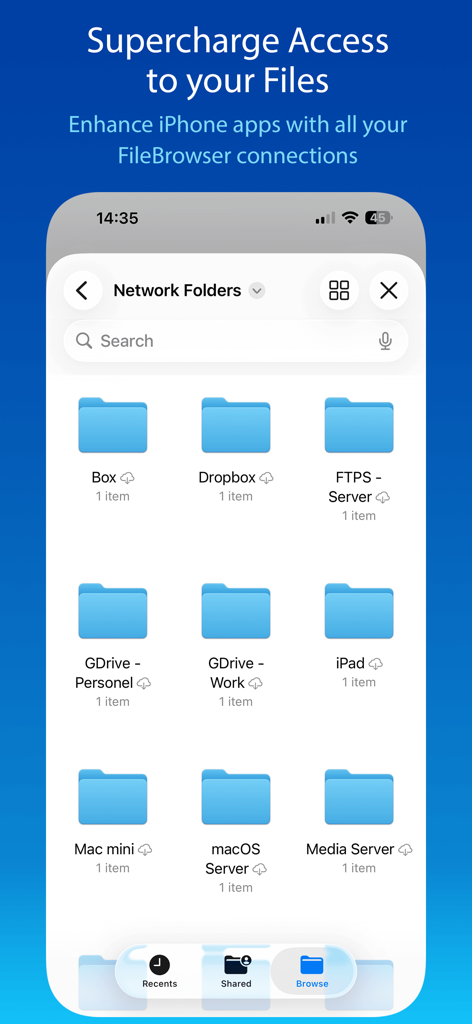
iPhone에서 다양한 네트워크 및 클라우드 저장소 폴더를 표시하는 FileBrowser 앱 인터페이스

iPhone에서 다양한 네트워크 및 클라우드 저장소 폴더를 표시하는 FileBrowser 앱 인터페이스

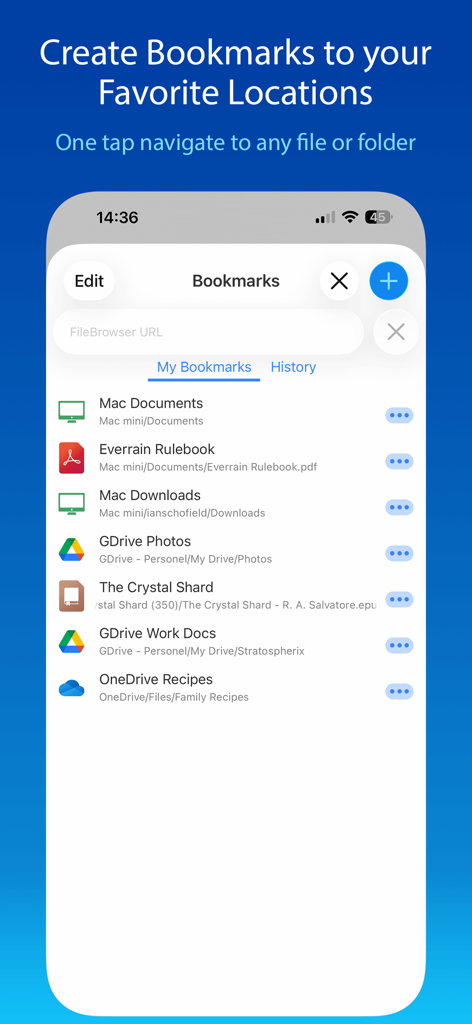
다양한 네트워크 및 클라우드 저장소 바로가기를 표시하는 FileBrowser 앱 북마크 화면.

다양한 네트워크 및 클라우드 저장소 바로가기를 표시하는 FileBrowser 앱 북마크 화면.

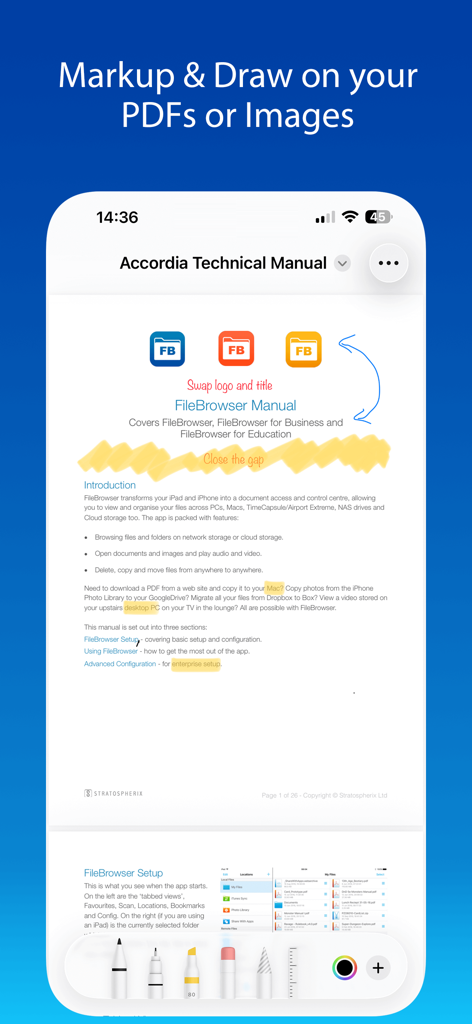
기술 매뉴얼에 사용되는 PDF 마크업 및 그리기 도구를 보여주는 FileBrowser 앱 스크린샷.

기술 매뉴얼에 사용되는 PDF 마크업 및 그리기 도구를 보여주는 FileBrowser 앱 스크린샷.

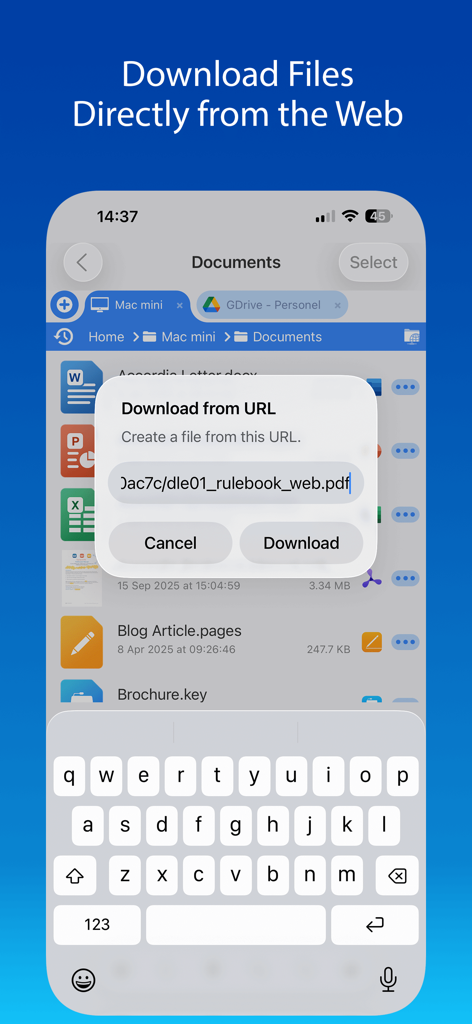
웹에서 PDF를 직접 저장하기 위한 URL에서 다운로드 대화 상자를 보여주는 FileBrowser 앱이 있는 iPhone 화면

웹에서 PDF를 직접 저장하기 위한 URL에서 다운로드 대화 상자를 보여주는 FileBrowser 앱이 있는 iPhone 화면

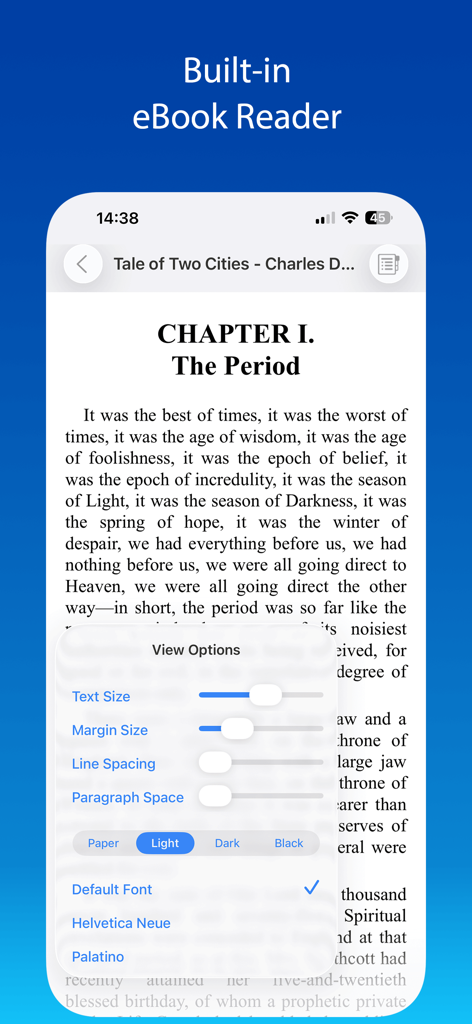
사용자 정의 가능한 텍스트 및 테마 설정을 갖춘 내장 eBook 리더를 보여주는 FileBrowser 앱

사용자 정의 가능한 텍스트 및 테마 설정을 갖춘 내장 eBook 리더를 보여주는 FileBrowser 앱

전문가 수준의 파일 관리

이 앱을 돋보이게 하는 도구, 518K+ 명의 사용자가 선택.

🌐

통합 연결성

SMB, FTP, SFTP 및 WebDAV를 통해 NAS, 홈 서버 및 전문 클라우드에 액세스하세요. 모든 디지털 인프라를 하나의 통합 인터페이스로 연결하세요.

효율적인 '제자리 편집'

Office, Pages 또는 Numbers 내에서 네트워크 문서를 직접 수정하세요. 다운로드-업로드 주기 없이 원래 소스로 자동적이고 원활하게 다시 저장하세요.

📂

데스크톱급 생산성

다중 탭 브라우징 및 분할 화면 지원으로 파일을 마스터하세요. Mac 또는 PC의 정확성으로 위치 간 정리, 압축 및 드래그 앤 드롭하세요.

전 세계 사용자들에게 사랑받는 앱

Trusted by 518K+ 명이 이 앱을 사랑합니다.

"

"FileBrowser는 제 워크플로우를 완전히 바꿔놓았습니다. NAS에서 클라우드로 4K 영상을 옮기는 것이 믿을 수 없을 정도로 빠르며, 제자리에서 문서를 편집할 수 있다는 것은 시간을 엄청나게 절약해 줍니다. 이것이 iPad Pro를 위해 만들어진 데스크톱급 파일 관리자입니다."

Sarah J., 크리에이티브 디렉터
"

"앱 스토어의 모든 파일 관리자를 사용해봤지만 이것만큼 좋은 것은 없습니다. SFTP를 통해 Linux 서버에 연결하고 고해상도 미디어 라이브러리를 TV로 스트리밍하는 기능이 완벽합니다. 모든 파워 유저에게 필수품입니다."

James M., IT 컨설턴트

앱 소개

에 대해 알아야 할 모든 것 FileBrowser: Documents Manager.

설명

Use your iPad or iPhone to connect to your home computers, network drives and cloud storage. Easily upload/download/copy files and folders from one location to another, and browse your content using a variety of built-in viewers. *** FileBrowser remains the best option if you're looking for a file manager that supports a variety of external connections and also integrates deeply with iOS - Federico Viticci - MacStories *** *** FileBrowser's setup varies for every device, and the automatic wizards work super-well. Charlie Sorrel - Cult of Mac *** Ultra-fast browsing of your computers. Faster than Windows Explorer or Mac Finder and our users agree! GET ORGANIZED FileBrowser gives you everything you need to keep your files effortlessly organized: Move, edit, delete, rename, copy, zip and unzip. Download files from the web and paste them wherever you choose. MULTI-TABBED BROWSING Our FileBrowser suite of apps are the first file management apps to support multiple tabs. Connect to many of your locations at once and switch between them with ease. Use iPadOS split-screen mode to drag & drop between multiple windows. CONNECT TO Windows, Mac, Linux, Time Capsule, NAS drives, portable WiFi drives, SMB, Samba. Google Drive, Dropbox, Box, OneDrive, WebDAV, FTP and SFTP. Link to the same cloud storage with multiple accounts, if you have more than one Dropbox account, for example. EXTEND THE FILES APP FileBrowser allows you to access all your connections from the iOS Files app and other apps that use this as their document chooser, bringing network access to those apps. EDIT IN-PLACE No more copying of documents between apps. Launch an app to edit a network document in-place, such as Word or Pages or any of the Office and Mac suite. Changes are saved to the original document automatically. BLAZINGLY FAST Create bookmarks to your favorite locations & folders. Use a single tap to connect and browse to a favorite folder. PHOTO VIEWER Browse your photos wherever they are stored and display them on your TV or projector using AirPlay or Chromecast. Easily flick through holiday snaps or use the built-in slideshow feature. STREAM YOUR MOVIES / MUSIC Stream movie files or listen to music, both with AirPlay™ and Chromecast support. Use our built-in viewers or stream video to other apps. DOCUMENT VIEWER View Microsoft Office, Apple Pages, Numbers, KeyNote, PDF, text files, source code, HTML, and many more using the built-in viewers. ANNOTATE PDFS AND IMAGES Use the built-in annotation tools for PDFs and images, or use the iOS annotation tools to add notes, drawings or highlight text. SECURITY AND ENCRYPTION FileBrowser securely stores your passwords in the iOS keychain and uses iOS encryption features to protect your local content. Protect local files using a password, TouchID or FaceID. CONNECT ANYWHERE Connect to your Mac or PC when away from home. See our website for details: https://www.stratospherix.com/setupvpn TOO MANY FEATURES TO LIST FileBrowser has many features that we would like to tell you about. Check out our website. You'll be amazed! https://www.stratospherix.com/products/filebrowser FIRST CLASS SUPPORT User manuals and help are available at stratospherix.com/support with how-to articles and videos. You can also email us for fast, friendly support.

최신 버전

25.12

크기

63.5 MB

출시일

2010년 4월 3일

iPad 및 iPhone을 위한 데스크톱급 파워를 잠금 해제하세요

500,000명 이상의 파워 유저 및 전문가 애호가와 함께하세요. 소유한 모든 서버 및 클라우드 계정에서 파일을 관리, 편집 및 스트리밍할 수 있는 최고의 자유를 경험하세요.

다운로드: App Store