Total files pro

Total files pro

다운로드: App Store
Spark by MWM logo
로고: Total files pro

Total Files Pro: 파일 및 클라우드를 위한 통합 명령 센터

앱 간 전환은 이제 그만. 전문가 수준의 PDF 편집 및 안전한 폴더 보호 기능으로 Dropbox, Google Drive, OneDrive를 한곳에서 원활하게 관리하여 모바일 워크스테이션을 완성하세요.

개발사

App Ideas S.r.l.

카테고리

Utilities

다운로드

482K+

사용자 평점

4.6/5

총 평가 수

50K+

지원 언어

6

시각화된 완전한 제어

이 인터페이스를 사용하는 482K+ 명의 사용자.

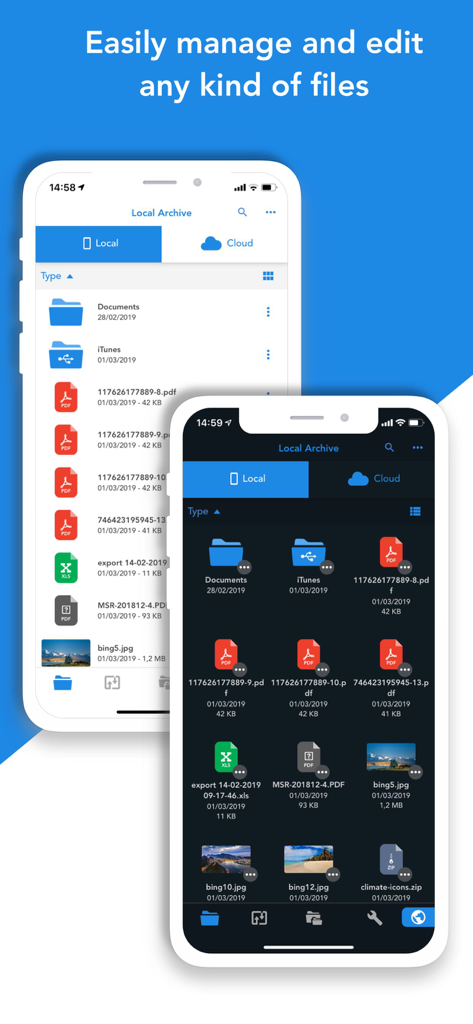
Total Files Pro 앱 인터페이스, 라이트 모드 및 다크 모드에서 iPhone 파일 관리 표시

Total Files Pro 앱 인터페이스, 라이트 모드 및 다크 모드에서 iPhone 파일 관리 표시

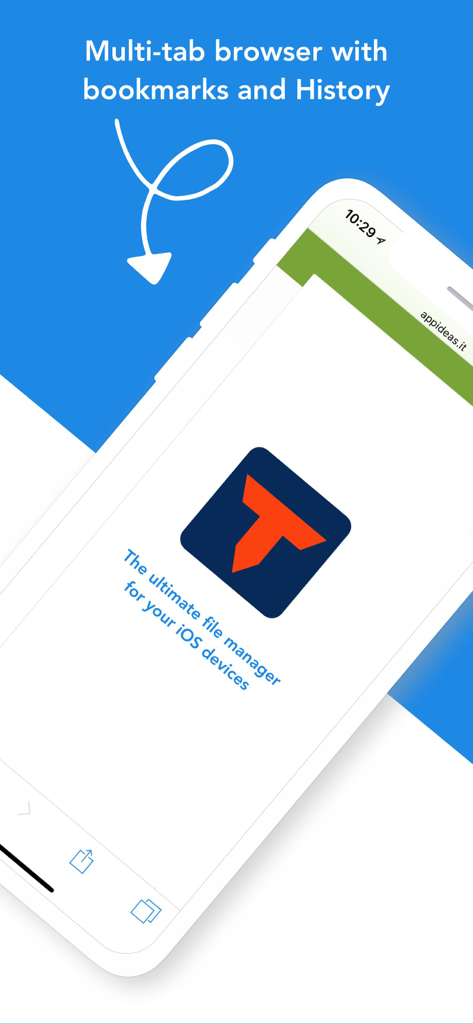
Total Files Pro 앱 스크린샷, 북마크 및 기록 기능이 있는 멀티 탭 브라우저 표시

Total Files Pro 앱 스크린샷, 북마크 및 기록 기능이 있는 멀티 탭 브라우저 표시

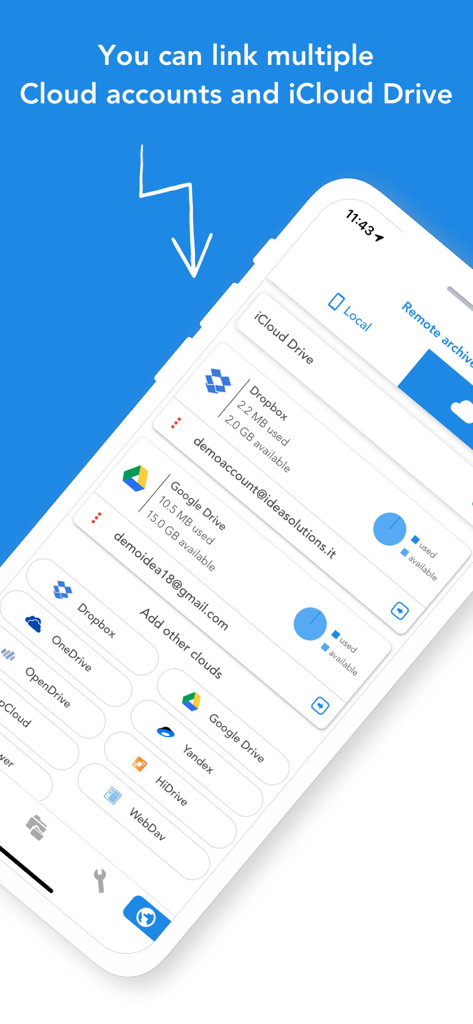
Total Files Pro 앱 화면, Dropbox 및 Google Drive와 같은 여러 클라우드 스토리지 서비스 통합 표시

Total Files Pro 앱 화면, Dropbox 및 Google Drive와 같은 여러 클라우드 스토리지 서비스 통합 표시

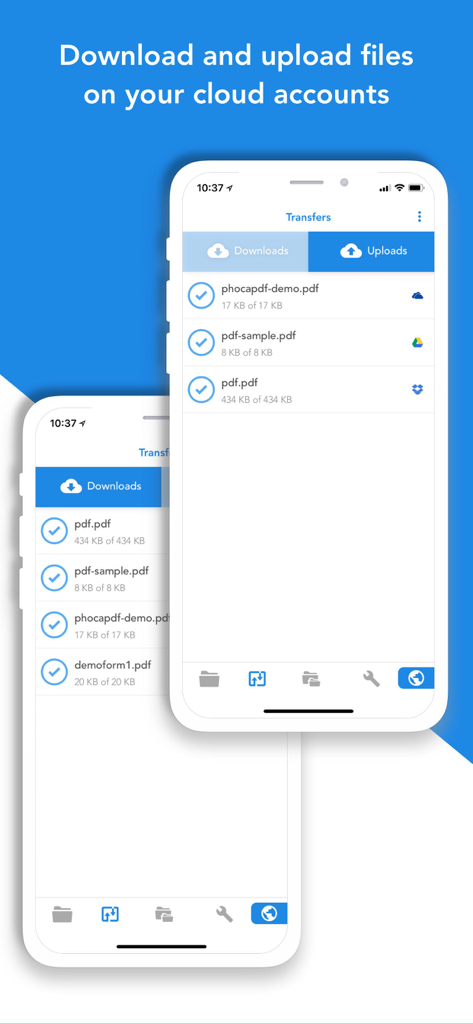
Total Files Pro 앱 인터페이스, iPhone에서 클라우드 파일 다운로드 및 업로드 표시

Total Files Pro 앱 인터페이스, iPhone에서 클라우드 파일 다운로드 및 업로드 표시

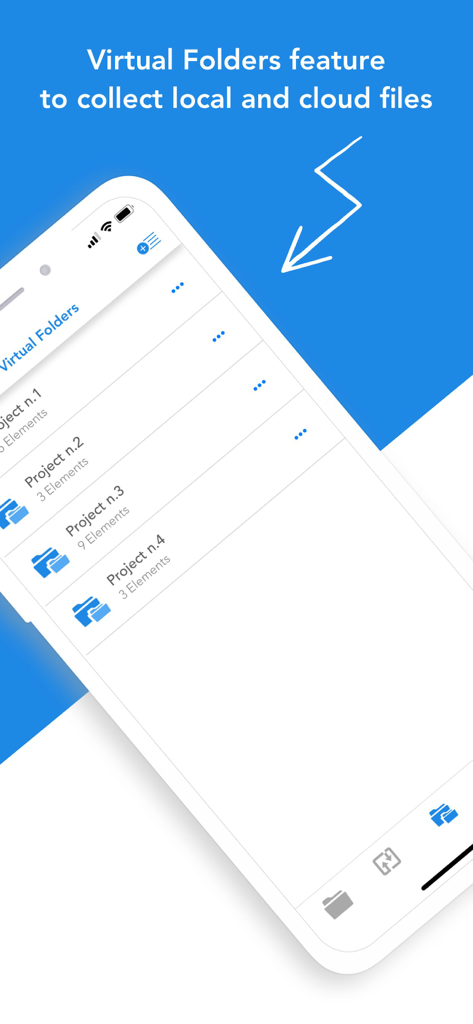
로컬 및 클라우드 파일을 정리하기 위한 Total Files Pro의 가상 폴더 기능

로컬 및 클라우드 파일을 정리하기 위한 Total Files Pro의 가상 폴더 기능

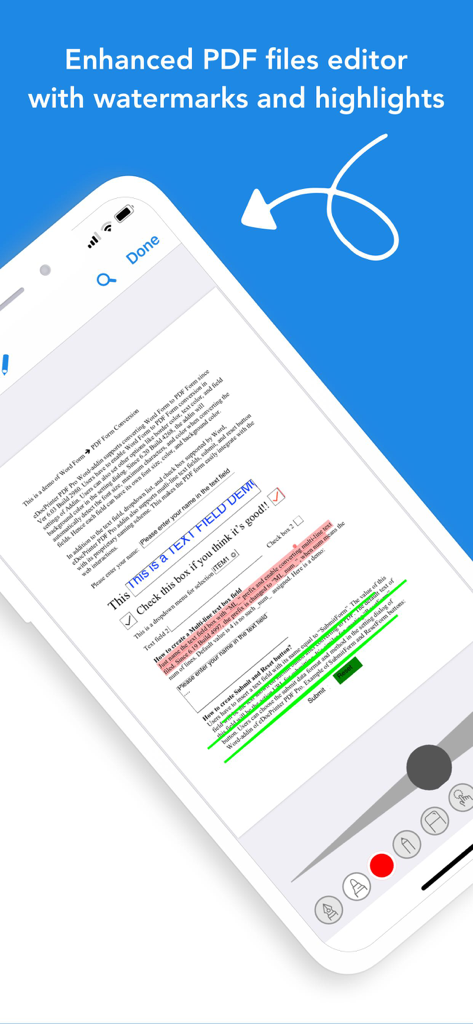
문서 하이라이트 및 주석 도구를 보여주는 Total Files Pro의 향상된 PDF 편집기

문서 하이라이트 및 주석 도구를 보여주는 Total Files Pro의 향상된 PDF 편집기

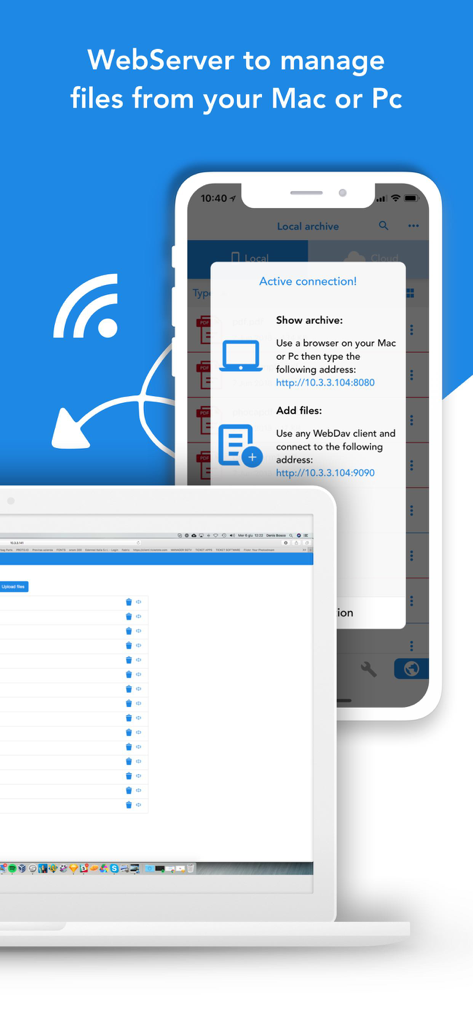
Mac 또는 PC에서 모바일 파일을 관리하기 위한 웹 서버 기능을 보여주는 Total Files Pro 인터페이스

Mac 또는 PC에서 모바일 파일을 관리하기 위한 웹 서버 기능을 보여주는 Total Files Pro 인터페이스

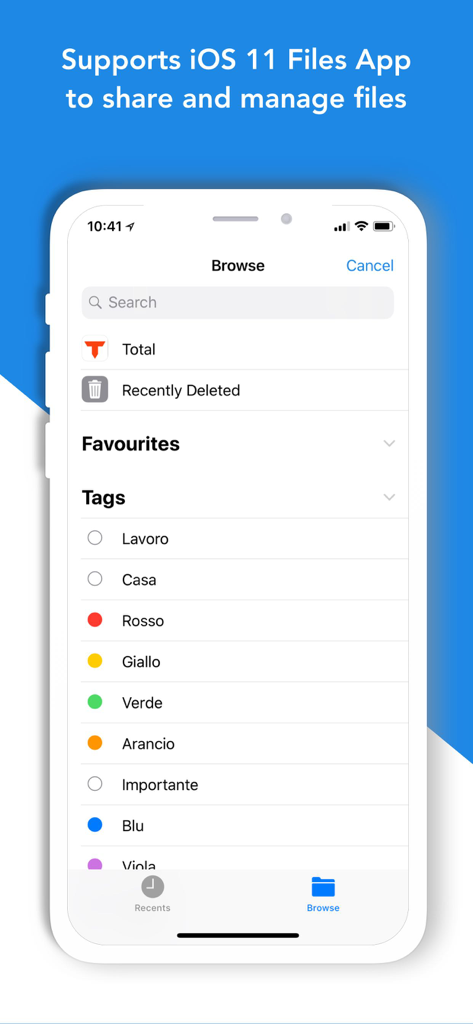
iOS 파일 앱 및 파일 태그 시스템과의 통합을 보여주는 Total Files Pro 앱 인터페이스

iOS 파일 앱 및 파일 태그 시스템과의 통합을 보여주는 Total Files Pro 앱 인터페이스

RAVpower 및 WebDAV 장치에 대한 연결 설정을 보여주는 Total Files Pro 앱 인터페이스

RAVpower 및 WebDAV 장치에 대한 연결 설정을 보여주는 Total Files Pro 앱 인터페이스

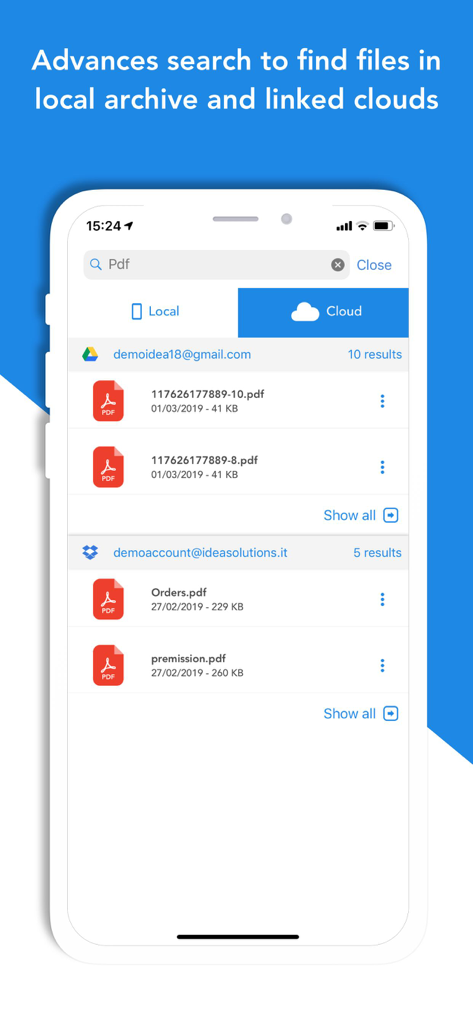
연결된 Google Drive 및 Dropbox 계정의 PDF 결과를 표시하는 Total Files Pro의 고급 검색 인터페이스

연결된 Google Drive 및 Dropbox 계정의 PDF 결과를 표시하는 Total Files Pro의 고급 검색 인터페이스

전문적인 워크플로를 마스터하세요

이 앱을 돋보이게 하는 도구, 482K+ 명의 사용자가 선택.

☁️

통합 클라우드 워크스페이스

Dropbox, Google Drive, OneDrive를 연결하여 여러 앱을 전환할 필요 없이 한 화면에서 모든 파일을 관리하세요.

🖊️

데스크톱 수준의 정밀도로 PDF에 하이라이트, 주석을 달고 편집하세요. 이동 중에 계약서 및 학습 자료 검토에 완벽합니다.

🔍

번개처럼 빠른 정리

Spotlight 검색으로 문서를 즉시 찾고, 암호화된 PIN 보호 폴더로 민감한 고객 데이터를 안전하게 보호하세요.

전 세계 사용자들에게 사랑받는 앱

Trusted by 482K+ 명이 이 앱을 사랑합니다.

"

"여러 클라이언트를 위해 Dropbox, Google Drive, OneDrive를 사용하는 프리랜서 컨설턴트로서 Total Files Pro는 정말 구세주입니다. 모든 클라우드 계정에서 동시에 검색할 수 있고 민감한 계약서를 PIN으로 안전하게 보호할 수 있다는 점이 제가 가장 필수적으로 사용하는 생산성 앱으로 만들었습니다."

Michael R.
"

"PDF 편집기가 정말 훌륭합니다. 대학원에서 iPad를 사용하는데, 도형 인식 및 단락 하이라이트 기능으로 논문 검토가 훨씬 빨라졌습니다. 게다가 가상 폴더를 사용하면 여러 소스에 걸쳐 연구 자료를 깔끔하게 정리할 수 있습니다."

Sarah J.

앱 소개

에 대해 알아야 할 모든 것 Total files pro.

설명

Total Files is the one stop file manager for iOS, with powerful PDF reader, cloud storage support and much more! Total Files supports DropBox, Google Drive, OneDrive and iCloud Files and offers iOS Files app integration to download and upload to any cloud from any app! You'll not need to install a separate app for each storage provider that you want to use from your device! Link all cloud accounts in Total Files and enjoy the full integration with iOS. For example, thanks to the iOS “Files” integration, you can directly save files to one of the cloud linked in Total, simply using the "Save in files” feature available in any apps on your device. Virtual folders allows to group files that come from different sources (cloud or local). The Spotlight indexing of all local contents allows to immediately find and open the file you're looking for, without opening the app! Our powerful PDF viewer offers annotation capabilities and automatically recognise common shapes and gestures to highlight paragraph Main features: - iOS 11 Files app integration for ALL clouds linked to the app in read write mode. - Supports Dropbox, GDrive, OneDrive, iCloud services for remote file storage. - Search between all contents in the app and in the linked cloud storages thanks to the advanced search - Compression and decompression features (zip) - Spotlight indexing - PDF editor with annotation, shape recognition - Simultaneous linking of multiple Cloud accounts and management of folders shared with other users. - Bookmarks and history management. - URL autocomplete - Quick search bar, and enhanced search within all cloud and local files. - PIN to hide and secure folders. - Multi-tab browser

최신 버전

3.13.11

크기

71.5 MB

출시일

2012년 5월 15일

모바일 워크플로를 마스터할 준비가 되셨나요?

500,000명 이상의 전문가가 클라우드 스토리지, PDF 편집, 파일 관리를 하나의 강력한 iOS 명령 센터로 통합했습니다. 지금 함께하세요.

다운로드: App Store