FileCentral for iPhone

FileCentral for iPhone

다운로드: App Store
Spark by MWM logo
로고: FileCentral for iPhone

iPhone용 FileCentral: 파일을 위한 궁극의 모바일 커맨드 센터

클라우드 저장소, Mac 및 PC를 하나의 안전한 작업 공간으로 통합하세요. 네트워크 연결 없이도 모든 기기에서 문서를 손쉽게 전송, 인쇄 및 관리할 수 있습니다.

다운로드: App Store

개발사

EuroSmartz Ltd

카테고리

Productivity

다운로드

18K+

사용자 평점

4.5/5

총 평가 수

0

지원 언어

7

디지털 워크플로우 마스터하기

이 인터페이스를 사용하는 18K+ 명의 사용자.

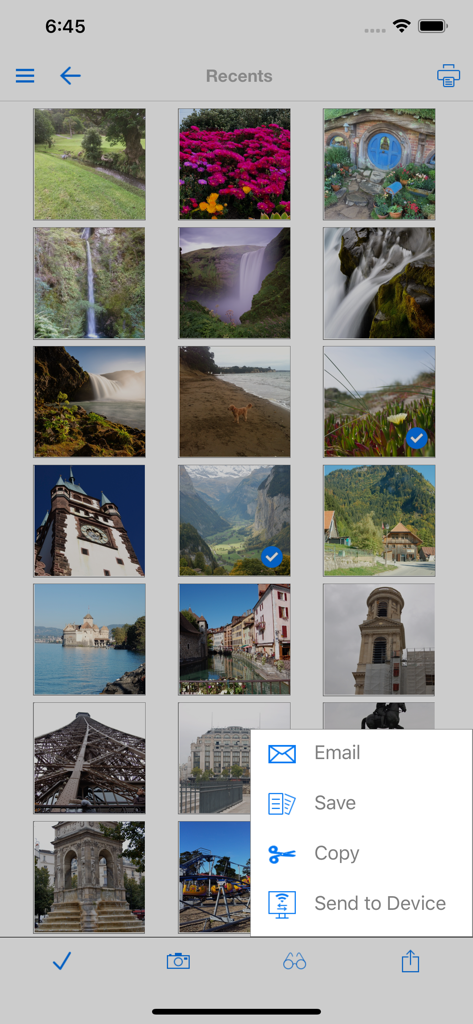
최근 사진과 공유 메뉴를 보여주는 FileCentral 앱 인터페이스

최근 사진과 공유 메뉴를 보여주는 FileCentral 앱 인터페이스

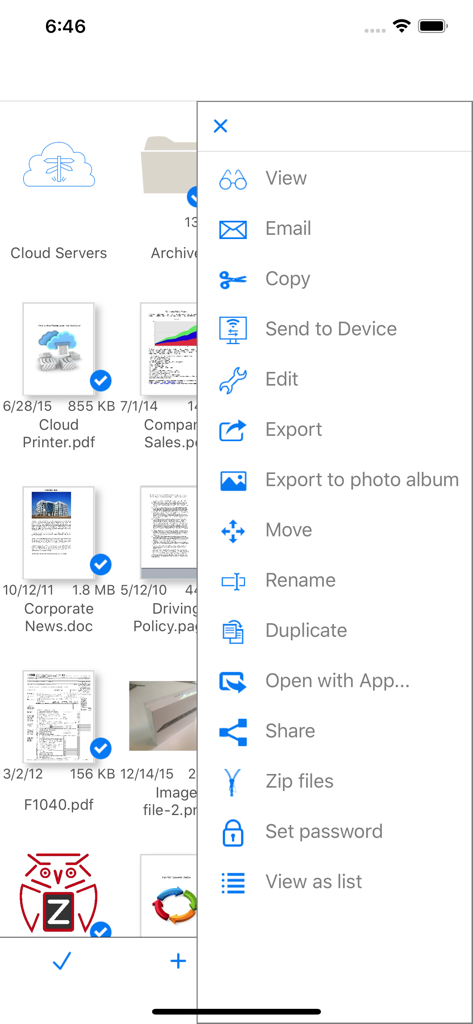
파일 보기, 이메일, 복사, 기기로 전송, 편집 및 압축 옵션이 있는 파일 관리 메뉴를 보여주는 iPhone용 FileCentral 앱 스크린샷

파일 보기, 이메일, 복사, 기기로 전송, 편집 및 압축 옵션이 있는 파일 관리 메뉴를 보여주는 iPhone용 FileCentral 앱 스크린샷

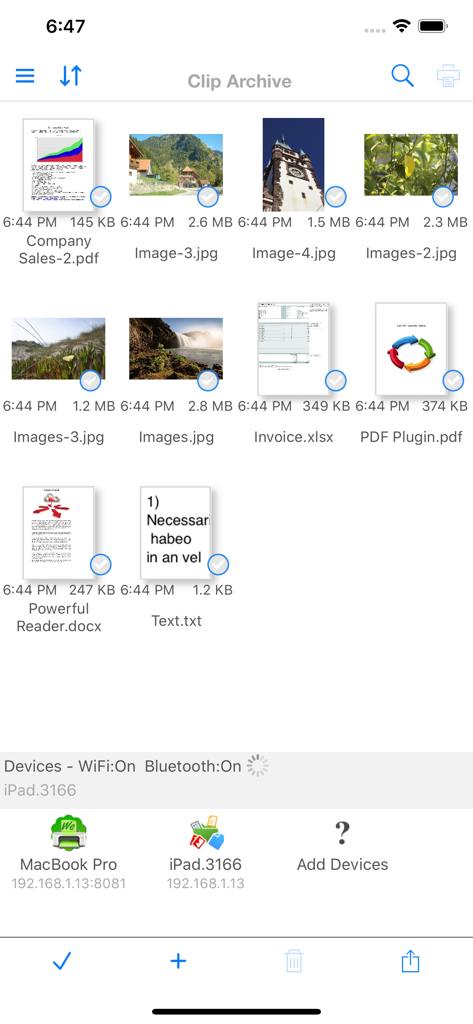
손쉬운 전송을 위해 파일 그리드와 연결된 기기를 보여주는 FileCentral 앱 화면

손쉬운 전송을 위해 파일 그리드와 연결된 기기를 보여주는 FileCentral 앱 화면

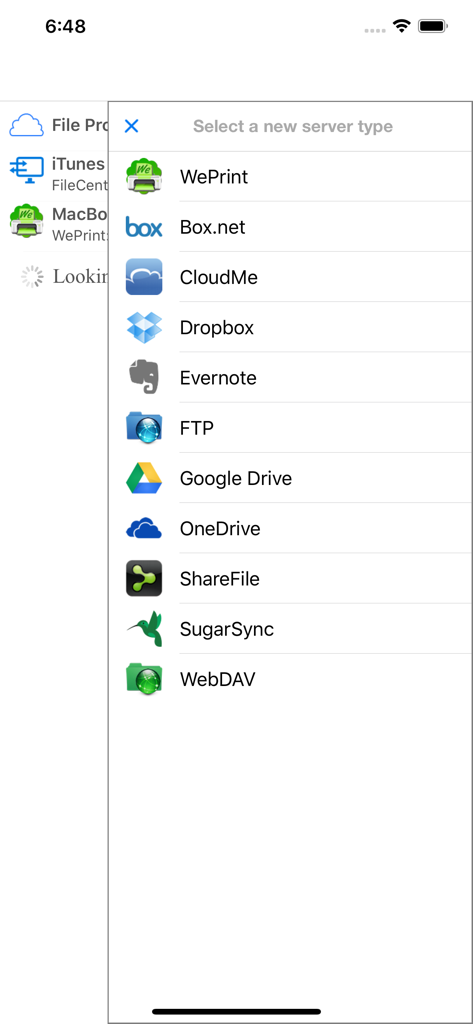
iPhone용 FileCentral의 클라우드 저장소 및 파일 서버 옵션 목록

iPhone용 FileCentral의 클라우드 저장소 및 파일 서버 옵션 목록

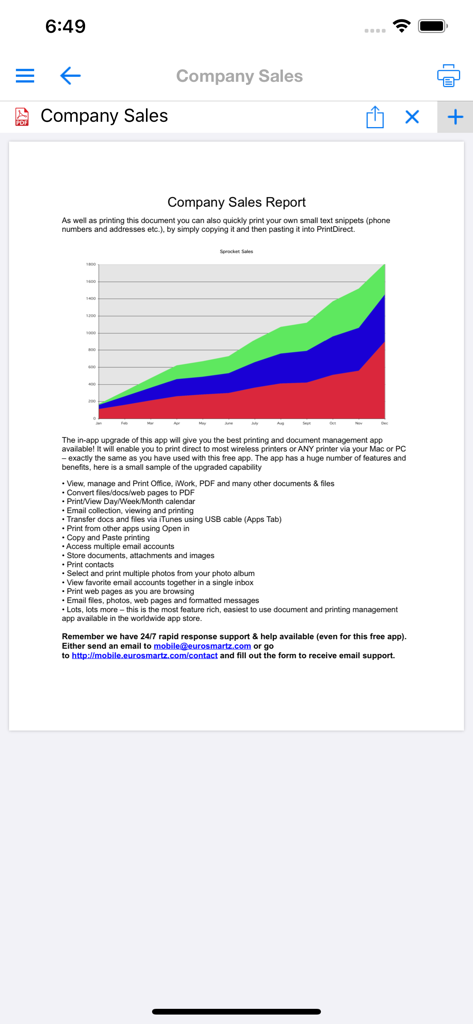
누적 영역 차트와 FileCentral 앱의 문서 관리 기능 목록이 포함된 회사 판매 보고서.

누적 영역 차트와 FileCentral 앱의 문서 관리 기능 목록이 포함된 회사 판매 보고서.

당신만을 위한 전문적인 파일 커맨드 센터

이 앱을 돋보이게 하는 도구, 18K+ 명의 사용자가 선택.

☁️

올인원 클라우드 통합

Dropbox, Google Drive, OneDrive 및 FTP 서버를 단일 통합 뷰에서 관리하여 디지털 마찰을 제거하세요.

네트워크가 필요 없는 전송

데이터 연결이나 페어링 없이 Bluetooth 또는 WiFi를 통해 파일, 이미지, 텍스트를 다른 기기로 빠르게 이동하세요.

🖨️

전문적인 오피스 도구

이동 중에도 고성능 워크플로우를 유지할 수 있도록 모든 프린터에서 인쇄하고, 대용량 폴더를 압축하며, 문서를 PDF로 변환하세요.

전 세계 사용자들에게 사랑받는 앱

Trusted by 18K+ 명이 이 앱을 사랑합니다.

"

"마침내 내 iPhone을 실제 컴퓨터처럼 다루는 앱을 만났습니다. 저는 세 개의 서로 다른 클라우드 제공업체에서 고객 파일을 관리하는데, FileCentral은 하나의 인터페이스에서 이 모든 파일을 동기화하고, 압축하고, 이동할 수 있게 해주는 유일한 도구입니다. PC와 휴대폰 간의 클립보드 전송은 정말 환상적입니다."

David Chen, IT 프로젝트 매니저
"

"저는 현장 연구를 위해 끊임없이 여행하며, 연결이 전혀 안 되는 지역에 있을 때가 많습니다. 직접 Bluetooth 파일 전송 기능은 현장에서 팀원들과 데이터를 공유하는 데 있어 획기적인 변화를 가져다주었습니다. 안전하고 믿을 수 없을 정도로 빠르며 매번 완벽하게 작동합니다. 제 생산성 도구 중 가장 필수적인 도구가 되었습니다."

Elena Rodriguez, 현장 연구원

앱 소개

에 대해 알아야 할 모든 것 FileCentral for iPhone.

설명

The ONE Place to Manage Files - Access, Print, Email and Transfer files from Cloud Servers, Other Apps & Devices and your Mac or PC. Transfer your clipboard, images, copied text and files to another iPad, iPhone, Mac or PC with one tap - even without a network. Via WiFi or Bluetooth Manage ALL of your Files in One Place • Combine all of your Cloud Servers together to Transfer Files between them and other devices • iCloud & iCloud Drive, DropBox, Evernote, FTP, Google Drive, OneDrive, ShareFile, SugarSync, WebDAV & More • Share and fetch files from your Mac or PC • Send or fetch files from Other Apps to store centrally • Move files into folders and use the powerful search function to find them again • View, Print, Email and Zip Files • Rename, duplicate and change the file type • Play Video and Audio files • Secure your files with an App Password or Finger Touch ID • Password protect folders • Create and edit text files to store notes and ideas, then share with others, print or copy/paste • Sync your local files with another device via iCloud - seamlessly and automatically Transfer Files and Content to other devices • Add a new printer to your Mac from the available list ("Send to Device @ WePrint") and print any document to your iPhone or iPad as a PDF file • Use the built in Bluetooth or WiFi transfer features to quickly and simply send files to another iPad, iPhone, Mac or PC • Bluetooth transfer is as simple as opening FileCentral - no pairing required • Copy text or an image from a Web Page and send to another device with a single tap • Send a phone number, address, photo or other content quickly to a friend • Copy a web page address and with just one tap, send it to your colleague Share and Transfer your Photos and Image Files • Save your Album Photos as files • Move Image Files to your Photo Album • Move Photos & Image Files to and from your Cloud server, Mac/PC or another iPad/iPhone • Print Photos • Select multiple photos to send via email Add even More Power - Expand to Convert and Edit PDFs and Print to ALL Printers, not just AirPrint

최신 버전

2.8

크기

34.9 MB

출시일

2015년 8월 20일

모바일 워크플로우를 마스터할 준비가 되셨나요?

디지털 마찰을 제거한 수천 명의 전문가와 함께하세요. 하나의 강력한 앱에서 클라우드를 중앙 집중화하고, 문서를 보호하며, 파일을 즉시 전송하세요.

다운로드: App Store