Goodnotes: AI Notes, Docs, PDF

Goodnotes: AI Notes, Docs, PDF

다운로드: App Store
Spark by MWM logo
로고: Goodnotes: AI Notes, Docs, PDF
Goodnotes: AI 기반 지능으로 필기를 행동으로 전환하세요

세계에서 가장 강력한 디지털 페이퍼를 사용하는 6,400만 명의 성공적인 사람들과 함께하세요. 감각적인 학습 노트부터 AI 기반 회의 요약까지, Goodnotes는 학생과 전문가가 사고를 캡처, 구성 및 향상할 수 있는 최고의 작업 공간입니다.

개발사

Goodnotes Limited

카테고리

Productivity

다운로드

64M+

사용자 평점

4.6/5

총 평가 수

3M+

지원 언어

15

당신의 아이디어, 시각화

이 인터페이스를 사용하는 64M+ 명의 사용자.

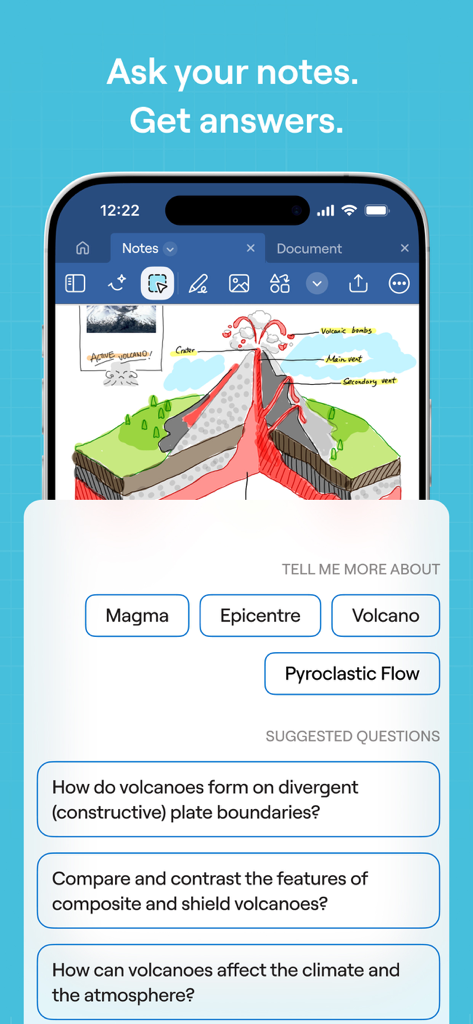
화산 다이어그램의 필기에서 질문과 답변을 생성하는 AI 인터페이스를 보여주는 Goodnotes의 스크린샷입니다.

화산 다이어그램의 필기에서 질문과 답변을 생성하는 AI 인터페이스를 보여주는 Goodnotes의 스크린샷입니다.

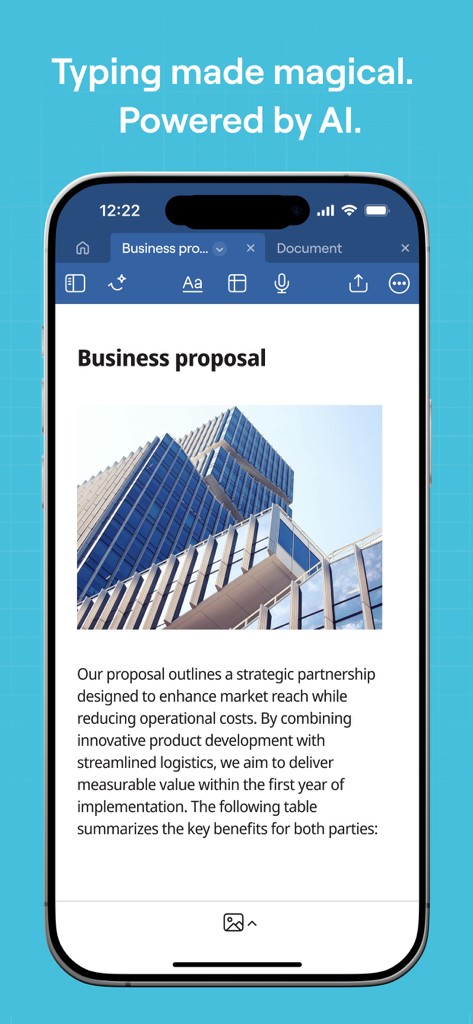
iPhone의 Goodnotes 앱에 AI 기반 타이핑 기능이 있는 사업 제안서 문서가 표시됩니다.

iPhone의 Goodnotes 앱에 AI 기반 타이핑 기능이 있는 사업 제안서 문서가 표시됩니다.

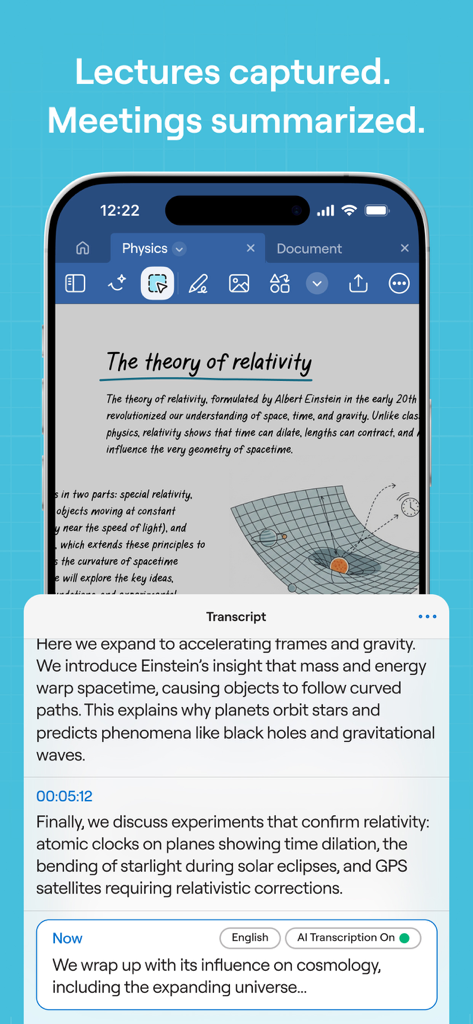
Goodnotes 앱 인터페이스에 물리학 노트와 자동 AI 강의록 창이 표시됩니다.

Goodnotes 앱 인터페이스에 물리학 노트와 자동 AI 강의록 창이 표시됩니다.

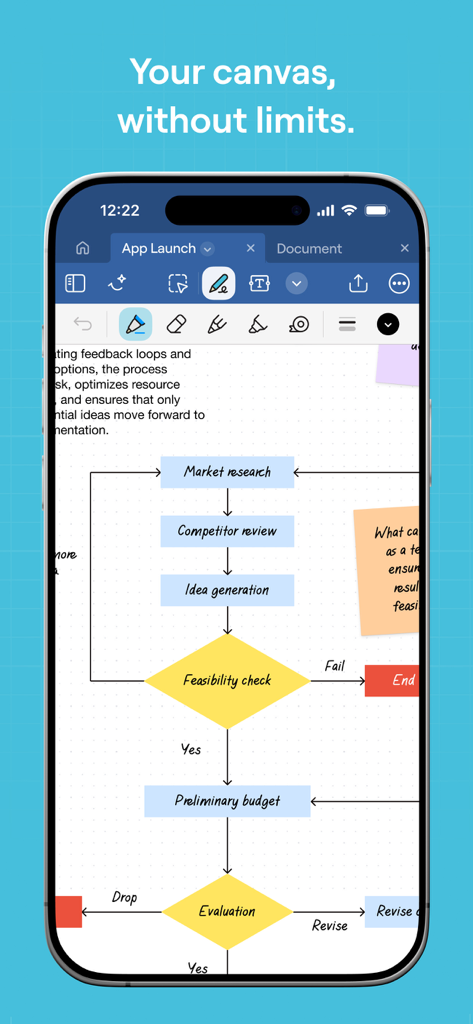
iPhone 화면에 전문적인 순서도 다이어그램을 보여주는 Goodnotes 앱 인터페이스입니다.

iPhone 화면에 전문적인 순서도 다이어그램을 보여주는 Goodnotes 앱 인터페이스입니다.

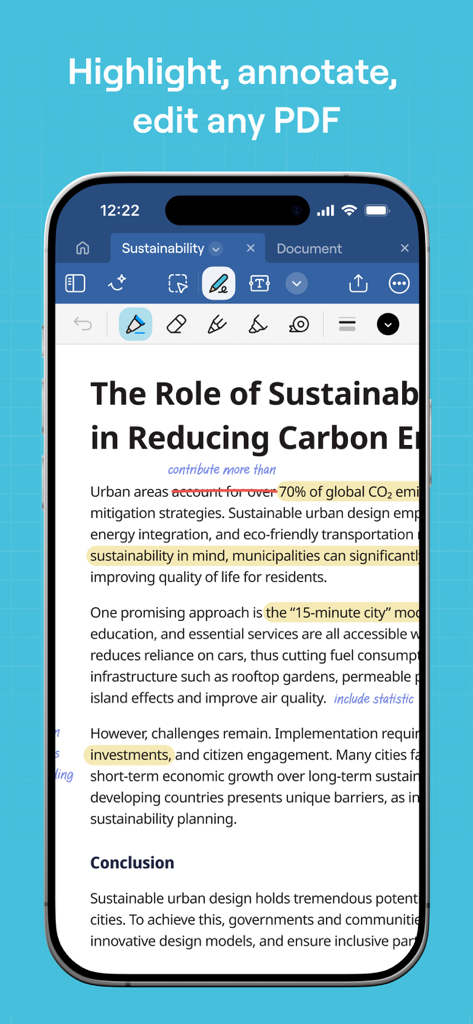
iPhone의 Goodnotes 앱 인터페이스에 하이라이트와 필기 노트가 있는 PDF 문서가 표시됩니다.

iPhone의 Goodnotes 앱 인터페이스에 하이라이트와 필기 노트가 있는 PDF 문서가 표시됩니다.

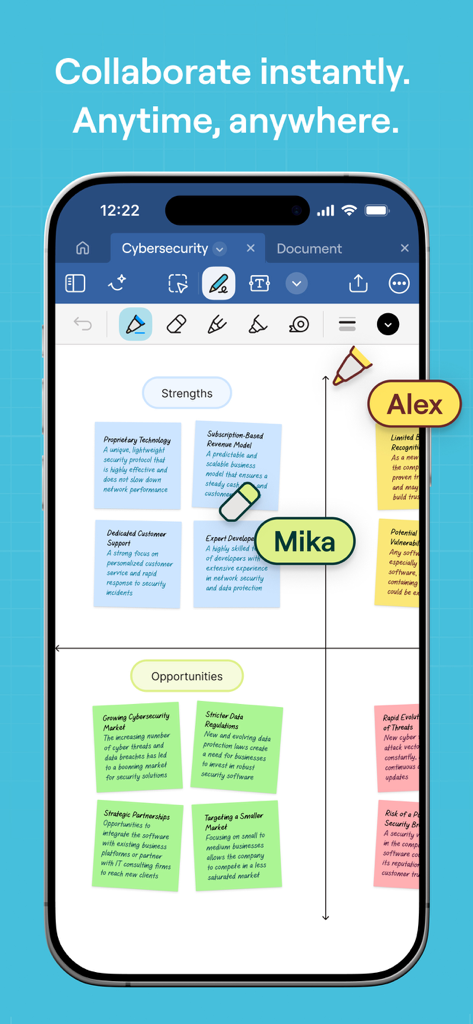
스티커 메모와 여러 참가자가 있는 디지털 화이트보드에서 실시간 협업을 보여주는 iPhone의 Goodnotes 앱입니다.

스티커 메모와 여러 참가자가 있는 디지털 화이트보드에서 실시간 협업을 보여주는 iPhone의 Goodnotes 앱입니다.

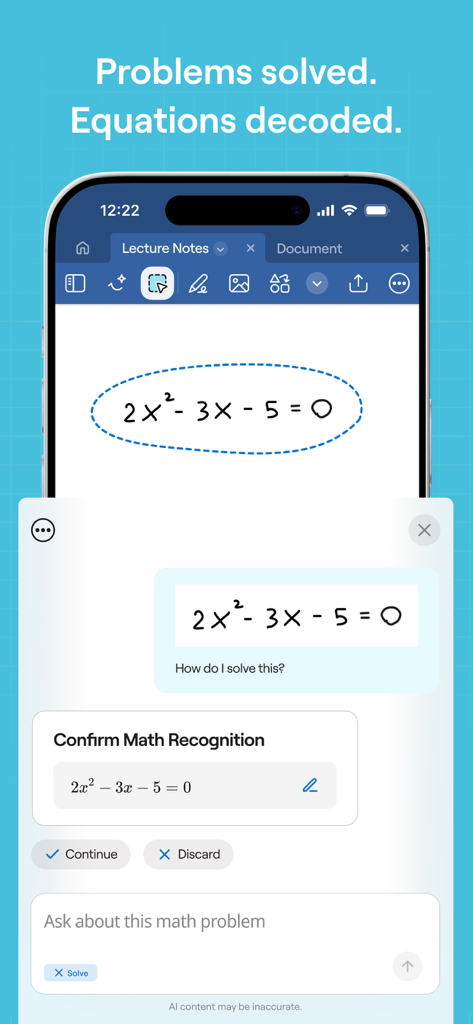
스마트폰의 Goodnotes 앱 인터페이스에 필기된 이차 방정식에 대한 AI 수학 인식 및 해결 기능이 표시됩니다.

스마트폰의 Goodnotes 앱 인터페이스에 필기된 이차 방정식에 대한 AI 수학 인식 및 해결 기능이 표시됩니다.

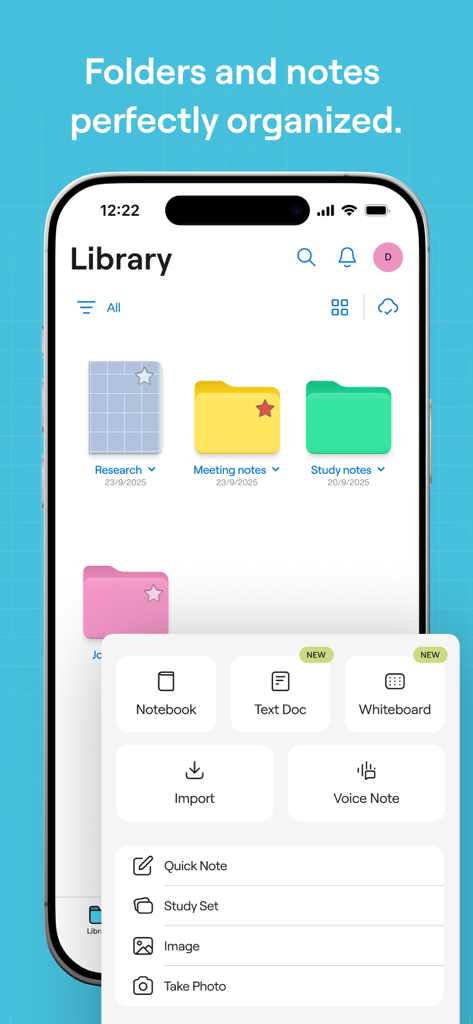
iPhone의 Goodnotes 앱 라이브러리 화면에 구성된 폴더와 새 노트북 및 화이트보드 생성 메뉴가 표시됩니다.

iPhone의 Goodnotes 앱 라이브러리 화면에 구성된 폴더와 새 노트북 및 화이트보드 생성 메뉴가 표시됩니다.

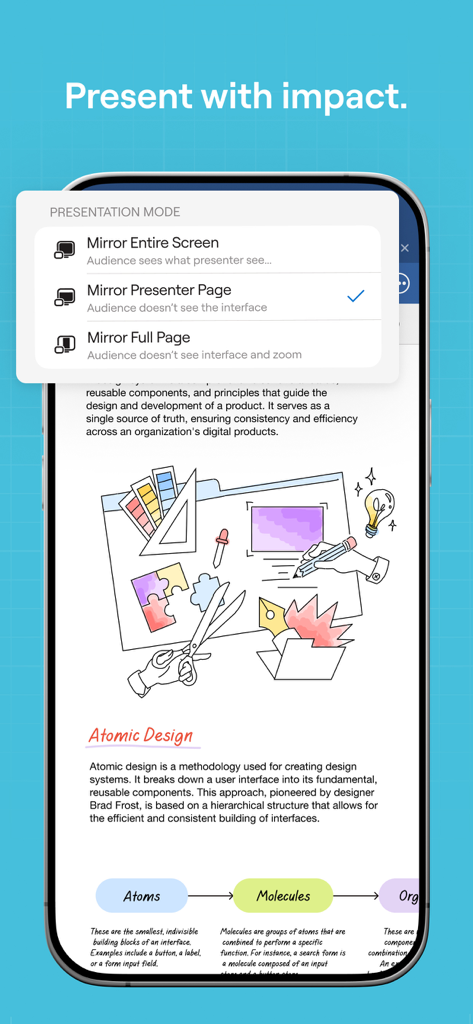
iPhone 화면의 Goodnotes 앱 프레젠테이션 모드 옵션입니다.

iPhone 화면의 Goodnotes 앱 프레젠테이션 모드 옵션입니다.

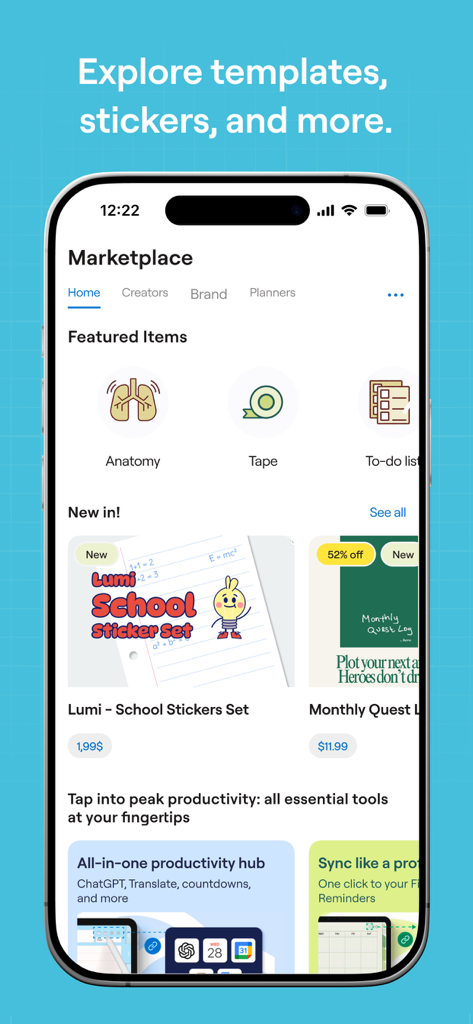
학생 및 전문가를 위한 디지털 스티커, 템플릿 및 플래너 도구가 포함된 Goodnotes 마켓플레이스 스크린샷입니다.

학생 및 전문가를 위한 디지털 스티커, 템플릿 및 플래너 도구가 포함된 Goodnotes 마켓플레이스 스크린샷입니다.

AI 기반 생산성으로 사고를 향상시키세요

이 앱을 돋보이게 하는 도구, 64M+ 명의 사용자가 선택.

🧠

AI 강화 학습

AI 요약 및 맞춤 학습 세트로 필기 노트를 완벽하게 만들고 더 적은 노력으로 복잡한 주제를 마스터하는 데 도움을 줍니다.

🎙️

지능형 회의 지원

AI가 오디오를 전사하고 구조화된 회의록을 생성하며 모든 음성을 필기 하이라이트에 동기화하는 동안 집중하세요.

🎨

무한한 창의적 자유

디지털 스티커, 맞춤 템플릿, 계획을 아름답고 기능적으로 만드는 도구를 사용하여 무한한 캔버스에 자신을 표현하세요.

전 세계 사용자들에게 사랑받는 앱

Trusted by 64M+ 명이 이 앱을 사랑합니다.

"

"Goodnotes는 제 의학 공부에 있어서 완전히 판도를 바꾸었습니다. 긴 강의 중에 필기와 동기화되는 AI 오디오 전사 기능은 순수한 마법입니다. 더 이상 세부 사항을 놓치지 않습니다. 디지털 플래시 카드와 필기 노트를 즉시 검색할 수 있는 기능 덕분에 제 학습 세션이 마침내 효율적이고 체계적으로 되었습니다."

Maya R., 의대생
"

"프로젝트 관리자로서 AI 기반 회의 요약 기능 덕분에 수많은 수동 작업을 절약했습니다. 앱이 회의록과 주요 내용을 구조화하는 동안 토론에 완전히 집중할 수 있습니다. 무한한 캔버스는 팀의 원격 브레인스토밍 세션에 완벽하며, iPad 간의 협업을 완벽하게 지원합니다."

David S., 선임 프로젝트 관리자

앱 소개

에 대해 알아야 할 모든 것 Goodnotes: AI Notes, Docs, PDF.

설명

Goodnotes has always been the place to capture your ideas — from quick notes to big plans. Now, it goes further. With powerful AI and new ways to capture information, Goodnotes helps you connect the dots, unlock insights, and turn ideas into action. *Existing Goodnotes 5 users can continue to use Goodnotes 5 indefinitely or upgrade to the new Goodnotes. Either way, your notes are safe!* For professionals: Increase productivity at work ■ Whiteboard + Goodnotes AI: One of our most requested features — brainstorm, mind-map, and diagram freely on an infinite canvas that grows with your ideas. Enhanced diagramming tools and real-time collaboration make it easy for teams to workshop, ideate, and problem-solve together, while Goodnotes AI helps you capture and organize key takeaways instantly. ■ Goodnotes AI Audio & Meetings: Stay fully present in every conversation while Goodnotes does the work for you. AI-powered transcription and live summarization automatically capture discussions and structure them into clear meeting minutes. After the meeting, merge transcripts with your own notes to create polished, shareable documents in seconds. ■ Text Documents + AI: Create documents that think with you. Enjoy a superior typing experience with rich inline blocks, build on ideas with external insights, and collaborate seamlessly with teammates. With AI-powered summarization, automated note generation, and transcript support, you can turn rough notes and meetings into finished content faster than ever. ■ Present your notes, slides, and content directly from Goodnotes when you connect your device via AirPlay or HDMI to an external screen. ■ Use Laser Pointer to guide your audience’s attention during your presentation. ■ Export your notes to email, print, or share them anywhere as PDFs. ■ Send a link to your notebooks to work on the same notes directly — perfect for asynchronous work or collaborative brainstorming. ■ Import documents by emailing them to your custom Goodnotes email. For students: Ace your exams with ease ■ Record audio notes that are magically synced to the moment you write — perfect for lectures or presentations. ■ Search and instantly find any of your notes from any class. ■ Study and practice straight from your notes with Study Sets — flashcards built on active recall and spaced repetition. ■ Use AI to summarize, shorten, change the tone of your words, and perfect your typed text. For planners: Let your creativity flow ■ Customize the size and color of your paper templates to create the template you want. ■ Add, create, or import stickers, stamps, washi tapes, images, and more Digital notebooks: unlimited notebooks for the price of a single physical one. ■ Combine handwriting and typed text on one page, alongside images, stickers, diagrams, and doodles. ■ Create digital notebooks with customizable paper templates, including Blank Paper, Ruled Paper, Cornell Paper, Checklists, Planners, and more. ■ Navigate long documents with ease. PDF tables of contents are automatically imported; or create custom outlines yourself. ■ Back up all your notes to Google Drive, Dropbox, or OneDrive, and use iCloud to sync across iPad, iPhone, and Mac — so your notes are always safe. ■ Edit your writing by resizing it, changing the text color, or moving it to another spot on the page. Privacy Policy: https://www.goodnotes.com/privacy-policy Terms and Conditions: https://www.goodnotes.com/terms-and-conditions

최신 버전

7.0.26

크기

680.8 MB

출시일

2019년 1월 15일

아이디어를 향상시킬 준비가 되셨나요?

이미 더 스마트한 사고 방식을 찾은 6,400만 명의 학생 및 전문가와 함께하세요. 지금 Goodnotes를 다운로드하고 iPad를 궁극의 AI 기반 작업 공간으로 전환하세요.

다운로드: App Store
FAQ

자주 묻는 질문

에 대해 알아야 할 모든 것 Goodnotes: AI Notes, Docs, PDF

내 메모에서 직접 질문에 답할 수 있나요?

네, Goodnotes AI를 사용하면 사용자가 질문하고 메모 내용을 기반으로 답변을 받을 수 있습니다. 이 기능은 점을 연결하고 통찰력을 얻는 데 도움이 됩니다.

Goodnotes에서 문서에 대한 실시간 협업을 지원하나요?

네, Goodnotes는 화이트보드 및 메모에 대한 실시간 협업을 지원합니다. 사용자는 노트북 링크를 보내 팀원들과 직접 동일한 메모를 작업할 수 있습니다.

Goodnotes AI는 회의 및 강의를 어떻게 지원하나요?

Goodnotes AI는 회의 및 강의에 대한 오디오 녹취 및 실시간 요약을 제공합니다. 토론을 자동으로 캡처하여 명확한 회의록으로 구성하고 개인 메모와 병합합니다.

Goodnotes 5 사용자는 새로운 Goodnotes 앱으로 업그레이드해야 하나요?

아니요, 기존 Goodnotes 5 사용자는 Goodnotes 5를 무기한 계속 사용할 수 있습니다. 또한 새로운 Goodnotes 앱으로 업그레이드할 수 있으며, 메모는 안전하게 유지됩니다.

Goodnotes에서 노트 작성 환경을 사용자 정의할 수 있나요?

네, Goodnotes는 광범위한 사용자 정의 기능을 제공합니다. 사용자는 종이 템플릿 크기와 색상을 사용자 정의하고 스티커, 스탬프, 마스킹 테이프, 이미지 등을 추가하거나 가져올 수 있습니다.

백업 및 동기화를 위해 Goodnotes에서 지원하는 클라우드 서비스는 무엇인가요?

Goodnotes는 모든 메모를 Google Drive, Dropbox 또는 OneDrive에 백업하는 것을 지원합니다. 또한 iCloud를 사용하여 iPad, iPhone 및 Mac 장치 간에 메모를 동기화합니다.

Goodnotes를 사용하여 청중에게 노트를 발표할 수 있나요?

네, Goodnotes를 사용하면 AirPlay 또는 HDMI를 통해 장치를 외부 화면에 연결하여 노트, 슬라이드 및 콘텐츠를 발표할 수 있습니다. 레이저 포인터 도구도 사용할 수 있습니다.

Goodnotes에서 PDF 문서를 편집하고 주석을 달 수 있나요?

네, Goodnotes를 사용하면 모든 PDF 문서에 강조 표시, 주석 달기 및 편집이 가능합니다. 또한 PDF 목차를 자동으로 가져와 쉽게 탐색할 수 있습니다.

Goodnotes의 화이트보드는 브레인스토밍을 위해 어떤 기능을 제공하나요?

Goodnotes 화이트보드는 브레인스토밍, 마인드 매핑 및 다이어그램 작성을 위한 무한 캔버스를 제공합니다. 향상된 다이어그램 도구를 포함하며 팀을 위한 실시간 협업을 지원합니다.

Goodnotes AI는 학생들이 공부하고 시험을 준비하는 데 어떻게 도움이 되나요?

Goodnotes AI는 학생들이 입력한 텍스트를 요약, 축약 및 다듬는 데 도움이 됩니다. 또한 효과적인 연습을 위해 능동 회상 및 간격 반복을 기반으로 하는 플래시 카드인 학습 세트를 제공합니다.

Goodnotes는 손으로 쓴 수학 문제를 인식하고 해결할 수 있나요?

네, Goodnotes에는 수학 인식 기능이 있습니다. 사용자는 손으로 쓴 수학 방정식을 입력하고 AI를 사용하여 앱 내에서 직접 문제에 대한 질문을 하거나 문제를 해결할 수 있습니다.