Google Family Link

Google Family Link

다운로드: App Store다운로드: Google Play
Spark by MWM logo
로고: Google Family Link

Google Family Link: 가족의 건강한 디지털 습관 형성을 돕습니다

화면 사용 시간 제한 설정, 앱 권한 관리, 실시간 위치 추적으로 항상 연결 상태를 유지하세요. 오늘날의 디지털 세상에서 자녀를 올바르게 안내하는 데 필요한 도구로 안심하고 관리하세요.

다운로드: App Store

개발사

Google LLC

카테고리

Utilities

다운로드

34M+

사용자 평점

4.6/5

총 평가 수

1M+

지원 언어

56

한눈에 확인하는 안전 정보

이 인터페이스를 사용하는 34M+ 명의 사용자.

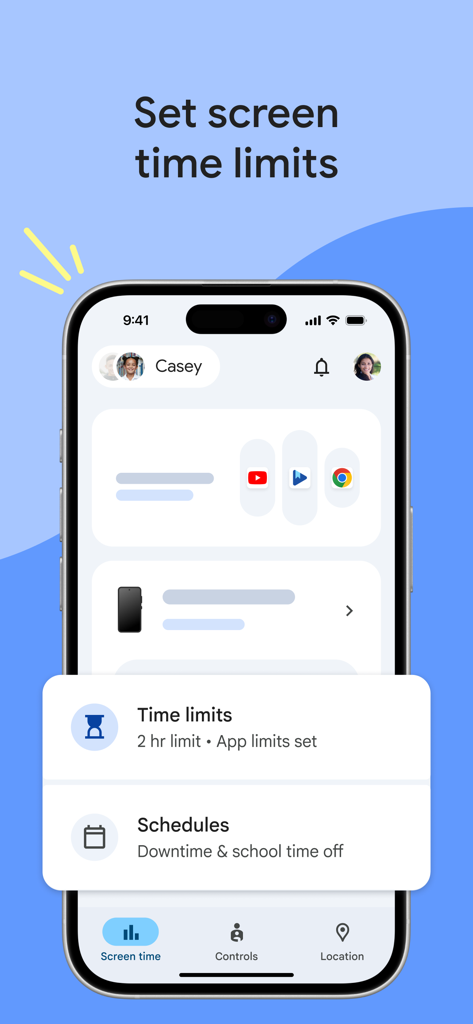
자녀의 일일 화면 사용 시간 제한 및 일정을 보여주는 Google Family Link 인터페이스

자녀의 일일 화면 사용 시간 제한 및 일정을 보여주는 Google Family Link 인터페이스

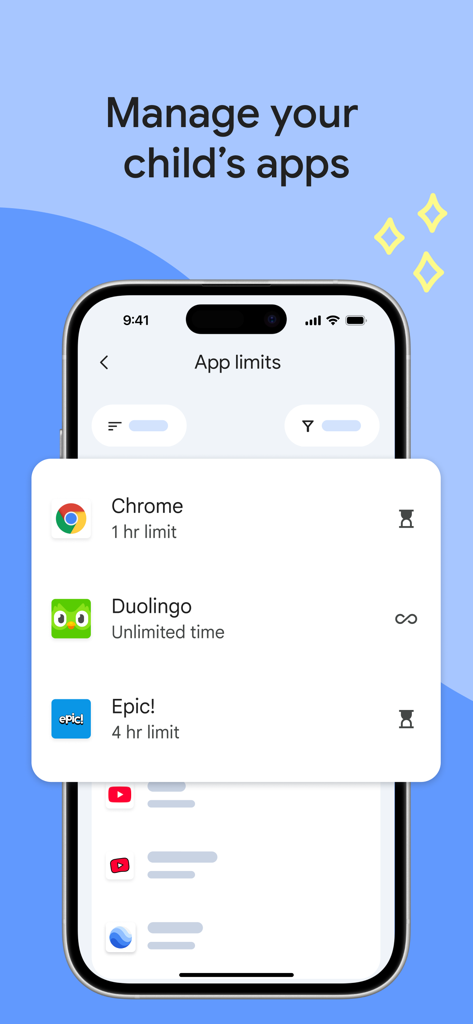
자녀 앱 시간 제한을 위한 자녀 보호 기능을 보여주는 Google Family Link 인터페이스

자녀 앱 시간 제한을 위한 자녀 보호 기능을 보여주는 Google Family Link 인터페이스

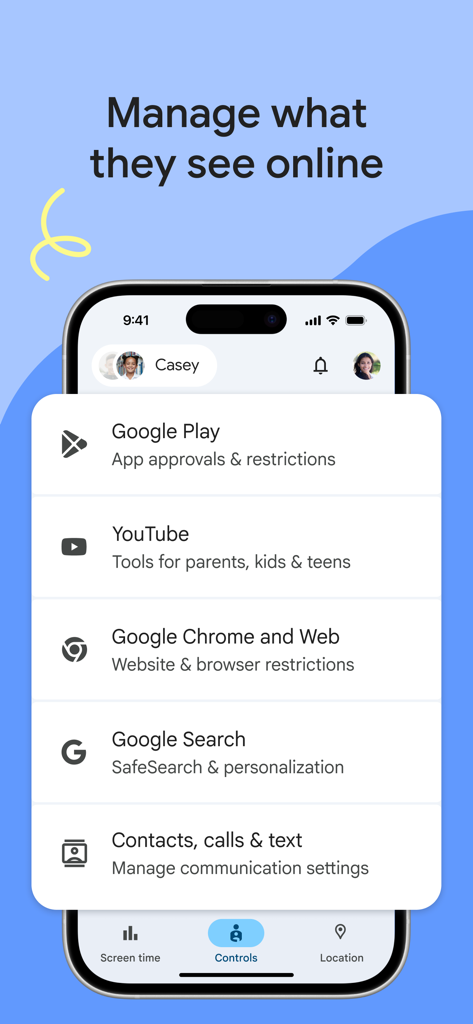
YouTube 및 Google 검색에 대한 자녀 보호 설정을 보여주는 Google Family Link 앱 인터페이스

YouTube 및 Google 검색에 대한 자녀 보호 설정을 보여주는 Google Family Link 앱 인터페이스

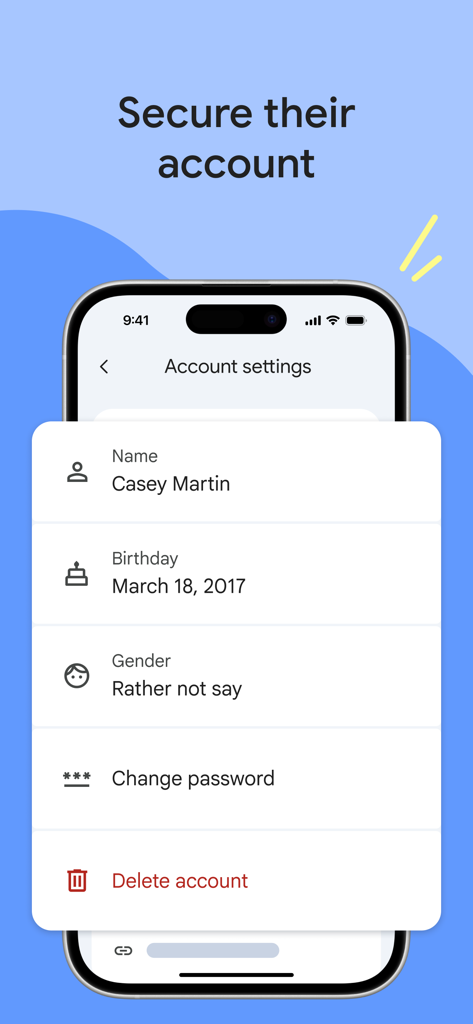
비밀번호 및 개인정보 보호 옵션을 포함한 자녀 프로필 관리용 Google Family Link 계정 설정을 표시하는 스마트폰

비밀번호 및 개인정보 보호 옵션을 포함한 자녀 프로필 관리용 Google Family Link 계정 설정을 표시하는 스마트폰

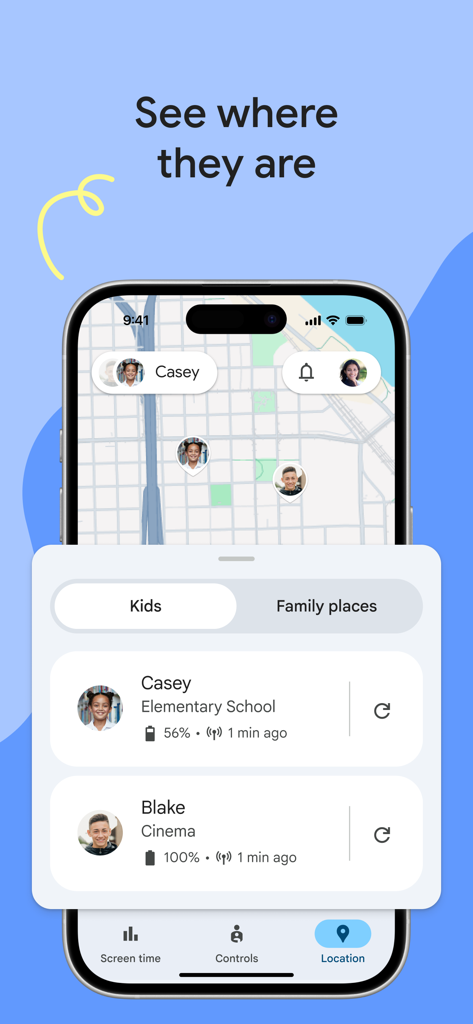
배터리 상태와 함께 지도에 자녀의 실시간 GPS 위치를 표시하는 Google Family Link 앱 인터페이스

배터리 상태와 함께 지도에 자녀의 실시간 GPS 위치를 표시하는 Google Family Link 앱 인터페이스

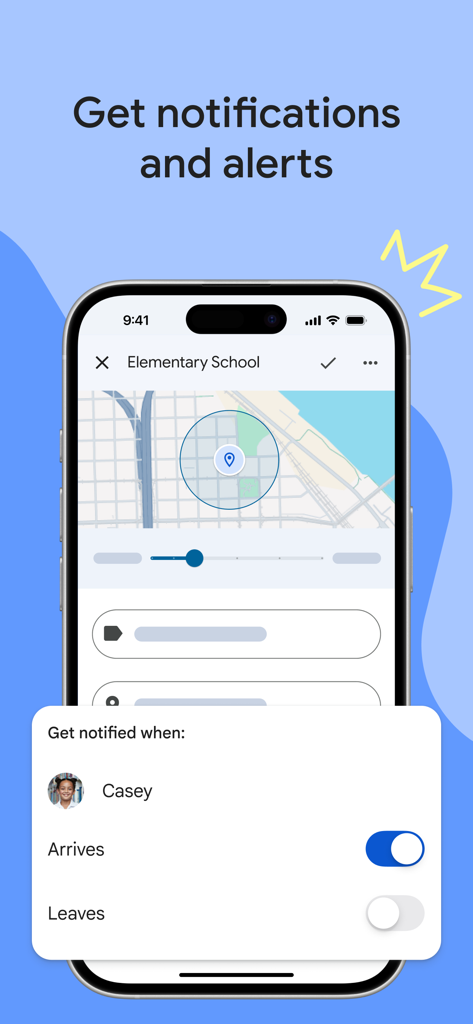
자녀가 장소에 도착하거나 떠날 때 알림을 받는 옵션과 지도를 보여주는 Google Family Link 인터페이스

자녀가 장소에 도착하거나 떠날 때 알림을 받는 옵션과 지도를 보여주는 Google Family Link 인터페이스

함께 만드는 건강한 디지털 습관

이 앱을 돋보이게 하는 도구, 34M+ 명의 사용자가 선택.

스마트한 화면 사용 시간 제한

일일 사용 제한 및 다운타임 일정을 설정하여 기술이 수면, 학습 또는 가족 시간을 방해하지 않도록 하세요.

📍

실시간 위치 추적

비공개 지도에서 자녀의 위치를 확인하고, 자녀가 자주 가는 장소에 도착하거나 떠날 때 즉시 알림을 받으세요.

앱 및 콘텐츠 제어

원격으로 앱 다운로드를 승인 또는 차단하고 웹 콘텐츠를 필터링하여 안전하고 연령에 적합한 디지털 놀이터를 만드세요.

전 세계 사용자들에게 사랑받는 앱

Trusted by 34M+ 명이 이 앱을 사랑합니다.

"

"Family Link는 우리 가족에게 정말 큰 변화를 가져다주었습니다. 딸아이가 축구 연습에 안전하게 도착했는지 확인할 수 있어 마음이 정말 놓여요. 또한 일일 제한을 설정해 두니 저녁 식사 시간에 휴대폰을 언제 치울지를 두고 더 이상 다툴 필요가 없습니다."

Sarah Jenkins
"

"기술에 익숙한 부모로서 내 기기에서 바로 앱 승인을 관리할 수 있는 점이 정말 마음에 듭니다. 아들이 태블릿으로 관심사를 탐색하는 동안 연령에 적합한 콘텐츠만 이용하고 있다는 것을 알기에 안심할 수 있습니다. 디지털 세상을 위한 완벽한 연습 도구입니다."

David Chen

앱 소개

에 대해 알아야 할 모든 것 Google Family Link.

설명

Google Family Link is a parental controls app that helps you keep your family safer online. Every family’s relationship with technology is unique, so we built tools for you to choose the right balance for your family, and help them create healthy digital habits. You can use the app to see how your child is spending time on their device, see their device location, manage privacy settings, and more. With Family Link, you can: Establish digital ground rules • Set screen time limits — Find the screen time that works best for your child. Family Link lets you set daily time limits, with school time and downtime schedules for their devices, so you can help your child find a healthy balance. • Manage your child’s apps — Give your child the flexibility they need when it comes to app usage. Set individual app time limits, and unlimited time for educational or regularly used apps. You can block apps, too. Manage content filters and security & privacy • Manage what they see online — Set up parental controls on Google services like Chrome, Play, YouTube, and Search. Family Link allows you to block inappropriate sites, require approval for new apps, manage permissions for apps and websites, and more. • Secure their account — Family Link gives you access to manage your child’s account and data settings. As a parent, you can help change or reset your child’s password if they forget it, edit their personal information or even delete their account if you feel necessary.* *Children over the applicable age can manage their own account. Stay connected on the go • See where they are — It’s helpful to be able to find your family when they’re on the go. With Family Link, you can locate your children on one map, as long as they’re carrying their device. • Get notifications and alerts — Family Link delivers critical notifications including when your child arrives or leaves a certain location. You can also ring devices and view the device’s remaining battery life. Important Information • Family Link’s tools vary depending on your child’s device. See a list of compatible devices at https://families.google/familylink/device-compatibility/ • While Family Link helps you manage your child’s purchases and downloads from Google Play, they will not need approval to install app updates (including updates that expand permissions), apps you have previously approved, or apps that have been shared in Family Library. In addition, purchase approvals will apply only when your child makes a purchase through Google Play’s billing system and will not apply to purchases made through alternate billing systems. Parents should regularly review their child’s installed apps and app permissions in Family Link. • You should carefully review the apps on your child’s supervised device and disable those you don’t want them to use. Note that you may not be able to disable some pre-installed apps such as Play, Google, etc. • To see the location of your child or teen’s device, the device must be powered on, recently active, and connected to the internet through data or wifi. • Family Link parental controls are only available for supervised Google accounts. With supervised Google Accounts, children get access to Google products like Search, Chrome, and Gmail, and parents can set up basic digital ground rules to supervise them. • While Family Link provides tools to manage your child’s online experience and keep them safer online, it does not make the internet safe. Family Link can not determine the content on the internet, but it can give parents the opportunity to make decisions about how their child spends time on their device, and determine what path to online safety looks best for your family.

최신 버전

2.69.34421

크기

205.0 MB

출시일

2017년 4월 13일

가족의 디지털 균형을 찾을 준비가 되셨나요?

이미 3,400만 명 이상의 부모님이 Google Family Link를 사용하여 자녀를 위한 더 안전한 온라인 공간을 만들고 건강한 경계를 설정하고 있습니다.

다운로드: App Store다운로드: Google Play
FAQ

자주 묻는 질문

에 대해 알아야 할 모든 것 Google Family Link

Google Family Link이란 무엇인가요?

Google Family Link은 가족이 자녀의 온라인 경험을 관리하는 데 도움이 되는 자녀 보호 앱입니다. 부모는 화면 시간 제한 설정, 앱 관리, 콘텐츠 필터링, 기기 위치 추적, 자녀의 Google 계정 보안 설정 등을 할 수 있습니다.

Google Family Link로 화면 시간 제한을 설정할 수 있나요?

네, Google Family Link를 사용하여 일일 화면 시간 제한을 설정할 수 있습니다. 또한 자녀 기기의 특정 수업 시간 및 취침 시간 일정을 설정할 수도 있습니다.

Google Family Link는 자녀의 앱을 어떻게 관리하나요?

Google Family Link를 통해 부모는 앱별 시간 제한을 설정하고, 교육용 앱에 무제한 시간을 할당하며, 자녀 기기의 특정 앱을 차단할 수 있습니다.

Google Family Link는 온라인 콘텐츠 필터링을 관리할 수 있나요?

네, Google Family Link는 Chrome, Play, YouTube, 검색과 같은 Google 서비스에 대한 자녀 보호 기능을 설정하는 도구를 제공합니다. 부적절한 사이트를 차단하고 새 앱에 대한 승인을 요구할 수 있습니다.

Google Family Link로 자녀의 기기 위치를 추적할 수 있나요?

네, Google Family Link를 사용하면 자녀의 기기가 켜져 있고 최근에 활동했으며 인터넷에 연결된 경우 지도에서 자녀의 위치를 파악할 수 있습니다.

Google Family Link는 자녀의 Google 계정을 어떻게 보호하는 데 도움이 되나요?

Google Family Link를 통해 부모는 자녀의 계정 설정을 관리할 수 있습니다. 필요에 따라 비밀번호를 변경하거나 재설정하고, 개인 정보를 수정하거나 계정을 삭제할 수 있습니다.

Google Family Link는 모든 앱 구매에 대한 승인이 필요한가요?

아니요, 구매 승인은 자녀가 Google Play의 결제 시스템을 통해 구매할 때만 적용됩니다. 앱 업데이트, 이전에 승인된 앱 또는 대체 결제 시스템을 통해 이루어진 구매에는 적용되지 않습니다.

Google Family Link는 어떤 종류의 알림을 제공하나요?

Google Family Link는 자녀가 특정 위치에 도착하거나 떠날 때와 같은 중요한 알림을 제공합니다. 또한 기기에서 소리가 나게 하거나 기기의 남은 배터리 수명을 확인할 수도 있습니다.

Google Family Link는 모든 기기와 호환되나요?

아니요, Google Family Link의 도구는 자녀의 기기에 따라 다릅니다. 호환되는 기기 목록은 Google Families 웹사이트에서 확인할 수 있습니다.

Google Family Link는 자녀의 인터넷 안전을 보장하나요?

아니요, Google Family Link는 인터넷 안전을 보장하지 않습니다. 자녀의 온라인 경험을 관리하고 결정을 내릴 수 있는 도구를 제공하지만 인터넷의 모든 콘텐츠를 결정할 수는 없습니다.