Heges 3D Scanner

Heges 3D Scanner

다운로드: App Store
Spark by MWM logo
로고: Heges 3D Scanner

Heges 3D 스캐너: 메이커 및 엔지니어를 위한 전문 정밀도

iPhone의 LiDAR 및 FaceID 센서의 잠재력을 최대한 활용하세요. 0.5mm 정밀도로 고품질 3D 스캔을 캡처하고 3D 프린팅 및 CAD를 위해 업계 표준 STL, OBJ 및 PLY 형식으로 내보내세요.

개발사

Marek Simonik

카테고리

Photo & Video

다운로드

292K+

사용자 평점

3.2/5

총 평가 수

0

지원 언어

2

실제 정밀도

이 인터페이스를 사용하는 292K+ 명의 사용자.

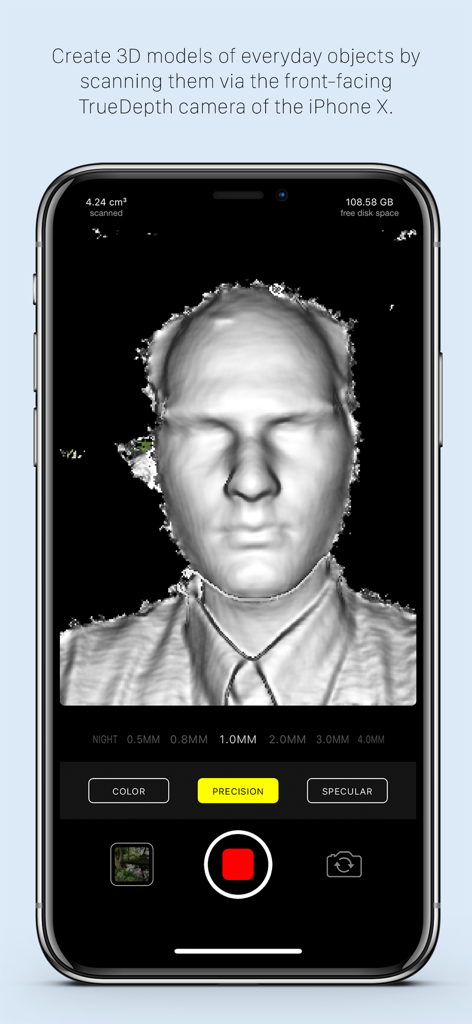
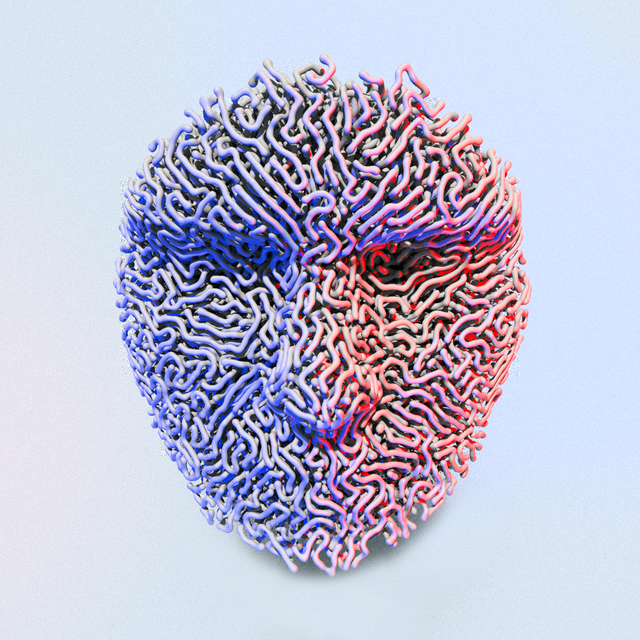
TrueDepth 카메라를 사용하는 iPhone의 Heges 3D 스캐너 앱으로 생성 중인 3D 얼굴 스캔

TrueDepth 카메라를 사용하는 iPhone의 Heges 3D 스캐너 앱으로 생성 중인 3D 얼굴 스캔

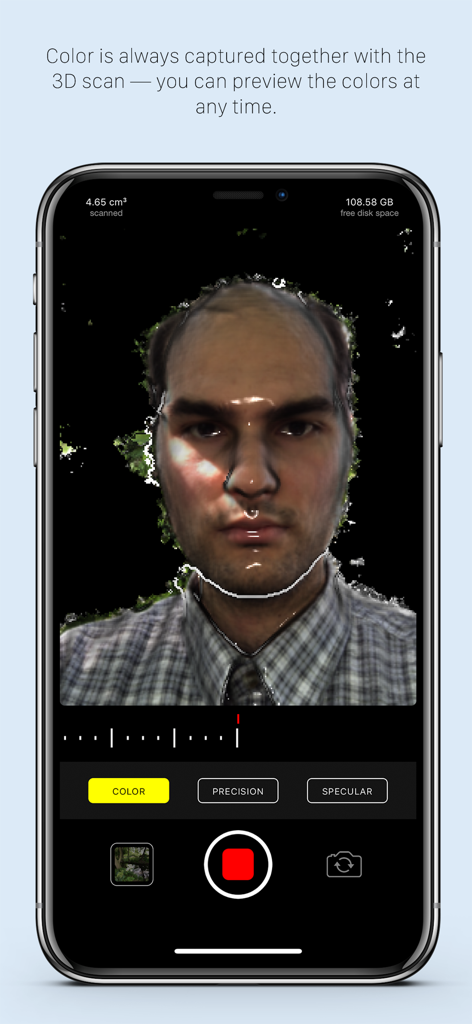
iPhone의 Heges 3D 스캐너 앱을 사용한 고정밀 3D 컬러 얼굴 스캔

iPhone의 Heges 3D 스캐너 앱을 사용한 고정밀 3D 컬러 얼굴 스캔

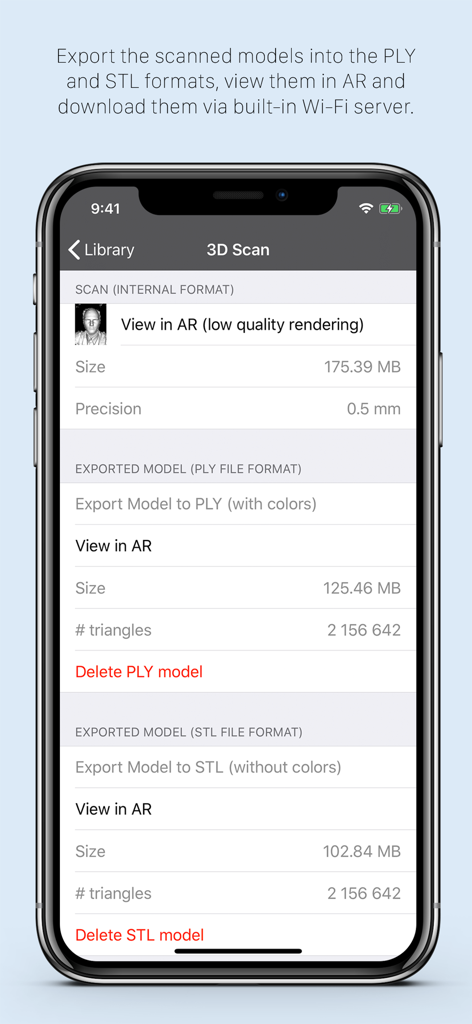
Heges 3D 스캐너 앱 인터페이스에 PLY 및 STL 파일 형식의 내보내기 옵션 표시

Heges 3D 스캐너 앱 인터페이스에 PLY 및 STL 파일 형식의 내보내기 옵션 표시

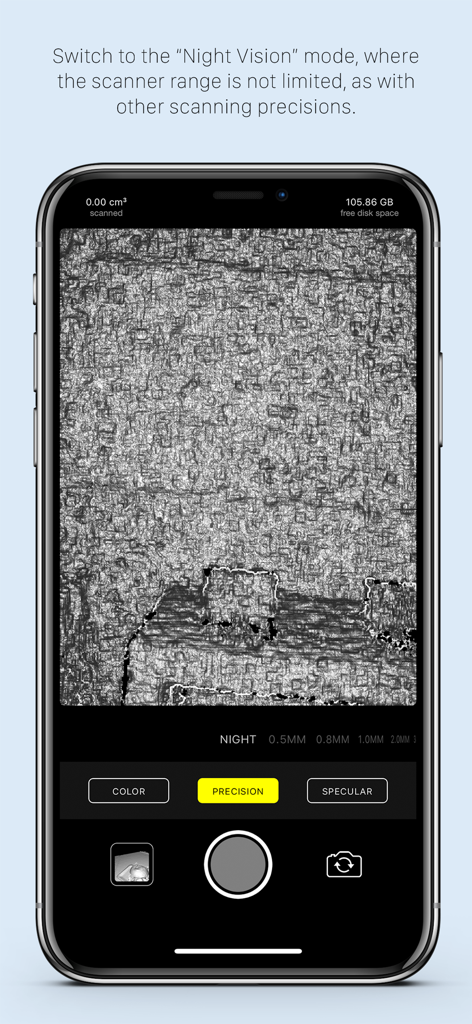
어두운 환경에서 표면을 스캔하기 위한 야간 투시 모드를 표시하는 Heges 3D 스캐너 앱 인터페이스

어두운 환경에서 표면을 스캔하기 위한 야간 투시 모드를 표시하는 Heges 3D 스캐너 앱 인터페이스

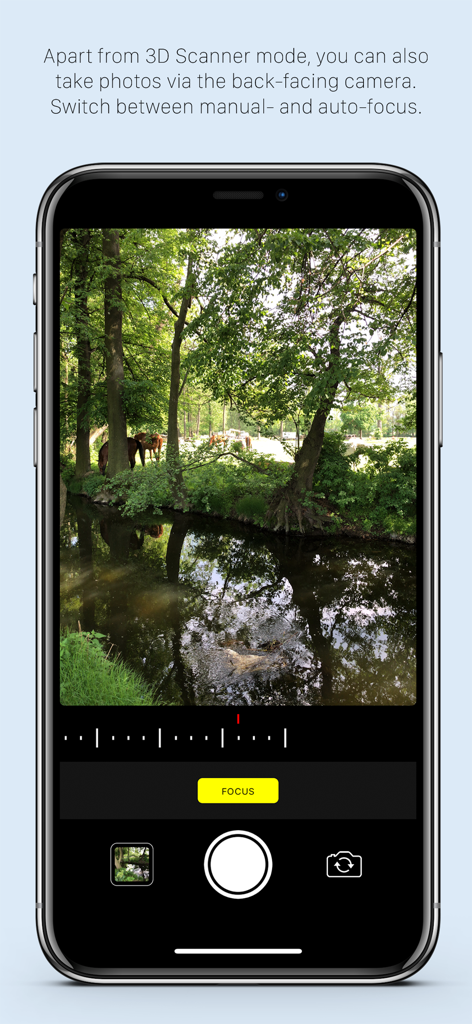
iPhone 화면에 수동 초점 제어 기능이 있는 컬러 카메라 모드를 표시하는 Heges 3D 스캐너 앱

iPhone 화면에 수동 초점 제어 기능이 있는 컬러 카메라 모드를 표시하는 Heges 3D 스캐너 앱

메이커 및 전문가를 위한 정밀 3D 스캐닝

이 앱을 돋보이게 하는 도구, 292K+ 명의 사용자가 선택.

🎯

밀리미터 이하의 정밀도

TrueDepth FaceID 카메라를 활용하여 0.5mm 정밀도로 설정하세요. CAD 모델링 및 3D 프린팅을 위한 소형 객체의 미세한 디테일을 캡처하는 데 완벽합니다.

🏠

공간 LiDAR 캡처

후면 LiDAR 센서를 사용하여 전체 방, 복도 및 대형 가구를 신속하게 매핑하세요. 물리적 공간을 몇 초 안에 디지털 자산으로 변환하세요.

⚙️

전문가급 내보내기 워크플로우

스캔을 STL, OBJ 또는 PLY 파일로 원활하게 내보내세요. 구독 없이 Blender, AutoCAD 또는 좋아하는 슬라이서에서 즉시 사용할 준비가 되었습니다.

전 세계 사용자들에게 사랑받는 앱

Trusted by 292K+ 명이 이 앱을 사랑합니다.

"

"3D 프린팅 애호가로서 FaceID 카메라를 사용한 0.5mm 정밀도는 완전히 혁신적입니다. 빈티지 선반용으로 더 이상 생산되지 않는 플라스틱 기어를 스캔했고 몇 분 안에 프린터에 바로 사용할 수 있는 완벽한 STL 파일을 얻었습니다. 모바일 장치에서 사용해 본 스캐너 중 단연 가장 정확합니다."

Liam S., 기계 공학자
"

"Heges는 인테리어 디자인 목업에 필수적입니다. LiDAR 모드는 인상적인 속도로 방 레이아웃을 캡처하며 USDZ로 직접 내보내 AR 워크스루를 할 수 있다는 점은 수동 모델링 시간을 절약해 줍니다. 개발자의 투명성과 정직한 일회성 구매 모델이 마음에 듭니다."

Sarah Chen, 디지털 건축가

앱 소개

에 대해 알아야 할 모든 것 Heges 3D Scanner.

설명

Create 3D scans using the 3D camera (FaceID or LiDAR) of your iPhone 17, 16, 15, 14, 13, 12, 11, XS, XR, X (and all their Pro/Max/Plus/Air variants) or iPad Pro! Export scans into STL, PLY, OBJ, USDZ, GLB (glTF), share them and more. On older devices, you can use the ordinary camera mode or the Screen Sharing feature. This app is *PAID* up-front. Why is it free-to-download? To protect people with unsupported devices from buying it (more details at the end). Heges is divided into two modes: = 3D Scanner (**PAID**, requires one-time In-App Purchase) ============================ - Available only for iPhones and iPad Pros with the selfie FaceID (TrueDepth) camera and/or LiDAR sensor as an In-App Purchase (Why? Read more at the bottom.) - Create 3D models by scanning everyday objects using the selfie TrueDepth camera (FaceID) and/or the rear LiDAR sensor - After scanning, export the models into PLY, OBJ, USDZ (all with colors), STL, GLB (both without colors) file formats - Share exported models e.g. via built-in Wi-Fi server or view them in the iOS Files app - Use the physical volume buttons to toggle scanning session - Double-tap anywhere in the live camera view to Share Screen with another iPhone/iPad, so that you can better see what you're scanning - View the models in AR - You can scan in pitch-dark environment and use Heges as a night vision camera! - Choose from the available scanning precisions — the higher the precision, the shorter the scanner range - To get the most accurate scans, you must use the selfie FaceID camera with 0.5MM Precision settings; do not use LiDAR if you need accurate scans - The selfie FaceID camera is much more accurate than LiDAR (approx. one order of magnitude), the models in the promo videos were scanned using the selfie FaceID camera of iPhone X - Use the selfie FaceID camera for scanning fine details (up to 2 millimeters accuracy with FaceID and 0.5MM Precision settings) - Use LiDAR for scanning large areas (e.g. houses, hallways, rooms, etc.), LiDAR is NOT suitable for scanning small objects with detail — use the selfie FaceID camera for this purpose - Objects in scanner range are highlighted in the live view - Switch to the passive Night Vision where there're no explicit restrictions on the scanner range Instructions for the 3D scanner: - Move slowly when scanning - Make sure that most of the captured scene is within the scanner range - Please read the FAQ at https://hege.sh/faq The scanner isn't perfect and can fail when moving too fast or scanning a challenging environment (e.g. glass surfaces cannot be captured due to the nature of the TrueDepth sensor). A NOTE FOR iPHONE 13 (and newer) users: Beginning with the iPhone 13 lineup, Apple introduced a new TrueDepth (FaceID) camera design, which produces (slightly) lower-accuracy results compared to older devices. To get best scan accuracy, consider using any iPhone 12 or older with FaceID. = Color camera mode ============================ - Available for all devices - Manual camera focus - Sharing photos via built-in Wi-Fi server = Why don't you make the app paid on the App Store? Why the annoying In-App Purchase? ============================ It's for protecting people with unsupported devices. (I wish I could make it paid directly on the App Store.) Heges needs the 3D-sensing selfie FaceID camera to capture 3D scans. But not all iPhones/iPads have the FaceID camera, so the app needs to check if your device has FaceID before it allows you to buy the app. The App Store does not allow developers to check if your iPhone/iPad has FaceID, so the only way to check is if you download and open the app. Once you open Heges on your device, it will check if your device is compatible and if isn't, then you will not be able to buy it. If you have any questions just drop me an email at support@hege.sh and I'll be happy to help you :)!

최신 버전

1.8.3

크기

17.3 MB

출시일

2018년 5월 31일

현실을 고정밀 3D 모델로 변환하세요

LiDAR 및 FaceID 센서의 잠재력을 최대한 활용하세요. 290,000명 이상의 메이커 및 엔지니어와 함께 Heges를 사용하여 물리적 객체와 디지털 디자인 간의 격차를 해소하세요.

다운로드: App Store
FAQ

자주 묻는 질문

에 대해 알아야 할 모든 것 Heges 3D Scanner

Heges 3D 스캐너 앱은 무엇에 사용되나요?

Heges 3D 스캐너는 iPhone 또는 iPad의 FaceID 또는 LiDAR 카메라를 사용하여 일상적인 물체에서 3D 모델을 만듭니다. STL, PLY, OBJ, USDZ, GLB와 같은 형식으로 내보내기하고 AR로 보는 것을 지원합니다.

3D 스캐닝을 위해 Heges 3D 스캐너와 호환되는 기기는 무엇인가요?

Heges 3D 스캐너는 FaceID 또는 LiDAR 센서가 있는 iPhone 17-X (Pro/Max/Plus/Air 변형) 및 iPad Pro 모델과 호환됩니다. 3D 스캐너 모드를 사용하려면 인앱 구매가 필요합니다.

Heges 3D 스캐너는 3D 모델링을 위해 LiDAR를 사용할 수 있나요?

예, Heges 3D 스캐너는 3D 모델, 특히 넓은 영역을 만들기 위해 LiDAR 센서를 사용합니다. 작은 물체와 미세한 디테일의 경우 더 높은 정확도를 위해 셀카 FaceID 카메라를 사용하는 것이 좋습니다.

Heges 3D 스캐너는 3D 모델에 대해 어떤 내보내기 형식을 지원하나요?

Heges 3D 스캐너는 3D 모델을 PLY, OBJ, USDZ (색상 포함) 및 STL, GLB (색상 없음)로 내보냅니다. 사용자는 내장 Wi-Fi 서버를 통해 이러한 파일을 공유하거나 iOS 파일 앱에서 볼 수 있습니다.

Heges 3D 스캐너 앱은 무료로 사용할 수 있나요?

아니요, Heges 3D 스캐너는 무료로 다운로드할 수 있지만 3D 스캐너 모드를 사용하려면 일회성 인앱 구매가 필요합니다. 다운로드를 통해 구매 전에 기기 호환성을 확인할 수 있습니다.

Heges 3D 스캐너는 FaceID로 어느 정도의 정확도를 달성할 수 있나요?

Heges 3D 스캐너는 0.5MM 정밀 설정으로 셀카 FaceID 카메라를 사용할 때 미세한 디테일에 대해 최대 2밀리미터의 정확도를 달성합니다. FaceID는 작은 물체에 대해 LiDAR보다 더 정확합니다.

Heges 3D 스캐너에 야간 투시경 기능이 포함되어 있나요?

예, Heges 3D 스캐너에는 패시브 야간 투시경 모드가 있습니다. 사용자는 완전한 어둠 속에서도 스캔할 수 있으며, 이 모드에는 명시적인 스캐너 범위 제한이 없습니다.

Heges 3D 스캐너가 선불 결제가 아닌 무료 다운로드인 이유는 무엇인가요?

Heges 3D 스캐너는 지원되지 않는 기기를 가진 사용자를 보호하기 위해 무료로 다운로드할 수 있습니다. 앱을 열 때 호환되는 3D 감지 FaceID 카메라를 확인하여 호환되지 않는 하드웨어에서 실수로 인앱 구매하는 것을 방지합니다.

Heges 3D 스캐너로 일반 사진을 찍을 수 있나요?

예, Heges 3D 스캐너에는 모든 기기에서 사용할 수 있는 컬러 카메라 모드가 포함되어 있습니다. 이 모드는 후면 카메라를 사용하고, 수동 초점을 지원하며, 내장 Wi-Fi 서버를 통해 사진을 공유할 수 있습니다.

Heges 3D 스캐너로 스캔 정확도가 가장 좋은 iPhone 모델은 무엇인가요?

Heges 3D 스캐너로 최적의 스캔 정확도를 얻으려면 FaceID가 있는 iPhone 12 또는 이전 모델을 사용하는 것이 좋습니다. 최신 iPhone(13 이상)은 TrueDepth 카메라 디자인으로 인해 정확도가 약간 낮습니다.