iPalettes - Color palettes

iPalettes - Color palettes

다운로드: App Store
Spark by MWM logo
로고: iPalettes - Color palettes
iPalettes - 컬러 팔레트: 멋진 색상 구성표를 위한 당신의 전문 스튜디오

현실 세계의 영감을 디지털 팔레트로 변환하세요. 사진에서 색상을 추출하고, HEX/CMYK 코드를 변환하며, iPhone, iPad, Apple Watch에서 창의적인 워크플로우를 동기화하세요.

다운로드: App Store

개발사

Thi Hoang

카테고리

Utilities

다운로드

21K+

사용자 평점

4.4/5

총 평가 수

100

지원 언어

5

정확성으로 디자인하세요

이 인터페이스를 사용하는 21K+ 명의 사용자.

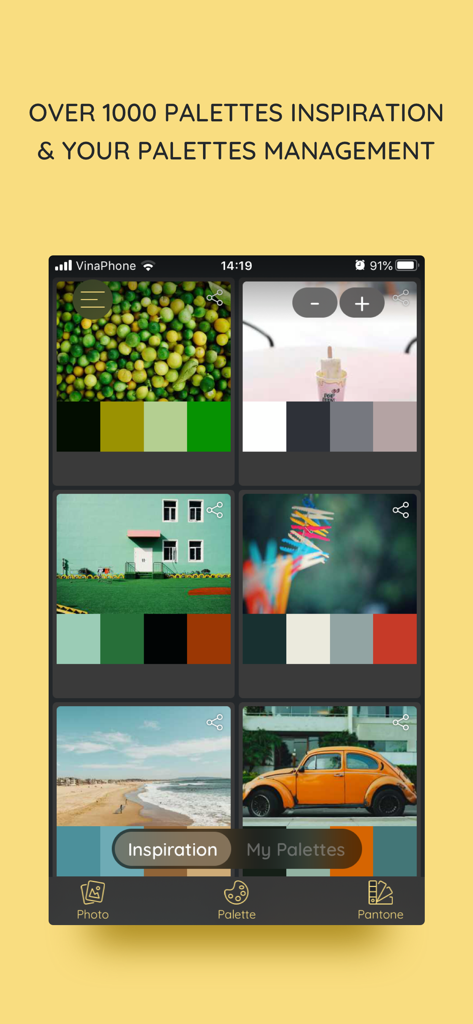
iPalettes 앱의 영감 탭에 다양한 이미지에서 추출된 색상 구성표가 표시됩니다.

iPalettes 앱의 영감 탭에 다양한 이미지에서 추출된 색상 구성표가 표시됩니다.

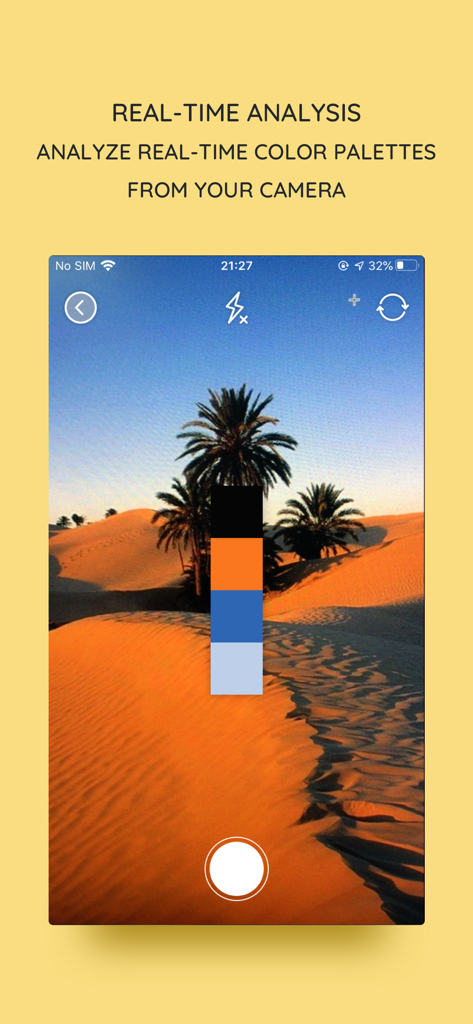
iPalettes 앱에서 카메라를 통한 실시간 색상 팔레트 분석

iPalettes 앱에서 카메라를 통한 실시간 색상 팔레트 분석

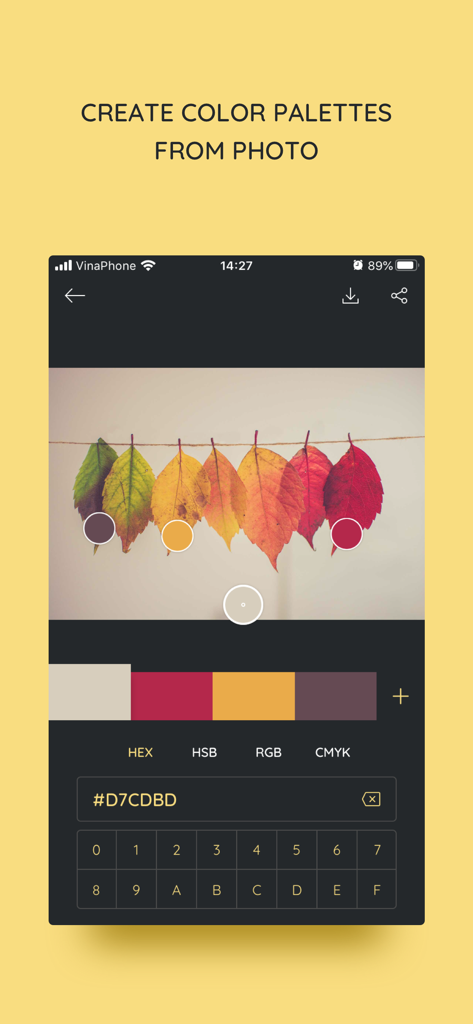
iPalettes 앱 인터페이스에 단풍 사진에서 헥스 코드를 추출하여 색상 팔레트를 생성하는 모습이 표시됩니다.

iPalettes 앱 인터페이스에 단풍 사진에서 헥스 코드를 추출하여 색상 팔레트를 생성하는 모습이 표시됩니다.

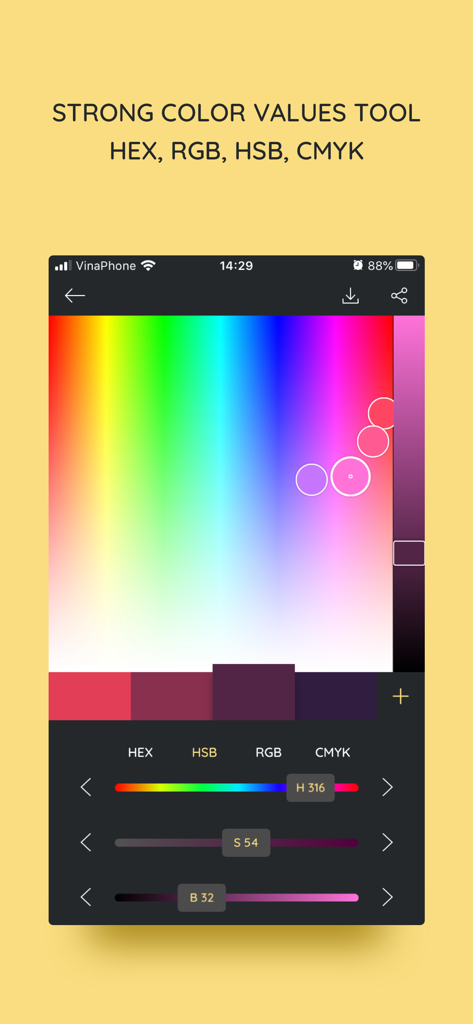
조정 가능한 HSB 슬라이더와 헥스 코드 값이 있는 색상 선택 도구를 특징으로 하는 iPalettes 모바일 앱 인터페이스

조정 가능한 HSB 슬라이더와 헥스 코드 값이 있는 색상 선택 도구를 특징으로 하는 iPalettes 모바일 앱 인터페이스

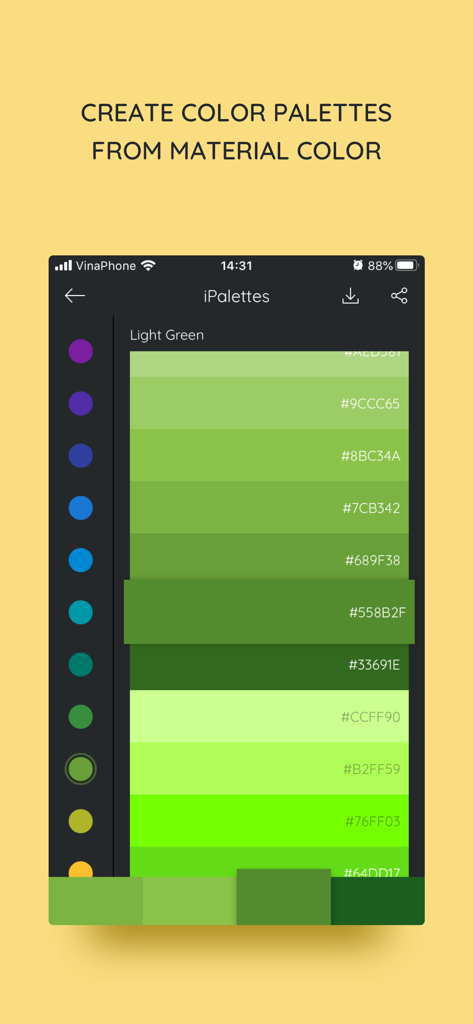
헥스 코드와 함께 녹색 재료 색상 팔레트를 표시하는 iPalettes 앱 인터페이스

헥스 코드와 함께 녹색 재료 색상 팔레트를 표시하는 iPalettes 앱 인터페이스

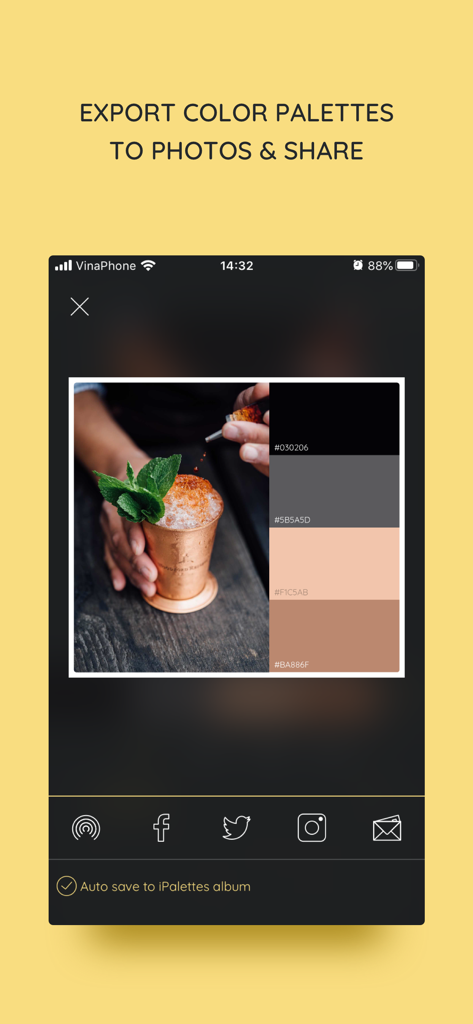
사진에서 생성된 색상 팔레트와 소셜 미디어 공유 옵션을 보여주는 iPalettes 앱 인터페이스

사진에서 생성된 색상 팔레트와 소셜 미디어 공유 옵션을 보여주는 iPalettes 앱 인터페이스

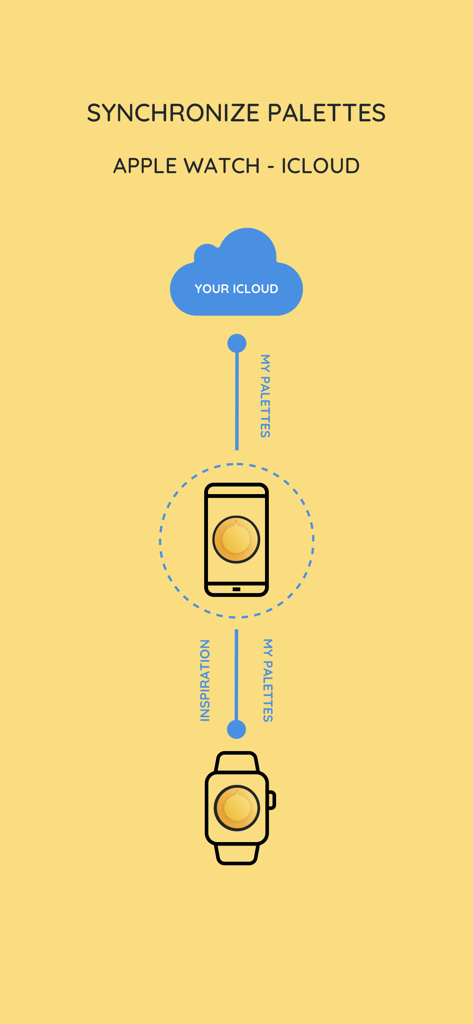
iCloud iPhone과 Apple Watch 간의 iPalettes 동기화를 보여주는 다이어그램

iCloud iPhone과 Apple Watch 간의 iPalettes 동기화를 보여주는 다이어그램

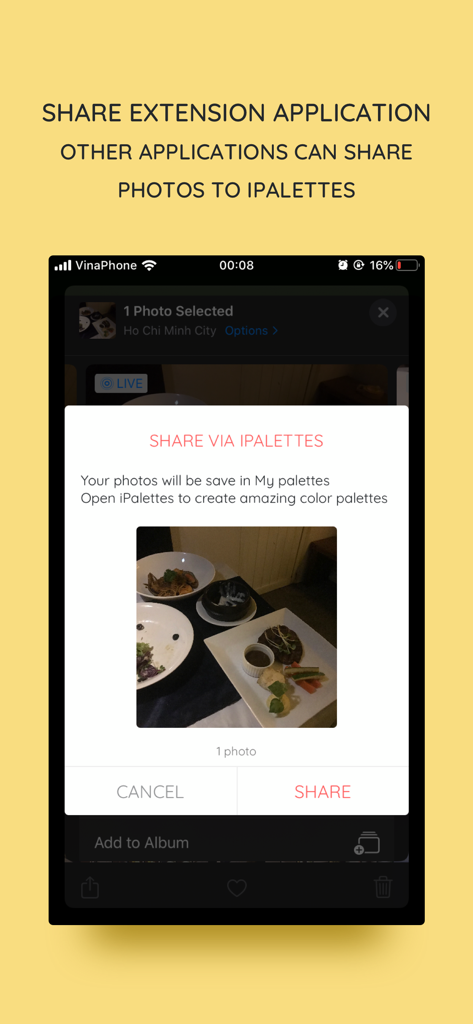
iPalettes 앱으로 사진을 공유하기 위한 iOS 공유 확장 인터페이스.

iPalettes 앱으로 사진을 공유하기 위한 iOS 공유 확장 인터페이스.

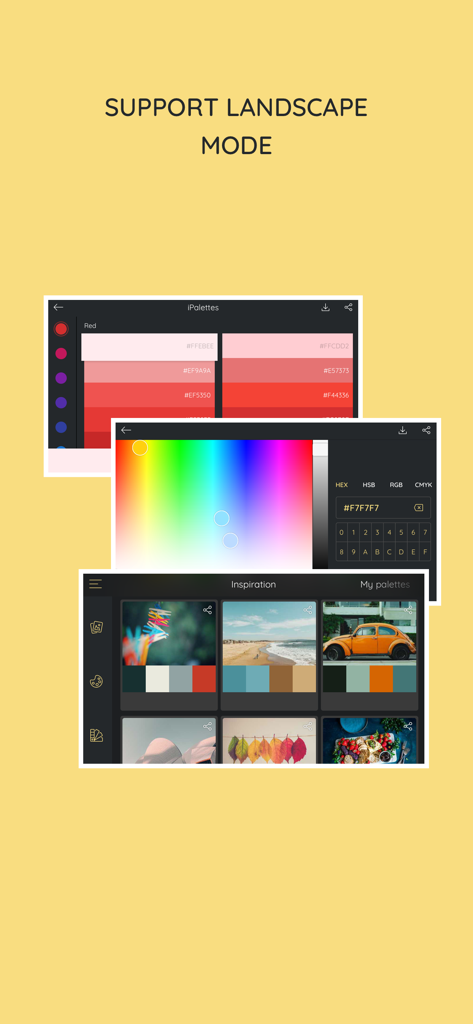
가로 모드에서 색상 선택 도구와 영감 팔레트를 표시하는 iPalettes 앱

가로 모드에서 색상 선택 도구와 영감 팔레트를 표시하는 iPalettes 앱

당신의 컬러 팔레트를 마스터하세요

이 앱을 돋보이게 하는 도구, 21K+ 명의 사용자가 선택.

📸

사진을 팔레트로 변환

영감이 떠오르는 순간 포착하세요. 고급 색상 분석기를 사용하여 사진이나 카메라 롤에서 멋진 색상 구성표를 자동으로 추출하세요.

💻

전문가 워크플로우를 위해 제작

iPad 멀티태스킹 및 드래그 앤 드롭 지원으로 생산성을 극대화하세요. iCloud를 통해 동기화하면서 색상을 Procreate 또는 Canva와 같은 디자인 앱으로 원활하게 이동하세요.

🎨

기술적 정확성 및 영감

1,000개 이상의 엄선된 팔레트와 팬톤 라이브러리에 접근하세요. HEX, RGB, HSB, CMYK 간에 손쉽게 변환하여 모든 미디어에서 완벽하게 구현하세요.

전 세계 사용자들에게 사랑받는 앱

Trusted by 21K+ 명이 이 앱을 사랑합니다.

"

"프리랜서 브랜드 디자이너로서 iPalettes는 iPad Pro 워크플로우의 필수 요소입니다. 사진에서 전문 팔레트를 추출하고 멀티태스킹을 사용하여 Procreate로 직접 드래그할 수 있는 기능은 수많은 작업 시간을 절약해주었습니다. App Store에서 찾은 가장 직관적인 색상 유틸리티입니다."

마커스 첸, 선임 그래픽 디자이너
"

"저는 이 앱을 사용하여 전체 인스타그램 미학을 계획합니다! 자연 사진을 찍고 앱이 내 그리드를 위한 통일된 색상 스토리를 생성하도록 하는 것을 좋아합니다. Apple Watch 통합 기능은 책상에서 떨어져 있을 때 빠른 HEX 코드 참조에 매우 유용합니다."

사라 젠킨스, 라이프스타일 블로거

앱 소개

에 대해 알아야 할 모든 것 iPalettes - Color palettes.

설명

iPalettes - The easiest way to create awesome color palettes! ** Why should you use it? ** - You need a color range but you don't have any idea to make it. - You need a tool to choose color schemes. - You need a color converter between HEX, HSB, RGB, CMYK. So, iPalettes will provide tools and give you ideas to create many beautiful palettes. You can choose from 1000+ color palettes in Inspiration tab. In addition, you can edit and save your palette to review it later. At the end, you can save it to Camera Roll and share it to Facebook, Twitter, Instagram, Email or AirDrop as you want. With iPalettes, there are 3 ways to create a palette: 1. From Photo Library or Camera iPalettes will analyze image colors and create the best palette from it, but you can edit this palette as you like 2. From Color Picker Tool 3. From Pantone Pantone is a color range to create palettes. ** How to use? ** There are 2 main tabs, Inspiration and My Palettes. Inspiration is a list of suggested palettes. My Palettes is a list of palettes that you saved. Tap and hold item in My Palettes if you want to delete it. ** New updates ** 1. Support portrait and landscape orientation for all devices. 2. Feature: Save palette with a name and export with this name. 3. Feature: Share extension app - In this feature, another apps can share images to iPalettes. All shared images will be saved as projects in My palettes tab. - Example: Go to Photos app, choose an image and share it to iPalettes app. After that, go to iPalettes, this image will auto save to My palettes tab. Please enjoy it! 4. Feature: Add more colors in palette. - You can add up to 10 colors in palette on iPhone and 15 colors on iPad. 5. Add option for "Auto save to iPalettes album" in exporting screen. 6. Support multitasking on iPad - With iPadOS, you can use Multitasking to work with two apps at the same time. - User can use another app with iPalettes at the same time. 7. Support drag and drop for iPad (iOS 11,*). - With drag and drop, you copy photos from one app to iPalettes and vice versa. - Drag: In Export screen, after exporting progress is finished, long press on image view and you can move to copy this image to another apps. 8. Hex code screen: support copy and paste color hex value - Please press and hold the hex code, iPalettes will display 2 options for copy or paste hex code. 9. APPLE WATCH VERSION (watchOS 6, *) iPalettes is available on Apple watch with some features: (1) Data of inspiration and my palettes of your iPhone is synced with your watch. Please sure that your apple watch and iPhone are paired. (2) Tools of conversion will help you switch between hex color code and RGB color code. 10. Support languages: Vietnamese, English, French, Chinese, Japanese. 11. Synchronize palettes via iCloud (iOS 10, *) Save your palette data to iCloud automatically. When you create new or update or delete a palette, app will automatically sync all your changes to iCloud. In your other devices which use this iCloud will auto sync. If you see this feature is helpful, please enable it in Settings screen. Default this feature is disable. **************************************************** iPalettes is the best assistant for your work!

최신 버전

1.10.4

크기

32.3 MB

출시일

2017년 7월 3일

모든 영감을 다채로운 색상으로 현실화하세요

세계적인 영감을 전문적인 색상 구성표로 바꾸는 21,000명 이상의 디자이너와 디지털 크리에이터와 함께하세요. iPhone, iPad, Watch에서 즉시 팔레트를 캡처, 동기화 및 내보내세요.

다운로드: App Store