iProject Viewer

iProject Viewer

다운로드: App Store
Spark by MWM logo
로고: iProject Viewer

iProject Viewer: 이동 중 전문 Microsoft Project 관리

높은 충실도의 간트 차트로 MPP 파일을 열고, 편집하고, 저장하세요. 프로젝트 관리자가 사무실에서 현장까지 통제력을 유지할 수 있는 완벽한 모바일 솔루션입니다.

다운로드: App Store

개발사

Viewer Central Inc

카테고리

Business

다운로드

129K+

사용자 평점

3.4/5

총 평가 수

100

지원 언어

1

프로젝트 정밀도, 시각화

이 인터페이스를 사용하는 129K+ 명의 사용자.

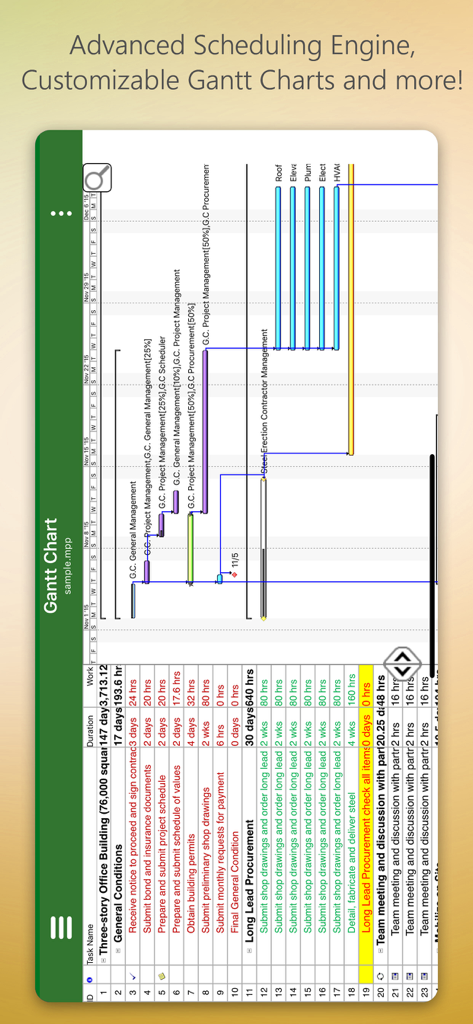
건축 프로젝트의 상세 간트 차트를 보여주는 iProject Viewer의 모바일 인터페이스

건축 프로젝트의 상세 간트 차트를 보여주는 iProject Viewer의 모바일 인터페이스

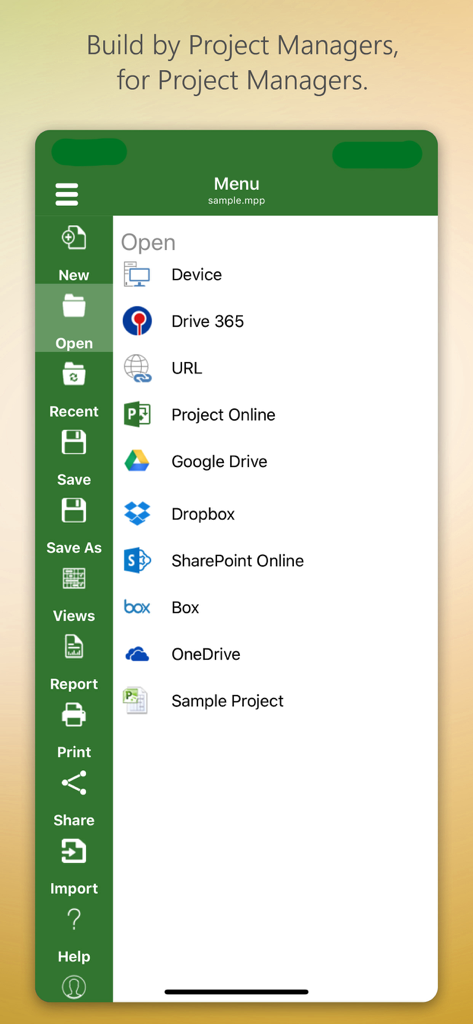
Google Drive 및 SharePoint와 같은 클라우드 스토리지에서 프로젝트 파일을 여는 옵션을 보여주는 iProject Viewer 앱 메뉴

Google Drive 및 SharePoint와 같은 클라우드 스토리지에서 프로젝트 파일을 여는 옵션을 보여주는 iProject Viewer 앱 메뉴

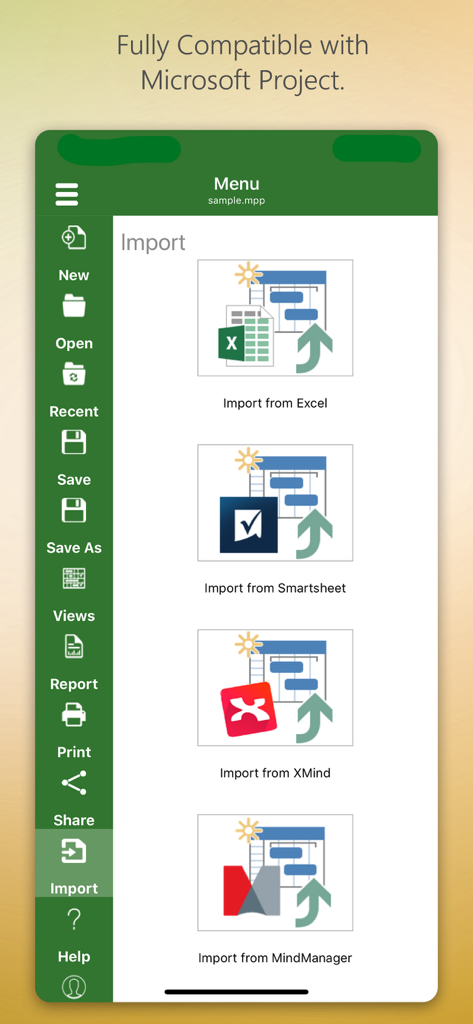
Excel, Smartsheet, XMind 및 MindManager에서 가져오기 옵션을 보여주는 iProject Viewer 앱 인터페이스

Excel, Smartsheet, XMind 및 MindManager에서 가져오기 옵션을 보여주는 iProject Viewer 앱 인터페이스

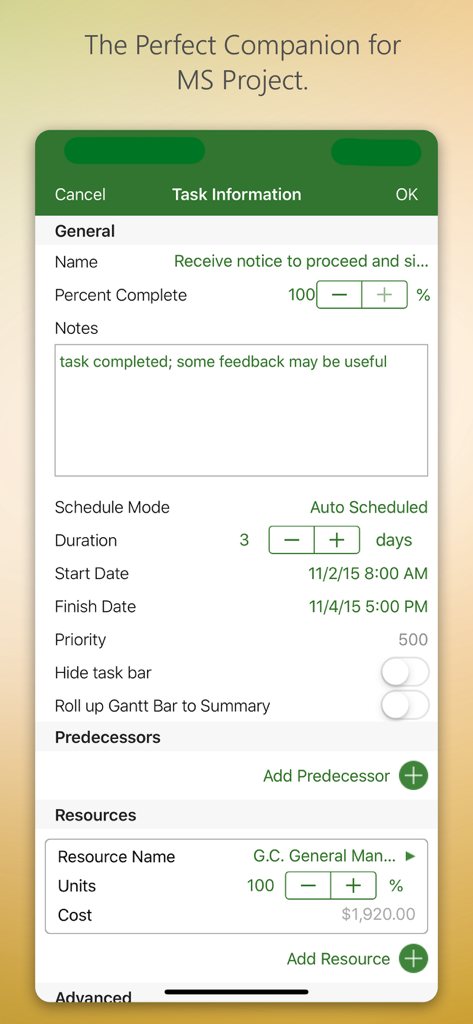
작업 정보 및 리소스 관리를 보여주는 iProject Viewer 앱 인터페이스

작업 정보 및 리소스 관리를 보여주는 iProject Viewer 앱 인터페이스

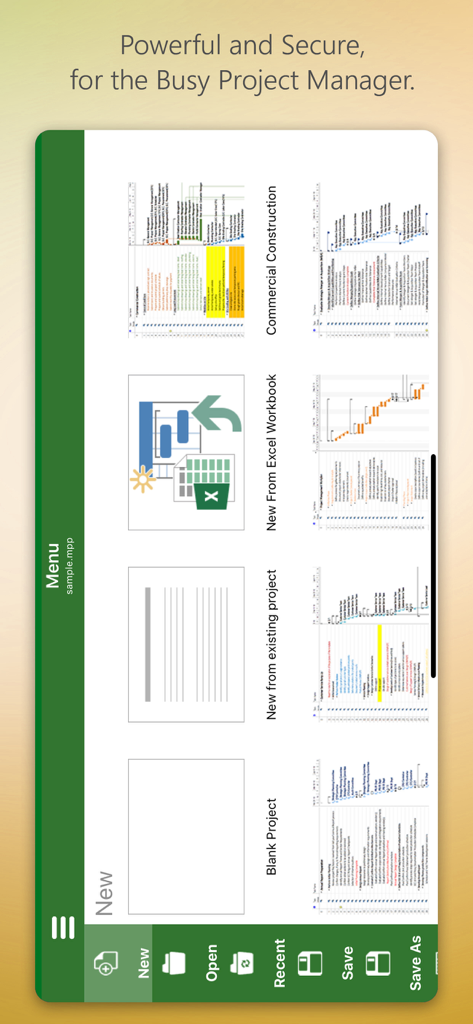
처음부터 또는 템플릿에서 새 프로젝트를 만드는 옵션이 있는 iProject Viewer 앱 메뉴 화면

처음부터 또는 템플릿에서 새 프로젝트를 만드는 옵션이 있는 iProject Viewer 앱 메뉴 화면

언제 어디서든 프로젝트 일정 마스터

이 앱을 돋보이게 하는 도구, 129K+ 명의 사용자가 선택.

📊

높은 충실도의 간트 차트

크리스탈처럼 선명한 시각화를 경험하세요. Microsoft Project에 표시되는 대로 정확하게 작업, 종속성 및 리소스를 보고 중요한 경로 세부 정보를 놓치지 않도록 하세요.

☁️

엔터프라이즈 클라우드 통합

SharePoint, OneDrive 또는 Box에서 .mpp 파일에 안전하게 액세스하세요. 수동 파일 전송 없이 기존 기업 인프라와 원활하게 동기화하세요.

🏗️

현장용 편집

현장에서 중요한 일정 업데이트를 하세요. iPad에서 직접 간트 차트를 생성하거나 수정하고 변경 사항을 기본 MPP 형식으로 저장하여 진정한 모바일 워크스테이션을 만드세요.

전 세계 사용자들에게 사랑받는 앱

Trusted by 129K+ 명이 이 앱을 사랑합니다.

"

"마침내 번거로움 없이 이동 중에 MS Project 파일에 액세스할 수 있는 방법이 생겼습니다. 현장에서 직접 iPad에서 간트 차트를 보고 편집할 수 있어 전체 건설 워크플로가 간소화되었습니다. OneDrive와 완벽하게 통합되어 현장 프로젝트 관리자에게 필수적인 도구입니다."

Mark Thompson, 건설 감독
"

"끊임없이 회의 중인 PMP 전문가로서 휴대폰에서 MPP 파일을 열 수 있다는 것은 게임 체인저입니다. 렌더링이 선명하고 인터페이스가 데스크톱 버전에 익숙한 사람들에게 매우 직관적입니다. 제가 사용해 본 복잡한 프로젝트 일정을 관리하는 가장 안정적인 모바일 솔루션입니다."

Elena Rodriguez, 수석 IT 프로젝트 관리자

리뷰 분석

사용자 리뷰 인사이트.

감정 점수

31%
부정적

요약

This app receives a mixed to largely negative reception, primarily valued by users for its ability to open and view Microsoft Project (.MPP) files directly on iOS devices, which many find useful. However, a significant portion of feedback highlights severe issues including frequent crashes, unreliable saving, and difficulties with various cloud integrations like OneDrive and Dropbox. Users are also highly critical of the expensive subscription model, the app's often clunky user interface, and its limited editing capabilities, often functioning more as a viewer than a full-fledged project management tool. While a few users appreciate responsive developer support, many feel it's not worth the high annual cost given its stability and feature shortcomings.

주요 테마

Crashes and Bugs(13)
MPP File Viewing(10)
Cloud Integration(9)
User Interface(7)
Subscription Model(6)
Editing Limitations(4)
Customer Support(1)

앱 소개

에 대해 알아야 할 모든 것 iProject Viewer.

설명

New!! Create Gantt charts and edit/save existing MS Project Plans in MPP file format! Housatonic’s Project Viewer 365 for iOS allows you to open MS Project Plans from cloud locations like Google Drive. Dropbox, OneDrive, SharePoint Online, Box, Basecamp, URL Links and email attachments.

 Housatonic Project Viewer 365 for iOS is compatible with Microsoft Project (MPP file format) 2016, 2013, 2010, 2007, 2003 and earlier versions. The interface is intuitive making Project Viewer simple for the end users.

 Now Microsoft Project Plans look better than ever on your iOS. Free view-only MS Project views like Gantt chart, Task Sheet and Resource Sheet are available along with basic project plan sorting, filters, zooming and time scale viewing capabilities.

 Additional features can be enabled by subscribing to in-app-purchase packages: In-App Option 1: Advanced View Only Enable advanced sorting capabilities, apply additional filter options, customize time scale 
Access additional project views like Calendar View, Resource and Task Usage, View Network Diagram
 View Multiple Project Reports and Print Project Info to PDF or Paper
 This in-app purchase option is offered on a yearly (1 year) basis for a price of $19.99 USD per year. In-App Option 2: Standard Editor Create new Gantt charts and modify existing project schedules in the same intuitive way as MS Project. Save and Share your plans (MPP files) from any storage or cloud location on any iOS device. Works with, or as an alternative to Microsoft Project. This in-app purchase option is offered on a yearly (1 year) basis for a price of $129.99 USD per year. Payment will be charged to iTunes Account at confirmation of purchase Subscription automatically renews unless auto-renew is turned off at least 24-hours before the end of the current period Account will be charged for renewal within 24-hours prior to the end of the current period, and identify the cost of the renewal Subscriptions may be managed by the user and auto-renewal may be turned off by going to the user's Account Settings after purchase No cancellation of the current subscription is allowed during active subscription period Any unused portion of a free trial period, if offered, will be forfeited when the user purchases a subscription to that publication, where applicable Terms and Conditions: http://housatonic.com/terms.html Privacy Policy: http://housatonic.com/privacy.html

최신 버전

25.14

크기

94.4 MB

출시일

2011년 9월 16일

MS Project 계획을 현장으로 가져가세요

책상으로 돌아갈 때까지 기다리지 마세요. 업계 최고의 MPP 뷰어 및 편집기로 iPhone 또는 iPad에서 직접 간트 차트를 열고, 편집하고, 공유하세요.

다운로드: App Store