Project Plan 365

Project Plan 365

다운로드: App Store
Spark by MWM logo
로고: Project Plan 365

Project Plan 365: iPad 및 iPhone을 위한 전문가용 Microsoft Project 솔루션

MS Project의 익숙한 인터페이스로 MPP 파일을 보거나, 편집하거나, 만들 수 있습니다. 별도의 학습 없이 현장에서 바로 Gantt 차트, 중요 경로 및 리소스 사용량을 관리하세요.

다운로드: App Store

개발사

Viewer Central Inc

카테고리

Productivity

다운로드

136K+

사용자 평점

3.4/5

총 평가 수

200

지원 언어

1

데스크톱의 강력함, 모바일의 자유

이 인터페이스를 사용하는 136K+ 명의 사용자.

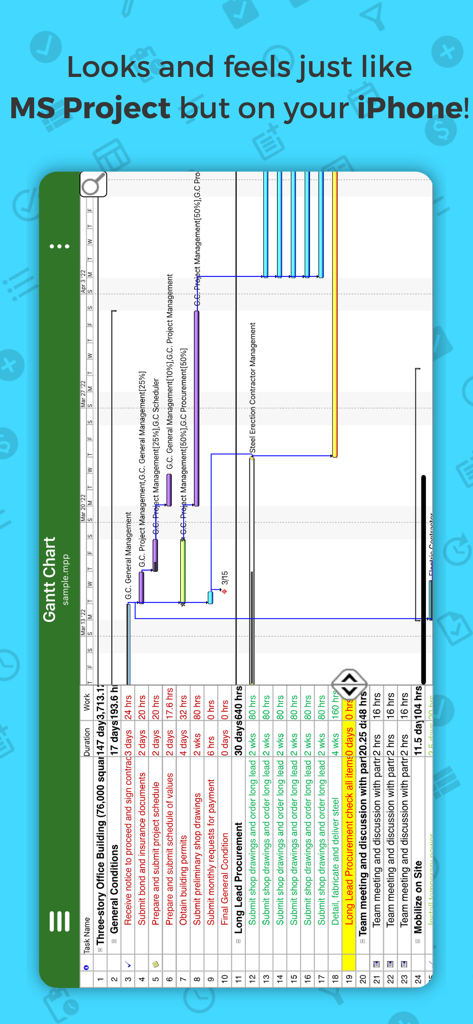
iPhone에서 Project Plan 365 Gantt 차트

iPhone에서 Project Plan 365 Gantt 차트

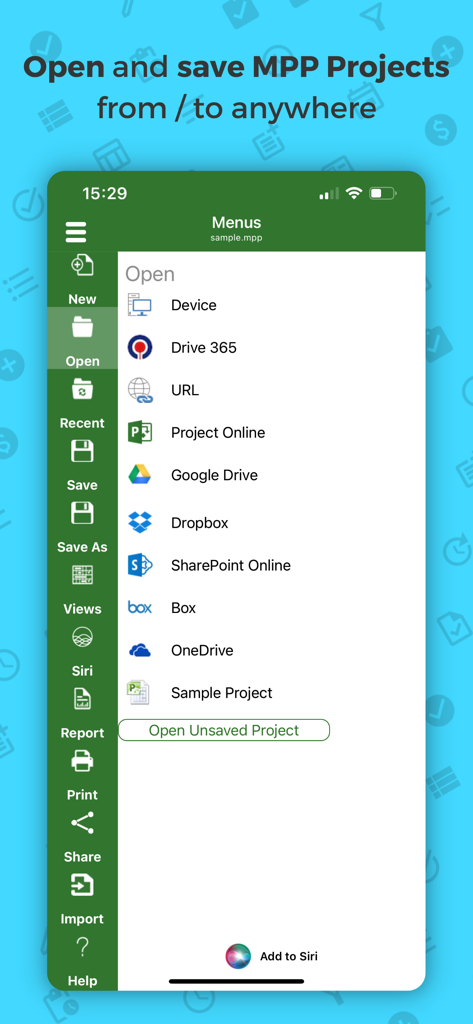
Project Plan 365 모바일 앱 인터페이스에 MPP 프로젝트 파일을 열거나 저장하기 위한 다양한 클라우드 스토리지 옵션 표시

Project Plan 365 모바일 앱 인터페이스에 MPP 프로젝트 파일을 열거나 저장하기 위한 다양한 클라우드 스토리지 옵션 표시

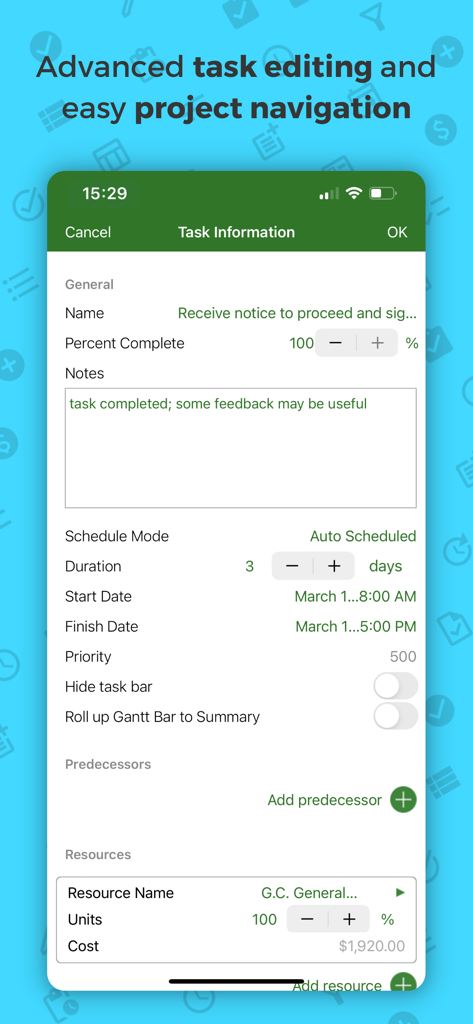
Project Plan 365 모바일 앱의 작업 정보 및 고급 편집 화면

Project Plan 365 모바일 앱의 작업 정보 및 고급 편집 화면

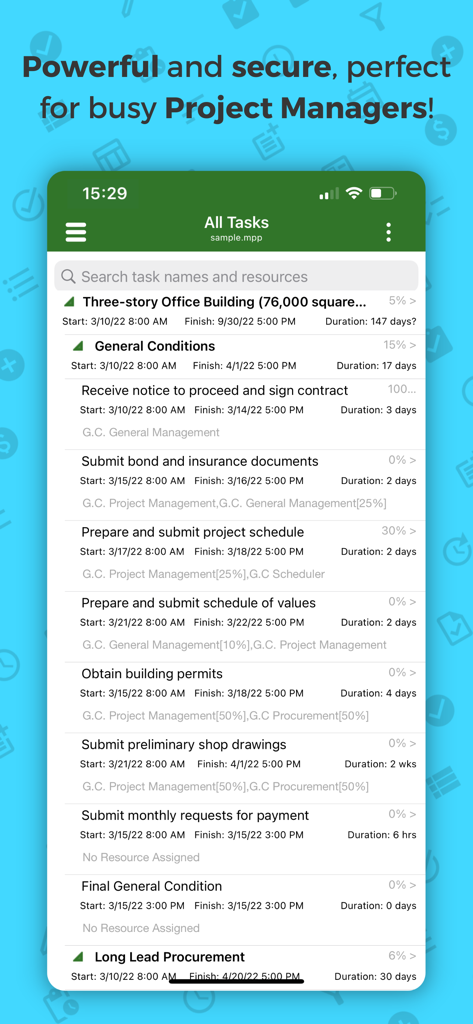
Project Plan 365 모바일 앱에 완료율 및 일정과 함께 자세한 프로젝트 작업 목록 표시

Project Plan 365 모바일 앱에 완료율 및 일정과 함께 자세한 프로젝트 작업 목록 표시

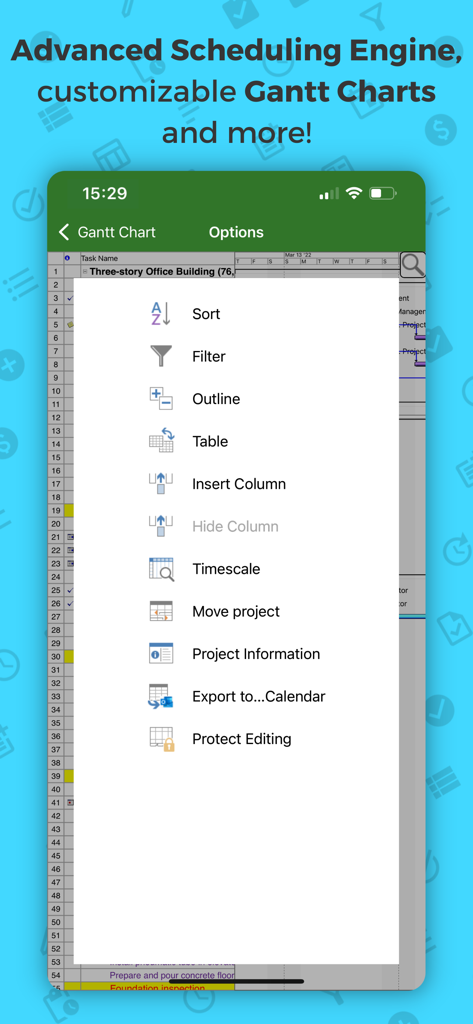
Project Plan 365의 고급 일정 옵션 및 Gantt 차트 메뉴

Project Plan 365의 고급 일정 옵션 및 Gantt 차트 메뉴

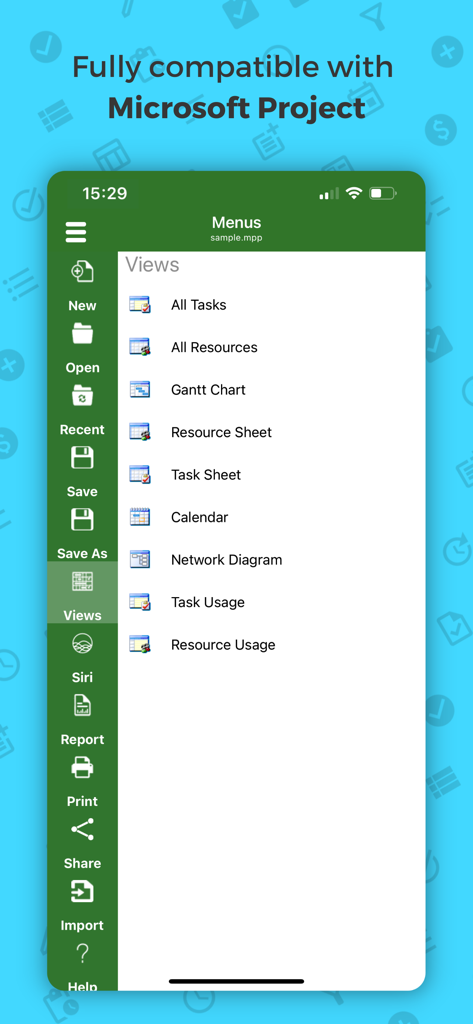
Project Plan 365 모바일 인터페이스에 Gantt 차트 및 네트워크 다이어그램을 포함한 프로젝트 관리 보기 메뉴 표시

Project Plan 365 모바일 인터페이스에 Gantt 차트 및 네트워크 다이어그램을 포함한 프로젝트 관리 보기 메뉴 표시

어디서든 데스크톱 수준의 프로젝트 관리

이 앱을 돋보이게 하는 도구, 136K+ 명의 사용자가 선택.

📂

완벽한 MPP 호환성

서식이나 중요한 프로젝트 데이터 손실 없이 Microsoft Project 파일(2003-2021)을 원활하게 열거나, 편집하거나, 저장하세요.

📊

고급 Gantt & 보고

전문 파워 유저에게 최적화된 Gantt 차트, 중요 경로 정보 및 리소스 사용량 보기를 사용하여 타임라인을 분석하세요.

☁️

원활한 클라우드 통합

OneDrive, SharePoint 또는 Dropbox를 통해 실시간으로 프로젝트를 동기화하여 현장과 사무실 간의 격차를 해소하세요.

전 세계 사용자들에게 사랑받는 앱

Trusted by 136K+ 명이 이 앱을 사랑합니다.

"

"건설 현장 책임자로서 저는 무거운 종이 두루마리나 배터리가 중간에 방전되는 노트북을 들고 다녀야 했습니다. Project Plan 365가 모든 것을 바꾸었습니다. 팀의 MPP 파일을 iPad에서 직접 열어 중요 경로를 확인하고 현장에서 바로 작업 상태를 업데이트할 수 있습니다. 사무실에서 사용하는 데스크톱 버전과 똑같지만 휴대성이 좋습니다."

Marcus T., 수석 현장 관리자
"

"기능이 제외되지 않은 iOS용 전문가 수준의 프로젝트 관리 도구를 찾는 것은 거의 불가능합니다. 이 앱은 정말 제대로 만들어졌습니다. 복잡한 리소스 사용량 차트와 네트워크 다이어그램을 완벽하게 처리합니다. OneDrive 및 SharePoint와의 원활한 통합 덕분에 PC에서 iPhone으로 이동할 때 아무런 문제 없이 작업할 수 있습니다. 생산성 향상에 가치가 있습니다."

Elena R., IT 프로젝트 컨설턴트

앱 소개

에 대해 알아야 할 모든 것 Project Plan 365.

설명

Now Microsoft Project Plans (MPP) look better than ever on your IOS device! Project Plan 365 is an intuitive solution for project planning and project collaboration perfect for individual Project Managers and/or small teams working in fast-paced collaborative environments which may be across disparate geographic locations. Project Plan 365 looks and feels exactly like MS Project- you may think about PP365 as Microsoft Project for iPad/iPhone or MS Project for the Cloud! Project Plan 365 provides support for all MS Project standard views like Gantt Chart, Task Sheet, Network Diagram, Project Calendar, Task Usage, Resource Usage, Team Planner, etc. Project Plan 365 provides critical path info and all standard project reports, filters, time scale and other like MS Project sophisticated features. You can open and view MPP files from any cloud storage location like DropBox, OneDrive, Google Drive, Box, and SharePoint Online or from your local device Project Plan 365 is compatible with Microsoft Project (MPP file format) 2016, 2013, 2010, 2007, 2003 and earlier versions. The interface is intuitive making Project Viewer simple for the end users. In-App Option: Create New/Edit and Save in MPP File Format Create new Gantt Charts in MS Project MPP compatible formats or modify existing project schedules in the same intuitive way as Microsoft Project. Save and Share your plans (MPP files) from any storage or cloud location on any IOS device. Works with, or as an alternative to Microsoft Project. Try Project Plan 365 with full functionalities free for 1 month! Project Plan 365 subscription is offered on a yearly (1 year) basis for a price of $129.99 USD per year and works on any supported platform and devices. Purchase Project Plan 365 subscription once, use on all supported devices and platforms. Payment will be charged to iTunes Account at confirmation of purchase Subscription automatically renews unless auto-renew is turned off at least 24-hours before the end of the current period Account will be charged for renewal within 24-hours prior to the end of the current period, and identify the cost of the renewal Subscriptions may be managed by the user and auto-renewal may be turned off by going to the user's Account Settings after purchase No cancellation of the current subscription is allowed during active subscription period Terms and Conditions: https://www.projectplan365.com/about/terms.html Privacy Policy: https://www.projectplan365.com/about/privacy.html

최신 버전

25.14

크기

94.3 MB

출시일

2013년 11월 18일

MS Project의 강력한 기능을 iPad & iPhone으로 가져오세요

익숙한 인터페이스로 MPP 파일을 열거나, 편집하거나, 공유하세요. 지금 30일 무료 평가판을 시작하고 사무실이나 현장에서 복잡한 프로젝트 일정을 관리하세요.

다운로드: App Store