Kino - Pro Video Camera

Kino - Pro Video Camera

다운로드: App Store
Spark by MWM logo
로고: Kino - Pro Video Camera
Kino — 시네마틱 비디오, 즉시 완성

전문가 수준의 색상 사전 설정과 부드러운 AutoMotion으로 iPhone에 영화 같은 느낌을 더하세요. 현대적인 크리에이터를 위해 설계된 카메라 앱으로 멋진 영상을 촬영, 보정, 공유하세요. 편집이 필요 없습니다.

개발사

Lux Optics Incorporated

카테고리

Photo & Video

다운로드

194K+

사용자 평점

4.8/5

총 평가 수

4K+

지원 언어

12

주머니 속 시네마

이 인터페이스를 사용하는 194K+ 명의 사용자.

Kino 앱 인터페이스가 표시된 iPhone 화면, 시네마틱 색상 사전 설정 및 즉석 비디오 보정을 위한 노란색 적용 버튼이 있습니다.

Kino 앱 인터페이스가 표시된 iPhone 화면, 시네마틱 색상 사전 설정 및 즉석 비디오 보정을 위한 노란색 적용 버튼이 있습니다.

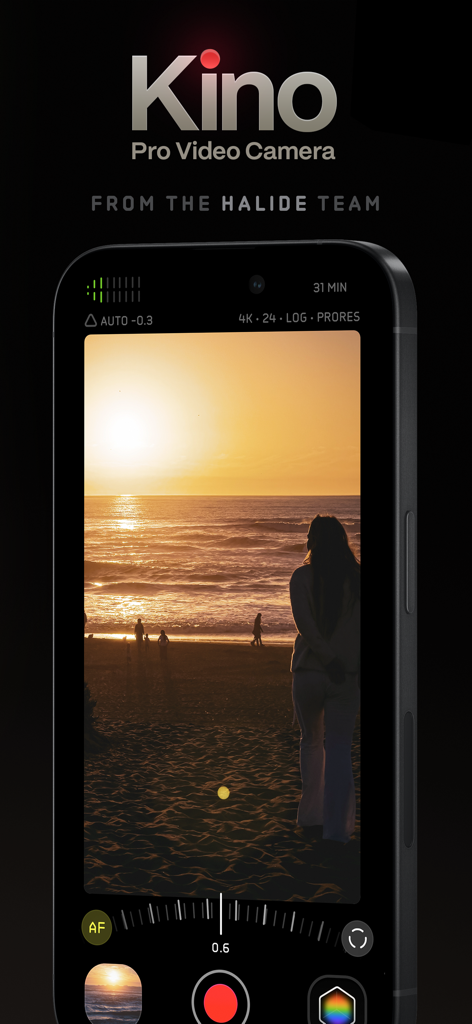
시네마틱 일몰 녹화를 특징으로 하는 iPhone의 Kino Pro Video Camera 앱 인터페이스

시네마틱 일몰 녹화를 특징으로 하는 iPhone의 Kino Pro Video Camera 앱 인터페이스

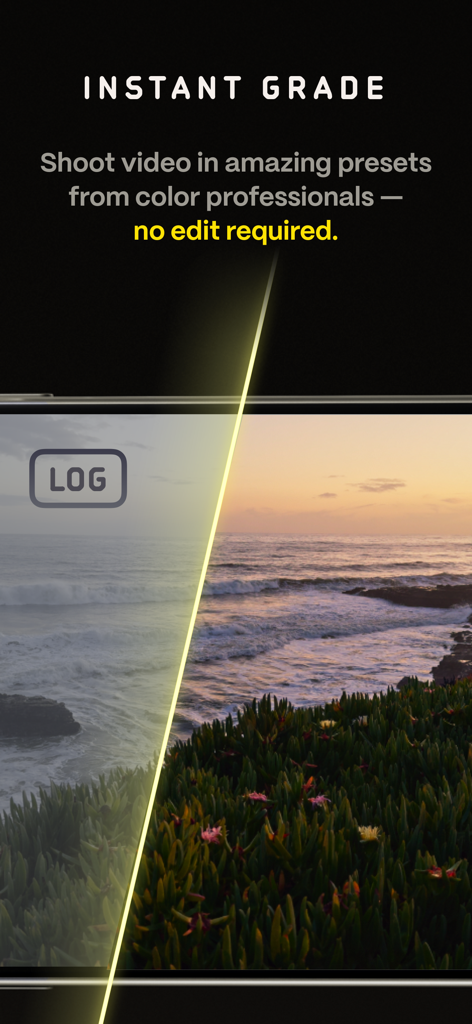
Kino 비디오 앱에서 원본 로그 푸티지와 전문가 색 보정의 분할 화면 비교

Kino 비디오 앱에서 원본 로그 푸티지와 전문가 색 보정의 분할 화면 비교

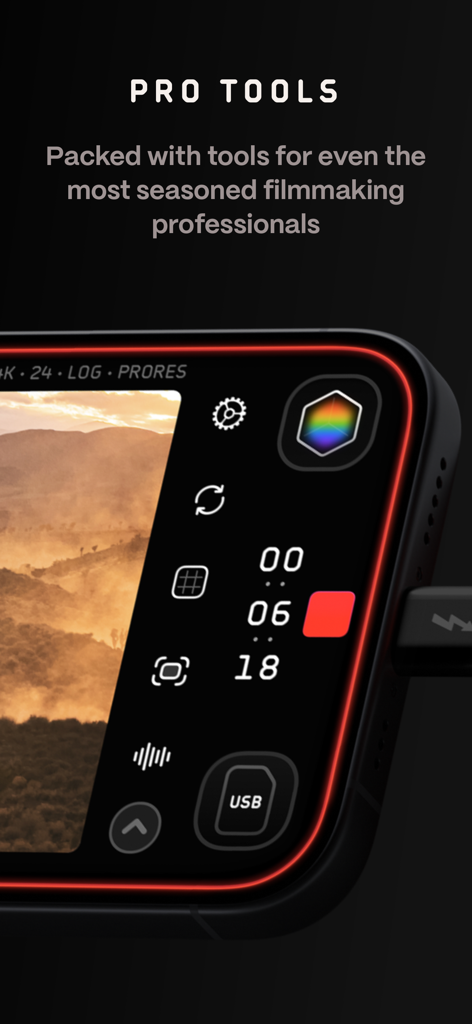
수동 제어 및 녹화 설정을 보여주는 Kino 프로 비디오 카메라 앱 인터페이스의 클로즈업

수동 제어 및 녹화 설정을 보여주는 Kino 프로 비디오 카메라 앱 인터페이스의 클로즈업

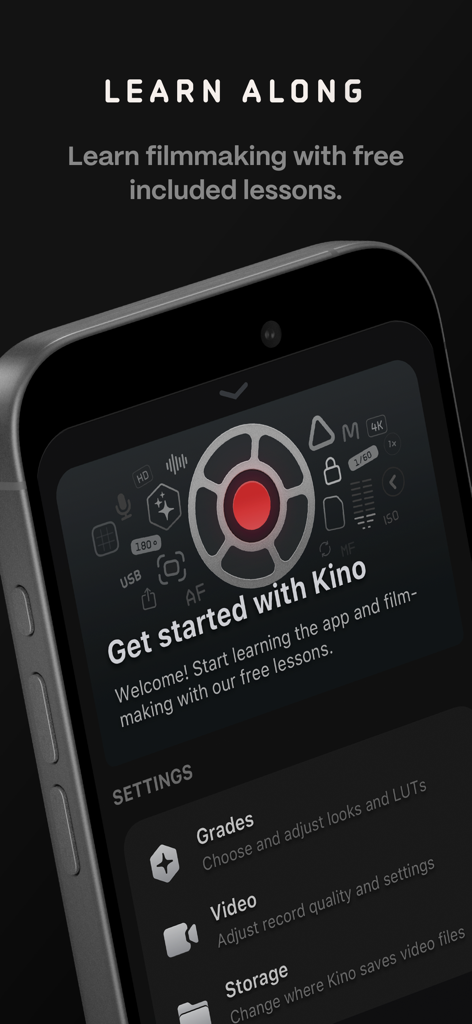
무료 영화 제작 강의 및 카메라 설정이 포함된 Kino 앱 온보딩 화면

무료 영화 제작 강의 및 카메라 설정이 포함된 Kino 앱 온보딩 화면

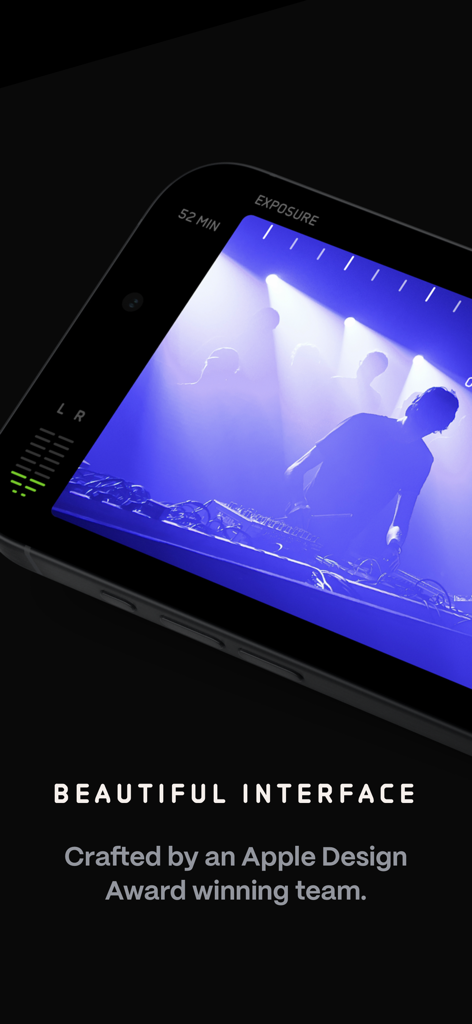
전문적인 노출 및 오디오 미터와 함께 시네마틱 녹화 세션을 보여주는 Kino 프로 비디오 카메라 앱 인터페이스의 클로즈업

전문적인 노출 및 오디오 미터와 함께 시네마틱 녹화 세션을 보여주는 Kino 프로 비디오 카메라 앱 인터페이스의 클로즈업

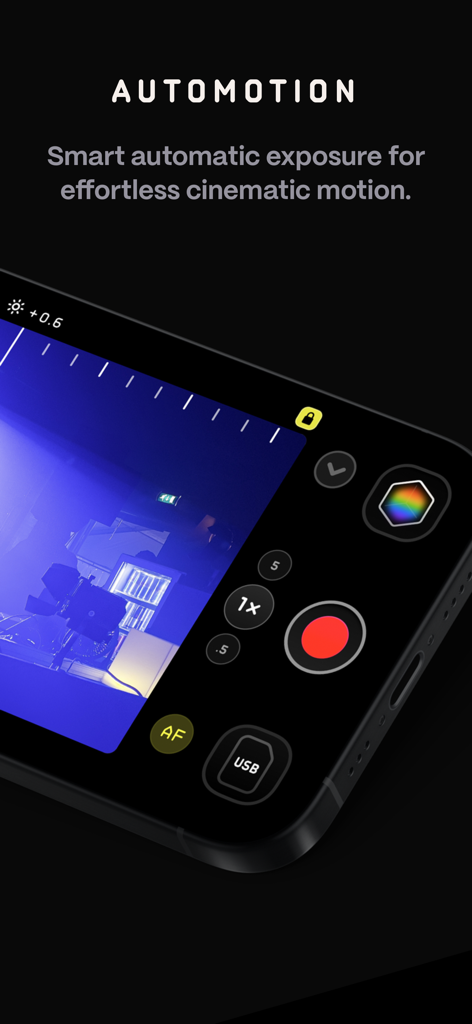
시네마틱 모션을 위한 Kino Pro Video Camera 앱의 AutoMotion 기능

시네마틱 모션을 위한 Kino Pro Video Camera 앱의 AutoMotion 기능

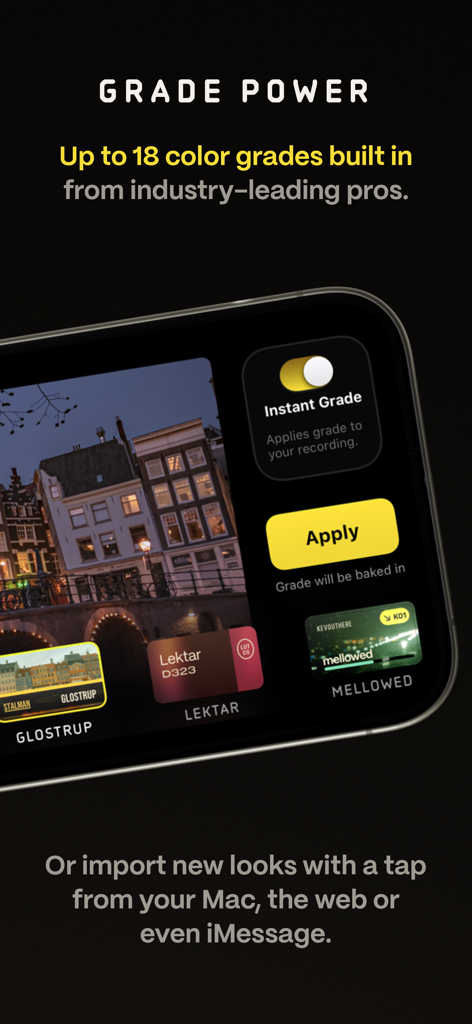
Kino 비디오 카메라 앱이 전문가 색 보정 사전 설정 및 즉석 보정 옵션을 표시하고 있습니다.

Kino 비디오 카메라 앱이 전문가 색 보정 사전 설정 및 즉석 보정 옵션을 표시하고 있습니다.

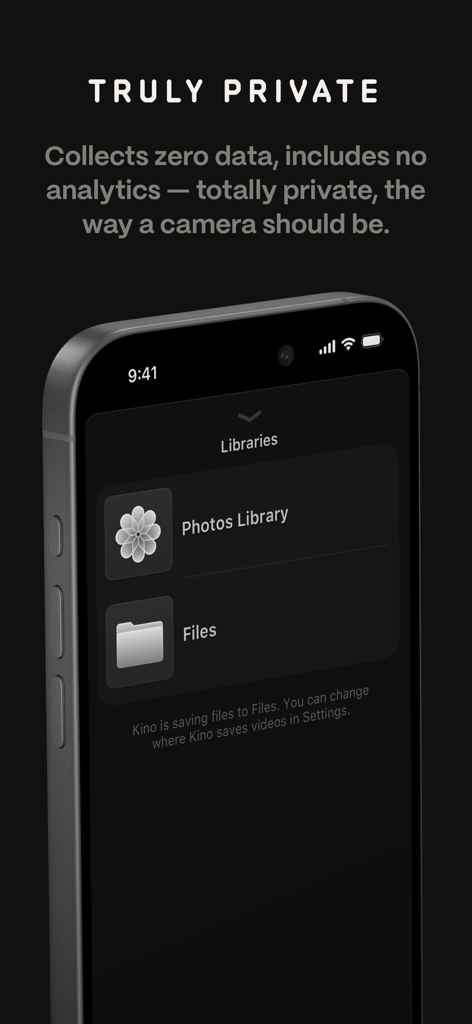
Kino 앱 화면에 개인 정보 보호 정책 및 파일 라이브러리 저장 옵션이 표시됩니다.

Kino 앱 화면에 개인 정보 보호 정책 및 파일 라이브러리 저장 옵션이 표시됩니다.

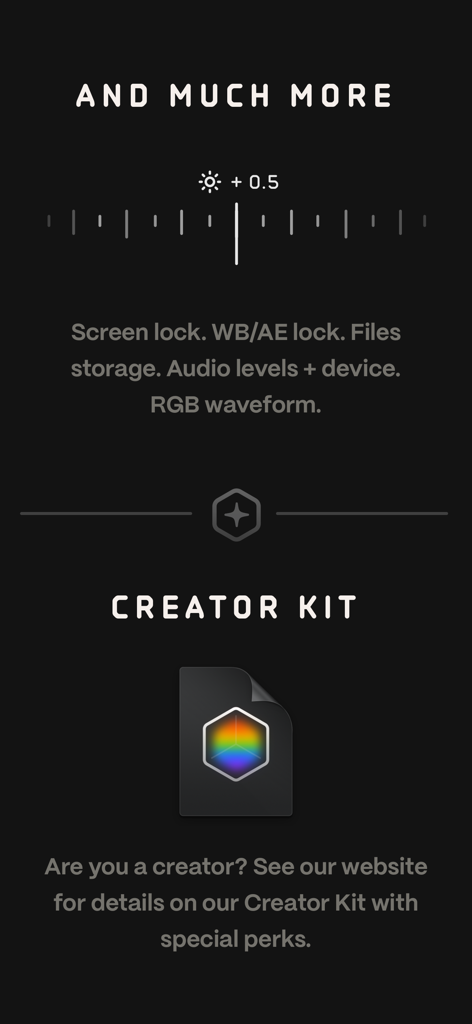
RGB 파형 및 오디오 레벨과 같은 프로 도구를 강조 표시하는 Kino 앱 인터페이스 스크린샷과 영화 제작자를 위한 크리에이터 키트에 대한 정보

RGB 파형 및 오디오 레벨과 같은 프로 도구를 강조 표시하는 Kino 앱 인터페이스 스크린샷과 영화 제작자를 위한 크리에이터 키트에 대한 정보

시네마틱 영상미, 즉시 포착

이 앱을 돋보이게 하는 도구, 194K+ 명의 사용자가 선택.

🎨

즉각적인 전문가 색 보정

편집 부스를 건너뛰세요. 녹화 중에 전문가가 만든 LUT를 적용하여 녹화가 끝나자마자 완벽한 영화 느낌을 얻고 소셜 미디어에 즉시 공유하세요.

🎬

손쉬운 시네마틱 모션

180도 셔터 효과를 자동으로 구현하세요. AutoMotion 기술이 복잡한 계산을 처리하여 영상이 부드럽고 시네마틱하게 유지됩니다.

⚙️

전문가 수준의 제어, 단순한 디자인

아름답고 미니멀한 인터페이스를 통해 수동 노출, 초점 피킹, RGB 파형에 액세스하세요. 전문가 수준의 정확성이 손끝에서 바로 구현됩니다.

전 세계 사용자들에게 사랑받는 앱

Trusted by 194K+ 명이 이 앱을 사랑합니다.

"

"Kino는 제 브랜드 콘텐츠 촬영 방식을 완전히 바꿔 놓았습니다. 즉석 색 보정 기능 덕분에 편집 없이 바로 시네마틱 영상을 촬영하고 Reels에 게시할 수 있습니다. 마치 주머니 속에 전문가 색 보정가가 있는 것 같아요."

Sarah Jenkins
"

"취미 영화 제작자로서 AutoMotion은 게임 체인저입니다. 복잡한 계산 없이 iPhone에서 마침내 부드러운 180도 셔터 효과를 얻을 수 있습니다. 인터페이스도 훌륭하고 개인 정보 보호에 중점을 둔 점도 큰 장점입니다."

David Chen

앱 소개

에 대해 알아야 할 모든 것 Kino - Pro Video Camera.

설명

Make great video easy! Kino lets you just press record and create cinematic video with color presets created by expert filmmakers—no edit required. Plus, with “AutoMotion,” the app automatically creates that smooth "film look" you see at the movies. Shoot great video with no film school required. Are you an experienced filmmaker? Kino includes all the features you need to shoot like a Pro, such as a full manual mode, focus peaking, color waveform, audio meters, and more. If you’re experienced in color, you can import LUTs quickly and use the same powerful Instant Grade feature to output video with baked in LUTs. Regardless of your skill level, Kino adapts to your needs. Pick your experience level when setting up the app to dial things in your way or go with recommended, simple settings. The beautiful, simple interface shows only essential things, while keeping powerful features under thumb’s reach. INSTANT GRADE Kino comes packed with pro color presets by experts like Stu Maschwitz, Sandwich Video, Evan Schneider, Tyler Stalman and Kevin Ong. With one tap, you can shoot video with cinematic, film-like color by selecting a Grade preset. With Instant Grade, you don’t have to apply it later or do any editing steps: Kino just saves the processed video for you, ready to share. LEARN ALONG Getting started with video? The Kino team has a free series of lessons prepared you can dive into right away to learn filmmaking with the app. Start out with our simple recommended settings and enroll in a lesson plan to get lessons emailed to you that are easy to follow and let you unlock every feature of the app to use for making better videos. PRO TOOLS Kino’s simple interface does not mean it lacks in powerful pro tools. Start out with automatic exposure with EV adjustment and AE and WB lock, or drop into full manual mode with shutter speed, angle and ISO adjustment. Compose a shot with the grid with built in level, check exposure with the RGB waveform, and pull focus with focus peaking. Kino can store your recordings in Files instead of Photos for better and easy shot management, and even features a screen lock to prevent inadvertent taps messing up your shot. Set custom recording settings (like 4K 60FPS Apple Log ProRes422HQ on iPhone 15 Pro) or get started with presets for flexibiltiy. BEAUTIFUL INTERFACE Thoughtful touches are abound in Kino: from a screen-wide telltale ring to show you are recording, to beautiful custom typography throughout with our own bespoke fonts, Kino balances beauty and simplicity with flexibility and control for users of any skill level. AUTOMOTION Get cinematic motion like in feature films. Introducing: AutoMotion. Kino biases exposure towards a 180° shutter speed by default. If you land in this sweet spot, and available light supports it, the ‘Auto’ label turns green — showing you are in the sweet spot for great cinematic motion. Bright day out? Pop an ND filter on your iPhone and don’t worry about adjusting manual settings: Kino will take care of prioritizing shutter angle so you can just shoot and get great results. LUT FRIENDLY One of the powerful aspects of Kino is being able to download new looks from your favorite creators or your own making. Author .cube LUT files in Pixelmator Pro, Davinci Resolve, or other apps (up to 33x33) and open them in Kino with a tap. TRULY PRIVATE None of our apps gather or collect data, or analyze your videos and photos. We believe the most important thing a camera can be is private. CREATOR SPECIAL Are you a creator or filmmaker and want to get started with or love using Kino? Get in touch with us to get our ‘Creator Kit’: see the Kino website for more details. When sharing your work, tag it #shotwithkino so we can feature it online. Thanks for making it this far! Kino is made by friends — Ben Sandofsky and Sebastiaan de With, with the help of Katie-Rose Summerfield and Doug Broussard. We made this app with love and care and we hope you love it.

최신 버전

1.3.2

크기

51.0 MB

출시일

2024년 5월 29일

당신의 iPhone, 이제 프로 시네마 카메라로

기본적인 모바일 비디오에 만족하지 마세요. 품질, 단순성, 개인 정보 보호를 중요하게 생각하는 크리에이터를 위해 설계된 앱으로 즉각적인 색 보정과 시네마틱 모션을 경험하세요.

다운로드: App Store
FAQ

자주 묻는 질문

에 대해 알아야 할 모든 것 Kino - Pro Video Camera

Kino - Pro Video Camera는 무엇인가요?

Kino - Pro Video Camera는 편집 없이 컬러 프리셋과 부드러운 모션으로 영화 같은 영상을 녹화할 수 있는 앱입니다. 모든 기술 수준에 맞게 간단하고 전문적인 도구를 제공합니다.

Kino - Pro Video Camera에는 숙련된 영화 제작자를 위한 고급 수동 제어 기능이 포함되어 있나요?

네, Kino는 셔터 속도, 각도, ISO 조절, 포커스 피킹, 컬러 웨이브폼 및 오디오 미터를 포함한 전체 수동 모드를 제공합니다. 사용자는 LUT를 가져와 Instant Grade 기능도 사용할 수 있습니다.

Kino - Pro Video Camera의 AutoMotion 기능은 어떻게 영화적인 느낌을 만드나요?

Kino의 AutoMotion은 영화적인 '스위트 스팟'인 180° 셔터 속도를 향해 노출을 편향시킵니다. 부드럽고 영화 같은 모션을 달성하기 위해 셔터 각도를 자동으로 우선시합니다.

사용자는 Kino - Pro Video Camera에 사용자 정의 LUT를 가져올 수 있나요?

네, Kino는 Pixelmator Pro 또는 Davinci Resolve와 같은 앱에서 사용자 정의 .cube LUT 파일을 가져오는 것을 지원합니다. 사용자는 탭 한 번으로 Kino에서 이 파일을 열 수 있습니다.

Kino - Pro Video Camera는 사용자 데이터나 분석 정보를 수집하나요?

아니요, Kino - Pro Video Camera는 데이터를 전혀 수집하지 않고, 정보를 수집하지 않으며, 분석 정보가 포함되어 있지 않다고 명시합니다. 이 앱은 사용자 개인 정보를 강조합니다.

Kino - Pro Video Camera의 Instant Grade 기능은 무엇인가요?

Instant Grade를 사용하면 사용자는 전문가가 만든 프리셋을 사용하여 영화처럼 영화 같은 색상의 비디오를 촬영할 수 있습니다. Kino는 캡처 후 편집이 필요 없도록 처리된 비디오를 직접 저장합니다.

Kino - Pro Video Camera는 녹화물을 Apple의 Files 앱에 저장할 수 있나요?

네, Kino는 Photos 대신 Files 앱에 녹화물을 저장할 수 있습니다. 이는 사용자에게 더 나은, 더 쉬운 촬영 관리를 제공합니다.

Kino - Pro Video Camera는 신규 사용자를 위한 학습 자료를 제공하나요?

네, Kino 팀은 앱으로 영화 제작을 배우는 데 도움이 되는 무료 교육 시리즈를 제공합니다. 사용자는 쉬운 강의를 받기 위해 강의 계획에 등록할 수 있습니다.

Kino - Pro Video Camera 앱은 누가 개발했나요?

Kino - Pro Video Camera는 Ben Sandofsky와 Sebastiaan de With가 Katie-Rose Summerfield와 Doug Broussard의 도움을 받아 개발했습니다. Halide 팀에서 제작했습니다.