Magnetscape

Magnetscape

다운로드: App Store
Spark by MWM logo
로고: Magnetscape

Magnetscape: 전문가 수준의 자기장 시각화 및 FFT 분석

iPhone을 고정밀 자력계로 바꿔보세요. 실시간 RAW 센서 데이터를 모니터링하고, 주파수 분석을 수행하며, 과학적 정확도로 보이지 않는 자기장을 시각화합니다.

다운로드: App Store

개발사

TOON,LLC

카테고리

Utilities

다운로드

6K+

사용자 평점

1.0/5

총 평가 수

0

지원 언어

1

보이지 않는 것의 시각화

이 인터페이스를 사용하는 6K+ 명의 사용자.

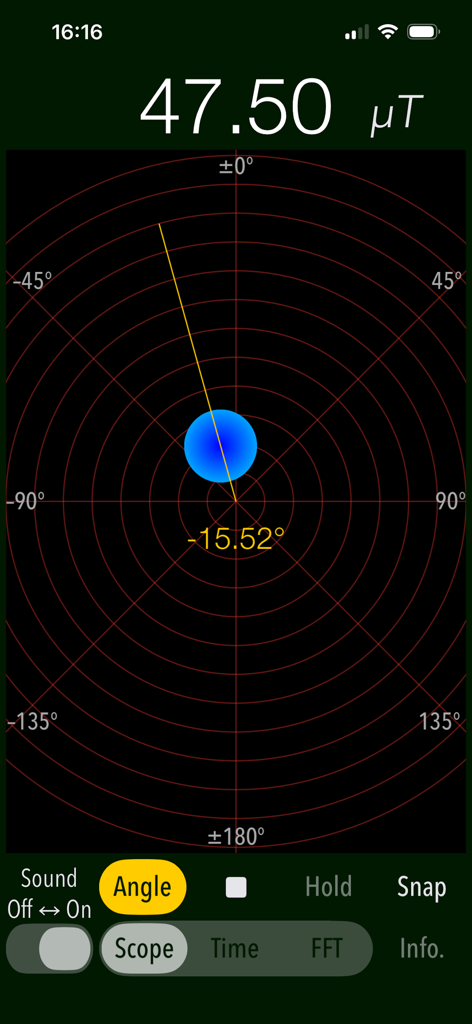
Magnetscape 앱 스크린샷, Scope 모드에서 자기장 강도와 각도를 보여줌

Magnetscape 앱 스크린샷, Scope 모드에서 자기장 강도와 각도를 보여줌

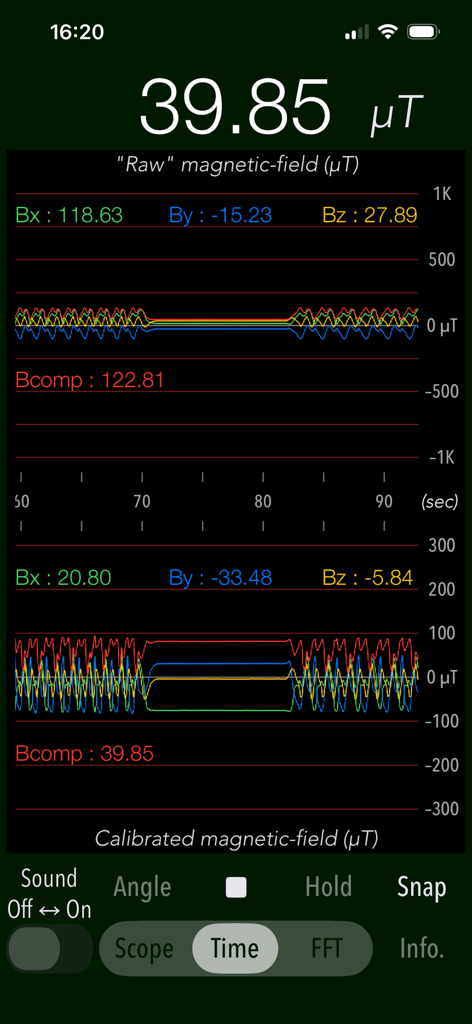
Magnetscape 앱 Time 모드, RAW 및 보정된 자기장 그래프 표시

Magnetscape 앱 Time 모드, RAW 및 보정된 자기장 그래프 표시

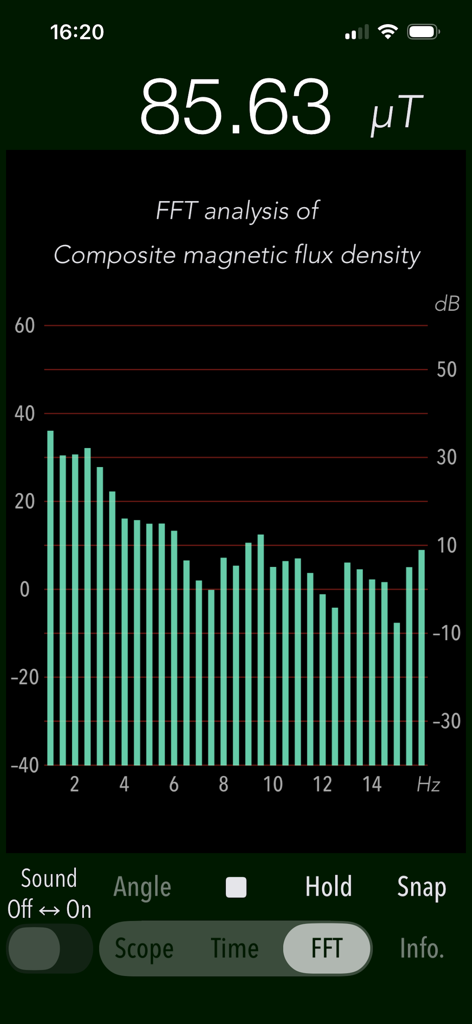
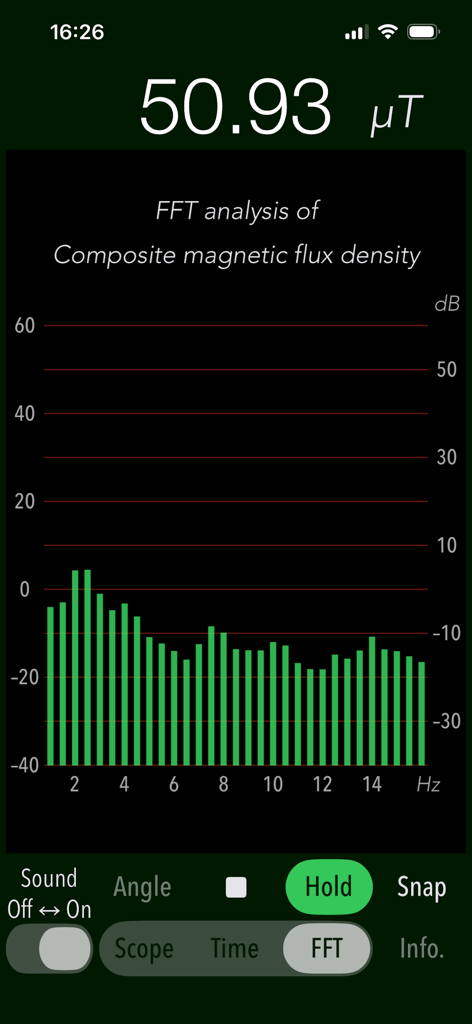
Magnetscape 앱 화면, 자기장의 FFT 주파수 분석 표시

Magnetscape 앱 화면, 자기장의 FFT 주파수 분석 표시

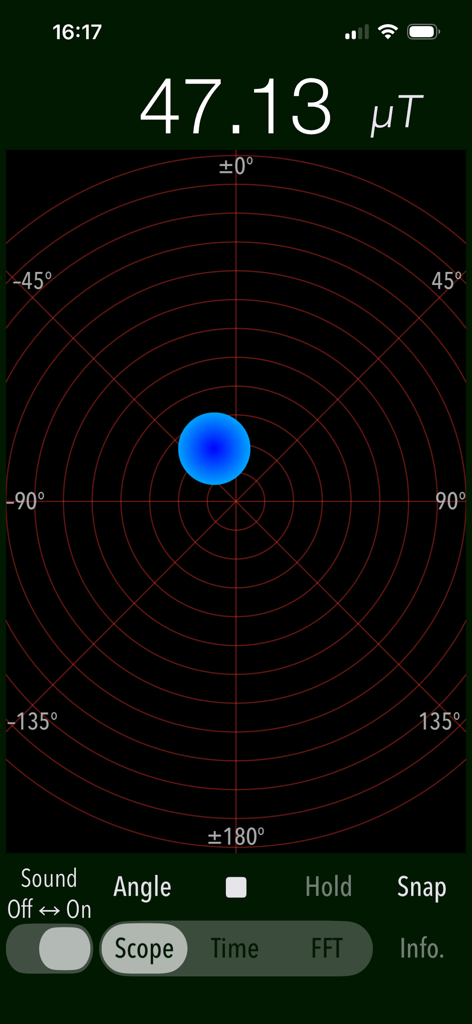
Magnetscape 앱 스코프 화면, 레이더와 유사한 그리드에 47.13 마이크로테슬라의 자기 선속 밀도 표시

Magnetscape 앱 스코프 화면, 레이더와 유사한 그리드에 47.13 마이크로테슬라의 자기 선속 밀도 표시

Magnetscape 앱 화면, 자기장 주파수 데이터의 FFT 분석 표시

Magnetscape 앱 화면, 자기장 주파수 데이터의 FFT 분석 표시

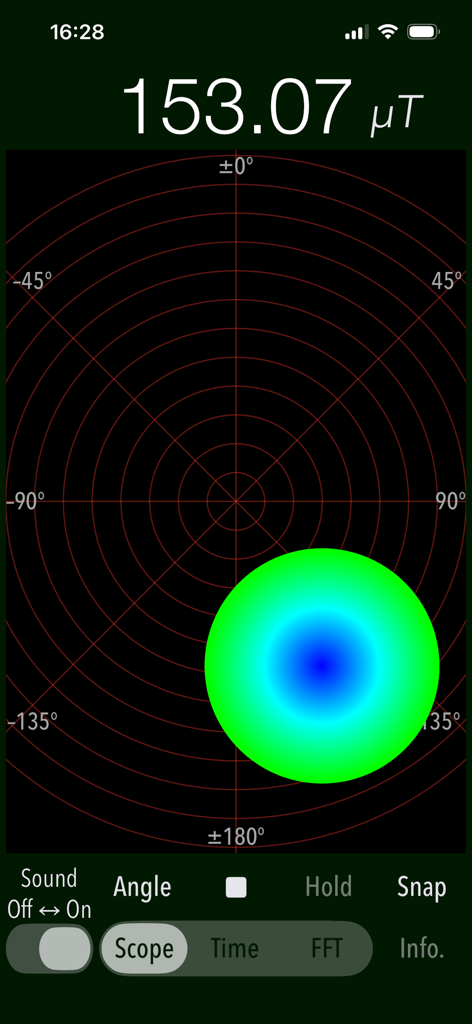
Magnetscape 앱 스코프 모드, 153.07 마이크로테슬라의 자기장 측정값과 원형 그래픽 표시기 표시

Magnetscape 앱 스코프 모드, 153.07 마이크로테슬라의 자기장 측정값과 원형 그래픽 표시기 표시

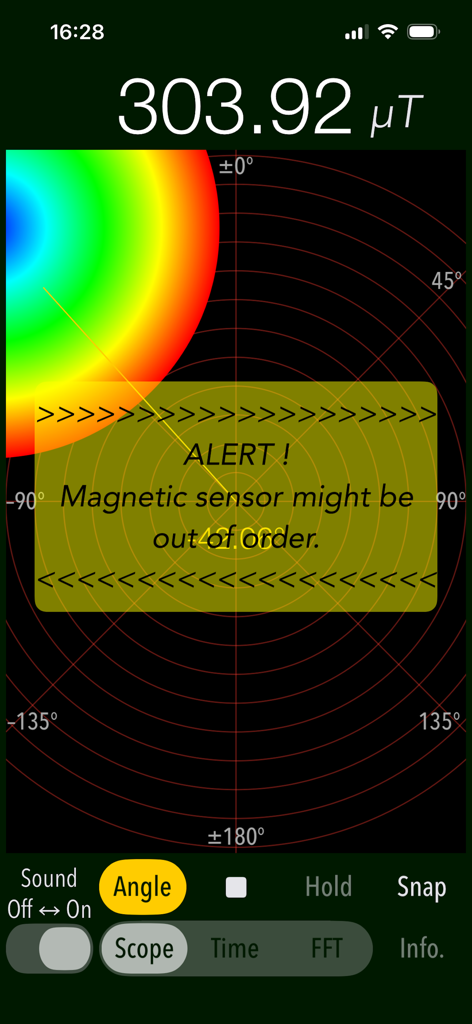
Magnetscape 앱, Scope 모드에서 자기장 센서 경고 및 높은 마이크로테슬라 판독값 표시

Magnetscape 앱, Scope 모드에서 자기장 센서 경고 및 높은 마이크로테슬라 판독값 표시

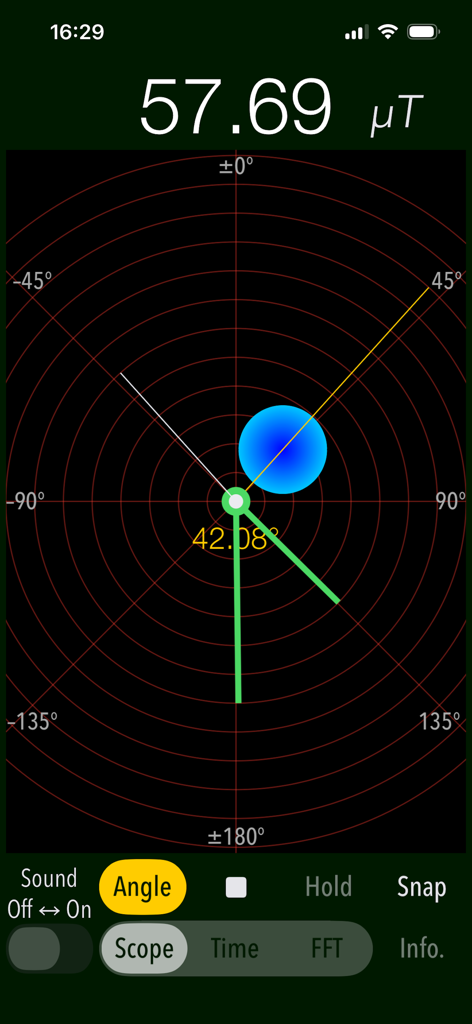
Magnetscape 앱 Scope 모드 인터페이스, 실시간 자기장 강도 및 방향 표시

Magnetscape 앱 Scope 모드 인터페이스, 실시간 자기장 강도 및 방향 표시

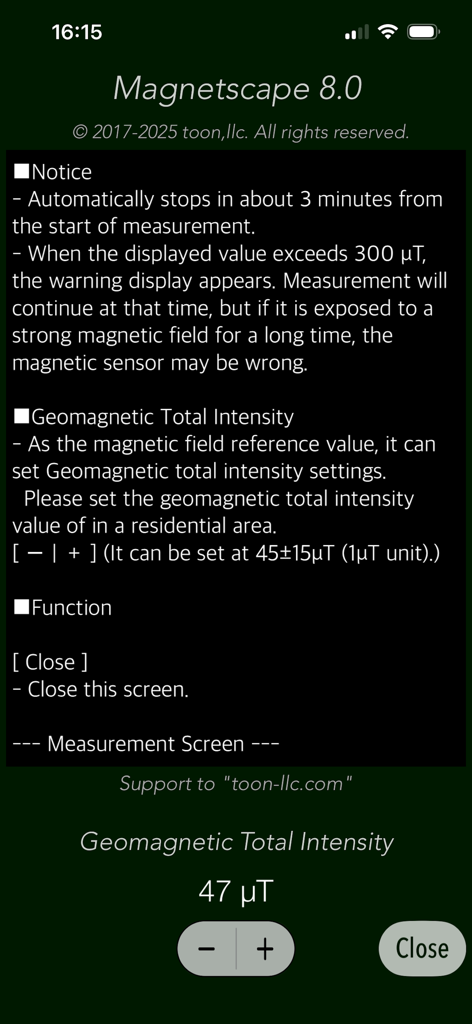
Magnetscape 앱 설정 화면, 지자기 강도 보정 및 측정 공지 표시

Magnetscape 앱 설정 화면, 지자기 강도 보정 및 측정 공지 표시

주변의 보이지 않는 세계 시각화

이 앱을 돋보이게 하는 도구, 6K+ 명의 사용자가 선택.

🎯

실시간 자기장 매핑

Scope Mode로 필드를 즉시 탐색하세요. 신속한 식별을 위해 설계된 직관적인 그래픽 인터페이스를 통해 자기장의 크기, 방향 및 극성을 시각화합니다.

📊

전문 주파수 분석

기본 감지를 넘어 FFT 분석을 수행하세요. 특정 전자기 간섭(EMI)을 식별하고 32Hz 고주파 샘플링으로 RAW Bx, By 및 Bz 데이터 스트림을 모니터링합니다.

🛡️

정밀 감지 및 경고

숨겨진 금속 스터드, 파이프 또는 이상을 쉽게 찾아내세요. 300 μT를 초과하는 필드에 대한 사용자 지정 경고를 설정하고, 조사 중 최대 필드 강도를 캡처하기 위해 피크 홀드 기능을 사용하세요.

전 세계 사용자들에게 사랑받는 앱

Trusted by 6K+ 명이 이 앱을 사랑합니다.

"

"Magnetscape는 제 작업대에 필수적인 도구입니다. 데이터를 지나치게 단순화하는 다른 앱과 달리 FFT 분석 및 RAW 출력을 통해 전자기 간섭 소스를 몇 초 안에 정확하게 식별할 수 있습니다. 대부분의 작업에서 전용 휴대용 미터를 대체했습니다."

David L., 시스템 엔지니어
"

"Scope 모드의 시각적 인터페이스가 마음에 듭니다! 자기장의 극성과 강도를 이해하는 것을 매우 쉽게 만들어 줍니다. 숨겨진 금속 스터드를 확인하든, 단순히 제 기술 장비 주변의 필드가 궁금하든, 이 앱은 진정으로 인상적인 상세한 실시간 통찰력을 제공합니다."

Elena R., 기술 애호가

앱 소개

에 대해 알아야 할 모든 것 Magnetscape.

설명

"Magnetscape" is a new real-time measurement app that observes invisible magnetic fields using the iPhone's built-in magnetic sensor. There are various magnetic fields around us. For instance, the magnetic field fluctuates even when large motors, compressors or metal are nearby. The Earth's magnetic field exists even in empty places, and we are constantly affected by it. "Magnetscape" enables real-time monitoring of surrounding magnetic fields and can be utilized for various applications in real life. It can be used for investigating static magnetic fields, searching weak electromagnetic fields within alternating magnetic fields, locating metals and more. This app features three measurement modes for magnetic field observation, allowing you to use it according to your needs. - Scope Displays the magnitude and direction of the magnetic field graphically. The magnetic flux density of the magnetic field is expressed by the size and color of the graphic circle. The position of the graphic circle on the display moves according to the polarity of the magnetic source. The polarity is attracted to the N pole if it is in the same direction as the geomagnetic field. If it is the opposite (S pole), the polarity will be reversed away . If there is no metal or magnetic field nearby, it will be shifted in the direction of the geomagnetism (N pole). - Time Trace the raw data from the magnetic sensor and its corrected data. It is a time displacement graph of each axis value (Bx, By, and Bz) and the composite magnetic flux density (Bcomp) in three-dimensional space. You can scroll up to 180 seconds. - FFT Perform frequency analysis on the changing magnetic field. It displays the result of FFT analysis of the composite magnetic flux density. Horizontal axis: Frequency 1 - 16 Hz (0.5 Hz) Vertical axis: dB (ratio to default standard value 45 μT). Reference value can be set in units of 45 ± 15 μT / 1 μT. Features: - Graphical display of magnetic field observation by magnetic sensor (Scope) - Time displacement graph display of magnetic field observation (Time) - FFT analysis (FFT) - Magnetic field observation  X axis: Intensity (Bx) of the magnetic field of (the right direction toward the screen)  Y axis: Intensity (By) of the magnetic field of (upward toward the screen)  Z axis: Magnetic field strength (Bz) in the of (vertical upward direction of the screen)  Composite magnetic flux density: The magnetic field strength (Bcomp) taking into account all three components of the x-axis, y-axis and z-axis.  Sampling frequency: 32 Hz  Unit of observation value: uT - Measurement time: 3 minutes - Alert function: A warning message will be displayed if the composite magnetic flux density exceeds 300 μT. - Alert sound function. (Sound Off/On) - Peak hold function on FFT mode. - Angle display function in Scope mode (Angle) - Clock display function in Scope mode. Notes: - The display value of this application is the RAW output data from the magnetic sensor itself. It does not perform any processing such as filter processing within the application. - Since the magnetic sensor is a sensitive device, the internal reference value of the magnetic sensor may be disturbed if exposed to extremely strong magnets and magnetic fields for a long time. - If the reference value of the magnetic sensor becomes incorrect, the magnetic sensor will automatically readjust after you stop the application and leave it for a while. If the magnetic sensor remains unstable, please try the electronic compass calibration and reset procedure. Please visit our iOS App Support page for more information on this app.

최신 버전

8.0

크기

0.6 MB

출시일

2017년 4월 19일

전문가 수준의 자기장 통찰력 활용

수천 명의 전문가 및 애호가들과 함께 보이지 않는 세계를 시각화하세요. 지금 Magnetscape를 다운로드하여 RAW 센서 데이터, 실시간 FFT 분석 및 정밀 모니터링에 액세스하세요.

다운로드: App Store
FAQ

자주 묻는 질문

에 대해 알아야 할 모든 것 Magnetscape

Magnetscape는 무엇인가요?

Magnetscape는 보이지 않는 자기장을 실시간으로 측정하고 관찰할 수 있는 iPhone 애플리케이션입니다. 기기에 내장된 자기 센서를 활용하여 자기장의 크기와 방향을 표시합니다.

Magnetscape 앱은 어떻게 자기장을 측정하나요?

Magnetscape 앱은 iPhone에 내장된 자기 센서를 활용하여 자기장을 측정합니다. 내부 처리 없이 센서에서 직접 실시간 관찰 및 원시 출력 데이터를 표시합니다.

Magnetscape 앱에서 사용할 수 있는 주요 측정 모드는 무엇인가요?

Magnetscape 앱에는 Scope, Time, FFT의 세 가지 주요 측정 모드가 있습니다. 각 모드는 자기장을 관찰하고 분석하는 독특한 방법을 제공합니다.

Magnetscape 앱의 Scope 모드에서는 무엇을 표시하나요?

Magnetscape의 Scope 모드는 자기장의 크기와 방향을 그래픽으로 표시합니다. 그래픽 원의 크기와 색상은 자기 선속 밀도를 나타내고, 위치는 극성을 나타냅니다.

Magnetscape 앱의 Time 모드에서는 어떤 정보를 제공하나요?

Magnetscape의 Time 모드는 자기 센서의 원시 및 보정된 데이터를 추적합니다. 각 축(Bx, By, Bz) 및 복합 자기 선속 밀도(Bcomp)에 대한 시간 변위 그래프를 180초 동안 스크롤하여 표시합니다.

Magnetscape 앱의 FFT 모드는 어떤 목적으로 사용되나요?

Magnetscape의 FFT 모드는 변화하는 자기장에 대한 주파수 분석을 수행합니다. 복합 자기 선속 밀도의 고속 푸리에 변환 분석 결과를 표시합니다.

Magnetscape 앱은 강한 자기장에 대한 경고를 제공하나요?

예, Magnetscape에는 경고 기능이 포함되어 있습니다. 복합 자기 선속 밀도가 300 μT를 초과하면 경고 메시지가 표시되며, 경고음은 켜거나 끌 수 있습니다.

Magnetscape에서 관찰 값의 단위는 무엇인가요?

Magnetscape 앱 내 자기장의 관찰 값 단위는 마이크로테슬라(μT)입니다. 이 단위는 자기 선속 밀도를 측정합니다.

Magnetscape의 최대 측정 시간은 얼마인가요?

Magnetscape 앱의 최대 측정 시간은 3분입니다. 측정 시작 후 이 시간이 지나면 자동으로 관찰이 중지됩니다.

Magnetscape 앱은 자기 센서 데이터를 처리하나요?

아니요, Magnetscape는 애플리케이션 내에서 필터 처리와 같은 어떠한 처리도 수행하지 않습니다. 자기 센서 자체의 원시 출력 데이터만 표시합니다.

Magnetscape를 사용할 때 강한 자기장이 iPhone의 센서에 영향을 줄 수 있나요?

예, Magnetscape를 사용할 때 강한 자기장이 iPhone의 자기 센서에 영향을 줄 수 있습니다. 매우 강한 자석에 장기간 노출되면 센서의 내부 참조 값이 왜곡될 수 있습니다.

Magnetscape 사용 후 왜곡된 자기 센서는 어떻게 재조정할 수 있나요?

왜곡된 자기 센서는 Magnetscape 앱을 중지하고 잠시 두면 자동으로 재조정됩니다. 불안정함이 지속되면 전자 나침반 보정 및 재설정 절차를 시도해 볼 수 있습니다.