Microsoft Excel

Microsoft Excel

다운로드: App Store다운로드: Google Play
Spark by MWM logo
로고: Microsoft Excel

Microsoft Excel: 주머니 속 세계에서 가장 신뢰받는 스프레드시트

어디서든 데이터를 인사이트로 전환하세요. 비즈니스 예산을 관리하든 글로벌 프로젝트를 관리하든 AI의 강력한 기능과 원활한 멀티 디바이스 동기화를 통해 생성, 편집, 분석하세요.

개발사

Microsoft Corporation

카테고리

Productivity

다운로드

160M+

사용자 평점

4.7/5

총 평가 수

6M+

지원 언어

33

손끝에서 펼쳐지는 정밀함

이 인터페이스를 사용하는 160M+ 명의 사용자.

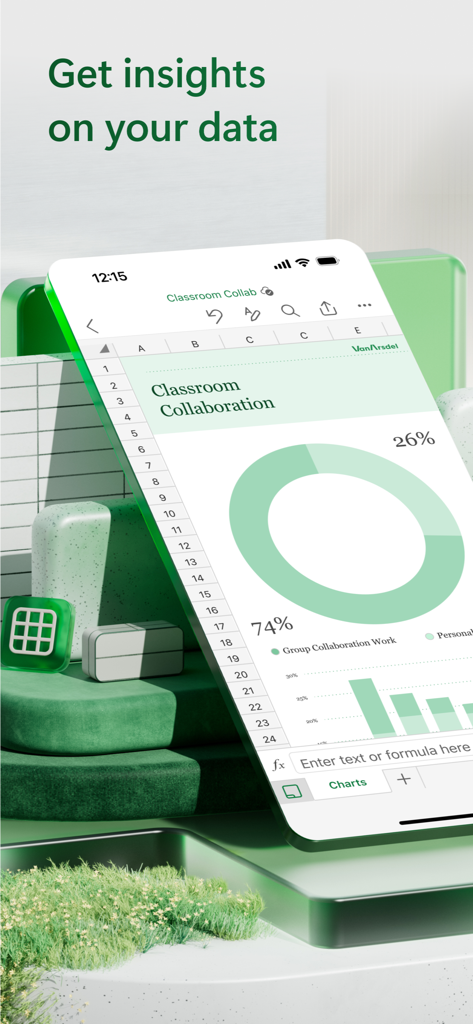
Microsoft Excel 모바일 앱이 iPhone에서 도넛 차트와 막대 그래프가 있는 스프레드시트를 보여줍니다.

Microsoft Excel 모바일 앱이 iPhone에서 도넛 차트와 막대 그래프가 있는 스프레드시트를 보여줍니다.

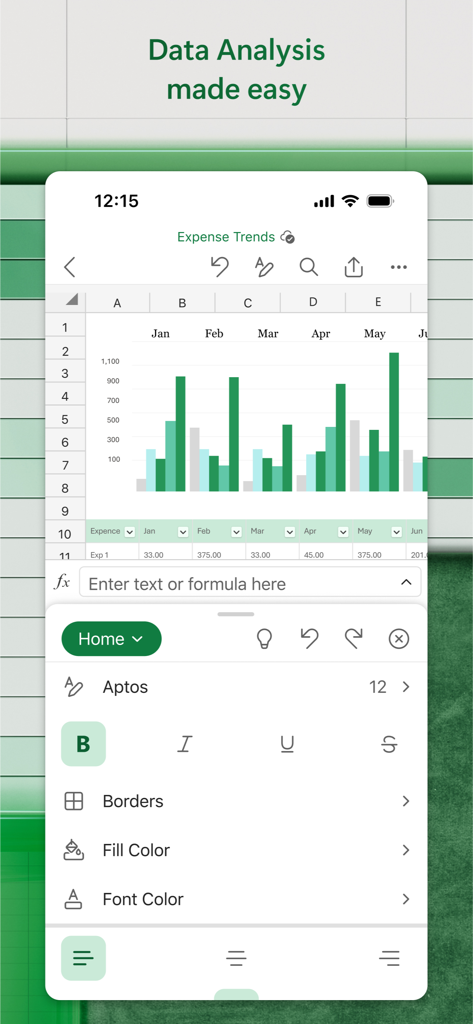
Microsoft Excel 모바일 인터페이스가 지출 추세를 위한 막대 차트와 데이터 편집 도구를 보여줍니다.

Microsoft Excel 모바일 인터페이스가 지출 추세를 위한 막대 차트와 데이터 편집 도구를 보여줍니다.

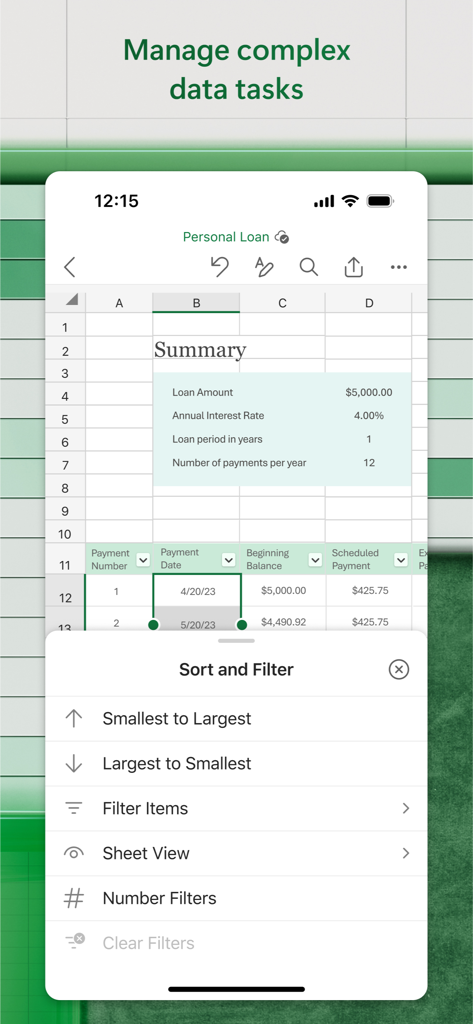
Microsoft Excel 모바일 앱 인터페이스가 정렬 및 필터 옵션이 열린 개인 대출 스프레드시트를 보여줍니다.

Microsoft Excel 모바일 앱 인터페이스가 정렬 및 필터 옵션이 열린 개인 대출 스프레드시트를 보여줍니다.

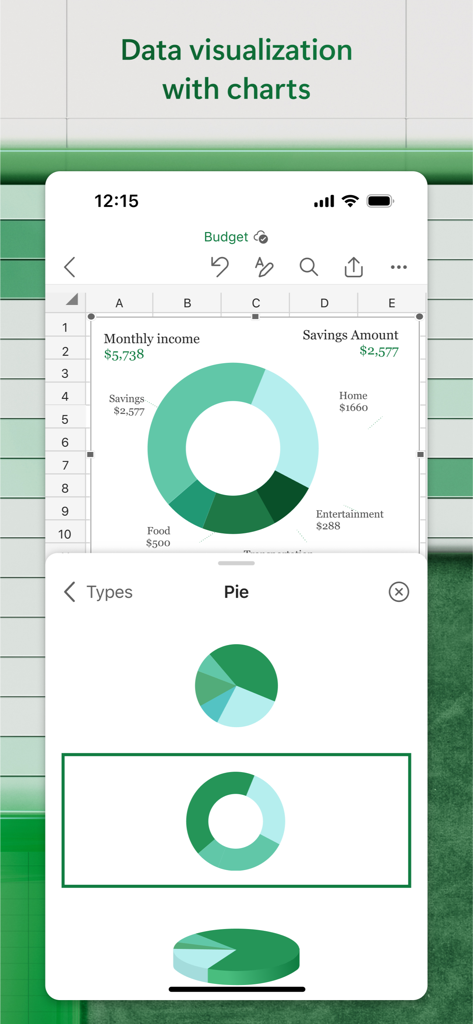
Microsoft Excel 앱 인터페이스가 모바일 화면에서 개인 예산 시각화를 위한 도넛 파이 차트를 보여줍니다.

Microsoft Excel 앱 인터페이스가 모바일 화면에서 개인 예산 시각화를 위한 도넛 파이 차트를 보여줍니다.

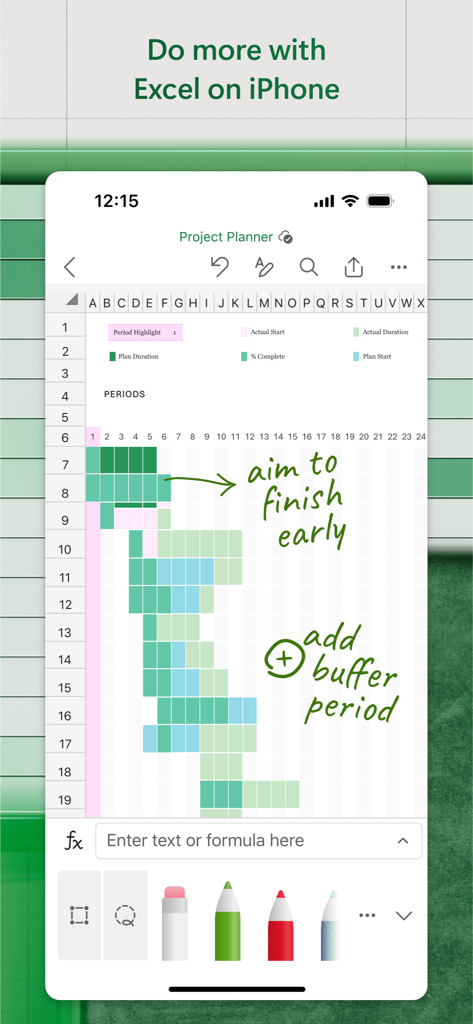
iPhone의 Microsoft Excel이 녹색 잉크 주석이 있는 프로젝트 플래너 스프레드시트를 보여줍니다.

iPhone의 Microsoft Excel이 녹색 잉크 주석이 있는 프로젝트 플래너 스프레드시트를 보여줍니다.

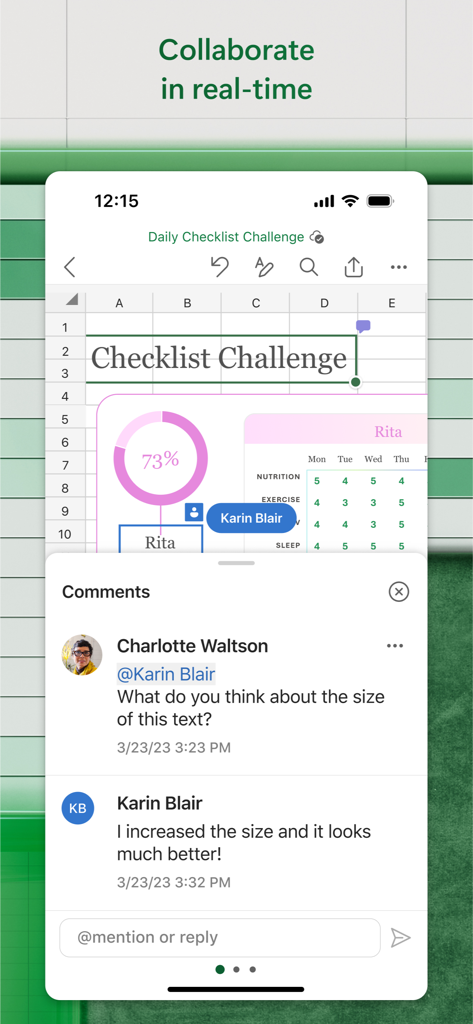
Microsoft Excel 모바일 앱에서 실시간 협업 및 주석 기능.

Microsoft Excel 모바일 앱에서 실시간 협업 및 주석 기능.

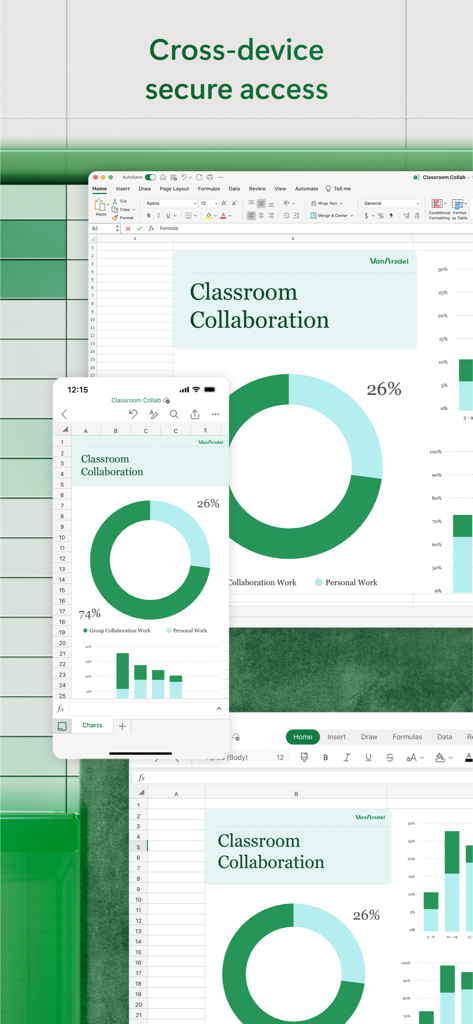
Microsoft Excel이 데스크톱 및 모바일 장치에 동기화된 교실 협업 차트를 표시합니다.

Microsoft Excel이 데스크톱 및 모바일 장치에 동기화된 교실 협업 차트를 표시합니다.

어디서든 데이터를 완벽하게 관리하세요

이 앱을 돋보이게 하는 도구, 160M+ 명의 사용자가 선택.

🔄

원활한 기기 간 워크플로우

데스크톱에서 프로젝트를 시작하고 휴대폰에서 완료하세요. 모든 Apple 기기에서 완벽한 파일 충실도와 실시간 동기화를 즐기세요.

📊

고급 모바일 분석

익숙한 수식과 AI 기반 도구를 사용하여 심층적인 인사이트를 확보하세요. 원탭으로 전문적인 차트를 만들고 복잡한 테이블을 관리하세요.

💰

스마트 금융 관리

예산, 세금 추정치 및 투자 추적을 위한 전용 템플릿으로 개인 자산 또는 비즈니스 회계를 관리하세요.

전 세계 사용자들에게 사랑받는 앱

Trusted by 160M+ 명이 이 앱을 사랑합니다.

"

"회의 참석을 위해 끊임없이 이동하는 분석가로서 Excel 모바일 앱은 정말 구세주입니다. 이동 중에 iPhone에서 직접 복잡한 재무 모델을 검토하고 차트를 업데이트할 수 있습니다. 충실도가 완벽하여 모든 것이 데스크톱과 동일하게 보이므로 고객 프레젠테이션에 매우 중요합니다."

Marcus T.
"

"소규모 비즈니스 재고 관리가 번거로웠는데 이 앱으로 훨씬 쉬워졌습니다. 이동 중에 재고 수준을 확인할 수 있는 카드 보기가 마음에 들고, 내장된 예산 템플릿 덕분에 몇 분 안에 정리할 수 있었습니다. 재정 관리에 탁월하고자 하는 모든 기업가에게 최고의 생산성 도구입니다."

Sarah J.

앱 소개

에 대해 알아야 할 모든 것 Microsoft Excel.

설명

Microsoft Excel, the spreadsheet app, lets you create, view, edit, and share your files quickly and easily. Manage spreadsheets, tables and workbooks attached to email messages from your phone with this powerful productivity app. Work in data analysis, accounting, auditing, or other fields confidently with anyone, anywhere. Quickly graph the most complex formulas, charts and tables with amazing features. Review spreadsheets and run data analysis on the go. Customize tables and spreadsheets the way you want with robust formatting tools and great features. The productivity app lets you build your spreadsheet to meet your specific needs. Get the power of AI with Copilot1 in your favorite apps when you sign in with your Microsoft 365 subscription. Create templates, edit spreadsheets, organize charts and share with ease when you download Microsoft Excel. Tables & Spreadsheets: Create, Calculate and Analyze • Jump-start your budget, task list, accounting, or financial analysis with Excel’s modern templates. • Quickly graph with familiar formulas to run calculations and analyze your data. • Rich productivity features and formatting options make your workbook easier to read and use. • Use Cards View to easily see and manage spreadsheets. Productivity App: Review, Edit, and Work Anywhere • Review your Excel files from any device. • Edit sheets and data or update your task list from anywhere. • Spreadsheet features like sort and filter columns help focus your reviews. • Create, duplicate, hide, and unhide sheets easily. Data Analysis • Analyze data using common charts and graphs. • Use spreadsheet features like add and edit chart labels to highlight key insights in your data. • Pie chart maker: create charts and graphs from your data. Finance: Budgeting & Accounting • Use agile spreadsheets and charts to help manage budgets. • Familiar tools to help you drill down to your exact finance needs. • Calculate tax estimates, personal finances and more. Draw and Annotate with Ink • Make notes, highlight your worksheet, create shapes, or write equations using the draw tab feature in Excel on devices with touch capabilities. Sharing made easy • Share your files with a few taps to quickly invite others to edit, view, or leave comments directly in your workbooks. • Copy the content of your worksheet in the body of an email message with its format intact or attach or copy a link to your workbook for other sharing options. Download Microsoft Excel and get the best way to create, organize and manage data and spreadsheets from your iPhone or iPad. To create or edit documents, sign in with a free Microsoft account on devices with a screen size smaller than 10.1 inches. Unlock the premium Microsoft 365 experience with a qualifying subscription for your phone, tablet, PC, and Mac. Monthly Microsoft 365 subscriptions purchased from the app will be charged to your App Store account and will automatically renew within 24 hours prior to the end of the current subscription period unless auto-renewal is disabled beforehand. You can manage your subscriptions in your App Store account settings. This app is provided by either Microsoft or a third-party app publisher and is subject to a separate privacy statement and terms and conditions. Data provided through the use of this store and this app may be accessible to Microsoft or the third-party app publisher, as applicable, and transferred to, stored, and processed in the United States or any other country where Microsoft or the app publisher and their affiliates or service providers maintain facilities. Please refer to the Microsoft Software License Terms for Microsoft 365. See “License Agreement” link under Information. By installing the app, you agree to these terms and conditions.

최신 버전

2.105

크기

398.2 MB

출시일

2014년 3월 27일

Excel의 강력한 기능을 어디든 휴대하세요

1억 6천만 명 이상의 사용자와 함께 이동 중에도 예산, 데이터 및 복잡한 수식을 관리하세요. iPhone 또는 iPad에서 세계에서 가장 신뢰받는 생산성 앱을 받으세요.

다운로드: App Store다운로드: Google Play
FAQ

자주 묻는 질문

에 대해 알아야 할 모든 것 Microsoft Excel

Microsoft Excel은 무엇인가요?

Microsoft Excel은 사용자가 파일을 빠르고 쉽게 만들고, 보고, 편집하고, 공유할 수 있는 스프레드시트 앱입니다. 스프레드시트, 표, 통합 문서를 관리하기 위한 강력한 생산성 도구를 제공합니다.

사용자는 Microsoft Excel에서 무료로 문서를 만들고 편집할 수 있나요?

네, 사용자는 무료 Microsoft 계정으로 로그인하면 화면 크기가 10.1인치 미만인 기기에서 Microsoft Excel 문서를 무료로 만들거나 편집할 수 있습니다.

Microsoft Excel은 데이터 분석을 지원하나요?

네, Microsoft Excel은 데이터 분석을 지원합니다. 사용자는 이동 중에도 데이터 분석을 실행하고, 분석을 위해 일반적인 차트와 그래프를 사용하며, 차트 레이블을 추가/편집하여 주요 통찰력을 강조할 수 있습니다.

Microsoft Excel을 사용하여 스프레드시트를 공동 작업하려면 어떻게 해야 하나요?

네, Microsoft Excel은 공동 작업을 허용합니다. 사용자는 파일을 공유하여 다른 사람을 초대하여 통합 문서에서 직접 편집, 보기 또는 댓글을 남길 수 있습니다. 콘텐츠를 이메일로 복사하거나 링크를 공유할 수도 있습니다.

Microsoft Excel은 예산 및 회계 기능을 제공하나요?

네, Microsoft Excel은 예산 및 회계 기능을 제공합니다. 사용자는 현대적인 템플릿으로 예산을 시작하고 민첩한 스프레드시트 및 차트를 활용하여 재정적 요구 사항을 관리할 수 있습니다.

내 기기에서 Microsoft Excel로 그림을 그리거나 주석을 달 수 있나요?

네, 사용자는 Microsoft Excel에서 그림을 그리거나 주석을 달 수 있습니다. 이 앱에는 터치 지원 기기에서 메모를 작성하고, 워크시트를 강조 표시하고, 도형을 만들거나 방정식을 작성하기 위한 그리기 탭이 있습니다.

Microsoft Excel의 프리미엄 기능을 사용하려면 Microsoft 365 구독이 필요한가요?

네, 자격이 되는 Microsoft 365 구독은 Copilot과 같은 기능을 포함하여 Microsoft Excel의 전화, 태블릿, PC 및 Mac 전반에 걸쳐 프리미엄 환경을 활성화합니다.

Microsoft Excel 구독을 어떻게 관리하나요?

사용자는 앱에서 구매한 월간 Microsoft 365 구독을 App Store 계정 설정에서 관리합니다. 자동 갱신이 비활성화되지 않는 한 구독은 자동으로 갱신됩니다.

Microsoft Excel에서 스프레드시트 내의 데이터를 정렬하고 필터링할 수 있나요?

네, Microsoft Excel에는 열 정렬 및 필터와 같은 스프레드시트 기능이 포함되어 있습니다. 이러한 도구는 사용자가 검토에 집중하고 복잡한 데이터 작업을 관리하는 데 도움이 됩니다.

Microsoft Excel에서 파일에 대한 크로스 디바이스 액세스를 허용하나요?

네, Microsoft Excel은 크로스 디바이스 액세스를 제공합니다. 사용자는 모든 기기에서 Excel 파일을 검토하고 iPhone 및 Mac과 같은 플랫폼에서 안전하게 액세스할 수 있습니다.