XLSX Sheets: Edit Spreadsheet

XLSX Sheets: Edit Spreadsheet

다운로드: App Store
Spark by MWM logo
로고: XLSX Sheets: Edit Spreadsheet
XLSX Sheets: 모바일 라이프를 위해 재탄생한 전문 스프레드시트 파워

더 빠르고 스마트한 데이터 관리 방식으로 번거로운 소프트웨어를 버리세요. Excel 호환 파일을 편집하고, 실시간 제안으로 수식을 마스터하고, 오프라인에서도 어디서든 작업하세요.

개발사

Rhophi Analytics LLP

카테고리

Productivity

다운로드

2M+

사용자 평점

4.6/5

총 평가 수

7K+

지원 언어

18

제한 없는 스프레드시트

이 인터페이스를 사용하는 2M+ 명의 사용자.

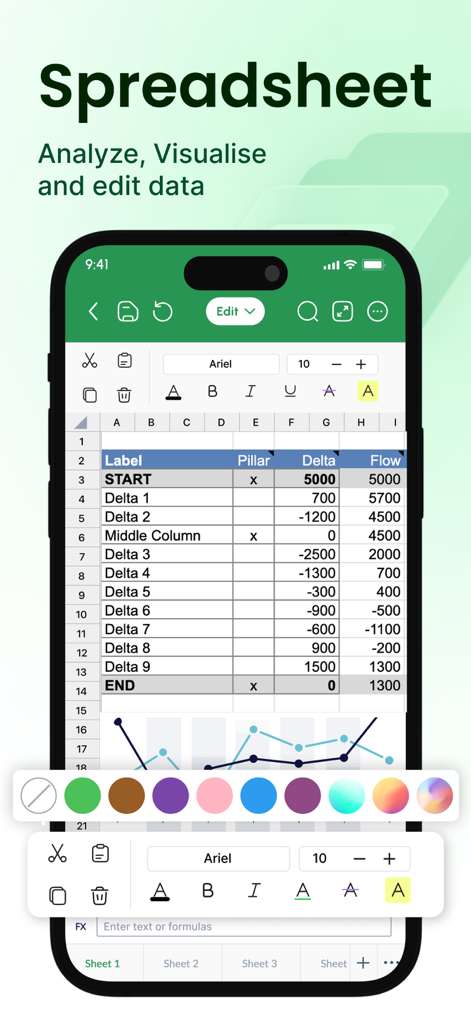
XLSX Sheets 앱 인터페이스가 모바일 장치에서 스프레드시트와 차트를 보여줍니다.

XLSX Sheets 앱 인터페이스가 모바일 장치에서 스프레드시트와 차트를 보여줍니다.

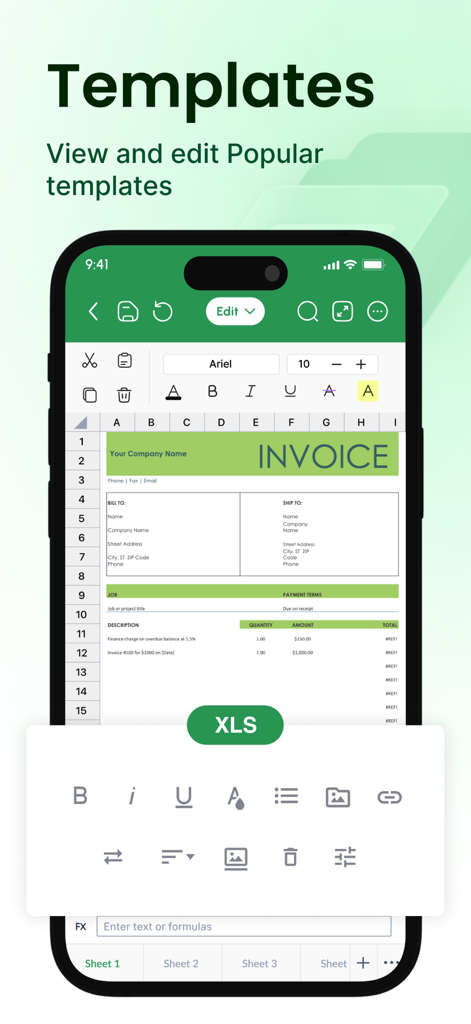
XLSX Sheets 앱에서 편집 가능한 송장 스프레드시트 템플릿을 표시하는 휴대폰.

XLSX Sheets 앱에서 편집 가능한 송장 스프레드시트 템플릿을 표시하는 휴대폰.

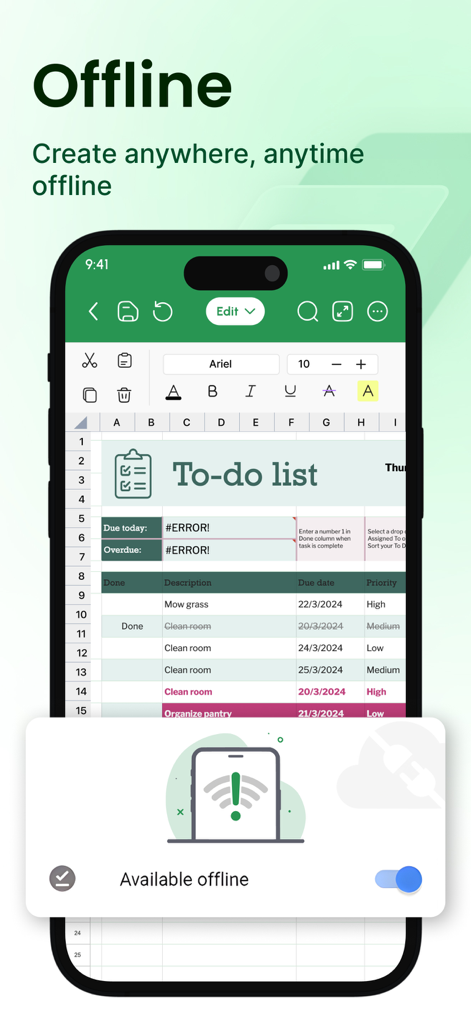
XLSX Sheets 모바일 앱 인터페이스에 오프라인 편집 모드가 활성화된 할 일 목록이 표시됩니다.

XLSX Sheets 모바일 앱 인터페이스에 오프라인 편집 모드가 활성화된 할 일 목록이 표시됩니다.

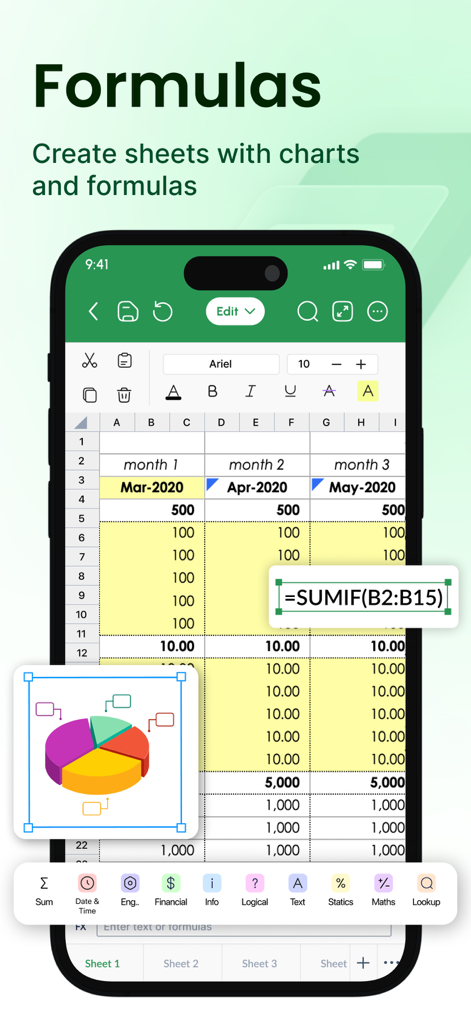
SUMIF 수식이 편집되고 3D 파이 차트 시각화가 표시되는 모바일 스프레드시트 인터페이스.

SUMIF 수식이 편집되고 3D 파이 차트 시각화가 표시되는 모바일 스프레드시트 인터페이스.

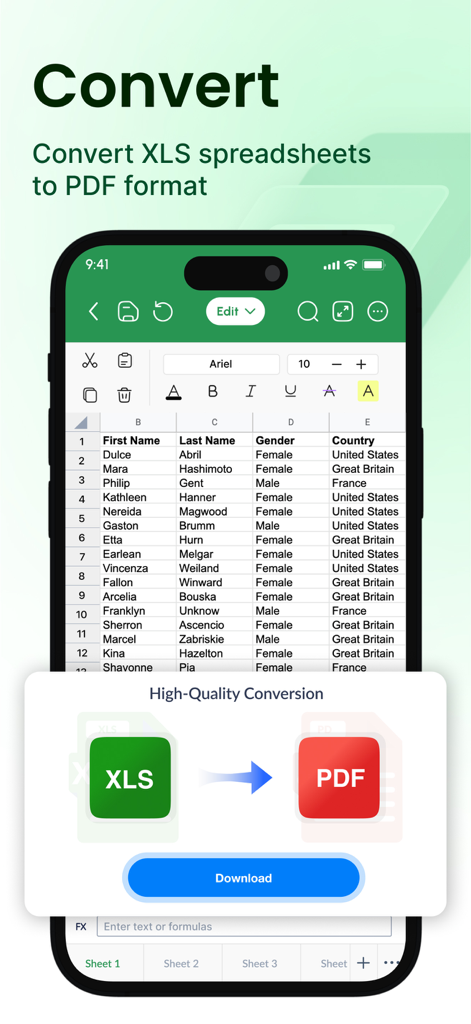
Excel 스프레드시트를 PDF 문서로 변환하는 모바일 앱 인터페이스.

Excel 스프레드시트를 PDF 문서로 변환하는 모바일 앱 인터페이스.

이동 중에도 데이터를 마스터하세요

이 앱을 돋보이게 하는 도구, 2M+ 명의 사용자가 선택.

속도와 정확성을 위해 제작됨

실시간 수식 제안과 빠른 모바일 편집에 최적화된 인터페이스로 복잡성을 버리세요.

✈️

완벽한 오프라인 생산성

온라인으로 돌아오는 순간 진행 상황이 동기화되는 원활한 오프라인 액세스로 지하철이나 비행기에서도 계속 작업하세요.

📄

원클릭 전문 내보내기

스프레드시트를 즉시 전문적인 PDF 또는 CSV로 변환하여 이동 중에 고객과 송장 및 보고서를 공유하세요.

전 세계 사용자들에게 사랑받는 앱

Trusted by 2M+ 명이 이 앱을 사랑합니다.

"

"XLSX Sheets는 제 일상 통근에 완벽한 동반자입니다. 오프라인 모드 덕분에 신호에 대해 걱정하지 않고 기차에서 프로젝트 예산과 일정을 업데이트할 수 있습니다. 제가 사용해 본 다른 모바일 스프레드시트 앱보다 훨씬 빠르고 직관적입니다."

Alex R., 프로젝트 관리자
"

"회계 및 예산 템플릿 덕분에 소규모 비즈니스 추적 설정을 할 때 많은 시간을 절약할 수 있었습니다. iPad에서 바로 차트로 데이터를 시각화하고 파트너에게 PDF로 보고서를 즉시 내보낼 수 있다는 점이 마음에 듭니다. 모바일 데이터 관리를 실제로 즐겁게 만듭니다."

Jordan M., 기업가

리뷰 분석

사용자 리뷰 인사이트.

감정 점수

17%
부정적

요약

The app garners overwhelmingly negative feedback, primarily due to its aggressive monetization strategy. Many users report unexpected auto-renewals and significant charges for subscriptions they did not intend to purchase, often finding basic functionalities locked behind a paywall. There are frequent complaints about the difficulty or inability to obtain refunds and accusations of the app being a scam. Consequently, the user experience is largely characterized by frustration over unwanted payments and inadequate customer support.

주요 테마

Refund Difficulty / Support Issues(15)
Unexpected Charges(14)
Paywall / Premium Requirement(12)
Excessive Advertisements(5)
Accusations of Scam/Deception(5)
Ease of Use(3)
App Performance / Instability(3)

앱 소개

에 대해 알아야 할 모든 것 XLSX Sheets: Edit Spreadsheet.

설명

Powerful & Easy XLSX Editing at your fingertips: Tired of bulky spreadsheet software that limits your mobility? Introducing XLSX Sheets, your all-in-one mobile solution for creating, editing, and managing Excel-friendly Spreadsheets and Smartsheets with unmatched ease and efficiency. Effortlessly manage data at your fingertips, anywhere, anytime: • Edit with precision: Utilize a comprehensive suite of editing tools for Excel-compatible spreadsheet control. Cut, copy, paste, format cells, and apply Excel-compatible formulas seamlessly. • Formula mastery made easy: Access a library of easy-to-advanced Excel compatible functions and receive real-time formula suggestions as you type, ensuring error-free calculations. • Visualize your success: Effortlessly create and manipulate charts and graphs in both spreadsheet and Smartsheet files, gaining clear insights from your data. • Real-time sheet collaboration: Work seamlessly with colleagues or classmates by sharing spreadsheets and xls through popular cloud services like Google Drive, Dropbox, and OneDrive. Your perfect spreadsheet companion: • Analyze advanced data: Leverage powerful tools to sort, filter, and create pivot tables, extracting valuable insights from your sheets. • Streamlined compatible workflows: Utilize Excel-compatible templates for tasks like budgeting, to-do lists, accounting, and financial analysis, saving you valuable time and effort. • Seamless data exchange: Import data from various sources, including CSV files, web tables, and other XLS files, ensuring compatibility across platforms. Export or convert your sheet to formats like PDF, CSV, or XLS for maximum flexibility. Sheets tailored for your unique needs: • Personalize your experience: Choose from customizable themes, cell styles, and conditional formatting options to make your spreadsheets visually appealing and functional. • Work offline, uninterrupted: Continue working on your spreadsheets even without an internet connection. Offline sheet access ensures you have control over your data, wherever you are. • Customer support: Enjoy regular xls updates and top-notch customer support to keep your editing experience smooth and efficient. Whether you are a business professional, student, or simply someone who needs to manage data on the go, XLSX Sheets is the perfect tool for you. Download it today and experience the power of mobile spreadsheets! Key features: • Edit, create, and manage XLS sheets and Smartsheets • Powerful excel compatible formula builder with real-time suggestions • Comprehensive data visualization tools (charts, graphs & pivots) • Real-time spreadsheet collaboration through cloud integration • Advanced data analysis features (sort, filter, pivot tables, budget calculations) • Modern templates for various tasks (budgeting, accounting, reporting, etc.) • Import and export data in various formats (CSV, PDF, XLS) • Customizable themes, cell styles, and formatting options • Offline spreadsheet access for uninterrupted work • Regular updates and dedicated customer support Download XLSX Sheets today and start working smarter, not harder! Weekly/Monthly/Yearly subscriptions available. Choose the plan that best suits your needs. Cancel anytime. Subscription will be charged to your credit card through your App Store account. Your subscription will automatically renew unless canceled at least 24 hours before the end of the current period. Manage your subscription in the Account Settings on the App Store after purchase. Terms of use - https://sites.google.com/a1apps.co/tc-xlsx-sheets-ios/home Any feedback is welcomed at p3@a1apps.helpscoutapp.com

최신 버전

1.1.29

크기

231.1 MB

출시일

2023년 2월 23일

어디서든 스프레드시트를 마스터하세요

번거로운 소프트웨어를 버리고 더 빠르고 모바일 우선적인 편집을 선택한 2백만 명 이상의 전문가와 함께하세요. 지금 XLSX Sheets를 다운로드하고 오프라인에서도 데이터를 제어하세요.

다운로드: App Store
FAQ

자주 묻는 질문

에 대해 알아야 할 모든 것 XLSX Sheets: Edit Spreadsheet

XLSX Sheets란 무엇인가요?

XLSX Sheets는 Excel과 호환되는 스프레드시트 및 스마트시트 생성, 편집, 관리를 위한 모바일 솔루션입니다. 포괄적인 편집 도구, 수식 마스터, 데이터 시각화 및 실시간 공동 작업 기능을 제공합니다.

XLSX Sheets로 Excel 파일을 편집할 수 있나요?

네, XLSX Sheets는 Excel과 호환되는 스프레드시트 생성, 편집, 관리를 위해 설계되었습니다. 기존 Excel 파일과의 완벽한 호환성을 보장하는 포괄적인 편집 도구 모음과 Excel 호환 수식을 제공합니다.

XLSX Sheets는 수식을 지원하나요?

네, XLSX Sheets는 수식을 지원합니다. 사용하기 쉬운 고급 Excel 호환 함수 라이브러리를 제공하며 실시간 수식 제안 기능을 제공합니다. 이를 통해 스프레드시트 내에서 정확하고 효율적인 계산을 보장합니다.

XLSX Sheets를 사용하여 다른 사람들과 공동 작업할 수 있나요?

네, XLSX Sheets는 실시간 시트 공동 작업을 가능하게 합니다. Google Drive, Dropbox, OneDrive와 같은 인기 있는 클라우드 서비스를 통해 스프레드시트 및 XLS 파일을 공유하여 다른 사람들과 원활하게 작업할 수 있습니다.

XLSX Sheets는 오프라인에서도 작동하나요?

네, XLSX Sheets는 오프라인 작업도 가능합니다. 인터넷 연결 없이도 스프레드시트 편집을 계속할 수 있습니다. 이를 통해 어디에서든 데이터에 대한 중단 없는 액세스와 제어를 보장합니다.

XLSX Sheets는 어떤 파일 형식을 가져오고 내보낼 수 있나요?

XLSX Sheets는 CSV 파일, 웹 테이블 및 기타 XLS 파일에서 데이터를 가져오는 것을 지원합니다. 최대한의 유연성과 호환성을 위해 시트를 PDF, CSV 또는 XLS를 포함한 형식으로 내보내거나 변환할 수 있습니다.

XLSX Sheets의 가격은 얼마인가요?

XLSX Sheets는 주간, 월간, 연간 구독 옵션을 제공합니다. 필요에 가장 적합한 요금제를 선택할 수 있습니다. 구독 요금은 App Store 계정을 통해 처리됩니다.

XLSX Sheets 구독을 취소하려면 어떻게 해야 하나요?

구매 후 App Store의 계정 설정에서 XLSX Sheets 구독을 취소할 수 있습니다. 자동 갱신을 방지하려면 현재 기간이 종료되기 최소 24시간 전에 취소해야 합니다.

XLSX Sheets는 템플릿을 제공하나요?

네, XLSX Sheets는 다양한 작업을 위한 Excel 호환 템플릿을 제공합니다. 여기에는 예산 책정, 할 일 목록, 회계 및 재무 분석이 포함되어 워크플로우를 간소화하고 시간을 절약합니다.

XLSX Sheets로 XLS 스프레드시트를 PDF로 변환할 수 있나요?

네, XLSX Sheets는 XLS 스프레드시트를 PDF 형식으로 변환할 수 있습니다. 또한 앱을 통해 CSV 또는 XLS 형식으로 내보낼 수 있어 데이터 공유 및 보관 목적에 유연성을 제공합니다.